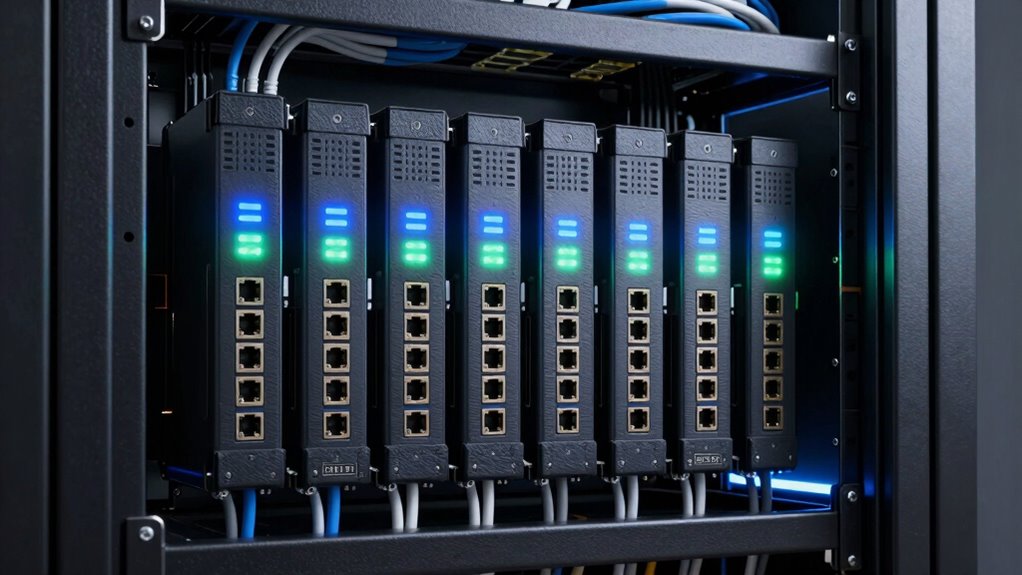

For most small network closets, I would start with the CyberPower RKBS15S2F8R for rack-friendly power protection; the StarTech 8-Outlet 1U PDU is a practical alternative when a compact rack format matters, while the Ubiquiti ETH-SP-G2 multipack targets exposed Ethernet runs. The main choice is whether you need to protect AC-powered equipment, Ethernet cabling, or both—one device type does not replace the other. Outlet count, rack fit, circuit capacity, and grounding also shape the right pick. Read on for the full comparison and guidance on matching protection to your closet.

Get business pricing on networking and server gear
- Business-only prices and quantity discounts
- Tax-exempt purchasing
- Multiple users, one account, clear invoices
Key Takeaways
- Power and data protection are different jobs: rack strips and PDUs protect equipment connected to AC power, while RJ45 arrestors address surges entering over Ethernet.
- CyberPower RKBS15S2F8R leads for rack-based power distribution: its rackbar format suits a closet where tidy, accessible outlets matter more than a simple wall-mounted strip.
- StarTech’s 1U PDU favors a compact rack installation: its form factor and 15A specification make rack fit and circuit planning part of the buying decision.
- Ethernet arrestors are most relevant on exposed cable runs: the Ubiquiti multipack and PoE-capable RJ45 options address network-line risks that AC-only protectors cannot.
- The lineup includes several specialized products, not universal substitutes: the 20A ESP filter, multi-port Ethernet units, and outdoor couplers suit particular layouts and should be matched to wiring, grounding, and load needs.


| surge protectors for network closet | Voltage | Maximum current |
|---|---|---|
| Eaton Tripp Lite TLP118DBNET H | 120V | 15A |
| 4-Port RJ45 Ethernet Surge Pro | — | — |
| ESP Digital QC Surge Protector | 120V | 20A |
| Ubiquiti ETH-SP-G2 Surge Suppr | — | — |
| Gigabit PoE+ Ethernet Surge Pr | — | — |
| CERRXIAN Ethernet Surge Protec | — | — |
| 20KA Ethernet Surge Protector | 48 V | 20 kA |
| CyberPower RKBS15S2F8R Rackbar | 125 V | 15 A |
| CyberPower CPS1215RMS Surge Pr | 120 V | 15 A |
| StarTech 8-Outlet 1U PDU | 120 V | 15 A |
More Details on Our Top Picks
Eaton Tripp Lite TLP118DBNET Home Theater Surge Protector, 11 Outlets
I’d choose the Eaton Tripp Lite TLP118DBNET when a closet needs protection for both network gear and other connected electronics. Its 11 outlets and 4,200-joule rating give it more room and stated surge capacity than the outlet-light ESP Digital QC, while filtering for power, phone, Ethernet, and coax connections suits a mixed setup. The 8-foot flat braided cord and mounting options also help when the outlet is not right beside the equipment. This is a broad power-and-signal solution, not a substitute for dedicated Ethernet protectors such as the Ubiquiti ETH-SP-G2 on exposed network runs. Its main limitation is the 120V, 15A format; buyers with a 20A circuit or a rack-mounted layout should choose a purpose-built alternative. It also lacks remote monitoring or control.
Pros:- 11 outlets accommodate a switch, router, modem, and supporting electronics.
- 4,200-joule rating provides substantial stated surge capacity for an outlet-based protector.
- Protection and filtering cover power, phone, Ethernet, and coax connections.
- Eight-foot flat cord and multiple mounting options offer placement flexibility.
Cons:- Limited to 120V and 15A, so it is not suited to higher-voltage regions or 20A circuits.
- Not a rack-mounted PDU, and its broad outlet protection does not replace dedicated protection for exposed Ethernet lines.
- No smart monitoring or remote control.
Best for: Home and small-office network closet owners who need multiple AC outlets plus protection for connected phone, Ethernet, or coax lines.
Not ideal for: Operators with 20A circuits, higher-voltage power, or exposed Ethernet runs that need dedicated inline protection and rack-specific hardware.
- Number of outlets:11
- Voltage:120V
- Maximum current:15A
- Cord length:8 feet
- Plug type:Type B
- Weight:2 pounds
- Color:Black
Our verdict“Choose this for a 120V mixed-use closet that needs many outlets and multiple connection types protected from one unit.”
4-Port RJ45 Ethernet Surge Protector, 10KV Lightning Arrestor, PoE++ Compatible, Gigabit Speed, Metal Shielded, CAT5/CAT6
For a closet carrying several high-wattage PoE runs, this four-channel Ethernet protector is more purpose-built than the Eaton Tripp Lite TLP118DBNET, which combines outlet protection with signal-line filtering. The listed PoE++ support up to 120W per port makes this model a better match for demanding access points, cameras, or other powered devices, while its aluminum housing and independent channel protection suit installations where lines need separate handling. Mounting choices include wall, DIN rail, or desktop, a useful advantage over a simple inline adapter. The tradeoff is installation complexity: this is network-line hardware, not an AC surge strip, so it does nothing for the closet’s mains-powered equipment. It is also bulkier than a single-port protector, and setup may require familiarity with grounding and network cabling.
Pros:- Four protected channels can cover multiple Ethernet runs at once.
- Supports PoE++ and listed power up to 120W per port.
- Aluminum housing and wide operating-temperature range suit demanding installations.
- Wall, DIN-rail, and desktop mounting allow flexible placement.
Cons:- Protects Ethernet lines only; it does not provide AC outlets or mains surge protection.
- Installation may require technical knowledge, including correct grounding.
- Bulkier than a single-line protector.
Best for: Network administrators protecting multiple gigabit PoE++ lines, including high-power cameras or access points, who can mount and ground dedicated Ethernet protection.
Not ideal for: Home users seeking one simple device for AC outlets and network lines, or anyone unwilling to handle a more technical installation.
- Ports:4 in / 4 out
- Surge protection voltage:10kV
- PoE compatibility:PoE++; IEEE 802.3af/at/bt
- Maximum power per port:120W
- Supported cable:CAT5, CAT5e, CAT6
- Housing:Aluminum
- Operating temperature:-40°F to 185°F (-40°C to 85°C)
- Mounting options:Wall, DIN rail, desktop
Our verdict“Pick this for a multi-line PoE++ closet where dedicated Ethernet protection matters more than an all-in-one outlet strip.”
ESP Digital QC Surge Protector/Noise Filter (D5143NT) – 120V 20A with NEMA 5-20 Connectors
The ESP Digital QC D5143NT stands apart from the Eaton Tripp Lite TLP118DBNET by targeting a 120V, 20A circuit and combining power protection with RJ-45 and RJ-11 line filtering. Its three outlets are far fewer than Eaton’s 11, so I’d reserve it for a compact closet where a small number of sensitive devices matter more than outlet capacity. The listed protection circuit uses gas tubes, avalanche diodes, and MOVs, and the product data includes a lifetime product warranty plus a five-year connected-equipment guarantee. That package may appeal to buyers who value specified support and noise filtering. The catch is a strict electrical fit: it uses a NEMA 5-20P plug and requires a compatible 20A receptacle, so it will not suit a standard 15A circuit. Confirm connector fit before choosing it.
Pros:- 20A rating suits compatible circuits beyond the 15A format of the Eaton Tripp Lite TLP118DBNET.
- Includes RJ-45 and RJ-11 line filtering alongside AC protection.
- Three-stage protection design is specified with gas tubes, avalanche diodes, and MOVs.
- Product data lists a lifetime product warranty and a five-year connected-equipment guarantee.
Cons:- Requires a compatible NEMA 5-20 receptacle and is not suitable for standard 15A circuits.
- Only three AC outlets, limiting capacity compared with the 11-outlet Eaton Tripp Lite model.
- The supplied data does not state a joule rating for direct comparison with outlet-based alternatives.
Best for: Small network closets with a compatible 20A NEMA 5-20 receptacle, a few sensitive devices, and a need for Ethernet and telephone line filtering.
Not ideal for: Closets with standard 15A outlets, many devices, or buyers needing rack-mounted distribution with numerous AC receptacles.
- Outlets:3: one 5-20R and two 5-15R
- Voltage:120V
- Maximum current:20A
- Plug type:NEMA 5-20P
- Signal ports:5, including RJ-45 and RJ-11
- Compatible connections:Phone line and network equipment
- Color:Black
- Warranty and guarantee:Lifetime product warranty; five-year $100,000 connected-equipment guarantee
Our verdict“Choose it for a small, sensitive setup on a compatible 20A circuit, but skip it if you need more outlets or have only 15A power.”
Ubiquiti ETH-SP-G2 Surge Suppressor/Protector Multipack (3-Pack)
The Ubiquiti ETH-SP-G2 three-pack is the straightforward choice when protection needs to sit on several Ethernet runs rather than at the AC outlet. Compared with the four-port 10kV PoE++ protector in this roundup, this pack’s clearest advantage is its three separate suppressors, which can be placed near distinct network devices or cable paths. It is a focused add-on, not a complete closet protector: unlike the Eaton Tripp Lite TLP118DBNET, it supplies no AC outlets and the product data does not specify a joule or voltage rating, PoE class, or supported data rate. That limited specification detail makes it harder to match to demanding PoE installations. The listed 30-day Amazon return policy is also the only warranty information provided, so buyers prioritizing longer documented coverage may prefer another option.
Pros:- Three separate units can protect Ethernet connections at multiple points.
- Dedicated Ethernet protection complements an AC surge protector such as the Eaton Tripp Lite TLP118DBNET.
- Designed for Ethernet networks and described as easy to install.
- Useful for distributing protection instead of relying on a single central device.
Cons:- Protects Ethernet only and provides no AC outlets.
- Supplied product data does not specify surge rating, PoE compatibility, or data rate.
- Only a 30-day Amazon return policy is listed; longer warranty coverage is not specified.
Best for: Ubiquiti users who need separate Ethernet suppressors for several network devices or cable runs and already have AC protection in place.
Not ideal for: Buyers who need AC outlet protection, published surge and PoE specifications, or longer stated warranty coverage.
- Pack quantity:3 suppressors
- Compatible connection:Ethernet networks
- Device type:Ethernet surge suppressor
- Warranty information:30-day Amazon return policy
- AC outlets:Not specified
Our verdict“Choose this pack when you need three separate Ethernet protection points and can accept limited published electrical specifications.”
Gigabit PoE+ Ethernet Surge Protector 10KV Lightning Suppressor LAN Network CAT5/CAT6 Thunder Arrestor 10/100/1000 Mbps
This gigabit PoE+ Ethernet protector suits a closet that needs a rack-mounted network-line device with a grounding wire, but its product data needs a careful read: it lists 10 outlets while also describing protection for RJ45 ports, without clarifying the exact port configuration. It supports all eight pins and 10/100/1000 Mbps, making it a more clearly specified speed match than the Ubiquiti ETH-SP-G2 listing, whose supplied details omit data rate and surge rating. Against the four-channel PoE++ protector, this model is the more basic fit: it is listed for PoE+ and 48V, not the other unit’s higher-power PoE++ support. Its plastic housing may also be less robust than that model’s aluminum enclosure. Treat it as Ethernet protection, not an AC power strip, and confirm rack and cable compatibility before purchase.
Pros:- Supports gigabit data rates and CAT5, CAT5e, and CAT6 cabling.
- Listed 10kV lightning protection covers all eight RJ45 pins.
- Includes a grounding wire and is described as rack mounted.
- PoE+ support fits common powered network devices.
Cons:- Product data lists 10 outlets but does not clarify the exact RJ45 input/output layout.
- Plastic housing is less substantial than the aluminum enclosure on the four-port PoE++ model.
- No weatherproofing is specified, and it is not an AC outlet surge protector.
Best for: Small rack-based closets protecting gigabit CAT5/CAT6 Ethernet runs and PoE+ devices where a grounding wire and straightforward installation are priorities.
Not ideal for: Installations needing PoE++ power, a metal enclosure, outdoor weather protection, or a clearly documented port layout before buying.
- Data rate:10/100/1000 Mbps
- Lightning protection:10kV per RJ45 port
- RJ45 pin protection:All 8 pins
- PoE compatibility:PoE+
- Cable compatibility:CAT5, CAT5e, CAT6
- Maximum voltage:48V
- Housing:Plastic
- Mounting:Rack mounted with grounding wire
- Listed outlets:10
Our verdict“Pick it for a rack-based gigabit PoE+ setup if its port layout matches your cabling, but choose the aluminum PoE++ unit for higher-power runs.”
CERRXIAN Ethernet Surge Protector RJ45 Coupler Female to Female Network Surge Protector Outdoor Arrester Protection Device Extension Adapter (2-Pack)
The CERRXIAN pair is a compact way to add an inline Ethernet surge-protection point where a cable enters a small network closet or reaches an outdoor device. Its female-to-female RJ45 couplers install without a separate power connection, and the metal enclosure is listed as providing electromagnetic interference shielding. The main limit is speed: the supplied data caps transmission at 100 Mbps, so this is a poor match for gigabit switches or faster access points. Compared with the 20KA Ethernet Surge Protector, which specifies gigabit and PoE++ support, CERRXIAN is the simpler choice for basic links, not a higher-performance network. The two-pack can cover a pair of cable runs, but larger closets may need more units, and long-term outdoor durability is not detailed.
Pros:- Two inline RJ45 couplers provide a simple way to protect two cable connections.
- Plug-and-play female-to-female design needs no separate power connection.
- Metal enclosure is specified and the listing describes electromagnetic interference shielding.
Cons:- 100 Mbps transmission limit can bottleneck gigabit network equipment.
- Two units may not cover a larger closet or several exposed cable runs.
- Long-term outdoor durability details are not provided.
Best for: Small closets protecting a couple of 100 Mbps Ethernet runs to basic computers or other compatible devices.
Not ideal for: Buyers with gigabit or faster links, PoE++ equipment, or extensive outdoor cabling that calls for clearer performance and durability specifications.
- Pack size:2 couplers
- Connector type:RJ45 female to female
- Transmission rate:Up to 100 Mbps
- Surge protection:Listed
- Enclosure material:Metal
- Item weight:0.02 kg
Our verdict“Choose the CERRXIAN pair for a couple of basic 100 Mbps links, but pick the 20KA Ethernet model for gigabit or PoE++ runs.”
20KA Ethernet Surge Protector Gigabit, 2 Pack PoE++ RJ45 Lightning Arrestor
For a network closet serving cameras, access points, or other powered Ethernet endpoints, this two-pack has the clearest network-side capability in this group: it specifies 1 Gbps, PoE++ compatibility, and 20 kA maximum current. That makes it a better fit for modern powered links than the CERRXIAN couplers, which are limited to 100 Mbps. The aluminum housing and mounting flanges suit fixed installations, while compatibility is listed for CAT5, CAT5e, and CAT6 cabling. These are inline Ethernet protectors, not rack power strips, so they do not add AC outlets or replace protection for the closet’s mains-powered gear. Each unit has one protected connection, and the mounting screws are not included, adding a small installation task.
Pros:- Specifies gigabit Ethernet and PoE++ compatibility.
- 20 kA maximum current rating is listed for surge protection.
- Aluminum housing is described as corrosion-resistant and suited to heat dissipation.
- Mounting flanges support fixed installation.
Cons:- Each unit covers only one Ethernet connection.
- Mounting screws are not included.
- Does not provide AC outlets or protect mains power to rack equipment.
Best for: Network administrators protecting gigabit PoE++ links to cameras, switches, or access points, especially where units can be mounted near cable entry points.
Not ideal for: Buyers seeking a rackmount AC surge strip, protection for many Ethernet runs in one device, or hardware with mounting screws included.
- Pack size:2 protectors
- Maximum network speed:1 Gbps
- Maximum current:20 kA
- PoE compatibility:PoE++
- Cable compatibility:CAT5, CAT5e, CAT6
- Voltage:48 V
- Enclosure material:Aluminum
Our verdict“Pick this two-pack for gigabit PoE++ cable runs; choose a CyberPower or StarTech rack unit when AC outlet protection is the priority.”
CyberPower RKBS15S2F8R Rackbar Surge Protector
The RKBS15S2F8R is the strongest fit here for a closet where surge-energy capacity and rack installation matter more than maximizing outlet count. Its listed 3,600-joule rating exceeds the CPS1215RMS’s 1,800 joules, while the 10 outlets are fewer than that model’s 12. That tradeoff favors buyers who want a substantial stated joule rating for a focused rack setup rather than the most connections per strip. A metal enclosure, noise filtering, and LED status indicators add practical monitoring and build features. The unit remains limited to 15 A, so it is not a solution for loads beyond that circuit capacity. Compared with the StarTech 1U PDU, this model emphasizes its listed surge rating and rack flexibility, while StarTech specifies a built-in circuit breaker and a fixed 1U format.
Pros:- Listed 3,600-joule surge protection is higher than the CPS1215RMS’s 1,800-joule rating.
- Ten outlets support multiple rack devices.
- Metal enclosure and flexible rackmount options suit equipment-room installation.
- LED status indicators and noise filtering are included.
Cons:- 15 A capacity may not suit higher-load equipment or circuits.
- Ten outlets are fewer than the CPS1215RMS’s 12.
- Four-pound metal construction is less convenient for portable setups.
Best for: Closet operators who want a rackmount power strip with a higher listed joule rating, status indicators, and up to 10 AC connections on a 15 A circuit.
Not ideal for: Buyers needing more than 10 outlets, a power capacity above 15 A, or a compact portable strip.
- Outlets:10
- Surge protection:3,600 joules
- Voltage:125 V
- Maximum current:15 A
- Power cord length:15 ft
- Item weight:4 lb
- Enclosure material:Metal
Our verdict“Choose the RKBS15S2F8R when its 3,600-joule rating and rack flexibility outweigh the CPS1215RMS’s two extra outlets.”
CyberPower CPS1215RMS Surge Protector
When a closet has a long list of low-to-moderate draw devices, the CPS1215RMS makes a straightforward case with 12 outlets and flexible rackmount options for vertical or horizontal installation. It offers two more connections than the RKBS15S2F8R, which may reduce the need for extra strips, but its stated 1,800-joule rating is lower than that CyberPower model’s 3,600 joules. Both are metal rack-oriented units limited to 15 A, so the decision is mainly outlet capacity versus the higher listed surge-energy rating. The 15-foot cord can help when the closet’s outlet is not close to the rack. This is a mains power strip, not Ethernet-line protection; use a separate network protector for exposed copper runs. Its rack-focused design is less fitting for buyers who want a freestanding or portable strip.
Pros:- Twelve outlets provide more connections than the RKBS15S2F8R.
- Listed 1,800-joule surge protection for connected equipment.
- 15-foot cord can reach outlets farther from the rack.
- Metal construction and horizontal or vertical mounting options suit closet installations.
Cons:- Its 1,800-joule rating is lower than the RKBS15S2F8R’s 3,600 joules.
- Limited to 120 V and 15 A applications.
- Rackmount setup is the best fit, making it less convenient for portable use.
Best for: Network closet owners who need up to 12 AC outlets, a long power cord, and flexible rack mounting for standard 120 V equipment.
Not ideal for: Buyers prioritizing a higher stated joule rating, loads beyond 15 A, or a non-rack power strip.
- Outlets:12
- Surge protection:1,800 joules
- Voltage:120 V
- Maximum current:15 A
- Power cord length:15 ft
- Item weight:5 lb
- Warranty:3 years
Our verdict“Choose the CPS1215RMS if 12 outlets and flexible rack mounting matter more than the higher joule rating of the RKBS15S2F8R.”
StarTech 8-Outlet 1U PDU, 120V/15A, Surge, 6ft Cord, TAA
The StarTech is the most straightforward choice here for a standard 19-inch rack with one unit of horizontal space. Its eight outlets, steel chassis, ground and surge LED indicators, and built-in circuit breaker cover the basics of distributing protected AC power in a closet. Unlike the CyberPower CPS1215RMS, which offers 12 outlets and a 15-foot cord, this PDU gives up outlet count and reach for a specified 1U rack format and a shorter six-foot cord. The product data confirms surge protection but does not provide a joule rating, so buyers who want to compare stated surge-energy capacity may prefer the RKBS15S2F8R. It is limited to 120 V and 15 A, and its rack-bound design can be awkward in smaller or nonstandard spaces.
Pros:- Specified 1U horizontal mounting fits standard 19-inch racks.
- Steel chassis is suited to fixed equipment-room installation.
- Ground and surge protection LED indicators provide status information.
- Built-in circuit breaker is included.
Cons:- Eight outlets are fewer than the CyberPower CPS1215RMS’s 12.
- Six-foot cord is shorter than the 15-foot cords on both CyberPower rack models.
- No joule rating is supplied, limiting comparison of stated surge-energy capacity.
Best for: IT teams fitting a basic protected power distribution unit into a standard 19-inch rack with one horizontal rack unit available.
Not ideal for: Buyers needing more than eight outlets, a long reach to the wall outlet, a published joule rating, or a setup without standard rack space.
- Outlets:8
- Mounting:Horizontal 1U rack mount
- Voltage:120 V
- Maximum current:15 A
- Power cord length:6 ft
- Enclosure material:Steel
- Surge protection:Yes; joule rating not specified
- Warranty:2 years
Our verdict“Choose the StarTech for a tidy 1U installation with basic indicators and a circuit breaker, but select a CyberPower model for more outlets or a stated joule rating.”

How We Picked
I compared these options by the job they do in a network closet: AC power distribution, Ethernet-line surge suppression, or a more specialized filtering or connection role. Ranking favors products whose form factor and stated capabilities clearly match common closet needs, with rack compatibility, outlet or port layout, network speed and PoE support, and electrical ratings weighed against setup complexity.
Fit and protection scope matter more than a long feature list. Rack-ready power devices rank ahead for buyers organizing several powered components, while Ethernet suppressors earn their place for exposed cable routes but cannot replace AC protection. I place specialized or less clearly specified options lower because buyers may need to confirm grounding, connector compatibility, and installation details before relying on them.
Factors to Consider When Choosing Surge Protectors For Network Closets
Before choosing a device, map the paths a surge could take into the closet: the AC feed, outdoor or building-to-building Ethernet, and any other conductive lines. The right setup depends on those paths, your rack layout, and the equipment load—not simply the number of outlets or the largest protection claim.
Separate AC Protection From Ethernet Protection
A power strip or rack PDU protects equipment through its AC connection; an RJ45 arrestor is meant for the network cable path. If a switch is connected to an outdoor access point or a cable between buildings, protecting only the switch’s power feed leaves a different entry route unaddressed. Conversely, adding Ethernet arrestors does not protect the switch’s AC supply. Start by listing each cable that leaves the building or runs through a more exposed area. Match protective devices to those paths, and avoid treating one product category as a substitute for another.
Check Grounding Before Buying Ethernet Arrestors
Ethernet surge protection depends on a suitable grounding path, so a protector’s metal enclosure or high-voltage rating alone does not tell you how well it will work in your installation. Check the manufacturer’s grounding instructions and verify that the mounting point and building grounding arrangement meet local electrical requirements. Poorly grounded protection can provide less benefit than expected, while incorrect bonding can create safety concerns. This is especially relevant for outdoor cable runs and links between separate structures. If you are unsure about the grounding plan, ask a qualified network or electrical professional before installing arrestors.
Match Rack Format and Outlet Layout to the Closet
A rack-mounted unit can reduce clutter, but rack height, mounting depth, cable direction, and access to switches all affect whether it fits cleanly. Count not only the devices but also their power bricks, since bulky adapters can block adjacent outlets. A rackbar or 1U PDU may suit a structured cabinet better than a general-purpose strip, while a standalone protector may be easier in a small shelf-based setup. Leave enough room to route cords without covering ventilation or putting strain on plugs. Measure the available space before selecting a form factor.
Size for the Circuit, Not Just the Device Count
Outlet capacity does not tell you how much electrical load a unit or branch circuit can support. Add the expected draw of the switch, router, modem, and other connected equipment, then compare it with the protector’s stated rating and the circuit’s limits. A 20A product is not a reason to connect it to an unsuitable circuit or use an incompatible connector. Do not daisy-chain protectors to make up for too few outlets; that can complicate load management and installation. For equipment with substantial or critical loads, check the electrical specifications and facility requirements before purchase.
Read Network-Speed and PoE Compatibility Closely
Ethernet protectors sit in the data path, so compatibility must cover the network speed, cable type, and power-over-Ethernet arrangement in use. A listing that mentions Gigabit or PoE does not automatically confirm support for every PoE standard, cable configuration, or future upgrade. Check the exact product documentation for the speeds and PoE levels you need, and account for the extra connection point the protector adds. In a critical link, use a compatible device on every relevant cable run rather than placing one arrestor somewhere in the closet and assuming it covers the network. Keep connector quality and weather exposure in mind for outdoor installations.
Decide Whether You Need a PDU, Surge Strip, or UPS
A surge protector can help limit certain voltage events, but it does not provide battery backup or keep networking equipment online during an outage. A PDU primarily organizes and distributes power, while a UPS adds stored energy and may include its own surge protection. These roles overlap in some products, so verify the actual specifications rather than relying on the product name. If brief outages interrupt business or remote access, a UPS may matter more than adding outlets. If your main issue is tidy rack distribution, a PDU or rack protector may be the better fit.
Frequently Asked Questions
Do I need both an AC surge protector and an Ethernet surge protector in my network closet?
That depends on how cables enter the space and what equipment you need to protect. AC protection addresses surges coming through the power connection, while an Ethernet arrestor targets the network cable path. A closet with only indoor Ethernet runs may have different exposure than one connected to outdoor equipment or another building. Review the cable routes and follow each device’s grounding requirements. For a higher-risk installation, a qualified electrician or network installer can help plan protection across both paths.
Can I use an Ethernet surge protector with PoE access points or cameras?
Only if the specific protector supports the PoE arrangement and data speed used by your equipment. Product labels such as PoE+ or PoE++ are useful clues, but check the full documentation for the supported standard, power level, and Ethernet speed. The protector adds another connection in the cable path, so a poor match can disrupt power or network performance. Confirm cable type and connector layout as well, especially for outdoor devices. Do not assume that support for one PoE level means support for every PoE device.
Is a rack-mounted surge protector better than a regular power strip?
It is usually a better physical fit when your equipment is installed in a rack and you want outlets close to the devices. Rack format alone does not prove stronger surge protection, so compare the electrical specifications and protection details rather than the mounting style. A conventional strip may work in a small shelf-based closet, but it can leave cords harder to manage. Check whether large adapters will block outlets and whether the unit fits your rack depth. If you need outage runtime, choose a UPS rather than expecting either kind of strip to provide battery power.
What should I check before buying a 20A surge protector for a closet?
Confirm that the intended circuit, receptacle, plug, and connected equipment are all compatible with a 20A device. The rating does not increase the capacity of an existing 15A circuit, and connector types can differ between 15A and 20A installations. Add up the expected load and follow applicable electrical requirements rather than relying on outlet count. A 20A model is most relevant where the wiring and equipment plan call for that capacity. If you are uncertain about the circuit, have a qualified electrician verify it.
When should I choose a UPS instead of one of the surge protectors in this roundup?
Choose a UPS when keeping the network online through a short power outage matters, such as for remote access, security devices, or orderly equipment shutdown. A surge protector by itself does not supply power after an outage. Check the UPS’s load capacity and expected runtime against the devices you plan to connect; runtime falls as load increases. Some UPS units also provide surge protection, but their outlet layout and installation requirements still need to suit the closet. You may still need separate protection for exposed Ethernet lines.
Conclusion
For a typical rack-based closet, I would choose the CyberPower RKBS15S2F8R as best overall for organized rack power distribution. The StarTech 8-Outlet 1U PDU is my best value-style fit for buyers who prioritize a straightforward 1U rack layout, while the Ubiquiti ETH-SP-G2 multipack is best for exposed Ethernet runs. Beginners with a simple indoor setup should first map their outlets and cable routes, then select a rack power option that matches the actual load rather than adding specialist arrestors without a grounding plan. For premium or specialized needs, the ESP 20A filter suits a compatible 20A installation, and multi-port PoE Ethernet protectors suit closets with several relevant network lines. Match the device to the path you need to protect, and add a UPS if outage runtime is part of the goal.
Halloween Picks
halloween
As an affiliate, we earn on qualifying purchases.