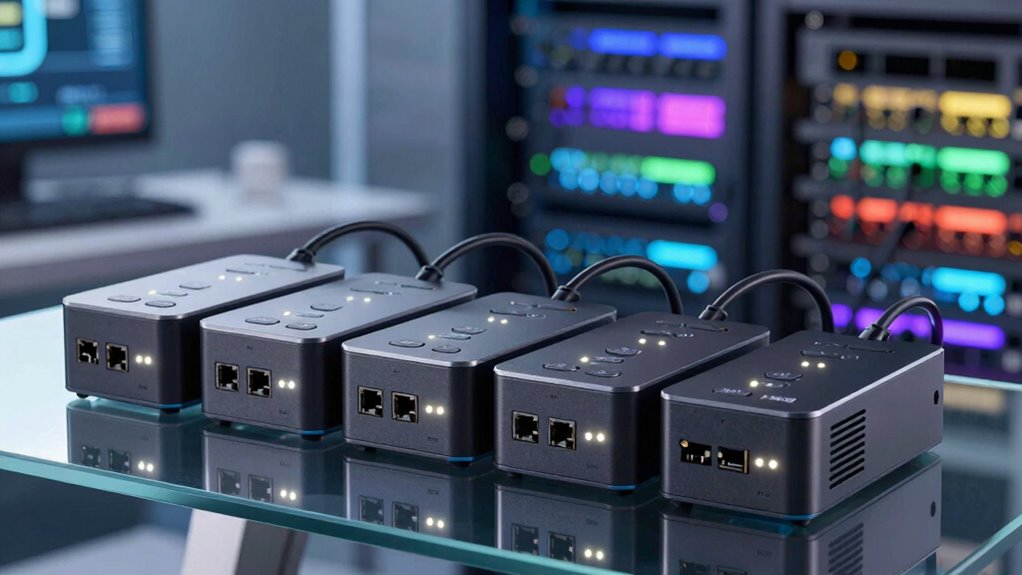
When a branch router or modem stops responding, a remotely controlled power outlet can save a trip to the site—but the right choice depends on how many devices need control and what happens when connectivity fails. I rank the MSNSwitch2 Internet Enabled IP Remote Power Switch first for its two outlets and app, web, and API control; the Monoprice Blackbird Pro is my pick for a small rack that needs four switched outlets and power-up sequencing; and the ezOutlet5 makes more sense when one device needs ping-based auto-reboot with WiFi and LAN options.

Get business pricing on networking and server gear
- Business-only prices and quantity discounts
- Tax-exempt purchasing
- Multiple users, one account, clear invoices
The tradeoff is between hands-off recovery and broader power distribution. Some options describe connectivity checks and automated reboot behavior, while others focus on remote switching, surge protection, or sequencing. I compare them as branch-network tools, not general-purpose smart-home strips, and flag where the available specifications leave important deployment questions unanswered.
Key Takeaways
- MSNSwitch2 B0CL5J13V4 is the strongest all-around fit here when a branch site needs two outlets plus app, web, and API access.
- Monoprice Blackbird Pro is the only four-outlet option and adds configurable power-up sequences, but the supplied details do not describe automatic ping recovery.
- ezOutlet5 is the clearest single-device choice for WiFi-or-LAN management and ping auto-reboot; it cannot control several devices independently.
- MSNswitch2 B0FD9VBLX2 offers two outlets and scheduling in a simpler description, but has less control-method and electrical detail than the other network-focused picks.
- The two-outlet surge protector adds surge protection and grounding verification, yet its provided information does not confirm scheduling or automatic ping-based reboot.




| remote reboot power strips for branch networking | Outlets | Voltage | Connectivity |
|---|---|---|---|
| MSNSwitch2 Internet Enabled IP | 2 | — | — |
| Monoprice Blackbird Pro 4-Outl | 4 | 120 volts | — |
| ezOutlet5 IP Enabled Remote Po | 1 | 120 volts | WiFi and LAN |
| MSNswitch2 IP Enabled Remote P | 2 | — | IP enabled |
| 2-Individually IP Controlled O | 2, individually controlled | 110 V | WiFi |
More Details on Our Top Picks
MSNSwitch2 Internet Enabled IP Remote Power Switch with Auto Reboot and Schedule
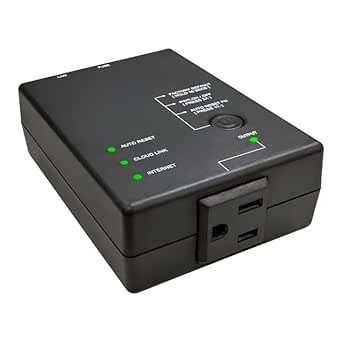
This is my lead recommendation for a small branch site because it pairs automatic connectivity monitoring with several ways to reach the switch: smartphone app, web interface, and API. That combination matters when a site has a router and modem to recover, or when an IT team wants to fold power control into an existing workflow. The listed two outlets keep it focused on a modest network stack rather than a full rack.
Compared with the ezOutlet5, this model offers two outlets and API access rather than a single outlet and a simpler WiFi/LAN-oriented profile. Compared with the Monoprice Blackbird Pro, it describes automatic reboot behavior more directly, while Monoprice offers twice as many outlets and sequencing. The choice is clear: favor this MSNSwitch2 for automated connectivity recovery and flexible control; pick the Blackbird when outlet count and orderly startup matter more.
The tradeoff is capacity and installation certainty. The supplied specs list 1100 watts and a two-outlet design, so I would verify the combined load and device requirements before connecting equipment. Its IP20 rating is not suited to outdoor exposure, and remote control depends on a working network path. The listed one-year warranty is useful reference information, but the description does not spell out outage behavior, alerting, or how the device regains access if the site’s network is down.
Pros:- Automatic monitoring and rebooting are described for modems and routers.
- Control is available through app, web, and API.
- Scheduling adds a second way to manage device power.
- Two outlets can cover a small branch network pair.
Cons:- Two outlets limit larger equipment groups.
- Remote functions depend on internet connectivity.
- IP20 protection does not suit outdoor settings, and outage recovery details are not provided.
Best for: Branch IT teams that need automatic connectivity-triggered rebooting for a router and one companion device, with app, web, or API control.
Not ideal for: Sites needing more than two outlets, outdoor installation, or documented power monitoring and surge ratings.
- Outlets:2
- Operating voltage:120 volts
- Listed wattage:1100 watts
- Control methods:Android/iOS app, web, API
- Functions:Automatic reboot, scheduling, remote control
- Mounting:Wall mount
- Warranty:1 year
Our verdict“I rank it first for a small branch network because it combines described auto-reboot behavior with app, web, and API control, though its two-outlet limit rules out larger installations.”
Monoprice Blackbird Pro 4-Outlet Smart PDU, IP-Based Remote Power Management Solution
For a branch cabinet with several pieces of equipment, the Blackbird Pro’s main advantage is straightforward: four remotely managed outlets in a unit designed for rack or desk mounting. Its TCP/IP control and browser-based interface make it a better fit than the single-outlet ezOutlet5 when a site needs to manage a router, switch, and other digital equipment from one power device.
The standout feature is customizable power-up sequencing. Delays between outlets can help bring equipment online in a planned order rather than restoring every device at once after a power cycle. That gives it a different role from the MSNSwitch2, which is the more compelling pick when automatic connectivity-triggered reboot is the priority. The Blackbird description focuses on remote power management and sequencing, not ping monitoring, so I would not assume that it can independently detect and fix a failed connection.
Its listed 15-amp capacity and four outlets make it the broadest distribution option in this lineup, but outlet count alone does not establish compatibility with every branch load. The supplied specs also list four USB ports, though they do not explain their role in remote reboot management. There is no stated energy-use analytics or power monitoring, and remote access still relies on network availability. Choose it for centralized switching and startup order; skip it if automatic recovery logic is non-negotiable.
Pros:- Four outlets serve a larger equipment group than the two-outlet models.
- TCP/IP access supports remote power management.
- Customizable power sequences and delays can stagger startup.
- Rack or desk mounting supports more than one installation style.
Cons:- The description does not specify automatic ping-based reboot.
- No power monitoring or energy-use analytics are listed.
- Remote management requires a functioning network connection.
Best for: Branch offices with a small rack or several network and digital devices that need TCP/IP power control and sequenced startup.
Not ideal for: Buyers whose first requirement is confirmed ping-based auto-reboot, or those needing documented power monitoring and energy analytics.
- Outlets:4
- Voltage:120 volts
- Amperage:15 A
- Remote interface:TCP/IP, browser-based
- Power sequence:Customizable sequences and delays
- Mounting:Rack or desk
- Additional ports:4 USB ports
- Enclosure material:Plastic
Our verdict“I recommend the Blackbird Pro when outlet count and sequenced power restoration matter more than documented automatic fault detection.”
ezOutlet5 IP Enabled Remote Power, Ping Auto Reboot, Single Outlet, 10A Fuse, WiFi & LAN
When the branch problem is one stubborn router or modem, the ezOutlet5 keeps the setup narrow and purposeful. Its defining feature is ping auto-reboot: the product is presented as monitoring an unresponsive network device and cycling its power to reduce downtime. WiFi and LAN connectivity, plus iOS and Android app support, give it more access flexibility than a WiFi-only description would.
Against the MSNSwitch2 B0CL5J13V4, the ezOutlet5 sacrifices a second outlet and API access in exchange for a clearly framed single-device recovery role. The MSNSwitch2 is the better choice for a router-plus-modem pair and broader controls. The Blackbird Pro covers more equipment but is described around remote switching and sequencing, not ping-triggered recovery. That makes the ezOutlet5 a focused alternative rather than a smaller version of a general PDU.
The limit is also its appeal: one outlet means one connected device, and the supplied specs list a 10A fuse and 2500-watt maximum. I would verify the load against the device label and local electrical requirements before use. No surge protection is mentioned, so a buyer needing that protection should compare the two-outlet surge protector instead. This is the most direct pick for one network endpoint, but it is not a substitute for outlet-level control across a small branch rack.
Pros:- Ping auto-reboot targets an unresponsive network device.
- WiFi and LAN are both listed for connectivity.
- iOS and Android apps support remote management.
- A compact single-device role keeps the setup focused.
Cons:- Only one outlet is available.
- No surge protection is listed.
- Remote operation depends on WiFi or LAN connectivity.
Best for: A small branch or remote cabinet where one router or modem needs ping-triggered recovery and access over WiFi or LAN.
Not ideal for: Sites that need multiple independently controlled outlets, listed surge protection, or power sequencing across several devices.
- Outlets:1
- Voltage:120 volts
- Maximum power:2500 watts
- Fuse:10 A
- Connectivity:WiFi and LAN
- Interface:RJ45, WiFi
- Auto-reboot:Ping-based
- Dimensions:4.33 × 2.95 × 1.38 inches
Our verdict“I would choose the ezOutlet5 for one router or modem that needs ping-based recovery, but not for a multi-device branch network.”
MSNswitch2 IP Enabled Remote Power Switch with Auto Reboot and Dual Outlets
The MSNswitch2 B0FD9VBLX2 is a straightforward fit for a small network corner where two outlets and scheduled power control are enough. Its description calls out routers, IoT equipment, and other electronics, with remote power cycling and automatic scheduling. That is a broader general-device framing than the ezOutlet5, but the product information does not give the same level of detail about connectivity methods or ping-monitoring behavior.
Compared with the MSNSwitch2 B0CL5J13V4, this model offers a similar two-outlet shape and scheduling, but the latter specifies app, web, and API control alongside connectivity-triggered rebooting. I rank this one below that more fully described option because a branch-network buyer needs to know how remote access works and what triggers recovery. It still makes sense when a buyer wants a simple IP-enabled switch for scheduled cycling and remote reboots without needing documented API integration.
The main drawback is the thin specification set. The listed 10A fuse gives one capacity reference, yet the description does not provide detailed voltage, wattage, mounting, surge protection, or control-interface information. Buyers should confirm those details before connecting equipment, especially when the router and modem share an outlet device. Compared with the surge-protected two-outlet model, this pick emphasizes scheduling and reboot control rather than stated electrical protection.
Pros:- Two outlets can serve a modest router-and-device setup.
- Remote power cycling is described for network and IoT equipment.
- Automatic scheduling can support planned power routines.
- A 10A fuse is specified.
Cons:- The available description gives limited technical and control-interface detail.
- No surge protection is listed.
- Remote access requires network connectivity.
Best for: A small site needing two outlets for remote power cycling and scheduled device management, where the buyer can confirm fit and electrical details before deployment.
Not ideal for: Teams that require documented app, web, API, ping-monitoring, surge-protection, or load specifications before procurement.
- Outlets:2
- Connectivity:IP enabled
- Fuse:10 A
- Functions:Auto reboot, power scheduling
- Intended equipment:Routers, IoT devices, electronics
- Remote access:Requires network connectivity
Our verdict“I see it as a useful scheduling-focused two-outlet option, but the better-documented B0CL5J13V4 is my safer branch-network recommendation.”
2-Individually IP Controlled Outlets Power Surge Protector with WiFi
This two-outlet option stands apart by pairing individually IP-controlled outlets with stated surge protection and grounding verification. For a branch site where electrical protection and the ability to manage two devices separately matter, that combination may be more relevant than scheduling. It can remotely manage connected equipment over WiFi, but the supplied description does not state ping-based auto-reboot or automatic recovery logic.
Compared with the MSNswitch2 B0FD9VBLX2, this model makes a clearer case for surge and grounding features, while the MSNswitch2 explicitly lists auto reboot and scheduling. Compared with the MSNSwitch2 B0CL5J13V4, it has independent outlet control as a stated feature but lacks the same detailed app, web, and API controls. I would choose it for remote switching plus the listed protection features, not as the strongest hands-off recovery tool in this group.
The tradeoff is a gap in automation details. Scheduling is not listed, nor is any ping-monitoring function, so buyers should not assume that it can detect an offline router and restore service by itself. Its North American three-pin plug and 110V listing are useful compatibility points, while the two-outlet limit keeps it suited to a small setup. The description also gives no surge rating, so a buyer comparing protection levels should request that figure rather than treating the feature label as a complete specification.
Pros:- Two outlets are described as individually IP controlled.
- Surge protection and grounding verification are listed.
- Remote WiFi management supports off-site switching.
- Compact two-outlet format suits a small equipment group.
Cons:- Automatic ping-based reboot and scheduling are not specified.
- Only two outlets are available.
- No surge rating or detailed automation information is provided.
Best for: A small branch setup where independent remote control, stated surge protection, and grounding verification are higher priorities than documented automatic reboot.
Not ideal for: Buyers who need confirmed ping-based recovery, scheduling, more than two outlets, or a published surge rating.
- Outlets:2, individually controlled
- Voltage:110 V
- Plug type:Type B, three-pin North American
- Connectivity:WiFi
- Surge protection:Yes; rating not provided
- Grounding:Grounding verification listed
- Weight:2 pounds
Our verdict“I would favor this model for its stated protection and independent outlet control, but choose an auto-reboot-focused pick when restoring a failed connection is the main goal.”

How We Picked
I ranked these products for the specific job of restoring branch networking equipment remotely: a router, modem, access point, or small group of network devices that may need a power cycle without an on-site visit. My priorities were automatic recovery behavior, the number of independently controlled outlets, remote access options, and whether the supplied specifications give a buyer enough information to plan installation.
I put the MSNSwitch2 B0CL5J13V4 first because its description combines automatic connectivity monitoring and rebooting with app, web, and API control. The ezOutlet5 also describes ping auto-reboot and earns a higher place than a basic remote switch when a single-device setup is the goal. The Monoprice unit ranks by a different measure: four outlets and configurable sequencing suit a compact equipment group, but the description does not claim automatic ping-based recovery. I placed the MSNswitch2 and surge-protected two-outlet unit lower because their descriptions leave more unanswered questions about control interfaces or reboot automation.
I did not treat every outlet as interchangeable. A remote on/off command is useful, but it is not the same as detecting an unresponsive router and cycling power automatically. Likewise, surge protection is a separate benefit from reboot logic. I rely only on the supplied descriptions and specifications, so I call out missing details rather than assuming features such as outlet-level control, alerting, battery backup, or surge ratings.
| remote reboot power strips for branch networking | Connectivity |
|---|---|
| MSNSwitch2 Internet Enabled IP | — |
| Monoprice Blackbird Pro 4-Outl | — |
| ezOutlet5 IP Enabled Remote Po | WiFi and LAN |
| MSNswitch2 IP Enabled Remote P | IP enabled |
| 2-Individually IP Controlled O | WiFi |
Factors to Consider When Choosing Remote Reboot Power Strips For Branch Networking
I would start with the failure you need to fix, then match the product’s recovery method and outlet count to the branch equipment. Remote switching, scheduled cycling, ping-based recovery, and surge protection solve related but different problems.Automatic recovery or remote switching?
A device that lets you switch power remotely still depends on someone noticing a fault and sending the command. Ping-based or connectivity-triggered auto-reboot can act without that manual step, which is why I rank the ezOutlet5 and MSNSwitch2 B0CL5J13V4 ahead for unattended recovery. Check what the product monitors and how it behaves after a failed check; the descriptions here do not answer every detail, including alerting or recovery when the management network itself is unavailable.
Count devices, not just outlets
One outlet may be enough for a standalone router, but a branch connection often depends on a modem and router working together. Two outlets cover a modest pair, while the Blackbird Pro’s four outlets suit a larger group. Confirm whether outlets are independently controlled: the surge protector explicitly says they are, while the other descriptions do not all establish outlet-by-outlet control. Do not assume that two sockets mean two separately managed power channels.
Check connectivity and access paths
Remote power control is only useful when the management path is reachable. The ezOutlet5 lists WiFi and LAN, and the B0CL5J13V4 MSNSwitch2 specifies app, web, and API access. The Blackbird Pro uses TCP/IP and a browser-based interface. The MSNswitch2 B0FD9VBLX2 is described as IP-enabled, but its access methods are not detailed. For a branch deployment, verify network requirements, setup procedure, and whether a local network connection can remain available when the router being rebooted is down.
Treat electrical protection as a separate question
The two-outlet WiFi model lists surge protection and grounding verification, while the other supplied descriptions do not specify surge protection. That feature does not by itself prove a particular protection level: ask for the surge rating and check that the unit matches the branch’s voltage, load, plug, and installation conditions. Compare listed limits carefully, including the ezOutlet5’s 10A fuse and the other MSNSwitch2’s 1100-watt listing. When specifications are missing, verify them before connecting production equipment.
Decide whether sequencing and mounting matter
A small equipment group may need power restored in order, especially when devices depend on each other during startup. The Blackbird Pro lists customizable power-up sequences and delays, making it a better fit for that use than a single-outlet auto-reboot device. It also supports rack or desk mounting. For other products, mounting details are limited or absent, so check dimensions, outlet access, and cabinet clearance rather than assuming a power device will fit beside the branch hardware.
Frequently Asked Questions
What is the difference between remote power control and auto-reboot?
Remote power control lets a user send an on or off command through a network interface. Auto-reboot adds a trigger—such as a failed ping or detected connectivity loss—that can cycle power without waiting for someone to notice the problem. The ezOutlet5 and MSNSwitch2 B0CL5J13V4 descriptions name automatic recovery behavior; the Blackbird Pro description emphasizes remote control and sequencing instead.
Which option is best for a single branch router?
I would start with the ezOutlet5 if one router or modem needs ping-based auto-reboot and WiFi or LAN access. It is specifically framed around a single network device. If the branch setup needs two devices powered independently or needs app, web, and API access, compare the MSNSwitch2 B0CL5J13V4 instead.
Can these products reboot a modem and router separately?
Several models list two or more outlets, but outlet count does not always confirm independent control. The WiFi surge protector explicitly describes two individually controlled outlets; the other products’ supplied descriptions do not all establish separate outlet switching. I would confirm outlet-level behavior before planning separate modem and router reboot sequences.
Does a remote reboot power strip replace surge protection?
No. Remote reboot manages power cycling, while surge protection is a separate electrical protection feature. Only the two-outlet WiFi model in this lineup explicitly lists surge protection and grounding verification, and its surge rating is not supplied. Buyers who need surge protection should request the rating and check that it suits the installation.
What should I verify before installing one at a branch site?
Check the connected equipment’s voltage and load against the power device’s published limits, confirm plug and mounting fit, and verify how the remote interface connects to the branch network. I would also confirm whether outlets are independently controlled, whether reboot triggers can be configured, and what happens when internet service is down. Where the product description leaves these details open, get answers before deployment.
Conclusion
For most small branch networks, I would choose the MSNSwitch2 B0CL5J13V4 because its described connectivity-triggered rebooting and app, web, and API access fit unattended recovery across two outlets. If the job is one router or modem, the ezOutlet5 is the more focused ping-auto-reboot choice. For several devices that need staged startup, I would pick the Monoprice Blackbird Pro for its four outlets and configurable sequences, while recognizing that automatic ping recovery is not specified.
Choose the MSNswitch2 B0FD9VBLX2 when two outlets and scheduled power control are sufficient and you can confirm its missing technical details. Choose the two-outlet surge protector when independent outlet control and listed surge protection matter more than documented auto-reboot. My deciding rule is simple: prioritize recovery logic for unattended network outages, outlet count for equipment coverage, and verified electrical specifications before connecting branch hardware.
Halloween Picks
halloween
As an affiliate, we earn on qualifying purchases.