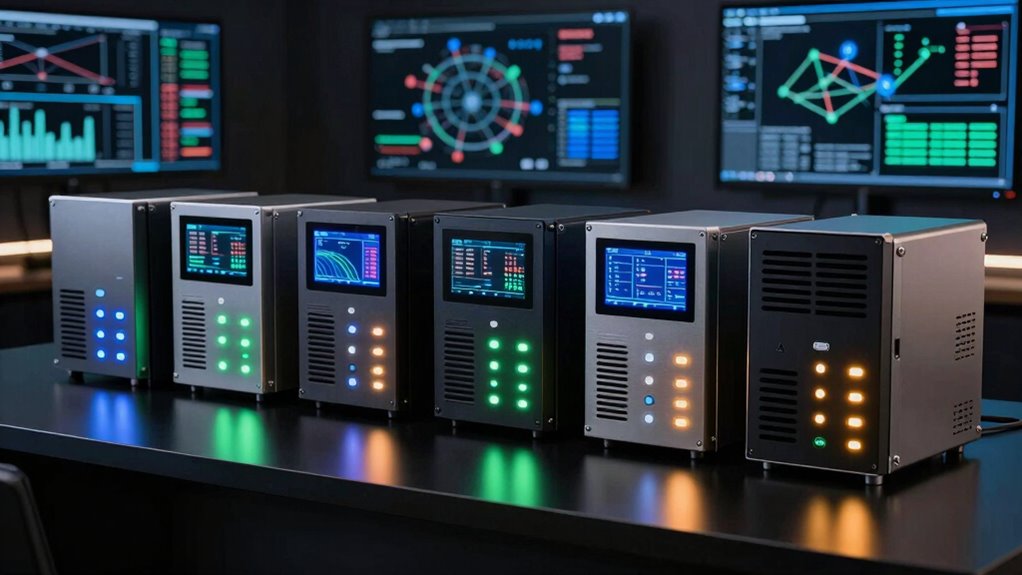

Choosing among network appliances for traffic monitoring starts with matching the device to the link you need to observe. My strongest all-around pick for a wired Gigabit connection is the Dualcomm ETAP-2003, which supports 10/100/1000Base-T and PoE compatibility. For packet duplication across a simple analysis setup, the SharkTapHUB offers a focused three-port design. If you want a managed monitoring platform rather than only a traffic tap, the Domotz Box C-1 is the more service-oriented choice.

Get business pricing on networking and server gear
- Business-only prices and quantity discounts
- Tax-exempt purchasing
- Multiple users, one account, clear invoices
The tradeoffs are substantial: a Gigabit TAP does not provide the same monitoring workflow as a subscription-based monitoring appliance, and a compact passive tap avoids a power supply but has directional capture limits. I rank these five by how clearly each supports traffic visibility, how well its stated capabilities fit common monitoring jobs, and what setup or network limits a buyer must accept. The right choice depends on link speed, capture direction, power access, and whether you need packet capture or ongoing network oversight.
Key Takeaways
- The Dualcomm ETAP-2003 is the clearest fit for Gigabit copper-link capture, but its monitor port blocks ingress traffic by default, so check the configuration needed for bidirectional visibility.
- The SharkTapHUB duplicates packets across three ports at Gigabit speeds, making it a straightforward companion for a desktop analyzer rather than a general-purpose network device.
- The Domotz Box C-1 is the only option here positioned as a broader monitoring appliance, with SNMP v3 support, but its software requires a separate active subscription.
- The DCSW-1005PT is aimed at 10/100Base-T troubleshooting and PoE pass-through; its 100 Mbps ceiling makes it a poor match for modern Gigabit links.
- The Compact Upgraded Passive LAN Tap needs no power and takes little space, but its stated one-direction-at-a-time capture limitation matters for full-duplex traffic analysis.
| Dualcomm 10/100/1000Base-T Gigabit Ethernet Network TAP |  | Best Overall for Gigabit Copper-Link Capture | Model: ETAP-2003_SML | Supported Ethernet: 10/100/1000Base-T | Maximum cable length: 200 meters, as stated | VIEW ON AMAZON | See Our Full Breakdown |
| SharkTapHUB Network Sniffer |  | Best for Three-Port Gigabit Packet Analysis | Device type: Network sniffer / hub | Ports: 3 | Data transfer rate: 1 Gbps | VIEW ON AMAZON | See Our Full Breakdown |
| Box C-1 Network Monitoring Hardware for MSPs and IT Professionals |  | Best for Ongoing Managed Network Oversight | Processor: Allwinner H618 | Memory: 1GB LPDDR4 | Operating system: Linux | VIEW ON AMAZON | See Our Full Breakdown |
| Compact Upgraded Passive LAN Tap |  | Best Compact, No-Power Option | Ports: 4 RJ45 ports | Operation: Passive | Dimensions: 1.4 × 1.4 × 0.5 inches | VIEW ON AMAZON | See Our Full Breakdown |
| USB Powered Network Tap Model No. DCSW-1005 |  | Best for Legacy 10/100 and PoE Troubleshooting | Model: DCSW-1005PT | Ethernet speed: 10/100Base-T | Ports: 5 total; described as a 4-port switch function | VIEW ON AMAZON | See Our Full Breakdown |
| network appliances for traffic monitoring | Power | Ports |
|---|---|---|
| Dualcomm 10/100/1000Base-T Gig | USB | — |
| SharkTapHUB Network Sniffer | — | 3 |
| Box C-1 Network Monitoring Har | USB-C | — |
| Compact Upgraded Passive LAN T | No power required | 4 RJ45 ports |
| USB Powered Network Tap Model | USB | 5 total; described as a 4-port switch function |
More Details on Our Top Picks
Dualcomm 10/100/1000Base-T Gigabit Ethernet Network TAP
The Dualcomm ETAP-2003 takes the top spot because its stated support for 10/100/1000Base-T covers both legacy Ethernet and Gigabit copper links, while its compact form and PoE compatibility suit field diagnostics. It is designed to sit on a connection being observed, making it a more direct packet-monitoring choice than the Domotz Box C-1, which is framed around software-based network monitoring rather than packet duplication.
Its practical limitation is one buyers should catch before deployment: the monitor port blocks ingress traffic by default. That can mean the initial setup does not expose the bidirectional traffic a capture workflow expects. I would verify the required configuration and capture direction before relying on it for incident response. The unit also needs USB power, so it is not as placement-independent as the passive LAN tap, and it is limited to Ethernet rather than other network media.
Compared with the SharkTapHUB, the ETAP-2003 is a strong choice where broad 10/100/1000Base-T compatibility and longer stated cable support matter. The SharkTapHUB instead emphasizes duplicating packets across three ports for a desktop analysis arrangement. For a single Gigabit copper link, the ETAP-2003 offers the clearest balance of defined link support and portable design; for multi-port packet distribution, the SharkTapHUB may be a closer fit.
Pros:- Supports 10/100/1000Base-T Ethernet links.
- Compact design suits portable diagnostics.
- Compatible with PoE-enabled devices.
- USB power includes built-in current limiting.
Cons:- Monitor port blocks ingress traffic by default, which may require configuration for bidirectional capture.
- Requires a USB power source.
- Limited to Ethernet monitoring.
Best for: IT staff and technicians who need a portable TAP for 10/100/1000Base-T troubleshooting and can provide USB power.
Not ideal for: Buyers who need a no-power tap, non-Ethernet monitoring, or confirmed bidirectional capture without additional configuration.
- Model:ETAP-2003_SML
- Supported Ethernet:10/100/1000Base-T
- Maximum cable length:200 meters, as stated
- Power:USB
- PoE compatibility:Yes
- Monitor port behavior:Default ingress traffic blocked
- Warranty:1-year manufacturer warranty
Our verdict“I recommend the ETAP-2003 for portable Gigabit copper-link monitoring when its default capture behavior and USB power requirement fit the deployment.”
SharkTapHUB Network Sniffer
The SharkTapHUB is the most analysis-focused option in this group: it duplicates packets across three ports, supports Gigabit Ethernet, and is described for use with tools such as Wireshark. That makes its purpose easy to distinguish from the Domotz Box C-1, which is aimed at persistent network monitoring, and from the passive tap, whose stated capture is limited to one direction at a time.
Its PoE pass-through and auto-MDIX can simplify placement and cabling, while the three-port arrangement gives a capture setup more flexibility than a basic two-endpoint connection. But it remains a specialized analyzer accessory, not a router or managed monitoring platform. Its three-port limit may not match larger capture layouts, and it needs USB power. The supplied details also do not spell out every capture-mode or management behavior, so I would confirm that its packet duplication suits the exact link and analyzer arrangement.
Compared with the ETAP-2003, the SharkTapHUB’s standout point is packet duplication across three ports, while the Dualcomm has more clearly stated 10/100/1000Base-T support and a stated maximum cable length. I would favor the SharkTapHUB for a compact desktop capture station; I would favor the ETAP-2003 when broad copper-link compatibility is the primary requirement.
Pros:- Duplicates packets across three ports for analysis.
- Supports Gigabit Ethernet.
- PoE pass-through adds deployment flexibility.
- Auto-MDIX avoids the need for crossover cables.
Cons:- Specialized for analysis rather than general networking.
- Three ports may not suit larger monitoring layouts.
- Requires USB power.
Best for: Network analysts building a compact Gigabit Ethernet capture setup around a desktop and packet-analysis software.
Not ideal for: Buyers seeking a managed network-monitoring platform, a larger port layout, or a device that needs no USB power.
- Device type:Network sniffer / hub
- Ports:3
- Data transfer rate:1 Gbps
- PoE:Pass-through
- Setup feature:Auto-MDIX
- Maximum power:1.75 watts
- Weight:5 ounces
Our verdict“I would choose the SharkTapHUB when three-port Gigabit packet duplication is a closer match than the ETAP-2003’s more explicitly described link coverage.”
Box C-1 Network Monitoring Hardware for MSPs and IT Professionals
The Domotz Box C-1 fills a different role from the packet taps above: it is a dedicated appliance for a software-based network-monitoring service, aimed at MSPs, AV integrators, and IT professionals. Its stated SNMP v3 encryption support and Gigabit Ethernet connection make it a better fit for recurring device oversight than for feeding raw duplicated packets to a Wireshark workstation.
The product description positions setup as plug-and-play with quick deployment, and the USB-C power and rack-or-standalone form factor give installers more placement choices. Its Allwinner H618 processor and 1GB RAM are specified, but that memory amount may constrain very large network environments. More importantly, the appliance requires an active Domotz software subscription sold separately. Buyers comparing it with the ETAP-2003 or SharkTapHUB should treat it as part of an ongoing monitoring system, not as a direct substitute for a link TAP.
I rank it below the two packet-focused devices for this traffic-monitoring roundup because the supplied details describe network monitoring rather than explicit packet capture or duplication. For a service provider tracking devices across client networks, that distinction may make the Box C-1 the most relevant choice. For a one-time packet investigation on a particular link, the SharkTapHUB or Dualcomm is more directly aligned.
Pros:- Supports SNMP v3 encryption.
- Gigabit Ethernet connectivity.
- USB-C power and rack or standalone placement.
- Designed for quick deployment.
Cons:- Requires a separate active Domotz software subscription.
- The stated 1GB RAM may limit very large environments.
- Not described as a packet-duplicating TAP.
Best for: MSPs, AV integrators, and IT teams that want a dedicated appliance for ongoing network oversight through the Domotz platform.
Not ideal for: Buyers who need a standalone packet TAP, do not want a separate software subscription, or monitor very large environments that may exceed the stated memory capacity.
- Processor:Allwinner H618
- Memory:1GB LPDDR4
- Operating system:Linux
- Ethernet:Gigabit
- Security protocol:SNMP v3 encryption support
- Power:USB-C
- Form factor:Rack mount or standalone
- Software:Active Domotz subscription required
Our verdict“I recommend the Box C-1 for ongoing platform-based network oversight, not as a replacement for a dedicated packet-capture tap.”
Compact Upgraded Passive LAN Tap
The Compact Upgraded Passive LAN Tap is the simplest hardware choice here when portability and power independence matter most. Its small stated dimensions and passive operation avoid adding a powered device to the monitoring path, and the product describes compatibility with Linux and Windows analysis setups. Unlike the ETAP-2003 and SharkTapHUB, it does not depend on USB power.
That simplicity comes with a meaningful capture constraint: the supplied details say passive operation limits interception to one direction at a time. A buyer expecting a full view of a bidirectional conversation should check whether the tap, analyzer interfaces, and configuration can meet that need. The requirement for network interfaces to use promiscuous mode also makes the analyzer setup part of the job; the tap alone does not provide an analysis interface or software.
Compared with the DCSW-1005PT, this model is smaller and does not need power, while the DCSW-1005PT adds an Ethernet-switch function and PoE pass-through but is limited to 10/100 Mbps. I would pick this passive option for a light, simple monitoring kit where its directional limitation is acceptable. For a Gigabit link or a workflow that demands explicit packet duplication, the SharkTapHUB or ETAP-2003 is a more clearly specified match.
Pros:- Passive operation requires no power.
- Compact 1.4-inch-square form factor.
- Works with Linux and Windows platforms, as specified.
- Designed for use with common packet-analysis tools.
Cons:- Stated capture is limited to one direction at a time.
- Full capture requires analyzer interfaces in promiscuous mode.
- Supplied details do not specify a supported link speed.
Best for: Technicians who want a compact, power-free Ethernet tap for basic capture work and can work within its directional limitation.
Not ideal for: Users who need confirmed simultaneous bidirectional capture, powered packet duplication, or a monitoring device for non-Ethernet links.
- Ports:4 RJ45 ports
- Operation:Passive
- Dimensions:1.4 × 1.4 × 0.5 inches
- Platforms:Linux and Windows
- Power:No power required
- Capture limitation:One direction at a time, as described
- Warranty:1 year
Our verdict“I would choose this tap for a compact, power-free kit only after confirming its one-direction capture behavior matches the monitoring task.”
USB Powered Network Tap Model No. DCSW-1005
The Dualcomm DCSW-1005PT is the most specialized lower-speed pick in this lineup. It combines a USB-powered 10/100Base-T tap with PoE pass-through and a 4-port Ethernet switch function, which can make it useful for troubleshooting older or deliberately limited networks. Those extra functions give it a different profile from the passive LAN tap, which needs no power but does not claim switch operation.
The central drawback is its 100 Mbps limit. That rules it out for Gigabit links, even though the ETAP-2003 and SharkTapHUB both support Gigabit Ethernet. The description also does not specify advanced management features, so buyers should not assume it offers managed-switch controls or rich monitoring software. Like the ETAP-2003 and SharkTapHUB, it requires USB power, which can constrain placement near the link being observed.
I place it fifth because its core monitoring fit is narrower than the higher-speed alternatives. For a legacy 10/100 network where PoE pass-through and a switch function are useful, it may be more practical than a passive tap with directional capture limits. For modern access links or high-throughput packet capture, I would move to the ETAP-2003 or SharkTapHUB instead.
Pros:- Portable, USB-powered design suits laptop-based troubleshooting.
- Supports PoE pass-through.
- Can function as a 4-port Ethernet switch.
- Purpose-built for 10/100Base-T monitoring.
Cons:- Limited to 100 Mbps networks.
- Advanced management features are not specified.
- USB power can limit placement options.
Best for: Technicians diagnosing legacy 10/100Base-T Ethernet links who need PoE pass-through and a compact switch function.
Not ideal for: Buyers monitoring Gigabit connections, seeking advanced managed features, or unable to provide USB power.
- Model:DCSW-1005PT
- Ethernet speed:10/100Base-T
- Ports:5 total; described as a 4-port switch function
- Power:USB
- PoE:Pass-through
- Data transfer rate:100 Mbps
- Weight:12 ounces
- Case material:Plastic
Our verdict“I would reserve the DCSW-1005PT for 10/100 and PoE troubleshooting, since the Gigabit-capable taps are better aligned with faster links.”

How We Picked
I ranked these products by their usefulness for observing network traffic, not by treating every device with Ethernet ports as interchangeable. A TAP or packet duplicator gives an analyzer access to traffic on a link; a monitoring appliance such as the Domotz Box C-1 instead supports ongoing network oversight through software and protocols such as SNMP. That distinction affects both setup and what information a buyer can collect.
For each pick, I weighed the supported link speed and Ethernet type, whether the design can provide the traffic visibility a buyer expects, and how it gets power. I also compared the practical limits disclosed in the supplied product details: the ETAP-2003’s default ingress blocking, the DCSW-1005PT’s 100 Mbps ceiling, and the passive tap’s directional limitation. A stated feature is not automatically a full solution; the capture device, analyzer, network interfaces, and configuration must work together.
My ranking gives priority to clearly specified fit for common monitoring tasks and then to narrower strengths such as no-power operation or quick deployment. I do not treat the Domotz Box C-1 as a packet tap simply because it monitors a network, nor do I assume that a TAP performs managed monitoring. Where product information does not specify capture modes, software behavior, or included accessories, I avoid filling those gaps with guesses. The buyer should confirm compatibility and capture requirements before connecting any monitoring hardware to a live link.
| network appliances for traffic monitoring | Power |
|---|---|
| Dualcomm 10/100/1000Base-T Gig | USB |
| SharkTapHUB Network Sniffer | — |
| Box C-1 Network Monitoring Har | USB-C |
| Compact Upgraded Passive LAN T | No power required |
| USB Powered Network Tap Model | USB |
Factors to Consider When Choosing Network Appliances For Traffic Monitoring
I would begin by deciding whether the job is packet capture on a link or ongoing monitoring of network devices. These products cover both, but they are not interchangeable.Separate packet capture from network oversight
A network TAP or packet duplicator gives an analyzer access to traffic passing across a connection. That is the relevant category for Wireshark-style inspection, troubleshooting a specific link, or investigating communications. The ETAP-2003, SharkTapHUB, DCSW-1005PT, and passive LAN tap sit in this general territory, though their speeds and capture behaviors differ.
The Domotz Box C-1 is instead positioned as hardware for a software monitoring service, with SNMP v3 support. That better suits continued oversight of network equipment than raw packet capture. Before choosing it, decide whether you need device and service monitoring or packets from a particular Ethernet path. A product can be useful for one job without replacing the other.
Match the tap to the link speed
Do not choose by port count alone. The ETAP-2003 and SharkTapHUB support Gigabit Ethernet, while the DCSW-1005PT is explicitly limited to 10/100Base-T. That makes the DCSW a legacy-network tool rather than a general choice for a Gigabit access link. The compact passive tap does not state a supported speed in the supplied details, so confirm compatibility with the actual link before deployment.
Check the full path, too: the switch, link, TAP, and capture interface all need to support the required rate. A monitoring device rated for a given speed does not raise the capacity of older equipment or guarantee that an analyzer can process every packet.
Confirm direction and packet visibility
A monitoring setup is only useful if it exposes the traffic you need. The ETAP-2003 blocks ingress traffic at its monitor port by default, so buyers seeking bidirectional capture should learn what configuration is needed. The passive LAN tap has a different limitation: the supplied description says it intercepts one direction at a time. These are meaningful operational differences, not minor details.
The SharkTapHUB is specifically described as duplicating packets across three ports, which makes its purpose clearer for an analyzer layout, but buyers should still confirm the supported capture arrangement. Also check how many analyzer interfaces are needed and whether those interfaces can receive traffic in promiscuous mode where required.
Plan for power and physical placement
The passive LAN tap needs no power, which can simplify a temporary or portable setup. The ETAP-2003, DCSW-1005PT, and SharkTapHUB require USB power. That may be easy at a desk, but it can matter in a wiring closet or field location where outlets and cable access are limited. The Domotz Box C-1 uses USB-C power and can be installed as a rack-mounted or standalone appliance.
Consider the device’s place in the network path, cable lengths, power access, and room for an analyzer. A compact enclosure helps with portability, but does not remove the need to connect and configure the rest of the capture system.
Account for software and ongoing service
A TAP is not the same as the software used to inspect traffic. Products described for tools such as Wireshark or TCPdump still depend on a compatible computer or capture interface. The passive tap description calls out promiscuous mode, so the network adapter and software configuration matter alongside the hardware.
The Domotz Box C-1 has a separate dependency: an active software subscription is required. I would include that service requirement in the deployment decision and verify that its monitoring model matches the organization’s workflow. Conversely, buyers who need packet-level analysis should not assume that a general monitoring platform supplies a TAP’s traffic access.
Choose the narrowest device that fits the task
For a single Gigabit copper link, start with the ETAP-2003 or SharkTapHUB, then choose based on capture behavior and port layout. For 10/100 and PoE troubleshooting, the DCSW-1005PT has a more specific fit. For a low-power kit where one-direction capture is acceptable, the passive tap offers a compact alternative. For continuous monitoring through a service platform, the Box C-1 serves a different buyer.
I would avoid paying attention to broad labels alone. Verify speed, direction, PoE behavior, power, and software requirements against the exact monitoring task before connecting an appliance to a live network.
Frequently Asked Questions
What is the difference between a network TAP and a network monitoring appliance?
A network TAP or packet duplicator provides traffic visibility from a link to a connected analyzer. A network monitoring appliance such as the Domotz Box C-1 is positioned for ongoing oversight through software and protocols such as SNMP. If the goal is to inspect packets from a specific connection, choose a TAP designed for the link. If the goal is to monitor devices through a service platform, consider the appliance and account for its subscription requirement.
Which option in this roundup supports Gigabit Ethernet?
The Dualcomm ETAP-2003 lists support for 10/100/1000Base-T, and the SharkTapHUB lists a 1 Gbps data transfer rate. The Domotz Box C-1 also specifies Gigabit Ethernet connectivity, though it is presented as a service-based monitoring appliance rather than a packet TAP. The DCSW-1005PT is limited to 10/100Base-T, while the supplied details for the compact passive LAN tap do not state a supported link speed.
Can I use any of these products for full bidirectional packet capture?
Do not assume so without checking the specific device and capture setup. The ETAP-2003 blocks ingress traffic at its monitor port by default, and the compact passive tap is described as capturing one direction at a time. The SharkTapHUB is described as duplicating packets across three ports, but buyers should confirm the exact capture arrangement they need. Analyzer interfaces, adapter settings, and cabling also affect what traffic becomes visible.
Which device is best for a 10/100 network with PoE?
The Dualcomm DCSW-1005PT is the most directly targeted option for 10/100Base-T troubleshooting with PoE pass-through, and it also has a 4-port Ethernet switch function. The ETAP-2003 supports 10/100/1000Base-T and is PoE-compatible, so it may suit a broader range of copper links, but its default monitor-port behavior deserves attention. Pick based on whether you need the DCSW’s switch function or the ETAP’s wider speed support.
Does the Domotz Box C-1 capture packets like the SharkTapHUB?
The supplied information does not describe the Box C-1 as a packet-duplicating TAP. It is described as hardware for the Domotz network-monitoring platform, with SNMP v3 support and an active software subscription requirement. The SharkTapHUB, by contrast, is described as duplicating packets across three ports for analysis. I would choose between them by deciding whether the task is continuing device oversight or packet access on a particular link.
Conclusion
My recommendations depend on the monitoring job. For a portable Gigabit copper-link TAP, I would start with the Dualcomm ETAP-2003, after checking how to obtain the required capture direction. For three-port Gigabit packet analysis, the SharkTapHUB is the more focused choice. MSPs and IT teams that want service-based, ongoing oversight should consider the Domotz Box C-1 and account for its separate subscription.
For a power-free compact setup, the passive LAN tap can make sense when its one-direction-at-a-time limit fits the capture plan. I would reserve the DCSW-1005PT for legacy 10/100 and PoE troubleshooting, not Gigabit links. Before buying, match the device to the link speed, capture direction, power access, and software workflow; those details matter more than choosing the most feature-rich-looking box.
Halloween Picks
halloween
As an affiliate, we earn on qualifying purchases.