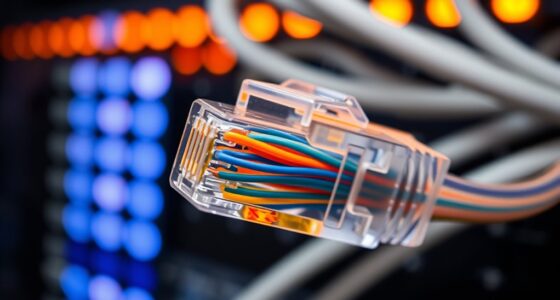
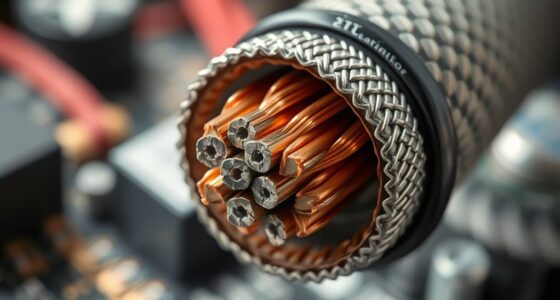
To explain network cabling to nontechnical clients, compare it to roads that carry data between devices and the internet. You can highlight that Ethernet cables are like reliable highways for quick, stable connections, while fiber optics are like super-fast highways that support high data loads over long distances. Wireless options are like wireless signals, offering flexibility but sometimes less stability. If you want to understand how all these connect seamlessly, keep exploring how these choices impact your network’s performance.
Key Takeaways
- Use simple analogies, like roads or pipes, to explain how cables carry data between devices.
- Highlight the benefits of different cabling types, such as speed, reliability, and cost.
- Emphasize the importance of proper cabling for network performance and future growth.
- Explain the installation process step-by-step to reduce confusion and build trust.
- Clarify when wireless options are suitable versus when wired connections are necessary.

Ever wonder what makes your internet connection reliable and fast? It all comes down to the way network cabling is set up. When explaining this to nontechnical clients, it’s helpful to start with the basics. Think of network cabling as the roads that carry data between your devices and the internet. The most common type of wired connection uses Ethernet cables, which are reliable and support high-speed data transfer. But to understand the full picture, you also need to know about newer technologies like fiber optics and wireless alternatives, which are changing how networks are built.
Fiber optics are a game-changer in network cabling. Unlike traditional copper cables, fiber optics use thin strands of glass or plastic to transmit data as pulses of light. This allows for incredibly fast speeds and long-distance coverage without loss of signal quality. When you hear about gigabit internet or ultra-high-speed connections, fiber optics are usually behind it. They’re especially useful in large buildings or areas where consistent, high-bandwidth connections are needed. Explaining this to clients means emphasizing how fiber optics can future-proof their network, providing a much higher capacity for data compared to older copper wiring. Understanding the network infrastructure involved helps clients appreciate the long-term benefits of investing in fiber technology. Additionally, knowing the types of cabling available can assist in making informed decisions about their network setup. Recognizing the cost differences between cabling options can also help clients plan their budgets more effectively. Moreover, explaining the installation process can help demystify how these cables are integrated into their existing systems.
Fiber optics deliver fast, long-distance, high-capacity connections, perfect for future-proofing large networks.
Wireless alternatives, on the other hand, eliminate the need for physical cables altogether. These include Wi-Fi, cellular networks, and other radio frequency-based technologies. Wireless options are convenient because they allow devices to connect without physical cables, which is ideal in spaces where running wires isn’t practical or desired. However, they can be less stable or slower than wired connections, especially if there are interference or distance issues. When explaining wireless alternatives, highlight their flexibility and ease of use, but also clarify that for critical applications or high data demands, wired solutions—like fiber optics—are often more reliable.
In simple terms, your clients should understand that network cabling involves different options depending on their needs. Fiber optics offer speed and capacity, making them ideal for large-scale or high-performance setups. Copper Ethernet cables are still common for everyday use, offering a good balance of cost and performance. Wireless alternatives provide mobility and ease of installation but might not match the stability of wired connections. Combining these technologies can create a robust network that balances speed, reliability, and convenience. By framing it this way, you help clients see that choosing the right cabling isn’t just about installing wires—it’s about designing a network tailored to their specific needs and future growth.

DbillionDa Cat 8 Ethernet Cable 40Gbps 2000MHz, 6FT Supports Cat7 Cat6 Cat5e Cat5, High-Speed RJ45 Cable, Heavy-Duty Indoor/Outdoor, Gold-Plated, Weatherproof & UV-Resistant for Gaming, PC, Router
- Outdoor & Burial Suitable: Heavy-duty waterproof and anti-corrosion jacket
- High-Load Stability: 26AWG conductors for reliable data transfer
- Superior Shielding & Speed: F/FTP shielding supports 2000MHz and 40Gbps
As an affiliate, we earn on qualifying purchases.
As an affiliate, we earn on qualifying purchases.
Frequently Asked Questions
How Long Does Network Cabling Installation Typically Take?
Network cabling installation usually takes a few hours to a couple of days, depending on the project’s complexity. You should consider cable durability, as high-quality cables last longer and reduce future issues. Installation challenges, like confined spaces or existing infrastructure, can extend the timeframe. Clear planning helps minimize delays, ensuring your network is up quickly and efficiently, with durable cables that keep your system reliable for years to come.
Are There Different Types of Cables for Specific Needs?
Yes, there are different types of cables for specific needs. For example, Ethernet cables like Cat5e and Cat6 are designed for high-speed data transfer, offering better signal integrity and reducing interference. If you need durable cables for harsh environments, you’ll want options with higher cable durability, like outdoor-rated or armored cables. Choosing the right cable depends on your environment, ensuring minimal signal interference and long-lasting performance.
What Is the Cost Difference Between Cable Types?
Think of cable types as different roads—some are smooth highways, others rough paths. The cost varies: higher-quality, durable cables like fiber optic are pricier but offer better Cable durability and fewer Installation challenges. Cheaper cables, like Ethernet, are easier to install but may not last as long or handle high speeds well. Choosing the right cable depends on your needs, balancing initial cost with long-term performance and reliability.
How Often Should Network Cabling Be Upgraded or Replaced?
You should consider upgrading or replacing network cabling every 5 to 10 years, depending on cable durability and installation challenges. Regularly check for signs of wear, such as frayed or damaged cables, and be aware that older cables may not support the latest speeds or security standards. Upgrading guarantees reliable performance, reduces downtime, and mitigates potential issues caused by aging cables or installation problems.
Can Existing Cables Be Upgraded Without Full Replacement?
Yes, you can upgrade existing cables without full replacement by considering wireless alternatives for some devices, reducing reliance on outdated cables. Upgrading might involve replacing only certain sections or using adapters to improve performance. Keep in mind, cable durability varies; older cables may not support higher speeds or newer standards. Assess your current setup, and consult a professional to determine if partial upgrades or new cabling is needed for *best* network performance.
As an affiliate, we earn on qualifying purchases.
Conclusion
Now that you understand the basics of network cabling, picture it as the city’s roads—carrying essential information smoothly from one destination to another. Just as well-planned streets prevent traffic jams, good cabling guarantees your data flows seamlessly. When you visualize these tiny wires as the highways of your digital world, explaining their importance becomes clearer and more relatable. With this understanding, you can confidently see how each cable keeps your modern business running like clockwork.

TP-Link AC1200 WiFi Extender – 1.2Gbps Home Signal Booster, Dual Band 5GHz/2.4GHz, Up to 1600 Sq.ft and 32 Devices, EasyMesh Compatible, One Ethernet Port (RE315)
- Enhanced Wi-Fi Coverage: Eliminates dead zones with strong signal
- Dual-Band Speed: Supports 867 Mbps on 5GHz and 300 Mbps on 2.4GHz
- Wide Coverage Area: Up to 1500 sq.ft for reliable connections
As an affiliate, we earn on qualifying purchases.
As an affiliate, we earn on qualifying purchases.

Cable Matters 7-in-1 Network Tool Kit with RJ45 Crimping Tool
- All-in-One Network Toolkit: Includes tools for building, testing, and deploying Ethernet networks
- RJ45 Crimping Tool: Built-in cutter, stripper, and crimper for easy cable assembly
- Supports Multiple Connectors: Supports 8P8C/RJ-45, 6P6C/RJ-12, 6P4C/RJ11 cables
As an affiliate, we earn on qualifying purchases.
As an affiliate, we earn on qualifying purchases.