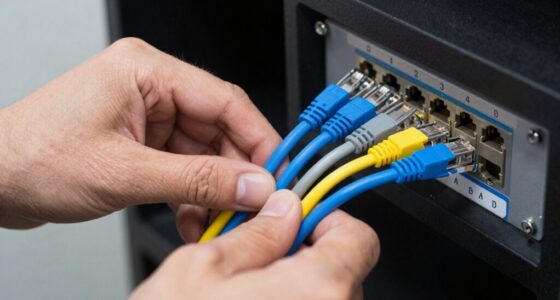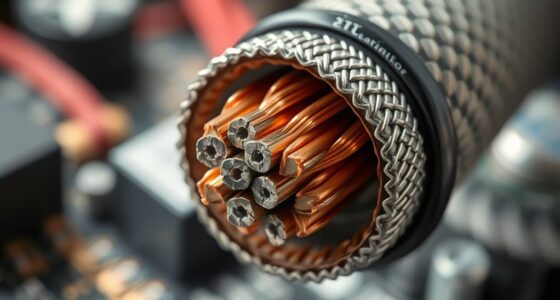
When setting up a network, choosing the right cable can make a big difference in performance and reliability. From fiber optics that handle high-speed, long-distance connections to copper cables suited for everyday use, each type has its own strengths and ideal applications. Understanding these options helps you make informed decisions. But what factors influence the best choice for your specific needs? Let’s explore the different types and their uses in detail.

Get business pricing on networking and server gear
- Business-only prices and quantity discounts
- Tax-exempt purchasing
- Multiple users, one account, clear invoices
Key Takeaways
- Fiber optic cables transmit light signals for high-speed, long-distance, and interference-resistant data transfer, ideal for backbone networks.
- Copper Ethernet cables (e.g., Cat5e, Cat6) are commonly used for standard wired connections, supporting moderate to high speeds over shorter distances.
- Coaxial cables are used for cable TV, internet, and CCTV systems, offering stable signals over moderate distances.
- Twisted pair cables reduce electromagnetic interference, making them suitable for office and home network setups.
- Wireless connections (Wi-Fi, Bluetooth) serve as cable-free alternatives for flexibility and convenience in various environments.

Network cables are essential components that connect devices within a network, enabling data to flow smoothly between computers, servers, and other hardware. They serve as the backbone of wired communication, ensuring fast and reliable data transfer. Among the various types, fiber optic cables stand out due to their high bandwidth and long-distance capabilities. Unlike traditional copper cables, fiber optic uses light signals transmitted through thin strands of glass or plastic, making it immune to electromagnetic interference. This means you can enjoy faster speeds and more stable connections, especially over extensive distances or in environments with lots of electronic noise. Fiber optic is ideal for data centers, backbone networks, or any setting where high performance is critical.
However, not everyone needs or prefers a wired connection. Wireless alternatives have gained popularity for their convenience and flexibility. Wi-Fi technology, for example, uses radio waves to connect devices without physical cables, allowing you to move freely around your space while staying connected. Wireless solutions are particularly useful in homes or offices where running cables might be impractical or unattractive. They also simplify setup and expansion, as you can add new devices without worrying about cable management. While wireless options like Wi-Fi are generally convenient, they might not match the speed, security, or reliability of wired connections, especially in environments with many competing signals or walls that block radio waves.
Still, there are situations where mixing wired and wireless solutions makes the most sense. For critical applications or large data transfers, fiber optic cables provide the speed and consistency you need. For everyday tasks, browsing, or mobile device use, wireless alternatives offer the ease of connection without clutter. When choosing the right type of network cable, consider your specific needs: the distance between devices, data transfer speed, security requirements, and the physical environment. If you require a high-capacity, future-proof setup, fiber optic is often the best choice, especially when paired with wired connections for core infrastructure, while wireless options can serve as flexible access points or for less demanding uses. Additionally, understanding the different tuning options available for vehicle upgrades can help you optimize your system performance in various scenarios.
Frequently Asked Questions
Which Network Cable Is Best for Outdoor Use?
For outdoor use, you should choose a network cable with weather resistance and UV protection. These cables are specifically designed to withstand harsh weather conditions, including rain, snow, and sunlight. By selecting a UV-rated outdoor Ethernet cable, you guarantee durability and reliable performance over time. This type of cable prevents damage caused by exposure to the elements, keeping your connection stable and secure regardless of outdoor conditions.
Are There Wireless Alternatives to Physical Network Cables?
Think of wireless solutions as the magic carpet of networking—offering cable alternatives that let you move freely. Yes, you can go wireless with Wi-Fi, Bluetooth, or other radio-based tech, eliminating the need for physical cables. These options are perfect for flexible setups, outdoor spaces, or areas where running cables isn’t practical. Embrace these cable alternatives for seamless connectivity, just like the freedom of soaring through the skies.
How Do I Identify Damaged or Faulty Network Cables?
You can identify damaged or faulty network cables by inspecting the cable insulation for cracks, cuts, or signs of wear. Check the connectors for damage, such as bent pins or corrosion, which can cause connection issues. Also, test the cable with a cable tester or try swapping it with a known good one to see if problems persist. Damaged insulation and connector issues are common causes of network connectivity problems.
Can Different Types of Cables Be Used Together?
Yes, you can use different types of cables together, but you need to verify cable compatibility and installation considerations. Make sure the cables support the same network standards and data transfer speeds. Use suitable connectors and adapters if necessary. Keep in mind that mixing cable types might affect performance or signal quality, so plan your setup carefully to ensure reliable network operation and avoid potential issues.
What Are the Future Trends in Network Cable Technology?
You’ll see future network cable technology focus on fiber optic advancements, offering faster speeds and higher bandwidth for data transmission. Wireless integration will become more seamless, reducing reliance on physical cables and increasing flexibility. You can expect smarter, more efficient networks that combine fiber optic cables with wireless solutions, ensuring better connectivity, lower latency, and enhanced support for emerging technologies like IoT and 5G, shaping the way you connect and communicate.
Conclusion
Choosing the right network cable is like picking the perfect tool for the job. Whether you’re weaving a high-speed fiber optic highway or laying sturdy copper lanes, your choice shapes the flow of data. Think of fiber as a lightning bolt racing across the sky, while copper is a reliable road you trust daily. Pick wisely, and you’ll keep your digital world humming smoothly, connecting every corner like a well-orchestrated symphony.
Fall Picks
fall essentials
As an affiliate, we earn on qualifying purchases.