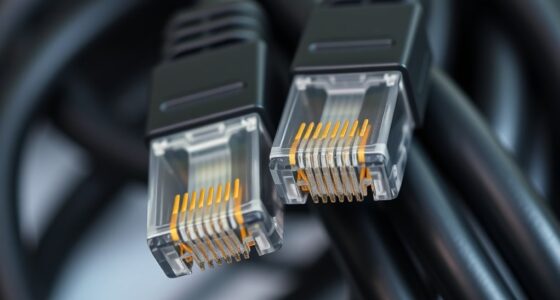

An Ethernet cable is a wired connection that links your devices to the internet or network, providing a fast, stable link. It uses twisted pairs of wires inside a protective jacket, with connectors like RJ45 to plug into devices such as computers, routers, or switches. Ethernet cables are essential for reliable data transfer and outperform Wi-Fi by reducing interference. To learn about different types and how to choose the right one, keep exploring this guide.
Key Takeaways
- An Ethernet cable connects devices to a network, enabling reliable wired internet access.
- It consists of twisted pairs of wires inside a protective jacket, often with RJ45 connectors.
- Ethernet cables support high-speed data transfer, essential for activities like gaming and streaming.
- Different types (e.g., Cat 5e, Cat 6) offer varying speeds and shielding options.
- Proper wiring standards and quality cables ensure a stable, interference-free connection.

Cable Matters 10Gbps Snagless Cat 6 Ethernet Cable, 25ft, Black
- High-Performance Connectivity: 24 AWG copper core for fast, reliable connections
- Advanced Cat6 Technology: Supports 10-Gigabit Ethernet and is backward compatible
- Reliable Wired Network Solution: Secure, consistent internet connection for various devices
As an affiliate, we earn on qualifying purchases.
As an affiliate, we earn on qualifying purchases.
What Is an Ethernet Cable and Why Is It Important?
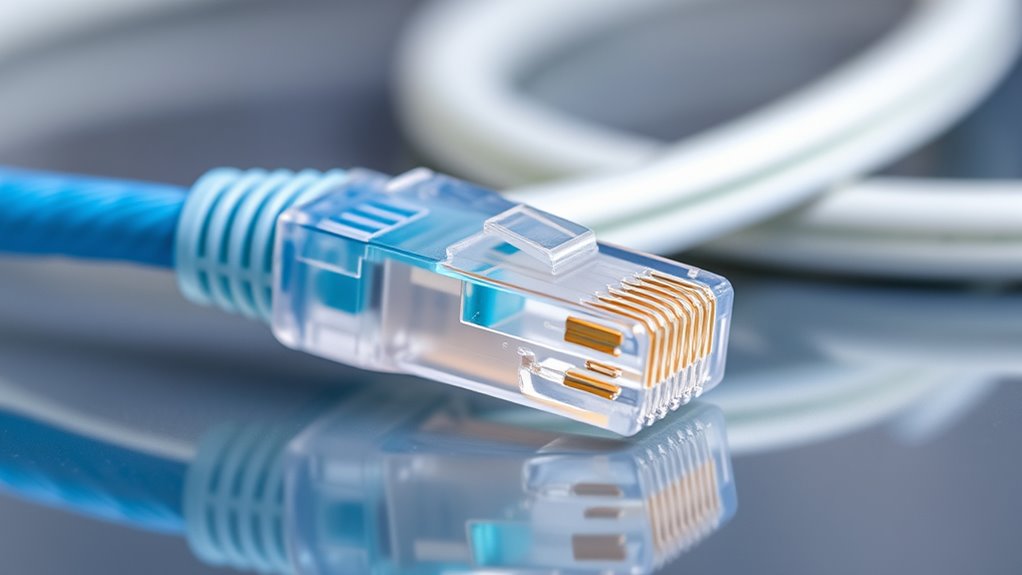
Have you ever wondered how your internet connection stays reliable and fast? That’s where an Ethernet cable comes in. It’s a wired connection that links your device directly to your modem or router, providing a stable link for data transfer. Ethernet cables are essential because they improve network speed and signal stability, reducing common issues like lag or interruptions. Unlike Wi-Fi, which can be affected by interference or distance, Ethernet offers consistent performance. This reliability is especially important when streaming, gaming, or working from home. By understanding what an Ethernet cable does, you can ensure your internet stays fast and dependable, making your online experience smoother and more efficient. Additionally, using the right cable type can optimize network performance and support high-resolution activities such as gaming or streaming in 4K. Proper cable selection also minimizes signal degradation, ensuring data remains intact over longer distances.

GEARit Cat7 Outdoor Ethernet Cable (25ft) SFTP Shielded Foil Twisted Pair, Pure Copper, LLDPE, Waterproof, Direct Burial, In-Ground, UV Resistant, POE, Network, LAN, Internet, Cat 7-25 Feet
- Outdoor-Grade Design: Waterproof, UV resistant, and direct burial
- High-Speed Data Transfer: Supports Gigabit and 10GBASE-T networks
- Enhanced Shielding: SFTP shielding reduces interference and signal loss
As an affiliate, we earn on qualifying purchases.
As an affiliate, we earn on qualifying purchases.
Different Types of Ethernet Cables and Their Uses

Understanding the different types of Ethernet cables can help you choose the right one for your needs. Fiber optic cables use light signals, offering faster speeds and longer distances, ideal for high-bandwidth tasks. Shielded twisted pair (STP) cables have an extra protective layer that minimizes electromagnetic interference, making them perfect for noisy environments like data centers or industrial settings. Unshielded twisted pair (UTP) cables are more common and cost-effective for home use, suitable for standard internet connections. Category 5e and Category 6 cables are popular types, each supporting different speeds and bandwidths. Knowing these options guarantees you select a cable that fits your requirements, whether it’s for gaming, streaming, or professional networking. Choosing the right cable improves performance and future-proofs your setup. Selecting the right cable involves understanding the differences in shielding and performance specifications. Additionally, considering the network environment can help determine which type of cable will perform best in your specific setting. Recognizing cable performance factors can further assist in making an informed choice. For example, some cables are designed specifically for high-performance applications, ensuring your network runs smoothly even under demanding conditions.

DbillionDa Cat 8 Ethernet Cable, 6FT 40Gbps 2000MHz RJ45 LAN Cable
- Outdoor & Burial Suitable: Heavy-duty waterproof and anti-corrosion jacket
- High-Load Stability: 26AWG conductors for reliable data transfer
- Superior Shielding & Speed: F/FTP shielding supports 2000MHz and 40Gbps
As an affiliate, we earn on qualifying purchases.
As an affiliate, we earn on qualifying purchases.
How Ethernet Cables Are Designed and Built

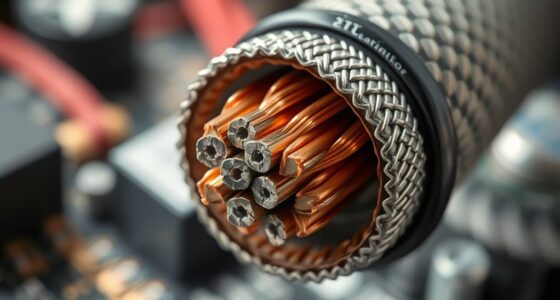
Ethernet cables are carefully engineered to guarantee reliable data transmission and durability. They use specific conductor materials, like copper or aluminum, to ensure efficient signal transfer. Cable shielding plays a vital role in protecting against electromagnetic interference, which can disrupt data flow. Shielding types include foil, braided, or a combination of both, depending on the cable’s purpose. The design also involves twisting pairs of insulated conductors to reduce crosstalk. Here’s a quick overview:
| Shielding Type | Conductor Material | Purpose |
|---|---|---|
| Foil | Copper | Reduces interference |
| Braided | Aluminum | Increases durability |
| Combined | Copper or Aluminum | Maximizes protection |
This combination of materials and shielding ensures your Ethernet cable performs reliably in various environments. Shielding helps to further prevent data loss and maintain signal integrity over longer distances. Proper cable construction is essential to meet performance standards and resist environmental factors. Additionally, material choices influence the cable’s overall performance and longevity.

Ultra Clarity Cables Cat6 Ethernet Cable 100 FT 10Gbps Long Cable, Black
- High-Speed Data Transfer: Supports up to 10Gbps internet speed
- Wide Frequency Range: Operates at up to 500 MHz
- Indoor & Outdoor Use: Designed for versatile environments
As an affiliate, we earn on qualifying purchases.
As an affiliate, we earn on qualifying purchases.
The Inside of an Ethernet Cable: Wires and Connectors

Inside an Ethernet cable, you’ll find specific wire arrangement patterns that guarantee proper data transmission. Understanding the connector types and their differences helps you choose the right cable for your needs. Additionally, color coding standards make it easier to identify and connect wires correctly. Many cables also include built-in shielding to reduce interference and improve signal quality.
Wire Arrangement Patterns
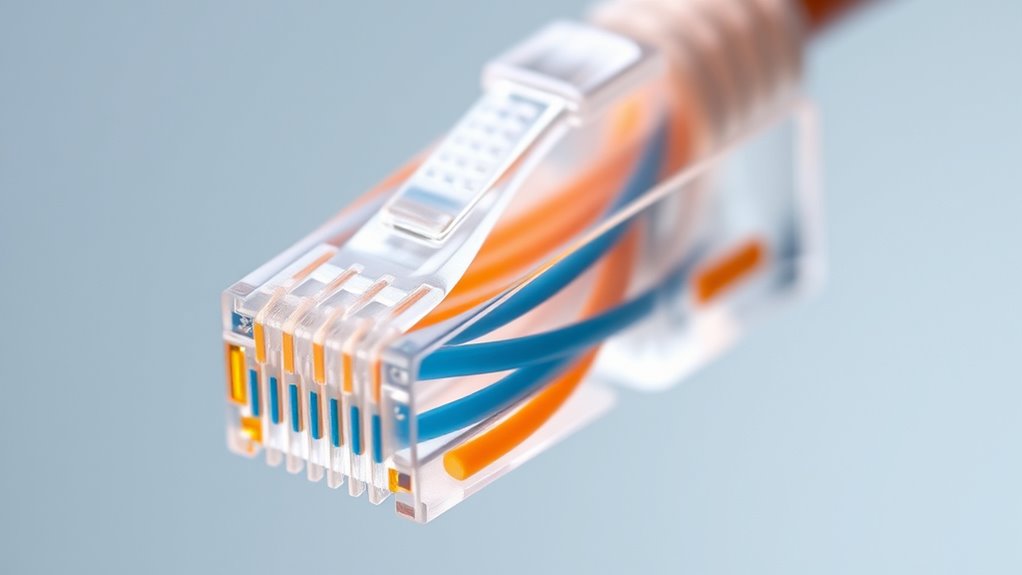
The wire arrangement patterns inside an Ethernet cable determine how the individual wires are organized and connected to the connector. Typically, Ethernet cables contain twisted pairs, which are two insulated wires twisted around each other to reduce interference. The most common pattern uses specific color sequences to identify each wire within the pair, such as blue and white/blue or green and white/green. These color-coded twisted pairs are arranged in a precise order to ensure proper communication between connected devices. The arrangement pattern helps maintain signal integrity and reduces crosstalk. Different wiring standards, like T568A or T568B, specify how these twisted pairs and color sequences should be arranged inside the cable, guaranteeing compatibility and reliable network performance. Understanding home organization can also help in managing and maintaining your network setup effectively.
Connector Types Overview
Understanding the different connector types used in Ethernet cables is essential for guaranteeing proper connections and ideal network performance. The most common connector is the RJ45 connector, widely used for Ethernet networking. RJ45 connectors are designed to fit specific ports and ensure reliable data transmission. It’s important to choose the right connector type to match your cable and device, as connector compatibility affects connection stability and speed. Different Ethernet cables, such as Cat5e, Cat6, and Cat7, typically use RJ45 connectors, but variations exist for specialized applications. Ensuring you select the correct RJ45 connector for your cable and device guarantees seamless compatibility, reduces connection issues, and maximizes network efficiency. Proper understanding of connector types helps you avoid costly mistakes and ensures your network setup functions smoothly. Additionally, selecting the appropriate connector type can influence future network upgrades and scalability, especially when considering compatibility with different cable categories.
Color Coding Standards
Color coding standards in Ethernet cables are vital for ensuring proper wiring and reliable network connections. These standards specify how the individual wires inside the cable are arranged, making sure each wire connects correctly to the connectors. Consistent color coding helps you identify wires quickly and reduces the risk of wiring errors. Most Ethernet cables follow the T568A and T568B wiring standards, which assign specific colors to each wire position. Sticking to these standards ensures compatibility across devices and networks. Proper color coding also simplifies troubleshooting and future upgrades. By understanding wiring standards and color coding, you can confidently create or repair Ethernet cables, maintaining essential network performance and avoiding common wiring mistakes. Awareness of network reliability and the importance of correct wiring practices can significantly improve your troubleshooting efficiency. Proper color coding also supports standardization across different network setups, making repairs and upgrades more straightforward. Additionally, familiarizing yourself with these standards can help prevent connectivity issues caused by improper wiring. Recognizing the importance of proper wiring can lead to more durable and efficient network setups.
How Ethernet Cables Connect Devices to Networks

Ethernet cables serve as the physical link that connects your devices to a network, enabling data to flow seamlessly between them. They typically plug into routers, switches, or modems, forming the backbone of your network. Here’s how they connect devices effectively:
Ethernet cables connect devices to routers and switches for seamless, reliable network communication.
- Understanding network topology: Ethernet cables create a wired structure, whether in a star, bus, or ring setup, ensuring stable connections.
- Reducing signal interference: Using shielded or high-quality cables minimizes external noise that can disrupt data transfer.
- Plugging into ports: You insert cables into Ethernet ports on devices and network hardware for a direct connection.
- Maintaining proper length: Longer cables may weaken signals, so choosing appropriate lengths helps keep data transmission smooth.
- Utilizing quality materials: High-quality farmhouse-inspired cables improve durability and signal integrity, ensuring reliable network performance.
This setup guarantees reliable, interference-free communication within your network.
The Advantages of Wired Connections Over Wireless

Wired connections offer several key advantages over wireless ones, primarily because they provide a more stable and consistent link. This stability ensures faster data transfer and reduces lag, which is essential for activities like gaming or streaming. Additionally, wired connections offer significant security benefits, making it harder for hackers to intercept your data compared to wireless signals that can be more easily accessed. They also eliminate interference issues caused by other electronic devices, thick walls, or crowded Wi-Fi environments that can disrupt wireless signals. With an Ethernet cable, you get a reliable, secure, and interference-free connection, giving you a more stable network and better overall performance for your devices. This makes wired connections a smart choice for those who prioritize stability and security. Safety features in modern electric heated mattress pads further enhance user confidence by preventing overheating and ensuring safe use over time. Furthermore, the performance upgrades available for certain vehicles illustrate how tuning can optimize various aspects of a vehicle’s operation, akin to how a wired connection can improve overall network reliability. Consistent and secure connections are particularly important for data integrity, especially when transmitting sensitive information.
Common Problems and Troubleshooting Ethernet Cables

Even when your Ethernet cables are properly installed, problems can still arise that disrupt your connection. Common issues include:
- Signal interference, which can cause slow or unstable connections.
- Damaged or frayed cables reducing signal quality and connection reliability.
- Poor connectors or loose ports leading to intermittent connectivity.
- Cable durability issues, especially with frequent bending or pinching, causing internal breaks.
To troubleshoot, check for visible damage or loose connections. Keep cables away from devices causing signal interference, like microwaves or cordless phones. Replace worn or damaged cables for better durability. Ensuring proper installation and maintenance helps maintain a stable, high-quality connection.
Tips for Choosing the Right Ethernet Cable for Your Needs

When selecting an Ethernet cable, consider the cable category to guarantee you get the speed and performance you need. Think about the length and placement of the cable to avoid signal loss and clutter. Choosing the right combination of category and length will help you get the most reliable connection for your setup.
Cable Category Options
Choosing the right Ethernet cable depends largely on the category it belongs to, as each category is designed to meet different networking needs. Your decision should consider cable category options based on Ethernet standards and performance.
Here are key points to keep in mind:
- Cat 5e supports speeds up to 1 Gbps for basic home use.
- Cat 6 offers faster speeds and better shielding for gaming or streaming.
- Cat 6a handles higher frequencies, ideal for professional setups.
- Cat 7 provides advanced shielding for maximum interference protection and future-proofing.
Understanding these Ethernet standards helps you choose a cable that matches your speed, distance, and environment requirements, ensuring reliable network performance.
Length and Placement
Selecting the right length and placement for your Ethernet cable is essential for guaranteeing peak network performance. A cable that’s too long can cause signal degradation and clutter your space, while one that’s too short may limit your device placement options. Consider your placement considerations carefully—measure the distance between your router and device to determine the appropriate cable length. Avoid excess slack that can create tripping hazards or clutter. If you need flexibility, opt for a slightly longer cable, but avoid unnecessary length that could weaken the signal. Proper placement ensures a stable connection, reduces interference, and maintains ideal speeds. Taking the time to choose the correct cable length and planning your setup will help you get the most out of your network.
Frequently Asked Questions
Can Ethernet Cables Transmit Data Over Long Distances Without Signal Loss?
Think of Ethernet cables as highways for data, but over long distances, signals can fade like distant echoes. You’ll experience signal degradation without proper measures. To keep data flowing smoothly, cable repetition acts as a relay runner passing the baton, boosting signals along the way. This guarantees your connection remains strong even over extended lengths, preventing data loss and maintaining fast, reliable internet throughout your home or office.
Are There Environmental Considerations When Installing Ethernet Cables Indoors or Outdoors?
Yes, environmental considerations matter when installing Ethernet cables indoors or outdoors. You should guarantee proper cable insulation to protect against moisture, temperature changes, and physical damage. For outdoor setups, use cables with outdoor protection features like UV-resistant jackets and waterproofing to prevent deterioration. Indoors, avoid placing cables near heat sources or in areas prone to excessive moisture, which can compromise performance and longevity. Proper installation ensures reliable data transmission and cable durability.
How Do I Properly Store and Handle Ethernet Cables to Prevent Damage?
You should store ethernet cables by coiling them loosely and avoiding tight bends to prevent damage. Keep them in a cool, dry place away from direct sunlight and moisture. When handling cables, use proper cable organization techniques to prevent tangling, and always handle with care to avoid kinks or cuts. Follow handling precautions, like unplugging gently and avoiding excessive pulling, to extend their lifespan and maintain ideal performance.
What Are the Security Risks Associated With Ethernet Cables?
Think of Ethernet cables like open highways for data, which makes them vulnerable to cable interception and unauthorized access. If someone taps into your network, they could steal sensitive information or inject malicious data. To protect yourself, use secure connectors, regularly check for tampering, and consider encryption methods. Staying vigilant helps prevent potential breaches and keeps your network safe from unwanted intruders.
Can Ethernet Cables Support Future High-Speed Internet Standards?
Ethernet cables can support future high-speed internet standards, especially when paired with fiber optic compatibility. While wireless alternatives are evolving, wired connections still offer reliable, high-speed performance. Upgrading to newer Ethernet standards, like Cat6 or Cat7, guarantees you’re ready for faster speeds. Keep in mind, combining Ethernet with fiber optic technology can maximize your internet speed and stability, making it a smart choice for future-proofing your network.
Conclusion
Did you know that wired Ethernet connections can be up to 10 times faster than Wi-Fi? By understanding what an Ethernet cable is and how to choose the right one, you can enjoy more reliable and secure internet. Whether for streaming, gaming, or working from home, the right Ethernet cable makes all the difference. So, take charge of your network with confidence and enjoy a smoother online experience today.