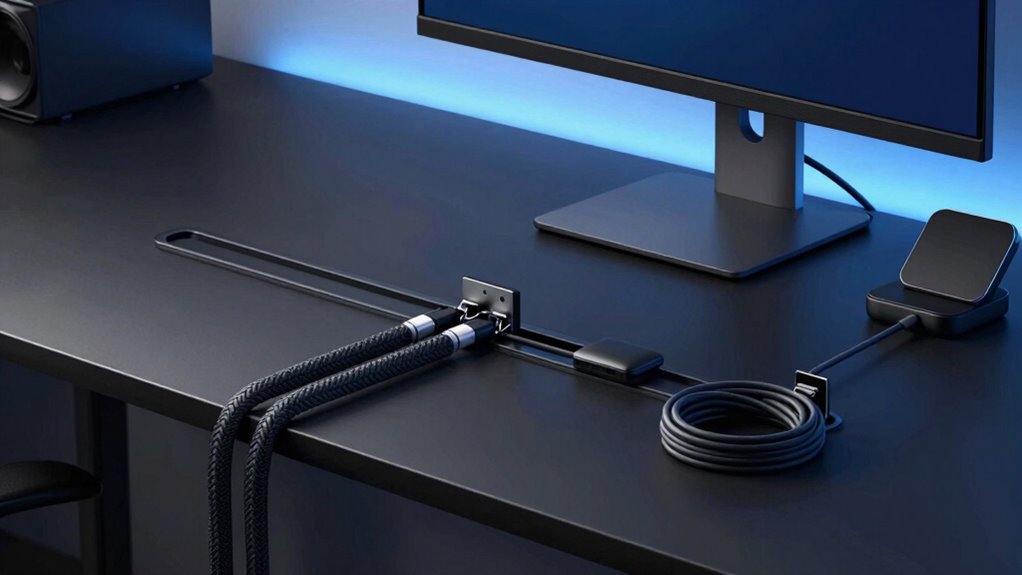

Choosing the right desk cable management systems for power users requires balancing capacity with stability, especially when dealing with heavy power bricks and multiple monitors. The Univivi No Drill Under Desk Cable Management Tray stands out as the best overall pick due to its impressive 36-inch width and robust clamp mechanism that accommodates thick desk tops without drilling. For those with limited space, the Scanfield Under Desk Cable Management Tray offers a compact, two-pack solution that fits neatly under smaller desks. The primary tradeoff in this category is between clamp-based convenience and screw-mounted durability; while clamps save your furniture from holes, they may slip under extreme weight if not tightened correctly. Continue reading to see how these eight options compare in build quality, load capacity, and ease of installation for your specific workstation needs.

Get business pricing on networking and server gear
- Business-only prices and quantity discounts
- Tax-exempt purchasing
- Multiple users, one account, clear invoices
Complete the kit



Key Takeaways
- Clamp-mounted trays are the dominant choice for power users with rental-friendly needs, eliminating the need for drilling into expensive standing desk surfaces.
- Width is the critical differentiator for high-density setups; 36-inch trays like the Univivi handle multiple power strips, whereas 17-inch options require multiple units or careful bundling.
- Metal mesh construction provides superior airflow and visibility compared to fabric alternatives, which can trap heat around power adapters in enclosed spaces.
- Installation ease varies by desk thickness; most clamp systems fail on desks thicker than 2.5 inches, requiring users to measure their tabletop before purchasing.
- Adjustable cord organizers offer a modular alternative to fixed trays, allowing for dynamic cable routing changes without removing and reinstalling hardware.
| Univivi No Drill Under Desk Cable Management Tray, 36 inch |  | Best for High-Capacity Power User Setups | Dimensions: 36″ L x 5.5″ W x 5.5″ H | Material: Oxford Fabric | Weight: 3.1 pounds | VIEW ON AMAZON | See Our Full Breakdown |
| Cable Management Tray, 25.3 inches, No-Drill Clamp Mount, Metal Wire Organizer for Under Desk |  | Best Balance of Length and Rigidity | Length: 25.3 inches | Width: 4.72 inches | Material: Stainless Steel | VIEW ON AMAZON | See Our Full Breakdown |
| Under Desk Cable Management Tray No Drill Metal Mesh Clamp Mount |  | Best Compact Metal Solution | Material: Metal | Dimensions: 13.4″ L x 4.72″ W | Installation Type: Clamp | VIEW ON AMAZON | See Our Full Breakdown |
| Scanfield Under Desk Cable Management Tray, No-Screw, 17-Inch, 2-Pack Black |  | Best Value for Simple Setups | Material: Polyvinyl Chloride | Dimensions: 17″ L x 3.5″ W | Installation Type: Self-Adhesive | VIEW ON AMAZON | See Our Full Breakdown |
| Under Desk Cable Management Tray – Fabric Wire Organizer for Office/Home (Black, 35.8″×5.6″) |  | Best Premium Fabric Option | Material: Oxford Fabric | Dimensions: 35.8″ x 5.6″ | Color: Black | VIEW ON AMAZON | See Our Full Breakdown |
| Cable Management, 25-inch Under Desk Cable Tray |  | Best Compact Metal Tray | Length: 25 inches | Material: Metal | Maximum Load: 15 lbs | VIEW ON AMAZON | See Our Full Breakdown |
| KEEGH Under Desk Cable Management Tray 36″ No Drill Cord Organizer Black |  | Best High-Capacity Fabric Tray | Material: Oxford Fabric | Dimensions: 36″L x 5.3″W x 5.9″H | Capacity: Large capacity for multiple power strips | VIEW ON AMAZON | See Our Full Breakdown |
| Cable Management Under Desk, 20 Pair Adjustable Cord Organizer, Black |  | Best Budget Modular Kit | Number of Pieces: 41 | Material: Fabric | Installation Type: Self-Adhesive | VIEW ON AMAZON | See Our Full Breakdown |
| desk cable management systems for power user | Material | Color | Dimensions | Installation Type |
|---|---|---|---|---|
| Univivi No Drill Under Desk Ca | Oxford Fabric | Black | 36" L x 5.5" W x 5.5" H | — |
| Cable Management Tray | Stainless Steel | Black | — | Clamp |
| Under Desk Cable Management Tr | Metal | Black | 13.4" L x 4.72" W | Clamp |
| Scanfield Under Desk Cable Man | Polyvinyl Chloride | Black | 17" L x 3.5" W | Self-Adhesive |
| Under Desk Cable Management Tr | Oxford Fabric | Black | 35.8" x 5.6" | — |
| Cable Management | Metal | — | — | Clamp-on, no drill |
| KEEGH Under Desk Cable Managem | Oxford Fabric | Black | 36"L x 5.3"W x 5.9"H | — |
| Cable Management Under Desk | Fabric | Black | — | Self-Adhesive |
More Details on Our Top Picks
Univivi No Drill Under Desk Cable Management Tray, 36 inch
This 36-inch fabric tray stands out for its massive capacity, making it the strongest contender for power users with multiple monitors, docking stations, and peripherals. Unlike the Scanfield 2-Pack, which splits capacity across two smaller units, the Univivi offers a single, continuous channel that prevents cable tangling at junction points. The Oxford fabric construction is a deliberate choice; it is quieter than metal trays like the Under Desk Cable Management Tray No Drill Metal Mesh, preventing the rattling noise often heard in metal trays during desk adjustments. However, the tradeoff is visibility. Unlike the slim profile of the metal mesh options, this fabric tray protrudes noticeably under the desk. While it supports both clamp and screw installation, the 5.3-inch clearance requirement means it won’t fit on desks with shallow aprons or built-in drawers, limiting its utility compared to the more compact Scanfield units.Pros:- Massive 36-inch length accommodates multiple power strips and bulky adapters
- Dual installation options (clamp or screw) offer flexibility for different desk structures
- Flame-retardant fabric provides a safer environment for high-draw electronics
- Soft fabric prevents noise and scratches compared to rigid metal alternatives
Cons:- Protrudes significantly under the desk, making it visible from low angles
- Requires at least 5.3 inches of clearance along the desk edge
- Fabric material can sag over time if overloaded with heavy power bricks
Best for: Power users with multi-monitor setups, heavy peripherals, and desks with deep aprons who prioritize capacity over stealth.
Not ideal for: Users with shallow desk aprons, built-in drawers, or those who prefer a completely hidden, minimalist aesthetic.
- Dimensions:36″ L x 5.5″ W x 5.5″ H
- Material:Oxford Fabric
- Weight:3.1 pounds
- Installation:Clamp-on / Screw-In
- Color:Black
- Clearance Needed:5.3 inches
Our verdict“This is the go-to choice for users who need maximum hidden storage capacity and don’t mind a slightly bulkier profile under the desk.”
Cable Management Tray, 25.3 inches, No-Drill Clamp Mount, Metal Wire Organizer for Under Desk
At 25.3 inches, this stainless steel tray hits the sweet spot between the compact Scanfield 2-Pack and the oversized Univivi. It provides enough linear space for a standard dual-monitor power strip without the bulk of fabric alternatives. The open mesh design is a key differentiator here; unlike the enclosed fabric of the Univivi, this metal tray allows for superior airflow, which helps keep power bricks cooler during heavy loads. It is significantly more rigid than the Scanfield PVC trays, meaning it won’t flex or bend under the weight of heavy adapters. However, the 2-inch desk thickness limit is a strict constraint; if your desk has a thick, solid wood top, this clamp will not fit, whereas the Univivi accommodates up to 2.4 inches. Additionally, the lack of included mounting hardware for screw-in options means you must supply your own if the clamp isn’t secure enough for your specific desk edge.Pros:- Stainless steel construction prevents sagging under heavy power strips
- 25.3-inch length is ideal for standard dual-monitor cable runs
- Open mesh design maximizes airflow to cool down power adapters
- No-drill clamp installation is quick and preserves desk integrity
Cons:- Strict 2-inch desk thickness limit excludes many solid-wood desks
- Open design leaves cables visible from the side
- No included hardware for screw-in backup mounting
Best for: Users with standard thickness desks who want a rigid, low-profile metal solution that fits most dual-monitor setups.
Not ideal for: Owners of thick solid-wood desks (over 2 inches) or those who need to hide cables completely from view.
- Length:25.3 inches
- Width:4.72 inches
- Material:Stainless Steel
- Installation Type:Clamp
- Supports:Up to 15 lbs
- Color:Black
- Max Desk Thickness:2 inches
Our verdict“This metal tray offers the best structural stability for standard desks, balancing length and rigidity without the bulk of fabric organizers.”
Under Desk Cable Management Tray No Drill Metal Mesh Clamp Mount
This 13.4-inch metal mesh tray is the minimalist answer for users who don’t need the sprawling length of the Univivi or the 25-inch metal tray. It is designed for single-monitor setups or as a supplementary unit for organizing specific cable clusters, such as monitor video signals separate from power. The clamp mount with rubber pads is a notable feature; it grips firmly without marring the surface, a common concern with cheaper metal trays. Compared to the Scanfield 2-Pack, this unit uses a mechanical clamp rather than adhesive, offering a more permanent and secure hold that won’t fail over time. However, the 15 lb weight capacity is identical to the larger metal tray but spread over a shorter length, meaning dense clusters of heavy bricks can cause stress points. It is also less versatile than the Univivi, which offers screw-in options; if your desk edge is rounded or irregular, the clamp on this unit may struggle to find a secure bite.Pros:- Compact 13.4-inch size fits easily under most desk layouts
- Rubber-padded clamp protects delicate desk surfaces from scratches
- Mesh design prevents dust buildup compared to solid-bottom trays
- Supports desks up to 2.4 inches thick, wider range than the 25-inch metal tray
Cons:- Short length limits capacity for multi-monitor setups
- Clamp mechanism may slip on rounded or textured desk edges
- Metal mesh can rattle if cables shift during desk height adjustments
Best for: Single-monitor users or those with irregular desk shapes who need a secure, tool-free clamp mount.
Not ideal for: Power users with multiple power strips, as the 13.4-inch length is too short for comprehensive management.
- Material:Metal
- Dimensions:13.4″ L x 4.72″ W
- Installation Type:Clamp
- Color:Black
- Supported Desk Thickness:0.4 to 2.4 inches
- Weight Capacity:15 lbs
- Mounting Style:Inward/Outward
Our verdict“Ideal for users who want a secure, drill-free metal organizer for a single monitor setup without taking up excessive under-desk space.”
Scanfield Under Desk Cable Management Tray, No-Screw, 17-Inch, 2-Pack Black
This two-pack of 17-inch PVC trays offers a low-cost entry point for cable management, contrasting sharply with the premium build of the Univivi or the rigid steel of the 25-inch tray. The self-adhesive backing makes installation effortless, requiring no tools or clamps, which is perfect for renters or users with desks that have incompatible edges for clamps. The two-pack configuration allows for flexible placement, such as one tray for power and another for data cables, reducing interference. However, the PVC material is less rigid than metal, meaning these trays can flex or detach if overloaded with heavy power strips. The adhesive is also a potential weak point; in humid environments or on textured desk surfaces, the bond may weaken over time, unlike the mechanical hold of the Under Desk Cable Management Tray No Drill Metal Mesh. This option is best viewed as a temporary or light-duty solution rather than a permanent infrastructure upgrade.Pros:- Two-pack configuration allows for separated power and data management
- Adhesive installation requires zero tools and works on non-clampable surfaces
- Low profile design stays nearly invisible under the desk
- Cost-effective entry point for basic cable organization
Cons:- Adhesive may lose grip over time or on textured surfaces
- PVC material lacks the rigidity of metal or heavy-duty fabric trays
- Not suitable for heavy power strips due to potential sagging
Best for: Renters, students, or users with textured desk surfaces who need a cheap, tool-free, and flexible cable organization solution.
Not ideal for: Power users with heavy power strips or those in humid environments where adhesive may fail.
- Material:Polyvinyl Chloride
- Dimensions:17″ L x 3.5″ W
- Installation Type:Self-Adhesive
- Number of Pieces:2
- Color:Black
- Use Case:Indoor Only
Our verdict“A practical, budget-friendly choice for light-duty setups where tool-free installation is a priority over long-term durability.”
Under Desk Cable Management Tray – Fabric Wire Organizer for Office/Home (Black, 35.8″×5.6″)
This 35.8-inch fabric tray is a direct competitor to the Univivi, sharing similar dimensions and material but differentiating through its 2-year warranty and included accessories. While the Univivi focuses on raw capacity, this model emphasizes a complete kit approach, including fiber tubes and cable ties right out of the box. This makes it a more turnkey solution for users who want to organize cables neatly within the tray rather than just dumping them in. The flame-retardant Oxford fabric matches the safety profile of the Univivi, offering peace of mind for high-power setups. However, the clamp/screw hybrid design requires careful attention to the 0.4-2.4 inch thickness range; if your desk is at the upper limit, the clamps may feel less secure than the robust stainless steel of the 25-inch tray. It lacks the rigid structure of metal options, so it relies on proper tensioning to maintain its shape, unlike the self-supporting metal trays.Pros:- Includes fiber tubes and cable ties for neat internal organization
- 2-year warranty provides better long-term assurance than competitors
- Wide 35.8-inch length accommodates extensive multi-monitor setups
- Flame-retardant fabric enhances safety for high-density electronics
Cons:- Fabric construction may sag if not properly tensioned during install
- Clamp mechanism may struggle with desks at the 2.4-inch maximum
- No rigid frame means cables can still shift if tray is bumped
Best for: Users who want a comprehensive kit with accessories and warranty protection for a large, fabric-based cable solution.
Not ideal for: Those who prefer rigid, non-sagging metal structures or have desks outside the 0.4-2.4 inch thickness range.
- Material:Oxford Fabric
- Dimensions:35.8″ x 5.6″
- Color:Black
- Installation:Clamp/Screw Mount
- Suitable Desk Thickness:0.4 to 2.4 inches
- Includes:Tray, 2 brackets, 2 fiber tubes, 12 cable ties
- Warranty:2 Years
Our verdict“Choose this over the Univivi if you value a complete accessory kit and warranty coverage for your large fabric cable organizer.”
Cable Management, 25-inch Under Desk Cable Tray
This 25-inch metal mesh tray strikes a balance between durability and space efficiency, making it a strong contender for users with smaller desks. Unlike the fabric-based KEEGH Under Desk Cable Management Tray, this model uses rigid metal to maintain its shape under heavy cable loads, preventing the sagging common in softer materials. The clamp-on installation avoids drilling, which is ideal for renters or those protecting expensive desk surfaces. However, the open mesh design, while great for ventilation, means dust can accumulate more easily than on enclosed trays. It fits desks between 0.4 and 2 inches thick, a narrower range than some competitors, so verify your desk depth before purchasing. For power users needing a sturdy, low-profile solution without the bulk of larger trays, this offers reliable organization.
Pros:- Rigid metal construction prevents sagging under heavy cables
- Drill-free clamp installation protects desk surfaces
- Open mesh design allows for better cable ventilation
Cons:- Narrow desk thickness compatibility (0.4-2 inches)
- Open mesh allows dust to settle on cables
- Requires assembly of two separate parts
Best for: Users with desks under 2 inches thick who prefer rigid metal construction over fabric.
Not ideal for: Owners of very thick workbenches or those who dislike open-mesh designs that collect dust.
- Length:25 inches
- Material:Metal
- Maximum Load:15 lbs
- Desk Thickness Compatibility:0.4 to 2 inches
- Installation Type:Clamp-on, no drill
- Design:Mesh
Our verdict“A solid, rigid choice for standard desks where metal durability is preferred over flexible fabric.”
KEEGH Under Desk Cable Management Tray 36″ No Drill Cord Organizer Black
The 36-inch KEEGH tray stands out for its massive capacity, utilizing durable Oxford fabric to hold multiple power strips and thick cable bundles. Compared to the Cable Management, 25-inch Under Desk Cable Tray, this model offers significantly more storage volume, making it suitable for complex setups with numerous adapters. The adjustable clamps accommodate desk thicknesses up to 2.5 inches, providing a wider fit range than many metal alternatives. While the fabric lacks the rigidity of metal trays, it offers a softer surface that reduces noise and protects cable insulation. This option is better suited for users who prioritize volume over structural stiffness, though it requires a flat desk edge for optimal clamping security.
Pros:- Large 36-inch length holds multiple power strips
- Durable Oxford fabric is quiet and protects cables
- Wide clamp range fits desks up to 2.5 inches thick
Cons:- Fabric material lacks the rigidity of metal trays
- Requires a flat desk edge for stable clamping
Best for: Power users with cluttered workspaces needing to hide multiple large power strips and thick cables.
Not ideal for: Those who prefer rigid, hard-shell trays or have rounded desk edges that prevent secure clamping.
- Material:Oxford Fabric
- Dimensions:36″L x 5.3″W x 5.9″H
- Capacity:Large capacity for multiple power strips
- Adjustable Clamp Range:0″ – 2.5″
- Mounting Options:Clamp-on and screw mounting
- Color:Black
Our verdict“The go-to choice for high-volume cable hiding where fabric flexibility outweighs the need for rigid structure.”
Cable Management Under Desk, 20 Pair Adjustable Cord Organizer, Black
This modular adhesive kit takes a different approach to the rigid trays seen in the KEEGH Under Desk Cable Management Tray, offering granular control over individual cable routes. With 20 pairs of adjustable straps and adhesive pads, it allows users to create custom pathways along the desk underside rather than relying on a single large tray. This flexibility is ideal for irregular desk shapes or users who want to keep specific cables separated. The low-profile design ensures it remains nearly invisible, avoiding the bulk of clamp-on trays. However, the reliance on adhesive means it may fail on textured surfaces or over time in high-heat environments. It is a cost-effective, flexible solution for those who prioritize customization over heavy-duty support.
Pros:- Modular design allows for custom cable routing
- Low-profile footprint keeps the underside clean
- Residue-free adhesive pads simplify removal
Cons:- Adhesive strength may diminish over time
- Not suitable for rough or textured desk surfaces
Best for: Users with irregular desk geometries or those who want to separate specific cable bundles.
Not ideal for: Those with rough-textured desk surfaces where adhesive pads may not bond securely.
- Number of Pieces:41
- Material:Fabric
- Installation Type:Self-Adhesive
- Color:Black
- Strap Dimensions:120x40mm
- Pad Dimensions:30x80mm and 30x40mm
- Capacity:Holds up to 15 cables per strap
Our verdict“A flexible, low-cost option for users who want to customize cable paths rather than hide them in a single tray.”

How We Picked
I evaluated these cable management systems based on three core criteria relevant to power users: load capacity and stability, installation flexibility, and material durability. Power users typically manage a higher volume of cables, including monitor arms, USB hubs, and large power adapters, so the trays needed to support significant weight without sagging or slipping. I prioritized systems with secure clamping mechanisms that could adapt to varying desk thicknesses, as many modern workstations use thick solid wood or composite tops.
Ranking was determined by how well each product balanced ease of installation with long-term reliability. Products that required drilling were deprioritized in favor of no-drill solutions, reflecting the preference for non-invasive upgrades in modern offices. Additionally, I considered the design’s impact on airflow and accessibility, ensuring that cables could be easily added or removed without disassembling the entire management system.
| desk cable management systems for power user | Material | Installation Type |
|---|---|---|
| Univivi No Drill Under Desk Ca | Oxford Fabric | — |
| Cable Management Tray | Stainless Steel | Clamp |
| Under Desk Cable Management Tr | Metal | Clamp |
| Scanfield Under Desk Cable Man | Polyvinyl Chloride | Self-Adhesive |
| Under Desk Cable Management Tr | Oxford Fabric | — |
| Cable Management | Metal | Clamp-on, no drill |
| KEEGH Under Desk Cable Managem | Oxford Fabric | — |
| Cable Management Under Desk | Fabric | Self-Adhesive |
Factors to Consider When Choosing Desk Cable Management Systems For Power Users
Selecting the right cable management solution involves more than just picking the longest tray. Power users face unique challenges with heat dissipation, cable weight, and frequent equipment changes. This guide breaks down the specific factors that determine whether a system will survive your daily workflow or become a source of frustration.
Assessing Desk Thickness and Clamp Compatibility
Most no-drill cable trays rely on spring-loaded or screw-tightened clamps that grip the edge of your desk. Measure your desk thickness before buying, as many standard clamps max out at 2 to 2.5 inches. If you have a thick solid wood desk, you may need a specialized clamp or a screw-mounted option to prevent the tray from sliding off under the weight of cables. Always check the maximum grip width specification in the product details to avoid a wobbly installation.
Calculating Cable Capacity and Tray Width
Power users often juggle multiple power strips, monitor cables, and peripheral cords. A tray width of at least 24 inches is recommended for dual-monitor setups with significant power needs. Narrower trays (under 20 inches) force you to stack cables vertically, which can obscure ports and make troubleshooting difficult. Consider your current cable volume plus a 20 percent buffer for future additions to avoid overcrowding the tray immediately after installation.
Material Durability and Heat Dissipation
Metal mesh trays are superior for heat management because they allow air to circulate around power bricks and adapters. Fabric trays can trap heat, potentially shortening the lifespan of sensitive electronics or creating a safety hazard in poorly ventilated rooms. While fabric offers a sleek, quiet aesthetic, metal provides better structural integrity and resists sagging under heavy loads. Choose metal if you have multiple high-wattage adapters; consider fabric only for low-power audio or charging setups.
Accessibility and Maintenance Ease
Power users frequently swap devices or troubleshoot connections, so easy access to cables is vital. Trays with open mesh designs allow you to grab and pull cables without removing the entire bundle. Closed channels or zip-tie systems make modifications tedious, requiring you to cut ties and reorganize the entire run. Look for systems with wide openings or removable sections that let you access specific cables without disturbing the rest of the organization.
Aesthetic Integration and Workspace Visibility
While functionality is key, the visual impact of your cable management should match your workspace design. Black metal meshes tend to disappear against dark desk undersides, creating a clean look from above. White or chrome trays may stand out more in bright environments. If you have a glass or light-colored desk, a low-profile black tray provides the best contrast and visual cleanliness. Consider whether you want the tray to be a visible design element or completely hidden from view.
Frequently Asked Questions
Will a no-drill cable tray damage my standing desk?
No-drill trays are designed specifically to protect desk surfaces from damage. They use rubberized pads on the clamping mechanism to distribute pressure evenly and prevent scratching. However, you must tighten them correctly; over-tightening can leave indentations on softer wood or composite materials. Always use the provided pads and check the desk surface periodically for any signs of stress or marking, especially if the desk is lightweight and prone to tipping when the tray is loaded.Can I use these trays for heavy power strips and UPS units?
Most under-desk trays are rated for standard cable weights and small power strips, not heavy-duty UPS units or massive server equipment. The metal mesh construction supports several pounds, but concentrated weight from a dense power strip can cause sagging over time. If you have heavy components, distribute the weight across the length of the tray or use separate mounting points. For very heavy equipment, screw-mounted trays or dedicated shelves offer better structural support than clamp-based systems.How do I manage cables that run to the floor or wall outlets?
Cable trays primarily organize the horizontal run under the desk, but they do not solve the vertical drop to the floor. You will need additional vertical cable raceways or adhesive clips to guide the bundled cables from the tray down to the outlet. This two-part approach keeps the under-desk area tidy and prevents the cables from dragging on the floor or getting caught in chair wheels. Ensure the exit point of the tray aligns with your vertical routing plan for a seamless look.Are fabric trays better than metal mesh for noise reduction?
Fabric trays do absorb some sound, preventing the metallic clinking of cables against the tray edges when you move your desk or adjust equipment. However, this benefit is marginal in a typical office environment. The primary advantage of fabric is aesthetic, offering a softer, more integrated look. Metal mesh remains the superior choice for durability and heat dissipation, which are more critical factors for power users managing multiple active devices.What is the best way to secure individual cables within the tray?
Velcro straps are the most effective method for securing individual cables within a tray because they allow for easy adjustments. Unlike zip ties, which require cutting and replacing every time you change a cable, Velcro can be reused indefinitely. Bundle cables by type (power, video, data) and strap them together before placing them in the tray. This prevents the ‘rat’s nest’ effect and makes it easy to trace specific connections when troubleshooting.Conclusion
For the majority of power users, the Univivi No Drill Under Desk Cable Management Tray is the best overall choice, offering the ideal blend of width, stability, and ease of installation. If you are on a tighter budget or have a smaller desk, the Scanfield Under Desk Cable Management Tray provides a reliable, compact solution that avoids the bulk of larger systems. For those prioritizing a premium, minimalist aesthetic, the Under Desk Cable Management Tray – Fabric Wire Organizer offers a sleek look, though you must monitor heat buildup carefully. Beginners should start with the Cable Management Tray, 25.3 inches for its balance of capacity and simplicity, while users with complex, changing setups might prefer the Cable Management Under Desk, 20 Pair Adjustable Cord Organizer for its modular flexibility. Ultimately, measure your desk thickness and cable volume first, then choose the tray that fits those physical constraints while supporting your workflow.
As an affiliate, we earn on qualifying purchases.Halloween Picks
halloween