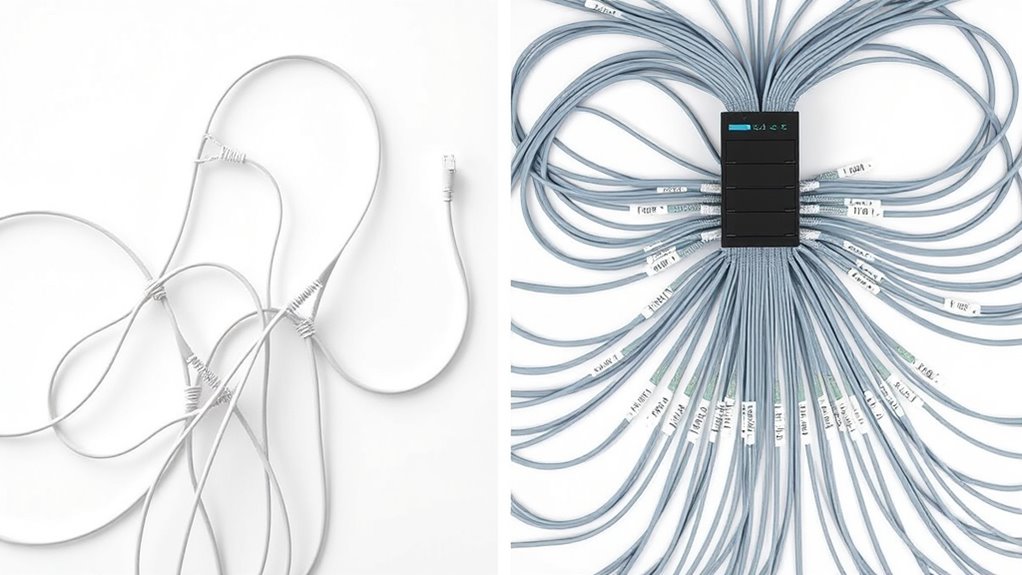

Choosing between daisy chain and home run cabling affects your network’s reliability and management. Daisy chain links devices sequentially, which can save costs but risks disruptions if one link fails. Home run connects each device directly to a central switch, offering better fault tolerance and easier troubleshooting. Your choice depends on your operational needs and future plans. Keep exploring to discover how these topologies can impact your network’s performance and resilience.

Get business pricing on networking and server gear
- Business-only prices and quantity discounts
- Tax-exempt purchasing
- Multiple users, one account, clear invoices
Key Takeaways
- Daisy chain links devices sequentially, risking network failure if one link breaks; home run connects each device directly to a central point for reliability.
- Home run cabling offers better redundancy and fault tolerance, minimizing downtime compared to the simplicity of daisy chain setups.
- Daisy chain is easier and cheaper to install initially but complicates troubleshooting and maintenance, unlike the organized structure of home run cabling.
- Proper cable management and structured cabling practices enhance network performance and ease future scalability in both topologies.
- Choosing between daisy chain and home run depends on operational needs, balancing cost, complexity, redundancy, and future growth considerations.
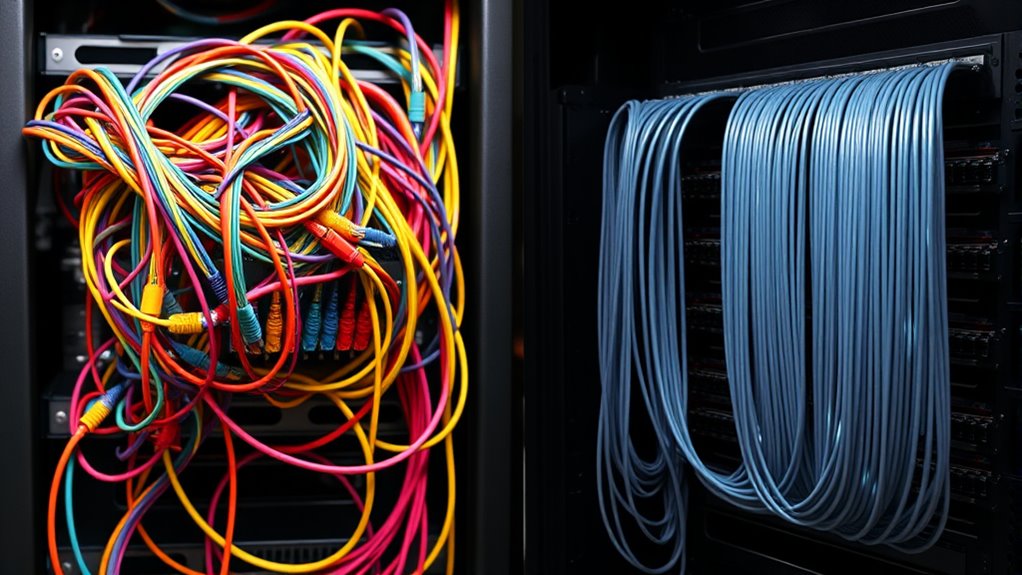
Have you ever wondered how networks are efficiently connected to guarantee ideal performance and reliability? It all begins with thoughtful topology design, where choices like daisy chain versus home run cabling substantially impact your network’s resilience and ease of management. When planning your network’s topology, one key aspect to contemplate is redundancy planning. You want to guarantee that if a cable or device fails, your entire system doesn’t come crashing down. This means designing a layout that allows alternative pathways for data to flow, reducing the risk of downtime. For example, a daisy chain configuration links devices sequentially, so a single break can disrupt the entire chain. On the other hand, a home run setup connects each device directly to a central switch or patch panel, providing a more robust foundation for redundancy.
Redundancy planning ensures network resilience by providing alternative data pathways, minimizing downtime and maintaining reliable performance.
Cable management plays a vital role in maintaining a reliable network. Proper cable organization isn’t just about aesthetics; it’s about making sure signals aren’t degraded and troubleshooting becomes manageable. When you adopt a structured approach, especially with home run cabling, you create clear, organized pathways for each connection. This makes identifying issues easier and minimizes the chances of accidental disconnections or damage. Conversely, a daisy chain setup can become a tangled mess over time, complicating maintenance and increasing the likelihood of errors. Good cable management also facilitates future scalability, allowing you to add or upgrade components without disrupting the entire network. Additionally, following structured cabling practices can help ensure your network remains compliant with industry standards and supports high data transfer speeds.
Choosing between daisy chain and home run cabling depends on your specific needs, but keep in mind that a well-designed topology emphasizes redundancy planning and organized cable management. With daisy chain connections, you might save on initial cabling costs and simplify initial deployment, but you risk network disruptions if one link fails. In contrast, home run cabling requires more upfront effort and materials but offers superior fault tolerance. It also simplifies troubleshooting because each device’s connection is isolated, making it easier to identify issues quickly. Additionally, structured cabling practices help you maintain consistent cable management standards, making sure your network remains reliable and scalable over time.
Ultimately, your goal should be a topology that maximizes performance and minimizes downtime. Careful planning of redundancy and diligent cable management aren’t just best practices—they’re essential components of a resilient, professional network. By choosing a layout that aligns with your operational needs and maintaining organized cabling, you’ll guarantee your network operates smoothly today and can grow seamlessly into the future.
As an affiliate, we earn on qualifying purchases.
Frequently Asked Questions
Which Topology Offers Better Scalability for Large Networks?
You’ll find that a home run topology offers better scalability for large networks because it provides improved network redundancy and easier management. With dedicated connections to each device, it reduces installation complexity and minimizes the impact of a single point of failure. Daisy chain setups can become cumbersome as the network grows, making them less suitable for large-scale environments requiring reliable and scalable connectivity.
How Do Maintenance Costs Compare Between Daisy Chain and Home Run Cabling?
Think of maintenance costs as tending a garden. With daisy chain cabling, you face lower equipment expenses but risk more frequent repairs, making upkeep more complex. Home run cabling, like planting individual trees, requires higher initial costs but simplifies troubleshooting and reduces long-term maintenance. Your decision hinges on a cost analysis, weighing the benefits of lower upfront expenses against potentially higher ongoing repair costs.
What Are the Common Failure Points in Each Topology?
In a daisy chain, you risk cable damage at connection points and along the chain, which can cause entire segments to fail. For home run cabling, connection failures often occur at the central switch or outlet points, making troubleshooting easier. Both topologies face potential failure due to cable damage, but daisy chains are more vulnerable to failure spreading, while home runs isolate issues more effectively.
Which Topology Is More Suitable for High-Bandwidth Applications?
If you want the ultimate high-bandwidth performance, home run cabling is your best bet. It offers fiber redundancy, ensuring your network stays up even if a cable fails, and keeps cable complexity manageable. Daisy chaining, on the other hand, can turn into a tangled mess that bottlenecks your signals. For demanding applications, opt for home run to maximize speed, reliability, and scalability—it’s the clear winner.
How Does Each Topology Impact Network Troubleshooting Efficiency?
You’ll find that with a daisy chain topology, troubleshooting can become more complex due to redundancy issues, as a single failure can disrupt the entire chain. In contrast, a home run topology simplifies troubleshooting because each device connects directly to the central point, making it easier to isolate problems. Overall, home run cabling improves troubleshooting efficiency, while daisy chaining often increases troubleshooting complexity.
As an affiliate, we earn on qualifying purchases.
Conclusion
Think of your network like a garden: daisy chain cabling is a winding vine, flexible but vulnerable to breaking at any point. Home run cabling, on the other hand, is a sturdy tree with strong branches, offering reliability and easier troubleshooting. Choosing the right topology is like planting the right seed—your network’s growth depends on it. Make the right call, and your setup will flourish with resilience and clarity.
Ethernet switch for home network
As an affiliate, we earn on qualifying purchases.
As an affiliate, we earn on qualifying purchases.
As an affiliate, we earn on qualifying purchases.
Halloween Picks
halloween
As an affiliate, we earn on qualifying purchases.