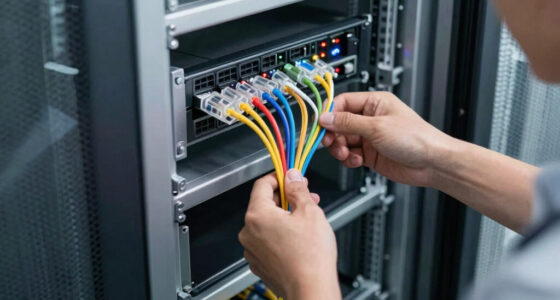
Choosing the right VPN routers for branch offices requires balancing enterprise-grade security with the simplicity needed for remote IT support. The Sophos XGS 88 (Gen2) stands out as the best overall pick due to its superior integrated threat protection and intuitive cloud management, making it ideal for distributed teams. For those prioritizing raw throughput and established firewall architecture, the SonicWall TZ280 offers robust performance, while the Cisco Meraki MX67-HW excels in zero-touch deployment scenarios. The main tradeoff often lies between advanced security features that require skilled administration and streamlined appliances designed for minimal IT overhead. Continue reading for a detailed breakdown of each model to find the right fit for your network infrastructure.

Get business pricing on networking and server gear
- Business-only prices and quantity discounts
- Tax-exempt purchasing
- Multiple users, one account, clear invoices
Key Takeaways
- Enterprise-grade security is no longer exclusive to high-end appliances; budget-friendly options like the D-Link DSR-250 now include dynamic content filtering, though they lack the advanced threat intelligence of competitors.
- Cloud-managed platforms such as Cisco Meraki and Sophos Central significantly reduce the time required for branch office provisioning compared to traditional command-line interfaces.
- Throughput capabilities vary widely; models like the SonicWall TZ370W offer wireless integration for small branches, whereas most others require separate access points, impacting total deployment cost.
- Licensing models are a hidden cost driver; Fortinet and SonicWall devices often require annual subscriptions for full security features, unlike some standalone routers.
- Multi-WAN support is critical for branch resilience; devices like the Cudy R700 provide failover capabilities at a fraction of the cost of enterprise firewalls, though with less granular control.
| Sophos XGS 88 (Gen2) Network Security Appliance |  | Best Overall for Modern Branch Security | Model: XGS 88 (Gen2) | Ports: 4 x 2.5 GE copper ports | Throughput: 9.9 Gbps | VIEW ON AMAZON | See Our Full Breakdown |
| SonicWall TZ280 Next-Gen Firewall Appliance |  | Best for Established SonicWall Environments | Model: TZ280 | Firewall Throughput: 2.5 Gbps | Threat Prevention Throughput: 1 Gbps | VIEW ON AMAZON | See Our Full Breakdown |
| SonicWall TZ370W Wireless Gen7 Firewall |  | Best All-in-One for Small Branches | Model Number: TZ370W | Wireless Standard: Wi-Fi 5 (802.11ac) | Wireless Band: Dual-Band | VIEW ON AMAZON | See Our Full Breakdown |
| D-Link VPN Router DSR-250 |  | Best for Legacy VPN Protocol Support | Ports: 8 Gigabit LAN ports, 1 Gigabit WAN port | VPN Support: Up to 25 IPsec, 25 PPTP/L2TP tunnels | Content Filtering: Dynamic web content filtering | VIEW ON AMAZON | See Our Full Breakdown |
| TP-Link ER605 Wired Gigabit VPN Router |  | Best Value for Budget-Conscious Branches | WAN Ports: 3 Gigabit Ethernet | LAN Ports: 2 Gigabit Ethernet | USB WAN Port: 1 (supports 4G/3G modem) | VIEW ON AMAZON | See Our Full Breakdown |
| Cudy Gigabit Multi-WAN Router R700 |  | Best for Multi-ISP Redundancy on a Budget | WAN Support: Up to 5 ISPs | VPN Protocols: WireGuard, OpenVPN, IPsec | Ports: 5 Gigabit Ethernet RJ45 | VIEW ON AMAZON | See Our Full Breakdown |
| FortiGate-40F Firewall Appliance |  | Best Entry-Level Enterprise Security | Model: FG-40F | Ports: 5 Gigabit RJ45 | Throughput: 1 Gbps IPS, 600 Mbps Threat Protection | VIEW ON AMAZON | See Our Full Breakdown |
| Fortinet FortiGate-50G Firewall |  | Best for Zero-Touch Branch Deployment | Model: FG-50G | Ports: 5 Gigabit Ethernet RJ45 | Throughput: 2.25 Gbps IPS, 1.1 Gbps Threat Protection | VIEW ON AMAZON | See Our Full Breakdown |
| Cisco Meraki MX67-HW Cloud-Managed Security Appliance |  | Best for Cloud-Centric Management | Model: MX67-HW | Management: Cloud-Managed | Failover: 4G Cellular | VIEW ON AMAZON | See Our Full Breakdown |
| Fortinet FortiGate-50G with 1-Year FortiGuard | | Best Value with Included Security Services | Model: FortiGate-50G | Included Services: 1-Year FortiGuard AI-Powered Security | Throughput: 2.25 Gbps IPS, 1.1 Gbps Threat Protection | VIEW ON AMAZON | See Our Full Breakdown |
| vpn routers for branch office | Ports | Model |
|---|---|---|
| Sophos XGS 88 | 4 x 2.5 GE copper ports | XGS 88 (Gen2) |
| SonicWall TZ280 Next-Gen Firew | 8x1GbE + 2x1G SFP | TZ280 |
| SonicWall TZ370W Wireless Gen7 | — | — |
| D-Link VPN Router DSR-250 | 8 Gigabit LAN ports, 1 Gigabit WAN port | — |
| TP-Link ER605 Wired Gigabit VP | — | — |
| Cudy Gigabit Multi-WAN Router | 5 Gigabit Ethernet RJ45 | — |
| FortiGate-40F Firewall Applian | 5 Gigabit RJ45 | FG-40F |
| Fortinet FortiGate-50G Firewal | 5 Gigabit Ethernet RJ45 | FG-50G |
| Cisco Meraki MX67-HW Cloud-Man | — | MX67-HW |
| Fortinet FortiGate-50G with 1- | 5 GE RJ45 | FortiGate-50G |
More Details on Our Top Picks
Sophos XGS 88 (Gen2) Network Security Appliance
This appliance stands out for its 9.9 Gbps throughput, significantly outpacing the SonicWall TZ280’s 2.5 Gbps limit. For branch offices needing robust SD-WAN and TLS 1.3 inspection, it offers future-proof performance. The integration with Sophos Central simplifies managing multiple sites, a distinct advantage over standalone units. However, the hardware is only part of the solution; full security features require a subscription, adding ongoing operational costs. It is heavier on the budget than the TP-Link ER605 but delivers enterprise-grade protection that consumer-grade routers cannot match. Choose this if you prioritize advanced threat prevention over simple connectivity.
Pros:- High 9.9 Gbps throughput supports modern bandwidth demands
- Centralized management via Sophos Central simplifies multi-site control
- Advanced threat protection includes DPI and TLS 1.3 inspection
- Native SD-WAN support optimizes application routing
Cons:- Requires additional subscription for full security functionality
- Higher initial hardware cost compared to value-oriented competitors
- Limited port count may require additional switching for large networks
Best for: Branch offices requiring high-throughput secure connectivity and centralized cloud management for multiple sites.
Not ideal for: Budget-conscious small offices that cannot afford recurring subscription fees for security services.
- Model:XGS 88 (Gen2)
- Ports:4 x 2.5 GE copper ports
- Throughput:9.9 Gbps
- Connectivity:Ethernet, SD-WAN, VPN
- Security Features:Advanced Threat Protection, DPI, TLS 1.3 Inspection
- Operating System:Sophos Firewall OS
- Warranty:30-Day Return Guarantee
Our verdict“The Sophos XGS 88 is the ideal choice for professional branch offices that need scalable, cloud-managed security without compromising on speed.”
SonicWall TZ280 Next-Gen Firewall Appliance
This model fits seamlessly into existing SonicWall deployments, offering 2.5 Gbps firewall throughput and 1.2 Gbps VPN throughput. While it lacks the raw speed of the Sophos XGS 88, it provides a familiar SonicOS 8 interface for administrators already invested in the ecosystem. The 8x1GbE + 2x1G SFP port configuration offers flexible connectivity options. Unlike the TP-Link ER605, this is a dedicated security appliance, not just a router. However, like the Sophos option, security services and firmware updates are not included, requiring separate budgeting. It is a solid mid-range option for those who value brand consistency over maximum bandwidth.
Pros:- Familiar SonicOS interface for existing SonicWall users
- Flexible port configuration with 1GbE and SFP options
- Solid VPN throughput of 1.2 Gbps for remote access
- Compact 1.8-pound form factor suits small branch spaces
Cons:- Firewall throughput capped at 2.5 Gbps, lower than newer competitors
- Requires separate purchases for security services and updates
- Lacks integrated wireless, necessitating separate access points
Best for: IT teams managing existing SonicWall networks who need a compatible, reliable branch firewall.
Not ideal for: New deployments seeking the highest possible throughput or those avoiding subscription-based security models.
- Model:TZ280
- Firewall Throughput:2.5 Gbps
- Threat Prevention Throughput:1 Gbps
- VPN Throughput:1.2 Gbps
- Ports:8x1GbE + 2x1G SFP
- Weight:1.8 pounds
- Security Protocols:WPA2, WPA3
Our verdict“The SonicWall TZ280 is a reliable, mid-tier firewall best suited for organizations already standardized on SonicWall infrastructure.”
SonicWall TZ370W Wireless Gen7 Firewall
This unit distinguishes itself by integrating Wi-Fi 5 directly into the firewall, reducing the need for separate access points. Compared to the wired-only SonicWall TZ280, the TZ370W simplifies deployment for smaller offices with dual-band wireless coverage. It supports SD-WAN and centralized management, aligning with modern branch needs. The layered security includes sandboxing and IPS, offering deeper protection than the D-Link DSR-250. However, the Wi-Fi 5 standard is aging, and the 3.2-pound weight makes it bulkier than the TP-Link ER605. It is a convenient choice for small sites where space and cabling are constraints, though advanced configuration requires technical expertise.
Pros:- Integrated dual-band Wi-Fi 5 eliminates need for separate APs
- Comprehensive security suite with sandboxing and IPS
- Supports SD-WAN and centralized management for scalability
- 10 ports provide flexible wired connectivity options
Cons:- Wi-Fi 5 technology is less future-proof than Wi-Fi 6 models
- Advanced feature configuration requires significant technical knowledge
- No included service subscription, leading to additional costs
Best for: Small branch offices that want to minimize hardware footprint by combining firewall and wireless access.
Not ideal for: High-density environments requiring Wi-Fi 6 or larger offices needing extensive wired port density.
- Model Number:TZ370W
- Wireless Standard:Wi-Fi 5 (802.11ac)
- Wireless Band:Dual-Band
- Number of Ports:10
- Firewall Security Level:High
- Weight:3.2 pounds
- Security Protocol:WPA, WPS
Our verdict“The SonicWall TZ370W is a convenient all-in-one solution for small branches prioritizing wireless integration over raw wired performance.”
D-Link VPN Router DSR-250
The DSR-250 remains relevant for offices relying on legacy VPN protocols like PPTP and L2TP, supporting up to 50 tunnels combined. Its dynamic web content filtering offers basic control that the TP-Link ER605 lacks in depth. However, its 750 Mbps data transfer rate is significantly slower than the Gigabit-class performance of the Sophos or SonicWall options. The 8 Gigabit LAN ports are useful for small wired setups, but the complex setup process can be a hurdle for non-technical users. This router is a niche choice for specific compatibility needs rather than a modern security powerhouse, often outperformed by newer, subscription-free alternatives.
Pros:- Supports extensive legacy VPN protocols (PPTP, L2TP, IPsec)
- Dynamic web content filtering provides basic web control
- 8 Gigabit LAN ports offer ample wired connectivity
- Energy-efficient Green Ethernet features reduce power consumption
Cons:- Data transfer rate limited to 750 Mbps, below modern standards
- Complex setup interface requires technical expertise
- Limited advanced security features compared to next-gen firewalls
Best for: Small offices with specific legacy VPN compatibility requirements and basic content filtering needs.
Not ideal for: Modern branches requiring high-speed throughput, advanced threat protection, or easy cloud management.
- Ports:8 Gigabit LAN ports, 1 Gigabit WAN port
- VPN Support:Up to 25 IPsec, 25 PPTP/L2TP tunnels
- Content Filtering:Dynamic web content filtering
- Data Transfer Rate:750 Mbps
- Wireless Compatibility:802.11ac
- Voltage:240 volts
- Security Features:Advanced firewall security
Our verdict“The D-Link DSR-250 is a specialized option for small offices needing specific legacy VPN tunnel support and basic filtering.”
TP-Link ER605 Wired Gigabit VPN Router
This router offers exceptional value by providing multi-WAN load balancing and Omada SDN integration without the steep subscription costs seen in the Sophos XGS 88. It supports a wide array of VPN protocols, including OpenVPN and IPsec, making it versatile for remote access. The 5-year warranty provides peace of mind rarely found in this price bracket. However, it lacks built-in Wi-Fi, requiring a separate access point unlike the SonicWall TZ370W. The USB WAN backup is limited to slower 4G/3G speeds. It is the pragmatic choice for small branches that need reliable, managed connectivity on a tight budget, sacrificing advanced threat prevention for cost efficiency.
Pros:- Multi-WAN support with load balancing optimizes bandwidth usage
- Omada SDN integration allows centralized cloud management
- Extensive VPN support including OpenVPN and IPsec
- 5-year hardware warranty offers strong long-term value
Cons:- No built-in Wi-Fi requires purchasing a separate access point
- USB WAN backup limited to 4G/3G cellular speeds
- Lacks advanced threat prevention features found in enterprise firewalls
Best for: Small branch offices prioritizing budget, multi-WAN redundancy, and centralized management via Omada.
Not ideal for: Sites requiring integrated wireless or advanced deep packet inspection security features.
- WAN Ports:3 Gigabit Ethernet
- LAN Ports:2 Gigabit Ethernet
- USB WAN Port:1 (supports 4G/3G modem)
- VPN Support:IPsec, OpenVPN, L2TP, PPTP
- Security Features:SPI Firewall, DoS Defense, IP/MAC/URL filtering
- Dimensions:6.22 x 3.98 x 0.98 in
- Warranty:5 years
Our verdict“The TP-Link ER605 is the best value pick for small branches needing managed, multi-WAN VPN connectivity without enterprise subscription fees.”
Cudy Gigabit Multi-WAN Router R700
This router stands out for its multi-WAN capability, supporting up to five internet connections with automatic failover. Unlike the TP-Link ER605, which is better suited for single-ISP setups, the Cudy R700 ensures branch offices stay online even if one provider fails. Its OpenWRT compatibility allows for deep customization, including advanced QoS and VLAN tagging, which appeals to IT teams needing granular control. However, it lacks built-in Wi-Fi, requiring a separate access point. While it supports WireGuard and OpenVPN, the interface is less polished than enterprise-focused options like Fortinet devices. It is a cost-effective choice for small branches needing resilience without the premium price tag, but it demands more technical setup effort.
Pros:- Supports up to 5 WAN connections with load balancing
- OpenWRT-compatible for advanced customization
- Built-in support for WireGuard, OpenVPN, and IPsec
- Cost-effective compared to enterprise firewalls
Cons:- No built-in Wi-Fi radio
- Requires technical expertise for advanced configuration
- Plastic casing feels less durable than metal alternatives
Best for: Small branch offices requiring multi-ISP redundancy and budget-friendly VPN support without managed service costs.
Not ideal for: IT teams preferring plug-and-play simplicity or those needing integrated wireless access points.
- WAN Support:Up to 5 ISPs
- VPN Protocols:WireGuard, OpenVPN, IPsec
- Ports:5 Gigabit Ethernet RJ45
- Wireless:None (Wired only)
- OS Compatibility:OpenWRT
- Dimensions:4.68″L x 3.34″W x 1.1″H
Our verdict“Choose this if you need multi-ISP failover and VPN flexibility at a low cost, but are prepared to handle the configuration complexity.”
FortiGate-40F Firewall Appliance
The FortiGate-40F offers a compelling balance of performance and size for small offices. Compared to the FortiGate-50G, it delivers slightly lower throughput but maintains the robust FortiOS security framework. Its fanless design ensures silent operation, making it ideal for open-plan branch environments where noise is a concern. While it lacks the SD-WAN features of newer models, its integrated AI threat protection provides strong defense against common attacks. The main drawback is the lack of included subscription services, meaning buyers must budget for FortiGuard licenses separately. It serves as a solid entry point for organizations prioritizing security over advanced networking features.
Pros:- Compact, fanless design for silent operation
- Strong threat protection with FortiOS integration
- Easy deployment for small office networks
- Reliable hardware performance for basic needs
Cons:- No wireless connectivity built-in
- Security subscriptions not included
- Limited throughput compared to newer models
Best for: Small businesses prioritizing core firewall security and silent operation over advanced SD-WAN features.
Not ideal for: Branches requiring high-speed SSL inspection or those wanting all-in-one security subscriptions included in the hardware price.
- Model:FG-40F
- Ports:5 Gigabit RJ45
- Throughput:1 Gbps IPS, 600 Mbps Threat Protection
- Form Factor:Desktop, Fanless
- Operating System:FortiOS
- Weight:1.58 kg
Our verdict“This appliance is best for small offices needing reliable, quiet security without the need for complex SD-WAN management.”
Fortinet FortiGate-50G Firewall
This model excels in zero-touch deployment, allowing IT managers to onboard new branch locations without sending a technician on-site. Compared to the Cisco Meraki MX67-HW, the FortiGate-50G offers higher raw throughput for IPS and SSL inspection, making it suitable for branches with heavier traffic. Its SD-WAN capabilities are integrated directly into the firewall, simplifying network architecture. However, it requires a compatible network infrastructure and does not include wireless features. While it provides excellent centralized management, the lack of bundled security services means ongoing subscription costs must be factored in. It is a strong choice for distributed organizations needing scalable, secure connectivity.
Pros:- Zero-touch deployment for easy remote setup
- High throughput for IPS and SSL inspection
- Integrated SD-WAN for simplified networking
- Centralized management via FortiManager
Cons:- No wireless connectivity
- Requires separate security subscriptions
- Limited to small office environments
Best for: Distributed organizations managing multiple branches that require remote onboarding and high-performance security.
Not ideal for: Single-location small offices that do not need SD-WAN or centralized management features.
- Model:FG-50G
- Ports:5 Gigabit Ethernet RJ45
- Throughput:2.25 Gbps IPS, 1.1 Gbps Threat Protection
- Features:SD-WAN, AI Threat Detection
- Form Factor:Fanless, Compact
- Management:Zero-Touch, Centralized Console
Our verdict“Pick this for branches needing fast, secure, and remotely manageable connectivity without the hassle of on-site configuration.”
Cisco Meraki MX67-HW Cloud-Managed Security Appliance
The Meraki MX67-HW distinguishes itself with its cloud-managed architecture, offering unparalleled ease of monitoring and configuration from anywhere. Unlike the FortiGate-50G, which requires specific on-premise or cloud management tools, Meraki’s dashboard is intuitive and unified. A key advantage is the built-in 4G cellular failover, providing an extra layer of resilience for critical branch operations. However, this convenience comes with a dependency on Meraki’s licensing model. The renewed unit status mentioned in listings may imply limited warranty support, which is a risk for business continuity. It is ideal for IT teams that prefer a software-defined approach to network security.
Pros:- Fully cloud-managed for remote control
- Built-in 4G cellular failover
- Comprehensive security suite including AMP
- Intuitive user interface for easy management
Cons:- Renewed unit may have limited warranty
- Requires Meraki licensing for full functionality
- No physical security features like USB lock
Best for: IT teams preferring cloud-based management and cellular backup for critical branch connectivity.
Not ideal for: Organizations avoiding recurring licensing fees or those concerned about hardware warranty limitations on renewed units.
- Model:MX67-HW
- Management:Cloud-Managed
- Failover:4G Cellular
- Features:SD-WAN, IDS/IPS, Content Filtering
- Dimensions:5.12 x 9.41 x 1.06 inches
- Weight:1.54 pounds
Our verdict“This appliance is the best choice for modern IT teams valuing cloud simplicity and cellular backup over raw hardware performance.”
Fortinet FortiGate-50G with 1-Year FortiGuard
This bundle offers a significant advantage by including one year of FortiGuard security services, reducing the immediate total cost of ownership compared to buying the hardware and subscriptions separately. Compared to the standard FortiGate-50G, this version provides peace of mind for the first year, covering threat intelligence and updates. It supports 802.11ax wireless management, allowing integration with compatible access points for a unified network. While it shares the same hardware limitations as its sibling, such as no built-in Wi-Fi radio, the included services make it a more complete solution for small offices. It is a practical choice for buyers who want to lock in security costs upfront without complex procurement processes.
Pros:- Includes 1-year FortiGuard security services
- Supports 802.11ax wireless management
- Compact, fanless design for small spaces
- Integrated SD-WAN and AI threat detection
Cons:- No built-in wireless radio
- Limited to small office environments
- Subscription required after first year
Best for: Small offices wanting a complete security solution with pre-paid services and wireless management capabilities.
Not ideal for: Large enterprises needing multi-year contracts or those requiring standalone hardware without bundled subscriptions.
- Model:FortiGate-50G
- Included Services:1-Year FortiGuard AI-Powered Security
- Throughput:2.25 Gbps IPS, 1.1 Gbps Threat Protection
- Ports:5 GE RJ45
- Wireless Support:802.11ax Management
- Protocols:WPA2-PSK, WPA3
Our verdict“This bundle is the smartest buy for small branches wanting to simplify procurement and secure their network with included services.”

How We Picked
I evaluated these devices based on their ability to secure remote connections without requiring dedicated on-site IT staff. The primary criteria included VPN throughput consistency under load, the ease of centralized management for multiple sites, and the quality of integrated security features like intrusion prevention and web filtering. I also weighed the complexity of initial setup, as branch offices often rely on generic staff for basic troubleshooting.
Ranking prioritized a balance between security depth and operational simplicity. Devices that offered robust protection but required extensive manual configuration were ranked lower than those providing similar security with automated or cloud-based management tools. This approach ensures that the recommendations reflect real-world deployment scenarios where IT resources are stretched thin across multiple locations.
| vpn routers for branch office | Model |
|---|---|
| Sophos XGS 88 | XGS 88 (Gen2) |
| SonicWall TZ280 Next-Gen Firew | TZ280 |
| SonicWall TZ370W Wireless Gen7 | — |
| D-Link VPN Router DSR-250 | — |
| TP-Link ER605 Wired Gigabit VP | — |
| Cudy Gigabit Multi-WAN Router | — |
| FortiGate-40F Firewall Applian | FG-40F |
| Fortinet FortiGate-50G Firewal | FG-50G |
| Cisco Meraki MX67-HW Cloud-Man | MX67-HW |
| Fortinet FortiGate-50G with 1- | FortiGate-50G |
Factors to Consider When Choosing Vpn Routers For Branch Offices
Selecting hardware for distributed networks involves more than checking spec sheets. The following factors help clarify which tradeoffs matter most for your specific branch office environment.Security Integration vs. Standalone Features
Many branch office routers offer basic encryption, but true security requires integrated threat detection. Devices like the Sophos XGS 88 and FortiGate 40F include next-generation firewall capabilities that inspect traffic for malware and intrusions, rather than just blocking unauthorized connections. A standalone VPN router might secure the tunnel but leave the internal network exposed to lateral attacks from compromised devices. I recommend prioritizing appliances that bundle intrusion prevention systems (IPS) and application control, as retrofitting these functions with software is often complex and resource-intensive. This integration reduces the attack surface without adding separate hardware costs.
Centralized Management and Zero-Touch Provisioning
Managing dozens of branch offices individually is unsustainable for most IT teams. The Cisco Meraki MX67-HW and SonicWall Cloud Secure Edge allow administrators to push updates and configure policies from a single dashboard. This capability is vital when deploying new sites or responding to security threats across the organization. Without centralized management, patching vulnerabilities becomes a manual, error-prone process that scales poorly. Look for solutions that support zero-touch provisioning, allowing site staff to simply plug in the device and have it download its configuration automatically.
Licensing Models and Total Cost of Ownership
The upfront hardware cost is often only half the story. Fortinet and SonicWall devices typically require annual subscriptions for features like antivirus, anti-spyware, and application intelligence. In contrast, some simpler routers include basic filtering in the one-time purchase price. You must calculate the total cost of ownership (TCO) over three to five years, factoring in renewal fees for security services. Ignoring these recurring costs can lead to budget overruns or, worse, lapsed subscriptions that leave branches unprotected.
Bandwidth Requirements and VPN Throughput
Marketing materials often list maximum theoretical speeds that are rarely achieved with encryption enabled. When choosing a VPN router for branch offices, you must look at IPsec throughput specifically, as this is the standard for site-to-site connections. The SonicWall TZ280 is designed for higher bandwidth needs, whereas entry-level models may throttle speeds significantly when encryption is active. If your branch handles video conferencing or large data transfers, underestimating this metric will result in poor user experience. Always verify the device’s performance at the encryption protocols you plan to use.
Physical Connectivity and Wireless Needs
Not all branch offices need the same physical infrastructure. The SonicWall TZ370W includes built-in Wi-Fi, which simplifies deployment for small retail or kiosk locations by eliminating the need for separate access points. Conversely, enterprise-grade appliances like the Sophos XGS 88 focus on wired performance and require dedicated wireless hardware. Assessing the physical layout and user density of each branch helps determine if integrated wireless is a cost-saving feature or a limitation on network scalability. For larger offices, separate, managed access points usually provide better coverage and performance.
Frequently Asked Questions
Do I need a dedicated hardware VPN router for a branch office with fewer than ten employees?
For very small branches, software-based solutions or entry-level routers like the TP-Link ER605 can suffice if budget is the primary constraint. However, hardware appliances provide better separation of duties, ensuring that if an employee’s device is compromised, the router itself remains secure and managed centrally. The administrative overhead of managing individual software clients often outweighs the hardware cost savings when you have multiple sites. If you plan to grow or need strict compliance, investing in a managed hardware appliance is generally the safer long-term choice.How does Multi-WAN support benefit branch office connectivity?
Multi-WAN capabilities, found in devices like the Cudy R700 and SonicWall TZ280, allow the router to use two internet connections simultaneously. This provides failover redundancy, ensuring that if the primary ISP goes down, traffic automatically routes through the backup connection. For branches where downtime results in lost revenue or productivity, this feature is often more valuable than raw speed. It also enables load balancing, which can optimize bandwidth usage if both connections are active and stable.What is the difference between IPsec and SSL VPNs for branch connectivity?
IPsec is typically used for site-to-site connections, creating a secure tunnel between the branch router and the headquarters network. It requires configuration on both ends but operates transparently for users. SSL VPNs are better suited for individual remote workers accessing resources from home or mobile devices, as they work through standard web browsers without complex client software. Most enterprise routers, such as the FortiGate 50G, support both, but you should prioritize IPsec performance if your primary use case is connecting physical office locations.Can I manage these routers if my IT team is centralized at headquarters?
Yes, this is the primary advantage of modern VPN routers for branch offices. Solutions like Cisco Meraki and Sophos Central are designed specifically for remote management. Administrators can push firmware updates, change firewall rules, and monitor traffic from a cloud dashboard without visiting the site. Traditional routers may require command-line access or local management interfaces, which can be difficult to secure and maintain remotely. Ensure the platform you choose offers robust cloud-based reporting and alerting to keep your central team informed.Are integrated wireless features reliable enough for business use?
Integrated wireless, as seen in the SonicWall TZ370W, is convenient for small spaces but often lacks the advanced features of dedicated enterprise access points. It may struggle with high user density or require more frequent reconfiguration if your layout changes. For small retail locations or temporary offices, it is a practical cost-saver. However, for standard office environments where reliability and seamless roaming are important, deploying a separate, centrally managed access point is usually the better architectural choice.Conclusion
Choosing the right VPN routers for branch offices depends heavily on your management capacity and security requirements. The Sophos XGS 88 (Gen2) remains the best overall pick for organizations needing a balance of strong security and manageable operations. For those with strict budget constraints, the D-Link DSR-250 offers essential VPN features without the premium price tag, though it lacks advanced threat detection. The Cisco Meraki MX67-HW is the definitive choice for IT teams prioritizing ease of deployment and cloud management across many sites. Meanwhile, the SonicWall TZ280 serves as a solid premium option for those who value established firewall performance and robust throughput. Evaluate your specific need for centralized control versus local simplicity to make the final decision.
Halloween Picks
halloween
As an affiliate, we earn on qualifying purchases.