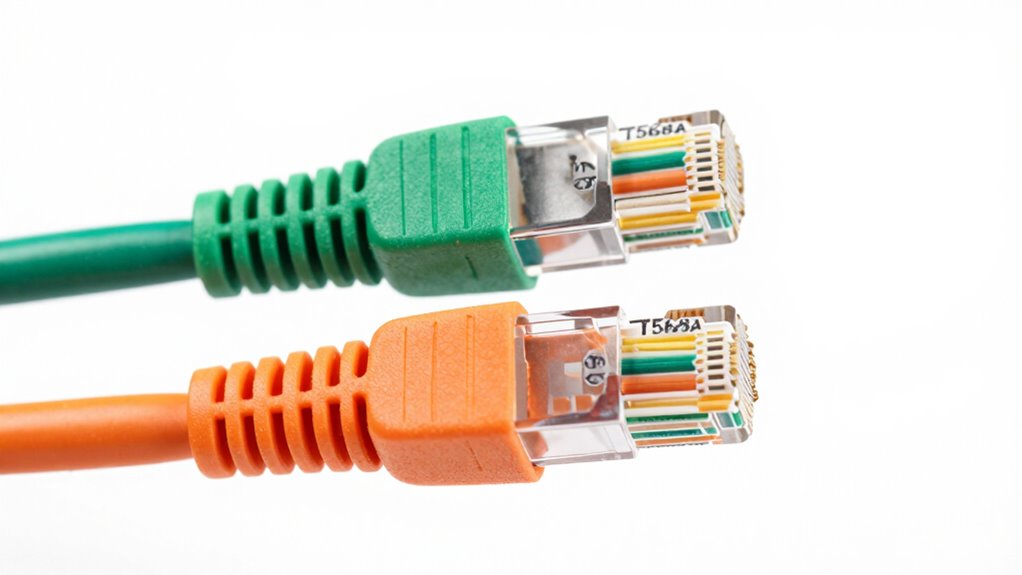

To reduce confusion around T568A and T568B, always choose one wiring standard and stick with it throughout your network. Use clear, easy-to-follow wiring diagrams and label your cables and connectors to avoid mistakes. Double-check the color order before sealing connectors, and verify both ends of a cable are wired the same way. Consistency and proper labeling help prevent issues, and understanding these basics will guide you in creating a reliable network—keep exploring for more tips.

Get business pricing on networking and server gear
- Business-only prices and quantity discounts
- Tax-exempt purchasing
- Multiple users, one account, clear invoices
Key Takeaways
- Always use the same wiring standard (T568A or T568B) consistently on both ends of a cable.
- Use clear labels and color-coded diagrams to quickly identify wiring standards during installation.
- Create and follow a standardized wiring checklist before crimping or terminating cables.
- Educate team members about the differences and best practices for wiring standards.
- Keep reference charts or guides accessible to reduce mistakes and ensure correct wiring.

Understanding the differences between T568A and T568B can be confusing, especially if you’re new to networking. These wiring standards determine how you arrange the cable’s internal wires to connect devices properly. To avoid mistakes, it’s vital to understand cable color codes and how they relate to each wiring standard. Each standard has a specific sequence of wire colors, and mixing them up can lead to connectivity issues or network failures.
Understanding T568A and T568B wiring standards is key to reliable Ethernet connections.
When you’re working with Ethernet cables, you’ll notice the wires inside are color-coded for easy identification. Cable color codes follow specific wiring standards, which specify the order of wire colors in each pin. T568A and T568B are the two main wiring standards, and although they use the same colors, their arrangements differ. T568A typically aligns with older wiring practices and is often used for residential installations, while T568B is more common in commercial settings. Understanding these differences helps you guarantee your cables are wired correctly, especially when creating patch cords or installing jacks.
One way to reduce confusion is to memorize or keep a quick-reference chart of the wiring standards. For example, in T568A, the wire in pin 1 is white/green, and in T568B, pin 1 is white/orange. In T568A, the orange and green pairs are swapped compared to T568B. This means if you’re wiring a cable, you need to be consistent on both ends; otherwise, you might end up with a crossover cable or one that doesn’t work as expected. To keep things simple, many professionals recommend sticking to one wiring standard for all your cables, especially if you’re not sure which to choose. Additionally, understanding network standards and their applications can help you make more informed decisions during wiring.
Another way to reduce confusion is to label your cables clearly and double-check your wiring before sealing connectors. Using a wiring diagram or color-coded cable connectors can also help you stay on track. When you’re wiring a jack, always verify that the color order matches your selected standard. If you’re working with patch panels or crimping your own cables, ensure the same wiring standard is used throughout the entire network to prevent issues down the line.
As an affiliate, we earn on qualifying purchases.
Frequently Asked Questions
Are T568A and T568B Compatible With All Ethernet Cables?
Yes, T568A and T568B are compatible with all Ethernet cables, as long as you follow the correct cable color codes and wiring pinouts. Both standards use the same cable type but differ in wiring arrangements. To verify proper connectivity, you must match the wiring pinouts and color codes when terminating your cables. Consistency in these standards guarantees reliable network performance, regardless of which wiring scheme you choose.
Can I Mix T568A and T568B in the Same Network?
You shouldn’t mix T568A and T568B wiring standards in the same network, as it causes wiring inconsistency and can lead to connectivity issues. Always follow the correct cable color codes for each standard, and guarantee wiring consistency across your cables. If you need to connect different standards, use a crossover cable or switch to a single wiring standard throughout your network to maintain proper function and avoid confusion.
Which Wiring Standard Is Preferred for Residential Networks?
For residential networks, T568B is typically preferred because it aligns with most commercial wiring color schemes, making it easier to follow color coding and wiring color schemes during installation. This standard uses orange and green pairs, which are familiar in many home setups. Using T568B consistently helps reduce confusion, especially when troubleshooting or expanding your network later, ensuring that your wiring remains organized and easy to maintain.
How Do I Identify Which Standard My Cable Uses?
Your cable’s color coding and pin arrangement act like a unique fingerprint, revealing its standard. To identify it, gently strip back the outer jacket and examine the wiring order. For T568A, green and white-green pair is on pins 1 and 2, while T568B features orange and white-orange in those spots. Comparing these patterns with standard diagrams helps you distinguish which wiring standard your cable employs.
Are There Any Industry Regulations Favoring One Standard Over the Other?
Industry regulations don’t favor one standard over the other; they emphasize consistent wiring practices. You should follow the specified color coding and wiring consistency for your network. For example, T568A and T568B have distinct color codes, so make sure your cables match the chosen standard throughout your installation. This consistency guarantees reliable connections and simplifies troubleshooting, preventing confusion and maintaining compliance with industry standards.
As an affiliate, we earn on qualifying purchases.
Conclusion
By understanding the key differences between T568A and T568B, you can confidently wire your network cables without confusion. Remember, about 80% of Ethernet wiring errors stem from mixing these standards, leading to connectivity issues. So, double-check your wiring scheme, stay consistent, and you’ll guarantee a reliable setup every time. With a little attention to detail, you can avoid common mistakes and keep your network running smoothly.
As an affiliate, we earn on qualifying purchases.
As an affiliate, we earn on qualifying purchases.
Halloween Picks
halloween
As an affiliate, we earn on qualifying purchases.