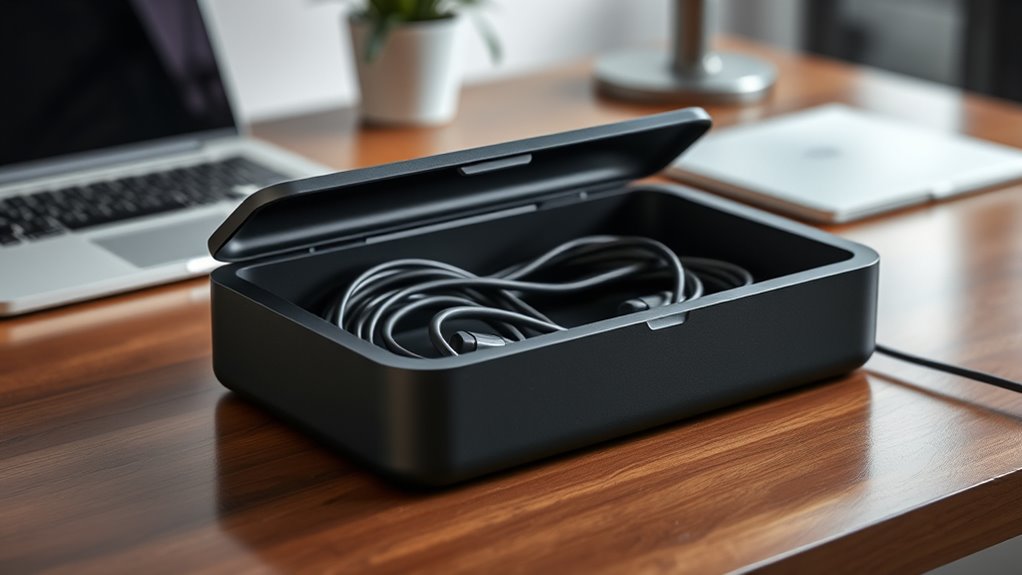

Organizing your cables with a dedicated management box can greatly improve the look and safety of your workspace, but knowing where to start can be tricky. Choosing the right container, planning the cable routes, and securing everything properly are essential steps that often go overlooked. If you want to create a tidy, efficient setup that prevents tangles and enhances airflow, understanding these key principles can make all the difference. Let’s explore how to build one that truly works for you.
Key Takeaways
- Select a suitable box with enough space for your cables and power strip.
- Organize cables by grouping similar types and securing them with Velcro straps or clips.
- Position the power strip inside the box, routing cords through designated openings for a tidy look.
- Tuck excess wire length inside the box to prevent clutter and reduce tripping hazards.
- Secure the box lid, ensuring all cables are neatly stored and accessible for future adjustments.
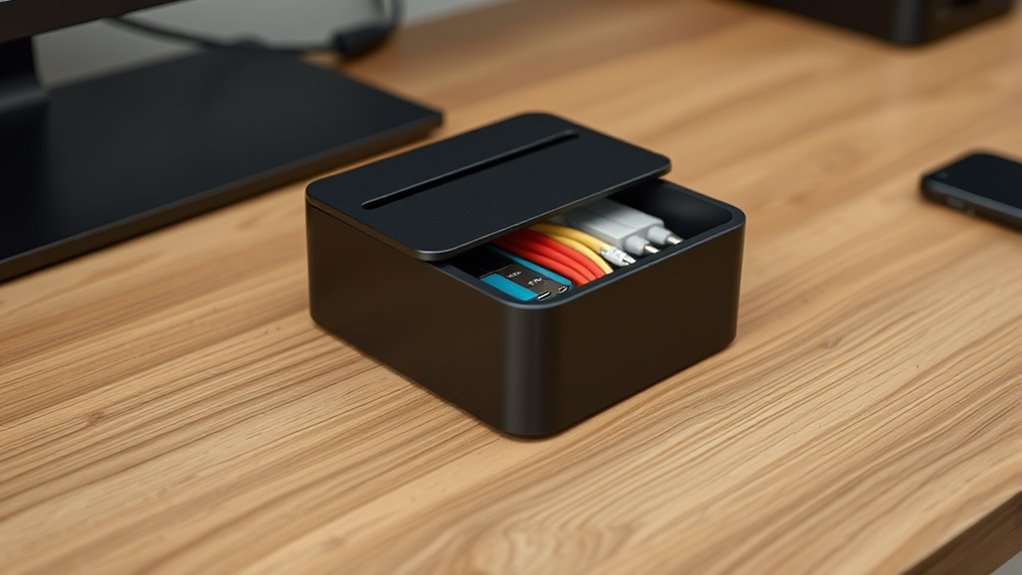
A cable management box is a simple yet effective solution to keep your electronic cords organized and out of sight. When your workspace or entertainment area becomes cluttered with tangled wires, it can feel overwhelming and unorganized. A cable management box helps you regain control by hiding all those unsightly cords and providing a tidy, streamlined appearance. To start, you’ll want to focus on wire organization, which is the foundation of a clean setup. First, gather all your cables, including HDMI cords, charging wires, and power cords. Group similar cables together and route them along designated paths to minimize tangling. Using cable clips or Velcro straps can help keep wires neatly bundled, preventing them from sprawling across your desk or floor.
A cable management box keeps cords organized and hidden, creating a tidy, clutter-free workspace or entertainment area.
Next, consider the placement of your power strip. A power strip is essential for managing multiple devices, but it can quickly become a tangled mess if left unmanaged. To improve wire organization, position your power strip inside the cable management box. Choose a box that’s large enough to accommodate the power strip comfortably, with some extra space for airflow and future additions. When installing it, ensure that the power strip’s cords are properly plugged in and routed through the box’s openings, so excess length is tucked away. This setup not only conceals the clutter but also reduces the risk of accidental unplugging or tripping over cords.
Once the power strip is securely inside the box, connect your devices, and route their cords through the same openings. Use cable ties or clips to keep individual wires from slipping back out or becoming tangled. Make sure the cords are not stretched too tight, which could cause strain or damage over time. The key here is to maintain a balance between accessibility and tidiness—your devices should be easy to unplug and move if needed, but the overall appearance remains clean. Remember to leave some slack in the cords to prevent stress on the connections, especially if you need to disconnect or replace devices frequently. Additionally, choosing projectors with high contrast ratios can enhance the clarity and depth of your home cinema setup, making the viewing experience more immersive.
Finally, close the cable management box, ensuring all cords are neatly tucked inside. Some boxes come with covers or lids that can be secured, making the setup look neat and professional. Regularly check your wire organization and adjust as needed to accommodate new devices or changes in your setup. By focusing on a well-organized power strip and proper wire management, you’ll create a clutter-free environment that’s safer, more functional, and visually appealing. This simple step can markedly enhance your workspace or entertainment area, making it easier to enjoy your devices without the distraction of messy cables.
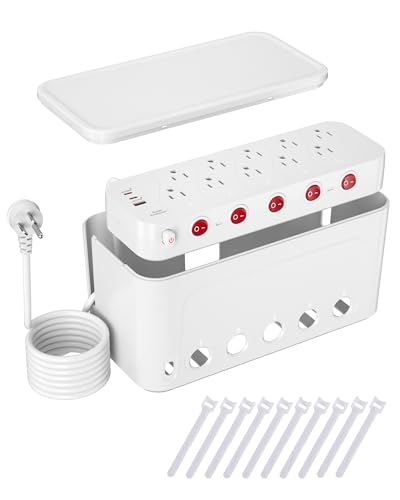
Surge Protector Power Strip with Cable Management Box,Cord Organizer Box with 10 Outlets and 3 USB Ports,Individual Switches,6 ft Flat Plug Extension Cord,Under-Desk and Desk Wire Storage Hider,White
Cable Management Box with Power Strip: We've seamlessly combined a cord management box with a 10-outlet power strip…
As an affiliate, we earn on qualifying purchases.
As an affiliate, we earn on qualifying purchases.
Frequently Asked Questions
What Materials Are Best for DIY Cable Management Boxes?
You should choose materials like plastic or wood for DIY cable management boxes, as they offer good electrical safety and durability. Plastic is lightweight, easy to cut, and resistant to electrical issues, making it a popular choice. Wood provides a sturdy, long-lasting option, but make sure it’s properly treated to prevent fire hazards. Always prioritize electrical safety and select materials that resist wear and damage for a reliable, safe cable management solution.
How Can I Customize a Cable Box for Specific Devices?
Imagine setting up a cable management box for your home office, where you want easy access to your router and printer. You can customize it by adding device-specific compartments, ensuring each gadget has its own space. Use adjustable dividers or cutouts to fit your devices perfectly. These customization options keep everything organized, prevent tangles, and make it simple to access each device without disrupting others.
Are There Eco-Friendly Options for Cable Management Boxes?
Yes, eco-friendly cable management boxes are available. You can look for options made from biodegradable plastics, which break down naturally and reduce environmental impact. Additionally, some brands participate in recycling initiatives, allowing you to recycle your old cable boxes responsibly. Choosing these sustainable options helps minimize waste and supports environmental conservation, making your cable organization both functional and eco-conscious.
How Do I Ensure Proper Ventilation Inside the Box?
To guarantee proper ventilation inside your cable management box, focus on airflow optimization by adding ventilation holes or vents. Position heat-sensitive devices away from these openings to improve heat dissipation. Use small, strategically placed holes to allow cool air in and hot air out, maintaining a steady airflow. Regularly check for dust buildup and clear vents to keep airflow unobstructed, preventing overheating and extending your devices’ lifespan.
Can a Cable Management Box Be Used Outdoors?
Think of your cable management box as a knight guarding its treasures; it can be used outdoors if you equip it properly. You need outdoor weatherproofing and UV resistant materials to withstand the elements. make sure it’s sealed tightly to prevent moisture and dust intrusion. When built with durable, weather-resistant materials, your box will protect cables from rain, sun, and temperature changes, making it a reliable outdoor solution.
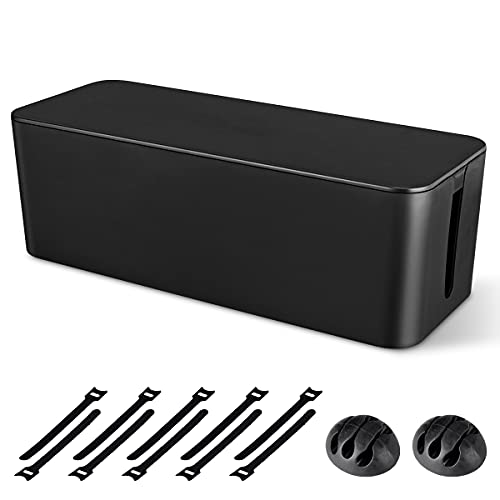
Cable Management Box, Large Cord Organizer Box to Hide Power Strip & Under Desk,TV Computer Wires Cable Organizer Hider Box with Cable Clips&Reusable Cable Ties for Home/Office(Black)
[Cable Management All in One] The cord organizer set includes the essential storage tools, like 1 x cable…
As an affiliate, we earn on qualifying purchases.
As an affiliate, we earn on qualifying purchases.
Conclusion
Think of your cable management box as the heartbeat of your workspace, keeping everything flowing smoothly. When I first organized mine, it felt like finally taming a wild garden—everything in its place brought peace and clarity. Studies show that a tidy setup boosts productivity and reduces stress. So, take a moment to care for your cables; a little effort now prevents chaos later. Your neat, safe space will inspire you to work smarter and feel more at ease.

N NOROCME 192 PCS Cable Management Kit 4 Wire Organizer Sleeve,11 Cable Holder,35Cord Clips 10+2 Roll Cable Organizer Straps and 100 Fastening Cable Ties for Computer TV Under Desk, black,clear
Cable Management Kit: 4pcs Cable Sleeves( 20 in L x 0.4 in w), 20pcs reusable wire ties,35Cable Clips…
As an affiliate, we earn on qualifying purchases.
As an affiliate, we earn on qualifying purchases.

Cable Management Box,Desk Cord Organizer with Groove Cover,Plastic Cord Hider Box,Large Cable Box Organizer,Power Socket Management for TV/Computer/Router/Games Console Cable Storage (Milk Tea)
Premium Material: Cable management box under desk is made of premium plastic material, dust and water proof, sturdy…
As an affiliate, we earn on qualifying purchases.
As an affiliate, we earn on qualifying purchases.