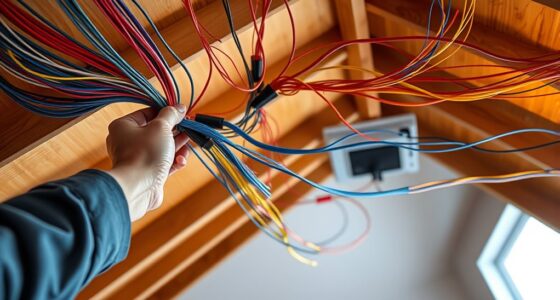
When planning your new construction, it’s essential to incorporate Ethernet early. It provides a reliable, fast, and secure connection for all your devices. Wired networks reduce interference, offer greater security, and are more energy-efficient than Wi-Fi. Plus, they help future-proof your home by supporting evolving standards. Choosing Ethernet now guarantees your network stays scalable and stable as technology advances. Keep exploring to discover how you can build a strong digital foundation for your home.

Get business pricing on networking and server gear
- Business-only prices and quantity discounts
- Tax-exempt purchasing
- Multiple users, one account, clear invoices
Key Takeaways
- Incorporating Ethernet early ensures a reliable, scalable network foundation for current and future digital needs.
- Wired connections offer enhanced security, reducing risks of hacking and interference compared to Wi-Fi.
- Installing Ethernet minimizes energy consumption and lowers long-term operational costs.
- Future-proof your home by choosing modern Ethernet standards for compatibility with emerging technologies.
- Wired networks improve overall performance, reducing strain on wireless systems and supporting stable device connections.
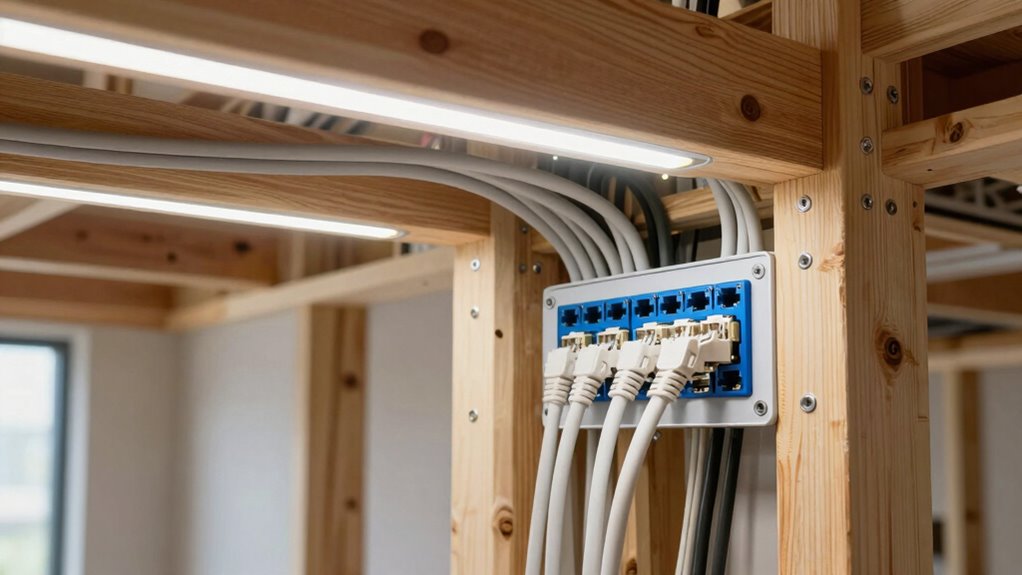
When planning new construction, incorporating Ethernet infrastructure from the outset guarantees a reliable and scalable network for years to come. Building this into your design guarantees you won’t need disruptive upgrades later, and it provides a solid foundation for all your digital needs. Ethernet cabling offers faster, more stable connections compared to Wi-Fi alone, which is especially important as your household’s internet demands grow. Plus, with wired connections, you reduce the risk of wireless security breaches. Wired networks are inherently more secure because they’re less vulnerable to hacking or interference, giving you peace of mind knowing your personal data and smart devices are protected.
Incorporating Ethernet early ensures a fast, secure, and future-proof home network.
In addition to security, Ethernet supports energy efficiency in your home. Wired networks consume less power than wireless signals, which can translate into lower energy bills over time. When you install Ethernet connections in key areas—like your home office, media room, or smart home control centers—you optimize energy use and minimize unnecessary power drain from Wi-Fi routers and extenders working overtime to maintain signal strength. This efficiency becomes especially valuable as you add more connected devices, from security cameras to smart thermostats, all vying for bandwidth and power. Ethernet reduces the load on your wireless network, allowing it to operate more efficiently and with less energy. Additionally, Ethernet standards continue to evolve, ensuring your home network remains compatible with future technological advancements. Staying informed about network evolution can help you adapt your setup as new standards emerge, maximizing your investment. Incorporating modern Ethernet standards can further future-proof your setup and maximize performance. Moreover, understanding the differences between wired and wireless networks helps you make informed decisions for your home’s connectivity needs.
As an affiliate, we earn on qualifying purchases.
Frequently Asked Questions
How Much Does Ethernet Installation Cost in New Homes?
Ethernet installation in new homes typically costs between $1,000 and $3,000, depending on the number of ports and complexity. As you plan your smart home, investing in Ethernet guarantees faster, more reliable connectivity and enhances network security. It’s a smart move for seamless device integration and protecting your data. While the upfront expense might seem high, the long-term benefits of a robust, secure network are well worth it.
Can Ethernet Wiring Be Added After Construction Is Complete?
Yes, you can add Ethernet wiring after construction, but it might be a bit tricky. You’ll need to take into account wireless interference, which can affect your network’s performance, and proper cable management to keep things organized. Hiring a professional guarantees the wiring is correctly installed without damaging walls or existing structures. While it’s doable, planning ahead during initial construction usually offers a cleaner, more efficient setup for your home network.
What Are the Best Ethernet Cable Types for New Homes?
Think of choosing the right Ethernet cable as laying a solid foundation—nothing should be left to chance. For new homes, Cat6 or Cat6a cables are your best bet—they support high speeds and future-proof your network. Keep wireless security in mind by running cables neatly for cable management, reducing clutter and interference. These cables guarantee a reliable connection, making your smart home and entertainment systems perform seamlessly.
How Does Ethernet Compare to Wi-Fi in Reliability?
Ethernet is more reliable than Wi-Fi because it offers better signal stability and isn’t affected by wireless interference. You won’t experience dropped connections or lag, making it ideal for streaming, gaming, or working from home. Wi-Fi can be convenient, but for consistent performance and security, wired Ethernet connections are the better choice, especially in new construction where you can install it seamlessly during build.
Are There Any Building Codes for Ethernet Wiring in New Construction?
Building codes for ethernet wiring in new construction vary by location, but they generally emphasize safety, proper installation, and adherence to electrical standards. You should check local building codes to guarantee compliance. Incorporating ethernet wiring supports a smart home and boosts energy efficiency, providing reliable, high-speed connectivity. By following codes, you create a safe, efficient environment where your smart home functions seamlessly, and energy use is optimized.
Ethernet cable kit for home construction
As an affiliate, we earn on qualifying purchases.
As an affiliate, we earn on qualifying purchases.
Conclusion
By now, you understand the importance of Ethernet in new construction and how it can future-proof your home. Installing wired connections isn’t just about speed; it’s about reliability and security too. So, why leave your connectivity to chance? Planning ahead means you’ll enjoy seamless internet, whether for work, entertainment, or smart home devices. Isn’t it worth investing now to save headaches later? Make Ethernet a priority and build a smarter, more connected home today.
As an affiliate, we earn on qualifying purchases.
Ethernet wiring installation kit
As an affiliate, we earn on qualifying purchases.
As an affiliate, we earn on qualifying purchases.
Evergreen bestsellers Picks
bestsellers
As an affiliate, we earn on qualifying purchases.