TL;DR

Get business pricing on networking and server gear
- Business-only prices and quantity discounts
- Tax-exempt purchasing
- Multiple users, one account, clear invoices
Wired connections are more stable and faster than Wi-Fi in dorms. For most students, a Cat6 Ethernet cable under 25 feet balances speed, cost, and ease of setup. Flat cables and proper length measurement make installation simple and clutter-free.
Ever try to stream a lecture or game, only to get lag spikes that make you want to throw your laptop? That’s the frustration of relying solely on Wi-Fi in a crowded dorm. But a simple, often overlooked fix can transform your experience: a good Ethernet cable.
This guide will help you pick the right cable, understand what matters most, and set up your wired connection like a pro. Because sometimes, the best way to get fast, reliable internet is to go wired—and it’s easier than you think.
A Cat6 Ethernet cable under 25 feet offers the best mix of speed, affordability, and flexibility for most dorm setups.
Measuring your distance carefully prevents signal loss and keeps your space tidy.
Flat cables are your best friend for hiding cords and avoiding tripping hazards.
Wired connections reduce lag and improve online experiences, especially for gaming and video calls.
Regularly inspect your cables to keep your setup safe and reliable.
What type of Ethernet cable gives you the fastest, most reliable dorm internet?
Ethernet cables come in categories, each with different speeds and shielding. For dorm use, Cat6 is the sweet spot. It handles up to 10 Gbps over short distances and is affordable. Cat5e still works well for most students, offering up to 1 Gbps. Choosing the right category matters because it impacts your internet speed, future-proofing, and interference resistance. Higher categories like Cat6a or Cat7 provide better shielding, which reduces signal degradation caused by electrical interference from other devices—an important consideration in crowded dorm environments where multiple electronics operate simultaneously. This means a more stable connection and fewer disruptions during critical activities like gaming or video conferencing. The tradeoff is that higher-category cables tend to be more expensive and less flexible, so weigh your needs against your budget and space constraints. For most students, the enhanced performance of Cat6 offers a good balance of speed, cost, and durability, ensuring you won’t need to upgrade soon and can enjoy seamless connectivity even during peak usage times.
As an affiliate, we earn on qualifying purchases.
How long should your Ethernet cable be? Avoid signal loss and clutter
Measuring the right length of your Ethernet cable isn’t just about convenience; it directly affects your connection quality. Overly long cables can cause signal degradation, leading to slower speeds and inconsistent connectivity. Conversely, too short a cable can restrict your setup and create clutter, which increases the risk of accidental disconnections or damage. Generally, 3 to 25 feet is ideal for most dorm rooms because it provides enough slack for flexible positioning without excess coil that could cause interference or tripping hazards. When choosing a length, consider your typical setup—where your router or wall socket is relative to your workspace. Using a cable that’s just the right length minimizes unnecessary slack, keeps your space tidy, and preserves signal integrity. Longer cables over 50 feet are more prone to attenuation, especially if not shielded properly, which can result in reduced speeds or intermittent drops. Proper measurement ensures your connection remains fast and reliable, preventing frustrations during important tasks like streaming or online exams. Remember, a well-measured cable not only improves performance but also helps maintain a safe, organized environment.
As an affiliate, we earn on qualifying purchases.
Compare popular Ethernet cable options side-by-side
| Feature | Cat5e | Cat6 | Cat6a | Cat7 |
|---|---|---|---|---|
| Max Speed | 1 Gbps | 10 Gbps | 10 Gbps | 10 Gbps+ |
| Shielding | Unshielded | Unshielded / Shielded | Shielded | Shielded |
| Recommended for | Basic tasks, streaming | Gaming, streaming, downloading | Heavy multitasking, future-proofing | High-performance setups |
| Cost | Budget-friendly | Moderate | Higher |
For most dorms, Cat6 hits the sweet spot—speed, affordability, and future readiness. It’s capable of handling current internet needs while still offering room for growth. If you plan to future-proof your setup or have multiple devices demanding high bandwidth simultaneously, investing in Cat6a or higher might be worth the extra cost. However, for everyday use—streaming, gaming, studying—Cat6 provides a solid balance of performance and value, ensuring you won’t need to upgrade until your needs evolve significantly.
Ethernet cable for gaming and streaming
As an affiliate, we earn on qualifying purchases.
As an affiliate, we earn on qualifying purchases.
Should you pick flat, round, or braided cables? Pros and cons for dorm setup
Flat Ethernet cables are perfect for hiding under carpets or along walls—they bend easily and stay discreet, reducing tripping hazards. Round cables are sturdy and durable, often better protected against bending and pulling, but they tend to be bulkier and less flexible in tight spaces. Braided cables look stylish and tend to last longer due to their reinforced exterior, but they can be stiffer, making installation trickier in confined areas. The choice depends on your priorities: if you want a clean, unobtrusive setup that minimizes clutter and trip risks, flat cables are ideal. However, for durability and heavy use, round or braided options may provide better longevity. The tradeoff is flexibility versus resilience—consider your dorm’s layout, your aesthetic preferences, and how often you’ll need to move or adjust your cables. Well-chosen cable type ensures your setup remains both functional and safe, preventing damage and maintaining a tidy environment.
RJ45 Ethernet cable for dorm internet
As an affiliate, we earn on qualifying purchases.
As an affiliate, we earn on qualifying purchases.
How to set up your Ethernet connection in a dorm without hassle
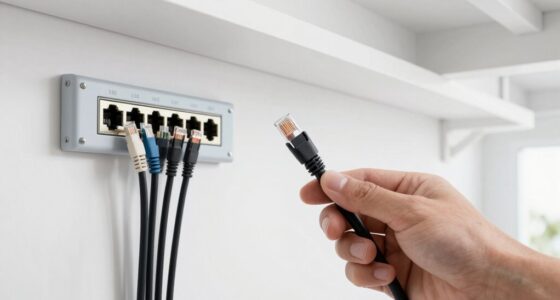
- Identify the Ethernet port on your wall or router, ensuring it’s a standard RJ45 jack.
- Choose a cable long enough to comfortably reach your device without tension, but not so long that it creates clutter or potential tripping hazards.
- Plug one end into your device’s Ethernet port, the other into the wall socket or router.
- Access your device’s network settings; select wired connection if it doesn’t connect automatically.
- Run a quick speed test at speedtest.net or similar to confirm your connection’s performance.
Example: A student connected their laptop with a 15-foot Cat6 cable, carefully measured to avoid slack, and immediately noticed faster download speeds and no lag during video calls. Proper setup not only improves performance but also helps prevent accidental disconnections or damage to cables over time.
Frequently Asked Questions
Is Cat6 really worth the extra cost over Cat5e for dorm use?
Yes. Cat6 offers faster speeds and better shielding, making it more future-proof. It’s a small investment that pays off if your dorm upgrades to gigabit internet or you want reliable streaming and gaming.Can I run a long Ethernet cable through my dorm without losing speed?
Signal degradation happens over very long distances, typically over 50 feet. Keeping cables under 25 feet ensures you get the full 1 Gbps or higher speeds without issues. When longer runs are necessary, choosing shielded cables and proper quality can help maintain performance, but always stay within recommended lengths to prevent speed loss.Are flat Ethernet cables as durable as round ones?
Flat cables are designed for ease of hiding and flexibility, but quality varies. Choose reputable brands for durability—most flat cables last as long as round ones when made well. Remember, the durability also depends on how carefully you handle and store them—avoid excessive bending or pulling to prolong their lifespan.Do I need a special adapter or port for Ethernet in my dorm?
Most dorm Ethernet ports are standard RJ45 jacks. If your device lacks an Ethernet port, a simple USB-to-Ethernet adapter will do the trick. Just ensure it’s compatible with your device and supports the speeds you need for optimal performance.Should I upgrade my Wi-Fi or go wired?
For stability, speed, and lower latency, wired is better—especially for gaming, streaming, or video calls. Wi-Fi is convenient but often crowded in dorms, leading to lag and inconsistent performance. If you want the best possible experience, investing in a wired connection will significantly improve your online activities and reduce frustrations caused by interference or congestion.Conclusion
In a dorm, a simple Ethernet cable can transform your internet from frustrating to flawless. Take the time to pick the right one, measure carefully, and keep things organized. Your gaming nights, streaming marathons, and Zoom classes will thank you.
Remember, sometimes the fastest way to a better internet connection is to go straight wired. Proper setup and good quality cables ensure you get the best performance, minimizing lag and dropouts. Enjoy the reliable, fast internet you deserve—no more buffering or lag spikes ruining your experience.
Halloween Picks
halloween
As an affiliate, we earn on qualifying purchases.