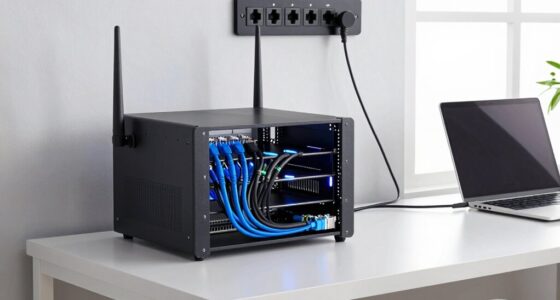
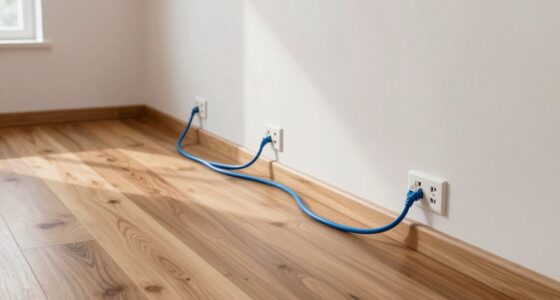
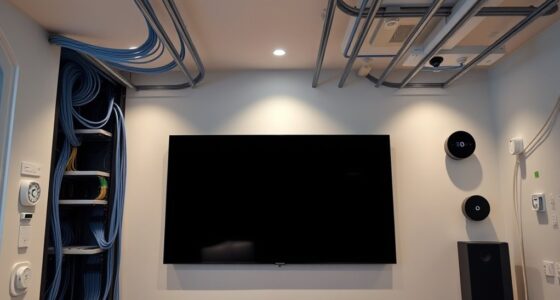
To prepare your building for better WiFi backhaul cabling, start by conducting a thorough site survey to identify interference sources and plan your cable routes accordingly. Use high-quality, shielded cables and position your equipment away from electrical wiring and electronic devices. Organize and label cables neatly, ensuring proper routing through conduits and junction boxes. By following these steps, you’ll set a strong foundation for a reliable, high-performance WiFi network. Keep exploring to discover even more effective setup tips.
Key Takeaways
- Conduct a comprehensive site survey to identify interference sources and optimal cable routes.
- Strategically position backhaul equipment away from electrical and electromagnetic interference sources.
- Use high-quality, shielded cables and proper conduits to protect against physical damage and signal degradation.
- Optimize cable lengths and routing to minimize attenuation and facilitate future upgrades.
- Ensure organized cabling with clear labeling and proper management for easier maintenance and scalability.

Preparing a building for better WiFi backhaul cabling is crucial to guarantee a strong and reliable network connection. When setting up your infrastructure, one of your top priorities should be minimizing wireless interference. Wireless interference occurs when signals from other electronic devices, neighboring WiFi networks, or even physical obstructions disrupt the clarity and strength of your backhaul signals. To combat this, you should conduct a thorough site survey to identify potential sources of interference and plan your cabling routes accordingly. Selecting the right frequency bands and channel settings can also markedly reduce interference, ensuring your backhaul remains stable and fast.
Minimize wireless interference through site surveys and optimal frequency and channel selection for a stable, fast WiFi backhaul.
Equally important is effective cable management. Proper cable management isn’t just about keeping things tidy; it’s about optimizing airflow, reducing signal loss, and preventing physical damage. When you run cables haphazardly, you risk creating unnecessary noise and interference that can degrade your network’s performance. Use high-quality, shielded cables designed for high-frequency data transmission to protect against external interference sources. Label your cables clearly and organize them neatly along cable trays or conduits, making maintenance and troubleshooting easier down the line. This organized approach minimizes accidental disconnections and ensures that your cabling system remains durable over time. Additionally, understanding electromagnetic interference and how it affects cabling can help you plan more effectively.
As you prepare your building, consider the placement of your backhaul equipment, such as fiber optic or Ethernet cables. Position your cabling runs away from other electrical wiring, fluorescent lights, or motors that can generate electromagnetic interference. Keep your cables elevated and secured to avoid sharp bends or kinks, which can impair signal quality. When you’re routing cables through walls or ceilings, use proper conduits and junction boxes to protect the cables from environmental damage and to facilitate future upgrades. Proper cable routing can also prevent accidental damage and interference, ensuring longevity and performance. Additionally, understanding the impact of electromagnetic interference on cabling and network performance can help you make better placement decisions.
Furthermore, plan your cabling paths to reduce the length of runs whenever possible. Longer cable runs can lead to signal attenuation, diminishing the speed and reliability of your network. Use signal boosters or repeaters if necessary, especially in large buildings, to maintain strong backhaul signals. Always test your cables after installation to verify integrity and performance, so you can address any issues early on. Proper planning and execution in this phase can significantly enhance your network’s overall stability and speed.

DbillionDa Cat 8 Ethernet Cable, 6FT 40Gbps 2000MHz RJ45 LAN Cable
- Outdoor & Burial Suitable: Heavy-duty waterproof and anti-corrosion jacket
- High-Load Stability: 26AWG conductors for reliable data transfer
- Superior Shielding & Speed: F/FTP shielding supports 2000MHz and 40Gbps
As an affiliate, we earn on qualifying purchases.
As an affiliate, we earn on qualifying purchases.
Frequently Asked Questions
What Are the Best Cable Types for Wifi Backhaul?
You should choose fiber optics for your WiFi backhaul, as they offer high bandwidth and low latency, perfect for demanding networks. Shielded cables are also essential because they reduce electromagnetic interference, ensuring a stable connection. Combining fiber optics with shielded cables provides a reliable, high-performance backbone for your WiFi network. This setup minimizes signal loss and maximizes data transfer speeds, helping your wireless infrastructure operate smoothly and efficiently.
How Does Building Material Affect Cabling Performance?
Building materials considerably impact cabling performance. Thick insulation and dense walls can weaken signals, causing slower speeds or disruptions. You should consider how building insulation affects signal penetration, especially in concrete or brick structures. Structural wiring, like metal studs or fireblocks, can also interfere with signal transmission. To optimize WiFi backhaul, plan cable routes carefully, and use high-quality cables designed for challenging environments to guarantee reliable performance.
What Safety Precautions Should I Consider During Installation?
You should prioritize fire safety and always wear personal protective equipment during installation. Investigate the theory that proper safety precautions prevent accidents, and you’ll find it’s true—fire hazards and injuries decrease considerably. Use gloves, eye protection, and sturdy footwear, especially when handling sharp tools or electrical components. Make certain fire extinguishers are accessible, and follow electrical codes to minimize risks. Staying vigilant keeps both you and the building safe during the process.
How Can I Minimize Interference From Other Devices?
To minimize interference from other devices, focus on interference mitigation techniques and device coordination. You should select WiFi channels carefully, avoiding those heavily used by nearby networks. Keep your equipment away from common sources of interference like microwaves or cordless phones, and schedule device usage during off-peak hours. Regularly monitor network performance to identify and resolve interference issues promptly, ensuring a stable, high-quality backhaul connection.
What Is the Typical Cost of Upgrading Backhaul Cabling?
Upgrading your backhaul cabling is like planting a sturdy tree in your network garden. Typically, fiber optics costs range from $1,000 to $10,000 or more, depending on the building size and installation complexity. A solid cost estimation considers fiber type, length, and labor. Investing in quality fiber optics guarantees faster, more reliable connectivity, making the expense worthwhile for a future-proof network.
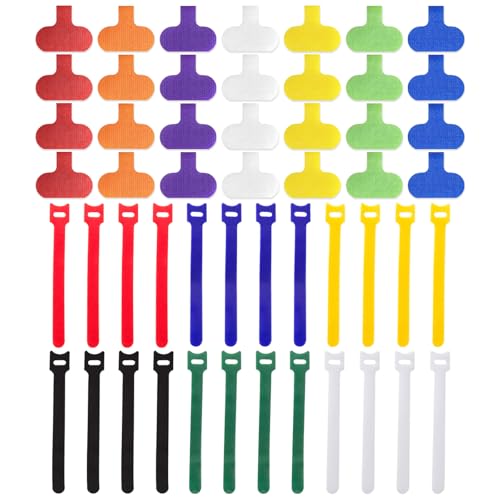
Cable Management Kit, 28 Pcs Multi-color Cable Labels and 24 Pcs Reusable Fastening Cable Ties, Cord Labels/Wire Ties For Home, Office, Desk, Cable Organizer, Cord Management
- Complete Cable Management Kit: Includes 28 labels and 24 ties
- Compact Label Size: Labels measure 1.2 x 0.63 inches
- Universal Cable Ties: 6-inch reusable nylon ties
As an affiliate, we earn on qualifying purchases.
As an affiliate, we earn on qualifying purchases.
Conclusion
Preparing your building for ideal WiFi backhaul cabling isn’t just about better signals; it’s about future-proofing your connectivity. With over 50% of businesses experiencing network issues due to poor cabling, taking these steps now can save you headaches later. By planning ahead, selecting the right infrastructure, and consulting experts, you guarantee a reliable, high-speed network that meets your needs today and tomorrow. Don’t wait—start your upgrades now for seamless connectivity ahead.

10Gtek 25G SFP28 AOC Cable – 25GBASE Active Optical SFP Cable for Cisco SFP-25G-AOC5M, Ubiquiti UniFi, D-Link, Supermicro, Netgear, Mikrotik Devices, 5-Meter
- Cable Type: 25GBASE Active Optical SFP28
- Length: 5 meters
- Compatibility: Supports Cisco, Ubiquiti, Netgear, D-Link, Supermicro, Mikrotik, and more
As an affiliate, we earn on qualifying purchases.
As an affiliate, we earn on qualifying purchases.

LTB307 Junction Box, White
- Durable Construction: Protects cables from dust and damage
- Versatile Use: Suitable for electrical and networking systems
- Sleek White Design: Blends seamlessly with any setting
As an affiliate, we earn on qualifying purchases.
As an affiliate, we earn on qualifying purchases.