
TL;DR

Get networking and server gear delivered free — and shop member deals
- Fast, free delivery on millions of items
- Access to Prime Big Deal Days deals on October 6–7
- Prime Video, Amazon Music and more included
An Oct. 4 XDA Developers article argues that poor router placement can leave Wi-Fi dead zones even after a mesh upgrade. It recommends moving the main router to an open, elevated, central location before spending on new hardware; the article does not provide measurements proving how much improvement users should expect.
XDA Developers published an Oct. 4 guide arguing that router placement can undermine home Wi-Fi coverage and that adding mesh nodes may not solve the problem if the main router is obstructed or poorly positioned. The article recommends first moving the router to an open, elevated spot near the center of the home, a no-cost step that may improve coverage before readers buy new equipment.
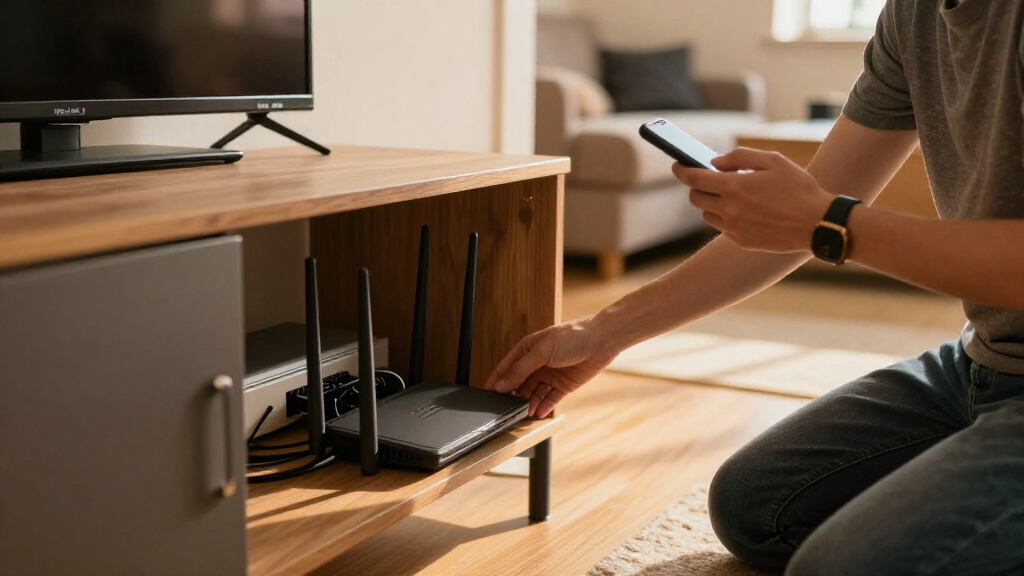
The article describes common placement problems: a router hidden in a cabinet, set on the floor, placed in a corner, or surrounded by dense materials and large objects. It says walls and other obstructions, including brick, concrete, metal and nearby electronics, can weaken or limit the signal as it travels through a home. It also notes that 5GHz and 6GHz signals generally have less range and penetration than 2.4GHz, even though the higher-frequency bands can support faster connections in suitable conditions.
Mesh systems can extend coverage, but the article warns that a secondary node still needs a sufficiently strong connection to the main router. If the node is placed in an area where the original signal is already weak, it may relay a poor connection. Devices may show a strong connection to the nearby node without that necessarily indicating a strong internet connection from the home network. The piece does not report tests or measurements of this effect, so its explanation is practical guidance rather than a quantified comparison of mesh products.
Its suggested first steps are to move the primary router toward the home’s geographical center, as far as the available cable connection permits, and keep it in an open location above floor level. The article also advises keeping it clear of large metal appliances, mirrors, aquariums and wiring hubs. These changes may help, but the source does not claim they will resolve every dead zone or replace additional equipment in every home.
Check Placement Before Buying Mesh
The advice matters to people considering a costly upgrade because additional hardware cannot automatically correct a weak source signal. A mesh node placed too far from the main router may have little usable connection to extend, so adding nodes without checking the network layout can leave the original problem in place. Testing a different router location costs nothing and can help establish whether coverage is primarily affected by placement.
That is not a guarantee of a fix. Home size, wall materials, router capabilities, neighboring networks and internet service can all affect performance. The article’s core point is narrower: rule out an avoidable placement problem before assuming the router needs replacement or that a premium mesh system will resolve weak coverage.
As an affiliate, we earn on qualifying purchases.
How Router Location Shapes Coverage
The XDA article frames weak Wi-Fi as a problem that can arise from both hardware and the physical environment. Consumer routers send wireless signals through a home, where walls, furniture and other obstacles can reduce reception. The source emphasizes that higher-frequency bands can offer faster speeds nearby but may struggle more with distance and obstructions than 2.4GHz.
Mesh systems use multiple access points to extend wireless coverage, but each additional node depends on a connection back to the main router. That makes node location relevant: placing one in a room with little signal may not provide the strong link needed to carry data onward. XDA’s recommendation is to try improving the main router’s location before investing in a mesh upgrade, rather than treating mesh as a universal remedy.
“You can’t out-engineer bad RF physics with expensive hardware.”
— XDA Developers
As an affiliate, we earn on qualifying purchases.
How Much Improvement Is Possible?
The source does not provide controlled tests, signal measurements, or a specific estimate of how much moving a router will improve coverage. Its recommendations are general and do not establish that placement is the cause of any particular household’s Wi-Fi problems. It also does not compare mesh models or set out how users should distinguish a placement issue from interference, an internet-service problem, or a hardware fault.
Moving a router may be constrained by where the modem or broadband connection enters the home. The article also does not promise that relocation will eliminate all dead zones; homes with thick walls, multiple floors or long distances may still need additional access points or other network changes.
mesh Wi-Fi system with strong main router
As an affiliate, we earn on qualifying purchases.
As an affiliate, we earn on qualifying purchases.
Test the Main Router’s Location
The article’s practical next step is to move the router, where possible, into an open area nearer the center of the home and raise it above floor level. Readers can then check whether previously weak rooms have improved before deciding whether a mesh system or other equipment is needed. The source does not announce a product, new research finding or scheduled follow-up; its advice is to treat placement as the first troubleshooting step.
As an affiliate, we earn on qualifying purchases.
Key Questions
Can moving a router improve Wi-Fi coverage?
It may help if the router is hidden, low to the floor, in a corner or blocked by dense materials. XDA recommends trying an open, elevated location closer to the home’s center, but does not provide measurements or guarantee a fix.
Why might a mesh system fail to fix a dead zone?
A mesh node needs a usable connection to the main router. If placed where the original signal is already weak, it may relay a weak connection rather than provide reliable coverage to nearby devices.
Where should I place the main router?
The article recommends an open area near the geographical center of the home, elevated above the floor and away from large metal objects and other obstructions. Cable access may limit the available location.
Are 5GHz and 6GHz Wi-Fi bands better for every room?
No. The article says these bands can offer faster speeds but generally have less range and object penetration than 2.4GHz. Actual performance depends on distance, obstacles and the network equipment.
Does the article prove that router placement is the cause of my slow Wi-Fi?
No. It offers general troubleshooting advice, not diagnostic testing. Slow or unreliable Wi-Fi can have other causes, and the source gives no test results showing that relocation will resolve a specific household’s issue.
Source: XDA Developers
Halloween Picks
halloween
As an affiliate, we earn on qualifying purchases.