When installing Ethernet cables, avoid common mistakes like ignoring cabling standards, which can cause interference and signal loss. Don’t run cables near power lines or electronics, as external interference can degrade performance. Proper cable management is essential; keep cables organized and avoid tight bends that damage them. Always test cables before finalizing the installation and confirm connectors are securely attached. Staying mindful of these issues will help ensure a reliable network—continue to discover more helpful tips below.
Key Takeaways
- Follow proper cabling standards, including correct cable types and wiring configurations to ensure optimal network performance.
- Avoid running Ethernet cables near power lines, electronics, or sources of electromagnetic interference to prevent signal degradation.
- Implement organized cable management practices to prevent damage, maintain neatness, and ensure secure connections.
- Test cables thoroughly before installation to identify faults, damage, or wiring errors that could compromise network reliability.
- Ensure connectors are securely crimped and properly attached to avoid intermittent connectivity issues.
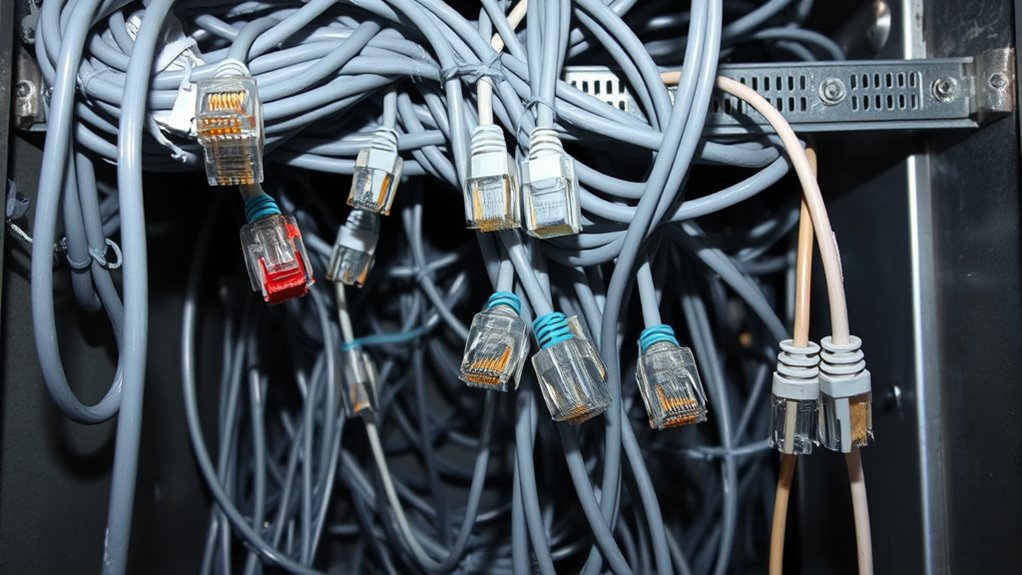
Ethernet cables are essential for reliable wired internet connections, but many users make simple mistakes that can hinder performance. One common issue is ignoring cabling standards, which are guidelines designed to guarantee optimal signal transmission and minimize problems like signal interference. When you don’t follow these standards—such as using the right type of cable for your network speed or avoiding improper wiring—you risk degrading your connection quality. Cabling standards specify how wires inside the cable should be twisted and arranged, which helps prevent crosstalk and other forms of signal interference that can disrupt your network. If you overlook these standards, your Ethernet setup might become more susceptible to interference from nearby electronics or other cables, causing inconsistent performance or dropped connections.
Another mistake is neglecting proper cable routing. You might be tempted to run cables along baseboards or through walls without considering potential sources of signal interference. Running Ethernet cables parallel to power lines or near fluorescent lights can expose them to electromagnetic interference, which weakens the signal. To maintain a strong, stable connection, you should keep Ethernet cables away from electrical cables and devices that generate electromagnetic noise. Also, avoid tightly bending or twisting cables, as this can damage the internal wires and impair data transfer. Proper cable management isn’t just about aesthetics; it’s about preserving the integrity of the signal and preventing interference from external sources. Additionally, many users skip testing their cables before final installation. This oversight can lead to problems down the line, especially if the cables were damaged during installation or are of poor quality. Using a cable tester can help identify faults, shorts, or improper wiring configurations early, saving you time and frustration later. When installing, ensure the connectors are firmly attached and that the cables are securely terminated according to the standards. Loose connections or poorly crimped connectors can result in intermittent signal issues that are hard to diagnose once everything is set up. Proper adherence to cabling standards can significantly improve your network reliability and performance.

Klein Tools VDV526-200 Cable Tester, LAN Scout Jr. 2 Ethernet Tester for CAT 5e, CAT 6/6A Cables with RJ45 Connections
VERSATILE CABLE TESTING: Cable tester for data (RJ45) terminated cables and patch cords, ensuring comprehensive testing capabilities
As an affiliate, we earn on qualifying purchases.
As an affiliate, we earn on qualifying purchases.
Frequently Asked Questions
How Do I Identify the Right Ethernet Cable Type for My Needs?
To identify the right Ethernet cable type, consider your needs first. If you require better noise immunity, look for cables with proper cable shielding, like STP or FTP. For simple home use, unshielded cables like UTP work fine. Also, check connector types—RJ45 is standard for most setups. Match the cable’s category (like Cat5e, Cat6, or Cat7) to your speed and distance requirements to guarantee ideal performance.
Can I Run Ethernet Cables Outdoors Without Special Protection?
Don’t put all your eggs in one basket—running Ethernet cables outdoors without proper protection isn’t a good idea. You need outdoor-rated cables with weatherproof coatings to guarantee cable durability and withstand elements like rain, sun, and temperature changes. Using waterproof conduit or protective tubing adds an extra layer of defense. Otherwise, your cables could falter quickly, leading to connectivity issues and costly replacements. Always prioritize outdoor protection for reliable, long-lasting network connections.
How Does Cable Length Affect Network Speed and Performance?
When your Ethernet cable exceeds 100 meters, cable length can cause signal degradation and increased cable attenuation, which reduces network speed and performance. Longer runs weaken the signal, making data transfer slower and more prone to errors. To maintain ideal performance, keep cable runs within recommended lengths, or consider using signal boosters or switches for longer distances. Proper planning ensures your network remains fast and reliable without unnecessary performance issues.
Is It Necessary to Ground Ethernet Cables?
Think of grounding Ethernet cables as giving your network a sturdy anchor. Grounding requirements aren’t always necessary, but they help reduce electromagnetic interference, which can disrupt your connection like static noise in a radio. If you’re in an environment with high interference, grounding can improve stability. Always check local regulations and equipment specs; proper grounding isn’t a must everywhere, but it’s a smart move to make certain of reliable performance.
What Tools Are Recommended for Professional Ethernet Cable Installation?
For professional Ethernet cable installation, you’ll want a crimping tool to attach connectors securely, a cable tester to verify proper connections, and a punch-down tool for clean terminations. Use cable management accessories like clips and ties to keep cables organized. Choose the right connector types, such as RJ45, based on your network needs. These tools and methods help guarantee a reliable, neat setup and ideal network performance.

Cable Matters 10Gbps Snagless Cat 6 Ethernet Cable – 25ft, Cat 6 Cable, Cat6 Cord, Ethernet Cord, Black
High-Performance Connectivity: This Cat 6 ethernet cable is designed for superior performance, with a 24 AWG copper wire…
As an affiliate, we earn on qualifying purchases.
As an affiliate, we earn on qualifying purchases.
Conclusion
Think of installing Ethernet cables like planting a garden. If you ignore the right soil or neglect to water, your plants won’t thrive. Similarly, avoiding common mistakes guarantees your network grows strong and reliable. By paying attention to proper planning and careful installation, you’re cultivating a seamless connection that blossoms into smooth, fast internet. Don’t let small errors choke your digital garden—nurture it wisely, and watch your network flourish.

KGROTE 100PCS Cable Clips, Adhesive Wire Clips Strong Cord Clips Wire Holders, Cable Management Clips for Desk, Wall, Car, TV, Ethernet Cable (Clear, Small)
Adhesive Cable Clips: Made of high-quality PC plastic and strong adhesive, strong and durable. No drilling is required…
As an affiliate, we earn on qualifying purchases.
As an affiliate, we earn on qualifying purchases.

Solsop Pass Through RJ45 Crimp Tool Kit All-in-One Ethernet Crimper Cat7 Cat6 Cat5 Crimping Tool with Network Cable Tester, 50-Pack Cat6 RJ45 Pass Through Connector, 50-Pack Connector Boots
Multi-Modular RJ45 Crimper – The Ethernet Crimper is ideal for stripping, cutting, crimping CAT5 CAT5e, CAT6,CAT6A,CAT7 cable and…
As an affiliate, we earn on qualifying purchases.
As an affiliate, we earn on qualifying purchases.