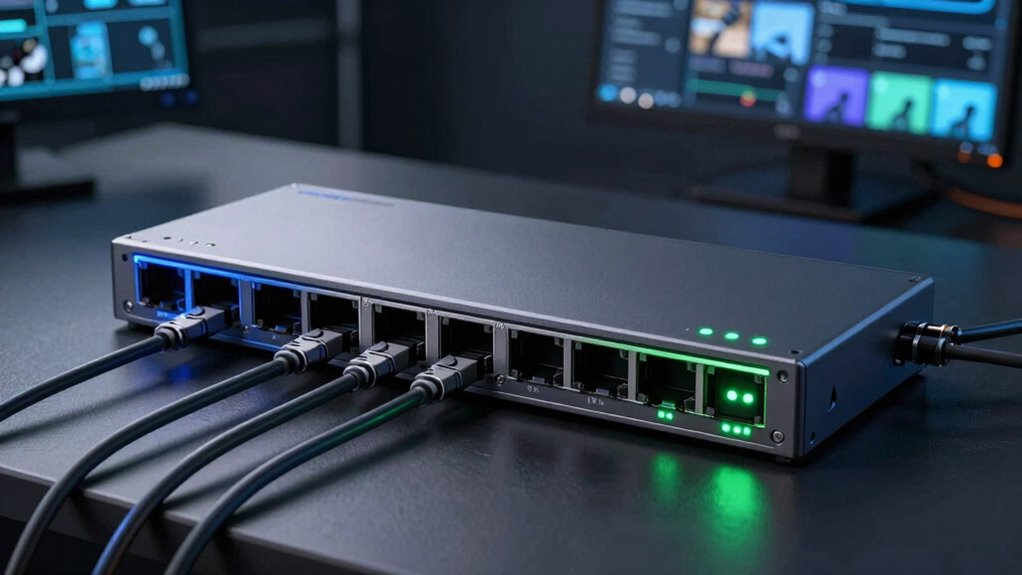

When selecting PoE Plus switches for security cameras, your main concerns are reliable power delivery, network performance, and ease of installation. The best overall pick, the TP-Link TL-SG116P, offers a robust balance of ports and power, making it suitable for most security setups. For those prioritizing affordability, the TP-Link TL-SG1005P provides essential PoE Plus support at a lower cost, though with fewer ports. Meanwhile, the NETGEAR GS308EP stands out for managed features that help optimize network performance but comes at a higher price. The challenge lies in balancing port count, manageability, and budget. Keep reading for a detailed breakdown to find the perfect switch for your security needs.

Get networking and server gear delivered free — and shop member deals
- Fast, free delivery on millions of items
- Access to Prime Big Deal Days deals on October 6–7
- Prime Video, Amazon Music and more included
Key Takeaways
- Top picks show a clear tradeoff between port quantity and manageability, with higher port counts often paired with managed features.
- Power budget is a key factor; more powerful switches support multiple high-power cameras simultaneously without issues.
- Managed switches add control over network traffic but come with increased complexity and cost, unsuitable for simple setups.
- Ease of installation varies; plug-and-play models suit beginners, while managed options benefit experienced users needing fine-tuned control.
- Price differences reflect features like port count, manageability, and power capacity—buyers should prioritize based on their specific security setup.
| TP-Link TL-SG116P 16-Port Gigabit PoE Switch |  | Best Overall for Large Security Camera Setups | Number of Ports: 16 | PoE Power Budget: 120W | PoE+ Ports: 16 | VIEW ON AMAZON | See Our Full Breakdown |
| UGREEN 10-Port Ethernet Switch with PoE+ and Uplink |  | Best for Versatile, Long-Distance Camera Networks | Number of Ports: 10 | PoE+ Ports: 8 | Uplink Ports: 2 | VIEW ON AMAZON | See Our Full Breakdown |
| NETGEAR 5-Port Gigabit PoE Switch (GS305P) |  | Best Compact Managed Switch for Small Camera Networks | Number of Ports: 5 | PoE+ Ports: 4 | Total Power Budget: 63W | VIEW ON AMAZON | See Our Full Breakdown |
| NETGEAR 8 Port PoE Gigabit Ethernet Easy Smart Managed Switch (GS308EP) |  | Best Managed Switch for Small Business Security Networks | Number of Ports: 8 | PoE+ Ports: 8 | PoE Power Budget: 62W | VIEW ON AMAZON | See Our Full Breakdown |
| TP-Link LS108GP 8-Port PoE Gigabit Ethernet Switch |  | Best for Quiet, Small-Scale Surveillance Setups | Number of Ports: 8 | PoE Standard: 802.3at/af | PoE Power per Port: 30W | VIEW ON AMAZON | See Our Full Breakdown |
| REOLINK PoE Switch with 8 PoE and 2 Gigabit Uplink Ports RLA-PS1 |  | Best Overall for Balanced Performance and Flexibility | Number of PoE Ports: 8 | Gigabit Uplink Ports: 2 | Power per PoE Port: 30W | VIEW ON AMAZON | See Our Full Breakdown |
| REOLINK PoE Switch with Stability 4+1-Port and High Speed RLA-PS1E |  | Best for High-Speed Data and Reliable Power in Compact Form | Ports: 4 downlink, 1 uplink | Transmission Speeds: 10/100/1000Mbps | PoE Standards: IEEE 802.3af/at | VIEW ON AMAZON | See Our Full Breakdown |
| TP-Link TL-SG1005P 5-Port Gigabit PoE Switch |  | Best Budget-Friendly for Compact, Quiet Security Setups | Number of Ports: 5 | PoE Ports: 4 PoE+ | PoE Power per Port: 30W | VIEW ON AMAZON | See Our Full Breakdown |
| poe plus switches for security camera | Number of Ports | PoE+ Ports |
|---|---|---|
| TP-Link TL-SG116P 16-Port Giga | 16 | 16 |
| UGREEN 10-Port Ethernet Switch | 10 | 8 |
| NETGEAR 5-Port Gigabit PoE Swi | 5 | 4 |
| NETGEAR 8 Port PoE Gigabit Eth | 8 | 8 |
| TP-Link LS108GP 8-Port PoE Gig | 8 | — |
| REOLINK PoE Switch with 8 PoE | — | — |
| REOLINK PoE Switch with Stabil | — | — |
| TP-Link TL-SG1005P 5-Port Giga | 5 | — |
More Details on Our Top Picks
TP-Link TL-SG116P 16-Port Gigabit PoE Switch
The TP-Link TL-SG116P stands out as the best choice for expanding security camera networks thanks to its 16 ports and substantial 120W PoE+ power budget. Compared to smaller switches like the NETGEAR GS305P, it offers significantly more ports, making it ideal for larger deployments. Its support for PoE+ (802.3at/af) ensures compatibility with high-power cameras, while the extended range up to 250 meters in extend mode facilitates flexible camera placement. The fanless design guarantees silent operation, which is crucial in quiet environments. However, its limited speeds at 10/100/1000 Mbps mean it lacks 10GbE capabilities, and it requires manual configuration for PoE auto recovery, adding some setup complexity. This switch is best suited for those needing a reliable, high-capacity backbone for multiple security cameras without the need for managed features.
Pros:- Supports high power PoE+ for multiple devices
- Fanless design ensures quiet operation
- Extended transmission range for surveillance needs
- Automatic PoE device recovery
Cons:- Limited to 10/100/1000 Mbps speeds, no 10GbE option
- Requires manual setup for PoE auto recovery
- No managed switch features for advanced control
Best for: Large security camera installations requiring many powered devices and extended reach.
Not ideal for: Small networks or users seeking advanced management features, as it is unmanaged and lacks higher speeds.
- Number of Ports:16
- PoE Power Budget:120W
- PoE+ Ports:16
- Supported Standards:802.3at/af
- Data Transmission Range (Extend Mode):up to 250m
- Warranty:3 years
Our verdict“This switch is ideal for large-scale security camera deployments needing high port density and reliable power over Ethernet.”
UGREEN 10-Port Ethernet Switch with PoE+ and Uplink
The UGREEN 10-Port Ethernet Switch offers a flexible solution with 8 PoE+ ports and two gigabit uplinks, making it suitable for varied security camera setups. Unlike the NETGEAR GS308EP, which is managed, this is unmanaged, simplifying installation for users who prefer plug-and-play. Its support for VLAN and Extend modes adds versatility, especially when long-distance transmission is needed—up to 820 feet—though the 60W power budget might limit high-power cameras. Its unmanaged nature means fewer configuration options but easier deployment. This switch best serves small to medium-sized networks where ease of use and long-range PoE extension are priorities, though power capacity may be insufficient for high-demand cameras.
Pros:- Supports PoE+ for powering multiple devices
- Flexible modes including VLAN and Extend
- Long-distance PoE extension up to 820 ft
- Gigabit high-speed connectivity
Cons:- Limited to unmanaged switch features, restricting control
- Power budget of 60W may be inadequate for high-power cameras
- Extend mode range may not suffice for all needs
Best for: Small to medium security camera networks with a need for long-distance PoE extension and simple setup.
Not ideal for: Large or high-power camera systems that require managed switches with higher PoE budgets.
- Number of Ports:10
- PoE+ Ports:8
- Uplink Ports:2
- PoE Power Budget:60W
- Data Transfer Rate:1000 Mbps
- Transmission Distance:up to 820 ft
Our verdict“This switch provides a straightforward, long-distance PoE solution for smaller security setups with minimal management needs.”
NETGEAR 5-Port Gigabit PoE Switch (GS305P)
The NETGEAR GS305P combines compact size with manageable features, making it suited for small security camera setups. Its 5 ports, including 4 PoE+ ports with a 63W budget, are sufficient for small deployments. Compared to larger switches like the TP-Link TL-SG116P, it offers easier management options, including VLAN and QoS support, which are beneficial for security environments requiring network segmentation. Its plug-and-play nature and energy-efficient design ensure straightforward deployment without noise. The main tradeoff is its limited port count and regional restrictions to U.S. & CA, which might limit scalability. It’s perfect for tight spaces and small, controlled camera networks that benefit from managed features.
Pros:- Easy to configure with intuitive management interface
- Supports PoE+ for powering cameras
- Compact, space-saving design
- Silent, energy-efficient operation
Cons:- Limited to small network size with only 5 ports
- No advanced features for large-scale setups
- Regional compatibility restrictions
Best for: Small security camera networks requiring manageable, space-saving switches with some configuration options.
Not ideal for: Larger networks or those needing unmanaged, high port density at a lower cost.
- Number of Ports:5
- PoE+ Ports:4
- Total Power Budget:63W
- Ethernet Speed:1.0Gbps
- Mounting Options:Desktop or Wall Mount
- Energy Efficiency:IEEE 802.3az
Our verdict“This switch is best for small, manageable security systems requiring basic PoE and network control in limited spaces.”
NETGEAR 8 Port PoE Gigabit Ethernet Easy Smart Managed Switch (GS308EP)
The NETGEAR GS308EP offers a balanced mix of manageability and power, making it suitable for small business security camera networks. With 8 gigabit ports and a 62W PoE+ budget, it supports VLANs, QoS, and security features that are absent in unmanaged switches like the UGREEN. Its compact, fanless design ensures quiet operation, and flexible mounting options add to its convenience. While it doesn’t scale well for larger setups, its intuitive management interface simplifies configuration for small networks. The regional restrictions and limited advanced features for enterprise-level security are tradeoffs. This switch suits users needing manageable control without the complexity of larger enterprise gear.
Pros:- Easy to configure with user-friendly management
- Supports PoE+ for multiple cameras
- Silent, energy-efficient, versatile mounting options
- Includes VLAN and QoS for network segmentation
Cons:- Designed for small networks, limited scalability
- Regional compatibility restrictions
- Lacks advanced enterprise security features
Best for: Small business security networks needing managed PoE switches with VLAN and QoS support.
Not ideal for: Large-scale or enterprise deployments requiring extensive features and higher port counts.
- Number of Ports:8
- PoE+ Ports:8
- PoE Power Budget:62W
- Operation Mode:Managed Switch
- Mounting Options:Desktop or Wall Mount
- Energy Efficiency:IEEE 802.3az
Our verdict“This switch is ideal for small business environments that need manageable, secure, and powered network connections for cameras.”
TP-Link LS108GP 8-Port PoE Gigabit Ethernet Switch
The TP-Link LS108GP is a compact, fanless switch tailored for noise-sensitive environments. Its 8 ports, each supporting up to 30W PoE+, deliver reliable power for typical security cameras, with a total budget of 65W. Its extend mode allows transmission distances up to 820 feet, making it suitable for wide-area surveillance. The auto recovery feature ensures cameras reconnect automatically after power interruptions, which is essential for continuous security coverage. Compared with larger switches like the TP-Link TL-SG116P, this model sacrifices port count for size and silence, best suited for small, discrete setups. Its limited power budget per port and lack of management features may restrict use in high-demand scenarios.
Pros:- Fanless, silent operation perfect for quiet spaces
- Supports extended PoE transmission distance
- Auto recovery for reliable camera operation
- Compact and wall-mountable design
Cons:- Limited to 8 ports, not suitable for large networks
- No managed features for network control
- Power budget may be insufficient for high-power cameras
Best for: Small, noise-sensitive environments needing simple, reliable PoE for surveillance cameras.
Not ideal for: Large or high-power camera deployments requiring more ports or advanced management.
- Number of Ports:8
- PoE Standard:802.3at/af
- PoE Power per Port:30W
- Total PoE Power Budget:65W
- Switching Capacity:16 Gbps
- Transmission Distance:up to 820 ft
Our verdict“This switch is best suited for small, quiet environments with moderate PoE needs and long-distance camera placement.”
REOLINK PoE Switch with 8 PoE and 2 Gigabit Uplink Ports RLA-PS1
The REOLINK RLA-PS1 stands out for its reliable power delivery and straightforward setup, making it a solid choice for most security camera systems. Compared with the TP-Link TL-SG1005P, it offers a higher total power budget of 120W, supporting more PoE cameras simultaneously, but lacks advanced management features that some enterprise switches provide. This switch is ideal for users who want dependable performance without complexity, though its automatic detection and plug-and-play approach mean it’s less suited for advanced network customization. Its 8 PoE ports deliver up to 30W each, enough for most high-power cameras, with auto device detection helping prevent damage. However, with no dedicated management features, it might fall short for those needing detailed control or monitoring of network traffic.
Pros:- Reliable power delivery with up to 30W per port
- Auto detects PoE devices to prevent damage
- Plug-and-play setup simplifies installation
Cons:- Limited to 8 PoE devices simultaneously
- No advanced management features for network control
Best for: Small to medium security setups requiring reliable, easy-to-use power distribution for multiple PoE cameras
Not ideal for: Network administrators needing advanced management or integration into larger, managed networks
- Number of PoE Ports:8
- Gigabit Uplink Ports:2
- Power per PoE Port:30W
- Total Power Budget:120W
- Standards:IEEE802.3af/at
- Casing:Metal
Our verdict“A practical choice for users seeking straightforward, dependable PoE power for multiple cameras without complexity.”
REOLINK PoE Switch with Stability 4+1-Port and High Speed RLA-PS1E
The REOLINK RLA-PS1E offers a compact yet sturdy solution, supporting gigabit speeds across 4 downlink ports and 1 uplink port, making it ideal for fast data transfer needs. Compared to the TP-Link TL-SG1005P, it provides surge protection and supports longer cable runs in extend mode—up to 820 feet—though it is limited to 5 ports, which may restrict larger setups. Its smart power management ensures critical devices stay powered without overloads, and its metal housing adds durability. While it excels in reliability and speed, the lack of an included power supply and the need for standard Cat5E cables for extend mode can complicate deployment. It’s best suited to those with smaller networks prioritizing speed and stability over port quantity.
Pros:- Supports gigabit speeds for multiple devices
- Smart power management prevents overloads
- Surge protection enhances reliability
- Extend mode supports long cable runs
Cons:- Limited to 5 ports, less flexible for larger setups
- No included power supply
Best for: Home or small business users who need fast, reliable PoE with long-distance extension capabilities
Not ideal for: Large-scale networks requiring many PoE ports or advanced management features
- Ports:4 downlink, 1 uplink
- Transmission Speeds:10/100/1000Mbps
- PoE Standards:IEEE 802.3af/at
- Max Power:65W
- Extend Mode Distance:up to 820 ft
- Housing Material:Metal
Our verdict“Ideal for small-scale deployments where high-speed data transfer and long-distance PoE are priorities.”
TP-Link TL-SG1005P 5-Port Gigabit PoE Switch
The TP-Link TL-SG1005P provides a straightforward, quiet option for powering a few security cameras with PoE+. Its 4 PoE+ ports support up to 30W each, making it suitable for small setups. Compared with the REOLINK RLA-PS1, it offers fewer ports and a lower total power budget of 65W, which limits the number of high-power devices it can support simultaneously. Its fanless design ensures silent operation, ideal for indoor environments. While easy to set up and durable thanks to its metal case, the switch’s limited port count might restrict larger or future expansions. It’s perfect for users with minimal equipment needs who value quiet operation and simplicity.
Pros:- Supports high-power PoE+ up to 30W per port
- Fanless design for silent operation
- Durable metal case with wall or desktop mounting
- Simple plug-and-play setup
Cons:- Limited to 4 PoE+ ports, less scalable for larger systems
- No advanced management or monitoring features
Best for: Home or small office users with up to four PoE cameras and a need for silent, reliable power
Not ideal for: Larger security systems or users needing advanced network management features
- Number of Ports:5
- PoE Ports:4 PoE+
- PoE Power per Port:30W
- Total PoE Power Budget:65W
- Port Speed:10/100/1000 Mbps
- Case Material:Metal
Our verdict“A solid choice for small-scale, quiet security installations where ease of use is a priority.”
How We Picked
These PoE Plus switches were evaluated based on performance reliability, number of PoE+ ports, total power budget, ease of setup, and build quality. We prioritized switches that balance cost and features for security camera deployments, emphasizing models that support multiple cameras with high power requirements. Managed versus unmanaged options were compared to suit different user needs, from DIY installations to professional systems. The ranking reflects a combination of value, versatility, and user-friendliness, ensuring each pick serves a distinct buyer profile.Factors to Consider When Choosing Poe Plus Switches For Security Cameras
Choosing the right PoE Plus switch involves more than just counting ports. It’s essential to consider power capacity, network management features, and compatibility with your cameras. A mismatch in power budget can cause cameras to flicker or go offline, so matching switch capacity to your camera array is crucial. Ease of installation matters if you’re unfamiliar with network setups; unmanaged switches are straightforward, while managed ones offer advanced controls. Budget constraints also influence options, but investing in a slightly more capable switch can prevent future upgrades. Finally, consider physical size and mounting options to fit your space and ensure long-term reliability.Port Count and Network Size
Assess how many security cameras you plan to connect now and in the future. A switch with more ports provides growth flexibility, reducing the need for additional hardware later. However, more ports often come with higher costs and complexity. For small installations, 5-8 ports may suffice, but larger setups benefit from 16 or more ports. Keep in mind that adding ports should not compromise power capacity or network performance.
Power Budget and Camera Power Needs
The total PoE power budget determines how many cameras can be powered simultaneously. Check each camera’s power consumption and compare it to the switch’s total capacity. High-power cameras, especially PTZ models, require switches with substantial power budgets. Underestimating this can lead to cameras not powering on or flickering issues, so invest in switches that exceed your current needs to accommodate future upgrades.
Managed vs. Unmanaged Switches
Unmanaged switches are simple plug-and-play devices, ideal for straightforward setups and users with limited networking experience. Managed switches offer granular control over network traffic, VLAN segmentation, and security features, which can enhance security camera performance and security for larger or more complex systems. The tradeoff is increased cost and complexity—choose managed options if you require advanced features or plan to scale your system.
Build Quality and Reliability
Security systems demand durable hardware that can operate reliably 24/7. Look for switches with solid build quality, good ventilation, and reputable brand reliability. Features like fanless design reduce noise and maintenance, while sturdy mounting options help with installation. Investing in quality hardware minimizes downtime and maintenance costs, especially in critical surveillance environments.
Ease of Installation and Management
For DIY users or small setups, plug-and-play unmanaged switches are easiest to install. However, larger or more sophisticated systems benefit from managed switches that offer features like remote management, traffic monitoring, and prioritization. Consider your technical comfort level and future expansion plans when choosing between these options. Also, check if the switch supports Power over Ethernet auto-negotiation and easy configuration tools.
Frequently Asked Questions
Can I power my security cameras with a standard PoE switch instead of PoE Plus?
Standard PoE switches provide up to 15.4W per port, which may be sufficient for basic cameras but often fall short for high-power models like PTZ or those with advanced features. PoE Plus switches deliver up to 30W per port, allowing for more demanding cameras to operate reliably. Selecting a PoE Plus switch ensures compatibility with a wider range of security cameras, especially if you plan to upgrade or expand your system later.
Is a managed PoE switch worth the extra cost for a small security setup?
For small installations with only a few cameras, unmanaged switches often suffice and are more budget-friendly. However, managed switches offer benefits like traffic segmentation, remote troubleshooting, and improved security, which can prevent issues and improve performance as your system grows. If you anticipate expanding or require tighter control over your network, investing in a managed switch can save time and hassle down the line.
How do I determine the right power budget for my security cameras?
Start by listing each camera’s power requirements, including both standard and high-power models. Sum these up to find your total power needs. Then, choose a switch with a total power budget that exceeds this sum by a comfortable margin—preferably 20-30%—to accommodate future additions or unexpected power surges. This approach prevents cameras from flickering or losing power due to insufficient capacity.
Are all PoE Plus switches compatible with every security camera?
Most PoE Plus switches adhere to standard IEEE 802.3at specifications, making them compatible with most PoE-enabled cameras. However, it’s important to verify each camera’s power requirements and ensure the switch can supply enough power per port. Compatibility issues are rare but can occur with non-standard or proprietary devices. Always check the specifications and consult the manufacturer if unsure.
Should I prioritize port count or power capacity when choosing a switch?
Both are important, but your choice depends on your specific needs. If you have many cameras, a higher port count is essential, but ensure the switch’s power capacity can support all connected devices. Conversely, if you have fewer cameras but high-power models, prioritize a switch with a robust power budget. Ideally, select a switch that balances both factors to avoid bottlenecks or insufficient power delivery.
Conclusion
For most users seeking a reliable, easy-to-install solution, the TP-Link TL-SG116P offers a strong combination of port count, power, and affordability, making it the best overall choice. Budget-conscious buyers will appreciate the TP-Link TL-SG1005P for its straightforward setup and solid performance. Professionals or larger systems benefit from managed switches like the NETGEAR GS308EP, which provide enhanced control and future-proofing. Beginners should lean toward unmanaged models, while those with evolving needs should consider managed options to maximize flexibility and security.
Halloween Picks
halloween
As an affiliate, we earn on qualifying purchases.