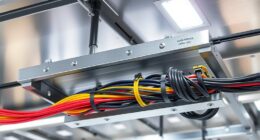
Having two internet cables connected to your network is essential for ensuring continuous connectivity. If one cable fails or experiences issues, failover protocols automatically switch to the backup, preventing disruptions. This redundancy minimizes downtime and keeps your data, communication, and entertainment flowing smoothly. It’s especially critical for work, healthcare, and finance sectors where downtime can have serious consequences. Stick around to discover how proper setup and hardware can maximize your network’s resilience.
Key Takeaways
- Two cables provide a backup connection, ensuring uninterrupted internet access during primary cable failures.
- Redundant cables enable failover protocols to switch traffic seamlessly, minimizing network downtime.
- Having dual cables reduces the risk of total network loss in critical sectors like healthcare and finance.
- Redundancy enhances network reliability, preventing disruptions that could impact business operations.
- Multiple cables improve resilience against physical damage, interference, or hardware faults affecting connectivity.

Have you ever experienced a network outage that disrupted your work or personal activities? If so, you know how frustrating it can be to lose access to important data, communication tools, or entertainment. That’s where network redundancy comes into play. It’s a strategy designed to keep your network running smoothly, even when something goes wrong. The core idea is simple: don’t put all your eggs in one basket. Instead, you implement failover protocols and redundant hardware to ensure continuous connectivity. Failover protocols automatically switch your network traffic from a failing link or device to a backup, minimizing downtime. Without these protocols, a single point of failure could bring your entire network to a halt. Redundant hardware, such as extra switches, routers, or cables, acts as the backup in case your primary equipment fails. These components work together seamlessly so that your network remains operational without manual intervention.
Imagine having two internet cables plugged into your router—if one cable gets disconnected or experiences a fault, the failover protocols detect the issue and instantly switch your connection to the other cable. This switch happens so quickly that you barely notice any interruption — your browsing, streaming, or work continues without pause. This setup is a practical example of network redundancy in action. It’s essential for businesses and individuals who rely heavily on uninterrupted internet access. Without redundant hardware, even a minor hardware failure can cause significant disruptions, forcing you to troubleshoot and manually restore connectivity, which can take valuable time and effort. Redundant hardware isn’t just about having spare cables; it also involves deploying multiple routers, switches, and other network devices configured to work together. When properly set up, failover protocols coordinate these devices, constantly monitoring their health and performance.
In addition to preventing disruptions, network redundancy improves overall reliability and resilience. It reduces the risk of data loss and keeps critical services available. Think of it as an insurance policy for your network. Even if a component fails unexpectedly, your network keeps running smoothly. This proactive approach is especially important for sectors like finance, healthcare, and remote work environments, where downtime can have serious consequences. Furthermore, advancements in network management ensure that redundancy is maintained efficiently and effectively. Ultimately, investing in failover protocols and redundant hardware isn’t just about avoiding inconvenience — it’s about safeguarding your digital life. It ensures that your connection remains stable, reliable, and available whenever you need it most. By understanding and implementing these principles, you can protect yourself from the costly and frustrating effects of network failures.
Frequently Asked Questions
How Does Cable Redundancy Impact Network Latency?
Cable redundancy can slightly increase network latency because it introduces additional pathways and equipment, which may add minor delays. However, it markedly improves latency optimization by preventing disruptions caused by cable failure. When one cable fails, the redundant cable takes over seamlessly, maintaining smooth data flow. Overall, the small latency increase is a fair trade-off for the enhanced reliability and continuous network performance that redundancy provides.
What Are the Costs Associated With Implementing Dual Cables?
Think of installing dual cables like insuring your house; it costs more upfront but saves you from costly outages later. The costs involve additional cable, installation, and maintenance. A thorough cost analysis shows that while initial expenses rise, the investment pays off through increased reliability and reduced downtime. You’ll need to budget for extra equipment and labor, but the peace of mind is worth the extra investment.
Can Wireless Backups Replace Physical Cable Redundancy?
Wireless alternatives can supplement physical cable redundancy, but they shouldn’t fully replace it. Backup connectivity via wireless offers flexibility and quick recovery during cable failures, yet it often lacks the stability and speed of wired connections. Relying solely on wireless backups risks interruptions, especially in high-demand or interference-prone environments. For maximum network resilience, combining both options ensures reliable, continuous connectivity and minimizes downtime.
How Do I Test My Network’s Redundancy Effectively?
Ever wonder if your network can truly withstand a failure? To test your redundancy effectively, intentionally disconnect one cable and observe if your system maintains connectivity. Pay close attention to cable quality and make certain your redundancy planning covers all critical points. Regularly conducting such tests helps you spot weak links, so your network stays resilient. Think of it as rehearsing a safety drill—preparing you for real emergencies.
What Are the Best Practices for Managing Multiple Network Cables?
You should organize your multiple network cables using proper cable management techniques, like color coding and secure routing, to keep everything neat and accessible. Incorporate redundancy planning by labeling cables and documenting their paths, so you readily identify and replace any faulty connections. Regularly inspect your setup, verify connectors are secure, and avoid cable tangling. Proper management ensures reliable network performance and simplifies troubleshooting when issues arise.
Conclusion
To keep your network rock-solid, always have two cables in place. Think of it like the trusty backup disk in your vintage computer—when one fails, the other keeps you going. Don’t wait for a catastrophe to realize the importance of redundancy; it’s the difference between a smooth operation and a digital disaster. Embrace the foresight of the tech pioneers and guarantee your connection stays alive, no matter what the future throws your way.