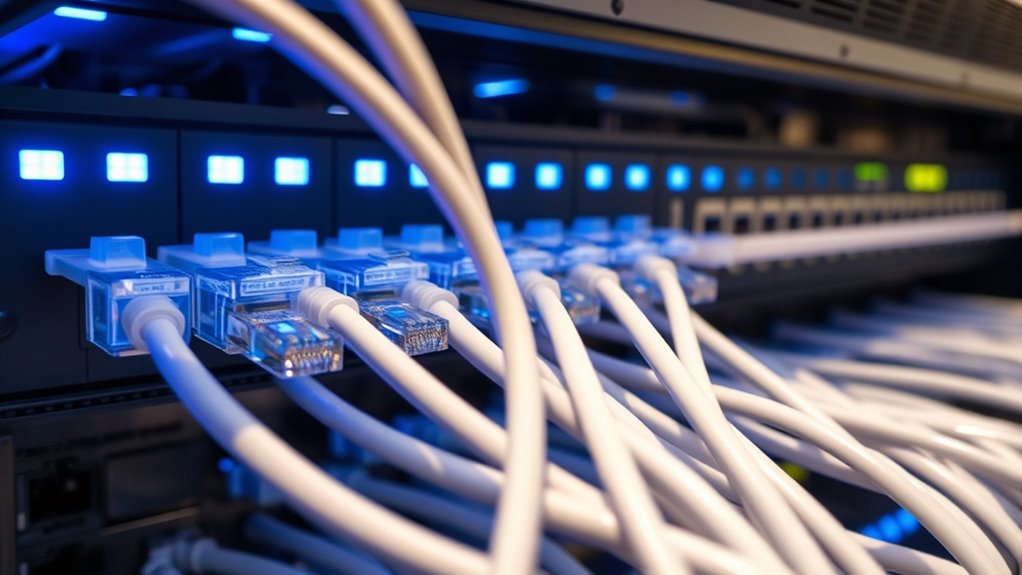

To implement QoS for wired networks, you should configure your switches and routers to prioritize critical applications like VoIP, video, and real-time data. Use standards like IEEE 802.1p and DSCP to mark packets and set bandwidth limits, ensuring high-priority traffic flows smoothly even during congestion. Balancing bandwidth and applying traffic policies helps prevent network bottlenecks. For detailed steps and best practices, the next part explains how to establish an effective QoS setup for your network.

Get networking and server gear delivered free — and shop member deals
- Fast, free delivery on millions of items
- Access to Prime Big Deal Days deals on October 6–7
- Prime Video, Amazon Music and more included
Key Takeaways
- Configure network switches and routers to support QoS standards like IEEE 802.1p and DSCP for traffic prioritization.
- Identify critical applications and assign appropriate priority levels and bandwidth allocations accordingly.
- Mark packets with priority tags to guide handling and ensure high-priority traffic receives precedence.
- Monitor network traffic regularly to adjust QoS policies based on evolving traffic patterns and performance needs.
- Balance bandwidth distribution by limiting less urgent traffic and reserving resources for essential applications.

Quality of Service (QoS) is essential for guaranteeing that wired networks can handle multiple types of traffic efficiently, especially as demand for bandwidth-intensive applications grows. When you implement QoS, you’re actively managing how different data streams are treated, which is critical for maintaining performance and user experience. Traffic prioritization becomes your primary tool here, allowing you to assign higher priority levels to critical applications like video conferencing, VoIP, or real-time data transfers. This means that when network congestion occurs, these high-priority tasks continue smoothly without interruption, while less urgent traffic like email or file downloads may experience slight delays. By setting these priorities, you prevent bandwidth-hungry applications from overwhelming your network, ensuring that essential services stay responsive.
Bandwidth management is another core aspect of implementing QoS effectively. It involves allocating specific amounts of bandwidth to different applications or user groups based on their importance or usage patterns. For example, you might dedicate a larger portion of your bandwidth to business-critical applications during peak hours, guaranteeing they perform at their best. Conversely, you can limit bandwidth for less important traffic, preventing it from clogging the network and degrading overall performance. This balancing act allows you to maximize your wired network’s capacity, reducing bottlenecks and improving overall efficiency. Proper bandwidth management also helps you forecast network needs better and plan upgrades or adjustments proactively. Additionally, incorporating network monitoring tools helps ensure that your QoS policies adapt to changing traffic conditions effectively.
To set up traffic prioritization and bandwidth management, you typically configure QoS policies on your network switches and routers. Many modern devices support standards like IEEE 802.1p and Differentiated Services Code Point (DSCP), which mark packets with priority levels. These tags inform network devices how to handle each packet, ensuring that high-priority traffic gets precedence during transmission. You’ll want to identify critical applications, set appropriate priority levels, and allocate bandwidth accordingly. Regular monitoring and adjusting these policies are crucial, especially as network usage evolves. By analyzing traffic patterns, you can refine your QoS settings to better serve your users and applications.
In essence, effective QoS implementation hinges on your ability to prioritize traffic intelligently and manage bandwidth resourcefully. These strategies help you maintain a responsive, reliable wired network that meets the demands of modern, bandwidth-intensive environments. With proper traffic prioritization and bandwidth management, you guarantee that your network delivers a seamless experience for all users and applications, regardless of the load.
As an affiliate, we earn on qualifying purchases.
Frequently Asked Questions
How Does Qos Impact Network Latency?
QoS reduces network latency by prioritizing critical traffic through traffic shaping and bandwidth allocation. You can guarantee high-priority data, like voice or video, gets transmitted faster, minimizing delays. By managing bandwidth effectively, QoS prevents congestion and packet loss, leading to smoother performance. This targeted approach helps you experience lower latency, especially during network congestion, ensuring essential applications run seamlessly without delays.
Can Qos Prioritize Specific Applications Dynamically?
Yes, QoS can prioritize specific applications dynamically. You can set application prioritization rules that adjust in real-time based on network conditions, guaranteeing critical apps get the necessary bandwidth. With dynamic bandwidth management, QoS automatically reallocates resources to maintain peak performance, reducing latency for essential applications. This way, you guarantee seamless operation for prioritized services while efficiently managing overall network traffic, adapting as needs change.
What Are Common Challenges in Deploying Qos?
You face common challenges like balancing traffic shaping with bandwidth allocation, which can feel like walking a tightrope. Misconfigured settings may cause latency or packet loss, disrupting critical applications. Ensuring consistent performance across diverse devices adds complexity, and prioritizing traffic dynamically often conflicts with static policies. These issues demand meticulous planning, thorough testing, and ongoing adjustments to keep your network running smoothly and prioritize essential traffic effectively.
How Does Qos Interact With Network Security?
You should know that QoS interacts with network security through traffic shaping and bandwidth management, which prioritize or restrict specific traffic types. This helps prevent malicious activities like DDoS attacks by controlling bandwidth usage, but it can also introduce vulnerabilities if misconfigured. Properly integrating QoS with security measures ensures critical data gets priority while maintaining overall network integrity and safeguarding against threats.
Is Qos Necessary for Small Business Networks?
QoS isn’t always necessary for small business networks, but it can be beneficial. If you rely heavily on bandwidth management to prioritize critical applications like VoIP or video conferencing, implementing QoS with your network hardware can improve performance. It helps guarantee that crucial services get the bandwidth they need, preventing lag or interruptions. For smaller setups, assess your traffic patterns first; if congestion isn’t an issue, QoS might not be indispensable.
managed router with traffic prioritization
As an affiliate, we earn on qualifying purchases.
As an affiliate, we earn on qualifying purchases.
Conclusion
Think of implementing QoS like tuning a car’s engine—you fine-tune each part to run smoothly under pressure. When you prioritize critical traffic, your network avoids bottlenecks like a well-oiled machine, keeping everything running seamlessly. Remember, without QoS, your network is like a busy highway with no traffic rules, leading to chaos. By applying these principles, you guarantee your wired network delivers consistent, reliable performance—making every data journey smooth and predictable.
As an affiliate, we earn on qualifying purchases.
As an affiliate, we earn on qualifying purchases.
Halloween Picks
halloween
As an affiliate, we earn on qualifying purchases.