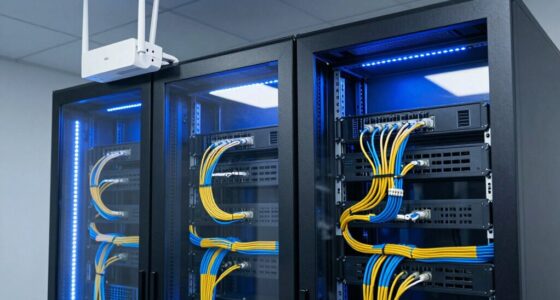
Imagine setting up a home office and debating whether to use Wi-Fi or Ethernet cables. Both options have their advantages and disadvantages, but understanding which suits your needs best can be more complex than it seems. Factors like mobility, stability, and security come into play, making this a decision worth considering carefully. How do you determine which network type aligns with your setup and priorities?
Key Takeaways
- Wireless networks offer quick, flexible setup and easy device addition, while wired networks require physical cable installation.
- Wired connections provide more reliable, high-performance, and interference-free connectivity essential for critical IoT devices.
- Wireless networks are more vulnerable to security threats without proper encryption, whereas wired setups are inherently more secure.
- Wireless signals are susceptible to interference and range limitations, impacting IoT device performance; wired connections are more stable.
- Initial wired network costs are higher due to installation efforts, but they often deliver better long-term reliability and security.

Choosing between wireless and wired networking depends on your specific needs and environment. If you’re looking for flexibility and ease of setup, wireless networks often seem appealing. They allow you to connect multiple devices without the clutter of cables, making them ideal for homes, cafes, or offices that prioritize mobility. However, when considering IoT integration, wireless networks can sometimes introduce challenges. Many IoT devices rely on stable, low-latency connections, and wireless signals can be affected by interference or range limitations, potentially disrupting your smart home or business systems. Security is another critical factor; wireless networks are more vulnerable to unauthorized access if not properly secured. You need to implement strong encryption protocols, such as WPA3, and regularly update your router’s firmware to mitigate risks. Wired networks, on the other hand, provide a more straightforward path to secure and reliable connectivity. Running Ethernet cables directly to your devices reduces the risk of hacking, as wired connections are inherently more difficult to intercept than wireless signals. This makes wired setups particularly appealing for environments where network security is paramount, such as financial institutions or corporate servers. When it comes to IoT integration, wired networks can offer a more consistent and predictable environment for devices that demand high bandwidth or low latency. Connecting IoT devices via Ethernet ensures they operate without interference, which is crucial for critical applications like security cameras or industrial sensors. Nonetheless, setting up wired networks can be less convenient, especially in spaces where running cables isn’t practical or aesthetically desirable. Installing Ethernet cables may involve drilling, conduit work, or remodeling, which adds to the initial cost and complexity. Wireless networks also have the advantage of scalability; adding new devices usually just means connecting to the Wi-Fi rather than running new cables. But this flexibility can come with trade-offs—wireless signals may weaken over distance or become obstructed by walls and furniture, leading to dead zones that hamper your network’s performance. While wired networks excel in security and stability, they lack the mobility that wireless networks provide. Ultimately, your choice hinges on balancing these factors: if you prioritize mobility and quick setup, wireless might suit your needs better. If you require maximum security, consistent performance, and reliable IoT integration, wired networking could be the smarter choice. Both options have their merits, but understanding your environment, device needs, and security concerns will guide you toward the best solution for your situation. Additionally, wireless signal interference can significantly impact network reliability and performance in certain environments.

Ltemziiy Cat 8 Ethernet Cable 15 ft, 40Gbps 2000Mhz High Speed Gigabit LAN Internet Cables,RJ45 Patch Cord Braided Round S/FTP Network Cable,for Smart Home,Office,Gaming,Modem, Router
- High-Speed Data Transfer: Supports 40Gbps and 2000MHz bandwidth
- Durable Braided Design: 48-strand cotton braid for strength and flexibility
- Anti-Interference Shielding: S/FTP shielding reduces signal interference
As an affiliate, we earn on qualifying purchases.
Frequently Asked Questions
How Secure Are Wireless Networks Compared to Wired Ones?
Wireless networks are generally less secure than wired ones because they rely on radio signals that can be intercepted. However, using strong encryption methods like WPA3, regularly performing vulnerability assessments, and securing your Wi-Fi with strong passwords can substantially boost security. You should also keep firmware updated to fix potential weaknesses. While wireless networks can be protected, wired networks still offer a higher level of inherent security.
Can Wireless Networks Support High-Definition Streaming Effectively?
Wireless networks can support high-definition streaming effectively, but bandwidth limitations and signal stability play vital roles. If your Wi-Fi has enough bandwidth and a strong, stable signal, you’ll enjoy smooth, HD content. However, in areas with network congestion or weak signals, streaming quality may suffer with buffering or reduced resolution. To optimize performance, make sure your router is updated and placed centrally for the best signal stability.
What Is the Typical Lifespan of Wired Versus Wireless Equipment?
You might think wireless equipment lasts longer, but wired equipment often has greater cable durability and can last 5 to 10 years with proper care. Wired components tend to be more durable because they’re protected from environmental factors. Wireless equipment, however, typically needs replacement every 3 to 5 years due to technology updates and wear. So, your choice depends on prioritizing equipment longevity versus convenience.
How Do Interference Issues Affect Wireless Network Performance?
Interference issues can considerably impact your wireless network performance. Signal interference from other electronic devices or thick walls weakens your Wi-Fi signal, causing slower speeds and dropped connections. Frequency congestion occurs when multiple networks operate on the same channel, leading to network slowdown. To minimize these problems, you should change your Wi-Fi channel, reduce electronic interference, and position your router in a central, open location for ideal signal strength.
Are There Environmental Impacts Associated With Wired or Wireless Setups?
Environmental impacts vary between wired and wireless setups. Wireless networks typically have a larger environmental footprint due to higher energy consumption from constant signal transmission and infrastructure like routers and antennas. Wired networks usually consume less energy and generate less electronic waste since cables last longer and need fewer replacements. By choosing wired setups when feasible, you can reduce your energy use and minimize environmental impact, supporting more sustainable technology use.

UGREEN Cat 8 Ethernet Cable 6FT, High Speed Braided 40Gbps 2000Mhz Network Cord Cat8 RJ45 Shielded Indoor Heavy Duty LAN Cables Compatible with Gaming PC PS5 PS4 PS3 Xbox Modem Router 6FT
- High-Speed Data Transfer: Supports 40 Gbps and 2000 MHz bandwidth
- Anti-Interference Design: Shielded with F/FTP, gold-plated connectors
- Durable and Flexible: Cotton braided exterior, bends over 10,000 times
As an affiliate, we earn on qualifying purchases.
Conclusion
Choosing between wireless and wired networking depends on your needs. Wireless offers convenience and flexibility, making up about 60% of home networks, but it can face interference and security issues. Wired networks deliver reliability and speed, especially for critical devices. If you value mobility, wireless is ideal, but for stability, wired wins. Ultimately, understanding your environment and priorities will help you make the best choice for your setup.

Smolink Cat 8 Ethernet Cable, 50ft 40Gbps 2000MHz RJ45 LAN Cable
- High-Speed Data Transfer: Up to 40Gbps and 2000MHz bandwidth
- Wide Device Compatibility: Supports routers, gaming consoles, and more
- Enhanced Shielding: S/FTP shielding reduces interference
As an affiliate, we earn on qualifying purchases.
UGREEN Cat 8 Ethernet Cable 10FT, High Speed Braided 40Gbps 2000Mhz Network Cord Cat8 RJ45 Shielded Indoor Heavy Duty LAN Cables Compatible with Gaming PC PS5 PS4 PS3 Xbox Modem Router 10FT
- High-Speed Data Transfer: Supports 40 Gbps and 2000 MHz bandwidth
- Anti-Interference Design: Shielded with foiled twisted pairs and gold connectors
- Durable and Flexible: Cotton braided exterior withstands 10,000 bends
As an affiliate, we earn on qualifying purchases.