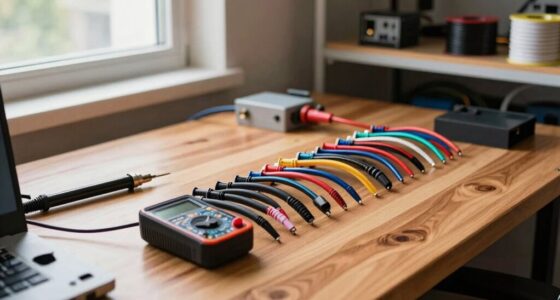
To prevent your network closet from becoming a storage room, focus on proper organization and maintenance. Use cable ties, labels, and cable organizers to keep cords tidy and accessible. Maintain a clean and well-ventilated environment by regularly cleaning vents and ensuring adequate airflow around equipment. Avoid stacking devices or cluttering the space with unnecessary items. Staying proactive with these strategies helps keep your network closet efficient and easy to manage—discover more tips to maintain order and clarity.

Get business pricing on networking and server gear
- Business-only prices and quantity discounts
- Tax-exempt purchasing
- Multiple users, one account, clear invoices
Key Takeaways
- Implement strict policies to restrict storage items and designate designated storage areas outside the network closet.
- Regularly audit the closet to remove unnecessary items and maintain an organized environment.
- Use proper cable management to maximize space and prevent clutter buildup.
- Ensure adequate ventilation and airflow to avoid overheating and discourage unnecessary equipment stacking.
- Label and categorize equipment to facilitate quick access and prevent the closet from becoming a storage space.

Have you ever struggled to find the right cable or equipment in your network closet? If so, you’re not alone. Without proper organization, network closets can quickly turn into cluttered storage rooms, making it difficult to troubleshoot issues or access essential gear. To prevent this, focusing on effective cable management is crucial. Use cable ties, velcro straps, or cable organizers to keep cords neat and labeled. This simple step greatly improves accessibility and simplifies maintenance but also reduces the risk of accidental disconnections. Avoid tangled cables that can cause confusion and slow down your troubleshooting process. Instead, route cables along designated paths or cable trays, ensuring everything is visible and accessible.
Proper cable management keeps your network closet organized, accessible, and easy to troubleshoot.
Another key factor in maintaining a tidy network closet is implementing appropriate ventilation solutions. Over time, equipment generates heat, and without proper airflow, devices can overheat, leading to failures or reduced lifespan. Installing vented doors, exhaust fans, or passive airflow systems helps keep the environment cool and prevents equipment from overheating. When planning ventilation, consider the placement of your gear; avoid stacking devices directly on top of each other or blocking air vents. Regularly cleaning dust from vents and filters also enhances airflow and prolongs equipment life. Proper ventilation not only preserves your hardware but also minimizes the chances of having to replace costly components prematurely. Additionally, consulting with aviation standards for optimal airflow practices can enhance your setup’s efficiency. Incorporating airflow management techniques ensures that heat is effectively dissipated and your equipment stays within safe operating temperatures. Maintaining proper environmental conditions is essential for equipment longevity and operational stability. Incorporating best practices from other industries can provide additional insights into maintaining optimal airflow. Regular monitoring of temperature and humidity levels can further help in maintaining a stable environment for your equipment.
As an affiliate, we earn on qualifying purchases.
Frequently Asked Questions
How Often Should Network Closets Be Inspected for Clutter?
You should inspect your network closet for clutter at least once a quarter. During these inspections, focus on cable management to prevent tangles and guarantee airflow. Also, check access control to keep unauthorized personnel out, maintaining security and organization. Regular inspections help you identify potential issues early, keeping your network running smoothly. Consistent attention to clutter and access control ensures your network closet remains functional and free of unnecessary storage.
What Are the Best Labels for Cables and Equipment?
You should use clear, consistent labels for cables and equipment, following established labeling standards like IEEE or TIA/EIA. Use durable, easily readable labels with color coding for different functions or types of connections. Proper cable management involves organizing cables neatly and labeling them accurately, which makes troubleshooting easier and prevents the closet from becoming cluttered. Efficient labeling helps you quickly identify and manage equipment, keeping the network room organized and functional.
How Can Dust and Debris Be Minimized in Network Closets?
To minimize dust and debris in your network closet, prioritize effective cable management by organizing cables neatly in cable trays or conduits. Keep vents and filters clean to prevent dust entry, and seal any gaps or openings. Regularly dust and vacuum the area, and consider installing a dedicated HVAC system with filters to maintain airflow. These steps will help reduce dust accumulation and keep your equipment running smoothly.
What Security Measures Are Recommended for Network Closets?
You should implement strict access control by using key cards or biometric systems to limit entry to authorized personnel only. Install surveillance cameras to monitor activity continuously, deterring unauthorized access and providing evidence if needed. Regularly review access logs and security footage to detect suspicious behavior. Combining these measures helps keep your network closet secure, prevents tampering, and guarantees only trained staff handle sensitive equipment.
How to Handle Equipment Upgrades Without Creating Mess?
To handle equipment upgrades without creating a mess, focus on cable management and equipment organization. Before starting, plan your layout and label cables for easy identification. Use cable ties and management panels to keep wires tidy and prevent tangling. During upgrades, work systematically, removing and installing equipment carefully. Afterward, double-check all connections, clean the area, and guarantee everything is organized to maintain a neat, efficient network closet.
As an affiliate, we earn on qualifying purchases.
Conclusion
To keep your network closet from turning into a storage room, stay proactive and disciplined. Regularly declutter, label everything clearly, and implement a structured organization system. Think of your network closet as the heartbeat of your infrastructure — if it’s clogged and chaotic, the whole system suffers. By maintaining a clean and organized space, you guarantee smooth operations and extend equipment lifespan, turning your closet into a well-oiled machine rather than a tangled jungle.
As an affiliate, we earn on qualifying purchases.
As an affiliate, we earn on qualifying purchases.
Fall Picks
fall essentials
As an affiliate, we earn on qualifying purchases.