
A damaged connector might seem like a minor issue, but it can cause major system failures. You need to identify the signs of wear or damage before troubleshooting further. Proper inspection, testing, and repairs can save you time and money, but knowing where to start isn’t always obvious. Understanding how to detect and repair these faults can make all the difference in maintaining reliable electronic connections.
Key Takeaways
- Perform a thorough circuit analysis to identify physical damage, corrosion, or loose connections causing signal failure.
- Recognize connector types (crimp, screw, slide) to determine appropriate inspection and repair methods.
- Inspect connectors for bent pins, corrosion, or debris; clean with isopropyl alcohol and a soft brush to restore contact.
- Replace damaged connectors with compatible parts, ensuring correct wiring and proper connection orientation.
- Verify repairs with a multimeter for continuity, and perform regular maintenance to prevent future issues.
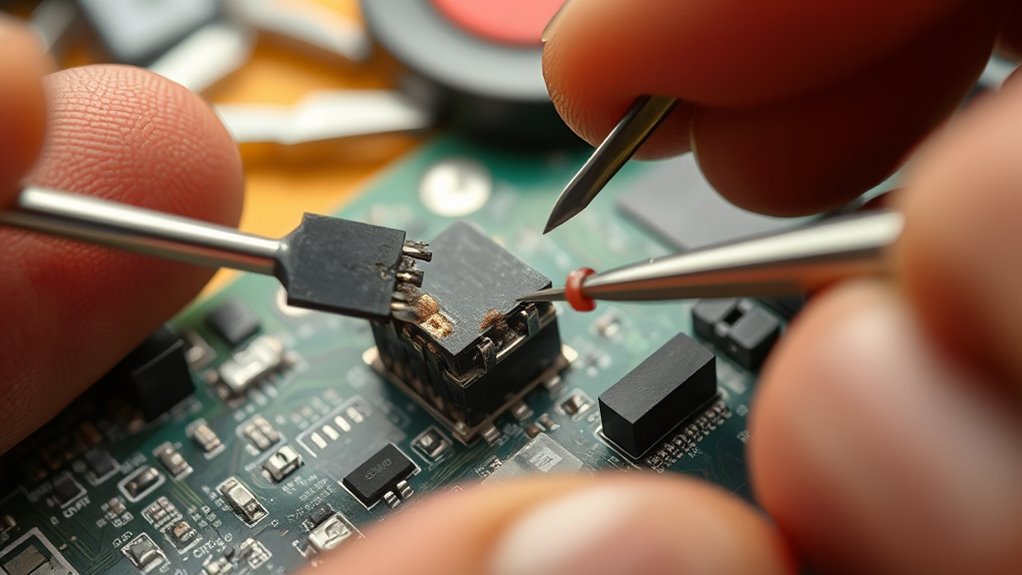
Connectors are essential for ensuring smooth and reliable electronic connections, but over time, they can become damaged or worn out, leading to connection failures. When this happens, it’s crucial to identify the problem quickly to prevent further damage and restore proper functionality. One of the first steps you should take is performing a thorough circuit analysis. This involves checking the entire system to locate where the connection is compromised. You’ll want to look for signs of physical damage, corrosion, or loose connections that could disrupt the signal flow. By systematically analyzing the circuit, you can narrow down the potential causes and determine whether the issue stems from the connector itself or other components in the system. Understanding the different connector types plays a vital role in diagnosing and repairing issues. There are many types, including crimp, screw, slide, and spring-loaded connectors, each designed for specific applications. For example, crimp connectors are common in automotive wiring, while screw connectors are often used in household appliances. Recognizing the connector type involved helps you decide on the best repair approach. For instance, if you’re dealing with a crimp connector that’s become loose or corroded, you might need to replace it entirely or re-crimp it securely. If it’s a screw type, tightening or replacing the screw might suffice. Knowing the connector type also guides you in choosing the right tools and replacement parts, ensuring a proper fix. When inspecting the damaged connector, look for obvious signs of wear like bent pins, broken clips, or corrosion. Sometimes, dirt or debris can cause poor contact, so cleaning the connector with isopropyl alcohol and a soft brush can restore good conductivity. If damage is beyond cleaning—say, a bent pin or cracked housing—you’ll need to remove and replace the connector. To do this, carefully disconnect the faulty connector from the circuit, taking note of wiring configurations to ensure correct reassembly. If you’re replacing a connector, choose a compatible type and size, matching the original as closely as possible to maintain system integrity. Proper diagnosis and repair also involve checking the continuity after fixing the connector. Using a multimeter, you can verify if the circuit now conducts electricity properly. If the reading is consistent with specifications, you’ve successfully restored the connection. If not, re-examine your work or consider replacing the entire connector assembly. Remember, addressing connector issues promptly can prevent more significant system failures and extend the lifespan of your electronic devices. With careful circuit analysis, understanding connector types, and precise repairs, you can keep your connections reliable and efficient for years to come. Proper connector maintenance is vital for ensuring longevity and dependable performance of your electronic systems.
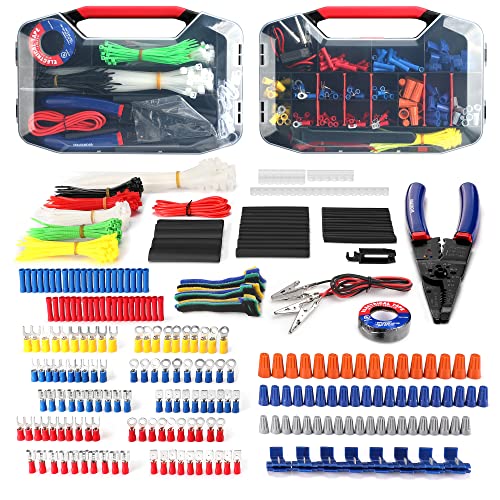
WORKPRO 582-piece Crimp Terminals, Wire Connectors, Heat Shrink Tube, Electrical Repair Kit with Wire Cutter Stripper
Assorted 582 electrical wire terminals and other accessories with transparent box for easy access
As an affiliate, we earn on qualifying purchases.
As an affiliate, we earn on qualifying purchases.
Frequently Asked Questions
What Tools Are Best for Repairing Delicate Connectors?
You should use precision tools like fine-tipped tweezers and a magnifying glass to handle delicate connectors. For connector cleaning, use isopropyl alcohol and a soft brush to remove debris without damage. When it’s time for replacement, employ gentle soldering techniques or specialized replacement techniques to avoid further harm. These tools help you carefully repair or replace connectors, ensuring proper function and longevity without risking further damage.
How Can I Prevent Future Connector Damage?
To prevent future connector damage, focus on proper connector maintenance and implement preventive measures. Always handle connectors gently, avoid excessive force, and keep them clean and dust-free. Use protective caps when connectors aren’t in use, and make certain cables aren’t bent sharply or strained. Regularly inspect your connectors for signs of wear, and store equipment in a safe environment. These steps help maintain connector integrity and prolong their lifespan effectively.
Are There Professional Services for Connector Repair?
You can find professional services for connector repair that specialize in connector cleaning and connector replacement, ensuring your equipment gets expert care. These specialists detect hidden issues and restore your connectors to ideal condition, preventing future failures. Don’t wait until a small problem becomes a costly disaster—trust trained technicians to handle repairs efficiently and thoroughly. Their expertise keeps your system running smoothly, giving you peace of mind in critical moments.
How Long Does Connector Repair Typically Take?
Connector repairs usually take a few hours to a day, depending on the damage extent. You should consider the connector lifespan and repair cost, as older or severely damaged connectors may require more extensive work, which can be pricier. If you seek professional help, they often prioritize quick turnaround times, but keep in mind that complex repairs or parts replacement can extend the process. Be prepared for some variability based on specifics.
Can Damaged Connectors Cause Data Loss or Hardware Failure?
Damaged connectors can definitely cause data loss or hardware failure. If you notice connector corrosion or pin misalignment, these issues can disrupt data transmission or power flow. Corrosion weakens connections, while pin misalignment prevents proper contact. Ignoring these problems risks hardware malfunction or data corruption. Regularly inspecting and repairing damaged connectors helps prevent these failures, ensuring your devices operate smoothly and reliably.

AstroAI Digital Multimeter Tester 2000 Counts with DC AC Voltmeter and Ohm Volt Amp Meter; Measures Voltage, Current, Resistance, Continuity and Diode, Blue
Additional Tips – The following incorrect operations may cause the multimeter not to show results: Firstly, the plugs…
As an affiliate, we earn on qualifying purchases.
As an affiliate, we earn on qualifying purchases.
Conclusion
By carefully inspecting, cleaning, and testing your connectors, you can prevent minor issues from turning into catastrophic failures. Regular maintenance keeps your system running smoothly and saves you from hours of troubleshooting. When you spot damage early, repair or replace damaged connectors promptly—think of it as stopping a tiny leak before it floods your entire system. Stay vigilant; your electronic components rely on your keen eye to keep everything firing perfectly!

WoldoClean Isopropyl Alcohol 99.9% Pure IPA 33.8 fl oz – High Purity Rubbing Alcohol for Cleaning Electronics, Glass, Tools & Household Surfaces, Fast Evaporating, Residue-Free
Isopropyl Alcohol High-purity IPA (2-propanol), free from colorants & fragrances. Fast-evaporating, residue-free rubbing alcohol for cleaning, disinfecting &…
As an affiliate, we earn on qualifying purchases.
As an affiliate, we earn on qualifying purchases.

Nilight – 50036R Closed End Crimp Terminal 300 pcs 22-16/16-14/12-10 Gauge Nylon Wire Connector Kit,2 Years Warranty
A. W. G.: 22-16 0. 5-1. 5mm²/ 16-14 1. 5-2. 5mm²/ 12-10 4-6mm²
As an affiliate, we earn on qualifying purchases.
As an affiliate, we earn on qualifying purchases.