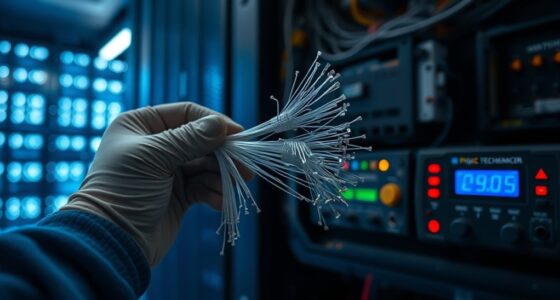
Old patch cords can cause new problems because their internal fibers deteriorate over time, which weakens signals and increases the risk of connection failures. Environmental factors like heat, humidity, and electromagnetic interference worsen the damage, leading to slower speeds and unstable connections. Visual checks might not reveal internal issues, so your network could be subtly disrupted without obvious signs. If you want to understand how to prevent these problems, keep exploring the details below.

Get business pricing on networking and server gear
- Business-only prices and quantity discounts
- Tax-exempt purchasing
- Multiple users, one account, clear invoices
Key Takeaways
- Internal fiber deterioration reduces signal quality, leading to slower speeds and increased data loss.
- Physical wear and aging weaken connections, causing intermittent or unstable network performance.
- Older patch cords lack effective shielding, making them more susceptible to electromagnetic interference.
- Environmental factors like heat and humidity accelerate fiber degradation over time.
- Regular testing and timely replacement prevent network failures caused by aging and damaged fibers.
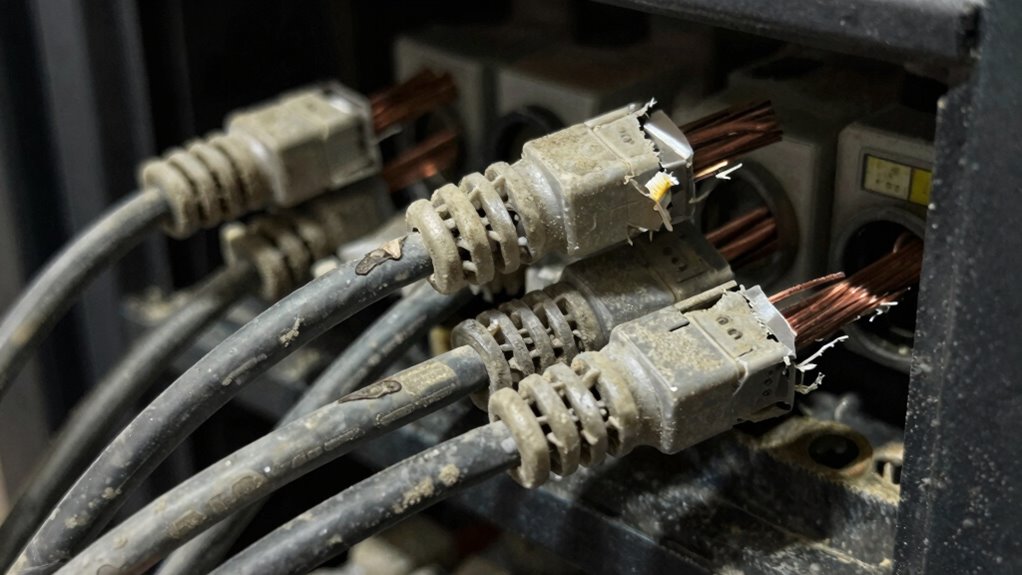
Old patch cords, once reliable, can now cause more trouble than they solve. Over time, the quality of the internal fibers begins to deteriorate, a process known as fiber degradation. As the fibers weaken, they become more susceptible to damage from bending, twisting, or environmental factors like heat and humidity. This degradation leads to increased signal loss, which you might notice as slower data transfer speeds or intermittent connectivity issues. The more these fibers degrade, the more unstable your connection becomes, making it harder to maintain a consistent network performance.
When you rely on aged patch cords, you risk connection instability that can disrupt your daily tasks. Even if the cord appears visually intact, internal wear can cause subtle interruptions that are difficult to diagnose without testing equipment. These disruptions can result in dropped connections or fluctuating bandwidth, which frustrate your work or streaming experience. The problem isn’t just the physical wear; it’s also the increased likelihood of connection failures due to compromised fiber integrity. As fibers break down, the signals they carry weaken, leading to inconsistent connections that hamper productivity and cause frustration.
Furthermore, older patch cords are less effective at shielding against electromagnetic interference (EMI). This interference can distort the signals passing through the cord, compounding the effects of fiber degradation. As a result, your network’s reliability diminishes even further. The combination of fiber degradation and poor shielding creates a perfect storm for connection instability, especially in environments with a lot of electronic devices or radio frequency interference. Using advanced materials in modern patch cords helps mitigate these issues by providing better durability and shielding. Additionally, fiber degradation is accelerated by environmental conditions, making it even more important to replace aging cords before issues arise. Regular testing with appropriate measurement tools can help identify degraded fibers before they cause network failures. Proper maintenance also plays a crucial role in prolonging the lifespan of your network infrastructure.
As an affiliate, we earn on qualifying purchases.
Frequently Asked Questions
How Can I Tell if a Patch Cord Is Too Old?
You can tell if a patch cord is too old by inspecting its cable insulation for cracks or fraying and checking for connector corrosion, which signals age-related wear. If the insulation appears brittle or damaged, or if you notice rust or corrosion on the connectors, it’s time to replace the cord. Old patch cords may cause signal loss or interference, so regular visual checks help maintain reliable connections.
Are There Specific Signs of Performance Degradation in Old Patch Cords?
Old patch cords are like worn-out roads—signs of performance degradation show up in fiber optics connections. You might notice increased signal loss, frequent disconnections, or inconsistent data transfer. Bent or corroded connectors also signal trouble. Regular connector maintenance reveals these issues early, helping you avoid bigger problems. If these signs appear, it’s time to replace the patch cord to guarantee peak performance and maintain network reliability.
Can Using Old Patch Cords Void My Network Warranty?
Using old patch cords can impact your network warranty, as warranty implications often depend on proper equipment maintenance and replacement. If your patch cord exceeds its typical lifespan, it may be considered a cause of network issues, potentially voiding warranty coverage. To avoid problems, regularly check the patch cord’s lifespan, replace aging cords promptly, and make certain your setup adheres to manufacturer guidelines, safeguarding your warranty and network performance.
How Often Should Patch Cords Be Replaced to Avoid Issues?
Think of your patch cords as the lifelines of your network. To keep them strong, replace them every 2-3 years, especially if you notice signs of cable durability decline or connector corrosion. Over time, wear weakens the metal connections, risking signal loss. Regular replacement guarantees your network stays reliable, preventing issues caused by aging cords. Don’t wait for failure—proactively swap out your patch cords before problems arise.
What Are the Best Practices for Disposing of Old Patch Cords?
You should dispose of old patch cords responsibly by recycling them, avoiding landfill waste. Start by properly labeling the cables for inventory and environmental storage records, guaranteeing clear identification. Check local regulations for electronic waste disposal, and use certified recycling centers. Proper cable labeling helps track what’s recyclable, while environmental storage practices prevent hazardous materials from harming the environment. This approach guarantees eco-friendly disposal and proper management of your old patch cords.
fiber optic network cable testing tools
As an affiliate, we earn on qualifying purchases.
As an affiliate, we earn on qualifying purchases.
Conclusion
Don’t let old patch cords become the silent saboteurs of your network. They’re like faded threads in a tapestry, gradually unraveling the strength and clarity of your connection. Replacing them is like planting fresh seeds in a well-tended garden—suddenly, everything blooms with renewed vigor and precision. Keep your system’s heartbeat steady by staying vigilant. After all, in the dance of data, only the freshest steps guarantee you stay in sync and ahead of potential problems.
As an affiliate, we earn on qualifying purchases.
cat6 patch cables for high-speed internet
As an affiliate, we earn on qualifying purchases.
As an affiliate, we earn on qualifying purchases.
Columbus Day / Indigenous Peoples' Day Picks
long weekend sales
As an affiliate, we earn on qualifying purchases.