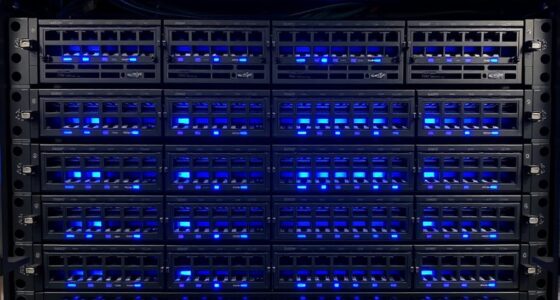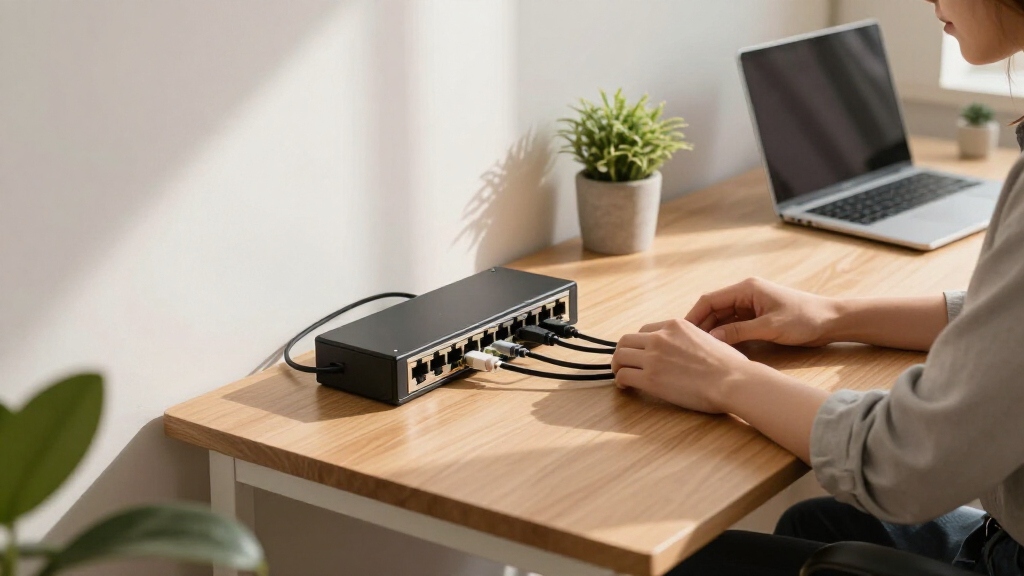
Shopping for network switches for small offices means balancing three things: port count, management features, and budget. The TP-Link TL-SG116 16-Port Gigabit Unmanaged Switch earns my best overall pick because most small offices eventually need the headroom of 16 ports, and it delivers reliable gigabit performance in a sturdy metal chassis without a premium price. If your office has heavier demands, the TP-Link TL-SG108S-M2 stands out with 2.5G multi-gig ports for growing bandwidth needs, while the TP-Link 8-Port Easy Smart Managed Switch adds VLAN and QoS control that unmanaged models simply can’t match. The main tradeoff in this category is simplicity versus control — unmanaged switches work out of the box but can’t segment traffic, while managed options require configuration time. Read on for the full breakdown of all 13 switches and which one fits your office.

Get business pricing on networking and server gear
- Business-only prices and quantity discounts
- Tax-exempt purchasing
- Multiple users, one account, clear invoices
Key Takeaways
- TP-Link dominates this comparison with 8 of 13 spots, and its unmanaged gigabit line consistently offers the best build quality per dollar — but its Easy Smart models are where small offices get the most long-term value.
- Port count was the single biggest differentiator: 5-port switches cost the least but fill up fast once you add a printer, NAS, access point, and a couple of workstations — the 8-port models hit the sweet spot for most small offices.
- Managed features like VLAN and QoS, found in the Goalake and TP-Link Easy Smart picks, cost only slightly more than unmanaged equivalents and are worth it the moment you add guest Wi-Fi or VoIP phones.
- The 2.5G multi-gig TL-SG108S-M2 was the only switch in the lineup that won’t bottleneck a modern multi-gig internet plan or fast NAS, making it the clear future-proofing choice despite the higher price.
- Plastic-housing budget models like the Litewave and Cudy GS105D performed fine on speed but showed the widest quality gaps in power adapters and longevity, which is where the extra $10-15 for metal-cased switches pays off.
| TP-Link 5-Port Fast Ethernet Unmanaged Switch, Plug and Play, Desktop |  | Best Budget Pick | Ports: 5 | Port Speed: 10/100 Mbps | Configuration: Unmanaged, plug and play | VIEW LATEST PRICE | See Our Full Breakdown |
| TP-Link 8 Port Gigabit Ethernet Network Switch – Unmanaged, Fanless, Metal Housing |  | Best Overall | Ports: 8 | Data Transfer Rate: Gigabit Ethernet | Configuration: Unmanaged, plug and play | VIEW LATEST PRICE | See Our Full Breakdown |
| TP-Link TL-SG105 5 Port Gigabit Unmanaged Ethernet Switch |  | Best Value | Ports: 5 Gigabit Ethernet | Configuration: Unmanaged, plug and play | Design: Fanless metal casing | VIEW LATEST PRICE | See Our Full Breakdown |
| TRENDnet 5 Port Mini Gigabit Switch, TEG-S50g |  | Best Compact Pick | Ports: 5 x Gigabit | Switching Capacity: 10 Gbps | Housing Size: 3.24 x 1.84 x 0.9 inches | VIEW LATEST PRICE | See Our Full Breakdown |
| TP-Link TL-SG108S-M2 8-Port Multi-Gigabit 2.5G Unmanaged Ethernet Switch |  | Best Future-Proof Pick | Ports: 8 | Port Speed: 2.5 Gbps | Switching Capacity: 40 Gbps | VIEW LATEST PRICE | See Our Full Breakdown |
| Goalake 5 Port Gigabit Managed Ethernet Switch with VLAN & QoS |  | Best for Remote Cloud Management | Number of Ports: 5 | Port Speed: Gigabit Ethernet | Management: Web and app-based | VIEW LATEST PRICE | See Our Full Breakdown |
| TP-Link TL-SG116 16 Port Gigabit Unmanaged Ethernet Switch |  | Best for Port Density | Number of Ports: 16 | Port Speed: 10/100/1000 Mbps | Management: Unmanaged | VIEW LATEST PRICE | See Our Full Breakdown |
| TP-Link 8 Port Gigabit Switch – Easy Smart Managed, Plug & Play, Desktop/Wall-Mount, Sturdy Metal with Shielded Ports |  | Best Smart Managed Value | Number of Ports: 8 | Port Type: Gigabit Ethernet | Management: Smart Managed | VIEW LATEST PRICE | See Our Full Breakdown |
| TP-Link TL-SG205E 5-Port Gigabit Easy Managed Switch |  | Best for Omada Ecosystem Users | Number of Ports: 5 | Switch Type: Managed, Layer 2 | Data Transfer Rate: 1 Gbps | VIEW LATEST PRICE | See Our Full Breakdown |
| TP-Link Litewave 5 Port Gigabit Ethernet Unmanaged Switch |  | Best Budget Plug-and-Play | Number of Ports: 5 | Data Transfer Rate: 1000 Mbps | Interface: RJ45 | VIEW LATEST PRICE | See Our Full Breakdown |
| Cudy 5 Port Gigabit Unmanaged Ethernet Switch, GS105D |  | Best for Cable Runs Behind Desks | Ports: 5x Gigabit RJ45 | Max Data Transfer Rate: 1000 Mbps | Cable Reach: Up to 140m over Cat.5e | VIEW LATEST PRICE | See Our Full Breakdown |
| D-Link DGS-105 5-Port Gigabit Ethernet Switch |  | Best Durable Plug-and-Play Pick | Ports: 5x Gigabit Ethernet | Form Factor: Desktop or wall mount | Housing: Metal, fanless | VIEW LATEST PRICE | See Our Full Breakdown |
| TP-Link TL-SG105E 5-Port Gigabit Easy Smart Switch |  | Best First Managed Switch | Ports: 5x 10/100/1000 Mbps RJ45 | Management: Easy Smart — VLAN, QoS, port mirroring | Max Data Transfer Rate: 1 Gbps | VIEW LATEST PRICE | See Our Full Breakdown |
| network switches for small office | Ports | Management |
|---|---|---|
| TP-Link 5-Port Fast Ethernet U | 5 | — |
| TP-Link 8 Port Gigabit Etherne | 8 | — |
| TP-Link TL-SG105 5 Port Gigabi | 5 Gigabit Ethernet | — |
| TRENDnet 5 Port Mini Gigabit S | 5 x Gigabit | — |
| TP-Link TL-SG108S-M2 8-Port Mu | 8 | — |
| Goalake 5 Port Gigabit Managed | — | Web and app-based |
| TP-Link TL-SG116 16 Port Gigab | — | Unmanaged |
| TP-Link 8 Port Gigabit Switch | — | Smart Managed |
| TP-Link TL-SG205E 5-Port Gigab | — | Omada SDN Controller and app |
| TP-Link Litewave 5 Port Gigabi | — | Unmanaged |
| Cudy 5 Port Gigabit Unmanaged | 5x Gigabit RJ45 | Unmanaged, plug-and-play |
| D-Link DGS-105 5-Port Gigabit | 5x Gigabit Ethernet | — |
| TP-Link TL-SG105E 5-Port Gigab | 5x 10/100/1000 Mbps RJ45 | Easy Smart — VLAN, QoS, port mirroring |
More Details on Our Top Picks
TP-Link 5-Port Fast Ethernet Unmanaged Switch, Plug and Play, Desktop
This is the cheapest way to add wired ports to a small office, and for basic tasks like printers, VoIP phones, or label printers, it gets the job done. The rub is the 10/100 Mbps port speed: any workstation moving large files will feel that ceiling almost immediately. Compared with the TP-Link TL-SG105, which costs only a few dollars more for gigabit ports, this model only earns its spot when the budget is razor-thin or the devices connected genuinely cannot use faster speeds. It runs on under two watts and never makes a sound, so it hides well on a desk or shelf. If your office internet plan exceeds 100 Mbps, this switch becomes the bottleneck in your network.
Pros:- Extremely low purchase price
- Draws under 2 watts of power
- Fanless and completely silent
- Auto-MDI/MDIX means any Ethernet cable works
Cons:- Capped at 10/100 Mbps — a real bottleneck for modern connections
- Zero management or monitoring features
Best for: Tiny offices connecting low-bandwidth devices like printers, IP phones, or receipt printers where every dollar counts
Not ideal for: Any office with a fiber or cable plan above 100 Mbps — this switch will throttle every device plugged into it
- Ports:5
- Port Speed:10/100 Mbps
- Configuration:Unmanaged, plug and play
- Voltage:5V DC
- Maximum Power:1.87 watts
- Setup:No configuration required
Our verdict“Only buy this if pure cost savings matter more than speed, otherwise step up to the TL-SG105.”
TP-Link 8 Port Gigabit Ethernet Network Switch – Unmanaged, Fanless, Metal Housing
For a typical small office of five to eight people, this is the switch I would point to first. Eight gigabit ports hits the sweet spot between the cramped 5-port options and the 16-port TP-Link TL-SG116, which is overkill for most teams under ten. The metal housing and shielded ports matter more than they sound like they would — interference-free cabling means fewer mysterious dropouts when the switch sits near power bricks or a UPS. Compared with the TRENDnet TEG-S50g, you trade wall-mount flexibility for three extra ports, a trade most growing offices should take. The lack of PoE and management keeps it simple, but it also means no VLANs — if you need to segment a guest network, the TP-Link Easy Smart managed switch in this roundup is the better route.
Pros:- Eight gigabit ports fits a growing team
- Shielded ports reduce interference-related dropouts
- Silent fanless operation in a sturdy metal case
- Lifetime warranty with 24/7 support
Cons:- No PoE for cameras or access points
- Unmanaged — no VLANs, QoS control, or monitoring
Best for: Small offices of 5-8 people who need reliable gigabit wired connections for PCs, printers, and a NAS
Not ideal for: Offices planning IP security cameras or wireless APs — no PoE means extra power adapters everywhere
- Ports:8
- Data Transfer Rate:Gigabit Ethernet
- Configuration:Unmanaged, plug and play
- Case Material:Metal
- Maximum Power:2.77 watts
- Upper Temperature Rating:40 °C
- Warranty:Lifetime
Our verdict“The default choice for most small offices: enough ports, gigabit speed, and nothing to configure or break.”
TP-Link TL-SG105 5 Port Gigabit Unmanaged Ethernet Switch
This model earns the value label because it delivers gigabit speeds at a near-budget price, making it the logical upgrade from the slower TP-Link TL-SF1005D for only a few extra dollars. The traffic prioritization quietly helps when someone is on a video call while a large file transfer runs in the background — a small perk the basic Fast Ethernet model lacks. With five ports, it suits a satellite desk cluster or a single workstation plus peripherals rather than a whole office. Compared with the Cudy GS105D and D-Link DGS-105, the three-year warranty is shorter than the lifetime coverage on some rivals, which is the main reason it lands at value rather than overall pick. It is dependable, silent, and forgettable in the best way.
Pros:- Gigabit speeds at a very low price point
- Traffic prioritization supports smooth calls during transfers
- Durable fanless metal casing
- Truly plug-and-play with no software needed
Cons:- Only five ports limits expansion
- Three-year warranty trails the lifetime coverage of competitors
Best for: Budget-conscious buyers adding gigabit networking to a small workgroup, spare desk, or home-office corner
Not ideal for: Teams expecting growth past five ports — you will outgrow it within a year and buy twice
- Ports:5 Gigabit Ethernet
- Configuration:Unmanaged, plug and play
- Design:Fanless metal casing
- Power:Energy-efficient technology
- QoS:Traffic prioritization supported
- Warranty:3 years
Our verdict“The smartest cheap upgrade if you need gigabit speed today without paying for ports you don’t use yet.”
TRENDnet 5 Port Mini Gigabit Switch, TEG-S50g
Measuring just 3.24 x 1.84 x 0.9 inches, this is the switch to choose when physical space is the constraint — mounted behind a monitor, tucked into a cable tray, or screwed to the underside of a reception desk. The wall-mountable metal housing is something the similarly priced TP-Link TL-SG105 does not officially offer, and the lifetime warranty beats that model’s three-year coverage handily. The Greennet power-saving feature drops consumption on inactive ports, a nice touch for hardware that runs 24/7. The tradeoff is the same five-port ceiling as every compact option here, and buyers outside the U.S. and Canada get no warranty protection at all. For tight installs, though, nothing else in this lineup is this small.
Pros:- Ultra-compact housing fits where nothing else will
- Wall-mountable for hidden installations
- Lifetime manufacturer protection in the U.S. and Canada
- Greennet technology cuts power on idle ports
Cons:- Five ports caps long-term usefulness
- Warranty void outside the U.S. and Canada
- No management features of any kind
Best for: Offices with cramped wiring spaces or wall-mount installations where a standard desktop switch won’t fit
Not ideal for: International buyers — warranty coverage is limited to the U.S. and Canada only
- Ports:5 x Gigabit
- Switching Capacity:10 Gbps
- Housing Size:3.24 x 1.84 x 0.9 inches
- Wall Mountable:Yes
- Energy Saving:Greennet technology
- Design:Fanless, metal housing
- Warranty:Lifetime (U.S./Canada)
Our verdict“Buy it for the mounting flexibility and tiny footprint, not for features — it is the space-saver’s gigabit switch.”
TP-Link TL-SG108S-M2 8-Port Multi-Gigabit 2.5G Unmanaged Ethernet Switch
This is the pick when your office is outgrowing gigabit. With 2.5Gbps on all eight ports and 40 Gbps of switching capacity, it handles NAS-heavy workflows, large media files, and multi-user video editing without complaint — and critically, it does so over existing Cat5e cabling, so no rewiring costs. Compared with the standard TP-Link 8-port gigabit switch, it commands a meaningful price premium, and offices whose internet plan and devices max out at 1Gbps will never see the benefit. There is still no PoE, which stings at this price, and it remains fully unmanaged — the Goalake managed switch in this roundup offers VLANs and QoS control for buyers who need configuration. Think of this as insurance against buying twice as your bandwidth needs climb.
Pros:- 2.5Gbps ports provide genuine headroom over gigabit
- Works over existing Cat5e wiring — no rewiring needed
- 40 Gbps switching capacity for demanding transfers
- Silent fanless operation despite the higher throughput
Cons:- Meaningfully more expensive than gigabit equivalents
- No PoE despite the premium price
- Unmanaged — no VLANs or monitoring
Best for: Offices with fast internet plans, NAS-heavy workflows, or creative teams moving large files who want headroom
Not ideal for: Cost-conscious offices with 1Gbps internet and standard office workloads — the speed premium goes unused
- Ports:8
- Port Speed:2.5 Gbps
- Switching Capacity:40 Gbps
- Configuration:Unmanaged
- Design:Fanless
- Features:Auto-negotiation, multi-gigabit over Cat5e
Our verdict“Worth the premium only if your files, NAS, or internet plan actually exceed gigabit speeds today or soon will.”
Goalake 5 Port Gigabit Managed Ethernet Switch with VLAN & QoS
This option stands out for its remote management via cloud app or web interface, which is rare at this port count and price territory. Compared with the TP-Link TL-SG205E, which leans on the Omada ecosystem, the Goalake is more self-contained: an office manager can check traffic, adjust VLANs, or reboot ports from a phone without being on-site. That makes it a sensible pick for a small office in a closet, ceiling, or another room. The tradeoff is real, though — VLAN and QoS configuration assumes networking knowledge, and buyers who just want more ports will pay for features they never touch. The electrical protection (overcurrent, overload, short-circuit) is a nice durability touch for locations with imperfect wiring.
Pros:- Remote configuration via cloud app or web interface
- VLAN and QoS support for traffic segmentation and prioritization
- Desktop or wall-mount flexibility for tight spaces
- Overcurrent, overload, and short-circuit protection
Cons:- Setup and configuration require technical networking knowledge
- Only 5 ports, so it can’t serve as an office’s core switch
Best for: Small offices that need to manage or troubleshoot their switch remotely from a phone or laptop
Not ideal for: Non-technical buyers who just want extra ports — the management layer adds setup complexity they don’t need
- Number of Ports:5
- Port Speed:Gigabit Ethernet
- Management:Web and app-based
- VLAN Support:Yes
- QoS:Yes
- Mounting Options:Desktop/Wall Mount
- Protection Features:Overcurrent, overload, short-circuit
Our verdict“Buy this if you actively want to manage your network from anywhere; skip it if plug-and-play is all you need.”
TP-Link TL-SG116 16 Port Gigabit Unmanaged Ethernet Switch
Port count is this switch’s entire argument, and it’s a good one. Sixteen Gigabit ports in a fanless, energy-efficient metal chassis means one device can wire an entire small office — workstations, printers, a NAS, and a VoIP desk phones — where a 5-port model like the Litewave LS1005G would force you into daisy-chaining switches. Being unmanaged is the honest tradeoff: there’s no VLAN segmentation or monitoring, so compared with the TP-Link 8-Port Easy Smart, you trade configurability for capacity. For most small offices with a flat, trusted network, that’s a fair deal. The fanless design matters more than it sounds — this can sit on a shelf next to someone’s desk without becoming background noise, and the 3-year warranty reflects TP-Link’s confidence.
Pros:- 16 Gigabit ports handle a full small office from a single box
- Fanless design runs completely silent
- Energy-efficient technology lowers operating costs
- Plug-and-play with no software to install
Cons:- Fully unmanaged — no VLANs, monitoring, or configuration
- No PoE support for powering phones or cameras
Best for: Growing offices that need to wire 10+ devices and don’t need VLANs or remote configuration
Not ideal for: Offices that segment guest and work traffic — without VLANs, everything shares one network
- Number of Ports:16
- Port Speed:10/100/1000 Mbps
- Management:Unmanaged
- QoS Support:Yes
- Fanless:Yes
- Mounting Options:Desktop or wall-mount
- Warranty:3 years
Our verdict“The most ports per dollar in this lineup for offices that value capacity over control.”
TP-Link 8 Port Gigabit Switch – Easy Smart Managed, Plug & Play, Desktop/Wall-Mount, Sturdy Metal with Shielded Ports
This switch occupies the sweet spot in the lineup: enough ports for a small office, enough smarts to matter. With support for up to 32 VLANs, QoS, IGMP snooping, loop prevention, and link aggregation, it delivers genuinely useful managed features — guest network separation, VoIP traffic prioritization — without the learning curve of a fully managed Layer 2 switch. Compared with the Goalake 5-port managed switch, you get three more ports and a proven, well-documented web interface from a major vendor. The shielded metal housing also feels built for an office environment rather than a plastic desktop box like the Litewave. The gap to note: no PoE, so IP cameras and wireless access points still need their own power. Eight ports also fills fast once printers, NAS units, and phones pile up.
Pros:- Up to 32 VLANs for guest/work network separation
- QoS, IGMP snooping, and loop prevention in an easy web interface
- Link aggregation for combining two uplink connections
- Sturdy shielded metal housing with desktop or wall mounting
Cons:- No PoE support for powered devices
- 8 ports can run out quickly in busier offices
Best for: Small offices that want VLANs and traffic prioritization without paying for enterprise management
Not ideal for: Teams running PoE access points or cameras — every device will need separate power
- Number of Ports:8
- Port Type:Gigabit Ethernet
- Management:Smart Managed
- VLAN Support:Yes, up to 32 VLANs
- QoS Support:Yes
- IGMP Snooping:Yes
- Link Aggregation:Yes
- Material:Metal
- Warranty:3 years
Our verdict“The best balance of manageability, port count, and build quality for a typical small office.”
TP-Link TL-SG205E 5-Port Gigabit Easy Managed Switch
What separates this switch from the otherwise similar Goalake 5-port is its integration with TP-Link’s Omada SDN Controller and app. If your office already runs Omada access points or a router, this switch slots into one dashboard, which simplifies life considerably compared with juggling separate management interfaces. Features like VLAN, QoS, flow control, and loopback detection cover the essentials of a small Layer 2 managed network, and loopback detection alone can save hours of troubleshooting when someone plugs both ends of a cable into the same switch. At 0.45 kg in a compact black case, it fits where space is tight. The catches: five ports limits it to edge-duty rather than core switching, configuration rewards some networking knowledge, and the lack of a built-in power supply means checking what’s in the box before installation day.
Pros:- Centralized management via Omada SDN Controller and app
- Loopback detection prevents network-killing cabling mistakes
- VLAN, QoS, and flow control for real traffic management
- Compact, lightweight build fits tight installs
Cons:- Only 5 ports — an edge switch, not an office backbone
- Requires networking knowledge to configure well
- No built-in power supply included
Best for: Offices already using TP-Link Omada access points or routers who want unified management
Not ideal for: Buyers outside the TP-Link ecosystem — the Omada integration is the main reason to choose it over rivals
- Number of Ports:5
- Switch Type:Managed, Layer 2
- Data Transfer Rate:1 Gbps
- Interface:RJ45
- Management:Omada SDN Controller and app
- Item Weight:0.45 kg
Our verdict“A smart edge switch for TP-Link households; everyone else should weigh the 8-port Easy Smart instead.”
TP-Link Litewave 5 Port Gigabit Ethernet Unmanaged Switch
Simplicity is the product here. At 3.54 x 2.83 x 0.91 inches, this is the most compact switch in the roundup, and setup consists of plugging in cables — there is genuinely nothing to configure, which is exactly the point. Compared with the metal-housed TP-Link TL-SG105, the plastic Litewave gives up some durability and mounting options but wins on footprint and typically price, making it a natural choice for tucking under a desk or behind a monitor to feed a desktop, laptop, and printer. Energy-efficient Ethernet keeps its 5V/0.6A draw modest. The honest tradeoff: zero management features — no VLANs, no QoS tuning, no monitoring — and no power adapter included in every retail configuration, so factor that in. This is a port-expander, nothing more, and for many desks that’s enough.
Pros:- True plug-and-play with zero configuration
- Extremely compact and lightweight for desk or shelf placement
- Energy-efficient technology keeps power draw low
- Reliable Gigabit speeds at a budget-friendly price
Cons:- No management features at all — VLANs and QoS are off the table
- Plastic case is less durable than metal rivals
- Power adapter not included
Best for: Anyone who just needs to turn one wall jack into four or five wired connections
Not ideal for: Offices that need VLANs, traffic prioritization, or any visibility into their network
- Number of Ports:5
- Data Transfer Rate:1000 Mbps
- Interface:RJ45
- Management:Unmanaged
- Case Material:Plastic
- Dimensions:3.54 x 2.83 x 0.91 inches
- Power:5V, 0.6A
Our verdict“The cheapest, simplest way to add Gigabit ports at a desk — as long as you never need to manage it.”
Cudy 5 Port Gigabit Unmanaged Ethernet Switch, GS105D
Where most budget five-port switches stop at the standard 100-meter Ethernet limit, the Cudy GS105D pushes reach out to 140 meters over Cat.5e, which matters if your small office has an awkward corner office or a wall-mounted printer that sits just past the usual cable budget. At 3.79 ounces in a plastic shell, it disappears behind a monitor or under a desk far more easily than the metal-bodied D-Link DGS-105. That plastic housing is also the tradeoff: it feels less rugged and less suited to dusty equipment closets. Like the TP-Link Litewave 5 Port, it is strictly plug-and-play, so anyone expecting the VLAN and QoS controls of the TP-Link TL-SG105E will be disappointed. Still, for a zero-fuss desktop expansion with surge protection built in, this pick makes the most sense for simple port additions.
Pros:- Extended 140-meter reach over Cat.5e solves awkward cable-run distances
- Ultra-compact and lightweight enough to hide behind monitors or mount under desks
- Silent fanless operation with built-in surge protection
- True plug-and-play with no setup steps required
Cons:- Plastic housing feels less durable than the metal D-Link DGS-105 in demanding environments
- Completely unmanaged — no VLANs, QoS, or monitoring of any kind
- Only five ports limits future growth for expanding teams
Best for: Small offices that need to connect a printer, desktop, or camera located slightly beyond the standard 100-meter Ethernet distance limit
Not ideal for: Anyone who needs VLANs, QoS, or any configuration control — this switch has no management interface at all
- Ports:5x Gigabit RJ45
- Max Data Transfer Rate:1000 Mbps
- Cable Reach:Up to 140m over Cat.5e
- Housing:Plastic, fanless
- Dimensions:3.46″L x 2.07″W x 0.94″H
- Weight:3.79 ounces
- Operating Temperature:32°F to 104°F
- Management:Unmanaged, plug-and-play
Our verdict“Buy this if your problem is distance and simplicity, not features — it is the easiest way to stretch a wired connection to an out-of-reach corner of the office.”
D-Link DGS-105 5-Port Gigabit Ethernet Switch
Against the Cudy GS105D and the TP-Link Litewave, the D-Link DGS-105 wins on physical toughness: the metal housing and ±4 kV surge/ESD protection make it the safer bet for an equipment shelf, wall mount, or anywhere cables get tugged. QoS support quietly prioritizes VoIP or video traffic, something most unmanaged five-port switches in this roundup cannot do — though it is far cruder than the configurable QoS on the TP-Link TL-SG105E. Its IEEE 802.3az energy efficiency trims power draw on inactive ports by up to 80%, a small but real savings for a device that runs 24/7. One annoyance: the external power supply is not always included depending on the seller, so check before ordering or you will be making a second purchase before anything lights up.
Pros:- Metal housing with ±4 kV surge and ESD protection handles rough installs better than plastic rivals
- Energy-efficient design cuts power consumption by up to 80% on idle ports
- QoS support prioritizes time-sensitive traffic like VoIP calls
- Jumbo frame support up to 9 KB improves large file transfers
Cons:- External power supply not consistently included with purchase
- Unmanaged design offers no VLANs, port monitoring, or traffic visibility
- Five ports caps expansion — larger teams should look at the TP-Link TL-SG116 instead
Best for: Small offices that want a set-and-forget metal switch mounted on a wall or shelf where durability and silent running matter more than configuration
Not ideal for: Buyers who expect a complete out-of-box experience — the power adapter may not be included, and there is no management interface
- Ports:5x Gigabit Ethernet
- Form Factor:Desktop or wall mount
- Housing:Metal, fanless
- Energy Efficiency:IEEE 802.3az, up to 80% savings
- Jumbo Frames:Up to 9 KB
- Surge & ESD Protection:±4 kV
- QoS:Supported (basic)
- Warranty:5 years (switch)
Our verdict“This model is better suited for offices that prioritize build quality and reliability over features, provided you confirm the power adapter comes in the box.”
TP-Link TL-SG105E 5-Port Gigabit Easy Smart Switch
This is where the lineup shifts from dumb hubs to real networking. The TP-Link TL-SG105E adds VLANs, configurable QoS, and port mirroring through an easy smart interface, letting a small office separate guest traffic from work machines or prioritize a VoIP phone — capabilities the D-Link DGS-105 and Cudy GS105D simply cannot touch. Compared with the Goalake 5 Port Managed Switch, TP-Link’s software and documentation are noticeably more polished, and unlike the pricier TP-Link TL-SG205E, it hits the same core feature set for less. The tradeoff is depth: configuration happens through a web utility that feels dated, and anyone running complex multi-VLAN routing will outgrow it quickly. For a first step into managed networking, though, this option stands out as the least intimidating way to gain genuine control.
Pros:- VLAN and QoS support delivers real network control unavailable in unmanaged rivals
- Port mirroring enables basic traffic troubleshooting
- Durable metal casing with shielded ports for long-term reliability
- Energy-efficient design saving up to 75% on power consumption
Cons:- Configuration utility feels dated and requires a Windows or web-based setup step
- Management features are entry-level and insufficient for larger, segmented networks
- Only five ports limits how much you can segment in the first place
Best for: Small offices ready to graduate from unmanaged switches and set up VLANs or QoS for the first time without hiring IT support
Not ideal for: Offices with complex network segmentation needs — the easy smart feature set is intentionally shallow and will feel limiting fast
- Ports:5x 10/100/1000 Mbps RJ45
- Management:Easy Smart — VLAN, QoS, port mirroring
- Max Data Transfer Rate:1 Gbps
- Housing:Metal with shielded ports
- Energy Efficiency:Up to 75% power savings
- Max Operating Temperature:40°C
- Power:220V, 1A
Our verdict“The smartest five-port choice for a small office that wants VLANs and QoS today with room to learn — skip it if you already know you need advanced routing.”
How We Picked
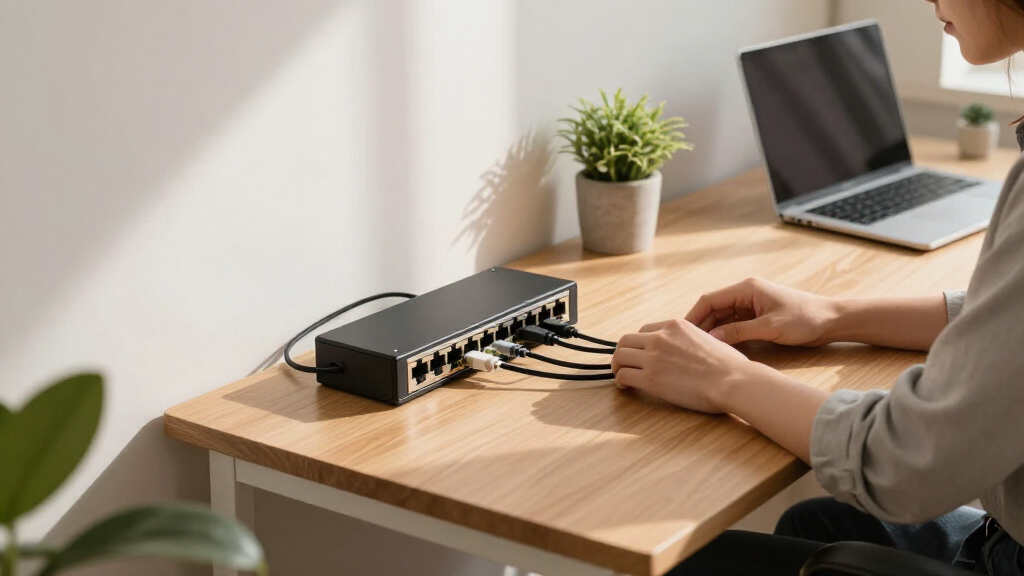
I evaluated each switch through the lens of a small office environment: 3 to 25 users, mixed wired devices (PCs, printers, IP phones, access points, NAS units), and usually no dedicated IT staff. That changes the priorities compared to a home or enterprise roundup. Reliability and fanless operation mattered most, since a noisy or failing switch in a shared workspace is a daily annoyance. Build quality came next — metal housings, shielded ports, and quality power adapters separated the dependable picks from the disposable ones.
From there, I ranked on port count flexibility, gigabit-or-better throughput, management features (VLAN, QoS, port mirroring), and price per port. Unmanaged switches ranked higher when their simplicity genuinely served a small team; managed models ranked higher when their configuration burden was low enough for a non-specialist to handle. The final order reflects a simple logic: the switches most likely to serve a small office well for five-plus years without replacement or frustration sit at the top.
| network switches for small office | Management |
|---|---|
| TP-Link 5-Port Fast Ethernet U | — |
| TP-Link 8 Port Gigabit Etherne | — |
| TP-Link TL-SG105 5 Port Gigabi | — |
| TRENDnet 5 Port Mini Gigabit S | — |
| TP-Link TL-SG108S-M2 8-Port Mu | — |
| Goalake 5 Port Gigabit Managed | Web and app-based |
| TP-Link TL-SG116 16 Port Gigab | Unmanaged |
| TP-Link 8 Port Gigabit Switch | Smart Managed |
| TP-Link TL-SG205E 5-Port Gigab | Omada SDN Controller and app |
| TP-Link Litewave 5 Port Gigabi | Unmanaged |
| Cudy 5 Port Gigabit Unmanaged | Unmanaged, plug-and-play |
| D-Link DGS-105 5-Port Gigabit | — |
| TP-Link TL-SG105E 5-Port Gigab | Easy Smart — VLAN, QoS, port mirroring |
Factors to Consider When Choosing Network Switches For Small Offices
Before settling on a specific model, it helps to understand the broader decision points — and the common mistakes — that trip up small office buyers.Buy More Ports Than You Think You Need
The most frequent mistake small offices make is buying exactly the ports they need today. Network devices multiply quietly: a second access point, a doorbell camera, a VoIP phone system, a network printer, a backup NAS. A good rule of thumb is to buy 50% more ports than your current device count, which usually means choosing an 8-port switch over a 5-port one even for a three-person office. The price difference between a 5-port and 8-port gigabit switch is often under $10, while replacing an undersized switch costs you the full price again plus downtime. If you anticipate real growth, jumping straight to a 16-port model like the TL-SG116 is usually cheaper than buying small twice. Empty ports cost nothing; missing ports cost a reorder.
Managed vs. Unmanaged: The Real Decision
Unmanaged switches forward traffic with zero configuration, and for a simple flat network of trusted devices, that’s perfectly fine. But the moment your office adds guest Wi-Fi, VoIP phones, or a security camera system, a managed switch becomes valuable. VLANs let you isolate guest traffic from your file server, and QoS keeps phone calls clear even when someone runs a large backup. The barrier is lower than most buyers expect: “Easy Smart” switches from TP-Link offer a web interface approachable enough for whoever handles your office tech. The mistake to avoid is assuming managed means complicated — the mistake on the other side is paying for management features you’ll never log into. If your network is five PCs and a printer, save the money.
Gigabit Is the Floor, Multi-Gig Is the Future-Proofing
Every switch in this roundup is at least gigabit, and for most small offices that’s still the right choice — gigabit handles roughly 40 office workers’ typical traffic without breaking a sweat. Multi-gig (2.5G) ports matter in two specific situations: internet plans above 1 Gbps, and offices that move large files to a local NAS or server. In those cases, a single gigabit link becomes the bottleneck in your whole network. Multi-gig switches cost roughly 2-3x their gigabit equivalents, so the honest question is whether anything on your network can actually send or receive faster than 1 Gbps today. If the answer is no, spend the difference on more ports or management features instead. If it’s yes, the TL-SG108S-M2 style of switch is worth every dollar.
Build Quality Details That Actually Matter
In a small office, the switch often lives on a shelf, under a desk, or in a closet where nobody looks at it for years. That makes metal housings and fanless designs more than cosmetic. Fanless operation means no noise and no fan failure — the most common hardware failure point in cheap switches. Metal cases dissipate heat better, and heat is what kills network hardware early. Shielded ports resist the wear of cables being plugged and unplugged, which happens more than you’d expect in an office. Finally, check the power adapter: bundled third-party adapters in ultra-budget switches are a known weak link. These are the invisible differences between a switch that lasts a decade and one that dies in year two.
Desktop, Wall-Mount, or Rack: Plan the Placement
Small offices often overlook where the switch will physically live. Most 5- and 8-port models are desktop-friendly and some, like the D-Link DGS-105 and TP-Link Easy Smart line, include wall-mount slots — genuinely useful for keeping cabling tidy in a reception area or server closet. If you have a wall-mounted rack or plan to add more networking gear later, check whether the switch includes rack ears or a standard 19-inch form factor; the 16-port TL-SG116 is the natural entry point there. Also consider power placement: a switch needs an outlet nearby, and running an extension cord to a network closet is both ugly and a code issue in some jurisdictions. Deciding placement first narrows your shortlist fast.
Power Over Ethernet: The Feature You’ll Wish You Had
None of the switches in this lineup include PoE, and that’s a deliberate cost decision — but it’s worth understanding what you’re giving up. PoE lets a switch power devices like Wi-Fi access points, IP cameras, and VoIP phones over the network cable itself, eliminating separate power adapters. If your office plan includes ceiling-mounted access points or outdoor cameras, you’ll eventually want a PoE switch, and buying a plain switch now means buying twice. The pragmatic path for many small offices is a two-switch setup: a plain gigabit switch for desks and printers, plus a small dedicated PoE switch for powered devices. If your device list is purely computers and printers, skipping PoE saves real money with no downside.
Frequently Asked Questions
Do I need a managed switch for a small office, or is unmanaged fine?
For a straightforward office network — computers, a printer, maybe a shared drive — an unmanaged switch works perfectly and requires zero setup. Management features earn their cost when your network has traffic that needs separating or prioritizing: guest Wi-Fi on a VLAN so visitors can’t see your file server, or QoS so VoIP calls stay clear during large file transfers. The practical middle ground is TP-Link’s Easy Smart line, which gives you VLANs and QoS through a simple web interface without the complexity or price of a fully managed enterprise switch. My guidance: if you can articulate a reason you’d need VLANs, buy managed; if you can’t, an unmanaged switch will serve you just as well for less money.
Is a 5-port switch enough for my small office?
Five ports sounds like plenty until you count realistically: one port goes to your router, which leaves only four for devices. Add a network printer, an access point, and two workstations and you’re already full. Most small offices outgrow a 5-port switch within a year or two, and the cost difference to an 8-port model is typically $10 or less — far cheaper than buying a second switch later and dealing with the extra cabling and power outlet. I’d treat 5-port switches as expansion units for a single desk or meeting room rather than the core of an office network. For a central switch, 8 ports is the practical minimum and 16 is the safer bet if hiring is on the horizon.
Are 2.5G multi-gig ports worth the extra cost for office use?
Multi-gig ports only pay off if something on your network can actually exceed gigabit speeds. The two common cases are internet plans above 1 Gbps and offices that regularly transfer large files to or from a local NAS or server — in those situations, a single gigabit uplink caps your entire network regardless of how fast everything else is. If your internet is gigabit or slower and you mostly use cloud storage, multi-gig buys you capability you can’t use, and the money is better spent on more ports or management features. That said, multi-gig switches are backward compatible with gigabit devices, so there’s no penalty beyond price. If you’re buying anyway and the budget stretch is tolerable, the TL-SG108S-M2 style of switch removes a future upgrade headache.
Can I just connect multiple cheap switches together instead of buying a bigger one?
You can, and it works, but it’s a worse solution than it appears. Each cascaded switch consumes a port, adds a link that shares bandwidth with everything downstream, multiplies power adapters and failure points, and turns your wiring into spaghetti that nobody wants to troubleshoot. Two 5-port switches cost about the same as one 8-port switch but deliver less usable capacity and more clutter. Daisy-chaining also creates speed bottlenecks if devices on different switches talk to each other frequently. The reasonable exception is placing a small switch in a physically separate area — a meeting room or a cluster of desks far from your main switch — where running individual cables back would be impractical. As a core strategy, though, one appropriately sized switch beats a chain of small ones every time.
Why did some cheap switches in this roundup rank lower despite similar specs?
On paper, a $12 gigabit switch and a $20 gigabit switch look identical — same port count, same speed rating. The differences show up in places spec sheets undersell: housing material and heat dissipation, power adapter quality, port shielding, and warranty support. Ultra-budget models like the plastic-housed options in this lineup tend to have higher rates of adapter failure and heat-related degradation over years of continuous operation, which is exactly how office switches are used. Since the price gap is small in absolute dollars and a switch failure takes your whole office offline, I weighted reliability and build quality heavily in the rankings. Paying a modest premium for a metal-cased, fanless switch from an established brand is one of the cheapest forms of insurance in office IT.
Conclusion
After comparing all 13 switches, the right choice comes down to your office’s size and how much control you want over your network. For best overall, the TP-Link TL-SG116 16-Port Gigabit Unmanaged Switch gives most small offices room to grow with dependable, fanless gigabit performance and no configuration burden. The best value pick is the TP-Link 8-Port Gigabit Unmanaged Switch with metal housing — roughly the price of a lunch for two, with build quality that outlasts cheaper plastic rivals. If you want premium performance, the TP-Link TL-SG108S-M2 with 2.5G multi-gig ports is the only option here that won’t bottleneck a fast internet plan or NAS. For beginners who still want future flexibility, the TP-Link TL-SG105E 5-Port Easy Smart Switch offers a gentle entry into VLANs and QoS without overwhelming configuration. And for specific needs: the Goalake 5-Port Managed Switch suits micro-offices that need VLANs on a tight budget, while the TRENDnet TEG-S50g and D-Link DGS-105 are compact, wall-mountable fill-ins for satellite rooms. Whatever you pick, size up on ports, favor metal housings, and only pay for management features you’ll actually configure.
Fall Picks
fall essentials
As an affiliate, we earn on qualifying purchases.