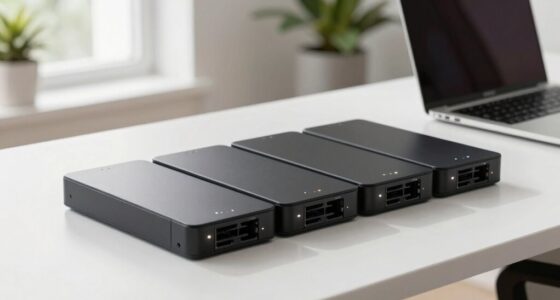
Choosing the right backup appliance for a network closet involves balancing power capacity, reliability, and ease of management. The CyberPower OR500LCDRM1U stands out as the best overall for its compact design and solid performance. For higher capacity needs, the Eaton Tripp Lite SMART1500LCD offers extensive runtime and robust build quality. Meanwhile, the CyberPower CP1500PFCRM2U is ideal for sensitive equipment requiring clean sinewave power. Most options face tradeoffs between cost, capacity, and complexity, so understanding your specific needs is key. Keep reading for a full breakdown of each product and expert advice to make the best choice.

Get business pricing on networking and server gear
- Business-only prices and quantity discounts
- Tax-exempt purchasing
- Multiple users, one account, clear invoices
Key Takeaways
- The best backup appliances balance capacity with ease of deployment in rack environments.
- Higher VA ratings generally mean longer runtime but come with increased cost and size.
- Features like LCD displays and management software add value for monitoring but may increase complexity.
- Reliability and build quality vary significantly, affecting long-term performance.
- Budget constraints often lead to choosing less robust models that may require upgrading sooner.
| CyberPower OR500LCDRM1U Smart App LCD UPS Battery Backup and Surge Protector, 500VA/300W, 6 Outlets, AVR, 1U Rackmount, UL Certified |  | Best Compact Rackmount UPS for Light Network Equipment | VA/Watts: 500VA/300W | Outlets: 6 (4 battery backup + surge protected, 2 surge protected) | Input: 15A, NEMA 5-15P, 10 ft cord | VIEW ON AMAZON | See Our Full Breakdown |
| Eaton Tripp Lite SMART1500LCD 1500VA 2U Rack Mount UPS 900W Battery Backup |  | Best Versatile UPS for Small to Medium Network Equipment | Capacity: 1500VA/900W | Outlets: 8 NEMA 5-15R | Input Power Cord: 6-foot NEMA 5-15P | VIEW ON AMAZON | See Our Full Breakdown |
| CyberPower CP1500PFCRM2U PFC Sinewave UPS Battery Backup |  | Best Sinewave UPS for Sensitive Networking and A/V Equipment | Capacity: 1500VA/1000W | Output Waveform: Sinewave | Number of Outlets: 8 NEMA 5-15R | VIEW ON AMAZON | See Our Full Breakdown |
| CyberPower EC850LCD Ecologic UPS Battery Backup and Surge Protector |  | Best Energy-Efficient UPS with Multiple Outlets | Outlets: 12 NEMA 5-15R | Battery Backup Outlets: 6 | Surge Protected Outlets: 6 (3 ECO controlled) | VIEW ON AMAZON | See Our Full Breakdown |
| CyberPower CP1500AVRLCD3 Intelligent LCD UPS Battery Backup |  | Best for Workstations and Critical Networking with Detailed Monitoring | Capacity: 1500VA/900W | Outlets: 12 NEMA 5-15R (6 backup + 6 surge protected) | Input: NEMA 5-15P, 6-foot cord | VIEW ON AMAZON | See Our Full Breakdown |
| APC UPS 1500VA/900W, LCD, AVR, Battery Backup & Surge Protector BX1500M |  | Best Overall for Balanced Performance and Usability | VA Capacity: 1500VA | Wattage: 900W | Backup Runtime: up to 68 minutes at 100W load | VIEW ON AMAZON | See Our Full Breakdown |
| APC Smart-UPS SMT2200RM2UC 2U Rack Back-UPS, 1920 VA, Surge Protection, LCD Display, Includes 16GB USB |  | Best for Rack-Mount and Data Center-Grade Protection | Power Capacity: 1920 VA / 1920 W | Form Factor: 2U Rackmount | Output Connections: 6 x NEMA 5-15R, 2 x NEMA 5-20R | VIEW ON AMAZON | See Our Full Breakdown |
| backup appliances for network closet | Outlets | Warranty |
|---|---|---|
| CyberPower OR500LCDRM1U Smart | 6 (4 battery backup + surge protected, 2 surge protected) | 3 years including batteries |
| Eaton Tripp Lite SMART1500LCD | 8 NEMA 5-15R | 3 years |
| CyberPower CP1500PFCRM2U PFC S | — | 3 years including battery |
| CyberPower EC850LCD Ecologic U | 12 NEMA 5-15R | 3 years including battery |
| CyberPower CP1500AVRLCD3 Intel | 12 NEMA 5-15R (6 backup + 6 surge protected) | 3 years including battery |
| APC UPS 1500VA/900W | 5 battery backup, 5 surge-only | — |
| APC Smart-UPS SMT2200RM2UC 2U | — | — |
More Details on Our Top Picks
CyberPower OR500LCDRM1U Smart App LCD UPS Battery Backup and Surge Protector, 500VA/300W, 6 Outlets, AVR, 1U Rackmount, UL Certified
This CyberPower OR500LCDRM1U stands out for its compact 1U rackmount design, making it ideal for small network closets with space constraints. Compared to larger units like the Eaton Tripp Lite SMART1500LCD, it offers a more modest capacity suitable for supporting essential switches and routers without overprovisioning. Its automatic voltage regulation and multifunction LCD provide clear, real-time status updates, but its 500VA/300W capacity limits its usefulness for high-power or multiple devices. The need for an optional remote management card is a minor inconvenience, especially if remote monitoring is desired. This model is best suited for small setups where space and simplicity are priorities, but it may fall short for larger or high-load network environments.
Pros:- Compact 1U rackmount fits tight spaces
- Reliable automatic voltage regulation
- Multifunction LCD for real-time monitoring
- UL safety certified and backed by a 3-year warranty
Cons:- Limited to 500VA/300W capacity, not suitable for high loads
- Optional remote management card needed for remote monitoring
Best for: Small network closets with limited space and low power needs
Not ideal for: Environments requiring support for multiple high-power devices or extensive remote management
- VA/Watts:500VA/300W
- Outlets:6 (4 battery backup + surge protected, 2 surge protected)
- Input:15A, NEMA 5-15P, 10 ft cord
- Form Factor:1U Rackmount
- Safety Certification:UL Certified
- Warranty:3 years including batteries
Our verdict“This UPS is perfect for small, space-constrained network setups with modest power demands.”
Eaton Tripp Lite SMART1500LCD 1500VA 2U Rack Mount UPS 900W Battery Backup
The Eaton Tripp Lite SMART1500LCD offers a robust 1500VA/900W capacity, making it well-suited for small servers and network devices that need more power than the CyberPower OR500LCD. Its versatile 2U rack mount or vertical tower design makes it adaptable for various setups, especially where space allows. The large LCD display and user-replaceable batteries stand out, providing ongoing control and easy maintenance. However, its modified sine wave output during battery operation might limit compatibility with sensitive equipment, unlike the sinewave output of the CyberPower CP1500PFCRM2U. While it supports more outlets and higher capacity, it requires additional surge protectors if many devices are connected. This model is ideal for those needing expandable, reliable backup power with flexible mounting options but less suited for highly sensitive audio or PFC equipment.
Pros:- High 1500VA/900W capacity supports multiple devices
- Flexible mounting options for different setups
- User-replaceable batteries simplify maintenance
- Large LCD display for real-time monitoring
Cons:- Modified sine wave output may cause issues with sensitive gear
- Limited outlets—may need additional surge protectors
Best for: Small to medium-sized network closets with moderate power demands and space for 2U rackmounts
Not ideal for: Highly sensitive audio or PFC equipment that requires pure sinewave output during backup
- Capacity:1500VA/900W
- Outlets:8 NEMA 5-15R
- Input Power Cord:6-foot NEMA 5-15P
- Mounting Options:2U rack mount or vertical tower
- Voltage Regulation:75V to 147V
- Warranty:3 years
Our verdict“This UPS offers a reliable, expandable solution for small to medium network setups needing more power and flexibility.”
CyberPower CP1500PFCRM2U PFC Sinewave UPS Battery Backup
The CyberPower CP1500PFCRM2U provides a sinewave output, making it a prime choice for active PFC power supplies common in networking and audiovisual gear. Its space-saving short-depth 2U rackmount design is advantageous where depth is limited, unlike the bulkier CyberPower CP1500AVRLCD3. The large color LCD enhances real-time monitoring, and automatic voltage regulation extends battery life, but its 1500VA/1000W capacity, like the others, may limit support for larger setups. Its short depth restricts its use in deeper racks, and battery replacement after warranty could add ongoing maintenance costs. This model excels for environments with sensitive equipment requiring clean sinewave power but is less suited for very high-power or large-scale setups.
Pros:- Pure sinewave output compatible with sensitive gear
- Compact short-depth design saves space
- Color LCD for detailed real-time info
- Automatic voltage regulation enhances battery longevity
Cons:- Limited to 1000W support, not suitable for high loads
- Short-depth design may restrict installation options
Best for: Networks or AV setups with sensitive electronics requiring pure sinewave output
Not ideal for: Large-scale or high-power environments that demand more than 1000W support or deeper rack space
- Capacity:1500VA/1000W
- Output Waveform:Sinewave
- Number of Outlets:8 NEMA 5-15R
- Input Plug:NEMA 5-15P right angle, 45 degree offset
- Cord Length:6 feet
- Warranty:3 years including battery
Our verdict“This UPS is ideal for protecting sensitive network and AV gear with space constraints and precise power quality needs.”
CyberPower EC850LCD Ecologic UPS Battery Backup and Surge Protector
The CyberPower EC850LCD offers a high outlet count with 12 NEMA 5-15R ports, making it suitable for multi-device setups in network closets. Its ECO mode reduces energy consumption, setting it apart from more basic models like the CyberPower OR500LCD. The multifunction LCD provides clear status updates, and a 3-year warranty including batteries adds peace of mind. However, its 850VA capacity may limit support for larger or high-power devices, and some users might find the LCD interface overly complex for basic monitoring needs. This UPS makes the most sense for environments where energy savings matter alongside multiple device support, but it isn’t ideal for supporting high-power or mission-critical systems that need more than 850VA.
Pros:- 12 outlets support multiple devices
- ECO mode reduces energy consumption
- Multifunction LCD provides detailed info
- 3-year warranty including batteries
Cons:- Limited to 850VA capacity, not suitable for high loads
- Complex LCD interface may be overwhelming for some users
Best for: Network closets with many low-power devices and a focus on energy efficiency
Not ideal for: High-demand setups requiring support for large or critical equipment
- Outlets:12 NEMA 5-15R
- Battery Backup Outlets:6
- Surge Protected Outlets:6 (3 ECO controlled)
- Input:NEMA 5-15P right angle, 45 degree offset
- Power Cord Length:5 feet
- Warranty:3 years including battery
Our verdict“This UPS fits well where multiple low-power devices and energy savings are priorities but isn’t suitable for demanding high-power setups.”
CyberPower CP1500AVRLCD3 Intelligent LCD UPS Battery Backup
The CyberPower CP1500AVRLCD3 combines a 1500VA/900W capacity with a color LCD, making it ideal for protecting workstations or critical network gear. Its automatic voltage regulation and multiple outlets—six battery backup plus six surge protected—offer comprehensive support, comparable to the Tripp Lite SMART1500LCD. The addition of USB ports and a detailed color display enhances management, but its support for only 1500VA/900W limits the number of devices it can sustain under load. Its UL safety certification and three-year warranty provide reassurance, but the need for battery replacement after warranty is a factor to consider for ongoing maintenance. This model is best for users seeking detailed monitoring and stable power for sensitive, high-performance devices.
Pros:- Color LCD displays detailed real-time info
- Automatic voltage regulation stabilizes power
- Multiple outlets support diverse device needs
- Includes USB charging ports
Cons:- Limited to 900W support, not ideal for high-power loads
- Battery replacement may be needed after warranty
Best for: Workstations or critical network devices needing detailed status info and reliable backup power
Not ideal for: Large setups with high power demands or environments where maximum capacity is required
- Capacity:1500VA/900W
- Outlets:12 NEMA 5-15R (6 backup + 6 surge protected)
- Input:NEMA 5-15P, 6-foot cord
- Display:Color LCD
- Protection:AVR
- Warranty:3 years including battery
Our verdict“This UPS is suited for sensitive, high-performance setups requiring detailed monitoring and reliable power stability.”
APC UPS 1500VA/900W, LCD, AVR, Battery Backup & Surge Protector BX1500M
This APC BX1500M stands out for offering a reliable power backup with a solid 1500VA/900W capacity, making it suitable for most network closet setups that require protection against power outages. Compared to the smaller CyberPower EC850LCD, this model provides significantly more wattage and runtime, which is essential for keeping critical networking gear online during outages. The inclusion of automatic voltage regulation (AVR) ensures stable power supply, reducing stress on connected equipment. While its bulkier size means it needs ample space and the battery replacement requires an additional purchase, these tradeoffs are balanced by its energy efficiency and multiple outlets for convenience. It’s especially well-suited for small offices or home labs needing dependable backup without complex management features.
Pros:- High VA capacity offers dependable backup runtime
- Automatic voltage regulation stabilizes power supply
- Energy-efficient with ENERGY STAR certification
- Multiple outlets including surge-only ports
Cons:- Battery replacement must be purchased separately, adding ongoing costs
- Limited runtime at higher loads, so not suited for prolonged outages
- Size may be cumbersome in tight spaces
Best for: Small to medium-sized network closets that need reliable, straightforward backup power and surge protection.
Not ideal for: Users seeking rack-mounted units or remote management capabilities; this model is more suited to stand-alone setups with limited space.
- VA Capacity:1500VA
- Wattage:900W
- Backup Runtime:up to 68 minutes at 100W load
- Outlets:5 battery backup, 5 surge-only
- Surge Protection:Yes, coaxial and Ethernet
- Automatic Voltage Regulation:Yes
- Energy Star Certified:Yes
- Battery Type:Replaceable (APCRBC124)
Our verdict“This UPS provides a balanced mix of capacity, stability, and ease of use, making it ideal for small network setups that prioritize reliability without rack integration.”
APC Smart-UPS SMT2200RM2UC 2U Rack Back-UPS, 1920 VA, Surge Protection, LCD Display, Includes 16GB USB
The APC SMT2200RM2UC is tailored for network closets with rack-mounted equipment, offering a robust 1920 VA/1920W capacity and pure sine wave output. This makes it superior to the BX1500M for protecting servers, switches, and other sensitive electronics that demand cleaner power. Its 2U rackmount form factor allows seamless integration into existing racks, and the LCD display provides real-time status updates—an advantage over smaller units like the CyberPower CP1500AVRLCD3 that lack detailed monitoring. The inclusion of remote management via SmartConnect and the 16GB USB for data logging underscore its focus on professional environments. However, its weight and size mean it requires dedicated rack space, and the higher price might be a barrier for smaller setups.
Pros:- High-capacity pure sine wave power supports sensitive equipment
- Supports remote monitoring and graceful shutdowns via SmartConnect
- Includes a large USB drive for data management
- Designed for rack integration, saving space
Cons:- Heavy (over 93 lbs), requiring dedicated rack setup and handling
- Higher cost, potentially limiting for budget-conscious users
- Requires initial setup and configuration for remote features
Best for: Medium to large network closets or server rooms needing high-capacity, rack-integrated UPS with remote management.
Not ideal for: Small offices or home users with limited rack infrastructure and budget, as its size and cost may be prohibitive.
- Power Capacity:1920 VA / 1920 W
- Form Factor:2U Rackmount
- Output Connections:6 x NEMA 5-15R, 2 x NEMA 5-20R
- Input Connection:NEMA 5-20P
- Height:3.39 in (8.6 cm)
- Width:17.01 in (43.2 cm)
- Depth:26.89 in (68.3 cm)
- Includes:16GB USB Drive
Our verdict“This model excels in environments where rack space, high power capacity, and remote management are priorities, making it ideal for professional network closets with demanding equipment.”
How We Picked
These products were selected based on their power capacity, form factor, build quality, management features, and suitability for network closet environments. Priority was given to models with proven reliability, ease of installation, and management interfaces that simplify monitoring. We also considered value for money, ensuring that each pick offers a compelling balance between cost and features. The ranking reflects a combination of power performance, usability, and overall fit for typical network closet setups, with a focus on models that serve different user needs and budgets.Factors to Consider When Choosing Backup Appliances For Network Closets
When selecting backup appliances for network closets, understanding key factors can prevent costly mistakes and ensure reliable power during outages. It’s important to consider capacity, form factor, management features, and long-term reliability. Each aspect impacts how well the UPS integrates with your existing setup and how effectively it protects your equipment.Capacity and Power Rating
Choosing a UPS with sufficient VA and wattage ratings ensures it can handle all connected devices without overload. Underestimating capacity can lead to shutdowns during power surges, while oversizing adds unnecessary cost and bulk. Consider the total power draw of your network gear and add a buffer for future expansion or temporary surge conditions.
Form Factor and Rack Compatibility
Rack-mounted models save space and simplify installation in standard network closets. Pay attention to the size, weight, and mounting options—some units are 1U or 2U, fitting seamlessly into existing racks. Non-rack options may require additional support but can be more flexible for smaller setups. Always measure your space and plan for airflow and accessibility.
Management and Monitoring Features
Features like LCD displays, remote management, and software integration enable real-time monitoring and diagnostics. These tools can prevent unexpected shutdowns and facilitate maintenance. However, more advanced features often come with higher costs and complexity, so assess whether your team needs extensive management tools or simple plug-and-play operation.
Build Quality and Reliability
In network environments, downtime is costly. Investing in a UPS with proven reliability, good surge protection, and quality components safeguards your equipment against power anomalies. Look for brands with a track record of durability and certifications like UL, which indicate adherence to safety standards. Cheaper models may save money upfront but often require earlier replacement or repairs.
Cost and Long-Term Value
Initial purchase price is only part of the story. Consider ongoing costs such as maintenance, battery replacement, and potential downtime costs. Sometimes paying more upfront for a durable, feature-rich model reduces total ownership costs and provides peace of mind. Balance your budget against the critical nature of your network equipment and necessary uptime.
Frequently Asked Questions
How do I determine the right capacity for my network closet?
Start by listing all devices that need backup power, including switches, routers, servers, and other peripherals. Check each device’s wattage or VA rating, then sum these values. Add a buffer of about 20-30% to accommodate future growth or transient power surges. This calculation will give you a clear target VA and wattage capacity, helping you select a UPS that can handle your needs reliably.
Is rack-mounting essential, or can I use a standalone UPS?
Rack-mounting isn’t mandatory but offers advantages in organized, space-efficient setups, especially if your network closet already has racks. Standalone models can be easier to deploy in smaller spaces or where rack mounting isn’t feasible. Consider your space, future expansion plans, and whether you want a clean, integrated look in your network environment.
How often should I replace the batteries in my UPS?
Batteries typically last 3-5 years, but this depends on usage, temperature, and the quality of the battery itself. Regular testing and monitoring via management software can help detect declining battery health early. Replacing batteries proactively can prevent unexpected shutdowns and extend the overall lifespan of your UPS system.
What features should I prioritize for a network closet UPS?
Prioritize capacity and reliability first, ensuring the UPS can handle your equipment load. Management features like LCD displays and remote monitoring are valuable for proactive troubleshooting. Surge protection and noise filtering add extra layers of defense against power anomalies. Balance these features against your budget and technical comfort level.
Should I invest in a UPS with pure sinewave output?
Pure sinewave UPS units provide cleaner power, which is critical for sensitive equipment like servers or network gear that can malfunction or be damaged by power fluctuations. While they tend to cost more, their reliability and protection level justify the expense for high-value or fragile equipment. For basic networking gear, a simulated sinewave may suffice, but always verify compatibility.
Conclusion
For most small to mid-sized network closets, the CyberPower OR500LCDRM1U offers a strong balance of size, features, and reliability—making it ideal for those new to UPS setup or with limited space. The Eaton Tripp Lite SMART1500LCD excels for users with higher capacity needs who prioritize long runtime and durability. Budget-conscious buyers should consider models like the CyberPower EC850LCD for reliable basic protection. Power users or larger setups benefit from premium options like the APC Smart-UPS SMT2200RM2UC, which combine extensive capacity with advanced management features. Your choice should align with your power needs, space constraints, and technical comfort.Fall Picks
fall essentials
As an affiliate, we earn on qualifying purchases.