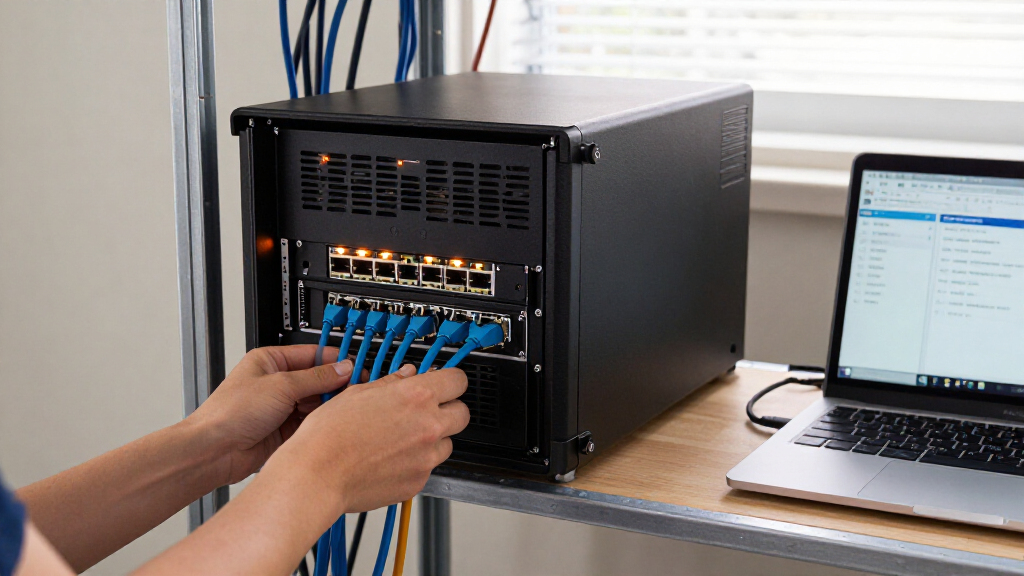
For most small and midsize teams, I’d start with the Synology RackStation RS1226+: its eight bays offer room to grow without the 12-bay footprint and complexity of the largest systems. The TrueNAS Mini R stands out for buyers who want ZFS, 12 bays, and dual 10GbE, while the QNAP TS-432PXU-2G is a more focused four-bay choice with 10GbE connectivity. The main tradeoffs are capacity and expansion versus rack space, management effort, and built-in resilience such as redundant power. Diskless systems also leave drive selection and configuration to you, while bundled-drive options reduce setup work but limit that flexibility. Continue reading for the full breakdown and advice on matching a rackmount NAS to your workload.

Get business pricing on networking and server gear
- Business-only prices and quantity discounts
- Tax-exempt purchasing
- Multiple users, one account, clear invoices
Key Takeaways
- Eight bays are the roundup’s practical middle ground: the RS1226+ and redundant-power RS1226RP+ provide more room for capacity and redundancy planning than the four-bay models without moving to a 12-bay chassis.
- 12-bay models serve different priorities: the TrueNAS Mini R pairs 12 bays with ZFS, 32GB RAM, an eight-core CPU, and dual 10GbE, while the BUFFALO TeraStation 51220RH is a business-focused option with a listed 240TB configuration.
- Power redundancy is a meaningful separator: the RS826RP+ and RS1226RP+ add redundant power supplies, a benefit for organizations that value uptime more than the simpler hardware profile of their non-RP counterparts.
- Four-bay Synology models are not interchangeable: the RS422+ favors a straightforward, compact setup, while the RS1626xs+ and RS1626xs+ predecessor listing emphasize higher-end business positioning; compare exact model generation and configuration before buying.
- Drive bundles trade flexibility for convenience: the two BUFFALO 5420RN listings include different capacities, while most systems are diskless, so buyers should compare included drives, compatibility, and usable capacity rather than relying on the model name alone.
| QNAP TS-432PXU-2G 4-Bay Rackmount NAS |  | Best for High-Speed Networking on a Lean 4-Bay System | Processor: AnnapurnaLabs Alpine AL324, 64-bit ARM Cortex-A57 quad-core, 1.7 GHz | Memory: 2 GB DDR4 UDIMM, expandable to 16 GB | Drive bays: 4 | VIEW LATEST PRICE | See Our Full Breakdown |
| Synology RackStation RS826+ 4-Bay 1U Rackmount NAS Server (Diskless) |  | Best for Expandable Business Storage | Processor: AMD Ryzen quad-core | Memory: 4 GB DDR4 ECC | Drive bays: 4; expandable to 8 with a Synology RX426 Expansion Unit | VIEW LATEST PRICE | See Our Full Breakdown |
| Synology RackStation RS826RP+ 4-Bay Rackmount NAS (Diskless) |  | Best for Power-Resilient Office Storage | Drive bays: 4; expandable to 8 with a Synology RX426 Expansion Unit | Drive configuration: Diskless | Form factor: 1U rackmount | VIEW LATEST PRICE | See Our Full Breakdown |
| Synology RackStation RS422+ 4-Bay Rackmount NAS (Diskless), Black |  | Best Compact Rackmount NAS for Small Sites | Drive bays: 4 | Drive configuration: Diskless | Form factor: 1U rackmount | VIEW LATEST PRICE | See Our Full Breakdown |
| BUFFALO TeraStation 51220RH 12-Bay Business Rackmount NAS 240TB |  | Best High-Capacity NAS with Drives Included | Drive bays: 12 | Drive configuration: 12 × 20TB enterprise hard drives included | Total capacity: 240 TB | VIEW LATEST PRICE | See Our Full Breakdown |
| TERRAMASTER U4-500 4-Bay 1U Rackmount NAS, Intel Core i3-1215U, 8GB DDR5, Diskless |  | Best for Fast 4-Bay Networking | Drive bays: 4, diskless | Processor: Intel Core i3-1215U, 6 cores, 8 threads, up to 4.4GHz | Memory: 8GB DDR5 | VIEW LATEST PRICE | See Our Full Breakdown |
| Synology RS1626xs+ 4-Bay 1U Rackmount NAS |  | Best for Business Performance and Expansion | Drive bays: 4 | Expansion: Up to 16 bays with RX1225RP expansion unit | Memory: 16GB DDR4 ECC RDIMM | VIEW LATEST PRICE | See Our Full Breakdown |
| Synology RackStation RS1226+ 8-Bay Rackmount NAS (Diskless) |  | Best for Expandable Shared Storage | Drive bays: 8; expandable to 12 with RX426 Expansion Unit | Processor: AMD Ryzen V1500B, 4-core, 2.2GHz | Memory: 4GB DDR4 ECC SODIMM, expandable to 32GB | VIEW LATEST PRICE | See Our Full Breakdown |
| TrueNAS Mini R Rackmount ZFS Storage Server, 12-Bay, 32GB RAM, 8-Core CPU, Dual 10GbE, Diskless |  | Best for High-Capacity ZFS Storage | Drive bays: 12 × 3.5-inch hot-swap SATA; diskless | Processor: 8-core 2.2GHz Intel Atom | Memory: 32GB ECC RAM | VIEW LATEST PRICE | See Our Full Breakdown |
| BUFFALO TeraStation 5420RN 4-Bay Rackmount NAS 80TB (4x20TB) |  | Best Ready-to-Use 4-Bay Package | Drive bays and included drives: 4 bays; 4 × 20TB 3.5-inch drives | Raw capacity: 80TB | Usable capacity: 60TB in RAID 5 | VIEW LATEST PRICE | See Our Full Breakdown |
| BUFFALO TeraStation 5420RN 4-Bay Rackmount NAS, 48TB with 4 Hard Drives | | Best Ready-to-Deploy Pick | Drive bays: 4 | Included drives: 4 × 12TB NAS-grade hard drives | Raw capacity: 48TB | VIEW LATEST PRICE | See Our Full Breakdown |
| Synology RackStation RS1619xs+ 4-Bay Diskless NAS, 8GB DDR4 ECC |  | Best for Scalable Business Workloads | Drive bays: 4; diskless | Form factor: 1U rack mount | Processor: Intel Xeon D-1527 quad-core | VIEW LATEST PRICE | See Our Full Breakdown |
| Ubiquiti UniFi UNAS Pro 8 Rackmount NAS |  | Best for Multi-Speed Network Connections | Form factor: 2U rack mount | Drive bays: 8 × 2.5- or 3.5-inch HDD or SSD | M.2 slots: 2 × NVMe SSD | VIEW LATEST PRICE | See Our Full Breakdown |
| Synology RackStation RS1226RP+ 8-Bay Rackmount NAS (Diskless) |  | Best for Redundant Power and Expansion | Form factor: 2U rackmount | Drive bays: 8; expandable to 12 with RX426 | Drive configuration: Diskless | VIEW LATEST PRICE | See Our Full Breakdown |
| rackmount network attached storage | Drive bays | Warranty | Networking | Memory |
|---|---|---|---|---|
| QNAP TS-432PXU-2G 4-Bay Rackmo | 4 | 3 years | — | 2 GB DDR4 UDIMM, expandable to 16 GB |
| Synology RackStation RS826+ 4- | 4; expandable to 8 with a Synology RX426 Expansion Unit | 3 years | Four 1GbE RJ-45 ports | 4 GB DDR4 ECC |
| Synology RackStation RS826RP+ | 4; expandable to 8 with a Synology RX426 Expansion Unit | 3 years | — | — |
| Synology RackStation RS422+ 4- | 4 | 3 years | — | — |
| BUFFALO TeraStation 51220RH 12 | 12 | 5 years | Native 10GbE | — |
| TERRAMASTER U4-500 4-Bay 1U Ra | 4, diskless | — | 2 × 10GbE ports; 20Gbps aggregate bandwidth | 8GB DDR5 |
| Synology RS1626xs+ 4-Bay 1U Ra | 4 | 5-year limited warranty | 2 × 10GbE RJ-45 | 16GB DDR4 ECC RDIMM |
| Synology RackStation RS1226+ 8 | 8; expandable to 12 with RX426 Expansion Unit | 3-year manufacturer warranty | 2 × 2.5GbE RJ-45 | 4GB DDR4 ECC SODIMM, expandable to 32GB |
| TrueNAS Mini R Rackmount ZFS S | 12 × 3.5-inch hot-swap SATA; diskless | 1-year hardware warranty | 2 × RJ45 10-Gigabit Ethernet | 32GB ECC RAM |
| BUFFALO TeraStation 5420RN 4-B | — | 3-year standard warranty | Native 10GbE Ethernet | — |
| BUFFALO TeraStation 5420RN 4-B | 4 | 3 years | Ethernet with native 10GbE port | — |
| Synology RackStation RS1619xs+ | 4; diskless | 5-year limited warranty | Optional 10GbE NIC support | 8GB DDR4 ECC UDIMM; expandable to 64GB |
| Ubiquiti UniFi UNAS Pro 8 Rack | 8 × 2.5- or 3.5-inch HDD or SSD | — | 2 × 10G SFP+; 1 × multirate 10GbE RJ45 | 16GB |
| Synology RackStation RS1226RP+ | 8; expandable to 12 with RX426 | 3 years | 2 × 2.5GbE RJ-45; PCIe supports optional 10/25GbE or Fibre Channel adapters | 4GB DDR4 ECC SODIMM; expandable to 32GB |
More Details on Our Top Picks
QNAP TS-432PXU-2G 4-Bay Rackmount NAS
I’d choose the QNAP TS-432PXU when network speed matters more than a large drive count or generous memory out of the box. Its pair of 10GbE SFP+ ports and two 2.5GbE ports give it a connectivity advantage over the Synology RS422+, which starts with dual 1GbE and needs an optional module for 10GbE. The PCIe slot also leaves room for a later network or SSD-caching upgrade. The tradeoff is its modest 2 GB of RAM and diskless configuration: buyers may need to budget for memory and drives before it suits heavier multi-user work. Compared with the Synology RS826+, the QNAP offers faster built-in networking, while the Synology offers ECC memory and a stated path to eight bays. I’d favor QNAP for bandwidth-focused file sharing, not capacity-led growth.
Pros:- Two native 10GbE SFP+ ports plus two 2.5GbE ports support fast connections for multiple network paths.
- PCIe Gen 2 ×2 slot allows optional network, SSD-caching, or wireless expansion.
- Supports backup, synchronization, snapshots, and cloud storage services.
- Memory can be expanded from 2 GB to 16 GB.
Cons:- Ships diskless, so drives must be sourced and installed separately.
- The 2 GB of included RAM is limited for demanding workloads.
- Four bays provide less capacity headroom than 8- or 12-bay rackmount options.
Best for: Small offices and home labs with a 10GbE SFP+ network that need a compact four-drive shared-storage server.
Not ideal for: Teams running memory-intensive applications or planning to expand beyond four drives; the included 2 GB RAM and listed expansion options may not fit those needs.
- Processor:AnnapurnaLabs Alpine AL324, 64-bit ARM Cortex-A57 quad-core, 1.7 GHz
- Memory:2 GB DDR4 UDIMM, expandable to 16 GB
- Drive bays:4
- Drive configuration:Diskless; supports 3.5-inch SATA 6 Gb/s or 3 Gb/s drives
- Network ports:2 × 2.5 Gigabit Ethernet; 2 × 10 Gigabit Ethernet SFP+
- Expansion slot:PCIe Gen 2 ×2
- Mounting:Rack mount
- Warranty:3 years
Our verdict“Pick the QNAP TS-432PXU if built-in 10GbE is a higher priority than generous starting memory or a larger bay count.”
Synology RackStation RS826+ 4-Bay 1U Rackmount NAS Server (Diskless)
The Synology RS826+ suits offices that want a 1U NAS they can grow without replacing the main unit. It starts with four bays and supports an RX426 expansion unit for up to eight, giving it a clearer capacity path than the four-bay QNAP TS-432PXU. Its Ryzen quad-core processor, 4 GB of ECC memory, and stated sequential throughput figures make it a stronger fit for business storage workloads than the more compact, lower-throughput RS422+. The network setup is less compelling at first: four built-in 1GbE ports are included, while 10GbE or 25GbE and M.2 NVMe support require optional adapters. I’d rank it above the RS422+ for growth and memory resilience, but not for buyers who need fast networking without add-ons. Drives and the expansion unit are separate purchases.
Pros:- Can expand from four to eight bays with a compatible Synology RX426 unit.
- 4 GB of DDR4 ECC memory is suited to business storage duties.
- Four built-in 1GbE ports provide multiple network connections.
- PCIe 3.0 slot allows optional network or NVMe adapter cards.
Cons:- Ships without drives, and the expansion unit is an additional component.
- 10GbE or 25GbE networking and M.2 NVMe support require optional adapters.
- Four 1GbE ports may limit performance on faster networks until upgraded.
Best for: Small and medium-sized businesses or branch offices that need a 1U NAS with ECC memory and a planned path from four to eight drive bays.
Not ideal for: Teams that need native 10GbE or NVMe support immediately, or buyers seeking a ready-to-use system with drives included.
- Processor:AMD Ryzen quad-core
- Memory:4 GB DDR4 ECC
- Drive bays:4; expandable to 8 with a Synology RX426 Expansion Unit
- Drive configuration:Diskless
- Form factor:1U rackmount
- Networking:Four 1GbE RJ-45 ports
- Expansion slot:PCIe 3.0
- Sequential throughput:Over 2,000 MB/s read; 1,300 MB/s write
- Warranty:3 years
Our verdict“Choose the RS826+ if you want ECC memory and a supported route to eight bays, and can accept optional upgrades for faster networking.”
Synology RackStation RS826RP+ 4-Bay Rackmount NAS (Diskless)
For a business where an unexpected power-supply failure could interrupt shared storage, I’d put the Synology RS826RP+ ahead of the standard RS826+. Its dual redundant power supplies are the defining difference, while the two models share a 1U, four-bay format, similar stated throughput, and a route to eight bays with an RX426 unit. The license-free backup suite adds value for offices protecting physical systems, VMware or Hyper-V machines, and Microsoft 365 or Google Workspace accounts. That makes this a more purpose-built choice for backup administration than the QNAP TS-432PXU, though QNAP includes faster built-in networking. The tradeoffs are practical: this configuration is diskless, and eight-bay expansion depends on buying a separate unit. I’d select it for resilience and backup coverage, not for native 10GbE or an all-in-one capacity package.
Pros:- Dual redundant power supplies can help keep the NAS running if one power source or supply fails.
- License-free backup suite supports physical systems, VMware and Hyper-V virtual machines, Microsoft 365, and Google Workspace.
- Stated sequential throughput exceeds 2,000 MB/s read and reaches 1,300 MB/s write.
- Can expand from four to eight bays with a compatible RX426 unit.
Cons:- Diskless configuration requires separate drive purchases.
- Expanding to eight bays requires a separate RX426 Expansion Unit.
- Compared with the QNAP TS-432PXU, the supplied product data does not specify native 10GbE networking.
Best for: Remote offices and small business IT teams that need power redundancy and centralized backup for computers, virtual machines, and cloud accounts.
Not ideal for: Home labs or small teams that prioritize native high-speed networking or want drives and capacity expansion included from the start.
- Drive bays:4; expandable to 8 with a Synology RX426 Expansion Unit
- Drive configuration:Diskless
- Form factor:1U rackmount
- Power supplies:Dual redundant
- Sequential throughput:Over 2,000 MB/s read; up to 1,300 MB/s write
- Backup support:Physical systems, VMware/Hyper-V virtual machines, Microsoft 365, and Google Workspace
- Dimensions:22.44 × 21.26 × 7.09 inches
- Warranty:3 years
Our verdict“Choose the RS826RP+ for redundant power and broad backup support when those business safeguards matter more than native 10GbE.”
Synology RackStation RS422+ 4-Bay Rackmount NAS (Diskless), Black
The Synology RS422+ is the straightforward pick when rack depth and uncomplicated shared storage matter more than high throughput. Its compact 1U chassis and 327.5 mm depth with handles make it easier to fit in a shallow rack than the listed RS826+ and RS826RP+ chassis. Synology DSM handles file sharing, synchronization, and backup, while dual 1GbE ports support failover and load balancing. That keeps the RS422+ appealing for a small office or home lab, but its stated 601/516 MB/s read/write figures sit below the RS826+ and RS826RP+ throughput claims. It also lacks their listed expansion path to eight bays. Optional 10GbE RJ-45 modules can improve networking, but that adds a separate purchase. I’d choose this over the QNAP TS-432PXU for a compact, simpler setup, not when native 10GbE is the priority.
Pros:- Compact 1U design with a listed depth of 327.5 mm when handles are installed.
- Dual 1GbE ports support failover and load balancing.
- Optional plug-and-play 10GbE RJ-45 network upgrades are available.
- Synology DSM supports data sharing, synchronization, and backup.
Cons:- Ships diskless, so drives must be purchased separately.
- Dual 1GbE is the included networking; 10GbE requires an optional module.
- Stated 601/516 MB/s read/write throughput is below the RS826+ and RS826RP+ figures.
Best for: Small businesses and home-lab owners with shallow racks who need a four-bay NAS for file sharing, synchronization, and backup.
Not ideal for: Growing teams with high-throughput workloads or a need for native 10GbE; faster networking requires an optional module, and the listed configuration has four bays.
- Drive bays:4
- Drive configuration:Diskless
- Form factor:1U rackmount
- Sequential read/write throughput:601/516 MB/s
- Network ports:Dual 1GbE
- Network upgrade:Optional 10GbE RJ-45 modules
- Depth with server handles:327.5 mm
- Warranty:3 years
Our verdict“Pick the RS422+ when shallow-rack fit and basic Synology file services outweigh native 10GbE and higher listed throughput.”
BUFFALO TeraStation 51220RH 12-Bay Business Rackmount NAS 240TB
The BUFFALO TeraStation 51220RH is the clearest choice here for buyers who want substantial rackmount storage without sourcing a dozen disks separately. Its included 12 enterprise-grade 20TB drives provide 240 TB total capacity, with 200 TB usable in RAID 6, far beyond the four-bay Synology and QNAP units in this roundup. Native 10GbE, encryption, two-factor authentication, and snapshot recovery give it a strong business-storage profile. The contrast with the diskless RS826RP+ is substantial: Synology offers dual power supplies and broad backup-suite support, while Buffalo arrives with drives and much more stated capacity. The Buffalo’s tradeoffs are its size, 55.4 lb weight, and specialized 12-bay scale; it may be excessive for a small office. I’d reserve it for teams with rack space and a real need for large, ready-configured storage.
Pros:- Includes twelve 20TB enterprise hard drives for 240 TB total capacity.
- Provides 200 TB usable capacity in RAID 6.
- Native 10GbE supports high-speed network transfers without an optional network adapter.
- Includes 256-bit encryption, two-factor authentication, and instant snapshot recovery.
Cons:- The 55.4 lb chassis is heavy and may require extra care during installation.
- Its 12-bay rackmount scale is excessive for many home labs and small offices.
- Requires suitable rack space and infrastructure, unlike a more compact four-bay unit such as the Synology RS422+.
Best for: Businesses managing large shared datasets that need a 12-bay rackmount NAS with enterprise drives, RAID 6 capacity, and native 10GbE.
Not ideal for: Home users or small offices with limited rack space, modest storage needs, or no suitable help for handling a 55.4 lb chassis.
- Drive bays:12
- Drive configuration:12 × 20TB enterprise hard drives included
- Total capacity:240 TB
- Usable capacity:200 TB in RAID 6
- Networking:Native 10GbE
- Security:256-bit encryption and two-factor authentication
- Weight:55.4 lbs
- Warranty:5 years
Our verdict“Choose the TeraStation 51220RH if your business needs large, drive-included RAID 6 storage and has the rack capacity to support it.”
TERRAMASTER U4-500 4-Bay 1U Rackmount NAS, Intel Core i3-1215U, 8GB DDR5, Diskless
The TERRAMASTER U4-500 is a strong fit when a four-bay rackmount NAS needs more network headroom than its drive count suggests. Its dual 10GbE ports and Core i3-1215U give it a more performance-focused profile than the BUFFALO TeraStation 5420RN, which arrives with drives but is aimed more at ready-to-use business storage. Two NVMe slots can add caching without taking bays away from hard drives, while Btrfs and several RAID choices give buyers room to shape capacity and protection. The tradeoff is that this is a diskless system, so storage must be sourced and configured separately. Its 8GB of memory is also less generous than the 16GB ECC memory in the Synology RS1626xs+. I’d choose it for fast shared workloads, not for buyers seeking an out-of-box package.
Pros:- Dual 10GbE ports support fast transfers on a compatible network.
- Two NVMe slots provide caching options without using the four drive bays.
- RAID choices include RAID 5, RAID 6, TRAID, and TRAID+.
- Btrfs and included backup and snapshot tools support data protection workflows.
Cons:- Diskless configuration requires a separate drive purchase and setup.
- 8GB of memory is less than the 16GB ECC memory supplied with the Synology RS1626xs+.
- Requires rack space rather than offering a convenient desktop installation.
Best for: Small offices and production teams with a 10GbE network that want a configurable four-bay NAS for fast file sharing and backups.
Not ideal for: Buyers who want storage included, need ECC memory, or lack a rack and the skills to configure a diskless system.
- Drive bays:4, diskless
- Processor:Intel Core i3-1215U, 6 cores, 8 threads, up to 4.4GHz
- Memory:8GB DDR5
- Networking:2 × 10GbE ports; 20Gbps aggregate bandwidth
- M.2 slots:2 NVMe
- RAID and file systems:RAID 0/1/5/6/10, TRAID, TRAID+; EXT4 and Btrfs
- Maximum storage capacity:96TB
- Form factor:1U rackmount
Our verdict“Choose the U4-500 if you want dual 10GbE and flexible four-bay storage, and are comfortable selecting and installing your own drives.”
Synology RS1626xs+ 4-Bay 1U Rackmount NAS
The Synology RS1626xs+ earns its place for businesses that need a compact 1U system now and a path to more drive capacity later. Its specified throughput and 16GB ECC memory make it a more enterprise-leaning four-bay option than the TERRAMASTER U4-500, whose 8GB DDR5 and dual 10GbE ports suit buyers prioritizing network bandwidth and flexible setup. Synology adds dual 10GbE, M.2 caching, and hot-swappable trays and fans, giving administrators ways to maintain service without treating every component change as a shutdown event. Expansion to 16 bays is a meaningful advantage over the eight-bay RS1226+, but it depends on a separately purchased RX1225RP unit. This is also a heavier, business-focused rack appliance, not a casual desktop NAS.
Pros:- 16GB ECC memory supports business workloads that benefit from memory error protection.
- Dual 10GbE ports and stated high sequential throughput suit demanding shared-storage traffic.
- Two internal M.2 slots add SSD caching without consuming drive bays.
- Hot-swappable drive trays and fans simplify maintenance.
Cons:- Expansion from four to as many as 16 bays requires a separate RX1225RP unit.
- Its 1U rackmount design is a poor fit for desktop use.
- The four-bay diskless configuration requires drives to be purchased separately.
Best for: IT teams that need a 1U business NAS with ECC memory, hot-swappable components, and a planned expansion path beyond four bays.
Not ideal for: Home users or small teams wanting a lower-complexity desktop setup, or buyers unwilling to purchase an expansion unit for added bays.
- Drive bays:4
- Expansion:Up to 16 bays with RX1225RP expansion unit
- Memory:16GB DDR4 ECC RDIMM
- Networking:2 × 10GbE RJ-45
- Sequential performance:Over 2,100 MB/s read; over 1,500 MB/s write
- Random write performance:Over 84,000 4K IOPS
- Caching:2 internal M.2 slots
- Form factor and weight:1U rackmount; 29 lb
- Warranty:5-year limited warranty
Our verdict“Pick the RS1626xs+ for a business rack that needs ECC memory, hot-swap maintenance, and room to expand beyond four bays.”
Synology RackStation RS1226+ 8-Bay Rackmount NAS (Diskless)
For teams that have outgrown four bays, the Synology RackStation RS1226+ puts eight drive slots into a 2U rackmount chassis and can expand to 12. That capacity advantage makes it a better starting point than the four-bay RS1626xs+ for storage growth, though the RS1626xs+ includes dual 10GbE and more memory out of the box. The RS1226+ instead supplies two 2.5GbE ports, with a PCIe slot for optional faster networking or Fibre Channel. Its two NVMe slots preserve all eight bays for storage, and ECC memory can be expanded to 32GB. The tradeoff is that the supplied 4GB is modest, and faster network connectivity requires an added adapter. I’d rank it for organizations that value bay count and expansion flexibility over immediate 10GbE.
Pros:- Eight drive bays provide more starting capacity than the four-bay options in this group.
- Expansion unit support raises capacity to 12 bays.
- PCIe slot allows optional 10/25GbE networking or Fibre Channel.
- Two NVMe slots support caching without using drive bays.
Cons:- Included networking is limited to two 2.5GbE ports; faster links require an optional adapter.
- The diskless configuration requires buyers to source and install drives.
- Supplied 4GB ECC memory may call for an upgrade for heavier workloads.
Best for: Growing offices that need eight bays for shared files and backups, with plans to add capacity or a faster network adapter later.
Not ideal for: Teams that need 10GbE immediately, want drives included, or prefer a compact 1U chassis.
- Drive bays:8; expandable to 12 with RX426 Expansion Unit
- Processor:AMD Ryzen V1500B, 4-core, 2.2GHz
- Memory:4GB DDR4 ECC SODIMM, expandable to 32GB
- Networking:2 × 2.5GbE RJ-45
- Expansion slot:PCIe 3.0 for optional 10/25GbE NICs or Fibre Channel adapters
- M.2 slots:2 NVMe slots for SSD caching
- Sequential throughput:Over 2,300 MB/s read; 1,500 MB/s write
- Form factor:2U rackmount
- Warranty:3-year manufacturer warranty
Our verdict“Choose the RS1226+ when eight bays and a growth path matter more than having 10GbE included from the start.”
TrueNAS Mini R Rackmount ZFS Storage Server, 12-Bay, 32GB RAM, 8-Core CPU, Dual 10GbE, Diskless
The TrueNAS Mini R is the capacity-first choice here: its 12 hot-swap SATA bays give it more room for a large storage pool than the eight-bay Synology RS1226+, while 32GB ECC RAM, dual 10GbE, and IPMI management target administrators who want direct control over a rack server. Its broad protocol support covers common file-sharing and storage needs, and the included short rail kit fits specified racks 19–26.6 inches deep. Compared with the Synology, this option offers more bays and remote hardware management, but it carries a heavier administration burden and a one-year hardware warranty. It also ships without drives, so the substantial bay count is a capacity ceiling, not ready-to-use storage. I’d favor it for ZFS-oriented offices comfortable managing their own system.
Pros:- Twelve hot-swap 3.5-inch bays support larger storage pools than the eight-bay RS1226+.
- 32GB ECC RAM and an eight-core processor are suited to storage services and multiple workloads.
- Dual 10GbE and IPMI provide fast networking and remote hardware management.
- Supports NFS, SMB, AFP, iSCSI, and S3, with a short rail kit included.
Cons:- Diskless setup requires a separate purchase of up to 12 drives.
- The included short rail kit is specified for rack depths of 19–26.6 inches.
- One-year hardware warranty is shorter than the five-year coverage specified for the Synology RS1626xs+.
Best for: Small-business and home-office administrators building a high-capacity ZFS storage pool who need ECC memory, IPMI, and dual 10GbE.
Not ideal for: Buyers who want a fully populated NAS, longer included hardware coverage, or a rack deeper than the supplied rail kit supports.
- Drive bays:12 × 3.5-inch hot-swap SATA; diskless
- Processor:8-core 2.2GHz Intel Atom
- Memory:32GB ECC RAM
- Networking:2 × RJ45 10-Gigabit Ethernet
- Remote management:IPMI
- File-sharing protocols:NFS, SMB, AFP, iSCSI, S3
- Storage features:Built-in RAID; SSD read and write caching support
- Dimensions and weight:21 × 17.2 × 3.5 inches; 41.7 lb
- Warranty:1-year hardware warranty
Our verdict“Choose the Mini R if you need 12 bays, ECC memory, and IPMI for a self-managed ZFS system, and can supply and configure the drives.”
BUFFALO TeraStation 5420RN 4-Bay Rackmount NAS 80TB (4x20TB)
Unlike the diskless TERRAMASTER U4-500 and Synology RS1626xs+, the BUFFALO TeraStation 5420RN includes four 20TB NAS-grade drives, making it the clearest choice for buyers who want substantial storage capacity without sourcing disks separately. The stated 80TB is raw capacity, with 60TB usable in RAID 5; RAID choices let buyers trade usable space for redundancy. Native 10GbE and security features such as drive encryption and two-factor authentication suit business file sharing and backup, while cloud-service integration supports hybrid workflows. Its four bays limit future growth compared with the eight-bay RS1226+ or 12-bay TrueNAS Mini R. The 5600 RPM drives also make it less suited to latency-sensitive work than an SSD-focused setup. I’d choose it for a conventional office NAS, not maximum expansion.
Pros:- Four included 20TB drives provide 80TB raw capacity and 60TB usable in RAID 5.
- Native 10GbE supports fast transfers without adding a network adapter.
- Encryption, two-factor authentication, and snapshot-based ransomware mitigation add business-focused safeguards.
- Cloud integration includes Dropbox, Amazon S3, and Microsoft Azure.
Cons:- Four bays offer less expansion room than the Synology RS1226+ and TrueNAS Mini R.
- Included 5600 RPM hard drives are less suited to latency-sensitive workloads than SSD storage.
- Its large rackmount chassis and 27.2-pound weight can complicate installation in tight spaces.
Best for: Small businesses that want a rackmount NAS with large-capacity drives included for file sharing, backup, and cloud-connected workflows.
Not ideal for: Teams needing more than four bays, SSD-like response for latency-sensitive workloads, or a diskless platform tailored to custom drive selection.
- Drive bays and included drives:4 bays; 4 × 20TB 3.5-inch drives
- Raw capacity:80TB
- Usable capacity:60TB in RAID 5
- Drive interface:SATA 6.0 Gb/s
- Drive speed:5600 RPM
- Networking:Native 10GbE Ethernet
- Security and cloud:256-bit drive encryption, two-factor authentication, snapshots; Dropbox, Amazon S3, and Microsoft Azure integration
- Weight:27.2 lb
- Warranty:3-year standard warranty
Our verdict“Pick the TeraStation 5420RN if you want four large drives and native 10GbE in one business-ready package, rather than a diskless expandable system.”
BUFFALO TeraStation 5420RN 4-Bay Rackmount NAS, 48TB with 4 Hard Drives
The included four 12TB NAS-grade drives make this the most straightforward way in this group to put substantial rack storage into service without sourcing disks separately. It ships with RAID 5 and 32TB usable capacity, plus snapshots and cloud backup integrations for recovery options beyond a single RAID set. Its native 10GbE port suits a faster network without requiring the optional card needed by the Synology RS1619xs+. Encryption and two-factor authentication add useful safeguards for business data. The tradeoff is flexibility: four bays and the listed RAID modes offer less room to grow than the eight-bay Synology RS1226RP+. RAID 5 also leaves less usable capacity than the 48TB raw figure suggests, and the rackmount chassis is a poor fit for a desktop setup.
Pros:- Includes four 12TB NAS-grade hard drives
- Native 10GbE connectivity avoids buying an optional network card
- Snapshots and cloud backup integrations support recovery workflows
- Drive encryption and two-factor authentication add security controls
Cons:- RAID 5 provides 32TB usable from 48TB raw capacity
- Four bays limit growth compared with the eight-bay Synology RS1226RP+
- Rackmount form factor may not suit desktop or small-office placement
Best for: Small businesses that want a four-drive rack NAS with disks, 10GbE, and basic backup features ready to configure.
Not ideal for: Teams planning near-term capacity growth beyond four drives, or buyers who need a desktop-friendly enclosure.
- Drive bays:4
- Included drives:4 × 12TB NAS-grade hard drives
- Raw capacity:48TB
- Default RAID:RAID 5; 32TB usable
- RAID modes:RAID 5, RAID 6, RAID 0
- Networking:Ethernet with native 10GbE port
- Security:256-bit drive encryption and two-factor authentication
- Warranty:3 years
Our verdict“Choose this BUFFALO if you want a four-bay rack NAS with drives and 10GbE included, and can work within its RAID 5 capacity and limited bay count.”
Synology RackStation RS1619xs+ 4-Bay Diskless NAS, 8GB DDR4 ECC
The RS1619xs+ is the most workload-oriented four-bay choice here: its Xeon processor, ECC memory expandable to 64GB, and M.2 caching support suit businesses running storage alongside collaboration or virtualization tasks. Unlike the BUFFALO TeraStation 5420RN, it arrives diskless, so you can choose drives and capacity, but must budget for and install them separately. Its 1U chassis uses rack space efficiently, while compatible expansion units can take the system to 16 drives—far beyond the four-bay limit of the included-drive BUFFALO. The catch is that its 10GbE networking is optional, not built in, and expansion depends on compatible hardware. This is a flexible platform for managed IT teams, not the simplest route to an immediately populated NAS.
Pros:- ECC memory is expandable from 8GB to 64GB
- Built-in M.2 NVMe/SATA slots support SSD caching
- Compatible expansion units can increase capacity to 16 drives
- 1U rack form factor conserves cabinet space
Cons:- Drives are not included and must be selected separately
- 10GbE requires an optional network interface card
- Expansion to 16 drives requires compatible expansion hardware
Best for: Small and medium-sized businesses with IT staff that want ECC memory, SSD caching, and a path to expansion for mixed storage and virtualization workloads.
Not ideal for: Buyers seeking a ready-to-use system with drives or built-in 10GbE, or teams without rack space and staff to configure a diskless NAS.
- Drive bays:4; diskless
- Form factor:1U rack mount
- Processor:Intel Xeon D-1527 quad-core
- Memory:8GB DDR4 ECC UDIMM; expandable to 64GB
- Cache:Built-in M.2 NVMe/SATA SSD slots
- Networking:Optional 10GbE NIC support
- Expansion:Up to 16 drives with compatible RX1217/RX1217RP units
- Warranty:5-year limited warranty
Our verdict“Pick the RS1619xs+ if you value expandable memory and a substantial drive-growth path more than included disks or built-in 10GbE.”
Ubiquiti UniFi UNAS Pro 8 Rackmount NAS
For rack operators who need several fast network paths, the UNAS Pro 8 stands out with dual 10G SFP+ ports and multirate 10GbE RJ45 in one system. Its eight drive bays and two NVMe slots also give it more media and caching options than the four-bay Synology RS1619xs+. Redundant hot-swappable power modules are a practical advantage for installations where replacing a failed supply without taking the NAS offline matters. The compromises are different from the diskless Synology: this is a 2U chassis that needs more rack space, and its listed maximum power consumption is 250W. The supplied specs also identify an ARM Cortex-A57 processor but do not describe the same memory expansion or drive-expansion path highlighted for some Synology models, so buyers should check that its platform fits their workload.
Pros:- Eight bays accept 2.5- or 3.5-inch HDDs and SSDs
- Two M.2 NVMe slots support SSD storage or caching
- Dual 10G SFP+ and multirate 10GbE RJ45 provide flexible high-speed links
- Hot-swappable redundant power modules support service continuity
Cons:- 2U form factor requires more rack space than a 1U system
- Maximum listed power consumption is 250W
- Supplied data does not specify an expansion-unit path beyond the eight bays
Best for: Rack operators who need eight drive bays, NVMe slots, multiple 10GbE connection types, and redundant hot-swappable power.
Not ideal for: Small offices with limited rack space or power budgets, and buyers who need a clearly specified drive-expansion path beyond the built-in bays.
- Form factor:2U rack mount
- Drive bays:8 × 2.5- or 3.5-inch HDD or SSD
- M.2 slots:2 × NVMe SSD
- Networking:2 × 10G SFP+; 1 × multirate 10GbE RJ45
- Processor:Quad-core ARM Cortex-A57, 2.0GHz
- Memory:16GB
- Power redundancy:2 hot-swappable 550W AC/DC power modules
- Maximum power consumption:250W
Our verdict“Choose the UNAS Pro 8 if your rack needs eight bays, varied 10GbE connections, and redundant power in one 2U system.”
Synology RackStation RS1226RP+ 8-Bay Rackmount NAS (Diskless)
The RS1226RP+ is a strong fit for teams that want eight bays now, with a defined route to 12 drives using an RX426 expansion unit. Its dual redundant power supplies address a different reliability concern from the Ubiquiti UNAS Pro 8: this Synology combines power redundancy with a named bay-expansion option, while the Ubiquiti emphasizes multiple 10GbE ports and NVMe slots. Two built-in 2.5GbE ports handle standard network links, and a PCIe slot allows a later upgrade to 10/25GbE or Fibre Channel. The system is diskless, so capacity depends on separately purchased drives; its 4GB ECC memory is expandable to 32GB. Unlike the four-bay, pre-populated BUFFALO TeraStation 5420RN, this is a larger, more configurable rack platform that requires more setup and rack space.
Pros:- Dual redundant power supplies support continuity if a supply fails
- Eight bays can expand to 12 with the RX426 unit
- PCIe 3.0 supports 10/25GbE NICs or Fibre Channel adapters
- ECC memory can be expanded from 4GB to 32GB
Cons:- Diskless configuration requires separate drive purchases
- 2.5GbE is the included networking; faster links require an add-on
- Expansion beyond eight bays requires a separate RX426 unit
Best for: Small businesses that need eight bays, redundant power, and a defined expansion route, with the option to add faster networking later.
Not ideal for: Buyers who want included drives, a compact 1U chassis, or high-speed networking without purchasing an optional PCIe adapter.
- Form factor:2U rackmount
- Drive bays:8; expandable to 12 with RX426
- Drive configuration:Diskless
- Processor:AMD Ryzen V1500B, 4-core, 2.2GHz
- Memory:4GB DDR4 ECC SODIMM; expandable to 32GB
- Networking:2 × 2.5GbE RJ-45; PCIe supports optional 10/25GbE or Fibre Channel adapters
- Sequential throughput:Over 2,300MB/s read; 1,500MB/s write
- Power supplies:Dual redundant power supplies
- Warranty:3 years
Our verdict“Choose the RS1226RP+ if your priority is an eight-bay Synology with redundant power and a clear expansion path, and you are prepared to supply drives and add-on networking.”
How We Picked
I ranked these rackmount NAS systems by how well their stated hardware and form factor match common business storage needs: shared files, backup targets, virtualization storage, and larger data repositories. I weighed bay count, networking, processor and memory where listed, power redundancy, drive inclusion, and the management approach implied by each platform. I also treated rack height and operational demands as practical factors; extra bays or faster networking only help when the workload, drives, and network can use them.
The order favors a useful balance of capacity, manageability, and growth potential, not a claim that one platform suits every organization. Eight-bay Synology systems rank highly for buyers seeking a middle path, while TrueNAS and 12-bay BUFFALO options move up for specific capacity, ZFS, or bundled-drive needs. Four-bay units remain relevant for smaller deployments, but their limited bays can constrain expansion. I distinguish redundant-power models and diskless systems because those choices affect uptime planning, setup work, and total system configuration.
Factors to Consider When Choosing Rackmount Network Attached Storage
A rackmount NAS decision is also a decision about drives, network infrastructure, recovery procedures, and ongoing administration. I’d settle those requirements before choosing a chassis, so a high-capacity or high-speed model does not become an expensive mismatch.
Choose Bay Count Around Growth and Redundancy
Count the capacity you need today, then account for growth over the period you expect to keep the system. More bays let you expand in stages and can make it easier to balance usable capacity with drive redundancy, but they do not guarantee better performance. A common mistake is to buy only for current data and later discover that all bays are occupied. On the other hand, a 12-bay system can add cost, power draw, and administration that a small team does not need. For modest file sharing, four bays may be enough; organizations expecting steady growth should compare the long-term flexibility of eight bays before settling on a smaller chassis.
Plan for Usable Capacity, Not the Drive Labels
Drive capacity printed on a box is not the same as space available for files after redundancy, formatting, and system overhead. Decide how much protection you need against drive failure and check how the NAS platform presents rebuilds, alerts, and degraded-array operation. A larger array can provide more capacity, but replacing or rebuilding a failed drive may take longer depending on drive size and workload. Avoid filling a new NAS with mismatched or unverified drives simply because they are available. Check the vendor’s compatibility guidance and set aside a replacement plan before the system becomes a key repository.
Match Network Speed to the Whole Data Path
Faster NAS ports help only when the switches, client interfaces, cabling, and storage workload can keep pace. A 10GbE connection can benefit large transfers and multiple concurrent users, but it will not make a slow disk pool behave like all-flash storage. Check whether the NAS has the ports you need built in or whether upgrades are required, and confirm that your network supports the intended configuration. Teams often focus on the NAS port while overlooking the switch or workstation bottleneck. If most work consists of small files or routine backups, reliability and capacity may matter more than maximum link speed.
Decide Whether Redundant Power Is Worth the Added Complexity
Redundant power supplies can keep a system running through the failure of one supply, but they cannot protect against a failed switch, a power outage, or a corrupted data set. Consider them when the NAS supports business-critical services and your rack has separate power sources or circuits to connect them. If both supplies plug into the same vulnerable outlet, the practical benefit is narrower. Buyers sometimes treat redundant hardware as a substitute for backups or a recovery plan; it is not. Compare the cost and maintenance of redundancy with the impact of downtime for your particular workload.
Choose a Platform Your Team Can Operate
NAS software affects permissions, snapshots, replication, alerts, and how easily staff can recover files. A feature-rich platform can support more advanced workflows, but it may call for an administrator who understands storage concepts and routine maintenance. Before purchasing, identify who will configure accounts, review alerts, apply updates, and test restores. A system with powerful ZFS features may appeal to a technical team, while a more guided management experience may suit a small office without dedicated storage staff. Evaluate the daily tasks your team must perform rather than choosing on a feature list alone.
Compare Diskless Systems and Drive Bundles Carefully
A diskless NAS gives you control over drive selection and lets you reuse compatible drives, but you must budget for drives and handle installation and configuration. Bundled-drive systems can simplify deployment and make the supplied capacity clearer, yet they may offer less choice over drive models and future replacements. Verify whether the listed capacity is raw or usable, which drives are included, and whether the intended configuration is supported by the NAS. Also plan for the cost and lead time of replacement drives, not just the initial set. The right choice depends on whether your priority is control, a faster setup, or a clearly specified package.
Frequently Asked Questions
Should I choose an eight-bay NAS or a 12-bay rackmount system?
An eight-bay system is a sensible middle ground when you need room to expand but want to keep the chassis and drive count manageable. A 12-bay model fits larger repositories, consolidation projects, or teams that expect sustained capacity growth. Compare usable capacity after your chosen redundancy level, not just the number of bays. Also account for rack space, power, cooling, and replacement-drive logistics. If you are unsure whether you will fill the extra bays, an eight-bay unit may leave more room in the budget for backup and network upgrades.
Does a rackmount NAS with 10GbE require a 10GbE network?
No, but without compatible switches and client devices, the NAS will not deliver the full benefit of a 10GbE link. Some deployments can connect a fast NAS directly to a workstation, while shared access usually calls for compatible switching and cabling. The actual gain also depends on drive performance, concurrent users, and file sizes. Large media or backup transfers are more likely to benefit than routine work with small documents. Treat 10GbE as one part of a system upgrade rather than a standalone speed fix.
Is a redundant power supply enough to protect a NAS from downtime?
No. Redundant power supplies can reduce downtime caused by one supply failing, but they do not protect against power loss affecting both supplies, network failure, hardware problems elsewhere, or data corruption. Connect the supplies to independent power sources where practical and use a UPS suited to the rack’s load. Maintain separate backups and test recovery procedures, since RAID and redundant power are not backups. For critical workloads, plan what users will do if the NAS or its network is unavailable.
Should I buy a diskless NAS or a model with drives included?
A diskless model suits buyers who want to select approved drives, reuse compatible hardware, or control array configuration. A drive bundle can shorten setup and make the supplied raw capacity easier to identify, though you should verify the exact drive models and warranty terms. In either case, compare usable capacity after redundancy and confirm drive compatibility with the NAS. Keep replacement drives and backup storage in your deployment plan. A bundle is not automatically the simpler long-term choice if replacement parts are difficult to source.
Can one rackmount NAS replace my backup system?
A NAS can serve as a backup target, but storing primary data and its only backup on one device leaves both exposed to the same hardware failure, theft, power incident, or destructive event. Keep another copy on a separate system or location, and use snapshots or replication as additional safeguards rather than substitutes for independent backups. Test that files can be restored, since a backup that cannot be recovered does not solve the problem. If the NAS will hold business-critical data, define retention and off-site recovery needs before choosing capacity. The right storage plan usually includes more than one device.
Conclusion
Best overall: I’d choose the Synology RackStation RS1226+ for a balanced eight-bay setup with room to grow. Best value for a focused four-bay deployment: the QNAP TS-432PXU-2G is worth a close look when its 10GbE connectivity fits the network plan, while the BUFFALO TeraStation 5420RN bundles are alternatives for buyers who want included drives and a specified capacity. Best premium or high-capacity fit: the TrueNAS Mini R suits technically capable teams seeking 12 bays, ZFS, and dual 10GbE; the BUFFALO TeraStation 51220RH is a larger business-focused option. Best for beginners: I’d favor a four-bay Synology such as the RS422+ when a smaller, simpler deployment matters more than extensive expansion. Best for uptime needs: compare the RS1226RP+ or RS826RP+ for redundant power, and choose the model whose bay count matches your growth plan. Before ordering, confirm drive inclusion, compatibility, rack fit, and the network and backup equipment needed to make the NAS useful.