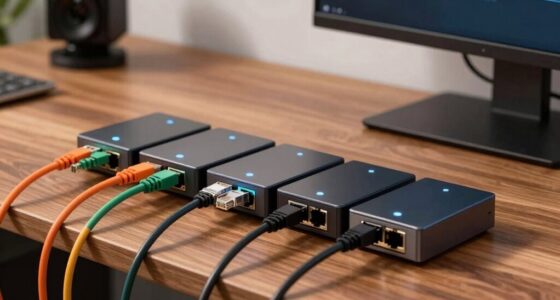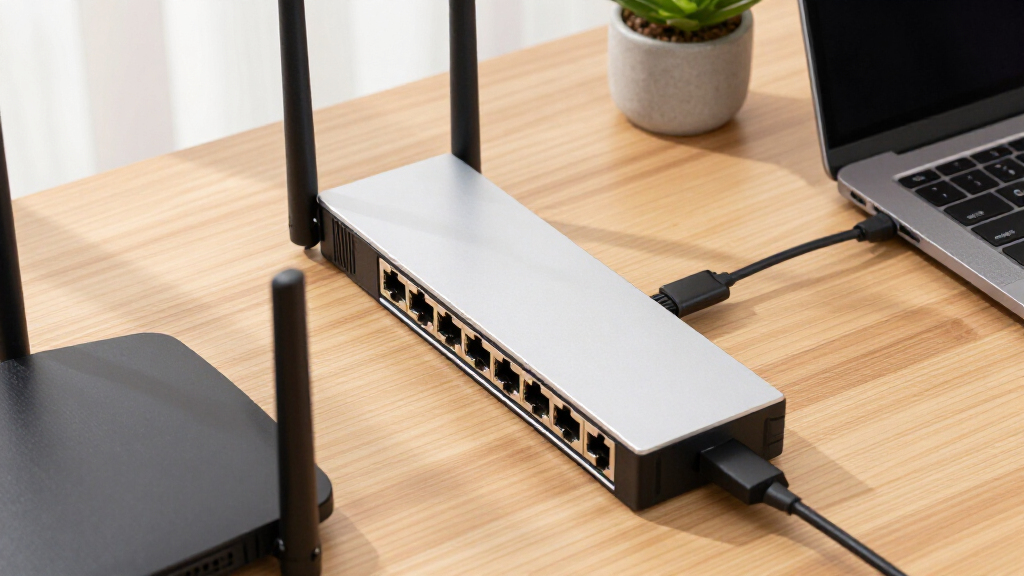

The best high-speed Ethernet switch for most buyers is the TP-Link TL-SG108S-M2 because its eight 2.5GbE ports balance speed, capacity, and straightforward setup. The UGREEN 5-Port 2.5Gb Switch is my value pick for smaller networks, while the NETGEAR MS308 is the stronger premium choice for buyers who want eight multi-gig ports from an established networking brand. The main choice is between affordable Gigabit models, broadly useful 2.5GbE switches, and specialized hardware with 10Gb connections. Port count, management features, heat, cabling, and the speed of connected devices can matter as much as the headline bandwidth. Continue reading for the full breakdown and buyer-specific recommendations.
Key Takeaways
- Eight-port 2.5GbE models led the ranking: the TP-Link TL-SG108S-M2 offers the strongest overall balance, while the NETGEAR MS308 asks buyers to pay more for a premium-brand alternative.
- Five-port 2.5GbE switches delivered the best value: the UGREEN model is a practical entry point, while the TP-Link TL-SG105S-M2 and BrosTrend five-port switch suit buyers who prefer their respective designs or brands.
- Gigabit models remain sensible for internet-focused networks: the TP-Link Litewave LS1005G is approachable for beginners, but it ranks below multi-gig models for NAS transfers and faster-than-gigabit service.
- Port count changes the buying decision: the BrosTrend eight-port 2.5Gb switch is better suited to device-heavy setups than compact five-port rivals, even when both advertise the same maximum port speed.
- Specialized connections serve narrower needs: the D-Link DMS-105 targets gaming setups, while the NICGIGA six-port model is the lineup’s clearest fit for buyers who need both 2.5Gb endpoints and 10Gb links.


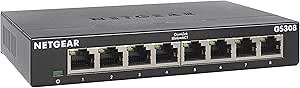

| high-speed Ethernet switch | Port speed | Cooling | Switch Type | Number of Ports |
|---|---|---|---|---|
| TP-Link LS1005G Litewave 5-Por | 10/100/1000Mbps | Fanless | — | — |
| TP-Link 8-Port Gigabit Etherne | Gigabit Ethernet | Fanless | — | — |
| UGREEN 2.5Gb Ethernet Switch | 2.5Gbps | Fanless with ventilation | — | — |
| TP-Link TL-SG105 5-Port Gigabi | 10/100/1000Mbps | — | — | — |
| NETGEAR 5-Port Gigabit Etherne | 1.0Gbps | — | — | — |
| BrosTrend 2.5Gb Unmanaged Netw | 2.5Gbps | Fanless | Unmanaged | 8 |
| D-Link 5-Port 2.5GB Unmanaged | 2.5Gbps | Fanless | Unmanaged | 5 |
| TP-Link TL-SG108S-M2 8-Port Mu | 2.5Gbps | — | Unmanaged multi-gigabit | 8 |
| NETGEAR 5-Port Gigabit Etherne | 1Gbps | Fanless | Unmanaged | 5 |
| BrosTrend 5 Port 2.5Gb Unmanag | 2.5Gbps | Fanless | Unmanaged | 5 |
| NETGEAR MS308 8-Port 2.5G Mult | 2.5Gbps | Fanless | Unmanaged | 8 |
| TP-Link TL-SG105S-M2 5-Port Mu | — | Fanless | Unmanaged | — |
| NETGEAR GS305E 5-Port Gigabit | 1Gbps | Fanless | Easy Smart Managed | 5 |
| NETGEAR GS308 8-Port Gigabit E | — | — | Unmanaged | 8 |
| NICGIGA 6-Port 10Gbps and 2.5G | — | Fanless | Unmanaged | — |
More Details on Our Top Picks
TP-Link LS1005G Litewave 5-Port Gigabit Ethernet Unmanaged Switch
I give the TP-Link LS1005G Litewave the compact role because its 2.8-ounce body fits where larger metal switches become awkward. Its five full-gigabit ports are enough for a router, desktop, console, and two nearby devices, while fanless operation keeps a desk or media cabinet quiet. Compared with the TP-Link TL-SG105, this model is lighter and easier to tuck away, but it gives up the TL-SG105’s metal casing, QoS, and IGMP snooping. That makes it a space-saving basic extender, not the strongest five-port choice for busy streaming traffic. I also rank it below the UGREEN 2.5Gb switch for raw speed, since every connection tops out at 1Gbps. The missing power adapter is the largest practical drawback: buyers may need a compatible supply before setup.
Pros:- Extremely compact 2.8-ounce design
- Five plug-and-play Gigabit Ethernet ports
- Fanless operation suits bedrooms and media cabinets
- Energy-efficient technology limits unnecessary power use
Cons:- All ports are capped at 1Gbps
- Five-port capacity leaves little room for expansion
- Power adapter is not included
Best for: Apartment residents and desk-based workers who need a tiny, silent switch for five or fewer wired devices
Not ideal for: NAS power users and expanding offices that need multi-gigabit speeds, more than five ports, or network controls
- Ports:5 RJ45
- Port speed:10/100/1000Mbps
- Management:Unmanaged
- Dimensions:2.8 x 3.5 x 0.9 inches
- Weight:2.8 ounces
- Flow control:IEEE 802.3X
- Cooling:Fanless
- Included power adapter:No
Our verdict“I recommend the LS1005G when minimum size and silent gigabit expansion matter more than multi-gig speed or management tools.”
TP-Link 8-Port Gigabit Ethernet Network Switch
I assign the TP-Link 8-Port Gigabit Switch the value role because it doubles down on practical capacity without adding setup work. Eight ports give a home office or entertainment rack more breathing room than the five-port TP-Link LS1005G, reducing the chance that another switch will be needed after adding a printer, console, or access point. The metal housing and shielded ports also make it better suited to a permanent installation than the lightweight Litewave. Its limitation is speed: the UGREEN 2.5Gb model offers 2.5 times the per-port bandwidth for NAS transfers and multi-gig internet. This TP-Link remains capped at 1Gbps and provides only basic traffic optimization. I see its unmanaged simplicity as useful for straightforward networks, but buyers needing VLANs or detailed traffic control should choose a managed model.
Pros:- Eight ports provide more expansion room than five-port switches
- Durable metal housing suits permanent installations
- Fanless design operates silently
- Plug-and-play setup requires no configuration
Cons:- Gigabit ceiling limits large NAS transfers and multi-gig internet
- Unmanaged operation offers no VLAN or monitoring controls
- Traffic optimization is basic rather than configurable
Best for: Budget-minded households and small offices connecting six to eight gigabit devices in one fixed location
Not ideal for: Multi-gig internet and NAS users who need more than 1Gbps per port or administrators who require VLAN controls
- Ports:8 Ethernet ports
- Port speed:Gigabit Ethernet
- Management:Unmanaged
- Cooling:Fanless
- Housing:Metal
- Port construction:Shielded
- Traffic handling:Basic traffic optimization
- Protection:Lifetime protection
Our verdict“I would choose this model for affordable eight-device expansion, provided gigabit speed is enough for the entire network.”
UGREEN 2.5Gb Ethernet Switch, 5-Port Unmanaged Desktop/Wall Mount Network Hub
I rank the UGREEN 2.5Gb Ethernet Switch first in this group because all five ports support 2.5Gbps, giving compatible computers and NAS devices far more transfer headroom than any gigabit-only pick here. Compared with the TP-Link TL-SG105, its 2.5-times-higher port ceiling can shorten large local backups and avoid throttling internet service above 1Gbps. Backward compatibility also lets older 100Mbps and gigabit equipment remain connected during an upgrade. The tradeoff is capacity: the TP-Link eight-port model accommodates three more devices, while this UGREEN can fill quickly once one port connects to the router. It is also unmanaged, so the added bandwidth comes without VLANs or configurable traffic policies. I give it the lead for accessible multi-gig speed, but buyers need 2.5Gb-capable endpoints to receive the full benefit.
Pros:- All five ports support 2.5Gbps connections
- Backward compatible with gigabit and 100Mbps devices
- Desktop and wall-mount placement options
- Fanless ventilation supports silent continuous operation
Cons:- Five ports provide less capacity than eight-port alternatives
- Unmanaged design lacks VLAN and traffic-management controls
- Full speed requires compatible 2.5Gb adapters and cabling
Best for: NAS owners, gamers, creators, and multi-gig internet subscribers with up to five 2.5Gb-capable connections
Not ideal for: Large device collections or buyers whose router, computers, and storage are limited to gigabit Ethernet
- Ports:5
- Port speed:2.5Gbps
- Multi-gig ports:5 x 2.5Gb
- Backward compatibility:1000Mbps and 100Mbps
- Management:Unmanaged
- Mounting:Desktop or wall
- Cooling:Fanless with ventilation
- Setup:Plug-and-play
Our verdict“I recommend the UGREEN as the strongest five-port choice for buyers ready to move beyond gigabit without configuring a managed network.”
TP-Link TL-SG105 5-Port Gigabit Unmanaged Ethernet Switch
I place the TP-Link TL-SG105 above the other five-port gigabit models because it combines simple setup with features that improve everyday traffic handling. Its 802.1p/DSCP QoS can prioritize delay-sensitive data, while IGMP snooping helps contain multicast traffic used by services such as IPTV. The lighter TP-Link LS1005G omits those capabilities and uses a less substantial body, so the TL-SG105 is the better fit for a busy media cabinet or office desk. Its metal case and wall-mount option add installation flexibility without introducing fan noise. Still, this is not a substitute for the UGREEN 2.5Gb switch when large NAS transfers drive the purchase: every TL-SG105 port stops at 1Gbps. The unmanaged design also means its traffic features are preset rather than tools an administrator can configure in detail.
Pros:- QoS prioritizes latency-sensitive traffic automatically
- IGMP snooping improves multicast traffic handling
- Fanless metal casing is quiet and durable
- Supports both desktop and wall installation
Cons:- Five-port layout offers limited expansion space
- Maximum port speed is restricted to 1Gbps
- Preset unmanaged features cannot replace configurable network controls
Best for: Streaming-heavy homes and small offices that want a sturdy five-port gigabit switch with automatic traffic prioritization
Not ideal for: Buyers building a 2.5Gb network or administrators who need configurable VLANs, monitoring, and access controls
- Ports:5 RJ45
- Port speed:10/100/1000Mbps
- Flow control:IEEE 802.3X
- QoS:Port-based 802.1p/DSCP
- IGMP snooping:Supported
- Management:Unmanaged
- Housing:Fanless metal casing
- Mounting:Desktop or wall
Our verdict“I favor the TL-SG105 for polished five-port gigabit networking, but multi-gig buyers should spend more on a 2.5Gb model.”
NETGEAR 5-Port Gigabit Ethernet Unmanaged Network Switch (GS305)
I reserve the NETGEAR GS305 for straightforward home-office installations in the United States and Canada. Five gigabit ports handle a workstation, printer, access point, and network drive without configuration, while IEEE 802.3az energy efficiency reduces power use when links are idle. Compared with the TP-Link LS1005G, the GS305 offers the same basic five-port speed class and similarly silent operation, so brand preference and placement may guide that choice. The TP-Link TL-SG105 is stronger for traffic-sensitive networks because it adds QoS and IGMP snooping, and the UGREEN 2.5Gb model is much faster with compatible hardware. The GS305 is also unmanaged and cannot support VLAN-based separation. I see regional compatibility as its sharpest restriction: buyers outside the stated U.S. and Canadian market should skip it rather than risk power or support complications.
Pros:- Plug-and-play operation suits nontechnical home-office setups
- Silent design works well beside a desk
- IEEE 802.3az support reduces idle-link power use
- Desktop and wall-mount options simplify placement
Cons:- All connections are limited to 1Gbps
- Unmanaged operation lacks VLANs and configurable QoS
- Regional compatibility is restricted to the U.S. and Canada
Best for: U.S. and Canadian remote workers who need silent, energy-aware connectivity for up to five gigabit devices
Not ideal for: International buyers, multi-gig NAS users, and small-business administrators who need configurable network separation
- Ports:5
- Port speed:1.0Gbps
- Management:Unmanaged
- Setup:Plug-and-play
- Mounting:Desktop or wall
- Operation noise:Silent
- Energy efficiency:IEEE 802.3az compliant
- Regional compatibility:U.S. and Canada
Our verdict“I would pick the GS305 for a quiet North American home office, but the TL-SG105 offers richer traffic handling and UGREEN offers higher speed.”
BrosTrend 2.5Gb Unmanaged Network Switch, 8 Port, Fanless, Plug & Play
I rank this BrosTrend model as the best eight-port value because it gives every connected device a 2.5Gbps lane without charging for management features many homes will never use. Its 40Gbps switching capacity leaves enough aggregate headroom for simultaneous NAS transfers, game downloads, and high-bitrate streaming. Compared with the five-port BrosTrend switch, it adds three ports while keeping the same quiet, plug-and-play approach; compared with the TP-Link TL-SG108S-M2, its wall-mount option gives me more placement freedom. The compromise is a basic unmanaged design with no VLAN controls, monitoring, or fiber uplink. Buyers planning a rack or a longer fiber run should move toward a managed or SFP-equipped model. For a straightforward copper upgrade, though, eight full-speed ports make this the stronger capacity play.
Pros:- Eight 2.5Gbps ports accommodate a larger multi-gigabit device collection
- 40Gbps switching capacity supports heavy traffic across several ports
- Fanless construction stays silent in living and working spaces
- Desktop and wall-mount placement fits varied installations
Cons:- Unmanaged design provides no VLAN or monitoring controls
- No SFP ports for fiber connections
- Eight copper ports may still be limiting for a growing office network
Best for: Home-office users connecting several 2.5GbE computers, access points, game systems, and NAS devices
Not ideal for: Network administrators who need VLANs, traffic monitoring, link aggregation, or fiber uplinks
- Number of Ports:8
- Port Speed:2.5Gbps
- Switching Capacity:40Gbps
- Switch Type:Unmanaged
- Cooling:Fanless
- Mounting Options:Desktop or wall mount
- Setup:Plug and play
Our verdict“This is my pick for buyers who need eight quiet 2.5GbE connections without managed-network complexity.”
D-Link 5-Port 2.5GB Unmanaged Gaming Switch (DMS-105), Black
I give the D-Link DMS-105 the gaming role because its five 2.5Gbps ports pair multi-gigabit throughput with QoS traffic prioritization. That combination helps a gaming PC share the network with a NAS, Wi-Fi 6 access point, or streaming system without treating every packet identically. The BrosTrend five-port model matches its 25Gbps switching capacity and offers wall mounting, but the D-Link adds a sturdier metal housing and clearer gaming-oriented traffic handling. It still lacks the configuration controls of the NETGEAR GS305E, so buyers cannot create VLANs or closely tune traffic policies. There is also no PoE support, and five ports can disappear quickly once a router uplink is connected. I see it as a focused choice for a small, latency-sensitive setup, not the foundation of an expanding office network.
Pros:- Five 2.5Gbps ports support fast gaming, NAS, and Wi-Fi 6 connections
- QoS prioritization gives latency-sensitive traffic an advantage
- Metal housing is more durable than plastic desktop alternatives
- Fanless operation avoids distracting noise
Cons:- Five-port layout leaves only four device ports after an uplink is connected
- No PoE for access points, cameras, or phones
- Unmanaged operation limits QoS customization and network segmentation
Best for: Gamers with a 2.5GbE PC, fast broadband, and a few local multi-gigabit devices
Not ideal for: Growing offices or camera installations that need more than five ports, PoE, VLANs, or detailed traffic controls
- Number of Ports:5
- Port Speed:2.5Gbps
- Switching Capacity:25Gbps
- Switch Type:Unmanaged
- Traffic Handling:QoS prioritization
- Housing:Metal
- Cooling:Fanless
- Energy Standard:IEEE 802.3az EEE
- Cable Compatibility:Backward compatible with Cat5 and Cat6
Our verdict“I recommend the DMS-105 for a compact gaming network where traffic priority matters more than port count or management controls.”
TP-Link TL-SG108S-M2 8-Port Multi-Gigabit Ethernet Switch
The TP-Link TL-SG108S-M2 makes my list as the desktop-friendly eight-port choice: its 6.2-by-4-inch footprint provides eight 2.5GbE connections without taking over a crowded workstation. Auto-negotiation lets slower Ethernet hardware remain connected, so a buyer can upgrade PCs, storage, and wireless access points gradually instead of replacing everything at once. Compared with the BrosTrend eight-port switch, this model is lighter and closely suited to desktop placement, but its plastic case and lack of rack-mount positioning make it less appealing for a wiring closet. It also offers none of the VLAN or monitoring tools found on the NETGEAR GS305E. I favor it for a quiet home office where compact dimensions and simple installation outweigh administrative control. Buyers expecting fiber, PoE, or managed features should choose a different class of switch.
Pros:- Eight 2.5GbE ports support several high-speed devices
- Compact footprint suits crowded desks and media cabinets
- Auto-negotiation accommodates slower Ethernet equipment
- Fanless operation remains quiet near a workstation
Cons:- Plastic housing offers less physical protection than metal alternatives
- No advanced management or network-segmentation features
- Desktop-focused design is poorly suited to rack installations
Best for: Home-office users who want eight multi-gigabit ports in a compact switch placed beside a desktop or NAS
Not ideal for: Rack-based installations and business networks that require metal construction, PoE, VLANs, or monitoring
- Number of Ports:8
- Port Speed:2.5Gbps
- Interface:RJ45
- Switch Type:Unmanaged multi-gigabit
- Case Material:Plastic
- Dimensions:6.2 x 4 x 1 inches
- Weight:0.53 kg
- Upper Temperature Rating:40 °C
- Color:White
Our verdict“This TP-Link is my choice for buyers seeking eight quiet 2.5GbE ports in a compact desktop format.”
NETGEAR 5-Port Gigabit Ethernet Unmanaged Network Switch (GS105NA)
I place the NETGEAR GS105NA behind the multi-gigabit picks because its 1Gbps ceiling is a real limitation in a roundup centered on speed. It still earns a role for buyers whose router, computers, and internet service are all gigabit-class: paying for 2.5GbE provides little immediate benefit in that situation. Compared with the D-Link DMS-105, the NETGEAR offers only two-fifths of the per-port bandwidth, so large NAS transfers will take longer. In return, its fanless metal enclosure, energy-efficient operation, and desktop or wall mounting make it a practical basic switch. There are no VLANs or monitoring tools, and regional compatibility is limited to the United States and Canada. My verdict shifts quickly if even one 2.5GbE workstation or NAS is present; otherwise, this is the sensible legacy-network choice.
Pros:- Metal housing provides better durability than plastic entry-level switches
- Desktop and wall mounting allow flexible placement
- Fanless design operates silently
- IEEE 802.3az compliance reduces energy use during light activity
Cons:- 1Gbps ports are much slower than the 2.5Gbps models in this lineup
- No management, VLAN, or monitoring features
- Regional compatibility is limited to the United States and Canada
Best for: U.S. and Canadian households whose router, computers, and broadband connection are limited to 1Gbps
Not ideal for: NAS users, creators, or gamers who already own 2.5GbE hardware and want faster local transfers
- Number of Ports:5
- Port Speed:1Gbps
- Switch Type:Unmanaged
- Housing:Metal
- Cooling:Fanless
- Mounting Options:Desktop or wall mount
- Energy Standard:IEEE 802.3az
- Regional Compatibility:United States and Canada
Our verdict“I would choose the GS105NA only for an all-gigabit network where durability matters more than multi-gigabit headroom.”
BrosTrend 5 Port 2.5Gb Unmanaged Ethernet Switch for PC, Gaming, NAS, and More
I assign this five-port BrosTrend switch to NAS expansion because its 2.5Gbps links remove the common gigabit bottleneck between a storage server and a small group of computers. The 25Gbps switching capacity also gives simultaneous transfers room to run without forcing buyers into 10GbE hardware. Compared with the NETGEAR GS105NA, each port has two and a half times the headline bandwidth; compared with the D-Link DMS-105, BrosTrend trades gaming-focused QoS for flexible wall mounting and a plainer plug-and-play design. Only four device connections remain after reserving one port for the router or main network, which limits expansion. It also lacks SFP fiber slots and all managed controls. I would choose it for a focused NAS corner or compact media setup, while buyers connecting many rooms should step up to the eight-port BrosTrend model.
Pros:- 2.5Gbps ports accelerate local NAS transfers beyond standard gigabit
- 25Gbps switching capacity supports simultaneous multi-gigabit traffic
- Fanless design suits noise-sensitive offices and media rooms
- Desktop and wall-mount options provide flexible placement
Cons:- A router uplink leaves only four ports for local devices
- No SFP slots for fiber uplinks or long-distance connections
- Unmanaged design lacks VLANs, monitoring, and traffic configuration
Best for: NAS owners connecting up to four computers, media devices, or workstations to a compact 2.5GbE network
Not ideal for: Multiroom networks that need more device capacity, fiber uplinks, PoE, or managed traffic controls
- Number of Ports:5
- Port Speed:2.5Gbps
- Switching Capacity:25Gbps
- Switch Type:Unmanaged
- Cooling:Fanless
- Mounting Options:Desktop or wall mount
- Setup:Plug and play
Our verdict“I recommend this BrosTrend model for a small 2.5GbE NAS setup that values silence and simplicity over expansion.”
NETGEAR MS308 8-Port 2.5G Multi-Gigabit Ethernet Unmanaged Network Switch
I rank the NETGEAR MS308 as the strongest choice here for buyers who need several multi-gig connections without moving into managed networking. Its eight full-speed 2.5Gbps ports accommodate a NAS, Wi-Fi access points, gaming systems, and workstations while leaving room for expansion. Compared with the five-port TP-Link TL-SG105S-M2, it supports three more wired devices at the same link speed. The NICGIGA switch offers faster 10Gbps ports, but only two of them and six ports overall. The MS308 delivers the more balanced layout for an all-2.5G network. I would skip it if VLANs or traffic controls are required, since its plug-and-play simplicity removes those options. U.S. and Canadian regional compatibility also makes it a less dependable purchase elsewhere.
Pros:- All eight ports support 2.5Gbps links
- More multi-gig device capacity than five-port alternatives
- Fanless construction suits desks and quiet rooms
- Desktop and wall-mount placement options
Cons:- No VLAN, QoS, or monitoring controls
- No 5Gbps or 10Gbps ports for faster NAS connections
- Regional compatibility is limited to the U.S. and Canada
Best for: Home-office users, creators, and NAS owners who need eight silent 2.5Gbps connections without network configuration
Not ideal for: Network administrators who require VLANs, QoS controls, monitoring, or confirmed compatibility outside the U.S. and Canada
- Switch Type:Unmanaged
- Number of Ports:8
- Port Speed:2.5Gbps
- Mounting Options:Desktop or wall mount
- Case Material:Metal
- Cooling:Fanless
- Energy Efficiency:IEEE 802.3az compliant
Our verdict“I recommend the MS308 for buyers who value eight consistent 2.5Gbps ports more than 10Gbps uplinks or management controls.”
TP-Link TL-SG105S-M2 5-Port Multi-Gigabit 2.5G Unmanaged Ethernet Switch
The TP-Link TL-SG105S-M2 makes my list for buyers who need multi-gig speed in a smaller five-port layout. Every port supports 2.5Gbps, while the 25Gbps switching capacity allows simultaneous traffic without making one shared faster port the center of the network. Compared with the NETGEAR GS305E, this TP-Link raises per-port speed from 1Gbps to 2.5Gbps, making large backups and local media transfers less restrictive. It cannot match the NETGEAR MS308 when more than five connections are needed, and it lacks the NICGIGA model’s 10Gbps links. Buyers should also verify the package contents because a power adapter may be absent in some cases. Older cabling or endpoints can reduce the practical benefit of its 2.5G hardware.
Pros:- Five uniform 2.5Gbps ports avoid speed-tier confusion
- 25Gbps switching capacity supports simultaneous multi-gig traffic
- Compact fanless design remains silent
- Metal enclosure supports desktop or wall installation
Cons:- Five-port count leaves little expansion room
- No VLAN, QoS, or traffic-monitoring controls
- Power adapter may not be included in every package
Best for: Apartment users and small-office buyers connecting up to five 2.5G-capable PCs, access points, or storage devices
Not ideal for: Growing networks that need more than five ports, managed features, or a dedicated 10Gbps NAS link
- Switch Type:Unmanaged
- Ports:5 x 2.5-Gigabit RJ45
- Switching Capacity:25Gbps
- Cooling:Fanless
- Operation:Silent, plug-and-play
- Dimensions:5.45 x 4.96 x 3.98 inches
- Mounting:Desktop or wall mount
- Case Material:Metal
Our verdict“I favor the TL-SG105S-M2 for compact networks that need genuine 2.5G speed but have no use for eight ports or 10G links.”
NETGEAR GS305E 5-Port Gigabit Ethernet Easy Smart Managed Network Switch
I include the NETGEAR GS305E for a different kind of speed problem: keeping priority traffic responsive when raw link rates are not the only concern. Its VLAN and QoS controls can separate devices and favor latency-sensitive traffic, features missing from the faster but unmanaged TP-Link TL-SG105S-M2. That control earns it a place in the roundup, yet its 1Gbps ports are a firm limitation. A single connection offers less than half the link rate of the TP-Link, MS308, or other 2.5G models, so large NAS transfers will finish more slowly. The five-port layout also provides little expansion space. I see this as a compact smart-network pick, not a raw-throughput leader. Its basic management toolset may also feel restrictive beside a fully managed business switch.
Pros:- VLAN configuration supports basic network separation
- QoS can prioritize calls, streaming, or other sensitive traffic
- Fanless metal design works well in quiet spaces
- IEEE 802.3az support reduces unnecessary energy use
Cons:- 1Gbps ports trail every 2.5G and 10G option in this batch
- Five ports provide limited room for network growth
- Management features are too basic for complex business deployments
Best for: Small offices that need five silent wired connections plus simple VLAN separation and QoS prioritization
Not ideal for: Creators, NAS users, or multi-gig internet subscribers who need more than 1Gbps on any single connection
- Switch Type:Easy Smart Managed
- Number of Ports:5
- Port Speed:1Gbps
- Management Features:VLAN, QoS, and security monitoring
- Mounting Options:Desktop or wall mount
- Cooling:Fanless
- Operation:Silent
- Energy Efficiency:IEEE 802.3az compliant
Our verdict“I recommend the GS305E only when simple traffic control matters more than multi-gigabit transfer speed.”
NETGEAR GS308 8-Port Gigabit Ethernet Unmanaged Network Switch
The NETGEAR GS308 fills the practical role of adding many wired connections when the attached devices cannot exceed gigabit speed. It provides the same eight-port count as the NETGEAR MS308, but its 1Gbps ceiling gives the MS308 two and a half times more link bandwidth per port. That makes this model harder to justify for fast NAS access, multi-gig internet, or newer Wi-Fi access points. It still makes sense for printers, televisions, consoles, cameras, and older computers that would gain nothing from 2.5G hardware. Setup requires no software, and the fanless metal enclosure can sit on a desk or attach to a wall. The tradeoff is longevity: buyers upgrading other network equipment may outgrow the GS308 quickly. Its unmanaged design also rules out VLANs and traffic prioritization.
Pros:- Eight ports accommodate more endpoints than common five-port switches
- Plug-and-play operation requires no setup knowledge
- Fanless metal enclosure is silent and durable
- Compact body supports desktop or wall placement
Cons:- 1Gbps links are much slower than the MS308 model’s 2.5Gbps ports
- No VLAN, QoS, or monitoring functions
- Limited headroom for future multi-gig upgrades
Best for: Households expanding a gigabit network for televisions, consoles, printers, cameras, and older computers
Not ideal for: NAS-heavy homes, multi-gig broadband subscribers, and offices planning 2.5G device upgrades
- Switch Type:Unmanaged
- Number of Ports:8
- Interface:RJ45
- Data Transfer Rate:1Gbps
- Input Voltage:12V DC
- Case Material:Metal
- Dimensions:6.22 x 4.02 x 1.02 inches
- Weight:13.76 ounces
- Mounting Options:Desktop or wall mount
Our verdict“I would choose the GS308 for plentiful gigabit connectivity, but not for a network built around high-speed storage or multi-gig broadband.”
NICGIGA 6-Port 10Gbps and 2.5Gbps Unmanaged Ethernet Switch
I give the NICGIGA 6-Port Switch the raw-speed role because its two 10Gbps ports can connect a NAS, workstation, or upstream switch without forcing that device through a 2.5Gbps bottleneck. The remaining four 2.5G ports suit gaming PCs and newer wireless routers, while the 60Gbps switching capacity supports heavy local transfers. Compared with the NETGEAR MS308, it trades two ports and a uniform layout for much faster connections at the top end. That mixed design is valuable only when buyers own compatible 10G equipment; an all-2.5G household may prefer the MS308’s eight equal ports. It also lacks VLAN controls, PoE, and Wi-Fi functions. I would verify the adapter requirements before ordering because power-supply details are not specified in the provided data.
Pros:- Two 10Gbps RJ45 ports support fast NAS and workstation transfers
- Four 2.5Gbps ports cover modern PCs, routers, and access points
- 60Gbps switching capacity suits simultaneous high-bandwidth traffic
- Fanless metal construction provides silent operation
Cons:- Only six ports, compared with eight on the NETGEAR MS308
- No PoE, VLAN, QoS, or monitoring features
- Power-supply specifications are unclear in the supplied product data
Best for: Content creators and NAS users who need two 10Gbps links alongside several 2.5G computers or access points
Not ideal for: PoE camera deployments, managed office networks, or buyers who need more than six wired connections
- Switch Type:Unmanaged
- 10G Ports:2 x 10Gbps RJ45
- 2.5G Ports:4 x 2.5Gbps RJ45
- Switching Capacity:60Gbps
- Supported Link Speeds:10G, 5G, 2.5G, 1G, and 100Mbps
- Cooling:Fanless
- Mounting:Desktop or wall mount
- Protection:Lightning protection
- Operating Temperature:-10 to 50 degrees Celsius
Our verdict“I recommend this NICGIGA switch when two devices genuinely need 10G speed and four 2.5G connections are enough for everything else.”

How We Picked
I ranked these switches through the lens of usable high-speed connectivity, giving more weight to 2.5GbE and 10Gb capability than to inexpensive Gigabit expansion alone. My main criteria were speed across the available ports, usable port count after connecting the router, ease of setup, installation flexibility, fanless operation, and fit for common workloads such as gaming, NAS transfers, and multi-gig internet. I also compared each model with direct alternatives rather than treating a five-port Gigabit switch as equivalent to an eight-port multi-gig model. That approach places the TP-Link TL-SG108S-M2 first because it covers more devices at 2.5Gbps without moving into specialized 10Gb hardware.
Value was based on what a buyer can actually use, not simply the lowest purchase price. A cheap Gigabit switch scores well for basic wired expansion, but it cannot rank above a reasonably priced 2.5GbE model when local file speed is the goal. I gave extra credit for clear buyer fit, including compact installations, beginner-friendly networks, gaming, and mixed 2.5Gb/10Gb environments. Managed features helped the NETGEAR GS305E stand apart from unmanaged Gigabit rivals, though management alone did not offset its lower link speed.
| high-speed Ethernet switch | Cooling | Switch Type |
|---|---|---|
| TP-Link LS1005G Litewave 5-Por | Fanless | — |
| TP-Link 8-Port Gigabit Etherne | Fanless | — |
| UGREEN 2.5Gb Ethernet Switch | Fanless with ventilation | — |
| TP-Link TL-SG105 5-Port Gigabi | — | — |
| NETGEAR 5-Port Gigabit Etherne | — | — |
| BrosTrend 2.5Gb Unmanaged Netw | Fanless | Unmanaged |
| D-Link 5-Port 2.5GB Unmanaged | Fanless | Unmanaged |
| TP-Link TL-SG108S-M2 8-Port Mu | — | Unmanaged multi-gigabit |
| NETGEAR 5-Port Gigabit Etherne | Fanless | Unmanaged |
| BrosTrend 5 Port 2.5Gb Unmanag | Fanless | Unmanaged |
| NETGEAR MS308 8-Port 2.5G Mult | Fanless | Unmanaged |
| TP-Link TL-SG105S-M2 5-Port Mu | Fanless | Unmanaged |
| NETGEAR GS305E 5-Port Gigabit | Fanless | Easy Smart Managed |
| NETGEAR GS308 8-Port Gigabit E | — | Unmanaged |
| NICGIGA 6-Port 10Gbps and 2.5G | Fanless | Unmanaged |
Factors to Consider When Choosing High-speed Ethernet Switches
I would choose a switch by tracing the full network path rather than buying the largest speed number on the box. Endpoints, cabling, port count, and workload determine whether extra bandwidth produces a visible benefit. The factors below help separate a useful upgrade from hardware that will sit underused.
Match Port Speed to the Workload
Gigabit Ethernet remains adequate for ordinary browsing, streaming, printers, and internet plans below 1Gbps. Buyers moving large files to a NAS, editing media over the network, or sharing multi-gig internet should treat 2.5GbE as the practical middle tier. It offers a meaningful jump without the cost and cabling demands associated with an all-10Gb network. A switch with one or two 10Gb ports can be useful when those ports connect to a server, NAS, or another switch, but slower client ports will still cap each endpoint. I would pay for 10Gb connectivity only when the storage, network adapters, and traffic patterns can use it.
Count Usable Ports, Including the Uplink
A five-port switch rarely supports five new devices because one port usually connects back to the router or main network. That leaves four usable device ports, which can disappear quickly after adding a PC, console, access point, and NAS. An eight-port model costs more but leaves room for cameras, workstations, or another wireless access point without replacing the switch. I would map every planned wired device and add at least two spare ports for growth. Buying two small switches later may create extra power adapters, cables, and bottlenecks, while one larger switch keeps the layout cleaner. The tradeoff is that eight-port 2.5GbE hardware carries a larger price premium than basic Gigabit expansion.
Decide Whether Network Management Adds Real Value
Unmanaged switches work well when the goal is simply to connect devices at the fastest mutually supported speed. They require no configuration and suit homes, gaming desks, and small offices with a single trusted network. Easy Smart or managed models add tools such as VLAN separation, traffic monitoring, loop controls, and quality-of-service settings. Those features can help separate work devices, cameras, and guests, but they do not make a Gigabit link transfer data at 2.5Gbps. I would choose a model such as the NETGEAR GS305E only when its controls solve a defined network problem. For a first wired setup, plug-and-play operation is usually the better use of the budget.
Check the Entire Multi-Gig Connection Path
A 2.5Gb switch cannot raise a computer above 1Gbps when that computer has only a Gigabit network adapter. The router, switch, endpoint adapter, cable, and destination device must all support the target rate, making the slowest link the speed ceiling. Many sound Cat5e installations can carry 2.5GbE, while longer 10Gb runs commonly call for better cabling and more careful installation. NAS drive performance can also limit transfers even when every network link negotiates at a higher rate. I would verify adapter speeds and cable condition before paying for new switching hardware. This simple check often shows whether 2.5GbE is enough or whether a 10Gb link will produce a real gain.
Plan for Heat, Noise, and Placement
Fanless operation matters when a switch will sit on a desk, bedroom shelf, or media console. Multi-gig hardware can still run warm without a fan, especially when several ports carry sustained traffic. A metal enclosure can help spread heat, but it still needs open space around its vents. Wall mounting saves desk room and can simplify cable routing, provided the ports remain accessible and the power lead is not strained. I would avoid enclosing an eight-port 2.5Gb switch in a tight cabinet unless the area has steady airflow. For visible installations, port orientation and status-light brightness may affect daily use more than a small difference in chassis size.
Judge Value by Cost per Useful High-Speed Port
The cheapest switch is not always the best value if it becomes the network bottleneck a year later. I would compare cost per usable 2.5Gb port, remembering to subtract the uplink when estimating device capacity. Five-port multi-gig models often make sense for focused setups, while eight-port versions better serve a home office, lab, or media network with several fast clients. Brand support and warranty coverage carry more weight for a switch expected to run continuously, particularly when management software is involved. Mixed-speed hardware with 10Gb links can save money when only a NAS or backbone needs that bandwidth. For internet access and low-bandwidth devices, however, an affordable Gigabit model may deliver better real-world value than unused multi-gig capacity.
Frequently Asked Questions
Is a Gigabit switch still fast enough in 2026?
Yes, a Gigabit switch is still enough for streaming, web use, smart-home devices, printers, and most internet plans below 1Gbps. It becomes restrictive when several users share faster internet or regularly move large files between computers and network storage. Real Gigabit transfers also fall below the 1Gbps headline rate after protocol overhead. I would choose a low-cost Gigabit model for basic expansion, but select 2.5GbE for a new performance-focused network. The extra capacity gives compatible PCs, access points, and NAS devices room to operate beyond the Gigabit ceiling.
Will a 2.5GbE switch work with my existing Gigabit devices?
Most 2.5GbE switches negotiate lower speeds with 1Gbps and 100Mbps devices, allowing old and new equipment to share one network. Each link operates at the fastest rate supported by both ends, so a Gigabit printer does not slow a 2.5Gb PC on another port. The older device remains limited to its own connection speed. I would still check the model’s supported link rates when connecting very old hardware or unusual adapters. This backward compatibility makes 2.5GbE a low-friction upgrade for mixed-device homes and offices.
Do I need 10Gb ports for a NAS?
A 10Gb NAS connection makes sense when several clients access the NAS at once or one workstation handles large media, backup, or project files. A single hard drive may not fill that link, while SSD arrays and multiple drives are more likely to benefit. For lighter backups and one or two users, 2.5GbE may provide a better balance of cost, heat, and cabling. A switch with 2.5Gb client ports and a 10Gb NAS or uplink port can prevent shared traffic from crowding one slower connection. I would match the switch to measured storage throughput rather than the NAS port label alone.
Should I buy an unmanaged or Easy Smart switch?
Choose an unmanaged switch when every connected device belongs on the same network and you want setup to end after plugging in the cables. An Easy Smart model is more useful for VLANs, traffic statistics, port controls, or basic quality-of-service rules. Those tools suit small offices, camera networks, and advanced home setups, but they add configuration work and possible troubleshooting. Management features do not increase the physical speed of a port, so the 1Gb NETGEAR GS305E remains slower than the unmanaged 2.5Gb models here. I would prioritize port speed before management unless network separation or monitoring is a firm requirement.
Can my existing Ethernet cables handle 2.5Gb or 10Gb speeds?
Existing Cat5e cable often supports 2.5GbE, especially when the run is properly terminated and free from damage. That makes 2.5Gb switching appealing because many buyers can upgrade without recabling the building. Ten-gigabit links place greater demands on cable category, run length, connectors, and interference, with Cat6A commonly used for full-distance installations. A link that negotiates below the expected speed may point to a weak cable or termination rather than a faulty switch. I would test the current wiring before replacing it and reserve new higher-grade cabling for runs that cannot hold the required rate reliably.
Conclusion
My best overall pick is the TP-Link TL-SG108S-M2 because eight 2.5GbE ports give growing home and office networks both speed and breathing room. The UGREEN 5-Port 2.5Gb Switch is the best value for buyers who need only a few fast connections, while beginners with modest bandwidth needs can start with the TP-Link LS1005G. Buyers who prefer an eight-port multi-gig model from NETGEAR should choose the MS308 as the premium pick. For narrower needs, the D-Link DMS-105 suits gaming setups, while the NICGIGA model serves mixed 2.5Gb and 10Gb networks. The NETGEAR GS305E is my choice when basic management matters more than multi-gig speed, and the BrosTrend eight-port model is a practical alternative for device-heavy 2.5Gb networks. I would base the final choice on the fastest devices that will connect today, then leave enough ports for the next round of upgrades.