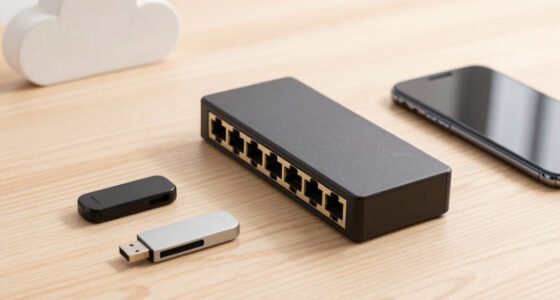

The right 10GbE network interface card depends on one decision before anything else: RJ45 or SFP+. RJ45 cards like the 10Gtek Dual RJ45 card with the Intel X540 controller plug into existing Cat6a cabling and are my pick for best overall because they make a 10GbE upgrade painless for home labs and NAS setups. If you’re building for lower power draw, longer runs, or direct-attach connections between servers, SFP+ cards like the 10Gtek Intel 82599EN single-port run cooler and cost less per port. Budget buyers should look at the Realtek RTL8127-based options, which undercut Intel cards noticeably but demand more driver attention, especially on older systems. The main tradeoffs across this category are heat and power (RJ45 10GBASE-T runs hot), driver maturity (Intel leads, Realtek is catching up), and port count versus price. Read on for the full breakdown of all fifteen cards and which one fits your specific build.

Get business pricing on networking and server gear
- Business-only prices and quantity discounts
- Tax-exempt purchasing
- Multiple users, one account, clear invoices
Key Takeaways
- Intel X550-based dual RJ45 cards took the top spot because they cut power draw roughly in half versus older X540 designs while keeping the same plug-and-play Cat6a convenience.
- Every Realtek RTL8127 card in this roundup is dramatically cheaper than Intel equivalents, but driver support on older kernels and ESXi remains the deciding factor — fine for Windows and current Linux, risky for legacy hypervisors.
- SFP+ cards consistently run cooler and quieter than 10GBASE-T RJ45 cards, making them the better fit for cramped or poorly ventilated chassis where a passive X540 heatsink can throttle.
- Dual-port cards deliver better value per port than two single-port cards, but only if your motherboard has x8 electrical lanes to spare — a common bottleneck in consumer PCs.
- Brand-name ecosystems like Synology‘s E10G30-T1 cost more than generic equivalents, but validated compatibility lists eliminate the guesswork for NAS buyers who just want it to work.
| 10Gtek 10Gb PCIe Dual RJ45 Network Card (Intel X550-AT2 Controller) |  | Best Overall | Controller: Intel X550-AT2 | Ports: 2x RJ45 copper | Supported Speeds: 100M/1G/2.5G/5G/10G | VIEW LATEST PRICE | See Our Full Breakdown |
| LinksTek X520-DA1 10GbE SFP+ PCIe Network Adapter |  | Best for Fiber Newcomers | Controller: Intel 82599ES | Port: 1x SFP+ | Data Rates: 10GbE and 1GbE | VIEW LATEST PRICE | See Our Full Breakdown |
| 10Gtek 10Gb PCI-E Network Card, Single SFP+ Port, Intel 82599EN Controller |  | Best Value Fiber Pick | Controller: Intel 82599EN | Port: 1x SFP+ | Speed: 10GbE only | VIEW LATEST PRICE | See Our Full Breakdown |
| LinksTek X520-DA2 Dual Port 10GbE SFP+ PCIe Network Adapter (Intel 82599ES) |  | Best for Virtualization Hosts | Chipset: Intel 82599ES | Ports: 2x 10Gb/s SFP+ fiber | Data Rates: 10GbE and 1GbE | VIEW LATEST PRICE | See Our Full Breakdown |
| Sabrent 10Gb PCIe Network Card, 10GBASE-T Multi-Gig NIC (NT-10PE) |  | Best Single-Port Copper Pick | Controller: Marvell AQC113 | Port: 1x RJ45 (10GBASE-T) | Supported Speeds: 10G/5G/2.5G/1G/100Mbps | VIEW LATEST PRICE | See Our Full Breakdown |
| 10Gb PCIe Network Card with Realtek RTL8127, RJ45 Ethernet |  | Best Slot-Friendly Pick | Controller: Realtek RTL8127 | Interface: PCIe 4.0 x1 (fits x1/x4/x8/x16) | Connector: RJ45 | VIEW LATEST PRICE | See Our Full Breakdown |
| Dual-Port 10GbE PCIe Network Adapter with Intel X540 Controller |  | Best for Server Duty | Controller: Intel X540 | Ports: 2x copper RJ45 | Interface: PCIe 2.1 x8 (x16 compatible) | VIEW LATEST PRICE | See Our Full Breakdown |
| TP-Link TX401 10Gb PCIe Network Card |  | Best for Beginners | Interface: PCIe | Max speed: 10 Gbps | Supported speeds: 10G / 5G / 2.5G / 1G / 100 Mbps auto-negotiation | VIEW LATEST PRICE | See Our Full Breakdown |
| 10Gtek 10Gb PCIe Network Card with Dual SFP+ Ports |  | Best for Fiber and DAC Builds | Model: 10Gtek X520-DA2 | Controller: Intel 82599ES | Ports: 2x SFP+ | VIEW LATEST PRICE | See Our Full Breakdown |
| Synology E10G30-T1 Single-Port 10GbE Network Adapter |  | Best for Synology NAS Owners | Model: Synology E10G30-T1 | Ports: 1x 10GbE RJ45 | Supported speeds: 10 / 5 / 2.5 / 1 Gbps, 100 Mbps auto-negotiation | VIEW LATEST PRICE | See Our Full Breakdown |
| FebSmart X540T2 Dual-Port 10GbE PCIe Network Adapter |  | Best Dual-Port Value | Controller: Intel X540-AT2 | Ports: 2 x RJ45 | Interface: PCIe 2.1 x8 (5.0 GT/s) | VIEW LATEST PRICE | See Our Full Breakdown |
| VunLink 10GbE PCIe Network Card with Realtek RTL8127AT, Multi-Gig 10G/5G/2.5G/1G RJ45 Ethernet Adapter |  | Best Budget Multi-Gig Pick | Chipset: Realtek RTL8127 | Max speed: 10Gbps | Supported speeds: 10G/5G/2.5G/1G/100Mbps | VIEW LATEST PRICE | See Our Full Breakdown |
| VIMIN 10GbE PCIe Network Card with Realtek RTL8127AT |  | Best for NAS and Virtualization on a Budget | Controller: Realtek RTL8127AT | Maximum speed: 10Gbps | Interface: PCIe 4.0 x1 (PCIe 4.0/3.0/2.0 compatible) | VIEW LATEST PRICE | See Our Full Breakdown |
| ASUS NADACA0140 10Gbps Network Card | 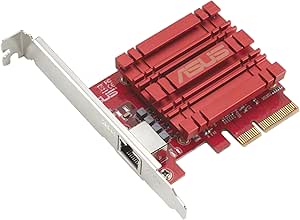 | Best Brand-Name Pick for Desktop Upgraders | Brand: ASUS | Model: NADACA0140 | Maximum network speed: 10Gbps | VIEW LATEST PRICE | See Our Full Breakdown |
| 10Gtek 10Gb Dual RJ45 Port Network Card with X540 Controller |  | Best for Server Duty and Long-Term Support | Controller: Intel X540 | Ports: 2 x RJ45 (10GbE/1GbE/100Mb/s) | Interface: PCIe 2.1 x8 (fits x8 or x16 slots) | VIEW LATEST PRICE | See Our Full Breakdown |
| 10GbE network interface card | Controller | Interface |
|---|---|---|
| 10Gtek 10Gb PCIe Dual RJ45 Net | Intel X550-AT2 | PCIe 3.0 x4/x8/x16 (2.0/1.1 compatible) |
| LinksTek X520-DA1 10GbE SFP+ P | Intel 82599ES | — |
| 10Gtek 10Gb PCI-E Network Card | Intel 82599EN | — |
| LinksTek X520-DA2 Dual Port 10 | — | — |
| Sabrent 10Gb PCIe Network Card | Marvell AQC113 | PCIe 3.0 x4 (fits x4/x8/x16) |
| 10Gb PCIe Network Card with Re | Realtek RTL8127 | PCIe 4.0 x1 (fits x1/x4/x8/x16) |
| Dual-Port 10GbE PCIe Network A | Intel X540 | PCIe 2.1 x8 (x16 compatible) |
| TP-Link TX401 10Gb PCIe Networ | — | PCIe |
| 10Gtek 10Gb PCIe Network Card | Intel 82599ES | PCIe x8 (fits x8/x16) |
| Synology E10G30-T1 Single-Port | — | — |
| FebSmart X540T2 Dual-Port 10Gb | Intel X540-AT2 | PCIe 2.1 x8 (5.0 GT/s) |
| VunLink 10GbE PCIe Network Car | — | PCIe 4.0 x1 (fits x1/x4/x8/x16 slots) |
| VIMIN 10GbE PCIe Network Card | Realtek RTL8127AT | PCIe 4.0 x1 (PCIe 4.0/3.0/2.0 compatible) |
| ASUS NADACA0140 10Gbps Network | — | — |
| 10Gtek 10Gb Dual RJ45 Port Net | Intel X540 | PCIe 2.1 x8 (fits x8 or x16 slots) |
More Details on Our Top Picks
10Gtek 10Gb PCIe Dual RJ45 Network Card (Intel X550-AT2 Controller)
This dual-port card stands out for anyone who wants copper-based 10GbE without transceiver complexity. The original Intel X550-AT2 controller is the same silicon found in far pricier server NICs, which means mature drivers across Windows Server, Linux, FreeBSD, and VMware ESXi. Compared with the Sabrent NT-10PE, the second RJ45 port effectively doubles your high-speed links for the price of one card, and multi-gig fallback to 2.5G and 5G makes it friendlier to mixed networks. The included low-profile bracket also gives it flexibility the Sabrent lacks. The tradeoffs are real: no firmware update support, no hot swapping, and known incompatibility with recent OPNsense builds on FreeBSD 14.3 — a dealbreaker for firewall builders.
Pros:- Genuine Intel X550-AT2 controller with mature, stable drivers
- Dual RJ45 ports with 100M through 10G multi-gig fallback
- Includes both full-height and low-profile brackets
- 3-year warranty plus lifetime technical support
Cons:- No firmware update path, so long-term fixes depend on OS drivers
- Incompatible with OPNsense v25.7.3 / FreeBSD 14.3
- 2.5G and 5G speeds may require manual configuration
Best for: Home-lab and small-server owners who need two 10GbE copper ports and broad OS support without buying SFP+ transceivers
Not ideal for: OPNsense or pfSense firewall builders on FreeBSD 14.3+, since the X550 driver support is broken there
- Controller:Intel X550-AT2
- Ports:2x RJ45 copper
- Supported Speeds:100M/1G/2.5G/5G/10G
- Interface:PCIe 3.0 x4/x8/x16 (2.0/1.1 compatible)
- OS Compatibility:Windows Server, Linux, FreeBSD, VMware ESXi
- Brackets:Full-height and low-profile included
- Warranty:3 years
Our verdict“The most balanced pick for copper 10GbE buyers who value dual ports and proven Intel silicon over rock-bottom pricing.”
LinksTek X520-DA1 10GbE SFP+ PCIe Network Adapter
For buyers ready to move from copper to fiber, this single-port SFP+ card is the least intimidating entry point. The Intel 82599ES controller carries Intel’s reference drivers, and unlike the 10Gtek X520 clone, it tolerates PCIe 2.0 x4 slots, so it fits older and budget motherboards where x8 slots are scarce. Compared with the LinksTek X520-DA2, you give up a second port but gain a simpler setup with lower power draw. The SFP+ socket itself is the real advantage: pairing it with a DAC cable keeps short runs cheap, while LC fiber stretches to distant rooms. Just remember the transceiver or cable is never included, and consumer Windows versions need a manual driver install before the link comes up.
Pros:- Genuine Intel 82599ES controller with broad driver availability
- Fits PCIe x4, x8, and x16 slots for older systems
- Works with LC fiber, DAC, and AOC cabling
- Low-profile bracket included for compact builds
Cons:- SFP+ transceiver or DAC cable required and not included
- Driver installation needed on Windows 11/10/8.x/7
Best for: First-time SFP+ users building a direct-attach 10G link between a desktop and switch or NAS
Not ideal for: Buyers who want plug-and-play setup on Windows, since drivers must be installed manually on consumer Windows releases
- Controller:Intel 82599ES
- Port:1x SFP+
- Data Rates:10GbE and 1GbE
- Host Interface:PCIe 2.0 x4 (fits x4/x8/x16)
- Supported OS:Windows, Linux, FreeBSD
- Storage Protocols:iSCSI, FCoE, NFS
- Brackets:Full-height pre-installed, low-profile included
Our verdict“A low-commitment way into fiber 10GbE for users whose motherboards can’t spare an x8 slot.”
10Gtek 10Gb PCI-E Network Card, Single SFP+ Port, Intel 82599EN Controller
This is the card to buy when budget matters more than modern conveniences. The original Intel 82599EN controller behaves like a genuine X520 for a fraction of the cost, with reliable Linux and ESXi support that cheaper Realtek-based cards like the VunLink RTL8127AT can’t always match on hypervisors. Where the LinksTek X520-DA1 offers wider slot compatibility, this one demands a PCIe x8 or x16 slot — a fair trade for most desktop builders. The sting is in the speed options: it runs 10GbE only, with no 1G or 2.5G fallback, so every device on the other end must also support 10G. QNAP and Synology owners should confirm compatibility with the seller before ordering, and Windows 11 installs need a special driver routine.
Pros:- Original Intel 82599EN controller with I/O virtualization support
- Broad OS support including Windows Server, Linux, and VMware ESX/ESXi
- Both standard and low-profile brackets included
- 3-year warranty with lifetime technical support
Cons:- 10GbE only — no 1G/2.5G/5G fallback speeds
- Windows 11 requires special driver setup
- QNAP and Synology buyers must check compatibility with the seller first
Best for: Linux and ESXi users building a point-to-point 10G link who want Intel silicon at the lowest possible cost
Not ideal for: Mixed-speed networks that need 1G/2.5G/5G fallback, or QNAP/Synology owners who haven’t verified compatibility
- Controller:Intel 82599EN
- Port:1x SFP+
- Speed:10GbE only
- Bus Interface:PCIe x8 (fits x8/x16)
- Protocols:iSCSI, FCoE, NFS
- OS Compatibility:Windows Server 2003–2012, Windows 7/8/10/11 (driver setup), Linux, VMware ESX/ESXi
- Warranty:3 years
Our verdict“The cheapest credible path to Intel-based 10G fiber, provided your entire link runs at 10G.”
LinksTek X520-DA2 Dual Port 10GbE SFP+ PCIe Network Adapter (Intel 82599ES)
When one 10G link isn’t enough, this dual SFP+ card justifies its premium through density and virtualization depth. The 82599ES chipset brings SR-IOV, VMDq, and QoS, which matters if you’re carving a hypervisor’s NIC into virtual functions for VMs — something the copper-focused 10Gtek X550-T2 handles well but the Realtek alternatives in this roundup handle poorly or not at all. Each port runs 10GbE or 1GbE, so you can mix a fast uplink with a slower management network. The costs are familiar: two transceivers or DACs are required and not in the box, consumer Windows needs manual drivers, and the x8 interface locks out compact boards with only x1/x4 slots. Server and NAS enclosures with x8 or x16 slots won’t care.
Pros:- Dual 10GbE SFP+ ports with 1GbE fallback per port
- SR-IOV, VMDq, and QoS support for virtualized environments
- Genuine Intel 82599ES with broad Windows Server and Linux support
- Full-height and low-profile brackets both included
Cons:- Requires two separate SFP+ transceivers or DAC/AOC cables
- Driver installation needed on consumer Windows versions
- Only fits PCIe x8 or x16 slots
Best for: ESXi/Proxmox hosts and NAS deployments that need two fiber 10G links with SR-IOV virtualization
Not ideal for: Small-form-factor or budget boards with only x1/x4 slots, since the card requires x8 or x16
- Chipset:Intel 82599ES
- Ports:2x 10Gb/s SFP+ fiber
- Data Rates:10GbE and 1GbE
- Host Interface:PCIe 2.0 x8
- Network Type:LAN, SAN (iSCSI, NFS)
- Virtualization:SR-IOV, VMDq, QoS
- OS Compatibility:Windows Server 2012–2022, Windows 7–11, Linux (IXGBE), FreeBSD
- Brackets:Full-height pre-installed, low-profile included
Our verdict“The right card for server builders who need port density and hardware virtualization features over copper convenience.”
Sabrent 10Gb PCIe Network Card, 10GBASE-T Multi-Gig NIC (NT-10PE)
Sabrent’s NT-10PE makes the strongest case for a single 10GBASE-T port aimed at desktop and NAS users rather than servers. The Marvell AQC113 controller handles multi-gig negotiation down to 100Mbps, and the oversized aluminum heatsink directly addresses the thermal throttling that plagues cheaper Realtek RTL8127 boards under hours-long transfers. Official support for Unraid, Proxmox, and QNAP is broader than most rivals at this price. Its weaknesses are structural: full-height bracket only, so SFF builders must look at the 10Gtek X550-T2 or LinksTek cards instead, and the driver must be downloaded manually before first boot. Synology users on DSM 7.2+ should steer clear entirely, since Synology dropped bundled AQC113 support.
Pros:- True 10GBASE-T with fallback to 5G/2.5G/1G/100Mbps
- Oversized heatsink prevents thermal throttling during sustained transfers
- Explicit support for Unraid, Proxmox, and QNAP platforms
- Status LEDs make link-speed troubleshooting easy
Cons:- Full-height bracket only — no low-profile option
- Driver must be downloaded manually before use
- Synology DSM 7.2+ no longer bundles AQC113 driver support
Best for: Unraid, Proxmox, and QNAP users adding one reliable multi-gig copper port to a full-size tower or NAS
Not ideal for: Synology DSM 7.2+ owners and anyone with a low-profile case, given the missing AQC113 driver support and full-height-only bracket
- Controller:Marvell AQC113
- Port:1x RJ45 (10GBASE-T)
- Supported Speeds:10G/5G/2.5G/1G/100Mbps
- Interface:PCIe 3.0 x4 (fits x4/x8/x16)
- Form Factor:Full-height bracket only
- Cooling:Oversized aluminum heatsink
- OS Support:Windows, Linux, Unraid, QNAP, Proxmox
- Cable Requirement:CAT6a or better for full 10G
Our verdict“The best single-port copper choice for hobbyist NAS and virtualization platforms, provided your case and OS are on its compatibility list.”
10Gb PCIe Network Card with Realtek RTL8127, RJ45 Ethernet
Most 10GbE cards want a wide PCIe lane, but this adapter runs on a PCIe 4.0 x1 link, which means it fits x1, x4, x8, and x16 slots without monopolizing a slot your GPU might need. That flexibility is its whole reason for being here. Compared with the TP-Link TX401, the multi-gig fallback story is similar — both negotiate down to 100 Mbps — but this card adds VLAN tagging (802.1Q/802.1ad) and 16K jumbo frames that home users skip and homelab takers actually use. The fanless design drawing under 4W keeps it silent in a desktop or small server chassis. The tradeoff is software polish: Windows users must install Realtek’s 10G driver manually for correct link-speed reporting, where Intel-based options like the 10Gtek X520-DA2 are often recognized out of the box.
Pros:- Fits narrow PCIe x1 slots, freeing wider lanes for GPUs or storage cards
- Negotiates six speeds from 10G down to 10M for mixed networks
- Fanless operation under 4W keeps the build silent
- Includes both full-height and low-profile brackets
Cons:- Windows needs a manually installed Realtek 10G driver for correct speed reporting
- Hitting 10G at 100 m requires Cat 6a cabling end to end
Best for: Builders whose PCIe slots are mostly occupied and who need a quiet, low-power 10G link with VLAN support for a homelab or NAS
Not ideal for: Users who want plug-and-play setup on Windows without hunting down Realtek drivers
- Controller:Realtek RTL8127
- Interface:PCIe 4.0 x1 (fits x1/x4/x8/x16)
- Connector:RJ45
- Supported speeds:10G / 5G / 2.5G / 1G / 100M / 10M
- Power consumption:Under 4 W, fanless
- Features:PXE boot, 16K jumbo frames, 802.1Q / 802.1ad VLAN
- Brackets:Full-height and low-profile
- Compatibility:Windows 10/11, Linux 6.16+, FreeBSD
Our verdict“If your motherboard’s slots are spoken for and you still want multi-gig with VLAN support, this is the card that fits where others can’t.”
Dual-Port 10GbE PCIe Network Adapter with Intel X540 Controller
Two copper RJ45 ports on an Intel X540 controller make this adapter a workhorse for servers rather than a desktop toy. Dual ports enable link aggregation, NIC teaming, or direct-attached connections to two separate machines — something single-port cards like the Synology E10G30-T1 simply can’t do. The X540 is also a mature, well-supported controller across Windows, Linux, FreeBSD, and VMware ESX/ESXi, and its support for iSCSI, FCoE, and NFS makes it a natural fit for storage backends and virtualization hosts. The honest weakness is speed negotiation: unlike the Realtek RTL8127 card, this adapter jumps straight from 1G to 10G with no 2.5G or 5G middle ground. Plugging it into a 2.5G switch port means falling all the way back to gigabit. PCIe 2.1 x8 also eats more lane width than newer single-lane designs.
Pros:- Two RJ45 10GbE ports for teaming or direct-attach topologies
- Broad OS support including VMware ESX/ESXi and FreeBSD
- Hardware support for iSCSI, FCoE, and NFS storage protocols
- Low-profile bracket included for compact server chassis
Cons:- No 2.5GbE or 5GbE support, so mixed-speed networks lose throughput
- PCIe 2.1 x8 interface consumes a wide lane compared to modern x1 cards
Best for: Home server and virtualization users who need two 10GbE ports for teaming, storage networking, or direct-attached links over existing copper cabling
Not ideal for: Anyone running a 2.5G or 5G switch, since the card doesn’t negotiate those intermediate speeds
- Controller:Intel X540
- Ports:2x copper RJ45
- Interface:PCIe 2.1 x8 (x16 compatible)
- Max transfer rate:10 Gbps
- Cable compatibility:Cat 6A / Cat 7
- Storage over Ethernet:iSCSI, FCoE, NFS
- OS support:Windows, Linux, FreeBSD, VMware ESX/ESXi
- Unsupported rates:5GbE, 2.5GbE
Our verdict“A dependable Intel-based dual-port choice for servers on copper, provided your network runs at 1G or 10G and nothing in between.”
TP-Link TX401 10Gb PCIe Network Card
The TX401 earns this spot by removing the friction that trips up first-time 10GbE upgraders. It negotiates 10G, 5G, 2.5G, 1G, and 100 Mbps automatically, so a mixed-speed network — say, a 2.5G switch today and a 10G switch next year — never leaves you stranded. TP-Link even includes a 1.5 m CAT6A cable, which sounds minor until you realize many buyers forget that older Cat 5e patch cables can’t carry 10G. Compared with the Intel X540 dual-port adapter, the TX401 gives up the second port and the storage-protocol depth, but it gains the mid-range speeds the Intel card lacks. Driver support on Windows and mainstream Linux is straightforward, backed by a two-year warranty from a brand with accessible support channels. It’s not the card for lab VLANs or FCoE — it’s the card for a straightforward, one-slot speed upgrade that works the first time.
Pros:- Automatic negotiation across five speeds from 10G down to 100 Mbps
- Includes a 1.5 m CAT6A cable and both bracket sizes
- Simple driver setup on Windows and Linux
- Two-year warranty from an established consumer brand
Cons:- Single port only, with no teaming or link-aggregation option
- No advanced features like VLAN tagging or jumbo frame configuration at this tier
Best for: First-time upgraders who want a single-port 10GbE card that handles mixed network speeds and arrives with the right cable included
Not ideal for: Server administrators who need dual ports, VLAN features, or iSCSI/FCoE storage support
- Interface:PCIe
- Max speed:10 Gbps
- Supported speeds:10G / 5G / 2.5G / 1G / 100 Mbps auto-negotiation
- Included cable:1.5 m CAT6A Ethernet
- Brackets:Low-profile and full-height
- OS support:Windows 7–11, Windows Server 2012 R2–2019, Linux
- Warranty:2 years
Our verdict“The least intimidating path to 10GbE for a desktop or single-NAS setup, with the fallback speeds and included cable to make the upgrade painless.”
10Gtek 10Gb PCIe Network Card with Dual SFP+ Ports
This is the roundup’s pick for anyone building with SFP+ fiber or direct-attach copper cables rather than RJ45. The Intel 82599ES controller behind the two SFP+ ports is the same silicon trusted in data centers for a decade, and it shows in the software support: Windows Server, Linux, and VMware all recognize it without drama, and iSCSI, FCoE, and NFS work for storage backends. Compared with the Intel X540 dual-port card, the SFP+ approach trades universal Cat 6a compatibility for reach and flexibility — fiber runs can span distances copper can’t, and DACs are cheap for rack-to-rack links. The flip side is rigid speed handling: no 1G, 2.5G, or 5G fallback, unlike the RTL8127-based card, plus no hot swapping. Windows 11 users also need to manually configure Windows 10 drivers. Buy this if your infrastructure is already SFP+; don’t buy it to connect to an ordinary RJ45 switch.
Pros:- Dual SFP+ ports support fiber and DAC connections for long cable runs
- Intel 82599ES controller with mature driver support across Windows Server, Linux, and VMware
- Handles iSCSI, FCoE, and NFS storage workloads
- Includes both standard and low-profile brackets with a 3-year warranty
Cons:- No 1G, 2.5G, or 5G speed support at all
- No hot swapping, and Windows 11 requires manually configured Windows 10 drivers
Best for: Homelab and small-office builders with SFP+ switches, NAS units, or DAC runs who need two 10G ports with mature Intel drivers
Not ideal for: RJ45-only networks or mixed-speed environments — SFP+ modules and lack of sub-10G speeds add cost and complexity
- Model:10Gtek X520-DA2
- Controller:Intel 82599ES
- Ports:2x SFP+
- Interface:PCIe x8 (fits x8/x16)
- OS support:Windows Server, Windows 7/8/10, Linux, VMware ESX/ESXi
- Features:iSCSI, FCoE, NFS
- Brackets:Standard and low-profile
- Warranty:3 years
Our verdict“The right card when your switches speak SFP+, and the wrong one everywhere else — its value depends entirely on your existing cabling.”
Synology E10G30-T1 Single-Port 10GbE Network Adapter
What separates the E10G30-T1 from every generic card here is first-party validation. Synology built this adapter to work inside its own NAS units without DSM compatibility surprises, and backs it with a five-year limited warranty — the longest coverage in this batch by a wide margin over the TX401’s two years. Speed negotiation spans 10G down to 100 Mbps, so it drops cleanly into an existing 2.5G or 1G network today and scales to 10G later. The compromise is the mirror image of that focus: outside a Synology ecosystem, this card loses most of its reason to exist. A TP-Link TX401 delivers comparable single-port multi-gig performance for general-purpose use, and the dual-port Intel cards offer more connectivity for the money. You’re paying for guaranteed fit, firmware alignment with DSM, and support from the same vendor that makes your NAS — which is exactly what matters when the NAS is the heart of your storage.
Pros:- Validated for full compatibility with Synology systems and DSM
- Auto-negotiation across 10G/5G/2.5G/1G and 100 Mbps
- Five-year limited warranty, the longest in this lineup
- Handles bandwidth-heavy NAS workloads like virtualization and video post-production
Cons:- Optimized specifically for Synology hardware, limiting usefulness elsewhere
- Single port with no teaming option at this price tier
Best for: Synology NAS owners running backup, virtualization, or post-production workloads who want guaranteed DSM compatibility and long warranty coverage
Not ideal for: PC builders and non-Synology server users — generic cards offer the same speeds with broader hardware support
- Model:Synology E10G30-T1
- Ports:1x 10GbE RJ45
- Supported speeds:10 / 5 / 2.5 / 1 Gbps, 100 Mbps auto-negotiation
- Compatibility:Synology NAS systems
- Warranty:5-year limited manufacturer warranty
- Intended workloads:Backup, post-production, virtualization
Our verdict“If your storage lives in a Synology NAS, this card’s guaranteed compatibility and five-year warranty justify it; everyone else should shop generic.”
FebSmart X540T2 Dual-Port 10GbE PCIe Network Adapter
This option stands out for pairing two Intel X540-AT2 10GbE RJ45 ports with a price point well below name-brand dual-port cards like the 10Gtek X540-T2. Compared with that 10Gtek model, the controller is identical, so buyers are mostly choosing between warranty length and vendor support — 10Gtek offers three years here versus FebSmart’s one. The SR-IOV and VMDq support makes it a sensible fit for a virtualization host where you want to pass a NIC through to a VM, something single-port Realtek options like the VunLink RTL8127AT card can’t match in sophistication. The tradeoff is physical: it demands a PCIe x8 slot, so a cramped workstation may force a bracket swap or rule it out entirely. Cat-6A cabling to 100m keeps installation straightforward on existing copper runs.
Pros:- Genuine Intel X540-AT2 controller with dual 10GbE RJ45 ports
- SR-IOV, VMDq, iSCSI, and FCoE support for virtualization and storage workloads
- Broad OS support across Windows, Linux distributions, and FreeBSD
- Low-profile bracket included for small-form-factor builds
Cons:- Requires a free PCIe x8 or x16 slot, limiting compatibility in cramped systems
- Only a 1-year limited warranty, shorter than competing Intel X540 cards like the 10Gtek
Best for: Homelab builders and small-business admins who need two 10GbE ports on copper for NAS, virtualization, or storage traffic
Not ideal for: Owners of compact or older PCs without a free x8/x16 slot — the card physically and electrically requires that lane width for full speed
- Controller:Intel X540-AT2
- Ports:2 x RJ45
- Interface:PCIe 2.1 x8 (5.0 GT/s)
- Supported data rates:10GbE, 1GbE, 100Mb, 10Mb
- Cable support:Cat 6 up to 55 m; Cat 6A up to 100 m
- Features:Wake on LAN, SR-IOV, VMDq, iSCSI, FCoE, NFS
- Supported operating systems:Windows, Linux, RHEL, SLES, Ubuntu, FreeBSD
- Warranty:1-year limited parts warranty
Our verdict“This pick makes the most sense for buyers who want dual-port Intel X540 performance and virtualization features while spending less than the 10Gtek equivalent.”
VunLink 10GbE PCIe Network Card with Realtek RTL8127AT, Multi-Gig 10G/5G/2.5G/1G RJ45 Ethernet Adapter
For buyers who want a taste of 10GbE without paying Intel-controller prices, this Realtek RTL8127AT card is the cheapest path to multi-gig networking in this lineup. The PCIe 4.0 x1 interface is the clever part — unlike the FebSmart X540T2, which hogs an x8 slot, this slips into nearly any spare slot on a modern motherboard, including ITX boards with limited expansion. Automatic negotiation across 10G/5G/2.5G/1G/100Mbps means it plays nicely with mixed-speed switches, so an upgrade path exists even if your current network tops out at 2.5G. The tradeoff is ecosystem friction: Realtek drivers occasionally need manual installation depending on your OS version, and NAS platform compatibility varies by kernel — buyers running TrueNAS or Proxmox should verify support first, where Intel-based cards are typically plug-and-play.
Pros:- Multi-gig auto-negotiation across 10G/5G/2.5G/1G/100Mbps for mixed networks
- PCIe 4.0 x1 design fits x1, x4, x8, or x16 slots — ideal for slot-limited builds
- Energy-efficient operation with lower power draw and heat than 10GBASE-T Intel cards
- Both standard and low-profile brackets included
Cons:- Driver installation may be required depending on OS version, adding setup friction
- Realtek chipset compatibility with NAS platforms and virtualization environments can vary
- Full 10Gbps requires Cat6a cabling and 10G-capable switch equipment
Best for: Cost-conscious PC builders and gamers adding 10GbE to a desktop or NAS on a mixed-speed network without dedicating an x8 slot
Not ideal for: NAS or hypervisor users on niche OS builds — Realtek driver support on TrueNAS, ESXi, or older kernels is inconsistent compared to Intel controllers
- Chipset:Realtek RTL8127
- Max speed:10Gbps
- Supported speeds:10G/5G/2.5G/1G/100Mbps
- Interface:PCIe 4.0 x1 (fits x1/x4/x8/x16 slots)
- Port:RJ45
- OS compatibility:Windows 10/11, Windows Server, Linux
- Recommended cable:Cat6a for 10GbE performance
Our verdict“This model is better suited to budget-minded desktop users who want future-proof multi-gig speeds in any spare PCIe slot than to server admins who need guaranteed OS compatibility.”
VIMIN 10GbE PCIe Network Card with Realtek RTL8127AT
The VIMIN card shares its Realtek RTL8127AT controller with the VunLink adapter, but it differentiates itself through explicitly advertised platform support: TrueNAS/FreeNAS, Proxmox, VMware ESXi, and Windows Server 2019 through 2025 are all listed as compatible. That declared support matters for homelab builders who’ve been burned by the VunLink’s vaguer compatibility claims. 16KB jumbo frames and hardware offload reduce CPU load during large file transfers, which pays off on a NAS handling multiple simultaneous streams. Like the VunLink, its PCIe 4.0 x1 design fits virtually any slot, and both bracket heights ship in the box. The honest tradeoff: single-port Realtek cards still can’t match an Intel X540 card like the 10Gtek X540-T2 for heavy multi-client server workloads, and actual 10Gbps throughput depends on your switch and cabling being up to spec.
Pros:- Explicit compatibility with TrueNAS, Proxmox, VMware ESXi, and Windows Server 2019-2025
- 16KB jumbo frames and hardware offload reduce CPU overhead during transfers
- PCIe 4.0 x1 interface fits x1/x4/x8/x16 slots across PCIe 2.0 through 4.0
- Wake-on-LAN support with both full-height and low-profile brackets included
Cons:- Single-port Realtek design limits aggregate throughput versus dual-port Intel options
- Real-world 10Gbps performance depends entirely on compatible switch equipment and Cat6a cabling
Best for: Homelab and NAS owners running TrueNAS, Proxmox, or ESXi who want 10GbE on a tight budget with stated platform support
Not ideal for: Power users pushing heavy multi-client traffic — a single Realtek port won’t keep pace with dual-port Intel X540 cards under sustained server loads
- Controller:Realtek RTL8127AT
- Maximum speed:10Gbps
- Interface:PCIe 4.0 x1 (PCIe 4.0/3.0/2.0 compatible)
- Supported link speeds:10G, 5G, 2.5G, 1G, 100Mbps
- Jumbo frames:Up to 16KB
- Features:Wake-on-LAN, hardware offload, Energy Efficient Ethernet
- Supported operating systems:Windows 10/11, Windows Server 2019/2022/2025, Linux, VMware ESXi, TrueNAS/FreeNAS, Proxmox
Our verdict“This option stands out for homelab operators who need verified NAS and hypervisor compatibility at Realtek pricing rather than maximum server-grade throughput.”
ASUS NADACA0140 10Gbps Network Card
Among a lineup crowded with generic-branded adapters, the ASUS NADACA0140 offers something rare: a recognizable manufacturer standing behind the product, with the driver support and documentation that implies. Built-in Quality of Service is its distinguishing feature — gamers and streamers can prioritize latency-sensitive traffic, a capability neither the VunLink nor the VIMIN Realtek cards highlight. Backward compatibility down to 100Mbps means it drops into an existing network today and speeds up later. The tradeoffs are real, though: this is a single-port card, so buyers needing dual links for server or virtualization duty should look at the FebSmart X540T2 instead. Its listed OS support also skews dated — Windows 7 through 10 and older Linux kernels — so Windows 11 users may face driver hunting that newer Realtek cards handle out of the box.
Pros:- Name-brand ASUS build quality and driver documentation
- Built-in QoS for prioritizing gaming, streaming, or VoIP traffic
- Broad backward compatibility from 10Gbps down to 100Mbps
- Works across multiple Windows versions and Linux kernels
Cons:- Single RJ45 port limits use in server or link-aggregation setups
- Listed OS support stops at Windows 10 and older Linux kernels, creating uncertainty on Windows 11
Best for: Desktop users and gamers who value a name-brand card with QoS traffic prioritization and easy driver support
Not ideal for: Windows 11 users and dual-port server builders — dated OS listings and a single RJ45 port limit its appeal for modern or heavy-duty setups
- Brand:ASUS
- Model:NADACA0140
- Maximum network speed:10Gbps
- Supported network speeds:10, 5, 2.5, 1Gbps; 100Mbps
- Port:RJ45
- Quality of Service:Built-in QoS
- Supported operating systems:Windows 10/8.1/8/7; Linux Kernel 4.4/4.2/3.6/3.2
Our verdict“This pick makes the most sense for buyers who prioritize brand accountability and QoS features over port count or the latest OS support.”
10Gtek 10Gb Dual RJ45 Port Network Card with X540 Controller
When uptime matters more than saving a few dollars, this 10Gtek card earns its place with a genuine Intel X540 controller and a three-year warranty plus lifetime technical support — the longest coverage in this batch. Compared with the FebSmart X540T2, which uses the same Intel silicon, the 10Gtek’s superior warranty and intelligent offloads make it the safer bet for a small-business server or always-on workstation. Dual RJ45 ports over standard Cat-6A to 100m keep cabling simple, and jumbo frames up to 15.5KB ease CPU load during backups. The downsides are specific: it occupies a PCIe x8 slot, and Windows 11 requires manual setup, so casual upgraders will find the plug-and-play VIMIN Realtek card less hassle. It’s also not hot-swappable, which matters in enterprise racks but rarely in a homelab.
Pros:- Genuine Intel X540 controller with intelligent offloads for stable server performance
- Dual RJ45 ports supporting 10GbE over existing Cat-6A cabling to 100m
- 3-year warranty with lifetime technical support — the best coverage in this batch
- Full-height and low-profile brackets plus jumbo frames up to 15.5KB
Cons:- Windows 11 support requires manual setup rather than automatic installation
- Needs a PCIe x8 or x16 slot and is not hot-swappable
Best for: Small-business server admins and serious homelabbers who want Intel X540 reliability with the longest warranty in this roundup
Not ideal for: Windows 11 desktop upgraders who want zero-friction setup — manual driver installation and the x8 slot requirement add friction the Realtek cards avoid
- Controller:Intel X540
- Ports:2 x RJ45 (10GbE/1GbE/100Mb/s)
- Interface:PCIe 2.1 x8 (fits x8 or x16 slots)
- Max cable distance:100m (Cat-6A); 55m (Cat-6)
- Jumbo frames:Up to 15.5 KB
- Operating temperature:0-55°C
- Compatibility:Windows Server 2003/2008/2012, Windows 7/8/10, Windows 11 (manual setup), Linux, ESX/ESXi
- Warranty:3 years
Our verdict“Compared with similar dual-port X540 cards, this one stands out for buyers who weigh warranty length and Intel-grade stability over setup convenience.”

How We Picked
I evaluated these cards across five criteria, weighted by what actually causes buyer’s remorse in this category. Controller quality and driver maturity came first: an Intel 82599, X540, or X550 chipset works out of the box on nearly every platform, while Realtek RTL8127 support varies by OS version, and that difference determines whether a card is a five-minute install or an evening of troubleshooting. Thermal behavior came second, because 10GBASE-T is power-hungry and a hot card in a hot case becomes an unstable card. Port configuration and lane requirements mattered next — dual-port cards need x8 lanes to hit full speed on both ports simultaneously.
From there, I weighed connector type relative to use case (RJ45 for existing cabling, SFP+ for DAC links and low power), and finally value per port, which explains why several Realtek and 10Gtek options rank high despite cut-rate pricing. Cards are ordered so that the top picks balance all five criteria, mid-tier picks excel on specific dimensions, and the bottom entries are ranked by tradeoffs a particular buyer type can still live with. No card here is bad at everything — each one earned its place by being the obvious choice for someone.
Factors to Consider When Choosing 10GbE Network Interface Cards
Choosing a 10GbE card is mostly about matching the card’s controller and connector to your existing hardware and your operating system. Before you buy anything on this list, work through these five factors — they explain most of the price differences between cards that otherwise look identical on paper.RJ45 (10GBASE-T) vs. SFP+: Match the Connector to Your Cabling
This is the single biggest decision, and it’s dictated by what’s already in your walls or between your racks. RJ45 cards like the Sabrent NT-10PE or X540-based options work with existing Cat6a cabling up to 100 meters, which makes them the path of least resistance for most home networks. SFP+ cards require fiber transceivers or DAC cables, but they consume a fraction of the power, run far cooler, and support distances beyond what copper can manage. The mistake I see most often is buyers purchasing SFP+ cards without budgeting for the DACs or transceivers — the accessories can cost as much as the card itself. Also note that 10GBASE-T over Cat6 (not Cat6a) only reliably hits 10Gbps up to about 55 meters. If you’re linking two devices in the same rack, SFP+ with a DAC is almost always the smarter build; if you’re upgrading a whole-office wired network, RJ45 saves you from rewiring.
Controller Chipset: Intel vs. Realtek Compatibility
The chipset determines whether your card works out of the box or becomes a weekend project. Intel controllers (82599, X540, X550) have in-kernel Linux drivers going back over a decade, native Windows support, and community-verified ESXi compatibility — this is why Intel-based cards dominate homelab forums even at higher prices. Realtek RTL8127 cards are the value play, but support on older Linux kernels requires out-of-tree driver compilation, and some hypervisors simply won’t recognize them without effort. Before buying, check your exact OS version against the manufacturer’s driver page rather than trusting generic ‘Windows/Linux compatible’ claims. There’s also a real performance nuance: Intel NICs generally handle high packet-rate workloads and virtualization features like SR-IOV more gracefully. If you run a simple Windows or current-Linux setup, Realtek saves money; if you run ESXi, Proxmox with passthrough, or anything exotic, pay the Intel premium and skip the troubleshooting.
Power Draw, Heat, and Slot Placement
10GBASE-T is the power-hungry corner of this category, and it shows up as heat. A single X540-based RJ45 card can draw 10-15 watts under load, which is why several cards in this roundup ship with substantial heatsinks and some add fans. X550-based cards are the fix, cutting 10GBASE-T power draw roughly in half while adding better Cat5e short-run support. Slot placement matters too: a hot card sandwiched next to a GPU in a compact build will throttle or destabilize, so plan for airflow around the NIC. SFP+ cards avoid most of this entirely — the Intel 82599-based options typically draw under 5 watts and stay passively cool even in dense racks. Check your PSU headroom if you’re adding multiple RJ45 cards, and verify your case has clearance for the taller heatsink fins found on dual-port models. Heat is the least glamorous spec on the box, but it’s the one most likely to decide whether your upgrade stays stable for years.
Port Count and PCIe Lane Requirements
Dual-port cards almost always beat two single-port cards on value per port, but only if your system can feed them. A dual-port card running both ports at full 10Gbps needs x8 PCIe electrical lanes; slot it into an x4 slot and you’ll bottleneck combined throughput, since 10GbE saturates roughly a PCIe 3.0 x1 lane per port. Consumer motherboards often advertise x16 slots wired as x4 or x1 — check your motherboard manual before assuming. Single-port cards are also perfectly respectable for the most common upgrade path: one link between a desktop and a NAS. Dual ports make sense when you’re aggregating links, separating storage traffic from LAN traffic, or building a router/firewall. And if you’re on an older PCIe 2.0 system, lane demands effectively double, which pushes you toward single-port or SFP+ options. Port count should follow your topology, not the appeal of bigger numbers.
Ecosystem Validation vs. Generic Savings
Some cards in this roundup, like the Synology E10G30-T1, exist primarily because of validated compatibility — Synology guarantees it works with specific NAS models, and that guarantee costs real money. Generic cards with identical controllers (the E10G30-T1 uses the same class of hardware as several cheaper options here) deliver the same silicon without the compatibility assurance. The deciding question is your risk tolerance and your support expectations: a managed IT environment or a business-critical NAS justifies paying extra for a validated card with a vendor standing behind it. A homelab builder comfortable flashing drivers and reading forums should almost always buy generic. One caveat on generics: warranty and QC can vary between sellers of seemingly identical cards, so factor seller reputation into the purchase. The smartest split I found is paying for validation on production gear and going generic everywhere else.
Frequently Asked Questions
Will a 10GbE RJ45 card work with my existing Cat6 or Cat5e cabling?
It depends on cable length more than cable rating. Cat6a reliably carries 10GBASE-T up to 100 meters, while standard Cat6 tops out around 55 meters and Cat5e only works for very short runs, often under 30 meters. The Intel X550-based cards handle marginal cabling better than X540 cards thanks to improved signal processing, which is one reason they rank higher in this roundup. If your runs are short — say, between a desktop and switch in the same room — even older cabling usually negotiates 10Gbps fine. If the link only connects at 5Gbps or 2.5Gbps, the cable is the suspect, not the card. Test with a known-good short cable before assuming you bought a faulty NIC.
Are Realtek RTL8127 cards a false economy compared to Intel?
For most Windows and current-Linux users, no — they’re a legitimate bargain delivering full 10Gbps throughput for everyday file transfers and NAS duty. The savings become a problem in three scenarios: older Linux distributions where the driver isn’t in-kernel, ESXi or niche hypervisors with weak Realtek support, and virtualization setups that rely on features like SR-IOV where Intel’s implementation is more mature. If you’re comfortable compiling a driver or waiting for kernel updates, the price gap buys you a lot elsewhere in your build. Buyers who value a five-minute install and long-term firmware support should still lean Intel, and that’s reflected in the rankings here. The honest answer is that Realtek’s weakness is situational, not universal.
Do I need a dual-port 10GbE card, or is one port enough?
For the classic desktop-to-NAS upgrade, a single port is all you need and spending more buys nothing. Dual ports earn their cost when you’re building a router, separating storage traffic onto a dedicated link, aggregating connections with LACP, or connecting one machine to two separate networks. Check your motherboard’s slot wiring first — dual-port cards want x8 electrical lanes to run both ports at full speed, and consumer boards sometimes wire x16 slots as x4. In this roundup, dual-port models like the LinksTek X520-DA2 and X540T2-based cards offer better value per port than buying two singles, provided your lanes and airflow support them. Buy ports based on your topology today, with maybe one spare for planned growth — not more.
Why do SFP+ cards need extra accessories, and what should I budget for?
An SFP+ card ships with empty ports — you must add either DAC (direct attach copper) cables for short in-rack links or fiber transceivers plus fiber cable for longer runs. DACs are cheap and ideal for connecting a server to a switch meters away, which covers most homelab scenarios. Fiber transceivers add cost per end but support distances from 300 meters to 10+ kilometers depending on module type. A common mistake is mixing incompatible brands or speeds between the card and switch ports, so match the module specifications on both ends. Despite the accessories, SFP+ total cost often still undercuts RJ45 for rack-scale builds because the cards themselves are cheaper and run far cooler. Budget the accessories into your comparison from the start rather than discovering them at checkout.
Can I mix 10GbE cards from different brands in the same network?
Yes — 10GbE is a standardized interface, so an Intel card talks to a Realtek card talks to a switch port without issue, provided the link parameters match. Mixing brands matters far less than matching connector types and negotiated speeds, and every card in this roundup interoperates with any standards-compliant 10GbE switch. Where brand mixing does bite is within a single machine running advanced features: link aggregation and virtualization passthrough behave more predictably when both ports in a teamed pair use the same controller. For link aggregation across two cards, keep the controllers identical for the cleanest driver behavior. In practice, the interoperability fear holds far more buyers back than it should — mix freely, just standardize within each host.
Conclusion
After comparing all fifteen cards, the right choice comes down to your controller priorities and connector situation. Best overall goes to the 10Gtek Dual RJ45 card on the Intel X550 — it pairs the cabling convenience of 10GBASE-T with dramatically lower power draw than X540 alternatives, plus Intel’s flawless driver record. Best value is a split: the 10Gtek single-port Intel 82599EN SFP+ card for plug-and-play savings, or the Realtek RTL8127-based options if your OS supports them and you want the absolute lowest entry price into 10GbE.
Best premium is the LinksTek X520-DA2 dual-port SFP+, which delivers two low-power, server-grade ports for virtualization and multi-link builds. Best for beginners is the TP-Link TX401: mainstream retail support, dead-simple drivers, and a single RJ45 port that removes every compatibility question from the equation. For specific needs, the Synology E10G30-T1 is the pick for Synology NAS owners who want validated compatibility, the Sabrent NT-10PE suits multi-gig flexibility, and the FebSmart X540T2 covers dual RJ45 links when SFP+ isn’t an option. Whatever you choose, match the connector to your cabling and the chipset to your OS, and the card will simply disappear into your network — which is exactly what a NIC should do.
Halloween Picks
halloween
As an affiliate, we earn on qualifying purchases.