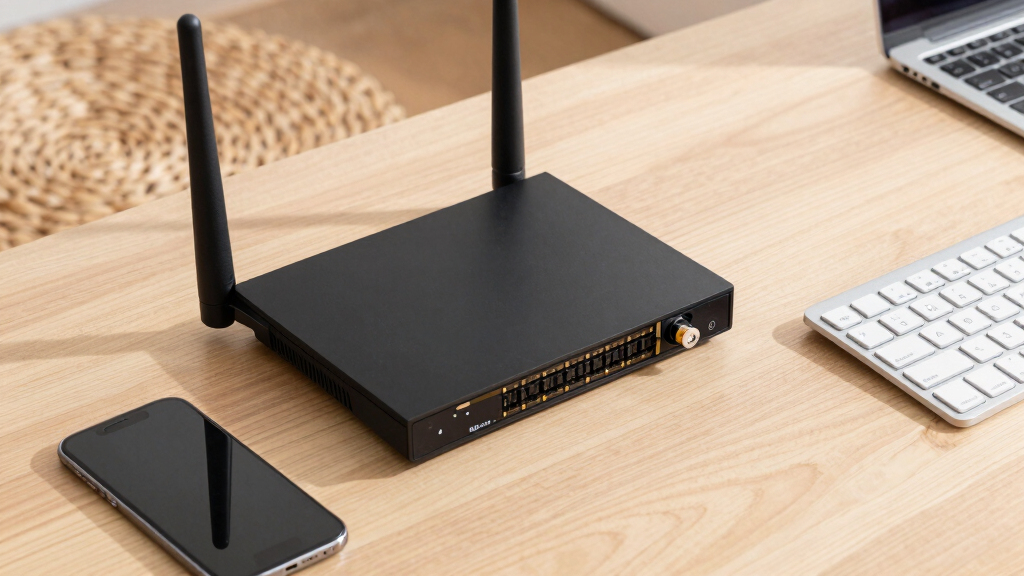

The 15 best high-performance network routers include fast Wi-Fi 7 home models, multi-gigabit gateways, and wired routers built for hands-on network control. My best overall pick is the ASUS RT-BE88U, which pairs Wi-Fi 7 with dual 10G ports and mesh compatibility. The NETGEAR Nighthawk RS500 stands out for a larger Wi-Fi 7 coverage claim, while the Omada ER7412-M2 suits buyers prioritizing multi-gigabit wired routing and VPN features. The main tradeoff is between simple wireless performance and the wired capacity, control, or setup effort that more specialized networks require. Read on for the full breakdown and a guide to matching router capabilities to your connection and devices.

Get business pricing on networking and server gear
- Business-only prices and quantity discounts
- Tax-exempt purchasing
- Multiple users, one account, clear invoices
Key Takeaways
- The ASUS RT-BE88U is the most balanced featured Wi-Fi 7 pick: its dual 10G ports and mesh compatibility make it more adaptable than models focused mainly on wireless speed.
- Wi-Fi 7 models serve different needs rather than one universal winner: the RS700S claims the largest coverage and highest speed here, while the RS90 is a more modest fit for smaller spaces.
- Wired routing can be the better performance upgrade: Omada ER7412-M2, MikroTik RB4011iGS+, and Ubiquiti EdgeRouter 4 target networks where routing control and wired links matter more than built-in Wi-Fi.
- Wi-Fi 6 and 6E remain useful choices: the RAX36, R6700AX, and Archer AXE75 may suit buyers whose devices or internet plan do not call for Wi-Fi 7.
- Management skill is a meaningful dividing line: consumer Nighthawk and TP-Link Wi-Fi models favor simpler home setup, while MikroTik and EdgeRouter options call for more networking knowledge.
| NETGEAR Nighthawk WiFi 7 Router, Up to 2,500 sq ft, 9.3 Gbps |  | Best Overall WiFi 7 Router | WiFi standard: WiFi 7 | Maximum speed: Up to 9.3 Gbps | Bands: Tri-band: 2.4 GHz, 5 GHz, and 6 GHz | VIEW ON AMAZON | See Our Full Breakdown |
| NETGEAR Nighthawk WiFi 6 Router (RAX36) – AX3000 Dual-Band Gigabit Router |  | Best WiFi 6 Pick for Connected Homes | WiFi standard: WiFi 6 (802.11ax) | Maximum speed: Up to 3 Gbps | Coverage: Up to 2,000 sq ft | VIEW ON AMAZON | See Our Full Breakdown |
| Omada ER7412-M2 Multi-Gigabit VPN Router |  | Best for Business and Advanced Wired Networks | Port count: 13 | WAN/LAN ports: 2 × 2.5G RJ45, 8 × RJ45, and 2 × SFP | Load balancing: Supported on up to 11 WAN ports | VIEW ON AMAZON | See Our Full Breakdown |
| NETGEAR Nighthawk WiFi 6 Router R6700AX, Up to 1,500 sq ft, 1.8 Gbps |  | Best for Small Homes and Apartments | WiFi standard: WiFi 6 (802.11ax) | Maximum speed: Up to 1.8 Gbps | Coverage: Up to 1,500 sq ft | VIEW ON AMAZON | See Our Full Breakdown |
| TP-Link AXE5400 Tri-Band WiFi 6E Router (Archer AXE75) |  | Best WiFi 6E Value for Low-Latency Devices | WiFi standard: WiFi 6E (802.11ax) | Maximum speed: Up to 5,400 Mbps | Bands: Tri-band: 6 GHz, 5 GHz, and 2.4 GHz | VIEW ON AMAZON | See Our Full Breakdown |
| MikroTik RB4011iGS+RM Ethernet 10-Port Gigabit Router |  | Best for High-Port Wired Networks | Model: RB4011iGS+RM | Ports: 10 Gigabit Ethernet ports and 1 SFP+ interface | SFP+: 10Gbps | VIEW ON AMAZON | See Our Full Breakdown |
| ASUS RT-BE88U WiFi 7 Router with Dual 10G Ports and Mesh Compatibility |  | Best for Multi-Gig Home Networking | Wireless standard: Wi-Fi 7 (802.11be) | Listed Wi-Fi speed: Up to 7200Mbps | Frequency bands: Dual-band, 2.4GHz and 5GHz | VIEW ON AMAZON | See Our Full Breakdown |
| Ubiquiti Networks EdgeRouter 4 Ethernet LAN Router |  | Best Compact Wired Router for Advanced Users | Model: ER-4 | Ports: 4 Gigabit Ethernet and 1 SFP | Packet processing: Up to 3.4 million packets per second | VIEW ON AMAZON | See Our Full Breakdown |
| NETGEAR Nighthawk WiFi 7 Router RS500, Up to 3,000 sq ft, 12 Gbps |  | Best Tri-Band Wi-Fi 7 Pick for Large Homes | Wireless generation: Wi-Fi 7 | Frequency bands: Tri-band | Listed maximum speed: Up to 12Gbps | VIEW ON AMAZON | See Our Full Breakdown |
| NETGEAR Nighthawk Tri-Band WiFi 7 Router (RS700S) – Up to 19Gbps Speed, 10 Gig Port, Covers 3,500 sq. ft., Supports 200 Devices (Renewed) |  | Best for Maximum Listed Wi-Fi Speed | Model: RS700S | Wireless generation: Wi-Fi 7 | Listed speed: Up to 19Gbps | VIEW ON AMAZON | See Our Full Breakdown |
| GL.iNet GL-BE9300 Flint 3 Tri-Band Wi-Fi 7 Router with VPN |  | Best for Feature-Rich Wi-Fi 7 | Wireless standard: Wi-Fi 7 | Frequency bands: Tri-band | Maximum speed: Up to 9 Gbps | VIEW ON AMAZON | See Our Full Breakdown |
| TP-Link ER605 Wired Gigabit VPN Router |  | Best for Small-Business WAN Resilience | WAN and LAN ports: 1 Gigabit WAN, 2 Gigabit WAN/LAN, 2 Gigabit LAN | USB WAN: 1 | VPN protocols: IPsec, OpenVPN, L2TP, PPTP | VIEW ON AMAZON | See Our Full Breakdown |
| NETGEAR Nighthawk WiFi 7 Router RS90, Up to 2,000 sq ft, 3.6 Gbps |  | Best for Straightforward Wi-Fi 7 Upgrades | Wireless standard: Wi-Fi 7 | Maximum speed: Up to 3.6 Gbps | Coverage: Up to 2,000 sq. ft. | VIEW ON AMAZON | See Our Full Breakdown |
| TP-Link BE6500 Dual-Band WiFi 7 Router (BE400) |  | Best for Broad Home Coverage | Wireless standard: Wi-Fi 7 | Maximum listed speed: 5,764 Mbps on 5 GHz; 688 Mbps on 2.4 GHz | Coverage: Up to 2,400 sq. ft. | VIEW ON AMAZON | See Our Full Breakdown |
| MikroTik hEX S Gigabit Ethernet Router with SFP Port (RB760iGS) |  | Best Compact Wired Router for Advanced Configurations | Ethernet ports: 5 | CPU: Dual-core 880 MHz | RAM: 256 MB | VIEW ON AMAZON | See Our Full Breakdown |
| high performance network router | Ports |
|---|---|
| NETGEAR Nighthawk WiFi 7 Route | — |
| NETGEAR Nighthawk WiFi 6 Route | — |
| Omada ER7412-M2 Multi-Gigabit | — |
| NETGEAR Nighthawk WiFi 6 Route | — |
| TP-Link AXE5400 Tri-Band WiFi | 5 LAN ports and 1 WAN port |
| MikroTik RB4011iGS+RM Ethernet | 10 Gigabit Ethernet ports and 1 SFP+ interface |
| ASUS RT-BE88U WiFi 7 Router wi | 2 × 10G SFP+, 4 × 2.5G, 4 × 1G |
| Ubiquiti Networks EdgeRouter 4 | 4 Gigabit Ethernet and 1 SFP |
| NETGEAR Nighthawk WiFi 7 Route | — |
| NETGEAR Nighthawk Tri-Band WiF | 1 × 10Gbps LAN and 4 × 1Gbps LAN |
| GL.iNet GL-BE9300 Flint 3 Tri- | 5 |
| TP-Link ER605 Wired Gigabit VP | — |
| NETGEAR Nighthawk WiFi 7 Route | 4 Gigabit Ethernet LAN, 1 2.5 Gigabit WAN |
| TP-Link BE6500 Dual-Band WiFi | 1 × 2.5 Gbps WAN/LAN, 1 × 2.5 Gbps LAN, 3 × 1 Gbps LAN |
| MikroTik hEX S Gigabit Etherne | — |
More Details on Our Top Picks
NETGEAR Nighthawk WiFi 7 Router, Up to 2,500 sq ft, 9.3 Gbps
I’d put this Nighthawk near the front of a high-performance home shortlist because it combines WiFi 7, three bands, and a useful mix of multi-gigabit ports. Its stated 9.3 Gbps maximum and 6 GHz band give compatible devices room for fast local connections, while the 2.5G WAN and two 2.5G LAN ports suit a multi-gig internet plan or wired high-speed devices. Compared with the TP-Link Archer AXE75, it offers the newer WiFi 7 standard rather than WiFi 6E; the AXE75 may still be a better fit when 6 GHz access matters more than moving to WiFi 7. The tradeoff is that the advertised coverage is capped at 2,500 sq ft, and larger or awkwardly laid-out homes may need mesh. Armor security also becomes subscription-based after its trial.
Pros:- WiFi 7 tri-band design includes 6 GHz for compatible devices
- 2.5G WAN and two 2.5G LAN ports support multi-gig wired connections
- Stated coverage of up to 2,500 sq ft suits many larger homes
- Nighthawk app provides a straightforward setup and management option
Cons:- Actual wireless speeds depend on the internet plan, client devices, and home conditions
- Homes beyond its stated coverage may need a separate mesh system
- NETGEAR Armor requires a subscription after the included trial
Best for: Households with WiFi 7 devices, a multi-gig internet plan, and a home within the stated 2,500-square-foot coverage range.
Not ideal for: Owners of larger multi-story homes who need whole-home coverage from one unit, or buyers who want ongoing security features without a subscription.
- WiFi standard:WiFi 7
- Maximum speed:Up to 9.3 Gbps
- Bands:Tri-band: 2.4 GHz, 5 GHz, and 6 GHz
- Coverage:Up to 2,500 sq ft
- WAN port:1 × 2.5G
- LAN ports:2 × 2.5G and 2 × 1G
- Provider compatibility:Most cable, fiber, DSL, and satellite providers
Our verdict“Choose this Nighthawk for a modern, multi-gig home network with WiFi 7 devices, but plan on mesh if your home exceeds its coverage reach.”
NETGEAR Nighthawk WiFi 6 Router (RAX36) – AX3000 Dual-Band Gigabit Router
The RAX36 is a sensible choice for households that want WiFi 6 capacity without stepping up to the tri-band WiFi 7 hardware in the other Nighthawk on this list. Its stated 3 Gbps maximum, quad-core processor, and coverage up to 2,000 sq ft make it a better match for everyday streaming, gaming, and video calls across a moderate-sized home than the smaller R6700AX, which is rated for 1,500 sq ft and 1.8 Gbps. Four Ethernet ports also give desktops, consoles, or a network switch wired options. This is still a dual-band router, not a modem, and its stated support for 25 devices may not suit a dense smart home. Buyers seeking 6 GHz or newer WiFi 7 capabilities should look to the 9.3 Gbps Nighthawk instead.
Pros:- WiFi 6 and a stated maximum speed of 3 Gbps suit demanding everyday use
- Quad-core 1.7 GHz processor is built for handling multiple network tasks
- Coverage is rated for up to 2,000 sq ft
- Four Ethernet ports support wired devices
Cons:- Dual-band WiFi lacks the 6 GHz band found on newer tri-band options
- Requires a separate modem for internet access
- No mesh networking feature is specified
Best for: Families with a separate modem who need WiFi 6 for streaming, gaming, and work across a home up to about 2,000 sq ft.
Not ideal for: Buyers with WiFi 7 or 6 GHz devices, a very dense connected home, or a need for a router-modem combo or built-in mesh.
- WiFi standard:WiFi 6 (802.11ax)
- Maximum speed:Up to 3 Gbps
- Coverage:Up to 2,000 sq ft
- Device capacity:Supports up to 25 devices
- Bands:Dual-band
- Processor:1.7 GHz quad-core
- Ethernet ports:4
- Security:WPA3
Our verdict“Pick the RAX36 for strong WiFi 6 coverage and wired connections, but choose the WiFi 7 Nighthawk if you need 6 GHz or a newer wireless generation.”
Omada ER7412-M2 Multi-Gigabit VPN Router
This Omada is the lineup’s specialist pick: a wired multi-gigabit VPN router for buyers who need routing controls, secure remote access, and multiple WAN options more than built-in WiFi. It offers 13 ports, including two 2.5G RJ45 ports and two SFP ports, with load balancing across as many as 11 WAN ports. That makes it a stronger fit for a small office or an advanced home lab than the wireless NETGEAR Nighthawk RAX36, but the comparison cuts both ways: the RAX36 provides WiFi directly, while the ER7412-M2 requires separate access points for wireless coverage. Its broad VPN support and Omada SDN management offer room to configure a complex network, though the setup can ask more of the administrator. It is powerful, but not a plug-and-play home WiFi replacement.
Pros:- Two 2.5G RJ45 ports and two SFP ports support flexible multi-gig connectivity
- Load balancing supports up to 11 WAN ports
- Broad VPN protocol support includes WireGuard, OpenVPN, and IPSec
- Omada SDN provides centralized cloud management
Cons:- No built-in WiFi; wireless access points must be supplied separately
- Advanced configuration can be demanding for nontechnical users
- Maximum data transfer rate is listed as 2,500 Mbps
Best for: Small businesses, home labs, and network administrators who need multi-WAN routing, VPN options, and centralized Omada management.
Not ideal for: Households looking for an all-in-one wireless router or buyers who do not want to configure a wired network and separate access points.
- Port count:13
- WAN/LAN ports:2 × 2.5G RJ45, 8 × RJ45, and 2 × SFP
- Load balancing:Supported on up to 11 WAN ports
- VPN protocols:SSL, IPSec, GRE, WireGuard, PPTP, L2TP, and OpenVPN
- Processor:Quad-core
- Maximum data transfer rate:2,500 Mbps
- USB:1 × USB 3.0
- Wireless:No built-in WiFi
- Warranty:5 years
Our verdict“Choose the ER7412-M2 for a configurable wired business network with VPN and multi-WAN needs, not as a standalone home WiFi router.”
NETGEAR Nighthawk WiFi 6 Router R6700AX, Up to 1,500 sq ft, 1.8 Gbps
For a smaller footprint, the R6700AX focuses on straightforward WiFi 6 coverage rather than headline multi-gig speed or broad expansion. Its 1.8 Gbps stated maximum and 1,500 sq ft coverage make it a more proportionate choice for an apartment or compact home than the RAX36, which is rated for 2,000 sq ft and up to 3 Gbps. It supports up to 20 devices and includes four Ethernet ports, so a console or work computer can stay wired while everyday devices use WiFi. App setup is also a practical plus for buyers who do not want a complex configuration process. The limits are clear: it needs a separate modem, and its smaller coverage target makes it less suitable for large or multi-story homes than the WiFi 7 Nighthawk.
Pros:- WiFi 6 supports efficient connections for current phones and computers
- Rated to cover up to 1,500 sq ft and support up to 20 devices
- Four Ethernet ports allow wired connections for key devices
- Nighthawk app offers setup and management, with WPA3 security
Cons:- Lower stated maximum speed and coverage than the RAX36
- Requires a separate modem or gateway for internet access
- Small coverage target may leave dead zones in larger or multi-story homes
Best for: Apartment residents and small-home households with up to 20 devices who want WiFi 6 and simple app-based management.
Not ideal for: Large or multi-story homes, heavy multi-gig users, or buyers who need an included modem or broader mesh coverage.
- WiFi standard:WiFi 6 (802.11ax)
- Maximum speed:Up to 1.8 Gbps
- Coverage:Up to 1,500 sq ft
- Device capacity:Up to 20 devices
- Bands:Dual-band: 2.4 GHz and 5 GHz
- Ethernet ports:4
- Security:WPA2 and WPA3
- Control:App and push button
Our verdict“Choose the R6700AX for an apartment or compact home that needs dependable WiFi 6, but step up to the RAX36 for more coverage and speed.”
TP-Link AXE5400 Tri-Band WiFi 6E Router (Archer AXE75)
The Archer AXE75 earns its place as a tri-band WiFi 6E option for buyers who want a dedicated 6 GHz band without moving to WiFi 7. That extra band can give compatible devices a less congested path for gaming or high-quality streaming, while the 5 GHz and 2.4 GHz bands continue serving other household equipment. Compared with the NETGEAR WiFi 7 Nighthawk, it uses an older wireless standard and has a 1.0 GHz dual-core CPU, but its stated 5,400 Mbps combined speed and VPN server/client support cover a broad set of home needs. Its eight antennas and EasyMesh compatibility also give buyers options for extending coverage. The tradeoff is that the stated speed is shared across bands, and setup of advanced security or VPN features may take more effort than basic app-based use.
Pros:- Tri-band WiFi 6E adds a 6 GHz band for compatible devices
- Stated combined maximum speed is up to 5,400 Mbps
- VPN server and client support adds remote-access options
- EasyMesh compatibility supports network expansion
Cons:- WiFi 6E is an older standard than the WiFi 7 Nighthawk
- A dual-core 1.0 GHz processor may be less suited to heavier network workloads
- Most internet providers require a separate modem
Best for: Gamers and streamers with WiFi 6E devices who want tri-band connectivity and VPN features without needing WiFi 7.
Not ideal for: Buyers who need WiFi 7, multi-gig Ethernet ports, or a router with especially simple management of advanced networking features.
- WiFi standard:WiFi 6E (802.11ax)
- Maximum speed:Up to 5,400 Mbps
- Bands:Tri-band: 6 GHz, 5 GHz, and 2.4 GHz
- Processor:1.0 GHz dual-core
- Memory:512 MB RAM
- Antennas:8
- Ports:5 LAN ports and 1 WAN port
- Security:WPA2, WPA2-Enterprise, WPA3, and HomeShield
- Additional features:VPN server and client; EasyMesh compatibility
Our verdict“Pick the Archer AXE75 if you want a 6 GHz lane for WiFi 6E devices and VPN flexibility; choose the WiFi 7 Nighthawk for the newer wireless standard.”
MikroTik RB4011iGS+RM Ethernet 10-Port Gigabit Router
I’d shortlist the RB4011iGS+RM for a home lab, small office, or rack where wired routing capacity matters more than built-in Wi-Fi. Its ten Gigabit Ethernet ports give it room for switches, servers, and wired clients, while the 10Gbps SFP+ interface can connect to compatible high-speed equipment. The quad-core Cortex A15 and IPsec hardware acceleration also make it a more capable wired hub than the smaller MikroTik hEX S. The tradeoff is a steeper setup curve: RouterOS offers extensive control, but it asks more of the operator than a typical consumer router interface. The SFP+ module is not included, and 1GB of RAM may limit headroom for unusually heavy workloads. I’d choose it for configurable wired infrastructure, not plug-and-play household Wi-Fi.
Pros:- Ten Gigabit Ethernet ports accommodate many wired devices
- 10Gbps SFP+ interface supports a fast uplink with a compatible module
- Quad-core Cortex A15 processor includes IPsec hardware acceleration
- Compact metal enclosure includes rackmount ears and passive PoE output on port 10
Cons:- RouterOS configuration can be challenging for users without networking experience
- SFP+ module is not included
- 1GB RAM may restrict headroom for very heavy workloads
Best for: Network hobbyists and small-office administrators who need many Gigabit ports, SFP+ uplink capacity, and configurable routing.
Not ideal for: Buyers who want built-in Wi-Fi, guided setup, or a high-memory platform for unusually heavy network workloads.
- Model:RB4011iGS+RM
- Ports:10 Gigabit Ethernet ports and 1 SFP+ interface
- SFP+:10Gbps
- CPU:Quad-core Cortex A15
- RAM:1GB
- Operating system:RouterOS
- PoE:Passive PoE input and passive PoE output on port 10
- Dimensions:8.98 × 4.72 × 1.18 inches
Our verdict“Choose the RB4011iGS+RM for a compact, configurable wired network with many Gigabit connections, but skip it if you need simple setup or built-in wireless.”
ASUS RT-BE88U WiFi 7 Router with Dual 10G Ports and Mesh Compatibility
The ASUS RT-BE88U suits buyers who want a modern Wi-Fi router without giving up wired capacity. Its dual 10G SFP+ ports, four 2.5G ports, and four Gigabit ports provide more ways to connect a fast internet service, storage, and wired clients than the NETGEAR Nighthawk RS500, whose listed WAN connection is 2.5Gbps. Wi-Fi 7 speeds are listed up to 7200Mbps, and AiProtection Pro, parental controls, and mesh compatibility add flexibility for a busy home. The main compromise is that this is a dual-band router, not a tri-band model like the RS500, so its wireless band layout differs for homes with many competing clients. Its four antennas and stated 3,000-square-foot coverage also do not remove the need to plan placement, and advanced setup may take patience.
Pros:- Two 10G SFP+ ports provide flexible high-speed wired connections
- Four 2.5G ports offer more than standard Gigabit connections for compatible devices
- Wi-Fi 7 support with a listed combined speed of up to 7200Mbps
- AiProtection Pro, parental controls, and mesh compatibility add home-network options
Cons:- Dual-band design differs from tri-band alternatives such as the NETGEAR RS500
- Advanced settings may challenge buyers who want a very guided setup
- Four fixed antennas and the large housing may constrain placement
Best for: Households with multi-gig internet, wired workstations or storage, and a preference for ASUS mesh expansion.
Not ideal for: Buyers seeking a tri-band router or a particularly simple setup experience.
- Wireless standard:Wi-Fi 7 (802.11be)
- Listed Wi-Fi speed:Up to 7200Mbps
- Frequency bands:Dual-band, 2.4GHz and 5GHz
- Ports:2 × 10G SFP+, 4 × 2.5G, 4 × 1G
- Processor:Quad-core 2.6GHz
- Antennas:4 fixed
- Listed coverage:Up to 3,000 square feet
- Security:WPA3 and AiProtection Pro
Our verdict“Pick the RT-BE88U if multi-gig wired connectivity and ASUS mesh options matter more to you than a tri-band wireless design.”
Ubiquiti Networks EdgeRouter 4 Ethernet LAN Router
The EdgeRouter 4 is a focused choice for buyers building a wired network who do not need wireless routing in the same device. Its listed 3.4 million packets per second processing and 4Gbps line rate give it a performance-oriented profile, while four Gigabit Ethernet ports and an SFP port cover common wired connections. Compared with the MikroTik RB4011iGS+RM, it offers fewer Ethernet ports and a standard SFP connection rather than 10Gbps SFP+, so it is less suited to a large, fast rack setup. Its compact form and UNMS management appeal to small offices and technically confident home-network builders. The clear tradeoff is no Wi-Fi; wireless access requires separate hardware. Setup and management also demand more networking knowledge than a consumer Wi-Fi router.
Pros:- Listed packet processing capacity of 3.4 million packets per second
- 4Gbps line rate suits a performance-focused wired setup
- Four Gigabit Ethernet ports plus an SFP port
- Compact design with UNMS management support
Cons:- No built-in Wi-Fi, so wireless access requires a separate access point
- Fewer Ethernet ports and slower SFP capability than the MikroTik RB4011iGS+RM
- Configuration and ongoing management require networking knowledge
Best for: Technically confident home-lab owners or small offices that want a compact wired router and can manage wireless access separately.
Not ideal for: Households seeking an all-in-one Wi-Fi router or buyers who need multiple 10Gbps uplinks.
- Model:ER-4
- Ports:4 Gigabit Ethernet and 1 SFP
- Packet processing:Up to 3.4 million packets per second
- Line rate:4Gbps
- Management:UNMS support
- Connectivity:Wired Ethernet and SFP
- Weight:795g
- Color:Black
Our verdict“Choose the EdgeRouter 4 for compact, performance-focused wired routing if you are comfortable supplying and managing separate Wi-Fi equipment.”
NETGEAR Nighthawk WiFi 7 Router RS500, Up to 3,000 sq ft, 12 Gbps
For a large, device-heavy home, I’d favor the Nighthawk RS500 when tri-band Wi-Fi 7 matters more than an extensive multi-gig wired panel. It lists up to 12Gbps wireless speed, coverage up to 3,000 square feet, and support for as many as 120 devices. Compared with the dual-band ASUS RT-BE88U, its third band gives this model a different wireless layout for busy networks, while the ASUS offers more listed 10G and 2.5G ports. The RS500’s 2.5Gbps WAN port and three LAN ports cover core wired needs, but buyers with multiple high-speed wired devices may want more ports. It also requires a separate modem or gateway, and NETGEAR Armor protection requires a subscription after its free trial. Coverage figures are planning guidance, not a guarantee for every home.
Pros:- Tri-band Wi-Fi 7 with listed speeds up to 12Gbps
- Listed coverage of up to 3,000 square feet
- Supports up to 120 devices with MU-MIMO and OFDMA
- 2.5Gbps WAN port supports multi-gig internet service
Cons:- Three LAN ports may be limiting for wired-heavy setups
- Requires a separate modem or gateway, which may need bridge-mode configuration
- NETGEAR Armor requires a subscription after the free trial
Best for: Families in larger homes with many wireless devices who want tri-band Wi-Fi 7 and a straightforward multi-gig WAN connection.
Not ideal for: Buyers who need several 10Gbps wired connections, more than three LAN ports, or built-in modem hardware.
- Wireless generation:Wi-Fi 7
- Frequency bands:Tri-band
- Listed maximum speed:Up to 12Gbps
- Listed coverage:Up to 3,000 square feet
- Device capacity:Up to 120 devices
- Ethernet ports:1 × 2.5Gbps WAN and 3 LAN ports
- Antennas:6 fixed
- Security:WPA2-PSK and WPA3
Our verdict“Choose the RS500 for tri-band Wi-Fi 7 across a large, busy home, but look elsewhere if you need abundant high-speed Ethernet ports.”
NETGEAR Nighthawk Tri-Band WiFi 7 Router (RS700S) – Up to 19Gbps Speed, 10 Gig Port, Covers 3,500 sq. ft., Supports 200 Devices (Renewed)
The renewed Nighthawk RS700S is the speed-led option here: it lists Wi-Fi 7 throughput up to 19Gbps, coverage up to 3,500 square feet, and capacity for up to 200 devices. Against the RS500, its headline speed and coverage claims are higher, making it a better fit on paper for homes with demanding wireless workloads such as gaming, streaming, and AR/VR. Wired connectivity is less expansive than the ASUS RT-BE88U’s port selection: the supplied data lists one 10Gbps LAN port and four 1Gbps LAN ports. This is also a renewed unit with a 90-day warranty, a real ownership tradeoff compared with buying a new router. It needs a separate modem, and setup may be less approachable for first-time network owners. I’d weigh the warranty and condition uncertainty against the higher listed wireless capacity.
Pros:- Wi-Fi 7 speed listed up to 19Gbps
- Coverage listed up to 3,500 square feet
- Supports up to 200 devices
- Includes one 10Gbps LAN port for a compatible wired device
Cons:- Renewed product includes a 90-day warranty
- Only one listed 10Gbps LAN port; the remaining LAN ports are Gigabit
- Requires a separate modem and may be challenging for less experienced users
Best for: Technically confident households seeking high listed Wi-Fi 7 capacity and broad coverage, and willing to buy a renewed router.
Not ideal for: Buyers who require a long warranty, multiple multi-gig Ethernet ports, or an all-in-one modem-router.
- Model:RS700S
- Wireless generation:Wi-Fi 7
- Listed speed:Up to 19Gbps
- Listed coverage:Up to 3,500 square feet
- Device capacity:Up to 200 devices
- Ports:1 × 10Gbps LAN and 4 × 1Gbps LAN
- Antennas:6
- Warranty:90 days
Our verdict“Pick the renewed RS700S for its higher listed Wi-Fi capacity and coverage if you accept the short warranty and limited multi-gig wired ports.”
GL.iNet GL-BE9300 Flint 3 Tri-Band Wi-Fi 7 Router with VPN
The Flint 3 pairs tri-band Wi-Fi 7 with a stated maximum speed of 9 Gbps, making it a more connectivity-focused choice than the dual-band NETGEAR Nighthawk RS90. Multi-Link Operation is designed to combine compatible links, which can help keep latency steadier when several devices are active. The router also includes parental controls and VPN support, giving technically minded households more network-management options than a simpler app-led pick such as the TP-Link BE6500. The tradeoff is a steeper setup curve: the product data calls for a firmware update on initial setup, and less experienced buyers may need time to configure its features. Its coverage is listed at up to 2,000 square feet, so the higher speed ceiling does not automatically make it the better fit for a larger home.
Pros:- Tri-band Wi-Fi 7 with a stated maximum speed of 9 Gbps
- Multi-Link Operation can help compatible devices maintain responsive connections in busy networks
- Includes parental controls and VPN capability
- Five ports and 1 GB of RAM support a feature-rich home network
Cons:- Initial firmware updating and configuration may challenge less technical users
- Listed coverage is limited to up to 2,000 square feet
- Some features depend on compatible client devices to deliver their full benefit
Best for: Households with Wi-Fi 7 devices that want tri-band capacity, VPN options, and parental controls, and are comfortable with hands-on setup.
Not ideal for: Beginners seeking a quick, uncomplicated setup or buyers who need coverage beyond the stated 2,000 square feet.
- Wireless standard:Wi-Fi 7
- Frequency bands:Tri-band
- Maximum speed:Up to 9 Gbps
- Coverage:Up to 2,000 sq. ft.
- Ports:5
- RAM:1 GB
- Antennas:4
- Operating system:Linux
Our verdict“Choose the Flint 3 for high-speed tri-band Wi-Fi 7 and added network controls if you are willing to manage a more involved setup.”
TP-Link ER605 Wired Gigabit VPN Router
The TP-Link ER605 earns its place through routing control rather than wireless speed: it has multiple WAN options, load balancing, and USB WAN support for a mobile-broadband backup. That makes it a better fit for a small office that cannot afford a single internet connection to be its only path online than the Wi-Fi-focused NETGEAR Nighthawk RS90. It also supports several VPN protocols and can be managed through Omada SDN, which suits networks that need centralized oversight. The main limitation is decisive for home buyers: this is a wired router with no built-in wireless access point, so Wi-Fi requires separate hardware. Its configuration options also ask more of the person setting it up than an app-first consumer router.
Pros:- Multiple Gigabit WAN options support connection failover and load balancing
- USB WAN can provide a mobile-broadband backup path
- Supports IPsec, OpenVPN, L2TP, and PPTP VPN protocols
- Omada SDN compatibility supports centralized network management
Cons:- No built-in Wi-Fi, so wireless clients need a separate access point
- Setup and VPN configuration can require networking experience
- Ethernet ports are Gigabit rather than multi-gigabit
Best for: Small offices and technically capable home users who need multi-WAN failover, VPN access, and centralized Omada management.
Not ideal for: Buyers who want one device to provide both routing and Wi-Fi, or anyone who prefers a straightforward consumer setup.
- WAN and LAN ports:1 Gigabit WAN, 2 Gigabit WAN/LAN, 2 Gigabit LAN
- USB WAN:1
- VPN protocols:IPsec, OpenVPN, L2TP, PPTP
- Security:SPI firewall, DoS defense, IP/MAC/URL filtering
- Omada SDN:Compatible
- Dimensions:6.22 × 3.98 × 0.98 in.
- Weight:12.64 oz.
Our verdict“Pick the ER605 for resilient wired business routing and VPN features, but pair it with a separate access point if you need Wi-Fi.”
NETGEAR Nighthawk WiFi 7 Router RS90, Up to 2,000 sq ft, 3.6 Gbps
The Nighthawk RS90 is a practical entry point to Wi-Fi 7 for buyers who want a modern wireless router without moving to a high-speed tri-band model. Its stated 3.6 Gbps ceiling sits well below the GL.iNet Flint 3 and the 9.3 Gbps Nighthawk Wi-Fi 7 model in this roundup, but its dual-band design, four Gigabit Ethernet ports, and app-based management keep the setup comparatively approachable. Coverage is listed at up to 2,000 square feet for as many as 50 devices, making it a reasonable match for a typical household rather than a sprawling property or unusually demanding network. The 2.5 Gigabit WAN port gives it a faster internet connection path than its LAN ports, though wired devices remain limited to Gigabit connections. A modem or gateway is also required.
Pros:- Wi-Fi 7 supports a stated wireless speed of up to 3.6 Gbps
- App-based setup and management make it more approachable than the Flint 3
- Listed coverage reaches up to 2,000 square feet and up to 50 devices
- 2.5 Gigabit WAN port supports a multi-gig internet connection
Cons:- Dual-band design offers less band capacity than the tri-band Flint 3
- Four LAN ports are Gigabit, limiting wired client link speeds
- Requires a separate modem or gateway, and some security features may require a subscription
Best for: Households moving to Wi-Fi 7 who want app-guided setup, coverage up to 2,000 square feet, and support for a range of existing Wi-Fi devices.
Not ideal for: Users seeking tri-band capacity, faster-than-Gigabit wired connections for local devices, or a router with a built-in modem.
- Wireless standard:Wi-Fi 7
- Maximum speed:Up to 3.6 Gbps
- Coverage:Up to 2,000 sq. ft.
- Device capacity:Up to 50 devices
- Bands:Dual-band
- Ports:4 Gigabit Ethernet LAN, 1 2.5 Gigabit WAN
- Processor:Quad-core 2.0 GHz
- Antennas:4
Our verdict“Choose the RS90 for an accessible Wi-Fi 7 upgrade with app management, not for the highest wireless ceiling or multi-gig LAN.”
TP-Link BE6500 Dual-Band WiFi 7 Router (BE400)
With coverage listed at up to 2,400 square feet, the TP-Link BE6500 targets a wider home footprint than the 2,000-square-foot NETGEAR Nighthawk RS90. Its six antennas, beamforming, and Wi-Fi 7 features are aimed at keeping streaming, gaming, and smart-home traffic moving across more rooms; a 2.5 Gbps WAN/LAN port and a separate 2.5 Gbps LAN port also give wired gear a route beyond Gigabit speeds. Compared with the tri-band GL.iNet Flint 3, though, this is a dual-band router, so it has fewer frequency bands to distribute traffic across. TP-Link’s Tether app makes routine management more accessible, while HomeShield adds security tools. It requires a separate modem, and its mesh support does not extend to Deco systems, which may constrain buyers already invested in that lineup.
Pros:- Coverage is listed at up to 2,400 square feet
- Two 2.5 Gbps ports support faster WAN or wired device connections
- Six antennas, beamforming, MU-MIMO, and OFDMA support busy home networks
- Tether app offers accessible setup and management
Cons:- Dual-band design has fewer bands than the tri-band Flint 3
- Requires a separate modem for internet access
- Does not work with Deco mesh systems
Best for: Households needing Wi-Fi 7 coverage across a larger home, with a mix of wireless devices and a few multi-gig wired connections.
Not ideal for: Buyers who need tri-band capacity or want to expand using a TP-Link Deco mesh system.
- Wireless standard:Wi-Fi 7
- Maximum listed speed:5,764 Mbps on 5 GHz; 688 Mbps on 2.4 GHz
- Coverage:Up to 2,400 sq. ft.
- Bands:Dual-band
- Ports:1 × 2.5 Gbps WAN/LAN, 1 × 2.5 Gbps LAN, 3 × 1 Gbps LAN
- Antennas:6
- Security:WPA3, HomeShield
- Dimensions:10.6 × 6 × 1.9 in.
Our verdict“Choose the BE6500 for wider listed coverage and multi-gig ports, provided dual-band operation and its mesh limits fit your network.”
MikroTik hEX S Gigabit Ethernet Router with SFP Port (RB760iGS)
The MikroTik hEX S is the specialist pick here: a compact wired router for buyers who value configurable routing over built-in Wi-Fi. Its SFP port opens a fiber connection option, while PoE output on Ethernet port 5 can power a compatible device without a separate power run. RouterOS also supports advanced configurations and hardware-assisted IPsec, giving it a different appeal from the plug-in-and-manage NETGEAR Nighthawk RS90. But that flexibility comes with a learning curve, and the 256 MB of RAM and dual-core 880 MHz CPU make this a very different class of device from the high-speed Wi-Fi 7 routers elsewhere in the roundup. It has five Ethernet ports and no wireless radios, so homes wanting wireless coverage need a separate access point.
Pros:- SFP port supports a fiber connection option
- PoE output on Ethernet port 5 can power compatible equipment
- RouterOS supports advanced network configurations
- Hardware-assisted IPsec is specified at approximately 470 Mbps
Cons:- No built-in wireless capability
- RouterOS may be difficult for users without networking experience
- Five Ethernet ports and Gigabit routing are less suited to larger multi-gig networks
Best for: Network hobbyists and small wired setups that need SFP, PoE output, or RouterOS configuration in a compact unit.
Not ideal for: Buyers who need built-in Wi-Fi, a simple consumer interface, or high-speed wireless coverage for a household.
- Ethernet ports:5
- CPU:Dual-core 880 MHz
- RAM:256 MB
- SFP port:Yes
- PoE output:Yes, on Ethernet port 5
- USB:USB 2.0
- Operating system:RouterOS L4
- IPsec hardware encryption:Approximately 470 Mbps
Our verdict“Pick the hEX S for compact, configurable wired routing with SFP and PoE, and skip it if you need a plug-and-play Wi-Fi router.”

How We Picked
I compared these routers by the performance they are designed to support, including Wi-Fi generation, stated wireless capacity, coverage claims, multi-gigabit ports, and wired routing features. I also weighed practical fit: whether a model includes Wi-Fi, supports mesh expansion, offers VPN or network-management features, and suits a home user or a more hands-on office network. Coverage and speed claims are product specifications, not guarantees; walls, interference, client devices, and the internet plan all affect real results.
The ranking favors useful performance for the widest range of buyers, not the highest headline number alone. The ASUS RT-BE88U leads for its mix of Wi-Fi 7, dual 10G ports, and mesh compatibility. Other Wi-Fi 7 picks rank by the balance of stated capacity and use case, while wired routers sit lower for general home buyers but remain strong fits for networks needing dedicated routing control. Older Wi-Fi generations and simpler wired models place lower on peak capability, yet can be more sensible when their features match the buyer’s actual setup.
Factors to Consider When Choosing 15 Best High Performance Network Routers
Router performance depends on how the whole network is used, not just the speed printed on the box. I would start with the internet service, client devices, and wired equipment already in place, then decide whether Wi-Fi coverage or routing control is the real constraint.
Match Wi-Fi Generation to Your Devices
Wi-Fi 7 can offer newer capabilities, but a router upgrade does not make older phones and laptops use them. Check the wireless standards supported by the devices that carry your busiest tasks, such as work calls, large transfers, or gaming. If most clients are Wi-Fi 6 or earlier, a capable Wi-Fi 6 router may leave more budget for wired upgrades or access-point placement. Wi-Fi 6E adds access to the 6 GHz band for compatible devices, though that band has different range characteristics and may be less useful through walls. Avoid buying solely for a future device that you may not add for years. A mixed household can still benefit from a newer router, but the gains will vary by client.
Check Internet Speed and Multi-Gigabit Ports
A high wireless link rate is not the same as internet throughput: the service plan, modem or ONT, Ethernet port speeds, and client all set limits. Identify the speed of the incoming connection and whether the router has a WAN port that can accept it. Multi-gigabit LAN ports matter when a NAS, workstation, switch, or server also needs faster local transfers. If every wired device uses gigabit Ethernet and the internet plan is below that level, extra 10G ports may bring little immediate benefit. Conversely, a fast broadband plan connected to a gigabit-only bottleneck can leave capacity unused. Map the connection path before paying for port speeds that the rest of the network cannot use.
Treat Coverage Claims as Planning Estimates
Published square-foot coverage is a rough guide, not a promise for every floor plan. Dense walls, floors, neighboring networks, and router placement can reduce usable signal before the stated area is reached. A central, open location often matters more than moving up one speed tier. For a long or multi-level home, plan for mesh nodes or wired access points rather than assuming one powerful router will reach every room. Mesh compatibility can help, but check which equipment can join the system and whether wired backhaul is supported. Buying a single high-output router for a difficult layout can cost more and work worse than using several well-placed access points.
Choose Between a Wireless Router and a Wired Gateway
Many high-performance products in this roundup are not direct substitutes: some combine Wi-Fi access and routing, while others are wired routers intended to sit behind separate access points. A wired gateway can provide stronger routing controls, VLANs, VPN functions, or multi-gigabit connections without spending on radios you do not need. That setup also adds equipment, configuration, and possible troubleshooting. Home buyers who want one device and a guided setup should favor an all-in-one model. Offices, labs, and advanced home networks may prefer separating routing from Wi-Fi so each part can be upgraded independently. Confirm that the chosen router has the firewall, VPN, and management features your network requires, rather than assuming every model supports the same functions.
Account for Setup, Updates, and Ongoing Management
Router ownership includes firmware updates, security settings, and occasional troubleshooting, not just initial installation. A simple app-led setup can be a better fit for a household than a device with extensive controls that require networking knowledge. Advanced interfaces can be useful for setting rules and diagnosing traffic, but they add a learning curve and may demand more time to maintain. Before choosing, check how firmware updates are delivered, what management tools are available, and whether the features you need require an account or cloud service. Set a strong administrator password, use current encryption settings, and replace default credentials during setup. If nobody in the household wants to manage a network, prioritize a model with clear controls and straightforward update practices.
Pay for Capacity You Can Use
Premium routers make sense when several constraints line up: fast broadband, compatible Wi-Fi clients, a large or busy household, and wired devices that can use faster ports. If only one of those applies, a less expensive generation or simpler feature set may deliver a better fit. Think about peak household use, not a device count alone; many connected devices exchange very little data, while a few simultaneous high-bandwidth tasks can strain a network. Also check whether a listed model is renewed and decide whether its condition and support terms suit your needs. Leave room in the decision for an access point, switch, or cabling if those changes would address the actual bottleneck more directly than a flagship router.
Frequently Asked Questions
Should I choose Wi-Fi 7 if my current devices mostly use Wi-Fi 6?
Not automatically. A Wi-Fi 7 router can support newer clients later, but Wi-Fi 6 devices will not gain Wi-Fi 7-only capabilities. If your broadband and current client mix are already served well, a Wi-Fi 6 or 6E option may leave more room for a switch, access point, or better cabling. Wi-Fi 7 is easier to justify when you plan to keep the router for years, expect compatible devices soon, or need features such as faster wired ports as well. Decide based on the full network path rather than the router’s generation alone.
Can a wired router like the Omada ER7412-M2 replace a home Wi-Fi router?
A wired router can handle routing without providing the wireless access many homes expect. You would typically pair it with a separate wireless access point or mesh system, which adds hardware and setup steps. That arrangement can be a strong fit when you want dedicated routing features or flexible Wi-Fi placement. It is less convenient if you want a single device with a guided home setup. Check port speeds, access-point compatibility, and how you will manage wireless security before building a two-part system.
Do I need 10-gigabit ports for a fast internet connection?
Only if the connection and devices on the other end can use them. A multi-gigabit WAN port can prevent a router from limiting a similarly fast broadband plan, while multi-gigabit LAN ports can help with local transfers to compatible equipment. If your internet service, switch, and computers are all gigabit, 10G ports may not change day-to-day performance. Also confirm whether the router’s WAN and LAN ports can operate at the speeds you need; a port count alone does not describe the whole layout. Identify the slowest link between the modem, router, switch, and client before upgrading.
Is one router enough for a large or multi-story home?
Sometimes, but the building layout matters more than a coverage figure by itself. Thick walls, floor materials, and interference can make a nominally high-coverage router unreliable in distant rooms. A central placement may solve a modest dead zone, while a larger home may need mesh nodes or wired access points. If possible, use Ethernet backhaul between access points to avoid relying on a weaker wireless link between floors. Plan placement and backhaul before buying a more powerful single router, since more radio capacity does not remove physical obstacles.
When is an older Wi-Fi 6 router a smarter purchase than Wi-Fi 7?
Wi-Fi 6 can be the more sensible choice when your devices and broadband do not need newer wireless capabilities, or when you want a straightforward replacement for an older home router. Models such as the NETGEAR RAX36 and R6700AX offer a simpler class of setup than the feature-rich Wi-Fi 7 picks, while the Archer AXE75 adds Wi-Fi 6E for compatible clients. The tradeoff is less headroom for future Wi-Fi 7 devices and, depending on the model, fewer advanced port options. Compare the exact ports, coverage needs, and client standards rather than treating generation as the only measure of performance.
Conclusion
For most buyers who want a capable wireless router with room for faster wired devices, I recommend the ASUS RT-BE88U as the best overall. The TP-Link ER605 is my best value fit for buyers seeking a compact wired gateway with VPN routing features, while the NETGEAR Nighthawk RS700S is the best premium pick for those prioritizing its high stated Wi-Fi capacity and broad coverage claim; note that this listing is renewed. For a simpler home Wi-Fi setup, the NETGEAR Nighthawk R6700AX is the best beginner-oriented option among the older-generation picks. If you need advanced wired control, look to the Omada ER7412-M2 or MikroTik RB4011iGS+; if compact wired routing is the goal, consider the MikroTik hEX S. Choose by matching your devices, connection speed, and management comfort—not by headline speed alone.
Halloween Picks
halloween
As an affiliate, we earn on qualifying purchases.