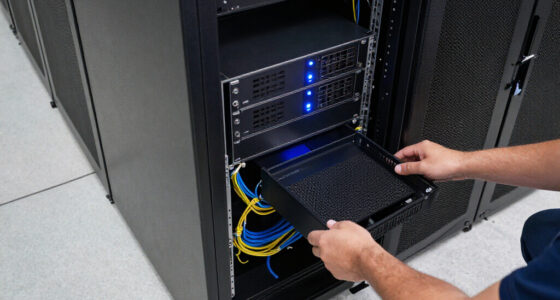

When I compare enterprise cloud backup solutions, I look beyond cloud sync: the local system must also protect files, support recovery, and fit the organization’s network and physical environment. These three Buffalo TeraStations pair local NAS storage with backup and cloud-integration features, but they are not interchangeable. The TeraStation 5420DN is my best overall pick for an office that wants a desktop unit with drives included and native 10GbE. The 5420RN brings similar core capabilities in a rackmount chassis, while the 51220RH is the higher-capacity, longer-support choice for rack-based teams.

Get business pricing on networking and server gear
- Business-only prices and quantity discounts
- Tax-exempt purchasing
- Multiple users, one account, clear invoices
The main tradeoffs are usable capacity versus redundancy, rack versus desktop installation, and how much hardware headroom you need. All three ship with less usable space than their raw drive totals when configured for RAID 5; RAID 6 reduces capacity further in the 12-bay model. I would also treat cloud integration as one component of a backup plan, not proof that every cloud destination, retention policy, or recovery workflow is covered. My ranking favors practical business fit, recovery-oriented features, network connectivity, and support details supplied for each model.
Key Takeaways
- The desktop 5420DN is the most adaptable fit for offices that want a four-drive NAS, included disks, snapshots, and native 10GbE without a rack.
- The rackmount 5420RN offers much of the 5420DN’s capacity and security in a chassis suited to an existing server rack, not a standard desktop setup.
- The 51220RH lists 80 TB raw capacity, but usable space is 40 TB in RAID 5 or 36 TB in RAID 6; its 12-bay chassis provides room to plan a larger storage footprint.
- All three models pair local NAS storage with backup and cloud-sync or cloud-integration features, but buyers should confirm supported cloud services and recovery needs before deployment.
- RAID is not a substitute for a separate backup: snapshots and cloud copies can add recovery options, while off-device retention and restore testing still need planning.
| BUFFALO TeraStation 5420DN 4-Bay Business NAS, 48TB (4 × 12TB Drives Included) |  | Best Overall — desktop cloud-connected backup for business offices | Raw storage: 48 TB | Included drives: 4 × 12 TB NAS-grade drives | Default RAID and usable capacity: RAID 5; 32 TB usable | VIEW LATEST PRICE | See Our Full Breakdown |
| Buffalo TeraStation 5420RN 4-Bay Rackmount NAS, 48TB with 4 Hard Drives |  | Best for Existing Racks — business backup storage for server rooms | Raw storage: 48 TB | Included drives: 4 × 12 TB NAS-grade drives | Default RAID and usable capacity: RAID 5; 32 TB usable | VIEW LATEST PRICE | See Our Full Breakdown |
| BUFFALO TeraStation 51220RH 12-Bay Rackmount NAS, 80TB with 4 Hard Drives |  | Best Premium — larger capacity planning and extended support | Listed raw capacity: 80 TB | Included drives: 4 enterprise-grade 20 TB drives | Usable capacity: 40 TB in RAID 5; 36 TB in RAID 6; up to 80 TB in RAID 0 | VIEW LATEST PRICE | See Our Full Breakdown |
| enterprise cloud backup solution | Included drives | Connectivity | Security | Raw storage |
|---|---|---|---|---|
| BUFFALO TeraStation 5420DN 4-B | 4 × 12 TB NAS-grade drives | Ethernet; native 10GbE | 256-bit drive encryption; two-factor authentication | 48 TB |
| Buffalo TeraStation 5420RN 4-B | 4 × 12 TB NAS-grade drives | Ethernet; native 10GbE | Drive encryption; two-factor authentication | 48 TB |
| BUFFALO TeraStation 51220RH 12 | 4 enterprise-grade 20 TB drives | Ethernet; native 10GbE | 256-bit drive encryption; two-factor authentication | — |
More Details on Our Top Picks
BUFFALO TeraStation 5420DN 4-Bay Business NAS, 48TB (4 × 12TB Drives Included)
I rank the 5420DN first because its desktop design gives businesses a practical way to add local backup storage without first installing a rack. The four included 12TB NAS-grade drives provide 48TB raw capacity, and its default RAID 5 setup yields 32TB usable. That gap matters when planning file growth: the drive total sounds larger than the storage available for data, and RAID protection uses part of the capacity.
For a cloud-connected backup system, local resilience and a path to off-device copies matter together. This model lists snapshots, backup features, and cloud integration, giving administrators building blocks for recovery workflows. It also adds 256-bit drive encryption and two-factor authentication, which can help protect stored data and access to the system. The product information does not name cloud providers or describe retention and restore behavior, so I would confirm those points before treating it as a complete cloud backup service.
Compared with the 5420RN, the 5420DN is the easier recommendation when there is no rack or when the NAS will sit in an office environment. The two share the central four-drive, RAID 5, security, and 10GbE profile, so the choice is more about installation than a major listed capability difference. Against the 51220RH, the DN gives up the larger 12-bay platform, enterprise-grade drive description, and five-year warranty, but it is a more straightforward match for organizations that do not need that rack-scale footprint.
Its native 10GbE connection can support faster transfers where the switches, clients, and cabling are configured for it. The supplied data also lists a 5-gigabit-per-second transfer rate, so I would not assume that every workload will reach the port’s theoretical link speed. RAID options include RAID 5, RAID 6, and RAID 0; choosing RAID 6 may improve drive-failure tolerance but changes usable capacity, while RAID 0 prioritizes capacity and speed over redundancy. For most backup roles, I would plan around redundant storage and maintain another independent copy.
The three-year warranty and Japan manufacture are useful procurement details, though they do not replace a clear support plan or a restore test. I see this as the most balanced option in the group: less specialized than a rackmount system, with enough stated security and backup features to serve as a business NAS. Skip it if the organization needs a rack chassis, more room to expand, or a documented cloud service with specified retention and recovery commitments.
Pros:- Includes four NAS-grade drives and 32TB usable capacity in the default RAID 5 configuration.
- Lists snapshots, backup features, and cloud integration for building connected recovery workflows.
- Native 10GbE, 256-bit drive encryption, and two-factor authentication support business use.
- Desktop form factor and a three-year warranty suit offices that do not need rack hardware.
Cons:- RAID 5 leaves 32TB usable from the 48TB raw drive total.
- The listed transfer rate is 5 gigabits per second, below the headline 10GbE port capability.
- Cloud provider support, retention, and restore service details are not specified in the supplied information.
Best for: Small and midsize organizations that want a desktop business NAS with included drives, snapshot and cloud-integration features, and native 10GbE.
Not ideal for: Teams with rack-only deployment standards, requirements for a named cloud provider or managed backup service, or a need for the 51220RH’s larger listed capacity and five-year warranty.
- Raw storage:48 TB
- Included drives:4 × 12 TB NAS-grade drives
- Default RAID and usable capacity:RAID 5; 32 TB usable
- Supported RAID:RAID 5, RAID 6, RAID 0
- Connectivity:Ethernet; native 10GbE
- Security:256-bit drive encryption; two-factor authentication
- Listed transfer rate:5 gigabits per second
- Warranty:3 years
Our verdict“I recommend the 5420DN as the most versatile desktop choice when a business wants local NAS protection and cloud-connected backup features without a rack.”
Buffalo TeraStation 5420RN 4-Bay Rackmount NAS, 48TB with 4 Hard Drives
The 5420RN is my rack-infrastructure pick, not a higher-capacity replacement for the 5420DN. It uses the same four 12TB drive arrangement and ships with RAID 5 configured for 32TB usable from 48TB raw. Its stated feature set also includes native 10GbE, snapshots, drive encryption, two-factor authentication, cloud sync, and flexible backup options. If a business already has a rack and wants the NAS to live alongside its other equipment, that form factor may be more valuable than a desktop chassis.
Compared with the 5420DN, the RN’s clearest advantage is physical fit: it is rackmountable, while the DN is intended for desktop placement. Their listed storage, RAID choices, and key security features are closely aligned, so I would not choose the RN on the assumption that it offers a larger usable volume or a more capable cloud service. The available description does not establish that. I would choose it when centralized rack installation, cable management, or a shared server-room layout is part of the deployment plan.
Its cloud-sync and backup features can support a hybrid approach, with local NAS storage and copies or synchronization to cloud services. But sync and backup are not identical: synchronization can replicate unwanted changes or deletions, depending on the service and configuration. Because provider support, version history, retention, and restore behavior are not specified here, I would verify each before relying on the RN for recovery. The listed snapshots add another local recovery mechanism, but snapshots on the same system do not replace an off-site copy.
The system lists native 10GbE, a useful connection for businesses moving large files across an appropriately equipped network. Its supplied transfer-rate figure is 5 gigabits per second, so I would plan around the published information rather than assume sustained 10-gigabit throughput in every situation. RAID 6 is supported in addition to RAID 5 and RAID 0; an administrator can weigh extra redundancy against usable space and workload needs. The default RAID 5 configuration still means the advertised 48TB should not be treated as 48TB of available data capacity.
A three-year warranty and US-based support are stated benefits. Compared with the 51220RH, however, the 5420RN has a smaller four-bay profile and does not list the same five-year warranty or 24/7 support. That makes it a more targeted purchase: well suited to a rack-based office or server room that needs a compact four-drive NAS, but less compelling for a desktop installation or an organization planning a larger storage footprint. I would skip it if the rack form has no operational benefit.
Pros:- Rackmount design fits server rooms and established rack installations.
- Includes four NAS-grade drives, with 32TB usable in the default RAID 5 setup.
- Lists snapshots, cloud sync, backup options, encryption, and two-factor authentication.
- Native 10GbE and US-based support are stated business-oriented features.
Cons:- RAID 5 provides 32TB usable from the 48TB raw total.
- Rackmount form can be inconvenient or unsuitable in a desktop office.
- The listed transfer rate is 5 gigabits per second, and cloud retention details are not supplied.
Best for: Businesses with an existing equipment rack that want a four-bay NAS for local backup, snapshots, and cloud-connected workflows.
Not ideal for: Offices without a rack, teams seeking more drive bays or the 51220RH’s stated support terms, and buyers who need confirmed cloud-provider or recovery-service specifications.
- Raw storage:48 TB
- Included drives:4 × 12 TB NAS-grade drives
- Default RAID and usable capacity:RAID 5; 32 TB usable
- Supported RAID:RAID 5, RAID 6, RAID 0
- Form factor:Rackmount
- Connectivity:Ethernet; native 10GbE
- Security:Drive encryption; two-factor authentication
- Warranty and support:3-year warranty; US-based support
Our verdict“I would select the 5420RN over the desktop 5420DN only when rack installation is a genuine requirement.”
BUFFALO TeraStation 51220RH 12-Bay Rackmount NAS, 80TB with 4 Hard Drives
The 51220RH is the premium rackmount choice because it combines a 12-bay chassis with four included enterprise-grade 20TB drives, native 10GbE, and the strongest stated support package in this lineup. The listed raw capacity is 80TB. That figure needs context: the product information gives 40TB usable in RAID 5 and 36TB in RAID 6, while RAID 0 can provide up to 80TB without the same redundancy. For business backup, I would plan from the redundant-RAID figures, not the maximum raw total.
Compared with the 5420RN, the 51220RH is aimed at organizations that expect a larger storage footprint and value the listed enterprise-grade drives, 12-bay chassis, five-year warranty, and 24/7 support. It also lists a 10-gigabit-per-second transfer rate, whereas the two 5420 systems list 5 gigabits per second. These figures are product specifications, not a guarantee of application-level performance; network configuration, workload, and RAID choice still matter. The DN remains a better physical fit for offices that do not have rack infrastructure.
For cloud-connected backup, the 51220RH includes snapshots, backup tools, and cloud sync, along with 256-bit drive encryption and two-factor authentication. Those features make it a capable local component in a broader business recovery plan. As with the other models, the supplied details do not identify cloud providers, retention settings, service-level commitments, or restore times. I would verify compatibility and run a restore test before treating cloud sync as a complete off-site backup strategy. Larger capacity does not remove the need for separate copies and recovery procedures.
The 12-bay chassis provides a different planning proposition from the four-bay systems, but the information provided lists four included drives rather than a fully populated twelve-drive configuration. I would confirm exactly what is included and how future drive additions affect supported RAID arrangements before budgeting for expansion. This is not a plug-in promise of 80TB usable in a protected setup. The product’s own capacity figures show why RAID selection changes the usable total, with RAID 6 offering 36TB and RAID 5 offering 40TB in the described configuration.
There are meaningful drawbacks. The rackmount form and 55.4-pound listed weight make it a poor match for a small office shelf or casual desktop placement. Its capacity and support advantages can also be unnecessary if a team only needs a compact 32TB-usable system. Still, for a rack-based business with substantial data, a preference for enterprise-grade included drives, and a need for the stated five-year warranty and 24/7 support, this model stands apart from the more compact 5420 pair.
Pros:- Includes four enterprise-grade 20TB drives and lists 80TB raw capacity.
- Provides listed usable capacities for RAID 5 and RAID 6, helping buyers plan around redundancy.
- Native 10GbE, snapshots, encryption, two-factor authentication, and cloud-sync features support business workflows.
- Five-year warranty and 24/7 support are the longest stated support terms in this group.
Cons:- Usable capacity is 40TB in RAID 5 or 36TB in RAID 6, well below the 80TB raw figure.
- Large, heavy rackmount design is unsuitable for many small offices and desktop setups.
- The supplied information lists four included drives for a 12-bay unit, so buyers should confirm included configuration and expansion details.
Best for: Rack-based organizations planning a larger business storage footprint and valuing enterprise-grade included drives, 10GbE, and extended stated support.
Not ideal for: Small offices without rack infrastructure, buyers who need all 80TB as redundant usable capacity, or teams whose needs are already met by a four-bay 32TB-usable NAS.
- Listed raw capacity:80 TB
- Included drives:4 enterprise-grade 20 TB drives
- Usable capacity:40 TB in RAID 5; 36 TB in RAID 6; up to 80 TB in RAID 0
- Bays:12
- Connectivity:Ethernet; native 10GbE
- Listed transfer rate:10 gigabits per second
- Security:256-bit drive encryption; two-factor authentication
- Warranty and support:5-year warranty; 24/7 support
Our verdict“I recommend the 51220RH for rack-based businesses that need a larger storage platform and the lineup’s strongest stated warranty and support terms.”

How We Picked
I ranked these systems for the specific job implied by enterprise cloud backup: keeping business data available on local storage while supporting backup workflows and cloud-connected copies. The supplied descriptions identify snapshots, flexible backup features, and cloud integration or sync across the lineup. They do not identify specific cloud providers, service plans, retention limits, or restore times, so I do not treat those details as established capabilities. Buyers should verify them against their own backup design before committing.
My order reflects the difference between a broadly useful office NAS and equipment aimed at a more specialized environment. The 5420DN takes first place because its desktop form, four included NAS-grade drives, snapshots, encryption, two-factor authentication, and native 10GbE make its stated capabilities relevant to a wide range of small and midsize business setups. The 5420RN ranks next for organizations that already have rack infrastructure and want similar four-drive capacity and security. The 51220RH is the premium capacity and support pick, with four enterprise-grade drives, a longer warranty, 24/7 support, and listed RAID 6 capacity, though its rack form and higher raw capacity do not make it the right fit for every team.
I also compare raw capacity with usable capacity, because the advertised drive total is not the same as the space available after RAID. Network specifications matter too: all three list native 10GbE, while the supplied data gives differing transfer-rate figures. I report those figures as provided rather than infer real-world performance. Finally, I account for installation constraints, warranty and support information, and whether the model’s design matches the buyer’s current infrastructure. A NAS can support a cloud-connected backup strategy, but it does not replace independent copies, access controls, or tested recovery procedures.
Factors to Consider When Choosing Enterprise Cloud Backup Solutions
I would start by defining the role the NAS will play in the backup plan. These Buffalo systems provide local storage with snapshots and cloud-related features, but the right choice depends on usable space, installation, network, and the off-device recovery plan.Plan around usable capacity, not drive totals
Raw capacity is the sum of the drive capacities before the selected RAID arrangement reduces the space available for data. The 5420DN and 5420RN each list 48TB raw and 32TB usable in RAID 5. For the 51220RH, the supplied figures are 40TB usable in RAID 5 and 36TB in RAID 6 from an 80TB listed raw total. These differences affect how much business data, snapshots, and growth can fit.
I would estimate the current protected data set, expected annual growth, and space needed for retained versions before selecting a unit. Avoid planning to fill a NAS completely; backup windows, snapshot retention, and recovery staging can all call for working space. If a business needs a particular usable figure, verify the intended drive configuration and RAID mode with the supplier rather than using the headline raw capacity as the target.
Treat RAID, snapshots, and cloud copies as separate protections
RAID helps keep a system operating through certain drive failures, depending on the chosen arrangement, but it does not create an independent backup. A fire, theft, hardware fault, compromised administrator account, or accidental deletion can affect the NAS and its data. Snapshots can offer a way back to earlier file states, yet snapshots stored on the same device may share some of the same risks.
Cloud integration or sync can provide an off-device component, but buyers should check which destinations are supported, whether copies are versioned, how deletion is handled, what retention controls exist, and how restores work. I would define at least one recovery path that is separate from the NAS and test it. A system’s feature list is only a starting point; the quality of a backup plan depends on configuration and routine recovery checks.
Match the chassis to the deployment
The 5420DN is the desktop option, making it the clearest fit for an office without dedicated rack equipment. The 5420RN and 51220RH are rackmount systems, so they make more sense when a business already has a suitable rack and plans for power, airflow, access, and cabling. A rack chassis can bring equipment together, but it is not automatically convenient in a small workspace.
Physical fit also affects administration. Decide who will install and maintain the NAS, where it will sit, and how staff will reach it during service or recovery. The 51220RH is notably heavier and larger than the four-bay alternatives based on its listed dimensions and weight. For a small team with limited infrastructure, a more compact model may be the wiser operational choice even if its capacity ceiling is lower.
Check network performance against the whole path
All three systems list native 10GbE connectivity, but a fast NAS port does not make the whole network 10GbE. Switches, client network cards, cabling, storage workload, and simultaneous users influence transfer performance. The supplied descriptions list a 5-gigabit-per-second transfer rate for both 5420 units and 10 gigabits per second for the 51220RH. Treat those as stated specifications rather than a promise of sustained performance for every application.
For backup windows, ask how much data must move and how often. Large initial copies or media and engineering files can make network capacity more noticeable than routine office documents. Check the product’s detailed network requirements and test a representative workload where possible. If the existing network does not support 10GbE, budget and plan for the rest of the path before selecting a system based on its port alone.
Compare support, warranty, and operational requirements
The listed warranty is three years for the 5420DN and 5420RN, while the 51220RH lists five years and 24/7 support. The 5420RN also lists US-based support. These facts can inform procurement, but buyers should confirm what support covers, how replacement drives are handled, and whether the service terms apply in their region and deployment.
Review the organization’s security and administration requirements as well. Encryption and two-factor authentication appear in the product information, but administrators still need strong credentials, access policies, patching, and documented recovery procedures. I would also confirm cloud service compatibility and any compliance obligations before deployment. The 51220RH lists TAA compliance; organizations with procurement rules should verify the relevant documentation rather than assume that one label covers every requirement.
Choose the model by the job it must do
For a general office that wants a desktop system with included drives, snapshots, cloud integration, and a usable capacity of 32TB in RAID 5, I would start with the 5420DN. If those core needs are the same but the system must live in a rack, the 5420RN is the more direct fit. Its rack format is the reason to select it, not a major increase in the listed capacity.
For a rack-based organization planning for a larger data footprint and valuing the stated enterprise-grade drives, longer warranty, and 24/7 support, the 51220RH deserves attention. Confirm its included drive count and intended expansion path, since the product details describe a 12-bay chassis with four included drives. Whichever model fits, map its local storage role to separate backup copies, retention needs, and a tested recovery plan.
Frequently Asked Questions
Are these systems cloud backup services or cloud-connected NAS devices?
Based on the supplied product details, these are business NAS systems with backup features and cloud integration or cloud sync, not fully described managed cloud backup services. The descriptions do not name supported cloud providers, retention policies, storage charges, or restore commitments. I would confirm those details and any required subscriptions before choosing a system as the foundation of a cloud backup plan.
Why is usable capacity lower than the listed drive capacity?
The listed raw capacity adds up the drives before RAID is applied. RAID uses storage to provide its chosen arrangement, so the 5420DN and 5420RN provide 32TB usable in their default RAID 5 configuration from 48TB raw. The 51220RH lists 40TB usable in RAID 5 and 36TB in RAID 6 from 80TB raw. I would plan from the usable figure for the intended RAID mode, then allow room for growth and retained recovery points.
Which model should I choose if I do not have a server rack?
The desktop 5420DN is the most natural fit for an office without rack infrastructure. The 5420RN and 51220RH are rackmount designs, and their advantages are most relevant when a business already has a suitable rack and a reason to centralize equipment there. The DN still offers included drives, snapshots, encryption, two-factor authentication, cloud integration, and native 10GbE according to the supplied specifications.
Does RAID replace a separate backup?
No. RAID can support availability if a drive fails, but it does not protect against every cause of data loss, such as accidental deletion, malicious access, or damage to the system’s location. Snapshots and cloud-connected copies add other recovery options, but their protection depends on configuration and retention. I recommend keeping an independent copy and testing restores so the business knows it can recover the data it needs.
What should I verify before relying on cloud sync for recovery?
Check which cloud destinations the NAS supports, whether files are versioned, how deletions and ransomware-related changes are handled, what retention controls are available, and how long a restore may take. Also confirm network and account security requirements, any service or subscription costs outside the NAS purchase, and whether the arrangement meets your organization’s compliance rules. A small restore test can reveal gaps that a feature list does not.
Conclusion
For most offices choosing among these three enterprise cloud backup solutions, I would begin with the BUFFALO TeraStation 5420DN: it offers a desktop installation, included NAS-grade drives, 32TB usable in RAID 5, and a balanced set of snapshots, security, and cloud-integration features. Choose the 5420RN instead when the NAS needs to fit an existing rack; its principal advantage over the DN is the rackmount form, not a higher listed RAID 5 capacity. The 51220RH is the better match for rack-based businesses that need a larger platform and value its five-year warranty and 24/7 support, while accepting the larger chassis and RAID-related capacity reduction.
Before placing any model into service, I would confirm the supported cloud destination, retention behavior, included drive configuration, and recovery workflow. Then I would assign each system a clear role, keep a separate backup copy, and test a restore. Those steps matter as much as choosing between 32TB and the higher-capacity 51220RH configuration.