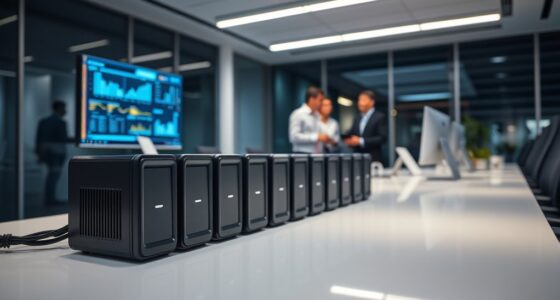

Enterprise network switches differ mainly in port speed, PoE budget, and management depth, and that’s exactly where the tradeoffs in this category sit. After comparing eight models, the Ubiquiti Switch Enterprise 24 PoE stands out as the best overall pick for balancing Layer 3 features, a large PoE budget, and 10G uplinks in one rack unit. If your budget is tighter, the TP-Link TL-SG1024DE delivers smart management at a fraction of the price, while the Omada SX3008F is the clear choice for pure 10G fiber aggregation. Paying more gets you bigger PoE budgets, faster uplinks, and better tooling — not necessarily more reliable basic connectivity. Read on for the full breakdown, including who should skip each pick.

Get business pricing on networking and server gear
- Business-only prices and quantity discounts
- Tax-exempt purchasing
- Multiple users, one account, clear invoices
Key Takeaways
- Ubiquiti dominates the top of this lineup because its Enterprise series combines Layer 3 switching, 10G uplinks, and deep PoE budgets at prices well below traditional vendors like HPE.
- The TP-Link TL-SG1024DE is the value standout: it costs less than a tenth of the premium picks while still offering VLANs and QoS, but it lacks PoE entirely — that single gap determines who should buy it.
- All three PoE-capable picks (UniFi Enterprise 8-Port, Switch Enterprise 24 PoE, HPE 1930) serve different buyers: small dense deployments, mid-size campus access, and mixed-vendor shops respectively.
- The plug-and-play TP-Link 24-Port and the STEAMEMO 16-Port are false economies for most enterprises — they work, but the missing management layer costs more in troubleshooting time than the savings deliver.
- 10G SFP+ uplinks are now the dividing line in this category: every top pick has them, and every budget pick doesn’t, which directly limits future growth headroom.
| Ubiquiti UniFi Switch Enterprise 8-Port Gigabit and 2.5G PoE Managed Switch |  | Best Compact Pick | Ports: 8 (Gigabit + 2.5G PoE) | PoE Budget: 120W | Max Data Rate: 2.5 Gbps | VIEW LATEST PRICE | See Our Full Breakdown |
| Ubiquiti Switch Enterprise XG 24 |  | Best Premium Pick | Ports: 24 x 10GbE RJ45 + 2 x 25G SFP28 | Max Data Rate: 25 Gbps | Layer: Layer 3 managed | VIEW LATEST PRICE | See Our Full Breakdown |
| TP-Link TL-SG1024DE 24-Port Gigabit Easy Smart Managed Switch |  | Best Value Pick | Ports: 24 x 10/100/1000 RJ45 | Max Data Rate: 1 Gbps | Management: Easy Smart web management | VIEW LATEST PRICE | See Our Full Breakdown |
| STEAMEMO 16-Port Gigabit Managed Switch with VLAN & QoS |  | Best for Small Business Budgets | Ports: 16 x 10/100/1000BASE-T | VLAN Support: Up to 15 IEEE 802.1Q VLAN groups | QoS: Yes | VIEW LATEST PRICE | See Our Full Breakdown |
| Ubiquiti Switch Enterprise 24 PoE |  | Best Overall | Ports: 24 (12 x 2.5 GbE, 12 x GbE) | Uplinks: 2 x 10G SFP+ | PoE: PoE+, 400W total budget | VIEW LATEST PRICE | See Our Full Breakdown |
| TP-Link 24 Port Gigabit Ethernet Switch Desktop/Rackmount Plug & Play Shielded Ports |  | Best Budget Workhorse | Ports: 24× 10/100/1000Mbps RJ45 | Switch Type: Unmanaged | Total Bandwidth: 48 Gbps | VIEW LATEST PRICE | See Our Full Breakdown |
| Omada SX3008F 8 Port 10G SFP+ Managed Switch |  | Best for 10G Fiber Aggregation | Ports: 8× 10 Gbps SFP+ | Switch Type: Fully managed | Management: Omada SDN platform with cloud access | VIEW LATEST PRICE | See Our Full Breakdown |
| HPE Networking Instant On Switch Series 1930 24-Port Gigabit Ethernet Managed Switch with PoE |  | Best All-Around Managed Pick | Ports: 24× Gigabit Ethernet with PoE | Uplink Ports: 4× SFP+ | PoE Budget: 195W | VIEW LATEST PRICE | See Our Full Breakdown |
| enterprise network switch | Ports | Management |
|---|---|---|
| Ubiquiti UniFi Switch Enterpri | 8 (Gigabit + 2.5G PoE) | Managed via UniFi controller |
| Ubiquiti Switch Enterprise XG | 24 x 10GbE RJ45 + 2 x 25G SFP28 | UniFi Network app, remote management |
| TP-Link TL-SG1024DE 24-Port Gi | 24 x 10/100/1000 RJ45 | Easy Smart web management |
| STEAMEMO 16-Port Gigabit Manag | 16 x 10/100/1000BASE-T | Web interface and software |
| Ubiquiti Switch Enterprise 24 | 24 (12 x 2.5 GbE, 12 x GbE) | UniFi controller ecosystem |
| TP-Link 24 Port Gigabit Ethern | 24× 10/100/1000Mbps RJ45 | — |
| Omada SX3008F 8 Port 10G SFP+ | 8× 10 Gbps SFP+ | Omada SDN platform with cloud access |
| HPE Networking Instant On Swit | 24× Gigabit Ethernet with PoE | Remote app and web interface |
More Details on Our Top Picks
Ubiquiti UniFi Switch Enterprise 8-Port Gigabit and 2.5G PoE Managed Switch
This switch stands out for small-footprint deployments where 2.5G PoE matters more than raw port count. The 2.5G multi-gig ports mean Wi-Fi 6 access points and modern cameras won’t be bottlenecked, something the similarly compact Omada SX3008F can’t match since it drops PoE entirely in favor of SFP+ fiber. Compared with its bigger sibling, the Switch Enterprise 24 PoE, this model trades port density for a 9.8-inch footprint that fits a closet shelf or compact rack. The tradeoff is real: at 8 ports, growing beyond a satellite office or branch location means buying another switch. Setup also assumes comfort with the UniFi controller ecosystem rather than a plug-and-play experience like the TP-Link TL-SG1024DE.
Pros:- 2.5G PoE ports future-proof Wi-Fi 6 AP and camera deployments
- Compact metal chassis fits where rack switches can’t
- Deep management features through the UniFi controller
- 120W PoE budget covers a full small-office device loadout
Cons:- Only 8 ports, so it scales poorly beyond satellite deployments
- Requires UniFi ecosystem knowledge to configure properly
- No 10G uplinks for high-bandwidth core connections
Best for: Branch offices and home labs running UniFi access points or cameras that need 2.5G PoE in a tight space
Not ideal for: Anyone planning port growth — 8 ports caps out fast, and the UniFi ecosystem learning curve punishes plug-and-play buyers
- Ports:8 (Gigabit + 2.5G PoE)
- PoE Budget:120W
- Max Data Rate:2.5 Gbps
- Interfaces:PoE+, SFP+
- Chassis:Metal, 9.76″ x 9.8″ x 1.7″, 5.3 lbs
- Management:Managed via UniFi controller
Our verdict“This is the pick for small UniFi-managed sites that need multi-gig PoE today without dedicating rack space.”
Ubiquiti Switch Enterprise XG 24
For 10GbE-to-every-desk ambitions, this is the most aggressive option here. Twenty-four 10G RJ45 ports plus 2 x 25G SFP28 uplinks put it in a different performance class from the Switch Enterprise 24 PoE, which offers only 2 x 10G SFP+ uplinks and multi-gig access ports. The color touchscreen is genuinely useful for at-the-rack diagnostics without firing up the UniFi app, and redundant power support targets shops that can’t tolerate downtime. The compromises: it has no PoE, so access points and cameras need separate power, and the plastic chassis feels less rugged than the metal builds on the smaller UniFi or the TP-Link TL-SG1024DE. Buyers should also confirm the compatible power supply, since it’s sold separately in some configurations.
Pros:- 24 x 10GbE RJ45 ports eliminate endpoint bottlenecks
- 25G SFP28 uplinks handle heavy core traffic
- Touchscreen provides on-device monitoring without a laptop
- Redundant power support suits uptime-critical environments
Cons:- No PoE on any port
- Plastic housing is less durable than metal alternatives
- Power supply compatibility requires verification before purchase
Best for: Virtualization hosts, media production teams, and core networks that need 10G to every endpoint with 25G uplinks
Not ideal for: SMBs powering APs and IP cameras over Ethernet — the lack of PoE means buying a second switch or injectors
- Ports:24 x 10GbE RJ45 + 2 x 25G SFP28
- Max Data Rate:25 Gbps
- Layer:Layer 3 managed
- Max Power:100W
- Display:Color touchscreen
- Dimensions:11.2″ x 17.4″ x 1.7″, 9.9 lbs
- Management:UniFi Network app, remote management
Our verdict“This makes sense only where 10G access ports and 25G uplinks are requirements, not luxuries — everyone else should save money elsewhere.”
TP-Link TL-SG1024DE 24-Port Gigabit Easy Smart Managed Switch
When the job is 24 Gigabit ports for minimal money, this model wins on arithmetic alone. It covers the management basics — VLANs, QoS, IGMP snooping, port mirroring — that the fully unmanaged TP-Link 24-port plug-and-play switch charges you to give up, while costing a fraction of the Ubiquiti Switch Enterprise 24 PoE. The tradeoff is capability, not quality: Gigabit-only ports, no PoE, and no Layer 3 routing mean it’s an access switch, never a core. Compared with the STEAMEMO 16-port, you get eight more ports in a sturdier package, though neither offers 10G uplinks for a growing backbone. The 240V power requirement also makes it a poor fit for standard 120V-only US outlets without an adapter.
Pros:- Very low cost per Gigabit port at 24 ports
- VLAN, QoS, and IGMP snooping go beyond unmanaged switches
- Solid metal construction survives closet and under-desk duty
- Web management is simple enough for non-network engineers
Cons:- Gigabit-only with no multi-gig or 10G uplink options
- No PoE for powered devices
- 240V power requirement complicates standard US deployment
Best for: Budget-conscious IT managers wiring a Gigabit access layer for PCs, printers, and VoIP phones
Not ideal for: Buyers needing PoE for cameras or APs, or anyone on 120V-only power without an adapter
- Ports:24 x 10/100/1000 RJ45
- Max Data Rate:1 Gbps
- Management:Easy Smart web management
- Features:VLAN, QoS, IGMP Snooping, port monitoring
- Chassis:Metal, 11.6″ x 7.1″ x 1.7″, 3.7 lbs
- Voltage:240V, 0.5A
- Max Operating Temp:40°C
Our verdict“The smart choice when port count per dollar matters more than speed, PoE, or routing.”
STEAMEMO 16-Port Gigabit Managed Switch with VLAN & QoS
This option carves out a middle ground the bigger names skip: 16 managed Gigabit ports with 802.1Q VLAN support at a price well below the TP-Link TL-SG1024DE‘s 24-port tier. The fanless metal housing makes it quiet enough for an office wall mount or server-adjacent shelf, and web-based configuration keeps the learning curve shallow compared with the UniFi controller workflow on the Enterprise 8-Port. The limitations define its lane, though: no PoE means powered devices need injectors, the port count sits awkwardly between 8- and 24-port competitors, and buyers should verify power supply details before ordering since inclusion isn’t always clear. It’s a segmentation workhorse, not a performance play.
Pros:- 16 Gigabit ports hit a useful size between 8- and 24-port rivals
- Up to 15 IEEE 802.1Q VLAN groups for clean segmentation
- Fanless metal design runs silent with passive cooling
- Desktop or wall-mount flexibility fits cramped spaces
Cons:- No PoE support for powered devices
- No SFP or 10G uplink options for backbone growth
- Power supply inclusion is inconsistent — confirm before buying
Best for: Small businesses and home offices that need VLAN segmentation across a dozen-plus wired devices on a tight budget
Not ideal for: Networks powering cameras, APs, or phones over Ethernet — no PoE support means extra hardware and cabling
- Ports:16 x 10/100/1000BASE-T
- VLAN Support:Up to 15 IEEE 802.1Q VLAN groups
- QoS:Yes
- Management:Web interface and software
- Housing:Fanless metal with heat dissipation design
- Mounting:Desktop or wall mount
Our verdict“A sensible budget buy for quiet, segmented small-office networks that don’t need PoE or fast uplinks.”
Ubiquiti Switch Enterprise 24 PoE
This is the model I’d put at the top for most enterprise access-layer builds, because it balances everything the others specialize in. The 400W PoE budget dwarfs the Enterprise 8-Port‘s 120W, meaning it can power a full floor of access points, cameras, and phones from one chassis. The mix of 12 x 2.5 GbE and 12 x GbE ports plus 2 x 10G SFP+ uplinks gives modern devices fast access while keeping fiber options open — something the TP-Link TL-SG1024DE and STEAMEMO can’t offer at any price. Layer 3 switching and backup-ready design push it into genuine enterprise territory. The cost of that capability is setup complexity: unlike the plug-and-play TP-Link, this assumes someone on staff understands VLANs, routing, and the UniFi ecosystem.
Pros:- 400W PoE budget powers a full fleet of APs, cameras, and phones
- 12 x 2.5 GbE ports future-proof multi-gig endpoints
- 2 x 10G SFP+ uplinks support a fast fiber backbone
- Layer 3 routing and backup-ready design handle enterprise workloads
Cons:- Setup demands real networking knowledge of UniFi tooling
- Premium price point well above value-oriented rivals
- Heterogeneous port speeds complicate endpoint planning
Best for: Mid-sized organizations building a single access-layer switch that powers APs and cameras while feeding a 10G backbone
Not ideal for: Small teams without networking expertise — configuration complexity and price outweigh the feature set for simple deployments
- Ports:24 (12 x 2.5 GbE, 12 x GbE)
- Uplinks:2 x 10G SFP+
- PoE:PoE+, 400W total budget
- Layer:Layer 3
- Backup-Ready:Yes
- Management:UniFi controller ecosystem
Our verdict“The best all-around choice for organizations that need serious PoE capacity, multi-gig access, and 10G uplinks in one managed chassis.”
TP-Link 24 Port Gigabit Ethernet Switch Desktop/Rackmount Plug & Play Shielded Ports
Not every enterprise edge deployment needs a managed switch, and the TP-Link TL-SG1024S earns its spot by being ruthlessly good at one job: adding 24 reliable Gigabit ports for very little money. Compared with the TP-Link TL-SG1024DE, you give up web-based VLAN and QoS configuration — this is pure plug-and-play, which means zero configuration time and zero firmware maintenance, but also zero traffic segmentation. The fanless metal chassis makes it quiet enough for an office closet, and auto MDI/MDIX means no crossover cable headaches. Where the HPE 1930 justifies its higher cost with PoE and cloud management, this model is the right call when you simply need ports for wired desks, printers, or a lab bench.
Pros:- Very low cost per Gigabit port for budget-driven expansions
- Fanless metal design runs silent and dissipates heat well
- True plug-and-play with no configuration or maintenance overhead
- Energy-efficient circuitry keeps operating costs down
Cons:- Completely unmanaged — no VLANs, no monitoring, no QoS
- No PoE, so access points and cameras need separate power
Best for: IT teams or offices that need to expand wired Gigabit connectivity for non-PoE devices at the lowest possible cost
Not ideal for: Anyone needing VLANs, monitoring, or link aggregation — the unmanaged design blocks all traffic segmentation and visibility
- Ports:24× 10/100/1000Mbps RJ45
- Switch Type:Unmanaged
- Total Bandwidth:48 Gbps
- Cooling:Fanless
- Form Factor:Desktop / 19-inch rackmount
- Casing:Metal
- Operating Temperature:Up to 40°C
Our verdict“Buy this if you need lots of cheap, dependable Gigabit ports and nothing else; skip it the moment you need management or device power.”
Omada SX3008F 8 Port 10G SFP+ Managed Switch
When your bottleneck is uplink speed rather than port count, the Omada SX3008F is the specialist in this lineup. Eight 10G SFP+ fiber ports make it a natural aggregation switch sitting above copper workhorses like the TL-SG1024S, or a spine link between server racks. Its security stack — 802.1X authentication, ACLs, IP-MAC-Port binding, and DoS defense — goes deeper than the STEAMEMO 16-Port managed switch, and integration with the Omada SDN platform gives you the centralized cloud control that TP-Link’s unmanaged and easy-smart models simply can’t offer. The tradeoff is real, though: you’ll need SFP+ transceivers or DACs for every connection, and full SDN benefits assume you’re already running an Omada controller.
Pros:- All-fiber 10G SFP+ ports suit aggregation and long-distance runs
- Enterprise-grade security including 802.1X, ACLs, and DoS defense
- Centralized cloud management through the Omada SDN platform
- Compact footprint for a core/uplink role
Cons:- Requires separate SFP+ transceivers or DAC cables for every link
- SDN features depend on running an Omada controller
- Steep learning curve for staff without enterprise networking backgrounds
Best for: Businesses building a fiber aggregation or core layer who already use or plan to adopt TP-Link’s Omada ecosystem
Not ideal for: Teams needing copper PoE access ports — there are no RJ45 jacks and no power delivery of any kind
- Ports:8× 10 Gbps SFP+
- Switch Type:Fully managed
- Management:Omada SDN platform with cloud access
- VLAN Support:802.1Q VLAN
- Security:ACL, IP-MAC-Port binding, 802.1X, DHCP Snooping, DoS defense, storm control
- PoE:Not supported
Our verdict“This makes sense as a 10G fiber aggregation point in an Omada-managed network, not as your only switch.”
HPE Networking Instant On Switch Series 1930 24-Port Gigabit Ethernet Managed Switch with PoE
The HPE 1930 24-port is the most balanced entry in this roundup because it solves three problems at once: managed Layer 2+ features, PoE on all 24 ports (195W budget), and 4× SFP+ uplinks for fiber backhaul. Against the TL-SG1024DE — TP-Link’s easy-smart alternative — the HPE offers genuine enterprise tooling plus device power, which the TP-Link lacks entirely. The mobile app and web-based remote management mirror the convenience of the UniFi ecosystem without requiring a separate controller appliance. The 195W budget is the honest caveat: it powers roughly eight to twelve typical access points or cameras, not a fully loaded 24-port PoE deployment, so dense installations may need to look at the UniFi Switch Enterprise 24 PoE instead.
Pros:- PoE on all 24 ports simplifies AP, camera, and IoT deployments
- 4× SFP+ uplinks support 10G fiber without a separate aggregation switch
- App and web remote management with no controller hardware required
- Limited lifetime warranty backs long-term deployment
Cons:- 195W PoE budget is modest for a 24-port PoE switch
- Security feature documentation is thinner than Omada’s or UniFi’s enterprise stacks
Best for: Small to medium businesses wanting one switch that handles access-layer management, PoE devices, and fiber uplinks without a controller appliance
Not ideal for: Dense PoE deployments — the 195W ceiling can’t power 24 high-draw devices like PTZ cameras and Wi-Fi 6 APs simultaneously
- Ports:24× Gigabit Ethernet with PoE
- Uplink Ports:4× SFP+
- PoE Budget:195W
- Switch Type:Smart-managed Layer 2+
- Management:Remote app and web interface
- Operating Temperature:Up to 45°C
- Warranty:Limited lifetime
Our verdict“If you want a single do-everything access switch with management, PoE, and fast uplinks, this is the safest pick in the lineup — provided your power needs stay under 195W.”

How We Picked
I evaluated these eight switches against the criteria that actually decide enterprise purchases: port capacity and speed mix, PoE power budget, Layer 2/Layer 3 feature depth, management tooling, and price per usable port. A switch can have impressive specs on paper but fail on the details that matter daily — whether VLAN configuration takes minutes or hours, whether the PoE budget covers a full floor of access points and cameras, and whether the uplinks will still be adequate in three years.
The ranking reflects a simple logic: managed switches with 10G uplinks and real PoE budgets place highest, because they solve today’s deployment and tomorrow’s growth. Smart-managed and plug-and-play models rank lower not because they’re bad products, but because they force tradeoffs an enterprise buyer should understand before clicking buy. Each pick was also judged on who it serves best — a branch office, a wiring closet, or an aggregation layer — since the “best” switch depends entirely on where it sits in the network.
Factors to Consider When Choosing Enterprise Network Switches
Before committing to a specific model, it helps to understand the broader patterns in this category — where the money goes, where buyers commonly overspend or underspend, and which specs age fastest.PoE Budget Is Where Budgets Break
The single most expensive line item in an enterprise switch isn’t the ports — it’s the power supply feeding PoE devices. A 24-port switch with a 720W budget can cost three times the same chassis with no PoE at all, and the gap is entirely about powering access points, IP cameras, and phones. The common mistake is buying for today’s device count: if you have 12 PoE devices now, a 200W budget feels generous until you add multi-gig access points drawing 30W each. My advice is to calculate your worst-case draw at full port occupancy, not current usage, and add 20% headroom. Also check whether the switch supports PoE+ (802.3at) or PoE++ (802.3bt) — high-end Wi-Fi 7 access points increasingly require the latter, and older PoE standards simply won’t boot them.
Uplink Speed Determines the Switch’s Lifespan
Access ports age slowly, but uplinks age fast. A gigabit access layer with gigabit uplinks creates a bottleneck the moment more than a handful of users transfer simultaneously, which is why 10G SFP+ uplinks have become the dividing line between future-proof and soon-obsolete. This is the pattern that separated the top picks in this comparison from the budget models: the UniFi Enterprise line and the Omada SX3008F all include 10G uplinks, while the smart-managed budget switches do not. Fiber uplinks also matter for distance — copper caps out around 100 meters, but SFP+ modules can span buildings. If your switch will connect to a core in another room or building, budget for the SFP+ modules too, which are often sold separately and can add real cost.
Management Depth: Smart, Fully Managed, or Cloud
The management tier you choose dictates who can run the network and how fast problems get resolved. Smart switches (like the TL-SG1024DE) offer VLANs and QoS through a basic web interface — fine for a single closet, painful across multiple sites. Fully managed switches add Layer 3 routing, CLI access, and monitoring protocols, which matters once you have more than one VLAN talking to another. Cloud-managed platforms like UniFi and Omada sit on top and change the operational model: one dashboard, zero separate controller licenses, but varying degrees of vendor lock-in. The mistake I see most often is buying the cheapest managed tier, then discovering that troubleshooting a spanning-tree loop requires features the switch doesn’t have. Match the management tier to the skill of the person operating it, not to the size of the network alone.
The False Economy of Cheap Unmanaged Hardware
Unmanaged and lightly managed switches look attractive at checkout and expensive at 2 a.m. during an outage. Without VLAN support, every device shares one broadcast domain, which caps practical size at a few dozen endpoints before performance and security both degrade. The plug-and-play models in this lineup have a legitimate role — isolated lab benches, temporary deployments, desks needing extra ports — but they shouldn’t sit in an enterprise wiring closet. A useful rule: if you can’t answer the question “which port caused this problem?” without walking to the switch, it isn’t enterprise-ready. The money saved on hardware returns as labor costs many times over.
Rack Form Factor and Noise
Not every deployment has a proper rack, and that changes which models make sense. Several picks here ship as desktop units with optional rack ears, which works for server closets and IDF cabinets alike. Check depth requirements — enterprise switches with large PoE supplies run deeper than cheap desktop units and may not fit shallow wall-mount cabinets. Fan noise matters too: switches with active cooling designed for server rooms can be genuinely loud in an office environment. Finally, verify power requirements, since high-wattage PoE switches sometimes need dedicated circuits rather than a standard office outlet.
Vendor Ecosystem Lock-In
Buying one switch is a purchase; buying a platform is a commitment. UniFi gear works best (and sometimes only) with UniFi controllers and gateways, and Omada similarly assumes TP-Link access points for seamless roaming. HPE Instant On deliberately plays the neutral role, supporting standard protocols that play nicely in mixed-vendor networks. Lock-in isn’t automatically bad — integrated ecosystems genuinely reduce administration time — but it should be a conscious choice. If you already run a vendor’s access points, staying in that ecosystem usually wins. If you’re starting fresh or expect mixed hardware, prioritize standards compliance over ecosystem features.
Frequently Asked Questions
Do I actually need Layer 3 switching, or is Layer 2 enough?
Layer 2 suffices when all your devices live on one subnet and routing happens at your firewall. You need Layer 3 the moment you want inter-VLAN routing to happen at the switch instead of hairpinning through the firewall — which is faster, keeps local traffic local, and offloads your edge device. The UniFi Enterprise models and the HPE 1930 both offer Layer 3 features, while the smart-managed budget picks do not. If you’re segmenting a network for security — separating cameras, guests, and corporate devices — Layer 3 at the access layer makes a noticeable performance difference. A reasonable rule: under 50 devices on one subnet, Layer 2 is fine; anything segmented or growing, buy Layer 3 now rather than replacing hardware later.
Is the Ubiquiti ecosystem worth the lock-in compared to standalone switches like the HPE 1930?
It depends on who administers the network and what else you plan to buy. UniFi’s value compounds: if you run UniFi access points and gateways, the switch slots into a single dashboard with topology maps, client insight, and unified firmware updates — real operational savings for small IT teams. The HPE 1930 works better when the switch must coexist with other vendors’ hardware, since it sticks to standard protocols and includes a no-license, no-subscription management model with both cloud and local options. One caution on UniFi: some features are gated behind their controller software, and firmware updates occasionally change behavior. If you value a single-vendor, single-pane experience, UniFi wins; if you value portability and standards purity, HPE is the safer bet.
Can I use a smart managed switch like the TL-SG1024DE as my core enterprise switch?
For a small office with modest needs, yes — and it’s a sensible one. It handles VLANs, QoS, and port mirroring, which covers basic segmentation and VoIP prioritization. What it lacks matters as you scale: no PoE, no 10G uplinks, no Layer 3 routing, and no redundancy protocols like spanning tree configured at enterprise grade. That means no powered access points or cameras, and a hard ceiling on aggregated throughput. I’d position it as an access switch for non-PoE endpoints or a lab/IDF expansion, not a core. If it’s your only switch and the network stays under a couple dozen wired devices on one subnet, it will serve you well for years at an unbeatable price.
How much PoE budget do I really need for access points and cameras?
Count your devices at their maximum draw, not their typical draw, because boot-up and peak transmission are what trip overloads. Modern Wi-Fi 6/7 access points commonly draw 20–30W each, and PoE++ models can hit 50W or more; PTZ cameras with heaters and IR illumination can spike similarly. A 24-port switch fully populated with 25W devices needs 600W — which is why the Switch Enterprise 24 PoE’s large budget justifies its price for dense deployments. Then add 20% headroom, since power supplies shouldn’t run at 100% continuously. Also confirm the standard: a switch limited to 802.3af (15.4W per port) will disappoint the moment you deploy current-generation wireless hardware.
Are 2.5G and 10G ports worth paying extra for at the access layer in 2026?
2.5G access ports are worth it specifically where multi-gig Wi-Fi exists — a Wi-Fi 6E/7 access point bottlenecked by a gigabit port wastes the hardware you paid for. The UniFi Enterprise 8-Port with 2.5G PoE targets exactly this niche. For wired desks, gigabit remains plenty for almost every user, so paying for 2.5G on every port is usually overspend. 10G matters differently: at the access layer it’s about uplinks, not user ports, since 24 gigabit users sharing one gigabit uplink creates congestion fast. My guidance: buy 10G uplinks on every switch you expect to keep more than three years, and buy 2.5G access ports only where multi-gig APs or high-bandwidth workstations connect.
Conclusion
Matching the right switch to the right buyer is what this comparison came down to. For best overall, the Ubiquiti Switch Enterprise 24 PoE wins on the strength of its Layer 3 feature set, generous PoE budget, and 10G uplinks — the most complete enterprise access switch here. The best value pick is the TP-Link TL-SG1024DE, which delivers smart management for a tenth of the price, provided you don’t need PoE or fast uplinks. On the premium end, the Ubiquiti Switch Enterprise XG 24 and the Omada SX3008F serve bandwidth-heavy aggregation and fiber-heavy deployments respectively, for buyers who already know they need 10G everywhere.
For beginners and small offices, the HPE 1930 24-Port PoE is the gentlest entry into real enterprise features without ecosystem lock-in, while the compact UniFi Enterprise 8-Port is the best fit for small dense PoE deployments like a boardroom or a branch closet full of multi-gig access points. The plug-and-play TP-Link and the STEAMEMO belong on lab benches and desks, not in wiring closets. Whatever you choose, size the PoE budget and uplinks for where your network will be in three years — those two specs, more than anything else, decide whether this purchase lasts.
Halloween Picks
halloween
As an affiliate, we earn on qualifying purchases.