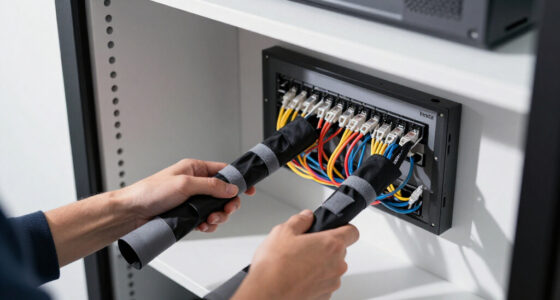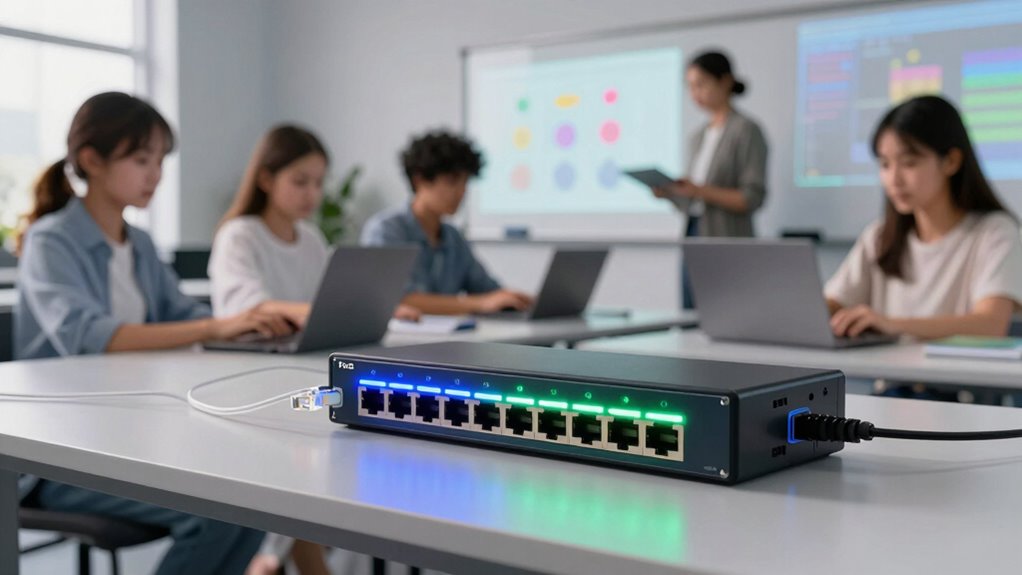

For most classrooms, I would start with the TP-Link TL-SG2210P V3: its smart management gives school IT teams more control than a basic plug-and-play switch. The TP-Link TL-SG1428PE is a better fit for larger rooms or shared areas that need many wired connections, while the Ubiquiti UniFi Switch USW-Lite-16-PoE suits schools already using UniFi. The main tradeoff is between simple setup and the visibility, control, and port capacity that can make a multi-device classroom easier to manage. PoE budget matters too: port count alone does not tell you how many cameras, access points, or phones a switch can power together. Read on for the full breakdown and a guide to matching a switch to your classroom’s needs.

Get business pricing on networking and server gear
- Business-only prices and quantity discounts
- Tax-exempt purchasing
- Multiple users, one account, clear invoices
Key Takeaways
- Managed features set the leading options apart: the TL-SG2210P V3 and TL-SG1428PE offer more control than the unmanaged TL-SG1005P and NETGEAR GS316P.
- Port count should match the room, not the whole school: the 5-port TL-SG1005P suits a small cluster, while 16- and 24-port models leave more room for classroom growth.
- PoE power budgets differ even when port counts look similar: confirm the combined draw of planned devices before choosing a switch, especially when powering several PoE+ endpoints.
- Ubiquiti choices make most sense within a compatible management setup: the 8-port Ubiquiti switch and UniFi USW-Lite-16-PoE are less compelling if a school does not want to build around that ecosystem.
- Simple unmanaged models trade oversight for easy deployment: the TL-SG1008MP and NETGEAR GS316P can suit straightforward wiring needs, but they offer less network control than smart-managed alternatives.


| classroom poe switches for education deployment | Management | PoE power budget | Total ports | Case material |
|---|---|---|---|---|
| TP-Link TL-SG1005P 5-Port Giga | Unmanaged | 65W | 5 | Metal |
| TP-Link TL-SG2210P V3 Jetstrea | Omada SDN, web interface, CLI, SNMP | 61W | 10 | — |
| UGREEN Ethernet Switch | — | 60W | 10 | Metal |
| 8-Port PoE Network Switch by U | — | — | 8 | Polycarbonate |
| TP-Link TL-SG1428PE 24-Port Gi | Easy Smart; web interface | 250W | — | — |
| NETGEAR 16-Port PoE Gigabit Et | Unmanaged | 115W | — | — |
| TP-Link 8 Port Gigabit PoE Swi | Unmanaged | — | — | Metal |
| Ubiquiti UniFi Switch USW-Lite | Managed via UniFi network controller and app | — | — | — |
More Details on Our Top Picks
TP-Link TL-SG1005P 5-Port Gigabit PoE Switch, 4 PoE+ Ports, Desktop, Fanless, QoS & IGMP Snooping
I’d choose the TL-SG1005P for a small room that needs PoE for a few access points, cameras, or similar devices without adding configuration work. Its four PoE+ ports and 65W budget are paired with a fanless, metal desktop design, so it suits a quiet classroom or teacher workstation. QoS and IGMP Snooping add useful traffic handling, but this is still an unmanaged switch: it cannot provide the VLAN controls or centralized administration available on the TP-Link TL-SG2210P V3. Its five total ports also leave little room to grow, and the power budget can constrain higher-draw devices. I’d pick it for a self-contained room, not as the foundation for a school-wide deployment.
Pros:- Four PoE+ ports support up to 30W per port, within the 65W total budget.
- Fanless design avoids adding switch noise to a classroom.
- Plug-and-play setup does not require software installation.
- QoS and IGMP Snooping provide traffic-handling features despite its unmanaged design.
Cons:- Five total ports leave little capacity for expansion.
- No VLAN configuration or other advanced management controls.
- The 65W budget can limit the number of higher-power PoE devices used together.
Best for: Teachers or school IT staff equipping one small classroom with up to four PoE devices and no need for managed network policies.
Not ideal for: District IT teams that need VLAN segmentation, centralized management, more connected devices, or capacity for multiple high-power endpoints.
- Total ports:5
- PoE ports:4 PoE+
- PoE power budget:65W
- Port speed:Gigabit (10/100/1000 Mbps)
- Management:Unmanaged
- Traffic features:QoS and IGMP Snooping
- Cooling:Fanless
- Case material:Metal
Our verdict“Choose this quiet, simple switch for a small classroom with a handful of PoE devices, but skip it if you need managed controls or room to expand.”
TP-Link TL-SG2210P V3 Jetstream 8 Port Gigabit Smart Managed PoE Switch
The TL-SG2210P V3 is the better fit when a classroom switch needs to follow school network policies, rather than simply power devices. Its VLAN support, QoS, static routing, and Omada SDN management give IT staff more ways to separate traffic and administer a small deployment. Compared with the plug-and-play TP-Link TL-SG1005P, this model offers more control and eight PoE+ ports, but its 61W budget is actually lower than that smaller switch’s 65W. That makes device count and power draw worth checking before deployment. Two SFP slots also give it uplink flexibility, though the desktop/wall-mount format is not rack-mountable. I’d favor it for a managed room or small building segment, not a large cluster of power-hungry devices.
Pros:- Eight PoE+ ports support IEEE 802.3af/at devices.
- VLAN, QoS, and static routing support more controlled network setups.
- Omada SDN, web interface, CLI, and SNMP offer multiple management paths.
- Two SFP slots allow compatible fiber uplinks.
Cons:- The 61W PoE budget may constrain simultaneous use of higher-draw devices.
- Not rack-mountable, limiting its fit in some school network closets.
- Managed features require more setup than the unmanaged TL-SG1005P.
Best for: School IT staff managing a small classroom cluster who need VLANs, centralized Omada administration, and SFP uplink options.
Not ideal for: Schools seeking a high PoE capacity for many demanding devices or a rack-mount switch for a central wiring closet.
- Total ports:10
- PoE ports:8 PoE+
- PoE power budget:61W
- Uplink slots:2 SFP
- Supported PoE standards:IEEE 802.3af/at
- Management:Omada SDN, web interface, CLI, SNMP
- Network features:VLAN, L2/L3/L4 QoS, static routing
- Mounting format:Desktop or wall mount; not rack-mountable
Our verdict“Pick this for a small, policy-managed classroom network where VLAN and Omada controls matter more than a large PoE budget.”
UGREEN Ethernet Switch, 10-Port PoE Switch, 8 PoE+ @ 60W + 2 Gigabit Uplink
For a classroom where PoE endpoints may need remote recovery, the UGREEN 10-port switch offers a practical feature set: eight PoE+ ports, intelligent power management, and auto-recovery for connected devices. Its VLAN and extend modes provide more flexibility than the unmanaged TP-Link TL-SG1005P, while the two Gigabit uplinks keep network connections separate from the eight PoE device ports. The tradeoff is a modest 60W total budget; port count alone does not mean it can power eight demanding devices at once. The supplied details also don’t specify a management interface or power supply, so I’d verify those points before standardizing it across classrooms. It suits a smaller deployment with a clear need for recovery features, not buyers seeking fully documented enterprise management.
Pros:- Eight PoE+ ports serve multiple powered classroom endpoints.
- Auto-recovery can restore compatible PoE devices without a room visit.
- VLAN and extend modes offer more flexibility than an unmanaged switch.
- Two Gigabit uplink ports separate uplink connections from the PoE device ports.
Cons:- The 60W total budget can restrict simultaneous use of higher-power endpoints.
- The provided product data does not identify the management interface or power supply details.
- Advanced modes require network configuration knowledge.
Best for: School technicians supporting classrooms with several PoE cameras or similar devices who value automatic device recovery and basic operating modes.
Not ideal for: IT teams that need clearly specified centralized management, a documented power supply, or a higher total PoE budget.
- Total ports:10
- PoE ports:8 PoE+
- PoE power budget:60W
- Uplink ports:2 Gigabit
- Data transfer rate:1000 Mbps
- Operating modes:VLAN and extend mode
- Device feature:Intelligent power management and PoE auto-recovery
- Case material:Metal
Our verdict“Choose it when PoE auto-recovery and eight device ports suit a small deployment, but verify power and management details before wider rollout.”
8-Port PoE Network Switch by Ubiquiti
The Ubiquiti USW-Lite-8-POE is a compact choice for a room where switch noise and placement matter. Its fanless design and small footprint suit a classroom cabinet or shared workspace, while the 52W PoE capacity can serve a modest collection of network devices. Compared with the UGREEN 10-port switch, it offers two fewer ports and a lower stated power capacity, but its listed silent operation makes it a stronger fit for noise-sensitive spaces. The supplied description identifies Layer 2 PoE switching but does not detail management capabilities, so I would not select it based on advanced controls without confirming those requirements. Its eight-port ceiling and polycarbonate case also make it less suited to growing or high-demand installations.
Pros:- Fanless operation avoids adding switch-fan noise to occupied rooms.
- Compact, lightweight form supports discreet placement.
- 52W PoE capacity suits a modest number of powered endpoints.
- Includes an external 60W power adapter.
Cons:- Eight ports and a 52W PoE capacity limit expansion compared with larger switches such as the UGREEN 10-port model.
- The supplied description does not detail advanced management options.
- Polycarbonate case may be a less suitable choice for buyers prioritizing a metal enclosure.
Best for: Schools placing a small PoE switch in a quiet classroom or shared space where compact size and fanless operation matter.
Not ideal for: IT teams serving many PoE devices, requiring a larger power reserve, or needing management functions clearly specified in the supplied product data.
- Model:USW-Lite-8-POE (52W)
- Total ports:8
- Switch type:Layer 2 PoE
- PoE capacity:52W
- Power adapter:External 60W
- Cooling:Fanless
- Case material:Polycarbonate
- Dimensions:6.44 × 3.92 × 1.25 inches
Our verdict“Choose this for a quiet room with a modest number of PoE endpoints, not for a growing classroom network or a deployment needing clearly specified management controls.”
TP-Link TL-SG1428PE 24-Port Gigabit Easy Smart Managed PoE+ Switch
When several classrooms share a wiring closet, the TL-SG1428PE is the clear capacity pick in this group. Its 24 PoE+ ports and 250W budget offer far more room for access points, phones, and other powered endpoints than the eight-port TP-Link TL-SG2210P V3, while two SFP slots provide uplink options. Easy Smart management, VLAN features, and PoE auto-recovery make it more than a basic power source, though setup still takes more attention than the plug-and-play TL-SG1005P. This larger metal switch measures 17.3 inches long, so it calls for suitable rack or closet space rather than a desk. I’d choose it for planned growth across rooms, but not for a single classroom with only a few devices.
Pros:- Twenty-four PoE+ ports support larger classroom and shared-closet deployments.
- A 250W PoE budget gives more capacity than the smaller switches in this group.
- Two SFP slots provide options for compatible uplinks.
- Easy Smart management includes VLAN features and PoE auto-recovery.
Cons:- Its 17.3-inch length requires more installation space than desktop switches.
- PoE auto-recovery requires configuration.
- Its port count and feature set are unnecessary for a single room with only a few powered devices.
Best for: School IT teams connecting PoE devices across multiple classrooms from a shared wiring area and planning for additional endpoints.
Not ideal for: Teachers or small sites needing only a few PoE ports, or locations without room for a larger switch installation.
- PoE+ ports:24
- Non-PoE ports:2
- PoE power budget:250W
- Data transfer rate:1 Gbps
- SFP slots:2
- Management:Easy Smart; web interface
- Network features:VLAN and PoE auto-recovery
- Dimensions:17.3 × 8.7 × 1.73 inches
- Warranty:3 years
Our verdict“Choose this managed 24-port switch for a shared school network closet with multiple classrooms to serve and room for expansion.”
NETGEAR 16-Port PoE Gigabit Ethernet Unmanaged Network Switch (GS316P)
The GS316P suits classrooms that need many wired PoE connections without fan noise or switch configuration. Its 16 PoE+ ports can serve access points, phones, or other compatible devices, while the fanless chassis is a practical fit near teaching spaces. Compared with the TP-Link TL-SG1008MP, it offers twice as many PoE ports but a smaller total power budget: 115W versus 126W. That makes the NETGEAR a better match for spreading power across a larger number of modest-demand devices, not for a concentrated set of high-draw endpoints. Plug-and-play setup keeps deployment simple, but there are no management tools for VLANs or remote port control. I’d choose it when silence and port count matter more than network policy features.
Pros:- 16 PoE+ ports support a larger number of powered classroom endpoints
- Fanless operation avoids adding switch noise to a teaching space
- Compact chassis supports desktop or wall mounting
- Plug-and-play setup reduces configuration work
Cons:- Unmanaged design lacks VLANs and remote port controls
- 115W shared PoE budget may constrain simultaneous device loads
- Gigabit-only connectivity offers no faster uplink or multi-gig ports
Best for: School IT staff outfitting a classroom with numerous low-to-moderate-power PoE devices and a need for silent operation.
Not ideal for: Schools that need VLAN control, remote switch management, or a high total PoE budget for power-hungry equipment.
- Ethernet ports:16
- PoE+ ports:16
- PoE power budget:115W
- Data transfer rate:1000 Mbps
- Management:Unmanaged
- Mounting:Desktop or wall mount
- Dimensions:11.3 × 4 × 1.1 inches
- Warranty:3-year limited hardware warranty
Our verdict“Choose the GS316P for a quiet classroom that needs 16 PoE+ connections and can work within its 115W shared power budget.”
TP-Link 8 Port Gigabit PoE Switch (TL-SG1008MP)
The TL-SG1008MP is a straightforward choice when a classroom has fewer PoE endpoints but needs more power available to each one. It provides up to 30W per port and a 126W total budget, giving it more headroom than the NETGEAR GS316P’s 115W budget despite having half as many PoE ports. That tradeoff favors a small group of demanding access points or cameras over broad device coverage. Like the NETGEAR, this TP-Link is unmanaged and plug-and-play, so installation is simple but traffic segmentation and remote port administration aren’t part of the package. Its metal housing supports desktop or rackmount placement, though some packages may lack mounting hardware. I’d pick it for a compact deployment where per-device power matters more than port count.
Pros:- Up to 30W per port supports compatible higher-power endpoints
- 126W total PoE budget exceeds the NETGEAR GS316P’s 115W budget
- Plug-and-play operation keeps setup uncomplicated
- Metal case supports desktop or rackmount installation
Cons:- Eight ports provide less PoE capacity than 16-port options such as the NETGEAR GS316P
- Unmanaged operation lacks VLAN and remote administration features
- Mounting hardware may not be included, complicating rack installation
Best for: School technicians powering a small set of higher-draw access points, cameras, or phones in one classroom or nearby equipment area.
Not ideal for: Deployments needing more than eight PoE endpoints, managed network controls, or confirmed rack hardware in the box.
- Ethernet ports:8
- PoE standard:802.3at/af
- Maximum power per port:30W
- Total PoE power budget:126W
- Data transfer rate:1000 Mbps
- Management:Unmanaged
- Case material:Metal
- Warranty:2 years
Our verdict“Choose this TP-Link when a classroom needs up to eight PoE+ connections with stronger per-port power capacity than broad port coverage.”
Ubiquiti UniFi Switch USW-Lite-16-PoE, 16 Gigabit Ethernet Ports, 8 PoE+ Ports
The USW-Lite-16-PoE is the management-focused option in this group: its UniFi controller and app support remote configuration and monitoring, unlike the unmanaged NETGEAR GS316P and TP-Link TL-SG1008MP. That visibility can help school IT staff check ports and manage a classroom network without visiting the room. The tradeoff is that only 8 of its 16 ports provide PoE+, and the stated 45W total output is modest for a setup with several powered devices. It makes the most sense when the school already runs UniFi and values centralized management more than maximum PoE capacity. This is a Layer 2 switch, not a substitute for advanced Layer 3 routing, and its external 60W adapter adds another component to plan around.
Pros:- UniFi controller and app enable remote configuration and monitoring
- 16 total Gigabit Ethernet ports provide room for wired non-PoE devices
- Wall-mountable design offers flexible placement
- Managed Layer 2 operation provides more control than unmanaged alternatives
Cons:- Only eight of the 16 Ethernet ports provide PoE+
- 45W total PoE output limits the number or power draw of connected devices
- Layer 2 feature set does not provide advanced Layer 3 switching
Best for: School IT teams already using UniFi that want remote Layer 2 management for a classroom with a limited number of PoE devices.
Not ideal for: Classrooms that need PoE on most ports, a high shared power budget, or Layer 3 switching features.
- Ethernet ports:16
- PoE+ ports:8
- Total PoE power output:45W
- Management:Managed via UniFi network controller and app
- Switching layer:Layer 2
- Power adapter:60W external
- Mounting:Wall mount
Our verdict“Choose the USW-Lite-16-PoE when UniFi management is a priority and eight PoE+ ports with a 45W total output are sufficient.”

How We Picked
I ranked these switches around the demands of education deployments, where device count, reliable PoE delivery, and the ability to manage a room without creating extra IT work all matter. I compared port capacity, stated PoE features and budgets where supplied, management options, deployment simplicity, and fit for small classrooms versus shared spaces. A higher port count did not automatically earn a higher position: it needs to be matched by usable management and a power budget suited to the devices attached.
The ranking favors options that balance classroom scale and practical control. The TL-SG2210P V3 leads for schools that want smart management without stepping up to a 24-port switch; the TL-SG1428PE serves larger deployments. Compact and unmanaged models rank lower for broad school use, but they remain sensible for limited device groups where straightforward installation matters more than network visibility. I also accounted for ecosystem fit, since a UniFi switch is more attractive when it complements an existing UniFi environment.
| classroom poe switches for education deployment | Management | Case material |
|---|---|---|
| TP-Link TL-SG1005P 5-Port Giga | Unmanaged | Metal |
| TP-Link TL-SG2210P V3 Jetstrea | Omada SDN, web interface, CLI, SNMP | — |
| UGREEN Ethernet Switch | — | Metal |
| 8-Port PoE Network Switch by U | — | Polycarbonate |
| TP-Link TL-SG1428PE 24-Port Gi | Easy Smart; web interface | — |
| NETGEAR 16-Port PoE Gigabit Et | Unmanaged | — |
| TP-Link 8 Port Gigabit PoE Swi | Unmanaged | Metal |
| Ubiquiti UniFi Switch USW-Lite | Managed via UniFi network controller and app | — |
Factors to Consider When Choosing Classroom Poe Switches For Education Deployments
Choosing a classroom switch starts with the devices and support model, not the number on the box. I would map each room’s wired endpoints, power needs, and expected growth before comparing management features. These decisions help avoid both an undersized switch that needs early replacement and a more complex model that adds work without solving a real school need.
Count Devices and Leave Room for Change
List every wired endpoint planned for the room, including access points, phones, cameras, displays, and teacher workstations. Then allow spare ports for temporary equipment or future additions; a switch filled on installation day leaves little flexibility. A small desktop model can be a tidy fit for a few devices, but repeating small switches across a building can complicate support and cabling. A larger switch centralizes connections, though it may be unnecessary in a room with only a handful of endpoints. I would plan at the room or closet level rather than buying one port count for every classroom. The right amount of headroom depends on how quickly the school adds devices and how often rooms are reconfigured.
Calculate PoE Demand as a Shared Budget
PoE capacity is a pool shared across powered ports, not a promise that every port can supply its maximum at once. Check the power draw listed for each endpoint and add the expected simultaneous load, with breathing room for startup demand or later device replacements. A switch with many PoE ports can still fall short if its total budget is low. Conversely, paying for a large power reserve may not help a classroom that only powers one or two endpoints. Do not assume that all devices labeled PoE+ draw the same amount. Confirm the switch’s standards and total budget against the actual device specifications before purchasing.
Choose Management Features Around Support Capacity
Smart-managed features can help school IT staff monitor and organize classroom networks, but they also introduce settings that someone must maintain. VLANs, traffic prioritization, and device visibility are useful when the school has a clear plan for applying them. For a room with a few fixed endpoints, an unmanaged switch may reduce setup overhead. A common mistake is buying managed hardware without assigning responsibility for configuration and updates. Another is choosing unmanaged gear for a deployment that needs segmented traffic or remote troubleshooting. Match the feature set to the team’s operating practices, not just a future wish list.
Plan for Centralized Support and Physical Placement
A desktop switch placed in a classroom can simplify a small installation, while a rack-oriented or higher-capacity unit may suit a communications closet serving a larger area. Think about where power outlets, patch panels, and cable runs sit before deciding on form factor. Fanless operation can be helpful in occupied rooms where equipment noise would be distracting, but ventilation still matters for any switch installed in a confined space. Also account for cable management and access: a device hidden behind furniture is harder to inspect and reset. Standardizing a few models across a school can reduce spare-stock and training burdens, even if one model is not perfect for every room. The best deployment plan balances room-level convenience with the district’s maintenance workflow.
Check Ecosystem Fit Before Choosing a Brand
A switch that integrates with the school’s existing network tools may be easier to configure and troubleshoot than a feature-rich device managed through a separate workflow. This is especially relevant when considering UniFi equipment: its appeal grows when the organization already uses compatible UniFi management. Mixing brands is not inherently a problem, but it can mean multiple interfaces and separate support procedures. Ask who will provision the switch, monitor it, and handle firmware or configuration changes. For a small standalone classroom, simple local operation may matter more than centralized dashboards. For a district-wide rollout, consistent management can outweigh a modest difference in port count.
Compare Total Deployment Effort, Not Just Hardware
The switch is only one part of the installation; cabling, mounting, power, labeling, and staff support shape the real workload. A larger model may reduce the need for extra switches, but it can call for a more deliberate location and cable plan. A compact plug-and-play unit can be quick to deploy yet harder to monitor across many rooms. Before scaling a model, pilot it in a representative classroom and check device compatibility, configuration steps, and how faults are diagnosed. Keep a record of port assignments and powered endpoints so replacements are easier to handle. This process can reveal whether the school benefits more from simplicity, capacity, or management before a full rollout.
Frequently Asked Questions
Should I choose a managed switch for every classroom?
Not necessarily. A managed model is most useful when school staff need features such as network segmentation, traffic controls, or remote visibility. For a small set of fixed devices on a straightforward network, an unmanaged option may be easier to deploy and support. Applying advanced features without a clear configuration plan can add work rather than reduce it. I would standardize where the operational benefits are real, while allowing simpler switches in rooms with modest needs.
How many PoE devices can one classroom switch power?
The answer depends on the switch’s total PoE budget and the combined power draw of connected devices, not just how many ports carry PoE. Check the specifications for each camera, access point, phone, or other endpoint and add their expected demand. Leave headroom rather than planning right up to the stated limit. If devices may be added later, include that load in the calculation now. When device requirements are unclear, confirm them with the manufacturer or the school’s network team before choosing a switch.
Is an 8-port switch enough for a typical classroom?
It can be enough when the room has a limited set of wired endpoints and no near-term expansion plan. Count the connections for teaching equipment, wireless access points, phones, cameras, and any other devices before deciding. Reserve spare ports for replacements or temporary equipment rather than treating every available port as assigned capacity. A 16- or 24-port switch may be a better fit for shared spaces or rooms with several networked systems. The useful question is whether the installed device count leaves practical room for change.
When does it make sense to pay for a higher-capacity or managed model?
More capacity makes sense when a room or shared area has many endpoints, planned additions, or a need to consolidate connections. Management features earn their place when IT staff will use them for segmentation, prioritization, or troubleshooting. A larger specification does not help if the room has few devices and the school will not use the extra controls. Consider the support cost of maintaining different switch types across the building as well. I would spend more when it reduces deployment friction or solves a defined network need, not simply to buy unused headroom.
Should my school choose a UniFi switch if the rest of its network uses another brand?
A UniFi switch may still work in a mixed-brand network, but the school should account for how it will be managed and supported. If staff already use UniFi tools, a compatible switch can fit naturally into their workflow. If the school uses another management platform, confirm which functions remain available and whether staff are comfortable supporting a separate interface. Mixed environments can be practical, though they may create extra steps for monitoring and configuration. Choose based on the school’s support process and network design rather than brand matching alone.
Conclusion
For the broadest balance of classroom capacity and management, I recommend the TP-Link TL-SG2210P V3 as best overall. The TP-Link TL-SG1005P is my value-oriented pick for a small, simple device group, while the TP-Link TL-SG1428PE is the best premium fit among these options for larger deployments that need more ports and smart management. For beginners who want straightforward installation, I would look at the NETGEAR GS316P or the compact TL-SG1005P, depending on how many connections are needed. Schools already using UniFi should shortlist the USW-Lite-16-PoE; for a small UniFi deployment, compare it with the 8-port Ubiquiti option. Before choosing, verify port count, power budget, and management fit against the devices and support plan for each room.
Fall Picks
fall essentials
As an affiliate, we earn on qualifying purchases.