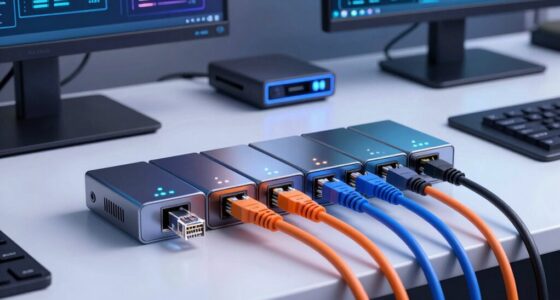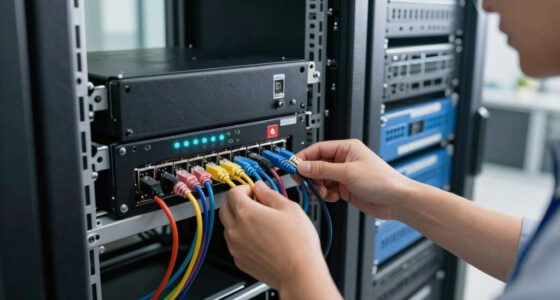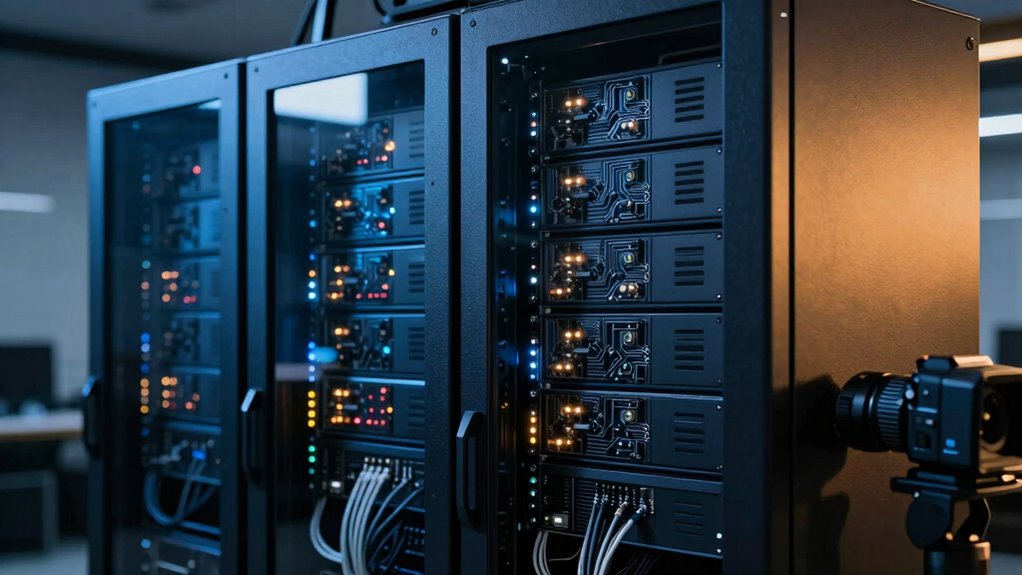
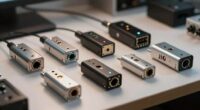
Choosing the right console server for remote network access determines whether your IT team can recover from outages before they escalate. My top pick, the Opengear IM7248-2-DAC, stands out for its robust 48-port density and integrated infrastructure management, making it ideal for large-scale data centers. For smaller setups requiring secure, encrypted access, the Voyager 3 Plus KVM Over IP offers a compelling mix of video and serial control, while the Perle Systems Iolan DG1 serves as a cost-effective entry point for basic RS232 needs. The main tradeoff in this category lies between port density, security features, and ease of integration with existing monitoring tools. Read on to see how these seven options stack up against specific operational requirements.
Key Takeaways
- Port density is the primary differentiator; 48-port models like the Opengear IM7248 reduce rack space compared to single-port alternatives like the Perle DG1.
- Security compliance varies widely, with TAA-compliant models like the Opengear ACM7004 being mandatory for government and defense contracts.
- Modern console servers increasingly integrate out-of-band management features, such as 5G modems and Docker support, seen in the Opengear CM8116.
- Serial-only devices are becoming niche; hybrid units offering KVM-over-IP or USB console ports provide greater versatility for diverse hardware.
- Power redundancy is a critical reliability feature for enterprise-grade units, explicitly supported by models like the Opengear IM4248-2-DAC-X2.
| Perle Systems Iolan DG1 DB9 Device Server |  | Best for Legacy Serial Integration | Memory: 512 MB RAM | Network Interface: RJ-45 Ethernet | Serial Port: DB9 | VIEW ON AMAZON | See Our Full Breakdown |
| Voyager 3 Plus KVM Over IP & Console Server (PoE) |  | Best for Simplified Remote Access | Package Dimensions: 14 x 7 x 2 inches | Item Weight: 2 pounds | Manufacturer: TinyPilot | VIEW ON AMAZON | See Our Full Breakdown |
| Opengear ACM7004-2-L Resilience Gateway |  | Best for Compact Versatility | Form Factor: Rack Mount, Desktop, Rail-mountable | Height: 1.4 inches | Width: 5.1 inches | VIEW ON AMAZON | See Our Full Breakdown |
| Opengear IM7248-2-DAC 48-Port Console Server |  | Best for High-Density Out-of-Band Management | Product Dimensions: 10 x 17.32 x 1.77 inches | Item Weight: 9.9 pounds | Model Number: IM7248-2-DAC | VIEW ON AMAZON | See Our Full Breakdown |
| Opengear IM4248-2-DAC-X2 48-Port Serial Infrastructure Manager |  | Best for Redundant Power Reliability | Product Dimensions: 12.25 x 11.25 x 4 inches | Item Weight: 4.7 pounds | Number of Ports: 48 | VIEW ON AMAZON | See Our Full Breakdown |
| Open Gear CM8116 16 Serial Console Server |  | Best for Automation-Heavy Enterprise Data Centers | Serial Ports: 16 (expandable to 96) | Network Connectivity: 2x 1GbE RJ45 | Cellular Backup: 5G Modem | VIEW ON AMAZON | See Our Full Breakdown |
| Opengear ACM7008-2-M-GLB Console Server |  | Best Compact Solution for Edge Locations | Serial Ports: 8 | USB Ports: 5 | Network Connectivity: 2x Gigabit Ethernet | VIEW ON AMAZON | See Our Full Breakdown |
| console servers for remote network access | Form Factor |
|---|---|
| Perle Systems Iolan DG1 DB9 De | — |
| Voyager 3 Plus KVM Over IP & C | — |
| Opengear ACM7004-2-L Resilienc | Rack Mount, Desktop, Rail-mountable |
| Opengear IM7248-2-DAC 48-Port | — |
| Opengear IM4248-2-DAC-X2 48-Po | Rack Mount |
| Open Gear CM8116 16 Serial Con | 1U Rackmount |
| Opengear ACM7008-2-M-GLB Conso | Desktop / Compact |
More Details on Our Top Picks
Perle Systems Iolan DG1 DB9 Device Server
The Perle Iolan DG1 stands out for its support of RS232, RS422, and RS485 protocols, making it ideal for environments with diverse legacy hardware. Unlike the Opengear IM7248-2-DAC, which focuses on high-density IP management, the DG1 is designed for straightforward serial-to-Ethernet conversion. Its Gigabit Ethernet support ensures data moves quickly, but the lack of a hard disk means it relies on external storage or simpler configurations. This device is better suited for users who need reliable connectivity for specific industrial devices rather than complex multi-user remote sessions. It is a specialized tool, not a general-purpose console server.Pros:- Supports multiple serial communication protocols (RS232/422/485)
- Gigabit Ethernet support for fast network connectivity
- Compact and lightweight design
Cons:- No hard disk included limits local storage capabilities
- Requires technical knowledge for setup
Best for: IT managers maintaining industrial control systems with mixed serial protocols
Not ideal for: Data centers requiring BIOS-level access and multi-user virtual media support
- Memory:512 MB RAM
- Network Interface:RJ-45 Ethernet
- Serial Port:DB9
- Ethernet Speed:10/100/1000 Mbps
- Dimensions:26 x 17 x 7 inches
- Weight:16 ounces
- Operating System:Linux
Our verdict“Choose the Perle Iolan DG1 if you need robust serial protocol support for industrial devices rather than advanced remote management features.”
Voyager 3 Plus KVM Over IP & Console Server (PoE)
The Voyager 3 Plus prioritizes ease of use with zero-hassle setup and Tailscale compatibility, distinguishing it from the more complex configuration required by the Opengear ACM7004-2-L. Its PoE support simplifies cabling in environments where power outlets are scarce. While it offers BIOS-level access and virtual media, it lacks the extensive port density found in larger rack-mounted units. This makes it an excellent choice for small offices or remote sites needing reliable access without heavy infrastructure. However, users requiring extensive multi-user collaboration may find its feature set less robust than dedicated enterprise servers.Pros:- Redundant Ethernet and power with PoE for reliable connectivity
- Easy setup with no software required and Tailscale compatibility
- Supports multiple remote users and BIOS-level access
Cons:- Requires network configuration knowledge for optimal use
- Limited detailed user reviews available
Best for: Small businesses or remote sites needing easy-to-deploy KVM over IP
Not ideal for: Large enterprises requiring high port density and complex user role management
- Package Dimensions:14 x 7 x 2 inches
- Item Weight:2 pounds
- Manufacturer:TinyPilot
- ASIN:B0GFXSWYMD
- First Available:January 9, 2026
- Power:PoE
- Connectivity:HDMI passthrough
Our verdict“The Voyager 3 Plus is the right pick for teams prioritizing rapid deployment and simplified remote management over high port density.”
Opengear ACM7004-2-L Resilience Gateway
The Opengear ACM7004-2-L is designed for environments where space is at a premium, offering rack, desktop, and rail-mountable options. Compared to the bulkier Opengear IM7248-2-DAC, the ACM7004-2-L is significantly lighter and easier to deploy in constrained spaces. It supports WPA2/WPA3 security, providing modern encryption for remote connections. While it lacks the high port count of larger units, its compact form factor makes it ideal for edge computing sites or small server rooms. The tradeoff is a reduced capacity for managing numerous devices simultaneously, making it less suitable for large-scale infrastructure management.Pros:- Compact and versatile form factors for different setups
- Supports multiple connectivity options including Ethernet and USB
- TAA compliant suitable for government and business use
Cons:- Limited information on advanced features or software capabilities
- Lower port density compared to larger console servers
Best for: Edge computing sites or small server rooms with limited rack space
Not ideal for: Data centers needing to manage dozens of devices from a single unit
- Form Factor:Rack Mount, Desktop, Rail-mountable
- Height:1.4 inches
- Width:5.1 inches
- Weight:2.5 pounds
- Number of Ports:4
- Connectivity Technology:Ethernet, USB, wired
- Security Protocol:wpa2-psk, wpa3
Our verdict“Select the ACM7004-2-L for its flexibility in mounting and modern security features in space-constrained environments.”
Opengear IM7248-2-DAC 48-Port Console Server
The Opengear IM7248-2-DAC offers substantial 48-port capacity, making it a workhorse for managing extensive network infrastructure. Unlike the Voyager 3 Plus, which focuses on simplicity and smaller deployments, this unit is built for out-of-band management of numerous devices. The inclusion of dual power cords ensures redundancy, a critical feature for maintaining uptime in mission-critical environments. However, being a renewed product, it may lack the latest firmware features or warranty coverage found in new units. It is a robust choice for IT professionals who need reliable access to many devices but should verify warranty terms before purchase.Pros:- Supports remote out-of-band management for multiple devices
- Includes dual power cords for redundancy
- Compact and rack-mountable design
Cons:- Renewed product may have limited warranty
- Only one customer review available
Best for: IT professionals managing large networks with many serial-connected devices
Not ideal for: Users requiring new hardware with full manufacturer warranty coverage
- Product Dimensions:10 x 17.32 x 1.77 inches
- Item Weight:9.9 pounds
- Model Number:IM7248-2-DAC
- Includes:2x Power Cord, 1x Console Cable, 1x Rack Ears
- Ports:48
- Power:Dual Power Cords
- Mounting:Rack-Mountable
Our verdict“The IM7248-2-DAC is a solid choice for high-density management if you are comfortable with renewed hardware conditions.”
Opengear IM4248-2-DAC-X2 48-Port Serial Infrastructure Manager
The Opengear IM4248-2-DAC-X2 emphasizes reliability with dual power supplies, offering a higher level of uptime protection than the single-power Opengear ACM7004-2-L. With 48 serial ports, it matches the capacity of the IM7248 but differs in its specific power redundancy architecture. This makes it suitable for environments where power fluctuations are a concern. The bulkier size compared to the ACM7004-2-L requires more rack space, which is a consideration for crowded data centers. Like its sibling, it is a renewed unit, so buyers must weigh the cost savings against potential warranty limitations.Pros:- High port density for extensive serial management
- Redundant dual power supplies enhance reliability
- Includes necessary accessories for installation
Cons:- Renewed product may have limited warranty
- Bulkier size may require adequate rack space
Best for: Critical infrastructure sites where power redundancy is paramount
Not ideal for: Small setups or those with limited rack space and budget for new hardware
- Product Dimensions:12.25 x 11.25 x 4 inches
- Item Weight:4.7 pounds
- Number of Ports:48
- Power Supply:Dual PSU
- Included Accessories:Rack Mount Kit, Power Cords, Console Cable
- Form Factor:Rack Mount
- Condition:Renewed
Our verdict“Choose the IM4248-2-DAC-X2 for its dual power supply reliability in high-stakes network environments.”
Open Gear CM8116 16 Serial Console Server
This unit targets organizations where infrastructure as code is a priority. Unlike the simpler Opengear ACM7004-2-L, which focuses on basic remote access, the CM8116 integrates Docker support and a REST API, allowing engineers to script complex recovery workflows directly on the server. The inclusion of a 5G cellular modem ensures that out-of-band management remains viable even when primary wired connections fail, a critical feature for mission-critical racks. However, this power comes with a steep learning curve; the TPM 2.0 security features and containerization require advanced Linux knowledge. It is significantly bulkier than smaller gateways, demanding dedicated rack space. For teams lacking automation expertise, this complexity becomes a burden rather than a benefit, whereas smaller deployments might find the Opengear ACM7008 more manageable.
Pros:- Native Docker support allows running custom management tools on the server
- 5G cellular modem provides faster and more reliable backup connectivity than 4G
- TPM 2.0 hardware ensures secure boot and encrypted key storage
- Scales to 96 serial ports, accommodating large rack expansions
Cons:- Requires significant technical expertise to configure and maintain
- Large rackmount form factor consumes valuable space
- Higher complexity increases the potential for misconfiguration
Best for: DevOps teams in large data centers who need to script automated recovery and manage high-density serial connections via containers.
Not ideal for: Small IT shops or generalists who lack the Linux skills to manage Docker containers and complex API integrations.
- Serial Ports:16 (expandable to 96)
- Network Connectivity:2x 1GbE RJ45
- Cellular Backup:5G Modem
- Security:TPM 2.0
- Form Factor:1U Rackmount
- Automation:Docker, REST API, Python
- Power:100-240 V AC
Our verdict“Choose this if you need a programmable, secure platform for automated infrastructure management in a dense data center.”
Opengear ACM7008-2-M-GLB Console Server
Designed for the edge, this model prioritizes portability and simplicity over raw processing power. Compared to the massive Open Gear CM8116, the ACM7008 is a desktop-sized unit that fits easily into tight retail or branch office cabinets. The 4G LTE modem provides essential backup connectivity where 5G infrastructure may not yet exist, offering a pragmatic balance between cost and resilience. While it lacks the Docker capabilities of its larger sibling, its Smart Out-of-Band management is sufficient for standard monitoring tasks. The tradeoff is scalability; with only 8 serial ports, it cannot support the high-density needs of a central data center. It serves as an excellent companion to larger core infrastructure, handling local device access without the overhead of enterprise-grade automation tools.
Pros:- Compact desktop form factor ideal for constrained spaces
- Embedded 4G LTE modem ensures connectivity without wired dependencies
- Supports Smart Out-of-Band management for streamlined monitoring
- Lightweight design simplifies deployment in multiple locations
Cons:- Limited to 8 serial ports restricts scalability
- 4G LTE is slower than 5G options on competing models
- Lacks advanced automation features like container support
Best for: IT managers overseeing distributed branch offices or retail locations needing reliable, low-footprint remote access.
Not ideal for: Core data centers requiring high port density or advanced automation scripting capabilities.
- Serial Ports:8
- USB Ports:5
- Network Connectivity:2x Gigabit Ethernet
- Cellular Backup:4G LTE Modem
- Form Factor:Desktop / Compact
- Dimensions:5.1 x 4.7 x 1.4 inches
- Weight:3 lbs
Our verdict“This is the right choice for distributed teams needing reliable, simple remote access without the complexity of enterprise servers.”

How We Picked
I evaluated these console servers based on their ability to provide secure, reliable remote access to serial consoles, which is the backbone of out-of-band management. My analysis prioritized three core factors: connectivity versatility (support for RS232, USB, and Ethernet standards), management software ecosystem (ease of configuration and integration with monitoring platforms), and physical resilience (power redundancy, build quality, and port density). I also weighed the specific use cases each device targets, distinguishing between enterprise data centers needing high port counts and field technicians requiring portable, cellular-enabled solutions.
The ranking logic favors devices that reduce operational friction. Products that require complex manual configuration or lack modern security protocols (such as encrypted SSH tunnels) were ranked lower than those offering intuitive web interfaces and automatic failover capabilities. I also considered long-term viability, giving preference to manufacturers with active firmware support and cloud-managed options, ensuring that the selected hardware remains compatible with evolving network architectures.
Factors to Consider When Choosing Console Servers For Remote Network Access
Selecting a console server requires balancing immediate connectivity needs with long-term scalability and security mandates. This section breaks down the specific factors that influence which device will serve your infrastructure best.
Port Density and Form Factor
The number of serial ports dictates how many devices you can manage from a single unit. High-density 48-port models are efficient for large racks but require significant power and cooling. In contrast, single or dual-port device servers are better for distributed edge locations where you only need to access one or two critical assets. Mismatching port count to your environment leads to either wasted capital or insufficient coverage. Always map your current device inventory and projected growth before committing to a specific density.
Security Protocols and Compliance
Remote access to serial ports is a high-value target for attackers. Standard SSH encryption is the baseline, but enterprise environments often demand more. Look for devices that support two-factor authentication (2FA), RADIUS/TACACS+ integration, and detailed audit logging. If you work in government or defense, TAA compliance is not optional; models like the Opengear ACM7004 are specifically engineered to meet these regulatory standards. Skipping these features exposes your out-of-band channel to interception and unauthorized access.
Out-of-Band Connectivity Options
A console server is useless if the primary network is down. Dedicated out-of-band interfaces ensure you can reach the console even when the LAN fails. Modern units increasingly include cellular modems (4G/5G) or satellite links as fallback paths. This redundancy is critical for remote sites where physical access is difficult. Evaluate whether your environment needs a wired-only solution or if cellular failover justifies the higher upfront cost and ongoing data plans.
Integration with Network Management Systems
Standalone console servers create management silos. The best options integrate seamlessly with existing NMS platforms (like SolarWinds, PRTG, or Datadog) via SNMP or APIs. This allows you to correlate serial console alerts with broader network metrics. Devices offering cloud-managed capabilities further simplify operations by providing a single pane of glass for global assets. Avoid solutions that require proprietary, closed-source management tools unless you have a specific reason for that lock-in.
Power Redundancy and Physical Resilience
Out-of-band management is most needed during catastrophic failures, such as power outages. Dual power supply inputs allow the console server to remain operational if one power feed fails. This feature is standard in enterprise-grade units but often absent in budget models. For critical infrastructure, redundant power is non-negotiable. Check if the unit supports DC inputs for battery-backed systems or if it requires AC-to-DC conversion, which adds another point of failure.
Frequently Asked Questions
Do I need a console server if I already have out-of-band management on my switches?
While modern managed switches have built-in out-of-band ports, these are often limited in bandwidth and security features. A dedicated console server provides centralized authentication and logging for multiple devices, not just the switch itself. It also offers a secure, encrypted tunnel for access, whereas native OOB ports may rely on less secure protocols. If you manage a heterogeneous environment with routers, firewalls, and servers, a dedicated console server unifies access and improves security posture.
What is the difference between a console server and a KVM over IP?
A console server primarily manages serial interfaces (RS232, USB), allowing command-line access to network devices. A KVM over IP device transmits video, keyboard, and mouse signals, enabling remote graphical access to servers and workstations. Some hybrid units, like the Voyager 3 Plus, combine both functions. Choose a console server if you manage network gear via CLI; choose KVM if you need to interact with the operating system’s GUI remotely.
Is cellular connectivity necessary for a console server?
Cellular connectivity is vital for remote sites, branch offices, or edge locations where wired internet may be unreliable or unavailable. It provides a true out-of-band path that is independent of the local ISP. For a primary data center with multiple redundant fiber links, cellular might be overkill. However, for distributed infrastructure, cellular failover ensures you never lose access to critical devices, reducing downtime and the need for emergency site visits.
Can I use a console server to manage non-network devices?
Yes, console servers are frequently used to manage servers, UPS units, PDUs, and industrial equipment that expose serial ports. As long as the device has a serial interface that accepts commands, the console server can provide remote access. This makes them invaluable for data center operations where you need to reboot a hung server or check a UPS status without entering the server room. Verify the baud rate and voltage compatibility of your target devices before purchasing.
How does TAA compliance affect my choice of console server?
Trade Agreements Act (TAA) compliance restricts which products can be purchased by U.S. federal agencies. If you are selling to or working with government entities, you must select a TAA-compliant model. Non-compliant devices cannot be procured under federal contracts, regardless of their technical merits. Manufacturers like Opengear explicitly label certain models as TAA-compliant, ensuring legal procurement eligibility for public sector projects.
Conclusion
For most enterprise environments requiring high-density, secure remote access, the Opengear IM7248-2-DAC is the best overall choice due to its 48-port capacity and robust management software. If your priority is cost-effective basic access for a small number of devices, the Perle Systems Iolan DG1 offers a straightforward entry point without unnecessary complexity. For government or defense applications, the Opengear ACM7004 is the premium pick, specifically designed to meet strict TAA compliance standards. Beginners or small IT teams should consider the Voyager 3 Plus for its intuitive interface and hybrid KVM capabilities, which simplify the learning curve. Ultimately, match the port count and connectivity options to your specific infrastructure scale to avoid over-provisioning or under-equipping your network.