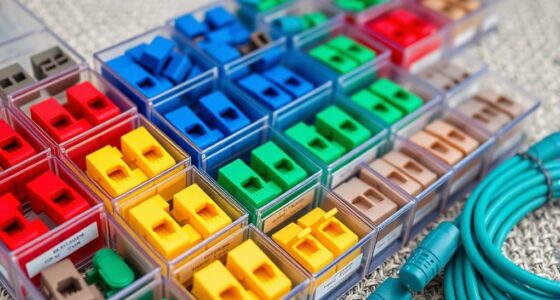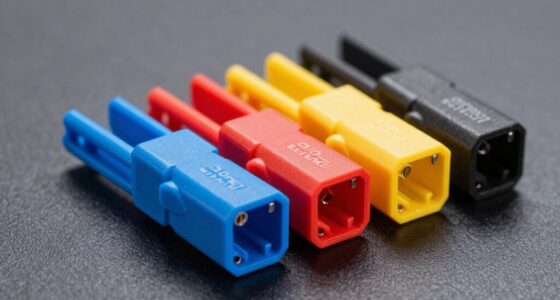

When selecting a fiber patch panel, the key considerations include compatibility with your fiber type, port density, and ease of installation. The 12 Duplex LC-OM3 24 Port Fiber Enclosure stands out as the best overall pick for its versatility and robust build quality. The Cable Matters Rackmount 1U Blank Fiber Patch Panel offers great value for those needing a customizable solution, while the Fiber Patch Panel, 6 Duplex LC/UPC Singlemode is ideal for high-density, singlemode setups. These options highlight the main tradeoffs: balancing capacity, ease of use, and affordability. Keep reading for a detailed breakdown to find the perfect fit for your network needs.

Get business pricing on networking and server gear
- Business-only prices and quantity discounts
- Tax-exempt purchasing
- Multiple users, one account, clear invoices
Key Takeaways
- The best fiber patch panels balance port density, build quality, and ease of installation.
- Compatibility with fiber types (OM3, OM4, OS2) is critical to ensure performance and future-proofing.
- Higher port counts often come with increased complexity and cost, so choose based on your current and planned needs.
- Modular and blank panels offer flexibility but may require additional accessories or customization.
- Premium options tend to emphasize durability and advanced features, suitable for enterprise environments.
| 12 Duplex LC-OM3 24 Port Fiber Enclosure Rack Mount Fiber Box Kit |  | Best Overall for Indoor Fiber Management | Fiber Type: MultiMode 9/125 | Number of Ports: 24 | Connector Type: LC-UPC | VIEW ON AMAZON | See Our Full Breakdown |
| Cable Matters Rackmount 1U Blank Fiber Patch Panel, Black, 19 inches |  | Best for Expanding Network Capacity | Brand: Cable Matters | Size: 19 inches | Material: Metal | VIEW ON AMAZON | See Our Full Breakdown |
| 12 Duplex 24-Port LC-OS1 Fiber Rack Mount Enclosure Box with Splice Trays, SingleMode LC-UPC Kit |  | Best for High-Performance Single-Mode Networks | Number of Ports: 24 | Fiber Type: SingleMode 9/125 | Connector Type: LC-UPC | VIEW ON AMAZON | See Our Full Breakdown |
| Cable Matters 24-Fiber OM3/OM4 LC Patch Panel with 6 LC UPC Quad Adapters |  | Best for High-Speed Fiber Expansion | Fiber Type: OM3/OM4 | Number of Fibers: 24 | Connectors: LC UPC | VIEW ON AMAZON | See Our Full Breakdown |
| Cable Matters 12-Fiber OM3/OM4 LC Patch Panel, 6X LC UPC Duplex Adapters |  | Best Compact Patch Panel for Small Networks | Number of Ports: 6 | Fiber Types Supported: OM1, OM2, OM3, OM4 | Connectors: LC UPC Duplex | VIEW ON AMAZON | See Our Full Breakdown |
| Cable Matters 12-Fiber OS2 LC Patch Panel with 6 LC UPC Duplex Adapters |  | Best Overall for Versatile High-Speed Fiber Connections | Connector Type: LC | Cable Type: Fiber Optic | Number of Fibers: 12 | VIEW ON AMAZON | See Our Full Breakdown |
| Cable Matters 1U Fiber Patch Panel, 48 LC OS2 Single Mode Connectors | 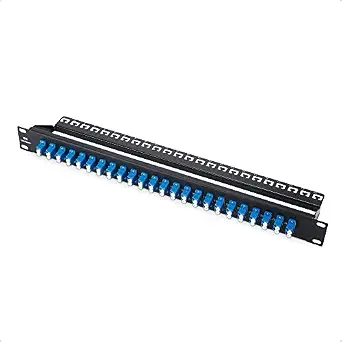 | Best for High-Density Single Mode Fiber Expansion | Number of Connectors: 48 LC OS2 | Size: 1U rack mount | Compatibility: Standard 19-inch rack | VIEW ON AMAZON | See Our Full Breakdown |
| Cable Matters 1U Fiber Patch Panel, 48 LC OM3/OM4 Connectors |  | Best for Multimode High-Speed Network Expansion | Number of Ports: 48 LC | Form Factor: 1U rackmount | Fiber Type: OM3/OM4 | VIEW ON AMAZON | See Our Full Breakdown |
| 24 Duplex 48 Port LC Rack Mount Fiber Enclosure Kit with Splice Trays and Pigtails |  | Best for Professional Fiber Management and Splicing | Number of Ports: 48 | Fiber Type: SingleMode 9/125 | Connector Type: LC-UPC | VIEW ON AMAZON | See Our Full Breakdown |
| 12 Duplex 24 Port LC-OS1 Rack Mount Enclosure Box with Splice Trays and Fiber Cables Kit |  | Best for Compact, Professional Single-Mode Fiber Management | Fiber Type: SingleMode 9/125 | Number of Ports: 24 | Connector Type: LC-UPC | VIEW ON AMAZON | See Our Full Breakdown |
| Fiber Patch Panel, 6 Duplex LC/UPC Singlemode Blue Adapter, 12 Fiber Ports (2-Pack) |  | Best for Compact, High-Quality Fiber Management | Number of Ports: 12 | Adapter Type: LC/UPC Singlemode | Material: Steel | VIEW ON AMAZON | See Our Full Breakdown |
| fiber patch panel | Fiber Type | Number of Ports |
|---|---|---|
| 12 Duplex LC-OM3 24 Port Fiber | MultiMode 9/125 | 24 |
| Cable Matters Rackmount 1U Bla | — | — |
| 12 Duplex 24-Port LC-OS1 Fiber | SingleMode 9/125 | 24 |
| Cable Matters 24-Fiber OM3/OM4 | OM3/OM4 | — |
| Cable Matters 12-Fiber OM3/OM4 | — | 6 |
| Cable Matters 12-Fiber OS2 LC | OS2 | — |
| Cable Matters 1U Fiber Patch P | — | — |
| Cable Matters 1U Fiber Patch P | OM3/OM4 | 48 LC |
| 24 Duplex 48 Port LC Rack Moun | SingleMode 9/125 | 48 |
| 12 Duplex 24 Port LC-OS1 Rack | SingleMode 9/125 | 24 |
| Fiber Patch Panel | — | 12 |
More Details on Our Top Picks
12 Duplex LC-OM3 24 Port Fiber Enclosure Rack Mount Fiber Box Kit
This complete fiber enclosure kit stands out for its comprehensive accessory set, making it ideal for organized, secure fiber management in data centers. Its support for multiple connector types and color-coded fibers simplifies installation and troubleshooting compared to simpler patch panels like the Cable Matters 24-Fiber OM3/OM4 LC Patch Panel. However, it is limited to indoor environments and has dimensions that might not fit all racks, which could be restrictive in space-constrained setups. Its durability and ease of use make it suitable for professionals who need reliability and quick setup, though it requires careful handling during installation to avoid damage.
Pros:- Includes complete accessories for straightforward installation
- Supports both LC and SC connectors with flanged couplers
- Color-coded fibers for quick identification
- Durable construction suitable for indoor environments
Cons:- Limited to indoor use only
- Dimensions may not fit all rack sizes
- Requires careful handling to prevent fiber damage
Best for: Data center technicians and network administrators seeking a ready-to-install, all-in-one fiber management solution.
Not ideal for: Home users or outdoor installations, as it is designed for indoor use and does not have weatherproofing features.
- Fiber Type:MultiMode 9/125
- Number of Ports:24
- Connector Type:LC-UPC
- Number of Splice Trays:2
- Cable Length:1 meter
- Dimensions:483mm x 200mm x 46mm
Our verdict“This kit is best for professionals who need a robust, organized fiber enclosure for indoor network environments.”
Cable Matters Rackmount 1U Blank Fiber Patch Panel, Black, 19 inches
Compared with the comprehensive enclosure kit, this blank patch panel offers a flexible foundation for expanding fiber networks within 1U rack space. Its metal construction and back support bar provide stability, but it requires separate purchase of adapters and connectors, unlike the pre-equipped options like the 12 Duplex LC-OS1 Kit. This makes it better suited for users familiar with fiber installation who want customizable setups rather than plug-and-play solutions. Its simple design and compatibility with LGX modules make it ideal for growing data centers, but lacking included components means additional planning and investment.Pros:- Allows flexible expansion with multiple adapter slots
- Durable metal construction with stability features
- Compatible with various LGX fiber optic adapters
Cons:- Requires separate purchase of adapters
- Limited to LGX-compatible modules
- No included adapters or connectors
Best for: Network engineers or IT teams expanding existing fiber infrastructure with custom configurations.
Not ideal for: Beginners or those seeking a ready-to-use solution, since it requires additional components and installation expertise.
- Brand:Cable Matters
- Size:19 inches
- Material:Metal
- Number of Slots:3
- Mounting Type:Rackmount
Our verdict“This patch panel suits experienced professionals expanding fiber networks who need customization and durability in a 1U form factor.”
12 Duplex 24-Port LC-OS1 Fiber Rack Mount Enclosure Box with Splice Trays, SingleMode LC-UPC Kit
This high-quality rack mount kit excels in single-mode environments, offering low insertion loss and reliable performance, making it a step up from general-purpose patch panels like the Cable Matters 24-Fiber OM3/OM4 LC Patch Panel. Its inclusion of splice trays, a 24-strand fiber pigtail, and a loaded patch panel streamlines installation for telecommunications and long-distance data transmission. The need for technical knowledge and the absence of weatherproofing are limitations, so it’s best for professional setups rather than casual or outdoor use. Its zirconia ceramic ferrules and standards compliance ensure high precision and durability, ideal for critical network infrastructure.Pros:- Low insertion loss with high-quality zirconia ceramic ferrules
- Includes comprehensive accessories for quick deployment
- Color-coded cables for easy identification
- Supports standard 19-inch racks
Cons:- Requires technical expertise for installation
- Limited to single-mode fiber applications
- No weatherproofing features
Best for: Telecommunications providers and data centers focused on single-mode fiber deployments requiring high performance.
Not ideal for: Home or outdoor use, due to installation complexity and lack of weatherproofing features.
- Number of Ports:24
- Fiber Type:SingleMode 9/125
- Connector Type:LC-UPC
- Cable Length:1 meter
- Standards:ISO/IEC 11801, TIA/EIA-568-B
- Ferrule Material:Zirconia ceramic
Our verdict“This kit is designed for professional, high-performance single-mode fiber deployments where precision and reliability are essential.”
Cable Matters 24-Fiber OM3/OM4 LC Patch Panel with 6 LC UPC Quad Adapters
This patch panel supports high-speed OM3/OM4 fiber connections with built-in adapters, making it a practical choice for expanding existing fiber infrastructure in 1U racks. While its six included adapters offer versatility, it only supports LC connectors, limiting compatibility with other fiber types or connector standards like SC. Compared with the 12-Port 24 Fiber Enclosure Kit, it’s more compact but less extensive, making it suitable for smaller or targeted upgrades. Its straightforward rack-mount design simplifies installation, but the limited port count and lack of additional accessories mean it’s best for specific expansion tasks rather than large-scale deployments.Pros:- Supports high-speed OM3/OM4 fiber connections
- Includes 6 built-in LC adapters for quick setup
- Compact, rack-mountable design for small spaces
Cons:- Limited to LC connectors only
- No additional mounting hardware included
- Size may restrict larger network expansions
Best for: Network administrators adding high-speed OM3/OM4 fiber connections in small to medium-sized setups.
Not ideal for: Users requiring a broad range of connector types or large port densities, as it’s limited to LC and six adapters only.
- Fiber Type:OM3/OM4
- Number of Fibers:24
- Connectors:LC UPC
- Included Adapters:6
- Dimensions:5.12 x 1.24 x 1.36 inches
- Rack Compatibility:1U
Our verdict“This patch panel is ideal for targeted high-speed fiber upgrades in compact or existing network racks needing quick, reliable connections.”
Cable Matters 12-Fiber OM3/OM4 LC Patch Panel, 6X LC UPC Duplex Adapters
This 6-port patch panel caters to smaller fiber setups, supporting various OM standards and including six duplex adapters, making it versatile for expanding or consolidating fiber connections in tight spaces. Its compact size and straightforward 1U rack-mount design make it suitable for small offices or edge devices, but its port limitation may restrict larger network growth. Unlike larger panels like the 24-Port 48 Fiber Kit, this is better suited for specific, limited expansion projects or patching points, especially when space is at a premium. Its lack of mounting hardware and limited port count mean it’s not ideal for extensive infrastructure but excels in minimal, high-density environments.Pros:- Supports multiple fiber standards including OM3/OM4
- Includes 6 LC duplex adapters for easy patching
- Rack-mountable and space-saving design
Cons:- Limited to 6 ports, not suitable for large-scale setups
- No included mounting hardware
- Limited to LC connectors, reducing flexibility
Best for: Small offices or edge network points needing a compact, reliable fiber patch solution.
Not ideal for: Large data centers or networks requiring numerous ports, as it provides only six connections.
- Number of Ports:6
- Fiber Types Supported:OM1, OM2, OM3, OM4
- Connectors:LC UPC Duplex
- Dimensions:5.12 x 1.24 x 1.14 inches
- Mounting Compatibility:1U rack
Our verdict“This patch panel fits small-scale or space-constrained fiber networks needing reliable, high-quality connections in a compact form.”
Cable Matters 12-Fiber OS2 LC Patch Panel with 6 LC UPC Duplex Adapters
This patch panel stands out for its support of 10 Gbps OS2 fiber connections, making it ideal for high-speed enterprise networks. Its inclusion of 6 built-in LC adapters simplifies setup compared to the standalone panels like the Cable Matters 1U 48 LC OS2, which lacks integrated adapters. However, it offers limited environmental features, suitable mainly for indoor and outdoor protected environments. Its rack-mount design fits standard 1U systems but doesn’t include cable management options, which can be a drawback for organized setups. Compared with more extensive panels, this option provides quick deployment and reliable performance, but at the expense of advanced environmental protections or extensive port counts.
Pros:- Supports high-speed 10 Gbps fiber connections
- Includes 6 built-in LC adapters for quick setup
- Rack-mountable design suitable for various infrastructure
Cons:- Limited to indoor and outdoor environments without additional weatherproofing
- No integrated cable management features
Best for: IT professionals needing flexible, high-speed fiber patching in mixed indoor/outdoor environments
Not ideal for: Small office setups with minimal fiber needs or those requiring extensive cable management features
- Connector Type:LC
- Cable Type:Fiber Optic
- Number of Fibers:12
- Fiber Type:OS2
- Adapter Count:6
- Dimensions:5.12 x 1.24 x 1.36 inches
- Compatible Devices:Servers, Modems, Switches, Routers
- Style:Color Blue
- Indoor Outdoor Usage:Indoor, Outdoor
Our verdict“This panel is best suited for users who need a reliable, high-speed fiber patch panel with quick installation capabilities in protected environments.”
Cable Matters 1U Fiber Patch Panel, 48 LC OS2 Single Mode Connectors
This 48-port LC OS2 patch panel caters to high-capacity single mode fiber networks, making it a strong choice for data centers needing extensive connectivity. Its 1U form factor matches standard rack sizes and outperforms smaller panels like the 12-fiber options in port count, providing ample room for future expansion. Unlike the multimode-focused Cable Matters 1U 48 LC OM3/OM4, this panel’s focus on single mode makes it ideal for long-distance links, although it doesn’t support multimode fibers. Its steel construction ensures durability, but it doesn’t include cables or accessories, which might increase initial setup costs. This product makes the most sense for environments where high-density, long-distance fiber connections are required, and robustness is a priority.
Pros:- Supports up to 10Gbps fiber connections
- Durable steel construction ensures longevity
- Provides 48 LC ports for high-density connectivity
Cons:- Limited to single mode OS2 fiber, not suitable for multimode applications
- No included cables or accessories, adding to the overall cost
Best for: Network engineers deploying long-distance single mode fiber in data centers or enterprise environments
Not ideal for: Small offices or setups with limited fiber needs, where a simpler, less dense patch panel would suffice
- Number of Connectors:48 LC OS2
- Size:1U rack mount
- Compatibility:Standard 19-inch rack
- Material:Steel
- Speed Support:Up to 10Gbps
Our verdict“This patch panel is best for large-scale, long-distance fiber deployments where durability and high port density are critical.”
Cable Matters 1U Fiber Patch Panel, 48 LC OM3/OM4 Connectors
This 48-port LC OM3/OM4 panel excels in multimode environments, supporting data rates up to 100Gbps, making it suitable for growing server room networks. Compared to the single mode-focused panel, this offers higher bandwidth for short-range, high-speed applications. Its steel build guarantees durability, and the 1U form factor allows easy integration into standard racks. The lack of included cables or accessories may require additional purchases, and it’s limited to OM3/OM4 fiber types, which could be constraining if your infrastructure evolves. This panel makes the most sense for organizations expanding high-speed multimode fiber networks in data centers or enterprise settings.
Pros:- Supports data transfer speeds up to 100Gbps
- Steel construction for durability
- High port density for network expansion
Cons:- Limited to OM3/OM4 multimode fiber
- No included cables or accessories
Best for: Organizations upgrading to multimode fiber for high-speed intra-data center communication
Not ideal for: Users needing single mode long-distance fiber or small-scale fiber patching
- Number of Ports:48 LC
- Form Factor:1U rackmount
- Fiber Type:OM3/OM4
- Material:Steel
- Max Data Rate:100 Gbps
Our verdict“This panel is ideal for high-capacity multimode fiber environments demanding fast, reliable connections with room for expansion.”
24 Duplex 48 Port LC Rack Mount Fiber Enclosure Kit with Splice Trays and Pigtails
This kit provides a comprehensive solution for fiber management, including splice trays, pigtails, and a patch panel, making it ideal for precise, organized fiber terminations. Its inclusion of high-quality ceramic ferrules and color-coded pigtails surpasses simpler patch panels like the Cable Matters 12 Fiber OS2, which lacks splicing components and detailed management accessories. It’s designed for professional environments where fiber splicing and low insertion loss are priorities. However, its complexity demands technical expertise during installation, and it’s limited to 19-inch racks with no weatherproofing for outdoor use. It suits data centers and telecom applications needing meticulous fiber organization and low-loss splicing but might be overkill for straightforward patching needs.
Pros:- High-quality ceramic ferrules for durability
- Includes all components for quick installation
- Color-coded pigtails for easy identification
Cons:- Requires technical expertise for proper installation
- Limited to 19-inch rack setups
Best for: Fiber technicians and data center operators performing splicing and detailed fiber management
Not ideal for: Small offices or less technical users seeking plug-and-play patch panels without splicing features
- Number of Ports:48
- Fiber Type:SingleMode 9/125
- Connector Type:LC-UPC
- Rack Compatibility:19-inch racks
- Included Components:2 splice trays, 48-strand LC pigtails, patch panel, 1-meter cables
- Standards Conformed:YD/T926I, SO/IEC 11801, TIA/EIA-568-B
Our verdict“This enclosure kit is best for professional deployments where precise fiber splicing and management are essential, not for casual or small-scale setups.”
12 Duplex 24 Port LC-OS1 Rack Mount Enclosure Box with Splice Trays and Fiber Cables Kit
This enclosure offers a neatly organized solution for single-mode fiber, supporting 24 ports with included splice trays and fiber cables. Its high-quality ceramic ferrules and color-coded pigtails ensure low insertion loss and easy identification, making it suitable for data centers and telecom networks. Compared with larger panels like the 48-port models, this kit’s compact design makes it ideal for space-constrained environments. However, it requires technical skill to install correctly, and its focus on single mode fiber limits versatility if multimode options are needed. It’s a solid choice for professionals managing sensitive, long-distance fiber connections in small to medium setups.
Pros:- High-quality ceramic ferrules for durability
- Color-coded pigtails facilitate correct patching
- Includes essential components for professional installation
Cons:- Requires technical expertise for installation
- Limited to single-mode fiber applications
Best for: Telecommunications providers and data centers handling single-mode fiber installations
Not ideal for: Small office networks or users seeking plug-and-play patch panels without splicing components
- Fiber Type:SingleMode 9/125
- Number of Ports:24
- Connector Type:LC-UPC
- Rack Compatibility:19-inch racks
- Included Components:Splice trays, fiber cables, patch panel
Our verdict“This kit is best suited for professional, space-efficient fiber management in telecom and data center environments demanding precision.”
Fiber Patch Panel, 6 Duplex LC/UPC Singlemode Blue Adapter, 12 Fiber Ports (2-Pack)
This fiber patch panel stands out for its durable steel construction with an electrostatic coating, making it ideal for environments that demand robust hardware, such as data centers. Compared to the 12 Duplex LC-OM3 24 Port Fiber Enclosure Rack Mount Fiber Box Kit, this panel offers a more compact, tool-less installation process, reducing setup time. However, it is limited to singlemode fiber types and does not include fiber cables, which could add to initial costs or installation complexity. The high performance, with insertion loss ≤0.2dB and return loss ≥50dB, supports high-speed, high-bandwidth networks effectively, but the lack of detailed compatibility info might concern users with specific device requirements.
Pros:- Robust steel construction with protective coating enhances durability
- Tool-less snap-in design simplifies installation and maintenance
- Supports high-speed network applications with minimal insertion loss
Cons:- Limited to singlemode fiber types, reducing versatility for multi-mode needs
- No included fiber cables, adding extra cost and planning for setup
Best for: IT professionals managing high-speed, singlemode fiber networks in small to medium data centers who need quick, reliable patching without extensive hardware.
Not ideal for: Home users or small office setups that require multi-mode support or integrated cable management, as this is designed for more professional, high-grade environments.
- Number of Ports:12
- Adapter Type:LC/UPC Singlemode
- Material:Steel
- Color:Black
- Performance:Insertion loss ≤0.2dB, Return Loss ≥50dB
- Package Quantity:2-Pack
Our verdict“This patch panel is well-suited for network engineers seeking a durable, high-performance solution for singlemode fiber environments, provided they have compatible cables ready.”

How We Picked
Each fiber patch panel was evaluated based on performance, compatibility, ease of installation, build quality, and value for money. We prioritized products that cater to a range of user needs—from beginners to professional network installers—while considering how well they integrate with common fiber types and rack setups. The ranking reflects a balance between affordability and feature set, highlighting options that excel in either simplicity, capacity, or durability. Products with clear advantages in their category were favored, but we also noted potential tradeoffs like higher costs or complexity for advanced models.| fiber patch panel | Fiber Type |
|---|---|
| 12 Duplex LC-OM3 24 Port Fiber | MultiMode 9/125 |
| Cable Matters Rackmount 1U Bla | — |
| 12 Duplex 24-Port LC-OS1 Fiber | SingleMode 9/125 |
| Cable Matters 24-Fiber OM3/OM4 | OM3/OM4 |
| Cable Matters 12-Fiber OM3/OM4 | — |
| Cable Matters 12-Fiber OS2 LC | OS2 |
| Cable Matters 1U Fiber Patch P | — |
| Cable Matters 1U Fiber Patch P | OM3/OM4 |
| 24 Duplex 48 Port LC Rack Moun | SingleMode 9/125 |
| 12 Duplex 24 Port LC-OS1 Rack | SingleMode 9/125 |
| Fiber Patch Panel | — |
Factors to Consider When Choosing Fiber Patch Panel
Choosing the right fiber patch panel involves understanding several key factors beyond basic specifications. The right selection can streamline installation, improve network reliability, and support future upgrades. Here are the main considerations to guide your decision-making process:Compatibility with Fiber Types and Connectors
Ensure the patch panel supports your fiber type—whether OM3, OM4, or singlemode OS2—and the connector types you plan to use. Mismatched components can cause signal loss or damage, compromising network performance. Verify that the panel’s specifications match your existing infrastructure or future plans to avoid costly replacements later.
Port Density and Scalability
Assess your current needs and anticipate future growth. A panel with more ports than currently required can save time and money later, but overly large panels may be bulkier and more complex to manage. Balance your space constraints and maintenance preferences with your capacity requirements to choose the right size.
Ease of Installation and Maintenance
Look for features like modular design, clear labeling, and accessible mounting options. Panels that are easier to install reduce setup time and minimize errors. Consider whether the panel includes features for straightforward maintenance, such as removable adapters or splice trays, especially if your network requires frequent adjustments.
Build Quality and Durability
Opt for panels constructed from sturdy materials that can withstand environmental factors like dust, heat, or vibration. For enterprise environments, investing in premium, metal-constructed panels can prolong lifespan and reduce replacement costs. Cheaper plastic options might be suitable for temporary or light-duty setups but tend to wear faster.
Budget and Overall Value
Higher-priced panels often include advanced features like integrated splice trays or better materials, but may not be necessary for smaller or less critical networks. Conversely, budget options might lack some durability or ease-of-use features but can be sufficient for simple setups. Prioritize what matters most—performance, longevity, or cost—and choose accordingly to avoid overspending or underbuying.
Frequently Asked Questions
Can I use a standard fiber patch panel with different fiber types?
Compatibility depends on the panel’s connector types and fiber specifications. Many panels support multiple fiber types through different adapters, but it’s essential to verify that the panel’s connectors match your fiber cables—such as LC, SC, or ST—and that it supports your fiber’s core size. Using mismatched components can lead to signal loss or damage, so double-check the specifications before purchasing.
What’s the main difference between singlemode and multimode fiber patch panels?
Singlemode panels are designed for long-distance, high-capacity networks and typically use smaller core fibers with higher precision connectors. Multimode panels, like OM3 or OM4, are suited for shorter distances and often feature easier-to-install connectors. Choosing the right panel depends on your current network type and future expansion plans, as mismatched panels can degrade performance.
Is it better to buy a blank or pre-loaded fiber patch panel?
Blank panels offer more flexibility, allowing you to customize port configurations and fiber types as needed. Pre-loaded panels come with fixed adapters or splice trays, simplifying installation but limiting customization. For growing networks or specialized setups, blank panels can adapt over time, but pre-loaded panels are quicker to deploy for standard configurations.
How important is build quality for fiber patch panels?
Build quality directly impacts the durability and reliability of your network. Well-constructed panels made from sturdy materials resist environmental stressors and reduce the risk of damage over time. Investing in quality panels can prevent frequent replacements and maintenance costs, especially in industrial or high-traffic environments.
Should I prioritize port count over ease of installation?
While a higher port count can future-proof your setup, ease of installation is equally critical, especially if you’re unfamiliar with fiber work. A panel with intuitive design, clear labeling, and accessible components can save time and reduce mistakes. Balance your current needs with your comfort level and long-term plans to choose the best option.
Conclusion
For those seeking a reliable, all-around solution, the 12 Duplex LC-OM3 24 Port Fiber Enclosure offers excellent capacity and durability. Beginners or small office setups will appreciate the simplicity of the Cable Matters Rackmount 1U Blank Fiber Patch Panel, which allows for customization without overwhelming complexity. For high-density, enterprise-grade needs, the Fiber Patch Panel, 6 Duplex LC/UPC Singlemode provides advanced features and robustness. Budget-conscious buyers can opt for the more affordable options without sacrificing essential performance, while professionals should consider premium models for long-term reliability and performance. Your choice ultimately depends on your network size, future plans, and environment.
As an affiliate, we earn on qualifying purchases.Fall Picks
fall essentials