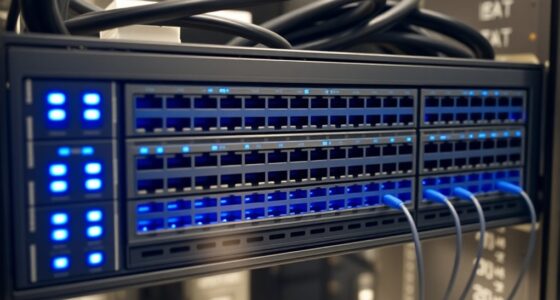

For this 10Gb Ethernet switch review, my best overall pick is the TP-Link TL-SX105, a straightforward five-port option for buyers who want 10Gb connectivity without management overhead. The NICGIGA 6-port 10G/2.5G switch stands out when a network mixes multi-gig access devices with faster NAS or PC links, while the SODOLA 6-port web-managed switch suits buyers who need SFP+ uplinks and more control. The main tradeoffs are port speed mix, management features, heat and fan noise, and room to expand. A switch with many 10Gb ports may be a poor fit if most devices use 2.5Gb, while a compact unmanaged model may limit future network control. Read on for the full comparison and guidance on matching the switch to your devices.

Get business pricing on networking and server gear
- Business-only prices and quantity discounts
- Tax-exempt purchasing
- Multiple users, one account, clear invoices
Key Takeaways
Five-port 10Gb models such as the TP-Link TL-SX105 and TRENDnet TEG-S750 suit compact networks, but leave less room for growth than eight-port choices.
Mixed-speed switches with 2.5Gb access ports and a few 10Gb ports can better match Wi-Fi access points and faster NAS or PC connections than an all-10Gb design.
SFP+ ports add link flexibility for fiber or compatible DAC connections, but buyers should check module and cable compatibility before choosing them over RJ45.
PoE changes the use case: the GigaPlus 18-port model can serve compatible powered devices, but its 2.5Gb PoE ports are not the same as having 10Gb on every port.
Management separates basic connectivity from network control; managed SODOLA options offer more configuration potential, while unmanaged picks keep setup simpler.


| highperformance10gbswitch review | Ports | Warranty | Cooling | Switching capacity |
|---|---|---|---|---|
| NICGIGA 6 Port 10Gbps Network | 6 total: 2 x 10GbE RJ45 and 4 x 2.5GbE | 1 year | Fanless, silent operation | — |
| 10Gb Ethernet Switch with 4 x | — | 1-year limited warranty | Fanless | 60Gbps |
| 8 Port 10Gb Ethernet Switch Un | 8 x 10GBase-T | 1 year | — | 160Gbps |
| 5 Port 10Gb RJ45 Managed Ether | 5 x 10GBase-T RJ45 | — | Built-in fan | — |
| 10Gbe Unmanaged Ethernet Switc | 8 total: 6 x 10G Base-T and 2 x 10G SFP+ | 1 year | Built-in fan | — |
| YuanLey 8-Port 10G Ethernet Sw | 8 | — | — | 160Gbps |
| 8 Port 10G Ethernet Switch Unm | 8 | 1 year | — | 160Gbps |
| GigaPlus 18-Port 10Gb Unmanage | 18 | 1 year | — | 120Gbps |
| TP-Link TL-SX105 5-Port 10G Mu | 5 | 3 years | — | — |
| SODOLA 5 Port 10G Managed Ethe | 5 | — | Internal fan | — |
| NICGIGA 10-Port Unmanaged 10Gb | 10 total | One year; lifetime technical support stated | Fanless, with side cooling openings | 80Gbps in description; product information also lists 60Gbps |
| TRENDnet TEG-S750 5-Port 10G S | 5 | — | Fanless | 100Gbps |
| VunLink 10-Port Unmanaged 2.5G | 10 | 1-year limited; 30-day free replacement stated | — | 80Gbps |
| SODOLA 6-Port 10Gb Ethernet Sw | 6 | 1 year | Fan cooling | — |
More Details on Our Top Picks
NICGIGA 6 Port 10Gbps Network Switch – Unmanaged with 2 x 10Gb RJ45 Ports and 4 x 2.5Gb Base-T Ports
Two 10GbE ports plus four 2.5GbE ports make this NICGIGA a practical fit when only a NAS or workstation needs a full 10Gb link and nearby devices need a step up from gigabit. Its unmanaged, fanless design keeps setup simple and avoids fan noise, while the metal case suits a desk or home network shelf. Compared with the GigaPlus 8-port all-10GbE switch, it gives up port count and peak-link flexibility, but its mix of 10GbE and 2.5GbE can better match a small home network without outfitting every device for 10Gb. The tradeoff is limited growth: there are only six ports, no advanced management, and the supplied information does not detail the power supply. Buyers also need suitable cabling to reach higher link speeds.
Pros:- Two 10GbE RJ45 ports for high-throughput links to a NAS or workstation
- Four 2.5GbE ports add faster connections for compatible PCs and access points
- Fanless operation avoids fan noise in a home or desk-side setup
- Metal case and plug-and-play operation simplify installation
Cons:- Six ports limit expansion compared with the eight-port GigaPlus all-10GbE model
- Unmanaged design offers no VLAN, QoS, or traffic-monitoring controls
- Power-supply details are not provided, and higher speeds depend on suitable cabling
Best for: Home users connecting one or two 10GbE devices alongside 2.5GbE computers or access points, with no need for VLANs or other managed features.
Not ideal for: Small offices or home labs expecting several 10GbE endpoints, or anyone who needs VLAN controls, PoE, or a documented power-supply package.
- Ports:6 total: 2 x 10GbE RJ45 and 4 x 2.5GbE
- Switching type:Unmanaged
- Interface:RJ45
- Listed data transfer rate:60 Gbps
- Case material:Metal
- Cooling:Fanless, silent operation
- Weight:0.58 kg
- Warranty:1 year
Our verdict“Choose this NICGIGA for a quiet, straightforward network where a couple of devices need 10GbE and the rest can use 2.5GbE.”
10Gb Ethernet Switch with 4 x 2.5GbE + 2 x 10GbE RJ45 Ports, VunLink 6 Port 10G/2.5G Multi-Gigabit Unmanaged Network Switch, Plug and Play, Fanless, Desktop/Wall-Mount, for Wireless AP, NAS, PC, Home
Fanless cooling and desktop or wall-mount installation are the clearest reasons to choose this VunLink for a compact home or office network. Its listed configuration pairs four 2.5GbE ports with two 10GbE ports, giving a NAS and a main workstation faster links without requiring every connected device to support 10GbE. That makes it a close alternative to the NICGIGA 6-port switch; both target small mixed-speed networks, while this VunLink adds explicit wall-mount support and detailed forwarding specifications. The listing also describes an 8 x 2.5GbE, 2 x 10GbE configuration, which conflicts with its six-port title and product information, so buyers should verify the exact port layout before ordering. It is unmanaged, has no PoE, and provides less room to grow than an all-10GbE switch.
Pros:- Fanless construction supports quiet placement in living or work areas
- Desktop and wall-mount installation suit varied small-network layouts
- Listed 60Gbps switching capacity and 44.64Mpps forwarding rate
- Auto-negotiation and auto MDI/MDIX simplify connections across supported link speeds
Cons:- Product title and specifications list six ports, while the description claims eight 2.5GbE ports plus two 10GbE ports
- Unmanaged operation does not provide VLAN, QoS, or traffic controls
- No PoE support is specified, so powered devices need separate power
Best for: Home-office users who need a silent multi-gig switch that can sit on a desk or mount on a wall, after confirming the port configuration with the seller.
Not ideal for: Buyers who need a confirmed high port count, PoE for access points, or managed controls such as VLANs; the conflicting port-count information may also deter anyone who needs certainty before purchase.
- Ports in product information:6
- Port configuration in title:4 x 2.5GbE RJ45 and 2 x 10GbE RJ45
- Conflicting configuration in description:8 x 2.5GbE and 2 x 10GbE
- Switching type:Unmanaged
- Switching capacity:60Gbps
- Forwarding rate:44.64Mpps
- Mounting:Desktop or wall-mount
- Cooling:Fanless
- Warranty:1-year limited warranty
Our verdict“Consider this VunLink for quiet, flexible placement only after confirming whether the unit has six ports or the larger configuration described in its listing.”
8 Port 10Gb Ethernet Switch Unmanaged, 8x 10GBase-T Ports, GigaPlus 10G Network Switch for NAS, PC, WiFi7 Router, 10Gbps Adapter/NIC, Desktop/Rack Mount, Plug and Play
For buyers who want every connected device to have a 10GbE-capable copper port, the GigaPlus makes a stronger case than mixed-speed switches such as the NICGIGA 6-port model. Its eight 10GBase-T ports let a NAS, server, PCs, and a compatible router share one switch without reserving the fastest links for only two devices. The stated 160Gbps switching capacity and plug-and-play setup suit busy local transfers without requiring network configuration. Desktop and rack-mount options also give it more placement flexibility than a compact desk-only unit. That capacity comes with practical limits: the switch is unmanaged, no PoE support is listed, and the product information flags variability in reliability. Buyers should also check cabling and installation requirements before building a network around its full 10GbE capability.
Pros:- Eight 10GBase-T ports give multiple devices access to 10GbE
- 160Gbps switching capacity is suited to concurrent local network traffic
- Plug-and-play setup avoids a configuration step
- Supports desktop and rack-mount installation
Cons:- Unmanaged design lacks VLAN, QoS, and other network-control features
- PoE support is not specified
- Product information notes variability in reliability
Best for: Home-lab owners and small teams connecting several 10GbE NAS, server, and workstation ports over copper who do not need switch management.
Not ideal for: Networks that need VLANs, PoE, or only one or two 10GbE links; the smaller NICGIGA mixed-speed switch may be a better fit for those setups.
- Ports:8 x 10GBase-T
- Interface:RJ45
- Switching capacity:160Gbps
- Switching type:Unmanaged
- Setup:Plug and play
- Mounting:Desktop or rack mount
- Color:Black
- Warranty:1 year
Our verdict“Pick the GigaPlus when you need eight copper 10GbE connections more than managed features, PoE, or a smaller mixed-speed layout.”
5 Port 10Gb RJ45 Managed Ethernet Network Switch, 5 x 10G Base-T Ports, 100Gbps Bandwidth, Rack Mountable, Metal Casing with Fan
Web management, VLAN, QoS, and security features set this five-port switch apart from the unmanaged GigaPlus and the mixed-speed NICGIGA. Those controls can help a small office separate traffic or prioritize selected devices, while five 10GBase-T ports keep the setup focused on high-speed copper links. Its 100Gbps bandwidth rating and rack-mountable metal case suit a more deliberate network build than a basic desktop plug-and-play switch. The cost of that control is capacity: five ports leave less room for expansion than the GigaPlus’s eight 10GbE ports, and there is no SFP+ option listed. A built-in fan supports cooling but may be audible in a quiet room. Full 10GbE links also call for CAT6A or higher cabling, adding a cabling constraint to the upgrade.
Pros:- Managed features include web management, VLAN, QoS, and security controls
- Five 10GBase-T RJ45 ports provide high-speed copper connections
- 100Gbps bandwidth rating
- Metal casing and rack-mountable form factor suit equipment racks
Cons:- Five ports provide less expansion capacity than the eight-port GigaPlus
- Built-in fan may add noise in quiet rooms
- Full 10GbE speeds require CAT6A or higher cabling
Best for: Small-office administrators or technically confident home-lab owners who need VLAN, QoS, and security controls across a handful of 10GbE copper devices.
Not ideal for: Buyers who want silent operation, more than five 10GbE connections, or a simple unmanaged switch with no setup or management tasks.
- Ports:5 x 10GBase-T RJ45
- Switching type:Managed
- Listed bandwidth:100Gbps
- Management features:Web management, VLAN, QoS, and security features
- Form factor:Rack mountable
- Casing:Metal
- Cooling:Built-in fan
- Weight:1.21 kg
Our verdict“Choose this switch when network controls matter more than extra ports or silent, maintenance-free operation.”
10Gbe Unmanaged Ethernet Switch with 6×10G Base-T & 2×10G SFP+ Uplink, Metal & Built-in Fan, Plug & Play, Ideal for NAS, Home & Industrial Use
Six 10G Base-T ports plus two 10G SFP+ uplinks give this switch a distinct role for networks that need local copper connections and a path to fiber or SFP+-equipped equipment. That makes it more versatile at the uplink end than the GigaPlus 8-port all-copper switch, although the GigaPlus offers eight explicitly listed 10GBase-T ports. Plug-and-play operation lowers setup demands, and the metal case with a built-in fan suits a location where airflow matters more than silence. There is a specification mismatch to check: the product title describes eight ports, but the listed data-transfer rate is 10,000 Mbps, which does not clarify aggregate switching capacity. It is also unmanaged, so buyers give up VLAN and traffic controls, and the product information raises concerns about long-term reliability.
Pros:- Six 10G Base-T ports support copper-connected devices
- Two 10G SFP+ uplinks add links for compatible SFP+ equipment
- Plug-and-play operation avoids configuration requirements
- Metal casing and built-in fan provide a cooled chassis
Cons:- Unmanaged operation lacks VLAN and other traffic-management features
- Listed 10,000 Mbps data-transfer rate does not specify aggregate switching capacity
- Built-in fan may be unsuitable for noise-sensitive spaces, and reliability concerns are noted
Best for: Home-lab or small-business builders who need several 10GbE copper connections alongside SFP+ uplinks for compatible fiber or network equipment.
Not ideal for: Buyers who need managed traffic controls, quiet fanless operation, or a clearly specified switching-capacity figure before choosing a core switch.
- Ports:8 total: 6 x 10G Base-T and 2 x 10G SFP+
- Copper interface:RJ45
- Switching type:Unmanaged
- Listed data transfer rate:10,000 Mbps
- Case material:Metal
- Cooling:Built-in fan
- Compatible devices:Camera, desktop, gaming console, printer, router
- Warranty:1 year
Our verdict“Select this model when SFP+ uplinks are a firm requirement and you can accept unmanaged operation, fan noise, and unclear capacity documentation.”
YuanLey 8-Port 10G Ethernet Switch, 6 x 10Gbps RJ45 Ports, 2 x 10Gbe SFP+ Ports, Unmanaged, Rackmountable
The YuanLey makes the most sense when a network needs several 10G copper connections plus a path for SFP+ fiber or direct-attach links. Its six RJ45 ports cover nearby equipment such as workstations and a NAS, while the two SFP+ ports give more flexibility than an all-copper option like the TP-Link TL-SX105. The stated 160Gbps switching capacity suits a compact, high-throughput setup, and plug-and-play operation keeps setup simple. The tradeoff is that this is still unmanaged: there are no VLAN or traffic controls for separating devices. It is also heavier than the five-port TP-Link, and the product information leaves the power-supply details unclear. Choose it for port variety, not fine-grained network control.
Pros:- Six 10Gbps RJ45 ports plus two 10G SFP+ ports accommodate different link types.
- 160Gbps switching capacity is suited to multiple high-bandwidth connections.
- Unmanaged plug-and-play setup avoids configuration work.
- Metal chassis supports desktop or rackmount placement.
Cons:- No advanced management features for VLANs or traffic prioritization.
- Power-supply details are not specified in the provided product data.
- The 1.92 kg chassis is less convenient to move or place than smaller five-port options.
Best for: Home-lab owners or small offices connecting multiple 10G RJ45 devices alongside SFP+ fiber or direct-attach equipment.
Not ideal for: Buyers who need VLANs, link monitoring, or other managed controls, or who want an all-copper switch with fewer unused ports.
- Ports:8
- Port configuration:6 x 10Gbps RJ45, 2 x 10G SFP+
- Switch type:Unmanaged
- Switching capacity:160Gbps
- Auto-negotiation:Supports multiple speeds up to 10G
- Chassis:Black metal
- Mounting:Rackmount or desktop
- Weight:1.92 kg
Our verdict“Choose the YuanLey when you need both multiple 10G copper ports and two SFP+ links without requiring managed controls.”
8 Port 10G Ethernet Switch Unmanaged with 8 10Gb Base-T Ports NICGIGA Network Switch
For a setup built around RJ45 devices, this NICGIGA offers a straightforward way to connect up to eight at multi-gig speeds. Its eight Base-T ports support 10G, 5G, 2.5G, 1G, and 100M negotiation, so older devices can share the switch without needing separate hardware. That makes it more adaptable across mixed-speed copper networks than the YuanLey 8-port, which adds SFP+ ports instead of offering eight RJ45 connections. The stated 160Gbps switching capacity and desktop or rackmount placement suit a busy home lab or small office. There is no SFP+ option, however, and unmanaged operation means no VLAN or QoS setup. Buyers should also verify power-supply needs before deployment, since those details are not provided here.
Pros:- Eight RJ45 ports provide 10G connectivity without sacrificing ports for uplinks.
- Auto-negotiation supports 10G, 5G, 2.5G, 1G, and 100M devices.
- 160Gbps switching capacity supports multiple concurrent high-speed links.
- Metal enclosure supports desktop or rackmount installation.
Cons:- No SFP+ ports for fiber or direct-attach links.
- Unmanaged design lacks VLAN, QoS, and other configuration controls.
- Power-supply details are not specified in the provided product information.
Best for: Home-lab builders and small offices with up to eight copper-connected devices, including equipment operating below 10G.
Not ideal for: Networks that need SFP+ fiber links, centralized management, or configurable VLAN and QoS policies.
- Ports:8
- Interface:RJ45 Base-T
- Supported speeds:10G, 5G, 2.5G, 1G, 100M
- Switch type:Unmanaged
- Switching capacity:160Gbps
- Layer:Layer 1
- Chassis:Metal
- Mounting:Desktop or rackmount
- Warranty:1 year
Our verdict“Pick this NICGIGA for an all-copper network that needs eight flexible multi-gig ports and does not need management features.”
GigaPlus 18-Port 10Gb Unmanaged PoE Ethernet Switch with 16 2.5G Base-T PoE Ports and 2 10G RJ45 Ports
This GigaPlus serves a different job from the lineup’s dedicated 10G switches: it concentrates on powering and connecting many edge devices, with 16 PoE ports at 2.5G and two 10G RJ45 uplinks. That combination can simplify wiring for access points and other compatible equipment while preserving faster links back to a server or network core. Compared with the NICGIGA 8-port 10G switch, it offers more ports and PoE, but its access ports top out at 2.5G rather than 10G. The listed 120Gbps switching capacity also reflects that access-focused design. Its fanless metal case suits quiet desktop or wall-mounted spaces. The main limits are no management controls and no stated PoE power budget, so check that the connected devices’ combined power needs are supported.
Pros:- Sixteen 2.5G PoE ports support many powered network devices.
- Two 10G RJ45 ports provide faster uplinks than the access ports.
- Fanless design supports quiet operation.
- Desktop and wall-mount placement offer installation flexibility.
Cons:- Only two ports operate at 10G; the 16 PoE ports are limited to 2.5G.
- Unmanaged operation does not provide VLAN or PoE configuration controls.
- The supplied product data does not state a PoE power budget.
Best for: Small offices or home networks powering multiple compatible access points and other PoE devices while using 10G uplinks.
Not ideal for: Buyers who need numerous 10G endpoint ports, managed PoE controls, or a clearly specified PoE power budget before purchase.
- Ports:18
- PoE ports:16 x 2.5G Base-T
- 10G ports:2 x 10G RJ45
- Switching capacity:120Gbps
- Switch type:Unmanaged
- Design:Fanless, rugged metal
- Mounting:Desktop or wall mount
- Warranty:1 year
Our verdict“Choose this GigaPlus when powering many 2.5G devices matters more than having 10G on every port.”
TP-Link TL-SX105 5-Port 10G Multi-Gig Unmanaged Ethernet Switch
The TL-SX105 is a strong fit when the goal is a small, quiet cluster of fast wired devices rather than a large network buildout. Its five 10G RJ45 ports support multi-gig auto-negotiation, and the fanless metal enclosure avoids the constant airflow sound associated with some larger switches. Compared with the YuanLey 8-port, it gives up three ports and SFP+ connectivity, but takes up less space and has a clearly listed three-year warranty. Plug-and-play operation keeps deployment simple for a NAS, workstation, and router arrangement. The limits are plain: there is no PoE or Wi-Fi, and unmanaged operation offers no VLAN or traffic controls. Choose it for a quiet, compact 10G edge, not for expansion or network segmentation.
Pros:- Five 10G RJ45 ports support a compact high-speed wired setup.
- Fanless operation is suited to desks and quiet rooms.
- Auto-negotiation supports devices with different network speeds.
- Three-year warranty is specified in the product data.
Cons:- Five ports limit room for expansion compared with the eight-port models.
- No SFP+ ports, PoE, or Wi-Fi features.
- Unmanaged design provides no VLAN or traffic-priority controls.
Best for: Home users or small studios connecting a NAS, workstation, and a few other 10G-capable devices in a quiet space.
Not ideal for: Buyers needing more than five ports, SFP+ links, PoE, or managed network controls.
- Ports:5
- Interface:RJ45
- Data transfer rate:100Gbps
- Switch type:Unmanaged
- Design:Fanless
- Chassis:Metal
- Dimensions:8.9 x 5.2 x 0.98 in
- Weight:1.15 kg
- Warranty:3 years
Our verdict“Choose the TL-SX105 for a quiet, compact group of up to five wired devices when advanced management is unnecessary.”
SODOLA 5 Port 10G Managed Ethernet Switch, 5x10GBase-T Ports
The SODOLA is the management-focused option in this group. Its five adaptive 10GBase-T ports are paired with link aggregation, QoS, VLAN, and IGMP features, giving network owners tools to group devices and prioritize traffic instead of relying on the plug-and-play simplicity of the TP-Link TL-SX105. That makes it a better match for a small lab or office where configuration matters. The tradeoff is setup: management access requires initial IP configuration, so it is less immediate than an unmanaged switch. It also has an internal cooling fan, with product information noting that fan noise may be noticeable. Unlike the quiet, fanless TP-Link, this model prioritizes control over silent operation. Choose it when those controls will be used, not simply for a five-port 10G connection.
Pros:- Five adaptive 10GBase-T ports support high-speed copper connections.
- Management features include link aggregation, QoS, VLAN, and IGMP.
- Metal chassis is designed for demanding network environments.
- Internal fan provides active cooling.
Cons:- Fan noise may be noticeable in quiet rooms.
- Initial IP configuration is required for management access.
- No SFP+ ports are listed, limiting fiber-link options.
Best for: Network-savvy home-lab owners or small offices that need VLANs, QoS, IGMP, or link aggregation across 10G copper devices.
Not ideal for: Buyers who want silent operation, plug-and-play setup, or only basic connections without management configuration.
- Ports:5
- Port configuration:5 x 10GBase-T RJ45
- Data transfer rate:10Gbps
- Management features:Link aggregation, QoS, VLAN, IGMP
- Management access:Web managed; initial IP configuration required
- Cooling:Internal fan
- Chassis:Metal
- Maximum power:30W
Our verdict“Pick the SODOLA if you need managed 10G features and accept extra setup and fan noise.”
NICGIGA 10-Port Unmanaged 10GbE Switch, 2 x 10Gb RJ45 + 8 x 2.5Gb Base-T
For a home network with many multi-gig devices but only a couple of 10GbE endpoints, this NICGIGA provides a practical port mix: eight 2.5GbE ports for access points, PCs, and other clients, plus two 10GbE RJ45 ports for a NAS or high-speed uplink. Compared with the five-port TRENDnet TEG-S750, it connects more devices without requiring a jump to a largely 10GbE-focused layout. The tradeoff is that only two ports reach 10GbE, so it is a poor fit when several workstations or servers need that speed at once. Its fanless metal case, desktop or wall mounting, and plug-and-play setup suit quiet home use, but unmanaged operation provides no VLANs or traffic controls. The listing gives conflicting switching figures—80Gbps in the description and 60Gbps in product information—so I would verify that specification before purchase.
Pros:- Eight 2.5GbE ports accommodate multiple faster-than-gigabit clients.
- Two 10GbE RJ45 ports support high-speed NAS or router links.
- Fanless metal enclosure supports quiet desktop or wall-mounted placement.
- Plug-and-play operation avoids a configuration step for basic networks.
Cons:- Only two ports support 10GbE, limiting high-speed endpoint count.
- Unmanaged design has no VLAN, QoS, or port-monitoring controls.
- Provided product information conflicts on switching capacity.
Best for: Home-office owners connecting several 2.5GbE devices alongside one or two 10GbE NAS, router, or PC links.
Not ideal for: Small-business or lab networks needing more than two 10GbE connections, VLAN segmentation, or dependable confirmation of switching capacity.
- Ports:10 total
- Port configuration:8 x 2.5GbE RJ45; 2 x 10GbE RJ45
- Supported speeds:2.5GbE ports: 100Mbps, 1Gbps, 2.5Gbps; 10GbE ports: 100Mbps, 1Gbps, 2.5Gbps, 5Gbps, 10Gbps
- Switching capacity:80Gbps in description; product information also lists 60Gbps
- Switch type:Unmanaged
- Cooling:Fanless, with side cooling openings
- Mounting:Desktop or wall mount
- Operating temperature:-10°C to 50°C
- Warranty:One year; lifetime technical support stated
Our verdict“Choose this NICGIGA when most of your devices need 2.5GbE and just one or two need 10GbE, but skip it for an all-10GbE setup.”
TRENDnet TEG-S750 5-Port 10G Switch
The TEG-S750 suits a small network where each connected device matters more than total port count. All five ports support multi-gig connections, including 10GbE, so a NAS, workstation, and compatible router can share a fast wired core without the 2.5GbE-only ports found on the NICGIGA 10-port model. That makes TRENDnet the more direct fit for a few high-throughput devices; the NICGIGA, by contrast, can serve more clients if most only need 2.5GbE. The 100Gbps switching capacity and fanless metal housing support quiet, high-speed operation, while the unmanaged design keeps setup simple. Its central limitation is also clear: five ports total leave little room for growth, and there are no management tools for VLANs or traffic policies. Cabling must also meet the stated Cat6a-or-better requirement for 10GbE links.
Pros:- All five ports support 10G, 5G, and 2.5G connections.
- 100Gbps switching capacity is specified for handling concurrent traffic.
- Fanless metal housing supports quiet operation.
- Unmanaged setup suits users who want a simple wired core.
Cons:- Five ports limit the number of directly connected devices.
- No management interface or advanced configuration features.
- 10GbE operation calls for Cat6a or better cabling.
Best for: Small studios or home labs with up to five wired multi-gig devices, such as a 10GbE NAS, workstation, and router.
Not ideal for: Users needing a larger client-device fan-out, managed network controls, or 10GbE over cabling below the stated Cat6a-or-better guidance.
- Ports:5
- Port speeds:10GbE, 5GbE, and 2.5GbE
- Switching capacity:100Gbps
- Switch type:Unmanaged
- Cabling:Cat6a or better stated for supported connections
- Cooling:Fanless
- Housing:Metal
- Dimensions:7 x 5.7 x 1.3 inches
- Operating temperature:32°F to 104°F
Our verdict“Pick the TRENDnet for a quiet, compact core serving a handful of multi-gig devices, not for a growing network that needs many access ports.”
VunLink 10-Port Unmanaged 2.5G/10G Multi-Gigabit Ethernet Switch
The VunLink is a strong fit when a home office needs the same broad port mix as the NICGIGA 10-port switch: eight 2.5GbE ports and two 10GbE ports. Its stated 80Gbps switching capacity and support for jumbo frames up to 12KB make it appealing for local NAS transfers, while desktop and wall mounting give it flexible placement. Compared with the five-port TRENDnet TEG-S750, VunLink connects more devices but reserves 10GbE for only two of them; TRENDnet is a better match when all connected endpoints need multi-gig capability up to 10GbE. VunLink’s fanless metal chassis favors quiet rooms, though unmanaged operation rules out VLANs and traffic monitoring. Ten ports may still fall short for a larger office, and the supplied warranty is limited to one year.
Pros:- Eight 2.5GbE ports and two 10GbE ports suit a mixed-speed network.
- 80Gbps switching capacity and jumbo frames up to 12KB are specified.
- Fanless metal chassis supports quiet operation.
- Desktop and wall-mount options simplify placement.
Cons:- Only two ports support 10GbE.
- Unmanaged design lacks VLAN, QoS, and monitoring features.
- Ten ports may not cover a larger office, and the stated warranty is limited to one year.
Best for: Home-office users connecting multiple 2.5GbE clients, plus a 10GbE NAS and one other high-speed endpoint, who want quiet operation.
Not ideal for: Growing workgroups needing more than ten connections, several 10GbE ports, or managed security and traffic controls.
- Ports:10
- Port configuration:8 x 2.5GbE RJ45; 2 x 10GbE RJ45
- Switching capacity:80Gbps
- Jumbo frame support:Up to 12KB
- Switch type:Unmanaged
- Cooling and housing:Fanless metal chassis
- Mounting:Desktop or wall mount
- Dimensions:8.87 x 4.06 x 1.38 inches
- Warranty:1-year limited; 30-day free replacement stated
Our verdict“Choose VunLink for a quiet 10-port home-office switch with two fast NAS or workstation links, but look elsewhere if your network needs managed controls or more 10GbE ports.”
SODOLA 6-Port 10Gb Ethernet Switch, Web Managed, 4 x 10G RJ45 + 2 x 10G SFP+
This SODOLA takes a different approach from the unmanaged NICGIGA and VunLink: its web management adds LACP, QoS, VLAN, and IGMP controls for users who need to shape or segment traffic. Four 10G Base-T ports connect copper Ethernet devices, while two 10G SFP+ ports offer an alternative for compatible fiber or direct-attach links. That combination can make more sense for a small lab or NAS-focused network than the broader 2.5GbE access-port layouts of the other ten-port switches. The compromise is capacity: there are only six ports, so it is not a substitute for a larger access switch. It also uses a cooling fan, which may be audible in a quiet workspace, and initial setup requires IPv4 configuration. Buyers seeking plug-and-play simplicity should favor an unmanaged option instead.
Pros:- Web management provides LACP, QoS, VLAN, and IGMP features.
- Four 10G Base-T ports plus two 10G SFP+ ports offer link flexibility.
- Metal casing supports desktop or wall-mounted placement.
- Useful where traffic segmentation and policy controls matter.
Cons:- Six ports provide less endpoint capacity than the 10-port NICGIGA and VunLink.
- Cooling fan may be noticeable in a quiet room.
- Initial setup requires IPv4 configuration.
Best for: Network-savvy home-lab or small-office users who need VLAN, QoS, LACP, or IGMP controls and a mix of copper and SFP+ links.
Not ideal for: Quiet-room users, beginners seeking immediate plug-and-play operation, or teams needing more than six switch ports.
- Ports:6
- Port configuration:4 x 10G Base-T RJ45; 2 x 10G SFP+
- Switch type:Web managed
- Management features:LACP, QoS, VLAN, and IGMP
- Cooling:Fan cooling
- Case material:Metal
- Mounting:Desktop or wall mounted
- Compatible devices:Wireless AP, NAS, and PC
- Warranty:1 year
Our verdict“Choose the SODOLA when managed controls and SFP+ connectivity matter more than port count or silent operation.”

How We Picked
I compared the 14 switches by how well their stated port layouts match common home and small-office networks: 10Gb NAS and workstation links, 2.5Gb access points, and possible uplinks to another switch or router. I gave more weight to useful capacity and a clear role than to port count alone. That distinction matters here: an 18-port PoE switch with mostly 2.5Gb ports solves a different problem from an eight-port model with 10Gb on every RJ45 connection.
I also weighed management, SFP+ availability, installation flexibility, and the likely tradeoffs of fan-equipped versus fanless designs. The ordering favors switches that offer a strong fit for a broad set of 10Gb buyers, then separates focused choices for mixed-speed, managed, PoE, and higher-port-count networks. Product descriptions do not establish real-world throughput, acoustics, thermal behavior, or compatibility with every transceiver, so buyers should verify those details for their setup rather than treating port labels as a performance guarantee.
| highperformance10gbswitch review | Cooling | Mounting | Switch type |
|---|---|---|---|
| NICGIGA 6 Port 10Gbps Network | Fanless, silent operation | — | — |
| 10Gb Ethernet Switch with 4 x | Fanless | Desktop or wall-mount | — |
| 8 Port 10Gb Ethernet Switch Un | — | Desktop or rack mount | — |
| 5 Port 10Gb RJ45 Managed Ether | Built-in fan | — | — |
| 10Gbe Unmanaged Ethernet Switc | Built-in fan | — | — |
| YuanLey 8-Port 10G Ethernet Sw | — | Rackmount or desktop | Unmanaged |
| 8 Port 10G Ethernet Switch Unm | — | Desktop or rackmount | Unmanaged |
| GigaPlus 18-Port 10Gb Unmanage | — | Desktop or wall mount | Unmanaged |
| TP-Link TL-SX105 5-Port 10G Mu | — | — | Unmanaged |
| SODOLA 5 Port 10G Managed Ethe | Internal fan | — | — |
| NICGIGA 10-Port Unmanaged 10Gb | Fanless, with side cooling openings | Desktop or wall mount | Unmanaged |
| TRENDnet TEG-S750 5-Port 10G S | Fanless | — | Unmanaged |
| VunLink 10-Port Unmanaged 2.5G | — | Desktop or wall mount | Unmanaged |
| SODOLA 6-Port 10Gb Ethernet Sw | Fan cooling | Desktop or wall mounted | Web managed |
Factors to Consider When Choosing Highperformance10gbswitch Review
Choosing a 10Gb switch starts with the devices and links you actually need, not the largest port count. I would map each endpoint’s speed and connection type first, then decide whether management, PoE, and expansion options are worth added complexity. These checks help avoid paying for unused capabilities or buying a switch that becomes a bottleneck.
Match Port Speeds to Your Devices
List the speed of every device that will connect directly to the switch: a NAS, workstation, router, access point, or media server. A 10Gb port will negotiate at a lower supported speed with compatible equipment, but that does not make every mixed-speed arrangement equally useful. If most endpoints are 2.5Gb and only a NAS and workstation need faster links, a mixed-port switch can keep the layout practical. If several devices need simultaneous 10Gb connections, an all-10Gb model may be a better match. Avoid choosing by headline port count alone; eight ports with different speeds can serve a different role from eight full 10Gb ports. Check the speed supported by your NICs, router, cabling, and any intermediate links.
Decide Whether You Need Managed Features
An unmanaged switch is suited to a network where devices simply need to communicate, with little desire to configure traffic or divide devices into groups. Managed features may help when you need VLAN separation, link aggregation, traffic monitoring, or more control over how the network is organized. The word “managed” alone does not confirm which functions are available, so review the exact feature list and interface before buying. A common mistake is paying for management that no one will configure or maintain. The reverse problem is choosing plug-and-play hardware for a network that needs segmented guest, work, or device traffic. Match the feature set to the person who will administer it, not just to a future possibility.
Choose RJ45 or SFP+ for the Right Links
RJ45 is usually the simpler path when endpoints already use copper Ethernet and existing cabling can support the required speed and distance. SFP+ ports can provide options for fiber or direct-attach copper links, which may suit switch-to-switch connections or longer runs, but they require compatible modules or cables. Do not assume that any SFP+ transceiver will work with any switch; check vendor guidance, supported link speeds, and the cable run before purchase. Also account for the cost and handling of the extra components as part of the setup decision. A switch with SFP+ uplinks can be more flexible, but it is not automatically a better choice for a short, all-copper home network. Pick the interface based on the endpoints and route the link must cover.
Plan for PoE Loads and Power Needs
PoE can power compatible access points, cameras, and phones over Ethernet, reducing the need for separate power adapters at each device. Before relying on it, verify the PoE standard supported by both switch and endpoint, the per-port limits, and the total power budget. A switch with many PoE ports is not necessarily the right choice for a 10Gb backbone if those ports are primarily 2.5Gb. This is a frequent mismatch: buyers focus on the number of ports or PoE label and overlook the speed of the connections they need most. Consider whether powered devices belong on the same switch as high-speed storage traffic or on a separate access layer. The best layout is the one that meets both the power and bandwidth needs of the actual devices.
Account for Heat, Noise, and Placement
10Gb switching hardware can produce more heat than basic gigabit equipment, and active cooling may add audible fan noise. That matters if the switch will sit on a desk, in a living area, or beside a home office workstation rather than in a ventilated rack. Fanless models can be attractive for quiet spaces, while a fan-equipped unit may suit a rack or utility area where airflow and noise are less intrusive. Check the manufacturer’s placement and ventilation guidance, and avoid enclosing a switch in a tight cabinet without airflow. Metal construction can support a sturdy enclosure, but it does not remove the need to manage heat. Choose the location before selecting a form factor so the installation remains practical.
Leave Headroom for the Network You May Add
Buying just enough ports for today’s devices can force an early replacement when a second NAS, workstation, or access point arrives. At the same time, unused 10Gb ports can add cost and power draw without helping a small network. I would reserve capacity for likely additions and identify which devices will share an uplink to the router or another switch. A 10Gb switch does not make an internet connection faster by itself, and an upstream link can limit traffic leaving the local network. Check whether your router and other switches have matching high-speed ports before planning a multi-switch layout. A modest amount of intentional headroom is more useful than choosing the largest switch without a deployment plan.
Frequently Asked Questions
Do I need 10Gb ports for every device, or is a mixed 2.5Gb and 10Gb switch enough?
A mixed-speed switch is often enough when only a NAS, server, or workstation needs 10Gb while access points and other endpoints use 2.5Gb. It can keep the faster ports available for devices that can use them rather than assigning 10Gb capacity everywhere. An all-10Gb switch makes more sense when several endpoints need fast local transfers at the same time or when you expect the network to grow in that direction. Check the speed of each device’s Ethernet adapter before deciding; a 10Gb switch port cannot make a slower NIC operate at 10Gb. Also confirm the router or upstream switch speed if those connections matter to your workflow.
Will a 10Gb switch speed up my internet connection?
Not by itself. A 10Gb switch can improve traffic moving between compatible devices on the local network, such as a workstation and NAS, but internet traffic still depends on the modem, router, service plan, and their connection speeds. If the router connects to the switch at a lower speed, devices may share that slower path when reaching the internet or other networks. For local file transfers, check that both endpoints have 10Gb-capable network adapters and suitable cabling as well. Identify whether your goal is faster local access, internet throughput, or both before choosing a switch. That distinction can prevent spending on capacity that does not address the actual bottleneck.
Should I choose a managed switch if I only need faster file transfers today?
If your devices only need to connect and exchange local traffic, an unmanaged switch is usually the simpler choice. Managed hardware can be worthwhile if you need VLANs, link aggregation, traffic visibility, or other configuration options, but check the exact functions provided by the model. Those features only help when they fit a real network requirement and someone can maintain the configuration. A useful middle ground is to choose based on planned needs rather than buying management as a vague form of future-proofing. If you do not know which managed feature you would use, prioritize port layout, interface compatibility, and placement instead.
When are SFP+ ports a better choice than 10Gb RJ45 ports?
SFP+ is a strong option when you need a fiber link, a compatible direct-attach cable, or a high-speed connection between network devices. RJ45 is often more convenient for copper endpoints and installations that already use Ethernet cabling. SFP+ requires a compatible module or cable, and supported combinations can vary by switch, so check compatibility before ordering parts. Also compare the required distance and route: the right interface depends on the physical link, not just the speed label. For a network made entirely of nearby copper-connected devices, extra SFP+ flexibility may go unused.
How should I choose between a fanless desktop switch and a fan-cooled rack-style model?
Start with where the switch will live and how much airflow that location provides. A fanless desktop model can be a better fit for quiet rooms, while a fan-cooled unit may suit a rack or utility space where noise is less noticeable. Neither design should be placed in a sealed, poorly ventilated spot, since heat can affect reliability. Check the manufacturer’s mounting and ventilation requirements, as well as whether the unit’s form factor fits your intended setup. If acoustic details are not stated clearly, do not assume that fan-equipped hardware will be quiet enough for a desk.
Conclusion
For the broadest straightforward fit, I recommend the TP-Link TL-SX105 as best overall: it gives buyers a compact unmanaged route to multiple 10Gb connections without adding configuration work. For best value in a mixed-speed network, the NICGIGA six-port model pairs 10Gb links with 2.5Gb ports for access devices. The SODOLA 6-port web-managed switch is my best premium-style pick for buyers who need management options and SFP+ connections, while the TL-SX105 is also the best choice for beginners who want a simpler setup. For specific needs, choose the GigaPlus 18-port PoE model when powering multiple compatible devices matters, or an all-10Gb eight-port switch when several wired endpoints need full-speed links. Before deciding, match the port speeds, management features, cabling, and placement to your network rather than treating any single spec as the deciding factor.