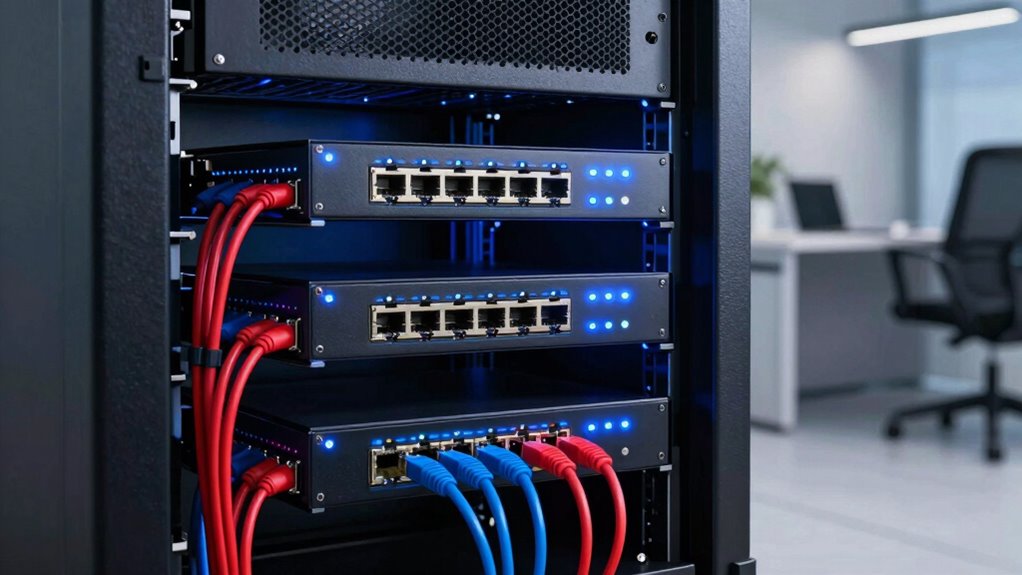

Choosing the right managed gigabit switch for an office involves balancing features, scalability, and budget. For most small businesses, simplicity and PoE support matter, while larger offices need more ports and advanced management. Among the top picks, the NETGEAR GS308EP stands out for its fanless design and PoE+ support, ideal for small setups. The TP-Link TL-SG1024DE offers extensive port count and advanced management features but requires some networking knowledge. This guide compares these options and more, highlighting who each is best suited for and where compromises lie.

Get business pricing on networking and server gear
- Business-only prices and quantity discounts
- Tax-exempt purchasing
- Multiple users, one account, clear invoices
Key Takeaways
- The NETGEAR GS308EP is best for small offices needing PoE+ and silent operation.
- The TP-Link TL-SG1024DE suits larger, more complex networks with advanced management needs.
- Compact options like the NETGEAR GS305E are ideal for space-constrained setups.
- Higher port counts like the TP-Link TL-SG1024DE are better for growing teams, but may require more technical setup.
- All switches lack PoE support in the lower-port models, so powering devices like VoIP phones may require additional hardware.
| NETGEAR 8 Port PoE Gigabit Ethernet Easy Smart Managed Switch (GS308EP) |  | Best Overall for Small Offices with PoE Needs | Number of Ports: 8 | Port Speed: Gigabit Ethernet | PoE+ Ports: 8 | VIEW ON AMAZON | See Our Full Breakdown |
| NETGEAR 8-Port Gigabit Ethernet Easy Smart Managed Switch (GS308E) |  | Best for Entry-Level Small Business Networks | Number of Ports: 8 | Port Speed: 1.0Gbps | Mounting Options: Desktop or Wall Mount | VIEW ON AMAZON | See Our Full Breakdown |
| TP-Link 8 Port Gigabit Switch – Easy Smart Managed, Plug & Play, Desktop/Wall-Mount, Metal with Shielded Ports |  | Best for Small to Medium Offices with Advanced Management | Number of Ports: 8 | Port Speed: Gigabit Ethernet | Management: Smart Managed | VIEW ON AMAZON | See Our Full Breakdown |
| NETGEAR 5-Port Gigabit Ethernet Easy Smart Managed Switch GS305E |  | Best Compact Switch for Small Offices or Home Use | Number of Ports: 5 | Port Speed: Gigabit Ethernet | Design: Fanless, Metal | VIEW ON AMAZON | See Our Full Breakdown |
| TP-Link 24 Port Gigabit Switch – Managed, Plug & Play, Desktop/Rackmount, Metal, Shielded Ports, QoS, VLAN, IGMP, LAG (TL-SG1024DE) |  | Best for Growing or Larger Office Networks | Ports: 24 Gigabit ports | Features: VLAN, QoS, IGMP Snooping, LAG, Port Mirroring | Form Factor: Desktop/Rackmount | VIEW ON AMAZON | See Our Full Breakdown |
| managed gigabit switches for office | Number of Ports | Port Speed | Mounting Options |
|---|---|---|---|
| NETGEAR 8 Port PoE Gigabit Eth | 8 | Gigabit Ethernet | Desktop or Wall Mount |
| NETGEAR 8-Port Gigabit Etherne | 8 | 1.0Gbps | Desktop or Wall Mount |
| TP-Link 8 Port Gigabit Switch | 8 | Gigabit Ethernet | — |
| NETGEAR 5-Port Gigabit Etherne | 5 | Gigabit Ethernet | Desktop or Wall Mount |
| TP-Link 24 Port Gigabit Switch | — | — | — |
More Details on Our Top Picks
NETGEAR 8 Port PoE Gigabit Ethernet Easy Smart Managed Switch (GS308EP)
The NETGEAR GS308EP shines in small office environments where PoE+ support is essential. Its fanless, compact design means it operates silently, fitting easily into any workspace. Configuration is straightforward, making VLANs, QoS, and security accessible even for non-experts. Its 62W PoE budget is sufficient for phones, access points, and cameras, but it may fall short for high-power devices. Compared to the GS308E, it offers PoE support at a slightly higher price, making it the go-to for powering multiple network devices without extra hardware.
Pros:- Fanless, silent operation
- Supports PoE+ with 62W budget
- Easy to configure with intuitive interface
- Versatile mounting options
Cons:- Limited to regional (U.S. & CA) compatibility
- No advanced Layer 3 features
- PoE power may be insufficient for high-power devices
Best for: Small offices needing PoE+ for VoIP phones, cameras, or access points.
Not ideal for: Offices requiring advanced Layer 3 routing or high PoE power for high-demand devices.
- Number of Ports:8
- Port Speed:Gigabit Ethernet
- PoE+ Ports:8
- PoE Power Budget:62W
- Mounting Options:Desktop or Wall Mount
- Design:Fanless, Compact Metal
Our verdict“A compact, silent switch ideal for small offices needing PoE+, with straightforward management and flexible installation.”
NETGEAR 8-Port Gigabit Ethernet Easy Smart Managed Switch (GS308E)
The NETGEAR GS308E is designed for small businesses or home offices that need reliable gigabit connectivity with basic management. Its fanless, energy-efficient design ensures quiet operation, while VLAN, QoS, and security features keep the network secure and organized. Its simplicity makes it accessible for users with some networking knowledge, but it lacks PoE support, limiting its use for powering devices. Compared with the GS308EP, it’s more budget-friendly but less versatile for PoE-powered setups.
Pros:- Easy smart management features
- Silent, energy-efficient design
- Flexible mounting options
Cons:- Limited to U.S. & CA regions
- Requires existing Ethernet cables
- No PoE support
Best for: Small offices with existing PoE devices or where PoE isn’t needed.
Not ideal for: Offices requiring PoE or advanced Layer 3 features.
- Number of Ports:8
- Port Speed:1.0Gbps
- Mounting Options:Desktop or Wall Mount
- Operation:Fanless, Energy-efficient
- Compatibility:U.S. & CA
Our verdict“A dependable, budget-friendly switch ideal for small offices with straightforward networking needs.”
TP-Link 8 Port Gigabit Switch – Easy Smart Managed, Plug & Play, Desktop/Wall-Mount, Metal with Shielded Ports
The TP-Link TL-SG108E offers a good balance of affordability and advanced features. Its web management interface supports VLAN, QoS, IGMP Snooping, and LAG, making it suitable for offices with moderate network complexity. The sturdy metal construction and shielded ports add durability, while the 3-year warranty offers peace of mind. However, it doesn’t support PoE, limiting its usefulness for powering network devices without additional hardware. Compared with NETGEAR’s options, it provides more advanced traffic management but requires some familiarity with network configuration.
Pros:- Supports VLAN, QoS, IGMP Snooping, LAG
- Easy web management interface
- Durable metal build
Cons:- No PoE support
- Requires some networking knowledge for advanced setup
- Basic management interface may need learning
Best for: Offices that need manageable gigabit switches with VLAN and QoS support but no PoE.
Not ideal for: Offices with high PoE device demands or minimal networking experience.
- Number of Ports:8
- Port Speed:Gigabit Ethernet
- Management:Smart Managed
- Material:Sturdy Metal
- Features:VLAN, QoS, IGMP, LAG
Our verdict“A solid choice for offices seeking managed features and durability without PoE capabilities.”
NETGEAR 5-Port Gigabit Ethernet Easy Smart Managed Switch GS305E
The NETGEAR GS305E offers a smaller footprint with five gigabit ports, making it perfect for space-limited setups or simple office networks. Its fanless, plug-and-play design simplifies deployment, and management features like VLAN, QoS, and port monitoring help optimize network traffic. However, its limited port count restricts expansion, and it lacks PoE support, which could be a drawback for offices with multiple PoE devices. Compared with larger switches, it excels in simplicity but isn’t suitable for growing networks.
Pros:- Compact, fanless, silent operation
- Supports VLAN, QoS, port monitoring
- Easy to install with multiple mounting options
Cons:- Limited to 5 ports
- No PoE support
- Basic interface may require some learning
Best for: Small offices or home setups needing a compact managed switch.
Not ideal for: Larger offices or those requiring PoE support or extensive port capacity.
- Number of Ports:5
- Port Speed:Gigabit Ethernet
- Design:Fanless, Metal
- Management:VLAN, QoS
- Mounting Options:Desktop or Wall Mount
Our verdict“An excellent small, quiet switch for basic managed networking in limited spaces.”
TP-Link 24 Port Gigabit Switch – Managed, Plug & Play, Desktop/Rackmount, Metal, Shielded Ports, QoS, VLAN, IGMP, LAG (TL-SG1024DE)
The TP-Link TL-SG1024DE is geared toward larger or expanding office environments needing extensive port capacity. Its 24 ports support high data throughput, while features like VLAN, QoS, IGMP Snooping, and LAG enable sophisticated network management and security. Its sturdy metal chassis ensures durability, but the interface can be somewhat basic, requiring familiarity with networking concepts. It’s a strong choice for those who want a plug-and-play setup with room to grow, but it’s less suitable for very small offices or users unfamiliar with network management.
Pros:- Supports advanced network management
- Durable metal construction
- Plug-and-play setup
Cons:- No PoE support
- Limited to 24 ports, not ideal for very large networks
- Basic management interface
Best for: Growing offices or small data centers needing extensive port coverage.
Not ideal for: Small offices or users seeking PoE support or plug-and-play simplicity.
- Ports:24 Gigabit ports
- Features:VLAN, QoS, IGMP Snooping, LAG, Port Mirroring
- Form Factor:Desktop/Rackmount
- Material:Sturdy Metal
- Jumbo Frame Size:9K
Our verdict“A robust, scalable switch ideal for expanding office networks that require extensive port capacity and management features.”

How We Picked
Our selection process focused on switches that deliver reliable gigabit performance with enterprise-level management features suitable for office environments. We prioritized models with positive reviews, good build quality, and features like VLAN, QoS, and flexible mounting options. Compatibility with office setups, ease of configuration, and energy efficiency also played key roles. We compared each product’s specs, user feedback, and tradeoffs to identify options that serve different office sizes and technical expertise levels.
Factors to Consider When Choosing Managed Gigabit Switches For Offices
When selecting a managed gigabit switch for an office, it’s essential to match features with your current and future network needs. Consider the size of your network, PoE requirements, management complexity, and available space. Whether you need a compact switch for a small team or a large, feature-rich model for a growing business, understanding these factors helps ensure a smooth investment.
Size and Port Count
Assess your current number of devices and anticipate future growth. Smaller teams may only need 5-8 ports, while expanding offices benefit from 16, 24, or even 48 ports. Larger switches support more devices but can be more complex to configure and manage, so choose based on your network size and expansion plans.
PoE Support
If your office relies on PoE devices like IP cameras, VoIP phones, or wireless access points, prioritize switches with PoE or PoE+ support. Lower-port switches like the GS308EP excel here, but models like the TL-SG1024DE lack PoE entirely, requiring separate power sources for powered devices.
Management Features
Managed switches with VLAN, QoS, and security controls provide better traffic segmentation and network security. Simpler models offer basic management, suitable for straightforward setups. More advanced features, like LAG or IGMP snooping, are crucial for larger or more complex office environments.
Installation and Space
Consider your available space and preferred mounting options. Compact, fanless switches like the GS305E are ideal for desks or small spaces. Rackmount models suit larger server rooms or network closets. Think about future expansion when choosing your form factor.
Frequently Asked Questions
What is a managed gigabit switch?
A managed gigabit switch is a network device that allows configuration and management of network traffic, VLAN segmentation, security, and QoS. It offers greater control over your network compared to unmanaged switches, making it suitable for office environments where network performance and security are priorities.
Do I need PoE support in my switch?
PoE support is necessary if you plan to power devices like IP cameras, VoIP phones, or wireless access points directly through the network switch. If your setup includes such devices, selecting a PoE or PoE+ switch is advisable to reduce clutter and simplify wiring, but for basic data connectivity, non-PoE models are sufficient.
How many ports should I consider for my office?
The number of ports depends on the size of your team and future expansion plans. Small offices typically need 8-16 ports, while larger teams or those planning to add more devices should consider switches with 24 or more ports. Always choose a switch with some room for growth to avoid needing an upgrade soon.
Are managed switches difficult to set up?
Setup complexity varies by model. Basic managed switches with web interfaces are generally user-friendly and suitable for those with some networking experience. More advanced switches with extensive features may require familiarity with network configuration, but most brands provide guides and support to assist setup.
Is energy efficiency important for office switches?
Yes, energy-efficient switches reduce electricity costs and heat output, which can be particularly beneficial in larger deployments. Many modern switches support standards like IEEE 802.3az, helping organizations operate more sustainably and maintain lower operational costs.
Conclusion
If your office is small with basic networking needs and limited space, the NETGEAR GS305E offers a quiet, simple solution. For offices needing PoE, the NETGEAR GS308EP provides power and management in a compact package. Larger or rapidly growing offices will benefit from the TP-Link TL-SG1024DE for extensive port capacity and advanced features, though it requires some networking knowledge. Select based on your current setup and future plans to ensure a seamless, scalable network.
Fall Picks
fall essentials
As an affiliate, we earn on qualifying purchases.