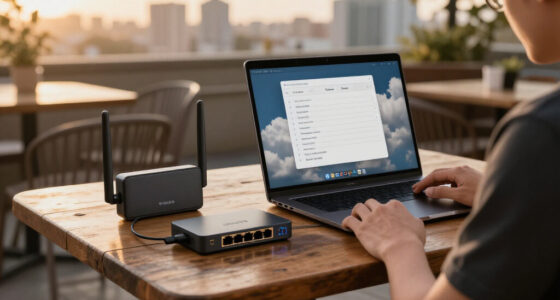
A managed Layer 3 network switch can route traffic between VLANs, but the products in this roundup range from basic web-managed gigabit switches to multi-gig and 10GbE models. My best overall pick is the MokerLink 8-Port 10G Managed Switch for its broad port-speed support and L3 web and CLI management. The UniFi Pro Aggregation Switch is a standout for a UniFi-centered network, while the NETGEAR GS316EP suits deployments that need many PoE+ ports. The key tradeoff is management depth and uplink speed versus simpler setup, port count, and power delivery; many Easy Smart models offer useful VLAN controls but should not be assumed to provide full Layer 3 routing. Read on for the full breakdown and guidance on matching switch capabilities to your network.

Get business pricing on networking and server gear
- Business-only prices and quantity discounts
- Tax-exempt purchasing
- Multiple users, one account, clear invoices
Key Takeaways
- The MokerLink 8-Port 10G stands apart in this lineup by explicitly listing L3 management alongside 10G/5G/2.5G/1G adaptive ports and web/CLI access; check the feature documentation for the routing functions your network needs.
- Most Easy Smart and Web Smart models prioritize basic network controls such as VLANs and link management, so their managed label alone does not prove they can route between VLANs.
- PoE changes the buying decision: the NETGEAR GS308EP and GS316EP combine switching with power delivery, while non-PoE picks require separate injectors or a PoE switch.
- Port count and port speed solve different problems: the 16- and 24-port gigabit models fit dense wired networks, while the 2.5GbE and 10GbE options better match faster servers, access points, or storage.
- Small form factors do not guarantee easy expansion: the 5- and 6-port models save space, but buyers should check whether their uplink and SFP+ ports are enough for the next network upgrade.
| SODOLA 6 Port 2.5Gb Easy Web Managed Switch, 4×2.5G RJ-45, 2x10G SFP+ |  | Best for Compact Multi-Gig Networks | Ports: 6 total: 4 x 2.5GbE RJ-45 and 2 x 10G SFP+ | Management features: Web management, VLAN, QoS, LACP, IGMP | Switch type: Plug and Play | VIEW ON AMAZON | See Our Full Breakdown |
| NETGEAR 8 Port PoE Gigabit Ethernet Easy Smart Managed Switch (GS308EP) |  | Best for PoE Devices | Ports: 8 Gigabit Ethernet ports | PoE: 8 PoE+ ports | PoE power budget: 62W | VIEW ON AMAZON | See Our Full Breakdown |
| 6-Port 2.5Gb Managed Switch: 4 x 2.5G RJ45 + 2 x 10G SFP+ Ports, Metal Housing |  | Best Compact Multi-Gig Alternative | Ports: 4 x 2.5GbE RJ-45 and 2 x 10G SFP+ | Supported speeds: 2.5G and 10G | Management: Managed; manual configuration via web interface | VIEW ON AMAZON | See Our Full Breakdown |
| TP-Link 8 Port Gigabit Easy Smart Managed Switch (TL-SG108E) |  | Best for Straightforward Gigabit VLANs | Ports: 8 | Port speed: 10/100/1000 Mbps Gigabit Ethernet | Management: Easy Smart managed | VIEW ON AMAZON | See Our Full Breakdown |
| NETGEAR 8-Port Gigabit Ethernet Easy Smart Managed Network Switch (GS308E) |  | Best Fanless Gigabit Pick | Ports: 8 | Interface: RJ-45 | Data transfer rate: 1 Gbps | VIEW ON AMAZON | See Our Full Breakdown |
| TRENDnet 10-Port Multi-Gig Web Smart Switch, TEG-3102WS |  | Best for Multi-Gig Access | Ports: 10 | Copper ports: 8 x 2.5GBASE-T | SFP+ ports: 2 x 10G SFP+ | VIEW ON AMAZON | See Our Full Breakdown |
| NETGEAR 16-Port PoE+ Gigabit Ethernet Easy Smart Managed Switch (GS316EP) |  | Best for PoE Device Concentration | Ports: 16 | PoE+ ports: 15 | PoE power budget: 180W | VIEW ON AMAZON | See Our Full Breakdown |
| NETGEAR 5-Port Gigabit Ethernet Easy Smart Managed Network Switch (GS305E) |  | Best Compact Managed Switch | Ports: 5 | Data rate: 1000 Mbps | Interface: RJ45 | VIEW ON AMAZON | See Our Full Breakdown |
| TP-Link TL-SG1024DE 24-Port Gigabit Easy Smart Managed Ethernet Switch |  | Best for High Port Count on a Budget | Ports: 24 | Interface: 24 x 10/100/1000Mbps RJ45 | Data rate: 1000 Mbps | VIEW ON AMAZON | See Our Full Breakdown |
| Ubiquiti UniFi Pro Aggregation Switch |  | Best for Layer 3 Fiber Aggregation | Switch type: Layer 3 switch | Ports: 28 x 10G SFP+ | Uplink ports: 4 x 25G | VIEW ON AMAZON | See Our Full Breakdown |
| 8 Port 10GbE Ethernet Switch, Layer 3 Managed SFP+ Enterprise Level |  | Best for SFP+ Fiber Uplinks | Ports: 8 | Interface: SFP+ | Data transfer rate: 10 Gbps | VIEW ON AMAZON | See Our Full Breakdown |
| 5 Port 10Gb RJ45 Web Managed Ethernet Network Switch |  | Best Compact Copper 10G Pick | Ports: 5 | Interface: RJ45 | Maximum listed speed: 10 Gbps | VIEW ON AMAZON | See Our Full Breakdown |
| TP-Link TL-SG1016DE, 16 Port Gigabit Easy Smart Managed Switch |  | Best for Budget-Conscious Gigabit Expansion | Ports: 16 | Interface: 16 x 10/100/1000 Mbps RJ45 | Data transfer rate: 1000 Mbps | VIEW ON AMAZON | See Our Full Breakdown |
| MokerLink 8-Port 10G Managed Ethernet Switch, Auto-Adaptive 10G/5G/2.5G/1G, L3 Web/CLI Managed, Metal Desktop/Rackmount |  | Best Overall for Mixed-Speed Layer 3 Networks | Ports: 8 | Interface: RJ45 | Supported speeds: 100M, 1G, 2.5G, 5G, 10G | VIEW ON AMAZON | See Our Full Breakdown |
| managed layer3 network switch | Ports | Interface |
|---|---|---|
| SODOLA 6 Port 2.5Gb Easy Web M | 6 total: 4 x 2.5GbE RJ-45 and 2 x 10G SFP+ | — |
| NETGEAR 8 Port PoE Gigabit Eth | 8 Gigabit Ethernet ports | — |
| 6-Port 2.5Gb Managed Switch: 4 | 4 x 2.5GbE RJ-45 and 2 x 10G SFP+ | — |
| TP-Link 8 Port Gigabit Easy Sm | 8 | — |
| NETGEAR 8-Port Gigabit Etherne | 8 | RJ-45 |
| TRENDnet 10-Port Multi-Gig Web | 10 | — |
| NETGEAR 16-Port PoE+ Gigabit E | 16 | — |
| NETGEAR 5-Port Gigabit Etherne | 5 | RJ45 |
| TP-Link TL-SG1024DE 24-Port Gi | 24 | 24 x 10/100/1000Mbps RJ45 |
| Ubiquiti UniFi Pro Aggregation | 28 x 10G SFP+ | — |
| 8 Port 10GbE Ethernet Switch | 8 | SFP+ |
| 5 Port 10Gb RJ45 Web Managed E | 5 | RJ45 |
| TP-Link TL-SG1016DE | 16 | 16 x 10/100/1000 Mbps RJ45 |
| MokerLink 8-Port 10G Managed E | 8 | RJ45 |
More Details on Our Top Picks
SODOLA 6 Port 2.5Gb Easy Web Managed Switch, 4×2.5G RJ-45, 2x10G SFP+
The SODOLA makes sense when a compact network needs faster-than-gigabit access ports and a path to faster uplinks. Its four 2.5GbE ports can serve compatible workstations or storage, while the two 10G SFP+ slots provide more uplink flexibility than the all-copper gigabit NETGEAR GS308E. Web management includes VLAN, QoS, LACP, and IGMP features, giving it useful traffic controls for a home lab or small office. The tradeoff is capacity: six ports leave less room for expansion than the eight-port TP-Link TL-SG108E. This is a managed multi-gig switch, but the supplied details do not establish Layer 3 routing features, so buyers seeking inter-VLAN routing should verify that capability before choosing it. Its fanless aluminum body is quiet, though advanced configuration takes networking knowledge.
Pros:- Four 2.5GbE RJ-45 ports plus two 10G SFP+ ports support a mixed-speed network.
- VLAN, QoS, LACP, and IGMP features provide traffic-management options.
- Fanless aluminum housing supports quiet operation.
- Magnetic mounting gives flexible placement.
Cons:- Six total ports limit expansion compared with eight-port options such as the TL-SG108E.
- Advanced settings may require networking knowledge.
- The package does not include a power cord, according to the supplied product details.
Best for: Home-lab owners and small offices connecting a few 2.5GbE devices with 10G SFP+ uplinks and VLAN controls.
Not ideal for: Buyers needing more than six connections, PoE for access points or cameras, or confirmed Layer 3 routing rather than web-managed switching.
- Ports:6 total: 4 x 2.5GbE RJ-45 and 2 x 10G SFP+
- Management features:Web management, VLAN, QoS, LACP, IGMP
- Switch type:Plug and Play
- Housing:Aluminum alloy
- Cooling:Fanless
- Mounting:Magnetic mounting
- Warranty:1 year
Our verdict“Choose the SODOLA for a small, quiet multi-gig network with SFP+ uplinks, but not for a growing PoE or Layer 3 routing deployment.”
NETGEAR 8 Port PoE Gigabit Ethernet Easy Smart Managed Switch (GS308EP)
Among these picks, the GS308EP is the clearest fit for a small installation where the switch must power devices as well as connect them. Its eight PoE+ ports and 62W power budget can simplify cabling for cameras, VoIP phones, or other compatible equipment. VLAN, QoS, port monitoring, and security features add practical controls, while a fanless design suits shared work areas. Compared with the TP-Link TL-SG108E, this NETGEAR trades a simpler gigabit-only focus for PoE support; compared with the SODOLA, it gives up multi-gig and SFP+ connectivity. The main limitation for this Layer 3 roundup is that the listed features are smart-managed rather than advanced Layer 3 routing. Buyers also need to plan the power budget across connected devices instead of assuming every port can draw the full total.
Pros:- Eight PoE+ ports can carry power and data to compatible endpoints.
- The 62W total power budget supports small PoE deployments.
- VLAN, QoS, port monitoring, and security features offer useful management controls.
- Fanless construction and desktop or wall mounting suit compact installations.
Cons:- Gigabit ports do not match the 2.5GbE and 10G connectivity of the SODOLA.
- The listed feature set does not establish advanced Layer 3 routing.
- The 62W shared PoE budget may constrain a deployment with several high-draw devices.
Best for: Small offices or home security setups powering a mix of IP cameras and VoIP phones over Ethernet while managing basic VLANs and traffic.
Not ideal for: Networks needing multi-gig access, SFP+ uplinks, confirmed Layer 3 routing, or more PoE capacity than the 62W budget allows.
- Ports:8 Gigabit Ethernet ports
- PoE:8 PoE+ ports
- PoE power budget:62W
- Switching capacity:16 Gbps data transfer rate
- Management features:VLAN, QoS, port monitoring, security features
- Cooling:Fanless
- Mounting:Desktop or wall mount
- Warranty:3 years
Our verdict“Pick the GS308EP when powering several gigabit cameras or phones matters more than multi-gig speeds or Layer 3 routing.”
6-Port 2.5Gb Managed Switch: 4 x 2.5G RJ45 + 2 x 10G SFP+ Ports, Metal Housing
This six-port switch targets much the same compact multi-gig niche as the SODOLA, with four 2.5GbE copper ports and two 10G SFP+ slots. Its small metal enclosure and stated 12W power consumption suit a desk or home lab where space and noise matter. The product data identifies it as managed but says configuration is through a web interface, so buyers should expect manual setup rather than the plug-and-play emphasis of the NETGEAR GS308E. Compared with the SODOLA, the core port mix is similar, but the available details here specify dimensions, operating temperature, and power consumption rather than named features such as VLAN, QoS, LACP, or IGMP. That makes feature verification a sensible step before purchase. It also has too few ports for a larger edge network and does not support GPON/XGSPON modules.
Pros:- Four 2.5GbE RJ-45 ports and two 10G SFP+ slots support mixed-speed connections.
- Compact dimensions suit desks and small network cabinets.
- Fanless metal housing supports silent operation.
- Specified power consumption is 12W.
Cons:- Six ports may be insufficient as a network grows.
- Web-interface configuration requires manual setup.
- Product details do not list particular VLAN, QoS, or routing functions, so buyers should confirm required controls.
Best for: Space-conscious home-lab users who need a few 2.5GbE connections and 10G SFP+ links in a compact, fanless unit.
Not ideal for: Buyers needing PoE, a larger port count, named advanced management features without confirming them, or GPON/XGSPON module support.
- Ports:4 x 2.5GbE RJ-45 and 2 x 10G SFP+
- Supported speeds:2.5G and 10G
- Management:Managed; manual configuration via web interface
- Housing:Metal
- Power consumption:12W
- Dimensions:4.47 x 3.54 x 0.98 inches
- Operating temperature:0–40°C
- Cooling:Fanless
Our verdict“Choose this model for a compact multi-gig lab when its specific management features meet your needs, and favor the SODOLA if its explicitly listed controls matter more.”
TP-Link 8 Port Gigabit Easy Smart Managed Switch (TL-SG108E)
The TL-SG108E is a practical choice when a small network needs basic segmentation and traffic controls, not multi-gig throughput. Its eight gigabit ports give it two more wired connections than the six-port SODOLA, while VLAN, QoS, and network monitoring help organize ordinary office or home traffic. Desktop or wall mounting and a metal case also make it a straightforward fit for a small workspace. The tradeoff is speed and scope: unlike the SODOLA, it has no listed 2.5GbE or 10G SFP+ ports, and its easy-smart feature set is not evidence of Layer 3 routing. It is better suited to a stable gigabit edge than a network built around faster storage or routed VLANs. Buyers seeking silence should also compare it with the fanless NETGEAR GS308E, since silent operation is not specified here.
Pros:- Eight gigabit ports provide more wired connections than the six-port multi-gig models.
- VLAN and QoS support help separate and prioritize everyday network traffic.
- Network monitoring tools add visibility beyond an unmanaged switch.
- Metal construction and desktop or wall mounting suit small office installations.
Cons:- Gigabit-only ports lack the faster access and SFP+ uplinks offered by the SODOLA.
- Easy Smart management does not establish advanced Layer 3 routing.
- Fanless silent operation is not specified in the product details.
Best for: Small offices and home networks that need eight gigabit connections, basic VLAN separation, and simple monitoring.
Not ideal for: Users building a multi-gig network, needing PoE, requiring confirmed Layer 3 routing, or prioritizing a specified fanless design.
- Ports:8
- Port speed:10/100/1000 Mbps Gigabit Ethernet
- Management:Easy Smart managed
- Features:VLAN, QoS, network monitoring
- Installation:Desktop or wall mount
- Construction:Metal
- Warranty:3 years
Our verdict“Choose the TL-SG108E for affordable-in-function gigabit switching with basic VLAN management, not for multi-gig links or Layer 3 routing.”
NETGEAR 8-Port Gigabit Ethernet Easy Smart Managed Network Switch (GS308E)
The GS308E suits buyers who want a quiet, uncomplicated managed gigabit edge rather than a multi-gig or PoE platform. Its eight RJ-45 ports, plug-and-play setup, and web GUI make basic deployment accessible, while VLAN and QoS support give small offices a way to separate traffic and manage priorities. Built-in network protections and a fanless design add appeal for a desk or shared room. Compared with the TP-Link TL-SG108E, this NETGEAR explicitly lists silent operation; compared with the GS308EP, it drops PoE, so cameras and phones need separate power. It also offers no listed SFP+ ports or multi-gig access like the SODOLA, and the supplied data does not establish Layer 3 routing. Advanced configuration still assumes some networking familiarity.
Pros:- Eight gigabit RJ-45 ports cover common desktop and office connections.
- Fanless design supports quiet placement in a workspace.
- Web GUI, VLAN, and QoS provide basic management without relying on an additional app.
- Plug-and-play setup lowers the effort for initial installation.
Cons:- No PoE support, unlike the NETGEAR GS308EP.
- No listed 2.5GbE or SFP+ connectivity, unlike the SODOLA.
- Advanced settings require networking knowledge, and Layer 3 routing is not established by the supplied data.
Best for: Home offices and small businesses that need quiet eight-port gigabit switching with basic VLAN and QoS controls.
Not ideal for: Installations powering PoE cameras or phones, networks using multi-gig devices, or buyers who need confirmed Layer 3 routing.
- Ports:8
- Interface:RJ-45
- Data transfer rate:1 Gbps
- Management:Easy Smart managed with web GUI
- Features:VLAN, QoS, network protections
- Cooling:Fanless
- Color:Gray
Our verdict“Pick the GS308E for silent, basic managed gigabit switching, but choose the GS308EP for PoE or the SODOLA for multi-gig links.”
TRENDnet 10-Port Multi-Gig Web Smart Switch, TEG-3102WS
I’d choose the TEG-3102WS when faster connections to workstations, storage, or access points matter more than powering devices from the switch. Its eight 2.5GBASE-T ports can use existing compatible cabling, while two 10G SFP+ slots provide faster links to a server or another switch. That makes it a more flexible speed upgrade than the all-gigabit TP-Link TL-SG1024DE, though the TP-Link offers many more copper ports. Web management, VLAN, QoS, and access controls add useful traffic separation for a small business network. The tradeoff is that this is a web-smart product, not a clearly specified full Layer 3 routing platform; the supplied data lists its layer as 1. It also lacks PoE, so devices need separate power.
Pros:- Eight 2.5GBASE-T ports support faster wired connections than standard Gigabit access switches.
- Two 10G SFP+ slots allow high-speed fiber or compatible uplinks.
- Web management includes VLAN, QoS, and access-control features.
- Metal housing suits a small-business network installation.
Cons:- No PoE, so connected access points and other devices need separate power.
- The supplied specification lists Layer 1, so buyers seeking confirmed Layer 3 routing should verify capabilities before purchase.
- Devices and cabling must support multi-gig speeds to benefit from the faster ports.
Best for: Small offices upgrading compatible workstations or storage to multi-gig speeds while keeping existing Ethernet cabling.
Not ideal for: Buyers who need PoE, many standard Gigabit ports, or confirmed Layer 3 routing features for inter-VLAN routing.
- Ports:10
- Copper ports:8 x 2.5GBASE-T
- SFP+ ports:2 x 10G SFP+
- Switching capacity:80 Gbps
- Management:Web-based managed
- Backward compatibility:2.5G ports support 100/1000 Mbps devices
- Housing:Metal
- Operating temperature:32 °F to 104 °F
Our verdict“Choose this switch for managed multi-gig access and 10G uplinks, but not as a substitute for a confirmed Layer 3 router or PoE switch.”
NETGEAR 16-Port PoE+ Gigabit Ethernet Easy Smart Managed Switch (GS316EP)
The NETGEAR GS316EP is the practical pick when one switch must connect and power a cluster of phones, cameras, or wireless access points. Its 15 PoE+ ports and 180W budget reduce the need for individual device power supplies, a capability absent from the TRENDnet TEG-3102WS. VLAN, QoS, and port monitoring provide useful small-network controls, but this is still an Easy Smart Gigabit switch rather than a full Layer 3 platform. That distinction matters if the plan is to route between VLANs on the switch itself. The single 1G SFP port also offers a slower uplink path than the TRENDnet’s 10G SFP+ slots. I’d favor it for powered endpoints, not for high-bandwidth aggregation or advanced routing.
Pros:- Fifteen PoE+ ports can power compatible endpoints over Ethernet.
- The 180W PoE budget supports several powered devices from one switch.
- VLAN, QoS, and port monitoring provide basic traffic-management options.
- Desktop or wall mounting offers installation flexibility.
Cons:- Easy Smart management is less suited to advanced routing and enterprise network control.
- The 1G SFP uplink is slower than the 10G SFP+ uplinks on the TRENDnet TEG-3102WS.
- The product data notes that some packages may not include a power supply.
Best for: Small-business installers connecting multiple PoE+ cameras, VoIP phones, or access points who want basic managed controls.
Not ideal for: Networks needing multi-gig access, 10G uplinks, or verified Layer 3 routing; its listed ports are Gigabit and its SFP port is 1G.
- Ports:16
- PoE+ ports:15
- PoE power budget:180W
- SFP port:1 x 1G
- Data rate:1000 Mbps
- Management features:VLAN, QoS, and port monitoring
- Dimensions:11.26 x 4.02 x 1.06 inches
- Case material:Metal
Our verdict“Pick the GS316EP when powering many Gigabit endpoints is the priority, and skip it if your main need is Layer 3 routing or faster-than-Gigabit links.”
NETGEAR 5-Port Gigabit Ethernet Easy Smart Managed Network Switch (GS305E)
For a desk, small office corner, or compact home lab, the NETGEAR GS305E adds basic managed controls without taking up much space. Its five Gigabit ports and web interface support VLANs, QoS, and traffic monitoring, giving it more control than an unmanaged desktop switch. Compared with the 24-port TP-Link TL-SG1024DE, it is easier to place where only a few wired devices need connections, but it leaves little room for expansion. It is also a poor fit for the title’s Layer 3 focus: the supplied details describe Easy Smart management and do not establish Layer 3 routing. There is no PoE, so access points and cameras need their own power. I’d choose it for a small, quiet edge network—not as a core switch.
Pros:- Five Gigabit RJ45 ports suit a small wired setup.
- Web management provides VLAN, QoS, and traffic-monitoring controls.
- Compact metal enclosure is easy to place on a desk or wall.
- Fanless design supports silent operation.
Cons:- Five ports leave limited capacity for growth compared with the TP-Link TL-SG1024DE.
- No PoE support for powering access points, phones, or cameras.
- The supplied product information does not identify Layer 3 routing features.
Best for: Home-office users or small teams with up to five wired devices who want VLAN and QoS controls in a quiet, compact switch.
Not ideal for: Buyers needing PoE, more than five wired connections, multi-gig speeds, or verified Layer 3 routing.
- Ports:5
- Data rate:1000 Mbps
- Interface:RJ45
- Management features:VLAN, QoS, and traffic monitoring
- Dimensions:3.9 x 3.7 x 1.1 inches
- Weight:8.8 ounces
- Power supply:12 volts, 1 A
- Case material:Metal
Our verdict“Choose the GS305E for a quiet, small managed network, but look elsewhere for PoE, port growth, or Layer 3 routing.”
TP-Link TL-SG1024DE 24-Port Gigabit Easy Smart Managed Ethernet Switch
The TP-Link TL-SG1024DE is the straightforward choice when a wired network needs many Gigabit connections and basic traffic controls. Its 24 RJ45 ports make it far easier to connect a full office than the five-port NETGEAR GS305E, while VLAN, QoS, IGMP, and link aggregation can help organize traffic and improve how compatible devices communicate. Setup is described as plug-and-play, which suits teams that want manageable controls without moving to a more involved platform. The tradeoff is speed and scope: all ports are 10/100/1000Mbps, and the product data identifies it as Easy Smart rather than a confirmed Layer 3 routing switch. It has no PoE or wireless function, either. I’d shortlist it for access-layer port density, not multi-gig uplinks or inter-VLAN routing.
Pros:- Twenty-four Gigabit RJ45 ports handle more wired devices than the GS305E.
- VLAN, QoS, IGMP, and LAG add useful managed-network controls.
- Plug-and-play setup can simplify deployment.
- Metal case is suited to a fixed network installation.
Cons:- All ports top out at Gigabit, below the multi-gig access speeds of the TRENDnet TEG-3102WS.
- Easy Smart features do not establish that it can perform Layer 3 routing.
- No PoE or Wi-Fi, so connected devices need separate power and wireless access points.
Best for: Small offices or wiring closets that need many wired Gigabit ports with basic VLAN, QoS, IGMP, and link-aggregation controls.
Not ideal for: Buyers seeking multi-gig connectivity, PoE, built-in Wi-Fi, or confirmed Layer 3 routing capabilities.
- Ports:24
- Interface:24 x 10/100/1000Mbps RJ45
- Data rate:1000 Mbps
- Management features:VLAN, QoS, IGMP, and LAG
- Dimensions:11.6 x 7.1 x 1.7 inches
- Weight:3.7 pounds
- Case material:Metal
- Warranty:3-year limited warranty
Our verdict“Choose this TP-Link for plentiful managed Gigabit ports, not for multi-gig performance or a switch-based Layer 3 routing design.”
Ubiquiti UniFi Pro Aggregation Switch
Of these five, the UniFi Pro Aggregation Switch is the clearest fit for a buyer specifically seeking a Layer 3 managed switch. Its 28 10G SFP+ ports and four 25G uplinks are built to aggregate fiber-connected devices and carry substantial traffic between network segments; the supplied description also names VLAN routing and static routing. That is a different job from the access-focused NETGEAR GS316EP, which trades fast fiber aggregation for PoE-powered Gigabit endpoints. The UniFi application and mobile interface provide a unified management path, while redundant power options can support a more resilient installation. The cost in complexity is practical rather than cosmetic: setup calls for networking expertise, and the all-SFP+ port mix is not a direct fit for ordinary copper devices. I’d reserve it for a rack-scale network with compatible optics and a real routing need.
Pros:- Layer 3 features include VLAN routing and static routing.
- Twenty-eight 10G SFP+ ports support dense fiber aggregation.
- Four 25G uplink ports provide faster connections to compatible network equipment.
- UniFi Network Application management and redundant power options suit professional deployments.
Cons:- SFP+ port density is a poor match for networks built around ordinary copper Ethernet endpoints.
- Setup and configuration demand more technical knowledge than the Easy Smart models in this lineup.
- The 100W maximum power specification and redundant power options should be checked against the intended installation and package contents.
Best for: Network engineers building a UniFi-managed business or enterprise core that needs Layer 3 VLAN/static routing and high-speed fiber aggregation.
Not ideal for: Small offices seeking simple copper Gigabit ports or PoE; this aggregation switch requires compatible SFP+ connections and more involved configuration.
- Switch type:Layer 3 switch
- Ports:28 x 10G SFP+
- Uplink ports:4 x 25G
- Uplink data rate:280 Gbps
- Routing features:VLAN routing and static routing
- Maximum power:100 watts
- Dimensions:12.8 x 17.4 x 1.7 inches
- Weight:10.1 pounds
- Case material:Alloy steel
Our verdict“Choose the UniFi Pro Aggregation Switch for a technically managed Layer 3 fiber core, and skip it for a small copper-access or PoE network.”
8 Port 10GbE Ethernet Switch, Layer 3 Managed SFP+ Enterprise Level
I’d shortlist this switch for a compact network that already uses fiber or plans to add SFP+ links. Its eight 10GbE SFP+ ports and stated 160Gbps backplane pair high-speed connections with Layer 3 routing, VLAN, QoS, and ACL support. Security features including SSHv2, SNMP v3, and IP/MAC/port binding give administrators more control than a basic smart switch. Compared with the MokerLink 8-Port 10G Managed Switch, this model’s listed interface is SFP+, while MokerLink uses RJ45 and adapts to several copper Ethernet speeds; the right choice depends on the cabling and devices already in place. The tradeoff is that SFP+ modules are not included, and eight ports leave limited room for growth. I’d skip it if the network mainly needs copper connections or many more endpoints.
Pros:- Eight 10GbE SFP+ ports suit high-speed fiber links.
- Layer 3 routing plus VLAN, ACL, and QoS support enables network segmentation and traffic control.
- SSH v2, SNMP v3, and IP/MAC/port binding provide useful administration and access safeguards.
- Metal chassis supports desktop or wall mounting.
Cons:- SFP+ modules are not included, adding a separate compatibility and setup step.
- Eight ports may be insufficient as the network grows.
- SFP+ connectivity is a poor fit for buyers who need direct RJ45 copper ports.
Best for: Small offices or homelabs with SFP+ fiber links that need Layer 3 routing and security controls in a compact switch.
Not ideal for: Buyers connecting mostly copper Ethernet devices or expanding a large access network; SFP+ modules are extra, and the eight-port count may fill quickly.
- Ports:8
- Interface:SFP+
- Data transfer rate:10 Gbps
- Backplane bandwidth:160 Gbps
- Supported protocols:IPv4, IPv6, VLAN, ACL, QoS
- Security features:IP+MAC+port binding, anti-ARP spoofing, SSHv2, SNMP v3
- Power:20 W
- Mounting:Desktop or wall-mount
Our verdict“Choose this switch for a small SFP+-based network that needs Layer 3 controls, but pick the MokerLink instead if you need multi-speed RJ45 ports.”
5 Port 10Gb RJ45 Web Managed Ethernet Network Switch
This five-port switch makes sense when a handful of nearby devices need fast copper connections and web-based configuration. Five 10G RJ45 ports with support for 5G, 2.5G, 1G, and 100M let newer equipment share a switch with slower Ethernet devices without requiring SFP+ modules. That makes it a more direct copper alternative to the 8 Port 10GbE SFP+ Enterprise Level, which is better aligned with fiber links and Layer 3 features. The product description lists VLAN, QoS, and security functions, but does not specify Layer 3 routing, so I would not choose it as a substitute for a clearly documented Layer 3 switch. Its five-port limit also narrows its role, and full 10Gb speeds call for CAT6A or better cabling. Rack mounting and fan cooling suit a small equipment setup, though PoE is not listed.
Pros:- Five 10G RJ45 ports connect copper devices without SFP+ modules.
- Multi-gigabit support accommodates 5G, 2.5G, 1G, and 100M equipment.
- Web management provides configuration access for VLAN and QoS features.
- Metal fan-cooled casing and rack-mount form suit an equipment cabinet.
Cons:- Layer 3 routing is not specified in the provided product details.
- Five ports limit expansion and may require another switch as devices are added.
- Full 10GbE operation requires CAT6A or higher Ethernet cabling; PoE is not listed.
Best for: A small office, studio, or homelab with up to five copper-connected devices that need multi-gigabit or 10GbE links and web management.
Not ideal for: Network administrators who require documented Layer 3 routing, PoE power for access points, or more than five switch ports.
- Ports:5
- Interface:RJ45
- Maximum listed speed:10 Gbps
- Supported speeds:100M, 1G, 2.5G, 5G, 10G
- Total bandwidth:100 Gbps
- Management:Web-managed
- Casing:Metal with fan
- Form factor:Rack mount
Our verdict“Pick this for a small, copper-only multi-gigabit setup, but choose a switch with documented Layer 3 routing if inter-VLAN routing is a requirement.”
TP-Link TL-SG1016DE, 16 Port Gigabit Easy Smart Managed Switch
The TL-SG1016DE is the capacity-first option here: 16 Gigabit RJ45 ports make it more practical for connecting office desktops, printers, and other wired devices than the five- and eight-port 10GbE models. Easy Smart features include VLAN, QoS, IGMP snooping, and link aggregation, giving a small network useful traffic controls without the feature set of a fully documented Layer 3 switch. That distinction matters: compared with the MokerLink 8-Port 10G Managed Switch, this TP-Link offers twice the port count but only Gigabit speeds and no Layer 3 routing listed in the supplied data. I’d choose it for adding wired capacity, not for high-speed server links or inter-VLAN routing. Its metal case and desktop or rackmount placement are convenient, while the supplied specs leave the power arrangement unclear; confirm installation needs before planning a rack setup.
Pros:- Sixteen RJ45 ports provide more endpoint capacity than the 5- and 8-port switches in this batch.
- VLAN, QoS, IGMP snooping, and link aggregation support common small-network tasks.
- Metal construction is suited to regular office deployment.
- Can be installed on a desktop or in a rack.
Cons:- Gigabit ports are much slower than the 10GbE connections offered by the other three products in this batch.
- The provided specifications describe Easy Smart management, not Layer 3 routing.
- Power-supply details are unclear in the supplied product data.
Best for: Small offices that need many Gigabit wired connections and basic VLAN, QoS, or multicast controls rather than Layer 3 routing.
Not ideal for: Homelab or enterprise buyers who need 10GbE uplinks, Layer 3 routing, or fully managed network features.
- Ports:16
- Interface:16 x 10/100/1000 Mbps RJ45
- Data transfer rate:1000 Mbps
- Management type:Easy Smart managed
- Listed features:VLAN, QoS, IGMP snooping, link aggregation
- Case material:Metal
- Installation:Desktop or rackmount
- Dimensions:15.75 x 9.84 x 3.15 in
Our verdict“Choose the TL-SG1016DE for a larger number of basic Gigabit connections, not for Layer 3 routing or 10GbE performance.”
MokerLink 8-Port 10G Managed Ethernet Switch, Auto-Adaptive 10G/5G/2.5G/1G, L3 Web/CLI Managed, Metal Desktop/Rackmount
The MokerLink is my strongest all-round choice for a small network that needs actual Layer 3 routing and copper ports able to serve devices at different speeds. Its eight auto-adaptive RJ45 ports support 10G, 5G, 2.5G, 1G, and 100M, so upgrades can happen device by device rather than requiring a uniform network. Web and CLI management, IPv4/IPv6 routing, and listed L2 features give administrators more flexibility than the TP-Link TL-SG1016DE, which supplies more Gigabit ports but is described as Easy Smart rather than Layer 3. Compared with the SFP+-based 8-port model, MokerLink is the more straightforward fit for copper cabling, though it lacks that model’s stated 160Gbps backplane figure. Advanced configuration can be demanding, and eight ports may not serve a growing office. Its metal fan-cooled chassis also calls for a suitable equipment location.
Pros:- Auto-adaptive RJ45 ports support multiple Ethernet speeds from 100M through 10G.
- Layer 3 IPv4/IPv6 routing and L2 features suit segmented, mixed-speed networks.
- Web and CLI management offer options for both visual setup and command-line administration.
- Metal chassis with an industrial fan supports desktop or rackmount deployment.
Cons:- Eight ports may be restrictive for a growing office or homelab.
- Layer 3 and CLI configuration can be challenging for less experienced administrators.
- Fan cooling may be unsuitable for noise-sensitive workspaces.
Best for: Network-savvy homelab owners and small offices mixing 10GbE and slower copper devices, with a need for IPv4/IPv6 routing and web or CLI management.
Not ideal for: Beginners seeking simple setup, larger offices needing more than eight ports, or buyers whose design centers on SFP+ fiber connections.
- Ports:8
- Interface:RJ45
- Supported speeds:100M, 1G, 2.5G, 5G, 10G
- Management:Layer 3 web and CLI
- Routing:IPv4 and IPv6
- Voltage:12 V DC
- Case material:Metal
- Weight:1.82 kg
- Warranty:1 year
Our verdict“Choose the MokerLink for a compact copper network that needs multi-speed ports and Layer 3 routing, provided you’re comfortable managing advanced settings.”

How We Picked
I ranked these switches by how well their stated capabilities answer the needs behind a managed Layer 3 search: routing and VLAN management clarity, port speed and count, uplink options, PoE availability, and likely deployment fit. I gave more weight to products whose listed management options and port mix suggest room to grow, while separating explicit L3 claims from Easy Smart or Web Smart descriptions that may focus on simpler controls.
I also weighed practical tradeoffs: PoE can simplify access-point and camera deployments, but it does not replace a routing feature check; 10GbE can help fast servers, but brings little benefit when endpoints and uplinks remain gigabit. Because product names alone do not confirm the full feature set, buyers should verify routing protocols, inter-VLAN routing limits, management method, and power budget in the manufacturer documentation. The order favors the clearest fit for higher-performance managed networking, then options for more specific needs such as PoE, compact installations, or high port density.
Factors to Consider When Choosing Managed Layer3 Network Switch
Before choosing a switch, I would map the network’s actual traffic paths and management needs rather than shopping by port count alone. These checks help avoid paying for unused speed—or mistaking basic smart features for Layer 3 routing.
Confirm the Layer 3 features you actually need
“Managed” can describe anything from basic VLAN configuration to a switch with routing functions, so read the feature list beyond the product name. If devices on separate VLANs need to communicate through the switch, verify that it supports inter-VLAN routing and check any limits on routes, interfaces, or supported protocols. A switch that only tags VLANs can segment traffic but may still need a router or firewall to route between those networks. Avoid assuming that a web interface or CLI means full Layer 3 capability. For a small network, static routing may be enough; larger or more complex networks may call for routing features that these product names do not establish.
Choose port speeds around the slowest link
Faster ports help only when the connected devices and the network path can use them. A 10GbE server connected to a gigabit uplink may still be constrained when sending traffic beyond its local segment, while 2.5GbE can be a sensible step for newer access points or workstation links. Check whether the faster ports are RJ45, SFP+, or a mix, then confirm cable type, transceiver compatibility, and the speed supported at both ends. Do not count an uplink as an ordinary endpoint port without checking how the switch assigns it. When upgrades are staged over time, a mix of faster uplinks and gigabit access ports can be more useful than paying to make every port multi-gig.
Treat PoE as a power-budget decision
PoE can remove separate injectors and simplify wiring for access points, cameras, and phones, but port count is only part of the story. Check the total PoE budget and the power available per port against the devices’ requirements, including any higher draw during startup or under load. A switch with enough PoE ports can still fall short if its total budget is shared across many devices. Non-PoE models may be a better fit when endpoints already have power or when a separate power system is preferred. If you expect to add devices, leave headroom rather than sizing the budget to the current installation alone.
Plan capacity for VLANs, uplinks, and growth
Count the ports needed for endpoints, access points, servers, uplinks, and any connection to a router or core switch. A compact 5- or 6-port model can fit a desk or small cabinet, but it leaves little room for additions and may use one of its fastest ports for the uplink. Larger 16- and 24-port gigabit models suit crowded wiring closets, though they do not automatically provide faster links for storage or servers. Also check VLAN limits, link aggregation support, and whether the switch can be monitored centrally if the network is likely to expand. Buying for modest near-term growth can cost less than replacing a full switch after a small expansion.
Match management style to the person maintaining the network
Web-based management can be convenient for a small installation, while CLI access may suit administrators who need repeatable configuration or more direct control. A controller-based environment can simplify oversight across compatible devices, but it may add a platform dependency and a learning curve. Before buying, find out whether setup and ongoing management require an account, a controller, or access to a particular local interface. Consider who will handle firmware updates, backups, and troubleshooting after installation. A simpler switch can be the safer choice when advanced features would go unused, provided it still meets the network’s routing and segmentation requirements.
Check noise, mounting, and support before installation
A switch intended for a rack may be awkward in a quiet office or living space, while a compact desktop unit may not suit a structured wiring cabinet. Check the stated cooling approach, dimensions, mounting hardware, and power connection before choosing a location. Fan noise matters more when the switch sits near people, but silent or compact designs can have different thermal limits that deserve a look in the specifications. Review warranty and firmware support details, since managed equipment needs security updates and workable recovery options over time. A good feature match is less useful if the unit cannot be placed, powered, or maintained comfortably in the intended location.
Frequently Asked Questions
Do all 14 switches support routing between VLANs?
No. Product descriptions such as Easy Smart or Web Smart do not, by themselves, confirm Layer 3 routing. Some models may support VLAN configuration without routing traffic between those VLANs, leaving that job to a router or firewall. The MokerLink listing explicitly describes L3 management, but buyers should still check its specific routing functions and limits. Verify inter-VLAN routing support in the manufacturer’s documentation before choosing any model for that job.
Should I choose a 10GbE switch if most of my devices are gigabit?
Usually only if you have a clear fast-link use case, such as a NAS, server, workstation, or high-speed uplink. A 10GbE port will not make a gigabit endpoint communicate faster than its own network interface allows. It can still help traffic between devices that both support 10GbE, or provide faster capacity toward a compatible core switch. Check cabling and transceiver requirements as well as the speed of the rest of the path. If those links are not ready, a multi-gig model or a gigabit switch may fit better.
Is an Easy Smart switch enough for a small office with multiple VLANs?
It can be enough for creating and managing VLANs if the model supports the segmentation features you need. The key question is whether devices in different VLANs must communicate and, if they do, which device will route that traffic. An Easy Smart switch may leave inter-VLAN routing to a router or firewall rather than handle it itself. Also check the number of VLANs, tagging behavior, and any management limits against your network plan. Choose by the required traffic flow, not by the word “managed.”
When is a PoE switch a better choice than separate injectors?
A PoE switch is often easier to manage when several access points, cameras, or phones need power from a central wiring location. It can reduce separate adapters and make it simpler to restart or organize powered devices. Compare the total power budget and per-port limits with the actual needs of every endpoint, rather than counting PoE ports alone. For one or two devices, injectors may be simpler if you already have them or need a different switch feature set. Leave capacity for future devices if the installation is likely to grow.
Which listed switch is the best fit for a UniFi network?
The UniFi Pro Aggregation Switch is the clearest match when the existing network already uses UniFi management and compatible infrastructure. Its appeal is less about being a universal choice and more about fitting a coordinated ecosystem. Before selecting it, confirm that its port types, speed, and management approach suit the devices it will connect. A non-UniFi option may be easier to fit into a mixed-vendor setup or a network managed through another platform. The ecosystem fit should be a deliberate choice, not an assumption that every feature is needed.
Conclusion
For the broadest blend of high-speed connectivity and explicitly listed L3 management, I recommend the MokerLink 8-Port 10G as best overall, subject to verifying the routing functions your network requires. The best value for basic managed networking is the TP-Link TL-SG108E or NETGEAR GS308E when gigabit access and simpler controls are enough; neither should be treated as a full Layer 3 choice without feature confirmation. For beginners, the NETGEAR GS305E is a compact entry point for straightforward managed tasks, while the GS308EP is the better beginner fit when PoE is needed. My premium and ecosystem pick is the UniFi Pro Aggregation Switch for a compatible UniFi setup; for PoE-heavy deployments, consider the GS316EP. Choose the 2.5GbE SODOLA or 6-port alternative for a small multi-gig network, the TRENDnet TEG-3102WS for a broader multi-gig layout, the 10GbE RJ45 or SFP+ models for high-speed links, and the TP-Link 16- or 24-port models when wired port density matters most.