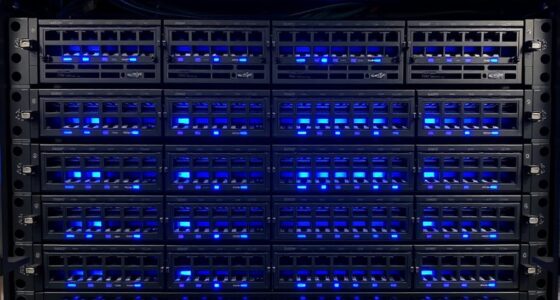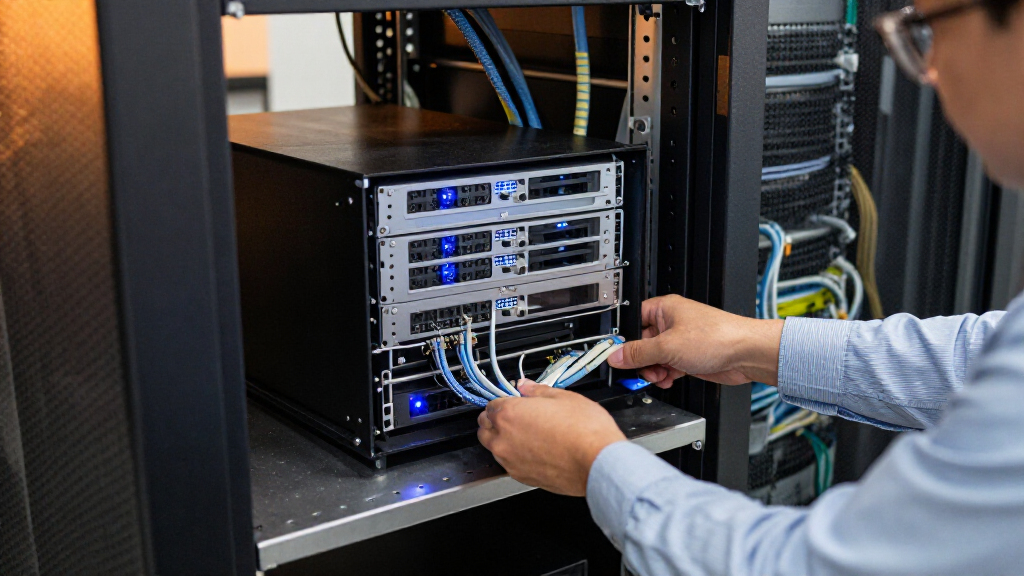

For most small offices that want eight bays and a modern processor, the TERRAMASTER U8-500 Plus is my best overall pick; the QNAP TS-464eU-8G-US stands out for shallow racks, while the drive-included Buffalo TeraStations simplify deployment. The main tradeoffs are rack depth, drive capacity, expandability, and setup effort: a diskless NAS gives you more control over drives, while a bundled system gets storage in place sooner. Four-bay units can suit modest workloads, but eight-bay models offer more room for growth and storage layouts. Read on for how these eight options compare and which buyer each one suits.

Get business pricing on networking and server gear
- Business-only prices and quantity discounts
- Tax-exempt purchasing
- Multiple users, one account, clear invoices
Key Takeaways
- The TERRAMASTER U8-500 Plus leads this lineup for buyers who want eight bays and a Core i7 processor; its diskless design means you still need to choose and install drives.
- The QNAP TS-464eU-8G-US addresses a physical constraint: its short-depth 1U form can fit racks where a full-depth chassis is impractical.
- The Buffalo TeraStation 3430RN and 5420RN include hard drives, which can reduce initial setup work, while diskless Synology and QNAP models leave drive selection to the buyer.
- Four bays are not automatically the better value: they take less rack space, but the two eight-bay models offer more drive positions for capacity planning and future growth.
- The Synology RS1221+ is the eight-bay alternative for buyers already aligned with Synology‘s platform; the RS422+ offers a smaller four-bay starting point.
| TERRAMASTER U8-500 Plus NAS 8-Bay Intel Core i7 1255U, 16GB DDR5 (Diskless) |  | Best for High-Performance SMB Workloads | Processor: Intel Core i7-1255U, 10 cores / 12 threads | Memory: 16GB DDR5 | Drive bays: 8 | VIEW LATEST PRICE | See Our Full Breakdown |
| BUFFALO TeraStation 3430RN 4-Bay 32TB Rackmount NAS with Hard Drives |  | Best Ready-to-Deploy Pick | Installed storage: 32TB | Included drives: 4 x 8TB NAS-grade hard drives | Usable capacity: 24TB in RAID 5 | VIEW LATEST PRICE | See Our Full Breakdown |
| QNAP TS-432PXU-2G 4-Bay Rackmount NAS |  | Best for Fast Network Links on a Four-Bay NAS | Processor: AnnapurnaLabs Alpine AL324, quad-core ARM Cortex-A57 at 1.7GHz | Memory: 2GB DDR4, expandable to 16GB | Drive bays: 4 x 3.5-inch SATA 6Gb/s | VIEW LATEST PRICE | See Our Full Breakdown |
| Synology RackStation RS826+ 4-Bay 1U Rackmount NAS Server (Diskless) |  | Best for a Synology Growth Path | Processor: AMD Ryzen quad-core | Memory: 4GB DDR4 ECC | Drive bays: 4, expandable to 8 with compatible unit | VIEW LATEST PRICE | See Our Full Breakdown |
| QNAP TS-464eU-8G-US 4-Bay 1U Short-Depth Rackmount NAS |  | Best Compact Rack NAS | Processor: Intel Celeron N5095 quad-core, up to 2.9GHz | Memory: 4GB DDR4, expandable to 16GB | Drive bays: 4 | VIEW LATEST PRICE | See Our Full Breakdown |
| Synology RackStation RS422+ 4-Bay Rackmount NAS (Diskless), Black |  | Best Compact Synology Rack NAS | Drive bays: 4 | Form factor: 1U rackmount | Drive configuration: Diskless | VIEW LATEST PRICE | See Our Full Breakdown |
| Synology RackStation RS1221+ 8-Bay Diskless NAS |  | Best for Growing File Workloads | Drive bays: 8 | Form factor: 2U rackmount | Drive configuration: Diskless | VIEW LATEST PRICE | See Our Full Breakdown |
| BUFFALO TeraStation 5420RN 4-Bay Rackmount NAS, 48TB with Hard Drives |  | Best Ready-to-Deploy Storage | Drive bays: 4 | Included drives: 4 × 12TB NAS-grade hard drives | Total capacity: 48TB | VIEW LATEST PRICE | See Our Full Breakdown |
| rack mount network attached storage | Drive bays | Form factor | Warranty | Processor |
|---|---|---|---|---|
| TERRAMASTER U8-500 Plus NAS 8- | 8 | 2U rack mount | — | Intel Core i7-1255U, 10 cores / 12 threads |
| BUFFALO TeraStation 3430RN 4-B | — | Rackmount NAS | 3 years | — |
| QNAP TS-432PXU-2G 4-Bay Rackmo | 4 x 3.5-inch SATA 6Gb/s | — | 3 years | AnnapurnaLabs Alpine AL324, quad-core ARM Cortex-A57 at 1.7GHz |
| Synology RackStation RS826+ 4- | 4, expandable to 8 with compatible unit | 1U rack mount | 3 years | AMD Ryzen quad-core |
| QNAP TS-464eU-8G-US 4-Bay 1U S | 4 | 1U short-depth rack mount | — | Intel Celeron N5095 quad-core, up to 2.9GHz |
| Synology RackStation RS422+ 4- | 4 | 1U rackmount | 3 years | — |
| Synology RackStation RS1221+ 8 | 8 | 2U rackmount | 3 years | — |
| BUFFALO TeraStation 5420RN 4-B | 4 | — | 3 years | — |
More Details on Our Top Picks
TERRAMASTER U8-500 Plus NAS 8-Bay Intel Core i7 1255U, 16GB DDR5 (Diskless)
The U8-500 Plus is the strongest fit here for a rack deployment that must serve demanding business workloads across many disks. Its 10-core Intel Core i7, 16GB of DDR5, and dual 10GbE ports give it more processing and network headroom than the four-bay QNAP TS-432PXU-2G, whose base memory is just 2GB. Eight bays and support for up to 192TB also leave room to grow without replacing the chassis. The tradeoff is that this is a diskless 2U system, so buyers must source drives and plan rack space. For smaller teams with modest file sharing needs, the Buffalo TeraStation 3430RN is a simpler, drive-included route; the TerraMaster makes sense when performance and capacity justify a more involved setup.
Pros:- Intel Core i7 processor and 16GB DDR5 memory provide substantial processing headroom
- Dual 10GbE ports support high-throughput network workloads
- Eight bays support up to 192TB of installed storage with suitable drives
- Supports RAID 0, 1, 5, 6, and 10 plus Btrfs
Cons:- Diskless configuration requires a separate drive purchase and setup
- 2U rack chassis takes more rack space than the 1U options
- Its high-end processor and networking may be unnecessary for basic file sharing
Best for: Small and midsize businesses running concurrent backups, virtual machine storage, or large shared files over 10GbE.
Not ideal for: Home users and small offices that need a ready-to-use NAS with modest capacity and do not need 10GbE performance.
- Processor:Intel Core i7-1255U, 10 cores / 12 threads
- Memory:16GB DDR5
- Drive bays:8
- Network:2 x 10GbE
- M.2 slots:2 x M.2 NVMe
- Maximum storage:192TB with 24TB drives
- RAID:Single, 0, 1, 5, 6, 10
- Form factor:2U rack mount
Our verdict“Choose the U8-500 Plus when your rack NAS needs eight bays, 10GbE, and substantial compute headroom.”
BUFFALO TeraStation 3430RN 4-Bay 32TB Rackmount NAS with Hard Drives
The TeraStation 3430RN stands apart from the diskless options because it arrives with four pre-tested 8TB NAS drives and RAID 5 configured, giving a team 24TB of usable space without a separate drive selection process. Its 2.5Gbps transfer rate is more modest than the dual 10GbE connections on the TerraMaster U8-500 Plus and QNAP TS-432PXU-2G, so it is better suited to routine shared files and backups than bandwidth-heavy workloads. Buffalo adds 256-bit drive encryption, two-factor authentication, cloud sync, and 24/7 phone support, which can ease deployment for a small IT team. Capacity is less flexible than the eight-bay systems, and RAID 5 reserves part of the installed space for redundancy.
Pros:- Includes four pre-tested 8TB NAS-grade drives
- RAID 5 is configured for 24TB usable capacity
- Encryption, two-factor authentication, and activity detection support data security
- Three-year warranty and 24/7 US-based phone support
Cons:- 2.5Gbps networking is slower than the 10GbE options from TerraMaster and QNAP
- RAID 5 leaves 8TB of the installed capacity unavailable for files
- Four bays provide less expansion room than the eight-bay TerraMaster U8-500 Plus
Best for: Small business teams that want a rack NAS with drives installed, RAID configured, and phone support available.
Not ideal for: Teams moving large datasets over 10GbE or buyers who want to choose and expand a diskless system around their own drives.
- Installed storage:32TB
- Included drives:4 x 8TB NAS-grade hard drives
- Usable capacity:24TB in RAID 5
- Network transfer rate:2.5Gbps
- Security:256-bit drive encryption, two-factor authentication, activity detection
- Cloud sync:Dropbox, Microsoft OneDrive, Amazon S3
- Warranty:3 years
- Form factor:Rackmount NAS
Our verdict“Pick the TeraStation 3430RN if you want a drive-included rack NAS for a small team and do not need 10GbE throughput.”
QNAP TS-432PXU-2G 4-Bay Rackmount NAS
The TS-432PXU-2G brings unusually strong network connectivity to a four-bay rack NAS: it has dual 10GbE SFP+ ports alongside two 2.5GbE ports. That makes it a better match than the Synology RS826+ for teams that already use SFP+ switching and want high-speed file access without moving to an eight-bay chassis. QNAP also provides a PCIe Gen 2 slot and cloud and enterprise backup features, including support for Google Workspace and Microsoft 365 accounts. The main compromise is its 2GB base RAM, which can constrain heavier multitasking until upgraded; the TerraMaster U8-500 Plus starts with 16GB and a faster processor. This QNAP is also diskless, so its four bays require a separate drive investment.
Pros:- Dual 10GbE SFP+ and dual 2.5GbE ports support varied network setups
- PCIe Gen 2 x2 slot allows additional connectivity or SSD caching
- Supports cloud gateways and enterprise account backup services
- Memory can be expanded from 2GB to 16GB
Cons:- Ships diskless, requiring a separate purchase and installation of drives
- 2GB base memory is limited for heavier concurrent services
- Four bays offer less capacity headroom than the TerraMaster U8-500 Plus
Best for: Small businesses with SFP+ network infrastructure that need fast shared storage and cloud account backups in a four-bay rack unit.
Not ideal for: Buyers who want drives included, substantial memory out of the box, or the larger capacity of an eight-bay chassis.
- Processor:AnnapurnaLabs Alpine AL324, quad-core ARM Cortex-A57 at 1.7GHz
- Memory:2GB DDR4, expandable to 16GB
- Drive bays:4 x 3.5-inch SATA 6Gb/s
- Network:2 x 10GbE SFP+, 2 x 2.5GbE
- Expansion:1 x PCIe Gen 2 x2
- Mounting:Rack mount
- Warranty:3 years
Our verdict“Choose this QNAP when SFP+ speeds and four-bay rack storage matter more than high base memory or included drives.”
Synology RackStation RS826+ 4-Bay 1U Rackmount NAS Server (Diskless)
The RS826+ is a practical choice for businesses that want a four-bay 1U NAS now and a defined route to eight bays later through a compatible expansion unit. Its 4GB of ECC memory and PCIe 3.0 slot suit file sharing, synchronization, and backup workloads, while optional network cards can add 10GbE or 25GbE. That flexibility contrasts with the QNAP TS-432PXU-2G, which supplies faster network ports from the start but has only 2GB of base memory. The Synology’s four built-in 1GbE ports are less compelling for high-throughput transfers unless you add a card, and the unit ships diskless. Buyers seeking high-speed connectivity without an add-on may prefer the QNAP; this model favors a measured growth plan within a compact rack footprint.
Pros:- 1U chassis fits compact rack deployments
- Compatible expansion unit can increase the system to eight drive bays
- ECC memory and PCIe 3.0 slot support business storage and optional upgrades
- Four built-in 1GbE ports allow multiple network connections
Cons:- Diskless configuration requires separately purchased drives
- Built-in networking is 1GbE; faster speeds require an optional card
- Expansion to eight bays requires a compatible separate unit
Best for: Small and midsize businesses already using Synology systems that want 1U storage with an expansion route as capacity needs grow.
Not ideal for: Teams needing built-in 10GbE or 25GbE connectivity and buyers who want an included drive set.
- Processor:AMD Ryzen quad-core
- Memory:4GB DDR4 ECC
- Drive bays:4, expandable to 8 with compatible unit
- Network:4 x 1GbE RJ-45
- Expansion slot:PCIe 3.0
- Optional networking:10GbE or 25GbE NIC
- Form factor:1U rack mount
- Warranty:3 years
Our verdict“Choose the RS826+ if you want a compact Synology rack NAS that can grow beyond four bays with an expansion unit.”
QNAP TS-464eU-8G-US 4-Bay 1U Short-Depth Rackmount NAS
The TS-464eU is the compact pick for racks where depth is a constraint. Its 1U short-depth chassis still provides four drive bays, dual 2.5GbE, and two M.2 NVMe slots, giving it more built-in storage acceleration options than the Synology RS826+. The Intel Celeron processor and HDMI output also make it more adaptable for light media tasks, including 4K output and real-time transcoding. It does not match the dual 10GbE links on the QNAP TS-432PXU-2G or the higher compute ceiling of the TerraMaster U8-500 Plus. The supplied configuration is diskless with 4GB RAM, despite the model name; buyers may need to add drives and memory for broader workloads. It suits space-limited offices better than bandwidth-intensive server rooms.
Pros:- Short-depth 1U design suits racks with limited front-to-back space
- Dual 2.5GbE ports support faster links than standard 1GbE
- Two M.2 NVMe slots allow caching or SSD storage pools
- HDMI output supports 4K at 30Hz and real-time transcoding
Cons:- Diskless configuration requires a separate drive purchase
- 4GB included memory may need upgrading for heavier workloads
- Network ports are 2.5GbE rather than the dual 10GbE offered by the TS-432PXU-2G
Best for: Small offices or studios with shallow racks that need shared storage, 2.5GbE, and local 4K media output.
Not ideal for: Businesses moving large datasets over 10GbE or buyers who need a drive-included system with higher base memory.
- Processor:Intel Celeron N5095 quad-core, up to 2.9GHz
- Memory:4GB DDR4, expandable to 16GB
- Drive bays:4
- Network:2 x 2.5GbE
- M.2 slots:2 x PCIe Gen 3 x1 NVMe
- USB:USB 3.2 Gen 2 Type-A
- Video output:HDMI 1.4b, 4K at 30Hz
- Form factor:1U short-depth rack mount
Our verdict“Pick the TS-464eU when shallow rack depth and built-in NVMe options matter more than 10GbE speeds.”
Synology RackStation RS422+ 4-Bay Rackmount NAS (Diskless), Black
The RS422+ suits a small office or home lab that needs four drive bays in a compact 1U chassis. Its 327.5 mm depth can fit racks where deeper units are awkward, while dual 1GbE ports provide failover or load balancing for everyday shared files. Compared with the eight-bay RS1221+, it takes less rack space but offers fewer bays and lower stated throughput; the RS1221+ is the stronger fit for heavier file workloads. The RS422+ can add an optional 10GbE RJ-45 module, giving buyers an upgrade path, though that adds a separate component and its network ports start at 1GbE. It ships without drives, so buyers must source and configure storage themselves.
Pros:- Compact 1U form factor with a stated depth of 327.5 mm
- Dual 1GbE ports support failover and load balancing
- Optional 10GbE RJ-45 network upgrade
- Three-year warranty
Cons:- Diskless configuration requires a separate drive purchase
- Four bays provide less expansion room than the RS1221+
- 10GbE requires an optional upgrade module
Best for: Small businesses and home lab owners who need a shallow, four-bay Synology NAS for a compact rack.
Not ideal for: Teams with rapidly growing storage needs or heavy concurrent file workloads that would benefit from eight bays and the RS1221+’s higher stated performance.
- Drive bays:4
- Form factor:1U rackmount
- Drive configuration:Diskless
- Sequential read/write throughput:Up to 601/516 MB/s
- Network ports:Dual 1GbE
- Network upgrade:Optional 10GbE RJ-45 module
- Depth with server handles:327.5 mm
- Warranty:3 years
Our verdict“Choose the RS422+ for a shallow, four-bay Synology setup; choose the RS1221+ if you need more bays and higher stated throughput.”
Synology RackStation RS1221+ 8-Bay Diskless NAS
The RS1221+ is the capacity and performance step-up for small businesses that have outgrown a four-bay rack NAS. Its eight drive bays and stated read and write performance of up to 2,315 and 1,147 MB/s make it better suited to larger shared-file workloads than the four-bay RS422+. The 298 mm depth also helps it fit short-depth racks. Buyers can add an optional PCIe SFP+ or RJ-45 network card, and a second unit can form a Synology High Availability cluster for service continuity. That flexibility comes with a 2U rack requirement and a diskless starting point, so setup involves a rack, drives, and potentially extra network hardware. Compared with the BUFFALO TeraStation 5420RN, it offers more bays but does not include drives.
Pros:- Eight bays allow more storage capacity than the RS422+
- High stated read and write performance
- Short 298 mm depth suits compact racks
- Optional network card and high availability pairing support expansion
Cons:- Diskless configuration requires drives to be purchased separately
- Requires a rackmount setup and 2U of rack space
- Optional network upgrades add separate hardware
Best for: Small business IT teams that need eight drive bays, high stated file throughput, and the option to configure a paired Synology unit for high availability.
Not ideal for: Buyers seeking a ready-to-use NAS with included storage or a compact 1U unit, such as the BUFFALO TeraStation 5420RN or Synology RS422+.
- Drive bays:8
- Form factor:2U rackmount
- Drive configuration:Diskless
- Depth:298 mm
- Read performance:Up to 2,315 MB/s
- Write performance:Up to 1,147 MB/s
- Network upgrade:Optional PCIe SFP+ or RJ-45 network card
- High availability:Can pair with a second unit in a Synology High Availability cluster
- Warranty:3 years
Our verdict“Pick the RS1221+ when an eight-bay Synology system and room for heavier file workloads matter more than included drives or a 1U footprint.”
BUFFALO TeraStation 5420RN 4-Bay Rackmount NAS, 48TB with Hard Drives
The TeraStation 5420RN is the clearest choice here for a business that wants storage included from the start: it comes with four 12TB NAS-grade drives and a RAID 5 setup offering 32TB usable capacity. That makes initial deployment more straightforward than with the diskless Synology RS422+ and RS1221+, though the stated usable space is lower than the 48TB total because of the RAID configuration. Its 10GbE connection supports fast network transfers, while snapshots, encryption, two-factor authentication, and cloud synchronization cover common business data workflows. Compared with the RS1221+, the BUFFALO includes drives and uses four bays rather than eight; the tradeoff is less room to expand within the chassis. At 27.2 pounds with a business rackmount form, it is a poor match for a typical desktop setup.
Pros:- Includes four 12TB NAS-grade hard drives
- RAID 5 configuration provides 32TB usable capacity
- 10GbE supports high-speed network transfers
- Includes snapshots, encryption, two-factor authentication, and cloud synchronization
Cons:- RAID 5 usable capacity is 32TB from 48TB total
- Four bays leave less expansion room than the RS1221+
- Rackmount form and 27.2-pound weight are not suited to many desktop setups
Best for: Small businesses that want a four-bay rack NAS with drives included, 10GbE connectivity, and built-in data protection features.
Not ideal for: Home users without a rack or teams that need eight bays for future expansion, where the RS1221+ provides more drive slots.
- Drive bays:4
- Included drives:4 × 12TB NAS-grade hard drives
- Total capacity:48TB
- RAID 5 usable capacity:32TB
- Supported RAID configurations:RAID 5, RAID 6, RAID 0
- Network connectivity:10GbE Ethernet
- Weight:27.2 pounds
- Warranty:3 years
Our verdict“Choose the TeraStation 5420RN if included drives and 10GbE matter more than eight-bay expansion or a desktop-friendly design.”

How We Picked
I ranked these systems by how well they answer the practical demands of rack storage: bay count, rack fit, included drives, stated processor and memory, and the likely effort of getting a usable system deployed. A rack NAS has to fit the cabinet and the workload, so I gave particular weight to short-depth design, capacity for expansion, and whether drives come in the package. I also considered how clearly each model serves a distinct buyer, from someone who wants a bundled storage system to an administrator who prefers to select drives and manage a familiar NAS platform.
The order favors breadth of capability first, then specialized fit and ease of deployment. The TERRAMASTER earns the lead with eight bays and a Core i7 processor, while the compact QNAP ranks highly for space-constrained racks. Buffalo’s drive-included models appeal to buyers seeking a simpler starting point, but their fixed four-bay layouts are less flexible than the eight-bay systems. I treat model specifications as evidence of fit, not a guarantee of real-world throughput; workload, drive choice, network setup, and software configuration all affect results.
| rack mount network attached storage | Processor |
|---|---|
| TERRAMASTER U8-500 Plus NAS 8- | Intel Core i7-1255U, 10 cores / 12 threads |
| BUFFALO TeraStation 3430RN 4-B | — |
| QNAP TS-432PXU-2G 4-Bay Rackmo | AnnapurnaLabs Alpine AL324, quad-core ARM Cortex-A57 at 1.7GHz |
| Synology RackStation RS826+ 4- | AMD Ryzen quad-core |
| QNAP TS-464eU-8G-US 4-Bay 1U S | Intel Celeron N5095 quad-core, up to 2.9GHz |
| Synology RackStation RS422+ 4- | — |
| Synology RackStation RS1221+ 8 | — |
| BUFFALO TeraStation 5420RN 4-B | — |
Factors to Consider When Choosing Rack Mount Network Attached Storage
Before choosing a rack NAS, I would settle the physical and operational constraints first. Those decisions shape which specifications matter and can prevent a system from becoming awkward to install or expensive to expand.
Measure Rack Depth, Height, and Airflow
Measure the usable depth between the rack rails and the rear door, leaving room for power and network cables. A short-depth chassis can solve a fit problem, but it still needs clear airflow and enough access for drive changes. Check whether the unit occupies 1U or more, then account for adjacent equipment and the rack’s total weight capacity. Front-to-back airflow matters in a crowded cabinet, especially when several devices exhaust heat into the same space. A common mistake is measuring the chassis alone and overlooking cable bends or rear clearance. If the NAS will sit in a closet or office, also account for fan noise and ventilation.
Plan Drive Capacity and Expansion Before Buying
Estimate usable capacity after redundancy, rather than multiplying drive size by bay count. RAID choices trade usable space for protection against some drive failures, and they do not replace an independent backup. Think about how quickly your data is growing and whether adding drives later will fit your storage plan. An eight-bay unit can offer more room to spread capacity across drives, but it may increase power use and the number of disks to maintain. A four-bay system can be a sensible fit when the workload is stable and rack space is tight. Check the NAS maker’s compatibility guidance for the drives and capacities you plan to use.
Choose Between Bundled and Diskless Storage
A system sold with drives can reduce the work of sourcing parts and may help a team get storage running sooner. Confirm the exact drive models, warranty terms, and whether the included capacity matches your growth plan. Diskless systems let you select drives around workload, capacity, and noise needs, but you take on compatibility checks and installation. Factor in the cost and time of buying drives separately, along with replacement availability. Avoid assuming a bundled capacity equals usable protected capacity; RAID configuration changes what is available to users. For either route, budget for at least one separate backup destination.
Match CPU, Memory, and Network to the Workload
Shared folders and scheduled backups may place different demands on a NAS than virtualization, media work, or many simultaneous users. CPU and memory influence multitasking, while network ports and link speeds affect how quickly multiple clients can access data. Check the full network specification and supported link aggregation or failover features rather than judging by port count alone. The fastest processor cannot overcome slow drives, a congested switch, or client computers with limited network adapters. Think about the busiest realistic workload, not an unusually light day or a theoretical maximum. If your work depends on a particular application, confirm software support and memory expansion options before purchase.
Compare Management, Maintenance, and Recovery
NAS software affects routine tasks such as creating shares, managing permissions, updating the system, and restoring files. A platform your administrator already knows may save more time than a small specification advantage. Review how the vendor handles security updates, drive health alerts, warranty service, and replacement parts. Plan who will monitor the device and how you will recover data if the NAS, a drive set, or the site becomes unavailable. RAID can keep some systems running through a drive failure, but it cannot protect against deletion, malware, theft, or fire. A recovery plan should include an offline or offsite copy and occasional restore checks.
Set a Growth and Replacement Budget
Compare the full ownership cost: chassis, drives, rack accessories, backup storage, network upgrades, and power. A drive-included model may be quicker to deploy, while a diskless unit may better fit a team’s drive standards. Leave capacity for growth so you are not forced into an early replacement when shares fill up. Check whether expansion means replacing the NAS, adding an expansion unit, or changing drives, and verify support for the path you expect to use. Consider how long you can keep replacement drives available and whether staff can service the system without disrupting work. The right choice is the one your team can operate and recover, not simply the one with the largest headline capacity.
Frequently Asked Questions
Should I choose an eight-bay NAS if I only need four drives today?
Choose eight bays when you have a credible path to more data, need flexible drive layouts, or would rather add drives than replace the system soon. Empty bays do not create usable capacity by themselves, so consider the chassis cost, power draw, and drive purchases you expect over time. If your storage needs are stable and rack space is limited, a four-bay model may be a better fit. Also check how the NAS supports adding drives to an existing storage pool; expansion rules vary by platform and configuration. Plan the initial RAID or storage layout with future additions in mind.
Is a NAS sold with hard drives easier to set up than a diskless model?
A drive-included NAS can reduce sourcing and compatibility work, and it may be faster to put into service. You should still confirm the drive models, warranty coverage, and how much protected capacity remains after choosing a redundancy scheme. A diskless system suits buyers who have preferred drives, need a specific capacity mix, or want control over replacements. It requires you to handle drive selection and installation, and to check the vendor’s compatibility list. In either case, setup also includes network configuration, user permissions, and a separate backup plan.
Will a short-depth 1U NAS fit any shallow rack?
No: short-depth describes the chassis relative to standard rack equipment, but your actual rail spacing and rear clearance still determine fit. Measure from the mounting rails to the door, cable tray, or other obstruction, and include space for power and network connectors. Confirm the rack can support the unit and that its airflow path will stay clear. A 1U device can also be louder or warmer than expected in a small office or enclosed cabinet. Check the manufacturer’s installation dimensions and rack requirements before ordering.
Can RAID replace a separate backup for a rack NAS?
No. RAID can help a NAS remain available after certain drive failures, but it does not restore files deleted by mistake or protect against malware, hardware damage, theft, or site loss. Keep another copy on a separate device or service, with an offsite copy for important data. Set backup schedules around how much data you can afford to lose and how quickly you need to recover it. Test restores periodically so you know the backup can be used. Treat drive redundancy and backup as separate parts of the storage plan.
Which network details should I check before buying a rack NAS?
Start with the NAS port speeds, the number of ports, and the capabilities of the switch and client computers that will connect to it. A faster NAS interface helps only if the rest of the network supports it and the workload can use the available bandwidth. Multiple ports may support link aggregation or failover, but the exact behavior depends on configuration and switch support. Consider how many clients will access storage at once and whether traffic shares a network with other services. Check the model’s detailed specifications and software documentation for the features your setup requires.
Conclusion
For a general-purpose rack NAS with room to grow, I would start with the TERRAMASTER U8-500 Plus, keeping in mind that it is diskless. Buyers with shallow racks should look first at the QNAP TS-464eU-8G-US; those who want a drive-included starting point can compare the BUFFALO TeraStation 3430RN and 5420RN. For a Synology-centered setup, the RS1221+ is the eight-bay pick, while the RS422+ fits a four-bay requirement. I would choose the QNAP TS-432PXU-2G when its rack NAS feature set fits the workload, and compare the Synology RS826+ against it based on platform preference and rack fit. Beginners should favor the included-drive Buffalo models for a more direct path to setup; premium-leaning buyers who want a capable eight-bay diskless system should weigh the TERRAMASTER against Synology’s RS1221+ and select by software preference and drive plan.
Halloween Picks

Kalolary 11 ft Halloween Inflatable Archway Ghost House Tunnel

Kalolary 12ft Halloween Witch Haunted House Inflatable Archway

Haunted Hill Farm 2-Ft. Zombie Raccoon Halloween Animatronic
As an affiliate, we earn on qualifying purchases.