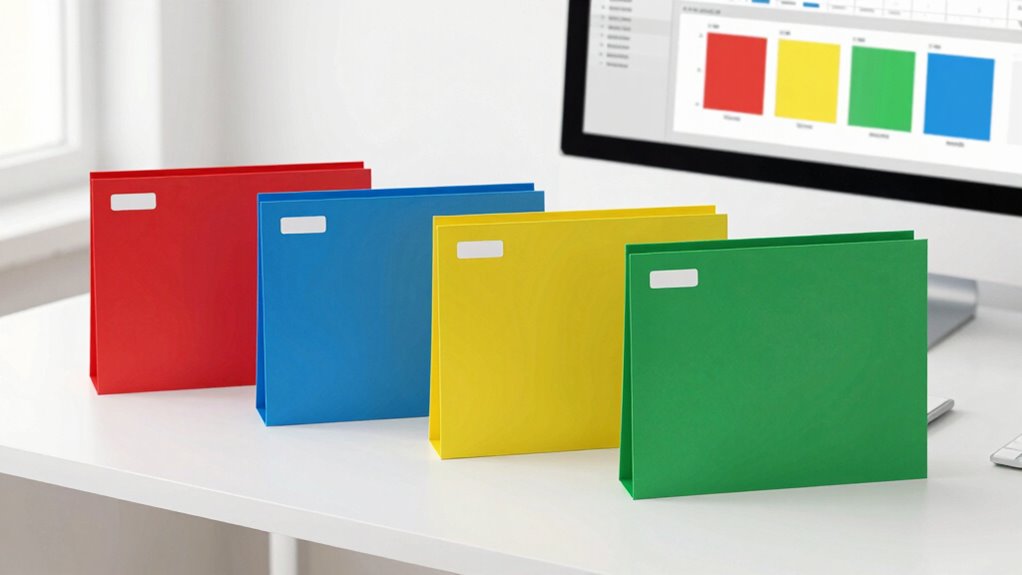

To use color coding without confusion, choose a simple, limited palette aligned with psychological associations—like red for urgency or green for safety. Consistently assign specific colors to categories, and supplement them with labels, icons, or patterns for clarity and inclusivity. Test your color schemes in different environments and devices to guarantee visibility and understanding. Avoid overuse to prevent overwhelming users. Keeping these principles in mind helps you create an effective system; explore the details to master the process.
Key Takeaways
- Limit the color palette to a few well-chosen hues to prevent overwhelming users.
- Use clear labels, icons, or patterns alongside colors for better understanding.
- Ensure high contrast and test visibility across different devices and lighting conditions.
- Maintain consistent color assignments for categories or priorities throughout all materials.
- Gather user feedback regularly to identify and address potential confusion or accessibility issues.

Have you ever struggled to organize information efficiently? If so, you’re not alone. Color coding can be a powerful tool to streamline your workflow, but it can also cause confusion if not used thoughtfully. To harness its benefits, you need to understand the principles behind effective color coding, especially when considering color psychology and accessibility considerations. When choosing colors, think about how different hues influence perception and behavior. For example, red often signals urgency or danger, while green typically indicates safety or success. By aligning your color choices with these psychological associations, you can make your system intuitive and easy to understand. However, don’t rely solely on color meaning; always supplement with labels or symbols to guarantee clarity. Incorporating visual design principles can further enhance the clarity and effectiveness of your color coding system. Accessibility considerations are vital, especially if others will use your system. Not everyone perceives colors the same way—some people are color blind or have visual impairments—so it’s essential to create a system that’s inclusive. Use high-contrast colors to improve visibility, and combine colors with patterns, icons, or text labels. For instance, if you assign red to urgent tasks, add a star icon or label “Urgent” alongside the color. This approach ensures that even if someone can’t distinguish the color easily, they can still understand the information. Keep your palette simple—using too many colors can overwhelm users and dilute the clarity of your system. Ideally, stick to a handful of well-chosen hues, each representing a specific category or priority. Incorporating color psychology principles can help you select hues that evoke the desired responses and reinforce your categorization. Consistency is key to avoiding confusion. Once you assign a color to a particular category, stick with it across all your documents or platforms. This consistency helps establish recognition and reduces cognitive load. Additionally, understanding architectural needs can help tailor your color system to specific environments or contexts, ensuring it remains effective. It’s also beneficial to consider environmental factors, such as lighting conditions and background colors, which can impact how your chosen colors are perceived in different settings. Test your color scheme under different lighting conditions and on different devices to guarantee it remains effective and accessible. Regularly seek feedback from users to identify any points of confusion or difficulty. Ultimately, using color coding without creating confusion involves a balance of strategic choices. Incorporate color psychology to make your system intuitive, prioritize accessibility to include all users, and maintain visual consistency to build familiarity. When done right, your color-coded system will be clear, efficient, and inclusive, making information management a smoother process for everyone involved.

Avery Color-Coding Removable Labels, 1/2" x 1-3/4", Assorted Neon Colors, Non-Printable, 180 Blank Labels Total (6724)
Manage and identify items efficiently with bright rectangle labels that allow for effective color-coding and organizing for home,…
As an affiliate, we earn on qualifying purchases.
As an affiliate, we earn on qualifying purchases.
Frequently Asked Questions
How Many Colors Should I Use for Effective Coding?
You should use around 4 to 6 colors for effective coding, balancing clarity and simplicity. Color psychology guides your choices, so pick colors that convey the right message, like blue for trust or red for urgency. Make sure your color scheme meets accessibility standards, ensuring high contrast and considering color-blind users. Limiting your palette helps prevent confusion, making your system intuitive and easy to navigate for everyone.
What if Someone Is Colorblind?
Think of color coding as a language, where symbols and contrast speak louder than hue alone. If someone is colorblind, make sure your design uses accessible elements like high color contrast and distinct patterns or icons alongside colors. This way, everyone can understand your system. Prioritize accessible design by combining color contrast with other cues, making your information inclusive and clear for all users, regardless of their vision.
How Do I Introduce New Colors Without Confusion?
To introduce new colors without causing confusion, start by considering color psychology to select meaningful shades. Use consistent colors for specific categories to establish a clear visual hierarchy. Before adding new colors, communicate their purpose to your team, and gradually introduce them alongside existing ones. This approach helps users adapt smoothly, preventing overload and maintaining clarity, while leveraging color psychology enhances understanding and guarantees your visual system remains intuitive.
Should I Use Colors for All Categories or Only Key Ones?
You should use colors selectively for key categories to avoid overwhelming or confusing your audience. Focus on categories that benefit most from visual distinction, guided by color psychology and cultural associations. For example, green often signifies growth or safety, while red signals urgency or danger. By limiting colors to essential categories, you create clear, intuitive cues that enhance understanding without muddling your visual hierarchy.
How Often Should I Review and Update My Color Codes?
You should review and update your color codes regularly—perhaps every few months—to guarantee they align with current needs. Research shows that color psychology influences perception, so consistent updates maintain clarity. By revisiting your visual hierarchy periodically, you prevent confusion and keep your system effective. This proactive approach helps your color coding stay relevant, supporting quick recognition and reducing errors in your workflow or organization.

BIC Intensity Advanced Colorful Dry Erase Markers, Bullet Tip, 12-Count Pack of Assorted Colors, Whiteboard Markers for Teachers and Office Supplies
One 12-count pack of BIC Intensity Advanced Colorful Dry Erase Markers with a 4.2mm bullet tip that creates…
As an affiliate, we earn on qualifying purchases.
As an affiliate, we earn on qualifying purchases.
Conclusion
By thoughtfully applying color coding, you avoid turning your system into a wild jungle of confusion. Think of it as a carefully painted map guiding you through a dense forest—clear, vibrant, and easy to follow. When you assign colors consistently and keep your scheme simple, you create a visual language that speaks directly to your senses. With these tips, your color coding becomes a trusty compass, making organization feel intuitive rather than overwhelming.

SchKIDules V-KIt – Portable, Binder-Ready Visual Schedule for Kids w/8.5×11" Backboard & 150 laminated Icons plus 21 Headings
V-Kit comes with everything you need to assemble a lightweight and durable visual schedule to take ON THE…
As an affiliate, we earn on qualifying purchases.
As an affiliate, we earn on qualifying purchases.
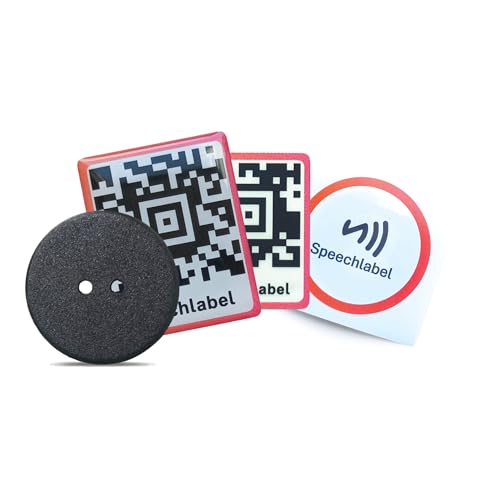
SpeechLabel Starter Pack – Mixed Voice Label Set (Thick and Thin QR Labels, NFC Stickers & Laundry Buttons) – Accessible Labels for Blind & Visually Impaired, Low Vision Aids Braille Stickers
Scan or tap to hear your note: Apply a sticker or button, open the free SpeechLabel app, scan…
As an affiliate, we earn on qualifying purchases.
As an affiliate, we earn on qualifying purchases.