
Imagine your office network as a busy highway, where a sudden shutdown can cause chaos. Choosing the right backup internet gateway isn’t just about having a spare; it’s about ensuring your traffic keeps flowing smoothly when the main connection drops. But with so many options and features, knowing which solution fits your needs can be tricky. Understanding your specific requirements is the first step toward keeping your digital world running seamlessly.
Key Takeaways
- Assess your network’s specific needs, including primary connection type and critical applications requiring high uptime.
- Opt for gateways that support both failover and load balancing to maximize resilience and performance.
- Consider backup options like cellular or Wi-Fi for seamless automatic recovery during outages.
- Evaluate the gateway’s compatibility with your existing infrastructure and future scalability requirements.
- Review additional features such as automatic switching, monitoring, and remote management for comprehensive reliability.
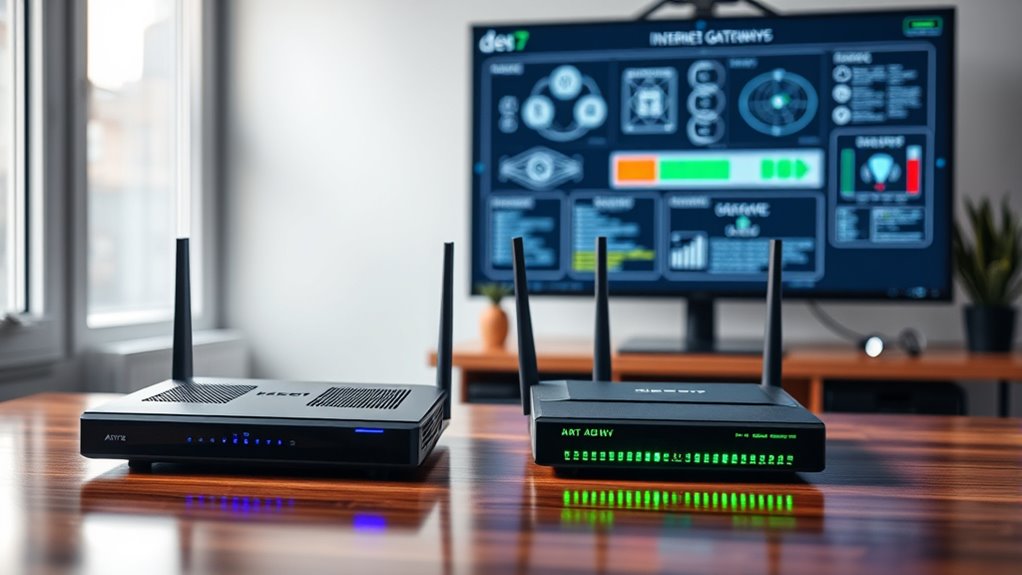
When your primary internet connection goes down, having a dependable backup gateway becomes essential to keep your business or home network running smoothly. You don’t want your productivity to grind to a halt or your entertainment to be interrupted because of a sudden outage. That’s where choosing the right backup internet gateway makes all the difference. One of the most effective solutions is wireless failover, which ensures your network automatically switches to a secondary connection if the primary fails. With wireless failover, you don’t have to manually intervene; your system detects the outage and seamlessly switches over, minimizing downtime and maintaining connectivity. This is especially valuable in environments where constant internet access is critical, such as remote work setups or small businesses.
In addition to wireless failover, load balancing plays a crucial role in creating a resilient network. Load balancing distributes your network traffic across multiple internet connections, whether wired or wireless, to optimize performance and prevent any single connection from becoming a bottleneck. By intelligently managing how data flows through your network, load balancing ensures smoother streaming, faster downloads, and more reliable VoIP calls. When combined with wireless failover, load balancing not only provides a backup in case your primary connection fails but also enhances overall network efficiency by leveraging multiple internet sources simultaneously. This dual approach guarantees that your network remains operational, resilient, and capable of handling varying demands without hiccups.
Choosing the right backup gateway involves evaluating your specific needs and infrastructure. If your primary connection is wired broadband, consider a system that supports wireless failover as a secondary option. This way, even if your wired connection drops, your network can switch to a cellular or Wi-Fi connection without missing a beat. For businesses that handle significant traffic or require high uptime, load balancing becomes essential. It allows you to combine multiple internet services—such as cable, fiber, and LTE—so your network can share the load and stay online during outages or peak usage times. Look for gateways that offer both features, as this combination provides a robust shield against disruptions and maximizes your network’s uptime.
Ultimately, the key to selecting the right backup internet gateway lies in understanding your environment’s demands. Wireless failover provides peace of mind by ensuring automatic recovery from outages, while load balancing optimizes overall performance and resilience. Investing in a device or solution that incorporates both features equips you with a flexible, reliable, and high-performing network—no matter what connectivity issues may arise. Additionally, understanding internet connection types and their capabilities can help you choose the most suitable backup options for your setup. With the right setup, you can keep your work, communication, and entertainment uninterrupted, even when your primary connection falters.

Raising Electronics Server Rack Open Frame Rack 4 Post 19 inch Adjustable Server/Audio Rack Cold Rolled Steel(42U,17Depth)
- Standard Equipment Compatibility: Fits 19-inch wide equipment with 17-inch depth
- Adjustable and Movable Rack: Flexible positioning for easy connections
- Heavy Duty Capacity: Supports up to 900 lbs
As an affiliate, we earn on qualifying purchases.
Frequently Asked Questions
How Does Load Balancing Work With Backup Gateways?
You establish load balancing with backup gateways by configuring failover protocols to automatically switch traffic when the primary connection fails. During normal operation, bandwidth allocation distributes data across all active gateways for ideal performance. When a failure occurs, the system seamlessly reroutes traffic through the backup gateway, guaranteeing continuous connectivity. This setup maintains network stability, prevents overloads, and ensures your internet remains dependable even if the main gateway experiences issues.
What Are the Costs Associated With Different Backup Gateway Options?
Did you know that small businesses can spend between $500 and $2,500 annually on backup gateways? When comparing costs, you’ll find that pricing models vary—some charge upfront for hardware, others use subscription plans. A thorough cost comparison helps you choose an option that fits your budget. Consider ongoing expenses like maintenance and data transfer fees, so you avoid surprises and select the most cost-effective backup gateway for your needs.
Can Backup Gateways Support Multiple Concurrent Users?
Yes, backup gateways can support multiple concurrent users effectively. They enhance network redundancy, guaranteeing your connection stays active during outages. With proper bandwidth management, they allocate resources efficiently, preventing bottlenecks. This setup allows multiple users to access the internet simultaneously without significant performance drops. By integrating backup gateways into your network, you ensure seamless connectivity, even during primary connection failures, keeping your team productive and connected at all times.
How Quickly Can a Backup Gateway Switch When Primary Fails?
Ever wondered how fast your backup gateway kicks in when the primary fails? The failover speed usually ranges from a few seconds to a minute, depending on the gateway’s responsiveness and network setup. You want minimal disruption, so look for gateways designed for swift failover. Keep in mind, a highly responsive gateway guarantees seamless connectivity, helping you avoid downtime during critical moments. Wouldn’t you prefer smooth, uninterrupted internet access?
What Security Features Should I Look for in a Backup Gateway?
You should look for a backup gateway with robust security features like network encryption and firewall protection. Network encryption guarantees your data stays private during transmission, while firewall protection blocks unauthorized access. These features help safeguard your network from cyber threats, even if the primary connection fails. Opt for gateways with advanced security protocols and regular updates to keep your network secure and resilient against evolving threats.

Belkin USB Type C to 2.5 Gb Ethernet Adapter, USB-IF Certified Thunderbolt 3 & 4 / USB-C to LAN Network Adapter Compatible with MacBook Pro/Air, iPad Pro, XPS, Surface, and Other USB C Devices
- Connection Type: USB-C to 2.5Gb Ethernet adapter
- Cable Length: 90mm tethered cable
- Maximum Speed: Up to 2,500Mbps
As an affiliate, we earn on qualifying purchases.
Conclusion
By selecting a backup internet gateway that matches your needs—whether it’s cellular failover for remote offices or load balancing for high-traffic sites—you guarantee continuous connectivity. For example, a small retail store used a cellular failover during an outage, keeping sales flowing smoothly. Combining these features provides extra resilience, so you can prevent downtime and keep your business running seamlessly, no matter what disruptions come your way.

Ltemziiy Cat 8 Ethernet Cable 15 ft, 40Gbps 2000Mhz High Speed Gigabit LAN Internet Cables,RJ45 Patch Cord Braided Round S/FTP Network Cable,for Smart Home,Office,Gaming,Modem, Router
- High-Speed Data Transfer: Supports 40Gbps and 2000MHz bandwidth
- Durable Braided Design: 48-strand cotton braid for strength and flexibility
- Anti-Interference Shielding: S/FTP shielding reduces signal interference
As an affiliate, we earn on qualifying purchases.

UGREEN Cat 8 Ethernet Cable 6FT, High Speed Braided 40Gbps 2000Mhz Network Cord Cat8 RJ45 Shielded Indoor Heavy Duty LAN Cables Compatible with Gaming PC PS5 PS4 PS3 Xbox Modem Router 6FT
- High-Speed Data Transfer: Supports 40 Gbps and 2000 MHz bandwidth
- Anti-Interference Design: Shielded with F/FTP, gold-plated connectors
- Durable and Flexible: Cotton braided exterior, bends over 10,000 times
As an affiliate, we earn on qualifying purchases.