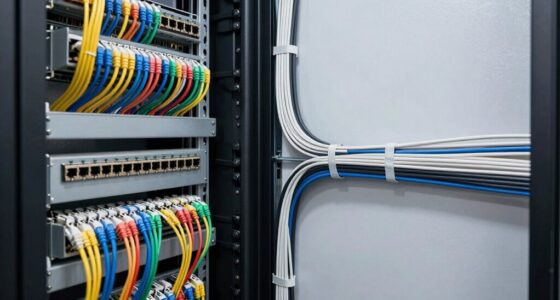
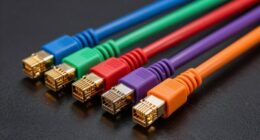
When setting up a network or audio-visual system, choosing the right keystone jacks and faceplates is essential for a clean, professional look. These components help organize connections while making future upgrades easier. However, not all keystone jacks fit every faceplate, and proper installation is key to ensuring reliable performance. Understanding the differences and how to select the right combination can make a significant difference in your project’s success.
Key Takeaways
- Keystone jacks are modular connectors used to organize network or audio-visual connections within faceplates.
- Faceplates are panels that mount keystone jacks, providing a clean and professional appearance for wall outlets.
- Compatibility between keystone jacks and faceplates depends on size, mounting mechanism, and brand specifications.
- Proper installation involves wiring, securing jacks into faceplates, and ensuring a snug fit for reliable performance.
- Regular testing after installation confirms system functionality and helps prevent connectivity issues.
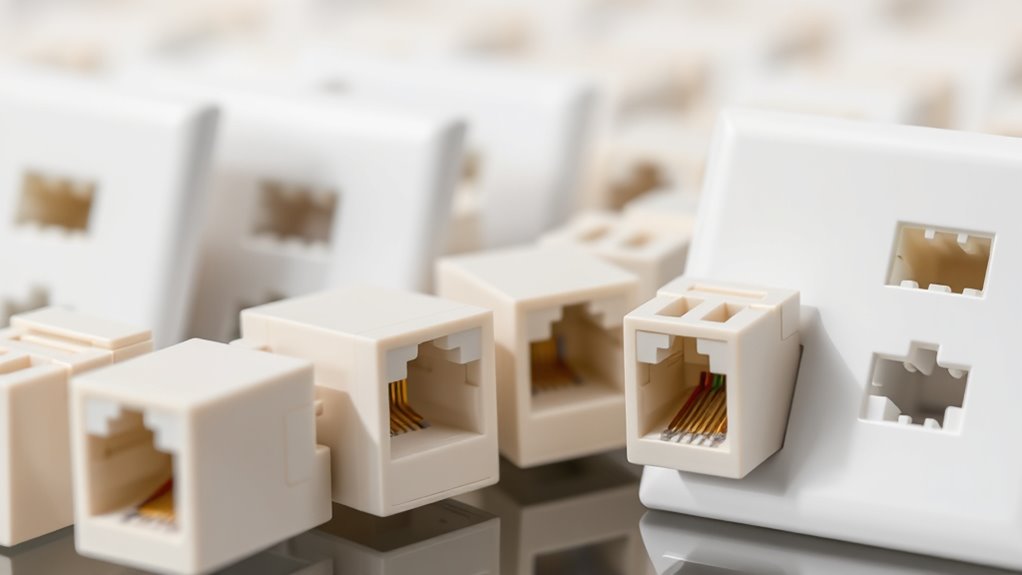
Keystone jacks and faceplates are vital components for organizing and installing your network or audio-visual connections. They help you create a clean, professional setup while making maintenance and upgrades straightforward. When you’re working on an installation, it’s important to understand how to choose the right keystone jacks and faceplates, as well as how to install them properly. Doing so minimizes issues down the line and guarantees your system functions reliably.
First, focus on compatibility. Not all keystone jacks fit every faceplate, so double-check the specifications before purchasing. Most keystone jacks are designed to fit standard faceplates, but some brands or models may have unique sizes or mounting mechanisms. If you already have a faceplate, verify that the keystone jacks you’re considering are compatible to avoid needing replacements or modifications later. Compatibility issues can lead to a loose fit or difficulty in securing the jack, which might compromise signal quality or make maintenance more cumbersome. Always consult the product details or manufacturer’s guidelines to confirm that your chosen keystone jack and faceplate will work together seamlessly.
Always verify keystone jack and faceplate compatibility to ensure a secure fit and optimal performance.
When it comes to installation tips, preparation is key. Before starting, gather all necessary tools—such as a punch-down tool, wire strippers, and a screwdriver—and ensure you have the correct cables and connectors. Carefully strip the cable insulation, making sure not to damage the internal wires, and follow the wiring color codes as specified for your keystone jack type, whether it’s Ethernet, coaxial, or audio. Insert the wires properly into the jack, ensuring a snug fit, and use the punch-down tool to secure them firmly. This step is vital for maintaining a stable connection and avoiding future connectivity issues. Additionally, consider regular testing of your connections after installation to verify optimal performance and identify any issues early on.
Next, when installing the keystone jack into the faceplate, align the locking tabs or clips properly before pressing it in. You want the fit to be tight but not forced, as a loose connection can cause signal degradation. Once secured, mount the faceplate onto the wall or panel, making sure it’s level and firmly attached. Proper installation prevents gaps or movement that could lead to damage or connectivity problems over time.

iwillink (2-Pack) Ethernet Wall Plate, 1-Port Keystone Jack Wall Plate with RJ45 Keystone Inline Coupler insert, Female to Female Cat6 Wall Plate, Blue
The ethernet wall plate with a Cat6 RJ45 keystone jacket insert; white design of RJ45 face plate provides…
As an affiliate, we earn on qualifying purchases.
As an affiliate, we earn on qualifying purchases.
Frequently Asked Questions
Can Keystone Jacks Support High-Speed Internet Connections?
Yes, keystone jacks can support high-speed internet connections, but it depends on their cable bandwidth and build quality. If you choose a keystone jack rated for higher bandwidth (like Cat6 or Cat6a), you’ll experience better performance. Otherwise, lower-quality jacks may cause signal degradation, reducing your internet speed. Always select jacks compatible with your network’s speed requirements to guarantee reliable, high-speed connectivity without signal loss.
Are Faceplates Compatible With All Keystone Jacks?
Faceplates are generally compatible with most keystone jacks, but you need to check faceplate compatibility and keystone jack standards first. Not all faceplates fit every keystone jack, especially if they differ in size or design. To guarantee a secure fit and proper function, verify that your keystone jacks meet the standard specifications your faceplate supports. This way, you avoid mismatched components and ensure a reliable, professional installation.
How Do I Prevent Interference With Keystone Jacks?
To prevent interference with keystone jacks, you need to get ahead of the game. Use shielding techniques like foil or braided shields on your cables, and keep them away from sources of electromagnetic interference. Good cable management also plays a role, ensuring cables are organized and not tangled, which can cause signal issues. Properly grounding your equipment further minimizes interference, helping your network stay clear and reliable.
What Tools Are Needed to Install Keystone Jacks?
To install keystone jacks, you’ll need a few essential tools like a punch-down tool, wire stripper, screwdriver, and possibly a crimping tool. These tools help you follow the installation steps efficiently, ensuring proper wiring and secure connections. Start by preparing your cables, then use the punch-down tool to connect wires to the jack, and finally, secure the jack into the faceplate with a screwdriver. Having these tools makes the process smooth and accurate.
Can Faceplates Be Customized for Specific Ports?
Think of your network setup as a canvas—custom faceplate options let you paint it precisely how you want. Yes, you can create port-specific faceplates tailored to your needs. These custom faceplate options help you organize and personalize your space, making maintenance easier and boosting aesthetics. With port-specific faceplates, you control exactly what goes where, turning a standard installation into a tailored masterpiece that suits your unique setup perfectly.

VCE Ethernet Wall Plate (UL Listed), 1-Port Cat6 Female to Female Wall Jack, Keystone Wall Plate with RJ45 Keystone Inline Coupler, White (2-Pack)
Connect 2 Ethernet Cables: VCE ethernet wall outlet easily connects two separate cat6, cat5e, and cat5 wires.
As an affiliate, we earn on qualifying purchases.
As an affiliate, we earn on qualifying purchases.
Conclusion
By choosing the right keystone jacks and faceplates, you’re setting the stage for a flawless, professional-looking installation that’s as reliable as the sunrise. When you understand their compatibility and follow proper installation steps, you’ll transform your space into an organized, efficient hub of connectivity. Think of it as building a fortress of dependable signals—nothing short of a technological masterpiece. With these tools and tips, you’re unstoppable in creating a seamless, high-quality system.
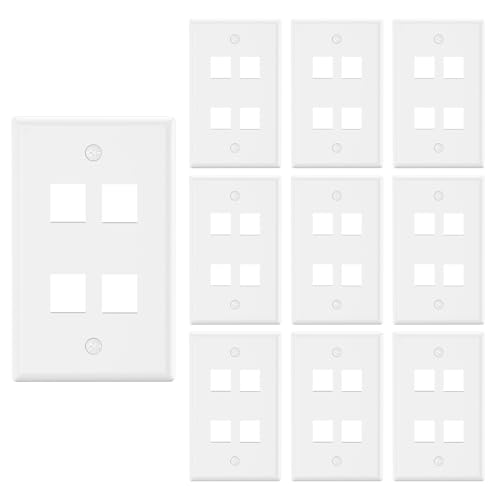
VCE 4 Port Keystone Wall Plate UL Listed (10-Pack), Single Gang Wall Plates for RJ45 Keystone Jack and Modular Inserts, White
EASY CABLE MANAGEMENT: Compatible with standard keystone jacks, the 4-port outlet creates a new interface location for network,…
As an affiliate, we earn on qualifying purchases.
As an affiliate, we earn on qualifying purchases.

Cable Matters Keystone Jack Punch Down Tool Stand – Stable Base for RJ45 & RJ11 Termination, Compatible with 90 & 180 Degree Jacks, Secure & Safe Punching with 110, Krone, or 66 Tools
Punch Down Tool Stand: Provides a solid, stable base for terminating RJ45 keystone jacks with an impact tool….
As an affiliate, we earn on qualifying purchases.
As an affiliate, we earn on qualifying purchases.