Just as a well-planned foundation is crucial for a sturdy building, the placement of your home network closet can make or break your entire system’s performance. Proper planning ensures your devices stay connected and accessible when needed. But where should you start, and what factors should you consider to create an efficient, future-proof setup? Understanding these essentials can save you time and hassle down the line.
Key Takeaways
- Choose a central, accessible location with adequate space and ventilation for current and future equipment.
- Plan cable routes carefully, using organized management tools and labeling for easy troubleshooting.
- Ensure proximity to power outlets and consider electrical requirements for all devices.
- Position wireless access points strategically to maximize coverage and minimize interference.
- Design with future expansion in mind, allowing space and infrastructure for additional devices or upgrades.

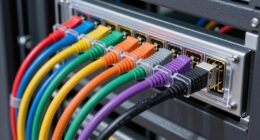
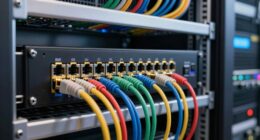
Planning a network closet is a critical step to guarantee your network runs smoothly and efficiently. When setting up your home network, you want to ensure that all devices, from computers to smart home gadgets, connect seamlessly. A well-designed network closet serves as the backbone, centralizing your equipment and reducing potential issues like signal interference or connectivity drops. One of the first things to consider is how you’ll incorporate wireless access points, which are essential for extending Wi-Fi coverage throughout your house. Positioning these access points strategically within the closet allows for maximum signal distribution, preventing dead zones and ensuring consistent internet speeds in every corner of your home. When installing wireless access points, think about their proximity to power outlets and the ease of future upgrades or replacements. Using high-quality cabling can further improve network reliability and support higher data transfer speeds. Cable management is another critical aspect that directly impacts the performance and maintenance of your network. Poor cable management can lead to tangled wires, making troubleshooting a nightmare and increasing the risk of disconnections or damage. Invest in cable organizers, such as clips, sleeves, or Velcro straps, to keep your cables neat and labeled. Proper cable routing not only improves airflow within the closet but also makes it easier to identify and replace faulty cables or equipment down the line. Keep data cables separate from power cords to minimize electrical interference that can degrade network performance. Using structured wiring techniques will help you plan for future growth, so you won’t have to redo everything if you add new devices or upgrade your internet speed. Additionally, consider the physical layout of your network closet. Make sure there’s enough space for current equipment and potential expansion. Ventilation is essential, especially if you’re housing multiple devices that generate heat. Installing a small fan or ensuring proper airflow can prevent overheating and prolong the lifespan of your hardware. Labeling all cables and ports will save you time during maintenance or troubleshooting sessions. Think about accessibility; your network equipment should be reachable and easy to work with, without having to crawl into tight spaces or move other devices unnecessarily.

Tecmojo 6U Wall Mount Server Cabinet IT Network Rack Enclosure Lockable Door and Side Panels Black, Cooling Fan, Standard Glass Door, 450mm Depth, for 19” IT Equipment, A/V Devices
Save valuable floor space: 6U wall mount server cabinet Dimensions: 13.78" H x21.65" W x17.72" D.Maximum mounting depth…
As an affiliate, we earn on qualifying purchases.
As an affiliate, we earn on qualifying purchases.
Frequently Asked Questions
How Much Does Setting up a Network Closet Typically Cost?
Setting up a network closet typically costs between $500 and $2,000, depending on your budget considerations and equipment costs. You’ll need to factor in items like switches, routers, racks, and cables. If you want high-end gear or professional installation, expect to spend more. To save, consider purchasing budget-friendly equipment and doing some of the setup yourself. Planning ahead helps you stay within your budget while ensuring you get the right setup.
What Security Measures Should I Implement in My Network Closet?
Think of your network closet as a fortress; you must secure its gates. Implement strong fire safety measures like smoke detectors and fire-resistant panels. Keep cables organized with proper cable management to prevent accidental damage or fire hazards. Use locked doors or access controls to restrict entry, and consider surge protectors to safeguard equipment. These steps create a safe, resilient fortress, protecting your network from threats and mishaps.
Can I Install My Own Network Closet Without Professional Help?
Yes, you can install your own network closet with DIY installation if you have the technical expertise. However, it requires understanding wiring, cable management, and proper ventilation. Make sure to follow safety protocols and plan your layout carefully. If you’re unsure about any step, consider consulting online guides or seeking advice from professionals to guarantee a secure and efficient setup. Proper planning makes all the difference.
How Often Should I Upgrade the Equipment in My Network Closet?
You should upgrade your network equipment every 3 to 5 years, depending on its equipment lifespan. Regular upgrades guarantee you benefit from faster speeds, better security, and improved reliability. Keep an eye on technology advancements and your network’s performance; if you notice slowdowns or outdated features, it’s time for an upgrade. Staying current helps maintain excellent network performance and security, preventing issues before they become costly or disruptive.
What Are the Best Ventilation Options for a Network Closet?
You should optimize airflow management in your network closet by installing ventilation fans to keep the environment cool. Consider using vented doors or panels to improve air circulation, and position fans strategically to expel hot air and draw in cooler air. Proper ventilation guarantees overheating of your equipment and prolongs its lifespan. Combining ventilation fans with good airflow management ensures your network closet stays cool and operates efficiently.

Cisco – Wireless access point mounting kit (vertical) – pole mountable, wall mountable – for Catalyst 9124AXD, 9124AXI
W128924384
As an affiliate, we earn on qualifying purchases.
As an affiliate, we earn on qualifying purchases.
Conclusion
Think of your network closet as the heart of your home’s digital life—like a well-organized engine fueling every device smoothly. When you plan carefully, you prevent chaos, just like a conductor ensures each instrument plays in harmony. I once helped a friend set up theirs, and now their internet runs flawlessly, proving that a good plan maintains everything running seamlessly. Invest a little effort now, and enjoy reliable, hassle-free connectivity for years to come.

12 Pack Cable Clips, Znben Cord Organizer Holder Adhesive Cable Management Charger Wire Holder Clips for Desk, Home, Office, Car, Cubicle, Nightstand Black
Keep tidy: Organizes the wires and cable on the desk, keeping the desk neat. Cord holder for desk….
As an affiliate, we earn on qualifying purchases.
As an affiliate, we earn on qualifying purchases.

TP-Link LS108GP | 8 Port PoE Gigabit Ethernet Switch | 8 PoE+ Port @ 62W | Plug & Play | Extend Mode | PoE Auto Recovery | Desktop/Wall Mount | Silent Operation
𝗙𝘂𝗹𝗹 𝗚𝗶𝗴𝗮𝗯𝗶𝘁 𝟴-𝗣𝗼𝗿𝘁 𝗣𝗼𝗘 𝗖𝗼𝗻𝗳𝗶𝗴𝘂𝗿𝗮𝘁𝗶𝗼𝗻 – 8 PoEplus (802.3at/af) Gigabit RJ45 providing up to 30W per port and…
As an affiliate, we earn on qualifying purchases.
As an affiliate, we earn on qualifying purchases.