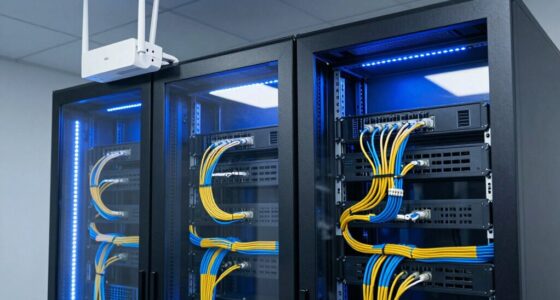

Monitoring your network performance effectively requires a clear strategy and the right tools. By establishing baseline metrics, you can spot anomalies early, while regular bandwidth analysis helps identify high-traffic applications. Tracking latency and pinpointing bottlenecks allow you to tackle issues before they escalate. Implementing real-time alerts keeps you proactive, but understanding how to interpret this data is vital for maintaining a stable, efficient network—so, let’s explore the key steps involved.
Key Takeaways
- Implement continuous network monitoring tools to track real-time performance and detect anomalies early.
- Conduct regular bandwidth analysis to identify high-usage applications and optimize resource allocation.
- Measure latency and identify bottlenecks to improve data flow and reduce delays.
- Set baseline metrics for normal operation and use alerts to proactively address issues.
- Analyze performance reports over time to recognize patterns and plan network upgrades effectively.
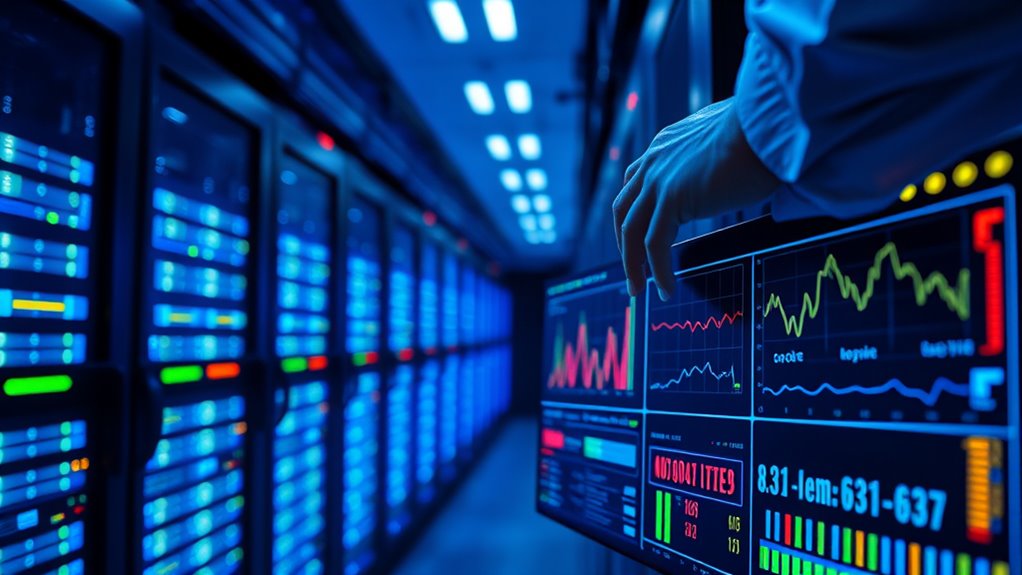
Have you ever wondered how organizations guarantee their networks run smoothly and efficiently? It all starts with effective network monitoring, which involves regularly assessing performance to identify and resolve issues before they impact users. One of the key steps in this process is conducting bandwidth analysis. This means examining how much data flows through your network at any given time, pinpointing which applications or devices consume the most bandwidth. By doing so, you can detect congestion points that may slow down your network and take targeted action to optimize performance. For example, you might discover that a large file transfer or streaming service is hogging bandwidth during peak hours, leading you to implement policies that limit its impact or schedule such activities during off-peak times. Bandwidth analysis gives you a clear picture of your network’s capacity, helping you plan upgrades or reallocate resources to ensure smooth operation. Additionally, understanding network congestion can help you develop strategies to prevent slowdowns before they occur.
Alongside bandwidth analysis, latency measurement plays a pivotal role in understanding network health. Latency refers to the delay between sending a request and receiving a response, and high latency can cause frustrating lag and slow data transfer. By actively measuring latency across different points in your network, you can identify bottlenecks or delays caused by overloaded links, faulty hardware, or inefficient routing. Regular latency checks allow you to detect issues early, before they escalate into significant problems, and help you verify whether your network improvements are effective. You can use tools that simulate real-world traffic or monitor real-time data to gather accurate latency metrics. When you combine insights from bandwidth analysis and latency measurement, you get a holistic view of your network’s performance. For instance, high bandwidth usage coupled with increased latency can indicate congestion, prompting you to investigate further or implement Quality of Service (QoS) policies to prioritize critical traffic.
To monitor network performance effectively, you should also establish baseline metrics so you know what normal operation looks like. Continuous monitoring tools can alert you to anomalies, such as sudden spikes in traffic or unusual delays, enabling quick intervention. Pairing these tools with detailed reports helps you recognize patterns over time, making future planning more strategic. Remember, proactive monitoring isn’t a one-time task; it’s an ongoing process that involves routinely checking key performance indicators, adjusting configurations, and staying informed about new threats or technological developments. By consistently analyzing bandwidth and latency, you ensure your network remains stable, secure, and capable of supporting your organization’s needs. This approach not only minimizes downtime but also enhances user experience, productivity, and overall operational efficiency.

Gaobige Network Tool Kit for Cat5 Cat5e Cat6, 11 in 1 Portable Ethernet Cable Crimper Kit with a Ethernet Crimping Tool, 8p8c 6p6c Connectors rj45 rj11 Cat5 Cat6 Cable Tester, 110 Punch Down Tool
Complete Network Tool Kit for Cat5 Cat5e Cat6, Convenient for Our Work: 11-in-1 network tool kit includes a…
As an affiliate, we earn on qualifying purchases.
As an affiliate, we earn on qualifying purchases.
Frequently Asked Questions
What Are the Best Tools for Real-Time Network Monitoring?
You should consider tools like Nagios, Zabbix, and SolarWinds for real-time network monitoring. These tools track network traffic efficiently and provide device diagnostics, helping you identify issues instantly. They offer dashboards with live data, alert you to anomalies, and simplify troubleshooting. By using these tools, you can guarantee your network stays healthy, optimize performance, and quickly resolve problems before they impact your users or business operations.
How Often Should Network Performance Be Reviewed?
You should review network performance regularly, ideally weekly or bi-weekly, to guarantee ideal network capacity and a good user experience. Frequent checks help you identify issues early and prevent disruptions. Pay attention to traffic patterns, latency, and bandwidth usage, adjusting your monitoring frequency based on network complexity and user demands. Consistent reviews allow you to maintain high performance and quickly address any problems that arise.
How Do I Identify Network Bottlenecks Effectively?
To identify network bottlenecks effectively, start with traffic analysis to pinpoint where congestion occurs. Use monitoring tools to track bandwidth management and identify high-traffic areas. Look for unusual latency or packet loss, which indicate potential issues. Regularly reviewing network performance helps you spot trends and address problems proactively. By analyzing traffic patterns and managing bandwidth efficiently, you guarantee your network runs smoothly without bottlenecks.
What Metrics Are Most Critical for Network Health?
Think of your network health like a well-tuned orchestra. The most critical metrics to watch are bandwidth analysis and latency measurement. Bandwidth analysis helps you see how much data flows through your network, while latency measurement reveals delays that slow performance. Keep an eye on packet loss and jitter too, as these can disrupt harmony. Monitoring these key metrics guarantees your network stays synchronized and performs at its best.
How Can I Troubleshoot Network Performance Issues Quickly?
To troubleshoot network performance issues quickly, start with bandwidth analysis to identify traffic bottlenecks and unusual activity. Next, run hardware diagnostics on routers, switches, and cables to detect failures or misconfigurations. Use real-time monitoring tools to pinpoint slowdowns or packet loss. By combining these steps, you can efficiently diagnose problems, implement solutions, and restore peak network performance without unnecessary delays.

Professional Integrating-Averaging Class 2 Sound Level Meter with Data Logger and Noise Analysis Software
High-precision noise measurements (IEC 61672/ANSI S1.4 Class 2)
As an affiliate, we earn on qualifying purchases.
As an affiliate, we earn on qualifying purchases.
Conclusion
By continuously watching your network like a vigilant lighthouse keeper, you illuminate hidden storms before they reach your shores. Regularly analyze bandwidth, measure latency, and set up real-time alerts to keep your digital voyage smooth and safe. Think of these tools as your trusted compass and radar, guiding you through choppy waters toward steady, secure, and efficient connectivity. Stay alert, stay ahead—your network’s health depends on your watchful eye.

Jitlat: A Jitter and Latency Measurement Tool
As an affiliate, we earn on qualifying purchases.
As an affiliate, we earn on qualifying purchases.

CyberPower RCCARD100 Cloud Monitoring Card, Remote UPS Management via PowerPanel Cloud, Plug-and-Play Installation, Real-Time Alerts, Compatible with Select CyberPower UPS Models
REMOTE MONITORING VIA THE CLOUD: Connects UPS systems to PowerPanel cloud to provide users the ability to monitor…
As an affiliate, we earn on qualifying purchases.
As an affiliate, we earn on qualifying purchases.