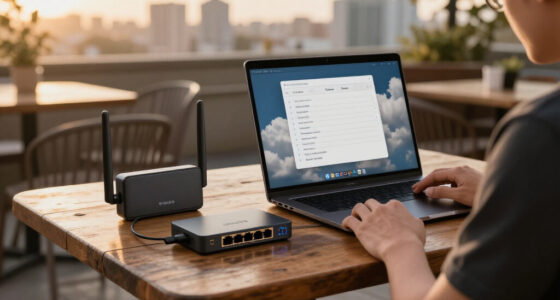

For most homes, I’d start with the TP-Link Archer BE550: its tri-band design gives busy networks room to breathe without jumping to a mesh system. The NETGEAR Nighthawk RS700S is a stronger fit for buyers who want a premium tri-band router, while the NETGEAR Orbi 970 suits large homes where broader coverage matters more than a simple router setup. The main tradeoffs are how much coverage you need, whether you want a 6 GHz band, and how many wired connections your network uses. A Wi-Fi 7 label alone does not guarantee better coverage or faster internet; your devices and broadband connection also shape the result. Read on for the full comparison and a pick matched to your home.

Get business pricing on networking and server gear
- Business-only prices and quantity discounts
- Tax-exempt purchasing
- Multiple users, one account, clear invoices
Key Takeaways
- Tri-band routers lead for device-heavy homes: The Archer BE550, Archer BE600, BE550 Pro, BE9300, RS700S, and RT-BE9700 offer a 6 GHz band alongside 2.4 and 5 GHz, giving compatible devices another lane.
- Wi-Fi 7 does not automatically mean tri-band: The RS140, RS90, RT-BE55, Archer BE400, and Archer BE230 are dual-band options, so buyers should check band configuration instead of relying on the generation name.
- The Archer BE550 is the balanced pick: It brings tri-band flexibility without the mesh system’s extra nodes and setup, while the BE400 and BE230 make more sense when simpler dual-band coverage is enough.
- Large-home coverage changes the decision: The Orbi 970 is the only mesh system in this lineup, making it the clearest fit when one router may not reach every room.
- Wired ports and home layout deserve as much attention as wireless speeds: The BE550 Pro and premium tri-band models may suit wired-heavy setups better, while advertised coverage and speed figures should be treated as estimates shaped by walls, placement, and client devices.
| NETGEAR Nighthawk RS700S WiFi 7 Tri-Band Router |  | Best Overall | WiFi standard: WiFi 7 tri-band (2.4 GHz, 5 GHz, 6 GHz) | Max speed: Up to 19 Gbps | Stream design: 12-stream | VIEW LATEST PRICE | See Our Full Breakdown |
| NETGEAR Nighthawk BE9300 Tri-Band WiFi 7 Router |  | Best Value Tri-Band | WiFi standard: WiFi 7 tri-band (2.4 GHz, 5 GHz, 6 GHz) | Max speed: Up to 9.3 Gbps | Processor: Quad-core 2.0 GHz | VIEW LATEST PRICE | See Our Full Breakdown |
| TP-Link Archer BE600 Tri-Band Wi-Fi 7 Router |  | Best for Tinkerers and Home Offices | WiFi standard: Wi-Fi 7 tri-band (6 GHz, 5 GHz, 2.4 GHz) | Max speed: Up to 9.7 Gbps combined | Coverage: Up to 2,600 sq ft | VIEW LATEST PRICE | See Our Full Breakdown |
| NETGEAR Nighthawk RS140 WiFi 7 Router |  | Best for Everyday Upgrades | WiFi standard: WiFi 7 dual-band (2.4 GHz, 5 GHz) | Max speed: Up to 5 Gbps | Coverage: Up to 2,250 sq ft | VIEW LATEST PRICE | See Our Full Breakdown |
| NETGEAR Nighthawk WiFi 7 Router (RS90) |  | Best Budget Entry Point | WiFi standard: WiFi 7 dual-band (2.4 GHz, 5 GHz) | Max speed: Up to 3.6 Gbps | Coverage: Up to 2,000 sq ft | VIEW LATEST PRICE | See Our Full Breakdown |
| ASUS RT-BE55 WiFi 7 Router |  | Best Budget Wi-Fi 7 Entry Point | WiFi Standard: WiFi 7 | Band: Dual-band | Max Speed: 3600 Mbps | VIEW LATEST PRICE | See Our Full Breakdown |
| TP-Link Archer BE550 Pro Tri-Band BE9700 WiFi 7 Router |  | Best for Multi-Gig Wired Setups | WiFi Standard: WiFi 7 (802.11be) | Bands: Tri-Band (2.4 / 5 / 6 GHz) | Max Speed: BE9700 | VIEW LATEST PRICE | See Our Full Breakdown |
| TP-Link Archer BE6500 Dual-Band Wi-Fi 7 Router (Archer BE400) |  | Best Value for Device-Heavy Homes | WiFi Standard: Wi-Fi 7 (BE6500) | Bands: Dual-Band (2.4 / 5 GHz) | Max Speed: 6.5 Gbps total | VIEW LATEST PRICE | See Our Full Breakdown |
| TP-Link Archer BE550 Tri-Band BE9300 WiFi 7 Router |  | Best Tri-Band All-Rounder | WiFi Standard: WiFi 7 (802.11be) | Bands: Tri-Band (2.4 / 5 / 6 GHz) | Max Speed: BE9300 (up to 9.2 Gbps) | VIEW LATEST PRICE | See Our Full Breakdown |
| ASUS RT-BE9700 Tri-Band WiFi 7 Router |  | Best Premium Powerhouse | WiFi Standard: WiFi 7 (802.11be) | Bands: Tri-Band (2.4 / 5 / 6 GHz) | Max Speed: 9700 Mbps | VIEW LATEST PRICE | See Our Full Breakdown |
| TP-Link Archer BE230 Dual-Band BE3600 Wi-Fi 7 Router |  | Best Value Wi-Fi 7 Router | Wi-Fi standard: Wi-Fi 7 (802.11be) | Bands: Dual-band: 2.4 GHz and 5 GHz; no 6 GHz | Maximum combined speed: BE3600: up to 2,882 Mbps on 5 GHz and 688 Mbps on 2.4 GHz | VIEW LATEST PRICE | See Our Full Breakdown |
| NETGEAR Orbi 970 Series WiFi 7 Mesh System (3-Pack) |  | Best Premium Whole-Home Mesh System | Wi-Fi standard: Wi-Fi 7 | Package: Router plus two satellites | Bands: Quad-band with enhanced dedicated backhaul | VIEW LATEST PRICE | See Our Full Breakdown |
| Wi-Fi 7 router | WiFi standard | Max speed | Security | Coverage |
|---|---|---|---|---|
| NETGEAR Nighthawk RS700S WiFi | WiFi 7 tri-band (2.4 GHz, 5 GHz, 6 GHz) | Up to 19 Gbps | Advanced Router Protection; Armor with 30-day trial | Up to 3,500 sq ft |
| NETGEAR Nighthawk BE9300 Tri-B | WiFi 7 tri-band (2.4 GHz, 5 GHz, 6 GHz) | Up to 9.3 Gbps | Built-in security, automatic firmware updates, Armor trial | Up to 2,500 sq ft |
| TP-Link Archer BE600 Tri-Band | Wi-Fi 7 tri-band (6 GHz, 5 GHz, 2.4 GHz) | Up to 9.7 Gbps combined | — | Up to 2,600 sq ft |
| NETGEAR Nighthawk RS140 WiFi 7 | WiFi 7 dual-band (2.4 GHz, 5 GHz) | Up to 5 Gbps | Advanced Router Protection; Armor 30-day trial | Up to 2,250 sq ft |
| NETGEAR Nighthawk WiFi 7 Route | WiFi 7 dual-band (2.4 GHz, 5 GHz) | Up to 3.6 Gbps | NETGEAR Armor 30-day trial, automatic firmware updates | Up to 2,000 sq ft |
| ASUS RT-BE55 WiFi 7 Router | WiFi 7 | 3600 Mbps | AiProtection, VPN support | 2000 sq. ft. |
| TP-Link Archer BE550 Pro Tri-B | WiFi 7 (802.11be) | BE9700 | TP-Link HomeShield | — |
| TP-Link Archer BE6500 Dual-Ban | Wi-Fi 7 (BE6500) | 6.5 Gbps total | WPA3, HomeShield, SPI Firewall | Up to 2,400 sq. ft., 90 devices |
| TP-Link Archer BE550 Tri-Band | WiFi 7 (802.11be) | BE9300 (up to 9.2 Gbps) | HomeShield, WPA3, Private IoT Network | — |
| ASUS RT-BE9700 Tri-Band WiFi 7 | WiFi 7 (802.11be) | 9700 Mbps | AiProtection, VPN, Parental Controls | — |
| TP-Link Archer BE230 Dual-Band | — | — | — | — |
| NETGEAR Orbi 970 Series WiFi 7 | — | — | NETGEAR Armor 30-day trial; subscription required after trial | Up to 10,000 sq. ft. |
More Details on Our Top Picks
NETGEAR Nighthawk RS700S WiFi 7 Tri-Band Router
This model sits at the top of the list because it is the only standalone router here built around a full tri-band WiFi 7 design with 10 Gig WAN and LAN ports. Compared with the Nighthawk RS140, the RS700S adds a dedicated 6 GHz band and enough headroom for 200 devices, which matters if you stream 8K, transfer large files over your LAN, or run a multi-gig internet plan. The 12-stream architecture means heavy households keep their speed under load rather than collapsing when everyone connects at once.
The tradeoff is scale: this is a large, powerful unit, and if your home is under 2,000 sq ft with modest device counts, most of that capability goes unused. Real-world throughput will still dip through walls and floors, so a mesh like the Orbi 970 remains the better fix for sprawling layouts.
Pros:- Tri-band WiFi 7 with speeds up to 19 Gbps and a dedicated 6 GHz band
- 10 Gig WAN plus 10 Gig LAN ports for multi-gig internet and fast wired transfers
- Handles up to 200 devices across 3,500 sq ft
- Guided app setup, speed tests, and guest network management
Cons:- NETGEAR Armor requires a paid subscription after the 30-day trial
- Walls, floors, and interference can noticeably reduce real-world coverage
- Overkill in size and cost for smaller homes and standard internet plans
Best for: Tech enthusiasts and large households with gigabit-plus internet plans, heavy local file traffic, and 50+ connected devices
Not ideal for: Small apartments or homes on sub-gigabit plans — the 10 Gig ports and tri-band design are wasted capacity at a premium tier
- WiFi standard:WiFi 7 tri-band (2.4 GHz, 5 GHz, 6 GHz)
- Max speed:Up to 19 Gbps
- Stream design:12-stream
- Coverage:Up to 3,500 sq ft
- Device capacity:Up to 200 devices
- WAN/LAN ports:1x 10 Gig WAN, 1x 10 Gig LAN, 4x 1 Gig LAN
- Security:Advanced Router Protection; Armor with 30-day trial
- Management:Nighthawk app (iOS/Android)
Our verdict“Buy this if you want the most capable single-router WiFi 7 setup in the lineup and have the internet plan and device count to justify it.”
NETGEAR Nighthawk BE9300 Tri-Band WiFi 7 Router
The BE9300 earns its spot as the sweet spot of the Nighthawk lineup. It delivers the same dedicated 6 GHz band as the RS700S at roughly half the throughput ceiling, and for most homes that ceiling is theoretical anyway — 9.3 Gbps already outpaces nearly every consumer internet plan. Unlike the dual-band RS140, this model gives Wi-Fi 7 devices a clean, uncongested 6 GHz lane, which is where the standard’s low latency actually shows up.
Its wired setup is arguably smarter for real buyers than pricier rivals: two 2.5 Gig LAN ports plus a USB 3.0 port cover NAS and desktop connections without paying for 10 Gig hardware you can’t use yet. The compromises are familiar — you still need your own modem, Armor becomes a subscription, and 2,500 sq ft of coverage shrinks with every wall between the router and your laptop.
Pros:- Dedicated 6 GHz band for Wi-Fi 7 devices at a mid-tier price
- Two 2.5 Gig LAN ports plus USB 3.0 for NAS and fast wired clients
- Quad-core 2.0 GHz processor handles up to 100 devices
- Backward compatible with WiFi 6 and older devices
Cons:- Requires a separate modem or gateway
- NETGEAR Armor protection becomes a paid subscription after 30 days
- Rated coverage degrades with walls, floors, and interference
Best for: Buyers who want true tri-band Wi-Fi 7 with a 6 GHz band and multi-gig wired ports without paying flagship prices
Not ideal for: Multi-gig power users with 10 Gig LAN equipment — there’s no 10 Gig port here, so the RS700S is the better fit
- WiFi standard:WiFi 7 tri-band (2.4 GHz, 5 GHz, 6 GHz)
- Max speed:Up to 9.3 Gbps
- Processor:Quad-core 2.0 GHz
- Coverage:Up to 2,500 sq ft
- Device capacity:Up to 100 devices
- Ports:1x 2.5 Gig WAN, 2x 2.5 Gig LAN, 2x 1 Gig LAN, USB 3.0
- Compatibility:Backward compatible with WiFi 6 and earlier
- Security:Built-in security, automatic firmware updates, Armor trial
Our verdict“This is the smart middle pick — tri-band Wi-Fi 7 and multi-gig ports where they matter, without flagship cost.”
TP-Link Archer BE600 Tri-Band Wi-Fi 7 Router
The Archer BE600 differentiates itself from the NETGEAR trio through flexibility rather than raw throughput. Its standout feature is a 10 Gbps WAN/LAN combo port plus three additional 2.5 Gbps LAN ports — more multi-gig wired options than the BE9300 offers — which suits a home office with a NAS, a desktop, and a fast uplink. Built-in VPN client and server support is something none of the Nighthawk models here match natively, making it the natural pick for remote workers who want router-level privacy.
Wi-Fi 7 features like Multi-Link Operation and 320 MHz channels are present, but you’ll only feel them with newer client devices. The catch is HomeShield: TP-Link gates some of the better parental controls and security features behind its service, so the out-of-box experience is thinner than the spec sheet suggests.
Pros:- 10 Gbps WAN/LAN port plus three 2.5 Gbps LAN ports for wired-heavy setups
- Built-in VPN client and server support at the router level
- Full Wi-Fi 7 feature set including Multi-Link Operation and 320 MHz channels
- Covers up to 2,600 sq ft for up to 120 devices with six antennas
Cons:- Advanced security and parental controls require paid HomeShield services
- Full Wi-Fi 7 performance only materializes with compatible client devices
- Large footprint at over 11 inches wide
Best for: Home office users, remote workers, and network tinkerers who want VPN at the router level and lots of multi-gig wired ports
Not ideal for: Buyers who want full parental controls and security features without a subscription — the best HomeShield tools sit behind a paywall
- WiFi standard:Wi-Fi 7 tri-band (6 GHz, 5 GHz, 2.4 GHz)
- Max speed:Up to 9.7 Gbps combined
- Coverage:Up to 2,600 sq ft
- Device capacity:Up to 120 devices
- Ports:1x 10 Gbps WAN/LAN, 1x 2.5 Gbps WAN/LAN, 3x 2.5 Gbps LAN, USB 3.0
- Antennas:6 external
- Processor:Quad-core CPU
- VPN:VPN client and server
- Management:TP-Link Tether app or web interface
Our verdict“Choose this over the Nighthawks if wired connectivity and router-level VPN matter more to you than peak wireless throughput.”
NETGEAR Nighthawk RS140 WiFi 7 Router
The RS140 is the pick for the most common upgrade scenario: a household with a decent single-gig internet plan that wants Wi-Fi 7 efficiency without tri-band complexity. Compared with the RS90, it offers a bit more speed and headroom (5 Gbps vs 3.6 Gbps, 80 devices vs 50), which makes it the better long-term hold if you might upgrade your plan later. The 2.5 Gig WAN port means you’re multi-gig ready on the internet side even though the LAN ports stay at 1 Gig.
What you give up versus the BE9300 is the 6 GHz band — Wi-Fi 7 devices here share the crowded 5 GHz spectrum, so latency gains are smaller. Like its siblings, NETGEAR Armor becomes a paid subscription after 30 days, and multi-story homes will still want a mesh system instead of pushing one router too far.
Pros:- 5 Gbps Wi-Fi 7 speeds — 1.2x faster than WiFi 6 equivalents
- Covers up to 2,250 sq ft for up to 80 devices
- 2.5 Gig WAN port keeps you ready for multi-gig internet plans
- Straightforward app-based setup and remote management
Cons:- Dual-band only — no dedicated 6 GHz band for Wi-Fi 7 devices
- NETGEAR Armor requires a paid subscription after the 30-day trial
- Larger or multi-story homes may need a mesh system instead
Best for: Families with single-gig internet plans and 30-60 devices who want a simple, capable Wi-Fi 7 upgrade from an older router
Not ideal for: Owners of multiple Wi-Fi 7 client devices — without a 6 GHz band, you’re missing the standard’s biggest real-world benefit
- WiFi standard:WiFi 7 dual-band (2.4 GHz, 5 GHz)
- Max speed:Up to 5 Gbps
- Coverage:Up to 2,250 sq ft
- Device capacity:Up to 80 devices
- Ports:1x 2.5 Gig WAN, 3x 1 Gig LAN
- Technology:MU-MIMO, OFDMA
- Security:Advanced Router Protection; Armor 30-day trial
- Setup:Nighthawk app (iOS/Android)
Our verdict“A sensible, low-drama upgrade for typical households, as long as you don’t need the 6 GHz band that tri-band models provide.”
NETGEAR Nighthawk WiFi 7 Router (RS90)
The RS90 is the most accessible way into the Nighthawk Wi-Fi 7 family, and it makes this list as the entry pick rather than competing on specs. At 3.6 Gbps across dual bands and a 50-device ceiling, it sits clearly below the RS140 — but for a small home or apartment with a standard internet plan, that difference is largely academic. What you keep is the useful stuff: the 2.5 Gig WAN port for future plan upgrades, four 1 Gig LAN ports for wired devices, and the same app-driven setup as its pricier siblings.
Its limits define who should skip it. Fifty devices fills up fast in a smart-home-heavy household, and there’s no 6 GHz band, so it shares the RS140’s compromise in sharper form. Compared with TP-Link’s Archer BE230 elsewhere in this guide, the deciding factor is coverage and device headroom rather than raw speed.
Pros:- Most affordable path into the Nighthawk Wi-Fi 7 lineup
- 2.5 Gig WAN port despite the entry-level positioning
- Four 1 Gig LAN ports for wired devices
- Easy app setup with remote management and automatic firmware updates
Cons:- Lowest throughput and device ceiling in the Nighthawk trio (3.6 Gbps, 50 devices)
- Dual-band only, with no 6 GHz band for Wi-Fi 7 clients
- Larger homes will exceed its 2,000 sq ft coverage rating
Best for: Apartment dwellers and small-home owners with modest device counts who want Wi-Fi 7 basics at the lowest entry point
Not ideal for: Smart-home-heavy households — the 50-device ceiling and 2,000 sq ft rating will be hit quickly
- WiFi standard:WiFi 7 dual-band (2.4 GHz, 5 GHz)
- Max speed:Up to 3.6 Gbps
- Coverage:Up to 2,000 sq ft
- Device capacity:Up to 50 devices
- Ports:1x 2.5 Gig WAN, 4x 1 Gig LAN
- Technology:MU-MIMO, OFDMA
- Security:NETGEAR Armor 30-day trial, automatic firmware updates
- Management:Nighthawk app (iOS/Android)
Our verdict“If you want Wi-Fi 7 on a budget for a smaller space and light device load, this covers the basics — everyone else should step up to the RS140 or a tri-band model.”
ASUS RT-BE55 WiFi 7 Router
The RT-BE55 is the least demanding way into Wi-Fi 7 that ASUS offers, and that simplicity is its main appeal. Where the ASUS RT-BE9700 piles on tri-band hardware and multi-gig WAN redundancy most households will never touch, this dual-band model focuses on the essentials: MLO, 4K-QAM, a 2.5G WAN port, and subscription-free AiProtection security that TP-Link reserves behind HomeShield tiers. Coverage lands around 2,000 sq. ft., which is fine for apartments and modest single-story homes, but buyers in larger houses should plan on adding an AiMesh node — and those nodes must be ASUS routers, a limitation worth knowing upfront. Compared with the similarly positioned TP-Link Archer BE400, the tradeoff is clear: slightly less raw bandwidth in exchange for ASUS’s stronger security suite and VPN flexibility.
Pros:- Full Wi-Fi 7 feature set including MLO and 4K-QAM at an entry-level position
- Commercial-grade AiProtection and advanced VPN support with no subscription
- 2.5G WAN port supports fast wired backhaul for future mesh expansion
- Up to three SSIDs make IoT and parental control segmentation straightforward
Cons:- 2,000 sq. ft. coverage is modest and may require extenders in larger homes
- Mesh expansion only works with compatible ASUS routers, limiting flexibility
Best for: Apartment dwellers and first-time Wi-Fi 7 upgraders who want modern speeds and free lifetime security without tri-band pricing
Not ideal for: Owners of large multi-story homes — 2,000 sq. ft. of coverage will need additional AiMesh nodes, and only ASUS routers qualify
- WiFi Standard:WiFi 7
- Band:Dual-band
- Max Speed:3600 Mbps
- Coverage:2000 sq. ft.
- Antennas:Four internal, 4 high-power FEMs
- Ethernet WAN:2.5G port
- Security:AiProtection, VPN support
- SSIDs:Up to 3
Our verdict“A sensible, low-risk first step into Wi-Fi 7 for smaller homes that value free security software over maximum throughput.”
TP-Link Archer BE550 Pro Tri-Band BE9700 WiFi 7 Router
What separates the Archer BE550 Pro from its sibling, the Archer BE550, is the port layout: a 10 Gbps WAN port paired with four 2.5G LAN ports makes this the pick for households running multi-gig fiber or a NAS that needs to saturate fast wired links. Tri-band operation with 320 MHz channels on the 6 GHz band gives Wi-Fi 7 laptops and phones a dedicated high-speed lane, which matters for 8K streaming and large local file transfers. The catch is familiar: without Wi-Fi 7 client devices and a genuinely fast ISP plan, you are paying for headroom you cannot use — the dual-band Archer BE400 would serve a typical household nearly as well. A USB 3.0 port adds basic storage sharing, though it is no substitute for a real NAS.
Pros:- 10 Gbps WAN plus four 2.5G LAN ports for serious wired throughput
- 320 MHz channels on the 6 GHz band unlock full Wi-Fi 7 client speeds
- EasyMesh support and six beamforming antennas for expandable coverage
- HomeShield security with parental controls and IoT protection included
Cons:- Full performance requires Wi-Fi 7-capable client devices and a high-tier ISP plan
- Requires a separate modem for most internet providers
- USB sharing is basic compared with dedicated NAS hardware
Best for: Multi-gig fiber subscribers and home-lab owners who need 10G WAN and several 2.5G LAN connections today
Not ideal for: Households on sub-gigabit plans with older devices — the port and band hardware will sit idle while costing more than dual-band options
- WiFi Standard:WiFi 7 (802.11be)
- Bands:Tri-Band (2.4 / 5 / 6 GHz)
- Max Speed:BE9700
- WAN Ports:1x 10 Gbps
- LAN Ports:4x 2.5 Gbps
- USB Ports:1x USB 3.0
- Antennas:6 external
- Mesh Support:TP-Link EasyMesh
- Security:TP-Link HomeShield
Our verdict“The right choice if your wired infrastructure is already multi-gig — overkill for everyone else in this lineup.”
TP-Link Archer BE6500 Dual-Band Wi-Fi 7 Router (Archer BE400)
The Archer BE400 earns its spot by translating Wi-Fi 7 into outcomes a typical family actually feels: 2,400 sq. ft. of coverage for up to 90 devices, MLO for lower latency, and a 2.5G port for a fast wired backhaul or gaming PC. Compared with the ASUS RT-BE55, it trades ASUS’s richer VPN tooling for broader rated capacity and a second 2.5G LAN port, which makes it the stronger pick for smart homes bristling with cameras, hubs, and streaming boxes. The absence of a 6 GHz band is the honest tradeoff — tri-band models like the Archer BE550 keep newer devices off congested spectrum, while this one manages traffic across two bands. One quirk to flag: it meshes with EasyMesh routers but not with TP-Link’s Deco systems, so plan expansion accordingly.
Pros:- Handles up to 90 devices across 2,400 sq. ft. of coverage
- Two 2.5G ports plus three gigabit LAN ports for flexible wired setups
- MLO and 4K-QAM deliver real latency and speed gains
- WPA3, HomeShield, and VPN client/server support included
Cons:- No 6 GHz band, so newest Wi-Fi 7 devices share spectrum with older traffic
- Incompatible with TP-Link Deco mesh systems
- Requires a separate modem
Best for: Smart-home households with dozens of connected devices that want Wi-Fi 7 latency benefits without tri-band cost
Not ideal for: Buyers who already own a TP-Link Deco mesh system — this router will not integrate with it
- WiFi Standard:Wi-Fi 7 (BE6500)
- Bands:Dual-Band (2.4 / 5 GHz)
- Max Speed:6.5 Gbps total
- Streams:6
- Coverage:Up to 2,400 sq. ft., 90 devices
- Ports:1x 2.5G WAN/LAN, 1x 2.5G LAN, 3x 1G LAN
- Antennas:6x high-performance external
- Security:WPA3, HomeShield, SPI Firewall
- Mesh:EasyMesh-compatible (not Deco)
Our verdict“A capacity-first dual-band pick that fits device-heavy homes better than pricier tri-band rivals, as long as 6 GHz is not a priority.”
TP-Link Archer BE550 Tri-Band BE9300 WiFi 7 Router
Striking the balance in this lineup is the Archer BE550‘s defining strength. It delivers the full tri-band Wi-Fi 7 toolkit — MLO, 4K-QAM, and 320 MHz channels with 5,760 Mbps available on 6 GHz — while costing meaningfully less than the 10G-WAN-equipped Archer BE550 Pro, whose extra headroom most ISP plans cannot feed anyway. Its calling card is five 2.5G ports, letting you wire a PC, console, and NAS at multi-gig speeds simultaneously, something neither dual-band option here can match. The private IoT network feature is a practical touch, quarantining smart devices away from your main devices without extra hardware. Against the ASUS RT-BE9700, you give up USB cellular-tether backup and ASUS’s VPN depth, but you gain a friendlier setup experience through the Tether app and a more approachable overall package.
Pros:- Five 2.5G ports provide multi-gig wired capacity for several devices at once
- Dedicated 6 GHz band with 320 MHz channels for Wi-Fi 7 clients
- Private IoT network isolates smart-home traffic by default
- EasyMesh support makes coverage expansion straightforward
Cons:- Real-world speeds depend heavily on client devices, modem, and ISP plan
- Requires a separate modem for most providers
- No cellular or USB WAN backup option
Best for: Households that want full tri-band Wi-Fi 7 and multi-gig wired ports for several devices without paying flagship prices
Not ideal for: Remote workers or rural users who need cellular-failover backup — there is no USB 4G/5G tethering here, unlike the ASUS RT-BE9700
- WiFi Standard:WiFi 7 (802.11be)
- Bands:Tri-Band (2.4 / 5 / 6 GHz)
- Max Speed:BE9300 (up to 9.2 Gbps)
- 6 GHz Speed:5760 Mbps
- Ports:1x 2.5G WAN, 4x 2.5G LAN
- Antennas:6 external with beamforming
- Security:HomeShield, WPA3, Private IoT Network
- Mesh:EasyMesh compatible
Our verdict“The most sensible tri-band pick for most buyers — flagship feature coverage at a mid-tier position with wired connectivity to spare.”
ASUS RT-BE9700 Tri-Band WiFi 7 Router
The RT-BE9700 sits at the top of this batch for buyers who refuse to compromise. With 9.7 Gbps of tri-band throughput, 320 MHz channels, and 4096-QAM, it outpaces the Archer BE550 Pro on paper while adding flexibility no TP-Link model here matches: dual WAN with USB 4G/5G tethering means your network stays up if your primary line goes down, and operating modes spanning access point, media bridge, and repeater make it as much a networking tool as a router. Subscription-free AiProtection and deep VPN features round out a package aimed at enthusiasts. The honest tradeoff is price and diminishing returns — its maximum speeds demand Wi-Fi 7 clients and a very fast ISP plan, and most households would be equally served by the cheaper Archer BE550. This is a purchase about capability and resilience, not necessity.
Pros:- Tri-band Wi-Fi 7 up to 9.7 Gbps with 320 MHz channels and 4096-QAM
- Dual WAN with USB 4G/5G tethering provides genuine connection redundancy
- Free AiProtection security and advanced VPN features with no subscription
- Five operating modes from router to media bridge offer unusual flexibility
Cons:- Premium hardware carries a premium price relative to everything else in this roundup
- Maximum speeds require Wi-Fi 7 client devices and a high-tier internet plan
Best for: Enthusiasts, network tinkerers, and home-office users who want cellular failover, multiple operating modes, and maximum tri-band throughput
Not ideal for: Budget-conscious buyers on standard broadband plans — the hardware’s potential would go largely unused
- WiFi Standard:WiFi 7 (802.11be)
- Bands:Tri-Band (2.4 / 5 / 6 GHz)
- Max Speed:9700 Mbps
- 6 GHz Speed:Up to 5764 Mbps
- Memory:256 MB Flash, 1 GB DDR4 RAM
- WAN Ports:2 (plus USB 4G/5G tethering)
- Operating Modes:Router, AiMesh Node, AP, Media Bridge, Repeater
- Security:AiProtection, VPN, Parental Controls
Our verdict“The flagship choice for buyers who need failover resilience and enthusiast-grade configurability, and overkill for everyone else.”
TP-Link Archer BE230 Dual-Band BE3600 Wi-Fi 7 Router
The Archer BE230 brings Wi-Fi 7 features and two 2.5 Gbps ports to a straightforward dual-band setup. Its Multi-Link Operation and 4K-QAM can help compatible devices make better use of the available 2.4 GHz and 5 GHz connections, while EasyMesh gives buyers a way to extend coverage later. Compared with the TP-Link Archer BE550, it gives up the 6 GHz band and tri-band flexibility, so it is a better fit for households that want newer router features without building around the fastest Wi-Fi 7 tier. The tradeoff is a lower ceiling for newer 6 GHz devices and less room for demanding, simultaneous wireless traffic. Its stated coverage is up to 2,000 square feet, and actual results depend on the home layout. A separate modem is required.
Pros:- Multi-Link Operation and 4K-QAM support for compatible Wi-Fi 7 devices
- Two 2.5 Gbps ports support multi-gigabit internet and wired connections
- EasyMesh compatibility allows coverage to be extended with compatible devices
- Tether app setup includes HomeShield security and parental controls
Cons:- Dual-band design has no 6 GHz support
- Requires a separate modem
- Coverage and wireless performance vary with walls, distance, and device conditions
Best for: Households upgrading from an older router that want Wi-Fi 7 features, multi-gigabit wired connections, and the option to add compatible EasyMesh coverage.
Not ideal for: Buyers with 6 GHz-capable devices who want to use that band, or homes that need broad coverage from a mesh system out of the box.
- Wi-Fi standard:Wi-Fi 7 (802.11be)
- Bands:Dual-band: 2.4 GHz and 5 GHz; no 6 GHz
- Maximum combined speed:BE3600: up to 2,882 Mbps on 5 GHz and 688 Mbps on 2.4 GHz
- Ports:1 × 2.5 Gbps WAN/LAN, 1 × 2.5 Gbps LAN, 3 × 1 Gbps LAN
- Processor:2.0 GHz quad-core
- Coverage and devices:Up to 2,000 sq. ft. and up to 60 devices
- Mesh support:TP-Link EasyMesh compatible
- Security and setup:HomeShield with parental controls and IoT protection; Tether app
Our verdict“Choose the Archer BE230 for an accessible Wi-Fi 7 upgrade with useful multi-gigabit ports, provided you do not need 6 GHz or built-in mesh coverage.”
NETGEAR Orbi 970 Series WiFi 7 Mesh System (3-Pack)
The Orbi 970 Series 3-pack is aimed at homes where one router cannot reliably serve every room. With a router and two satellites, it is rated for up to 10,000 square feet and 200 connected devices; its quad-band design and dedicated backhaul are intended to keep satellite communication from competing as directly with device traffic. That makes this a different proposition from the TP-Link Archer BE230, which is a single dual-band router with a smaller stated coverage area and optional EasyMesh expansion. The Orbi’s 10 Gig and 2.5 Gig ports also suit fast wired connections. The tradeoffs are its US-only compatibility, the need to check that its scale matches your home, and NETGEAR Armor becoming subscription-based after its 30-day trial. Advertised speeds and coverage are not guarantees of real-world results.
Pros:- Three-piece system is rated to cover up to 10,000 sq. ft.
- Quad-band Wi-Fi 7 design includes a dedicated backhaul
- 10 Gig internet and LAN connectivity supports fast wired networking
- Guided Orbi app setup and support for up to 200 connected devices
Cons:- NETGEAR Armor requires a subscription after the 30-day trial
- Three-piece mesh system may be more equipment than smaller homes need
- Listed for use in the US only, and actual speeds depend on the internet plan and environment
Best for: US households with a large or multi-level home, many connected devices, and a need for mesh coverage plus high-speed wired ports.
Not ideal for: Apartment dwellers or buyers seeking a simple single-router upgrade, and anyone outside the US or unwilling to pay for an ongoing Armor subscription.
- Wi-Fi standard:Wi-Fi 7
- Package:Router plus two satellites
- Bands:Quad-band with enhanced dedicated backhaul
- Maximum speed:Up to 27 Gbps
- Coverage:Up to 10,000 sq. ft.
- Connected devices:Up to 200
- Ports:10 Gig internet port; 10 Gig and 2.5 Gig LAN ports
- Security:NETGEAR Armor 30-day trial; subscription required after trial
- Region:US only
Our verdict“Pick the Orbi 970 3-pack when a large US home needs extensive Wi-Fi 7 mesh coverage and multi-gigabit wired connections.”

How We Picked
I compared these 12 Wi-Fi 7 options by how their design maps to common home networking needs: band configuration, coverage approach, wired connectivity, and the complexity of setup. Tri-band models earn stronger placement for households with compatible 6 GHz devices and many simultaneous connections; dual-band picks remain relevant where straightforward coverage matters more than another wireless band. I also treated a mesh system differently from a standalone router, since its extra nodes address dead zones across a larger layout rather than simply adding peak speed.
The order favors balanced usefulness first, then more specialized needs. The Archer BE550 leads as a practical tri-band starting point; higher-end routers rank for buyers who can use their extra capacity or connectivity, while dual-band models fall lower because they offer a narrower Wi-Fi 7 feature set. The Orbi 970 sits at the end of the router comparison because its mesh format solves a different problem: whole-home reach. Product claims such as maximum speed and coverage can vary with the home, client hardware, interference, and internet plan, so I weighed buyer fit over headline numbers.
| Wi-Fi 7 router | WiFi standard | Bands |
|---|---|---|
| NETGEAR Nighthawk RS700S WiFi | WiFi 7 tri-band (2.4 GHz, 5 GHz, 6 GHz) | — |
| NETGEAR Nighthawk BE9300 Tri-B | WiFi 7 tri-band (2.4 GHz, 5 GHz, 6 GHz) | — |
| TP-Link Archer BE600 Tri-Band | Wi-Fi 7 tri-band (6 GHz, 5 GHz, 2.4 GHz) | — |
| NETGEAR Nighthawk RS140 WiFi 7 | WiFi 7 dual-band (2.4 GHz, 5 GHz) | — |
| NETGEAR Nighthawk WiFi 7 Route | WiFi 7 dual-band (2.4 GHz, 5 GHz) | — |
| ASUS RT-BE55 WiFi 7 Router | WiFi 7 | — |
| TP-Link Archer BE550 Pro Tri-B | WiFi 7 (802.11be) | Tri-Band (2.4 / 5 / 6 GHz) |
| TP-Link Archer BE6500 Dual-Ban | Wi-Fi 7 (BE6500) | Dual-Band (2.4 / 5 GHz) |
| TP-Link Archer BE550 Tri-Band | WiFi 7 (802.11be) | Tri-Band (2.4 / 5 / 6 GHz) |
| ASUS RT-BE9700 Tri-Band WiFi 7 | WiFi 7 (802.11be) | Tri-Band (2.4 / 5 / 6 GHz) |
| TP-Link Archer BE230 Dual-Band | — | Dual-band: 2.4 GHz and 5 GHz; no 6 GHz |
| NETGEAR Orbi 970 Series WiFi 7 | — | Quad-band with enhanced dedicated backhaul |
Factors to Consider When Choosing Wi-Fi 7 Routers
Choosing Wi-Fi 7 gear starts with your home’s layout and devices, not the biggest speed figure on the box. These factors can help you decide whether a standalone router, a tri-band model, or a mesh system fits your network.
Do your devices need the 6 GHz band?
Wi-Fi 7 routers vary: some are dual-band, while tri-band models add 6 GHz. That extra band can reduce competition with older devices on 2.4 and 5 GHz, but only compatible devices can use it. Before paying for tri-band, check the Wi-Fi capabilities of the phones, laptops, and other devices you use most. A mixed household can still benefit when newer devices get a clearer lane, though older devices stay on their supported bands. The 6 GHz signal generally has less reach through walls than lower-frequency bands, so a router’s placement matters. For a small home with few newer clients, a dual-band model may be a more sensible fit than paying for a band that rarely gets used.
Is one router enough for your floor plan?
Coverage claims are estimates, not a promise that every room will get a strong signal. Thick walls, multiple floors, neighboring networks, and router placement can all reduce usable range. If you mainly need reliable Wi-Fi near a central router, a standalone model keeps the setup simpler. For a long home, several floors, or rooms beyond thick walls, mesh nodes can extend coverage more evenly. Place nodes where they can still receive a strong signal from the rest of the system; a node tucked into a dead zone cannot fix the connection feeding it. Avoid choosing solely by a square-foot figure without considering the layout and construction of your home.
Match the router to your broadband plan and devices
A faster wireless link does not raise the speed of the internet service entering your home. If your broadband plan is modest, a higher advertised Wi-Fi rate may matter more for local transfers and multiple devices than for a single internet download. Wi-Fi 7 benefits also depend on clients that support its features; older phones and laptops can connect, but they will not gain every new capability. Think about what your network does at once: video calls, streaming, gaming, and large file transfers place different demands on it. A household with several active users can make better use of extra wireless capacity than a single-user setup. Check whether your current devices are likely to be replaced soon before treating next-generation support as an immediate need.
Count wired ports before you buy
Wireless speed is only one part of a home network, and wired connections can improve consistency for devices that stay in one place. Count the ports you need for a desktop, console, NAS, television, or access point, then check their speed as well as their number. A faster-than-gigabit port can help when your broadband service or local network can use it, but it will not improve a device limited to a slower Ethernet connection. Some homes can add a separate switch, though that means another device, cable, and power outlet. Buyers who transfer large files locally should also think about the wired ports on both ends of that connection. Port needs are easy to overlook when comparing routers by wireless specifications alone.
Decide what setup and management you want
Router apps and web interfaces differ in how much control they expose and how they present everyday tasks. If you want straightforward setup, look for clear guided installation and easy access to guest Wi-Fi, device controls, and updates. Buyers who adjust network settings may care more about advanced controls and how clearly they are organized. A mesh system adds nodes and can require more placement decisions than a single router, while a standalone model has fewer pieces to manage. Check what security and parental-control functions are included and whether any features require an ongoing service before you settle on a model. A simple interface can be a real advantage if another household member will manage the network.
Know when an upgrade will make a difference
Replacing a router makes the most sense when it addresses a problem you can identify: poor coverage, congestion, aging hardware, or a need for faster local networking. A Wi-Fi 7 router cannot fix a slow broadband plan, a weak signal caused by poor placement, or a device that only supports older Wi-Fi. If your current network covers the home and handles everyday use, new client devices may be a better reason to revisit the upgrade later. For buyers building a new network, choosing a capable router now can provide room for Wi-Fi 7 devices as they arrive. Weigh that future flexibility against whether the router’s extra bands, wired features, or mesh coverage solve a current need. This keeps the decision focused on the network you actually have.
Frequently Asked Questions
Will a Wi-Fi 7 router make my current phone or laptop faster?
It can improve your network’s capacity, but a device only uses the Wi-Fi features its own hardware supports. Older clients will connect using their supported Wi-Fi standards and bands. A newer router may still help when several people and devices are active at once, since network congestion is a whole-home issue. It will not raise the internet speed beyond your broadband plan. Check the wireless specifications of your most-used devices before paying extra for features they cannot use.
Should I choose a tri-band router or a mesh system for a large home?
Tri-band describes the router’s bands; mesh describes a system of multiple units working together. A tri-band router can offer more wireless capacity near the router, while mesh is designed to extend coverage across separated rooms or floors. Some mesh systems use an additional band for communication between nodes, though performance depends on placement and the home’s construction. If your problem is a weak signal far from the router, mesh may address it more directly. If coverage is already good but the network is crowded, a tri-band standalone router may be the closer match.
Is 6 GHz Wi-Fi useful if my home has thick walls?
It can still help compatible devices in the same room or nearby open areas, but 6 GHz generally does not travel through obstacles as readily as lower-frequency bands. Thick masonry, floors, and distant rooms may weaken it quickly. Devices can use other supported bands when the 6 GHz signal is unavailable, so the extra band does not make the router unusable elsewhere. Router placement can make a noticeable difference, especially in homes with several walls between the router and a client. If most devices are far from the router, prioritize coverage and layout over the presence of 6 GHz alone.
Do I need multi-gigabit Ethernet with a Wi-Fi 7 router?
Only if your broadband service or local wired traffic can use it. Multi-gigabit ports can prevent a wired connection from capping a faster internet plan, and they can help with transfers between capable devices on a local network. If your plan and wired clients are limited to gigabit speeds, extra-fast ports may provide little immediate benefit. Count the devices that need wired connections and check the speed of their network adapters before deciding. A separate switch can add ports, but it is another piece of equipment to connect and manage.
Can I keep my current router when adding a Wi-Fi 7 mesh system?
Often, yes, but how you connect them depends on your existing router and the mesh system’s operating modes. If the old router stays in charge of routing while the mesh also routes traffic, you may create a double NAT setup that complicates some games, remote access, or port forwarding. Setting the existing router to bridge mode or putting the mesh into access point mode can avoid that in many networks. Your internet provider may require its own gateway to remain in place, so check which device handles routing before changing settings. A mesh system can also replace the router role outright when the connection and provider equipment allow it.
Conclusion
I’d choose the TP-Link Archer BE550 as the best overall starting point for buyers who want a tri-band Wi-Fi 7 router without moving to mesh. For best value and simpler needs, the Archer BE400 or Archer BE230 make more sense when dual-band coverage is enough. The NETGEAR Nighthawk RS700S is my best premium pick for a household that can use a higher-end tri-band router, while the NETGEAR RS90 is a straightforward option for beginners seeking a standalone router. If your specific need is reaching a large or awkwardly shaped home, choose the Orbi 970 mesh system. Match the router to your floor plan, devices, and wired connections, and the right choice becomes clearer than any single speed claim.
Fall Picks
fall essentials
As an affiliate, we earn on qualifying purchases.