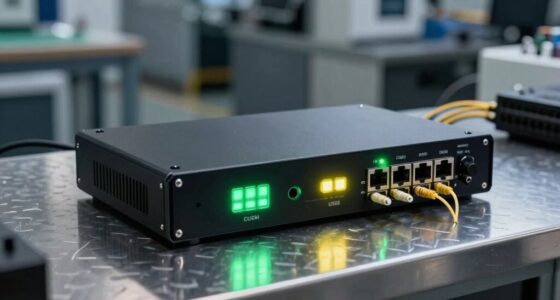
Cloud firewall appliances pair on-site network protection with cloud-based management, but the right choice depends on throughput, connectivity, and how much administration you want to handle. I’d name the Meraki MX75-HW with a security license my best overall pick for buyers who value centralized management and an included license, while the FortiGate-60F with FortiGuard UTP stands out for security-focused teams and the SonicWall TZ280 for buyers seeking a higher-throughput alternative. The lineup ranges from compact appliances for small offices to larger Meraki models, and license inclusion can change the true ownership picture. I’d compare expected traffic, WAN and cellular needs, and ongoing management requirements before choosing. Read on for the full breakdown and guidance on matching an appliance to your network.

Get business pricing on networking and server gear
- Business-only prices and quantity discounts
- Tax-exempt purchasing
- Multiple users, one account, clear invoices
Key Takeaways
- Included licensing changes the comparison: several Meraki and Fortinet bundles include a security service or support term, while the Meraki MX75 no-license version requires buyers to plan for licensing separately.
- Meraki offers the broadest set of cloud-managed choices here: the MX67, MX68, MX75, MX85, and MX105 span smaller deployments through higher-throughput branch needs, but differ in port counts and capacity.
- Fortinet’s two 60F listings are not interchangeable bundles: one names FortiGuard UTP and FortiCare Premium, while the other emphasizes its Ethernet and interface layout.
- Small-office buyers have distinct compact options: the Meraki MX67 and FortiGate-40F target modest deployments, while the MX67C adds LTE cellular connectivity for sites that need another WAN path.
- Wireless and cellular are separate needs: the SonicWall TZ270W includes Wi-Fi, the Meraki MX67C includes LTE cellular, and most other listed appliances call for separate access-point or backup-connectivity planning.



| cloud firewall appliance | Ports | Model |
|---|---|---|
| Meraki MX75-HW Security Applia | 3: 1 SFP and 2 GbE | — |
| Meraki MX67 3 Year Advanced Se | 5 | MX67 |
| FortiGate-60F Network Security | 13 | FG-60F-BDL-950-12 |
| Meraki MX85-HW Security Applia | 8 Gigabit Ethernet | — |
| Meraki MX75-HW Security Applia | — | — |
| Cisco Meraki MX68-HW Wired Net | 12 | — |
| MX105-HW Security Appliance wi | 10 GbE ports | — |
| Ubiquiti UniFi Security Gatewa | 4 | USG |
| FortiGate-60F Firewall Applian | — | — |
| SonicWall TZ280 2.5 Gbps Next- | 8 x 1GbE and 2 x 1G SFP | TZ280 |
| MX67C-HW-NA Cloud Managed Secu | — | — |
| Cisco Meraki MX67-HW Wired Net | — | MX67-HW |
| FortiGate-40F Firewall Applian | 5 Gigabit RJ45 | FG-40F |
| SonicWall TZ270W Wireless Gen7 | 8 | TZ270W |
More Details on Our Top Picks
Meraki MX75-HW Security Appliance Bundle with Cloud-Managed Firewall and 1-Year Security License
I rank the MX75 bundle first for small branches that want cloud-managed security without sourcing an initial license separately. Its 1 Gbps firewall throughput, 500 Mbps VPN throughput, and support for up to 200 users suit a busy site with remote access and multiple WAN links. Zero-touch provisioning and centralized control can also reduce the work of deploying appliances across several locations. Compared with the MX75-HW without a license, this bundle includes one year of Advanced Security, though that coverage is temporary and continued use of advanced features requires a subscription. The MX85-HW offers eight Ethernet ports, while this MX75 listing specifies three WAN ports, so it is a better fit for branch connectivity than for a large wired network. It does not include a Wi-Fi access point.
Pros:- Includes a 1-year Advanced Security License.
- Provides up to 1 Gbps firewall and 500 Mbps VPN throughput.
- Cloud management and zero-touch provisioning simplify branch deployment.
- Three WAN connections support flexible connectivity and failover.
Cons:- Advanced security features require a continuing subscription after the included year.
- Capacity is aimed at small deployments of up to 200 users.
- No wireless access point is included.
Best for: Small-business IT teams opening or managing branches with up to 200 users that want centralized control and an included first year of advanced security.
Not ideal for: Organizations that need built-in Wi-Fi, more than 200-user capacity, or advanced security without ongoing subscription costs.
- Firewall throughput:1 Gbps
- VPN throughput:500 Mbps
- Supported users:Up to 200
- Ports:3: 1 SFP and 2 GbE
- Operating system:Meraki OS
- Wireless compatibility:Wi-Fi 6, dual-band
- Included license:1-year Advanced Security License
- Warranty:3 years
Our verdict“Choose this MX75 bundle for a small branch that needs capable cloud-managed security and wants its first year of advanced protection included.”
Meraki MX67 3 Year Advanced Security License & Appliance Bundle
The MX67 bundle earns a distinct place for smaller sites that value a longer included security-license term over the MX75’s higher stated throughput. Its 3-year Advanced Security License gives a buyer a longer runway before renewing that coverage, and cloud management supports remote administration. The listing also specifies dual-band 802.11ac Wi-Fi and five ports, making it a more self-contained option for a modest office than the wired MX85-HW. Its stated maximum data transfer rate is 450 Mbps, however, well below the MX75’s 1 Gbps firewall figure; buyers with heavier traffic or greater VPN demands should favor the MX75 bundle instead. Hardware details are sparse, so I would not choose this listing when precise interface or capacity requirements need confirmation. The included license is time-limited, not permanent.
Pros:- Includes a 3-year Advanced Security License and support.
- Cloud management allows remote administration.
- Lists dual-band 802.11ac wireless compatibility.
- Five ports provide more listed connections than the MX75 bundle.
Cons:- The stated maximum data transfer rate is 450 Mbps, lower than the MX75’s 1 Gbps firewall throughput.
- The listing provides limited detail about hardware specifications.
- Advanced security coverage requires renewal after the included license term.
Best for: Small offices that prefer a Meraki cloud-managed appliance with a three-year Advanced Security License and listed dual-band Wi-Fi.
Not ideal for: Growing sites with high-throughput needs or IT teams that require clearly documented hardware and interface specifications before purchase.
- Model:MX67
- Included license duration:3 years
- Ports:5
- Wireless compatibility:802.11ac, dual-band
- Maximum data transfer rate:450 Mbps
- Security license:Advanced Security
- Management:Cloud-managed
Our verdict“Pick the MX67 bundle for a smaller office that favors three years of included security licensing over the MX75’s higher throughput.”
FortiGate-60F Network Security Appliance with 1 Year FortiGuard UTP and FortiCare Premium
The FortiGate-60F suits businesses that want a security-focused appliance and are prepared to manage a more technical platform. Its FortiGuard UTP subscription brings web filtering and threat-protection services, while FortiOS gives administrators a different management ecosystem from Meraki’s centralized cloud dashboard. Compared with the MX75 bundle, the FortiGate listing emphasizes filtering and anti-botnet protection rather than a stated 200-user branch profile and zero-touch provisioning. It includes one year of FortiGuard UTP and FortiCare Premium, but ongoing subscription costs remain part of ownership. The supplied specifications list 13 ports and 1 Gbps data transfer, though the stated Wi-Fi is single-band 5 GHz. This is a stronger fit for an IT team comfortable with setup and policy management than for an office seeking a hands-off deployment.
Pros:- Includes 1 year of FortiGuard UTP and FortiCare Premium.
- Provides web filtering and anti-botnet protection features.
- Lists 13 ports and a 1 Gbps data transfer rate.
- FortiOS offers an alternative to Meraki’s cloud-managed ecosystem.
Cons:- Setup and ongoing management may require networking expertise.
- FortiGuard subscription coverage is limited to the included year.
- The listed wireless support is single-band 5 GHz.
Best for: Medium-sized businesses with an IT administrator who wants FortiOS, web filtering, and FortiGuard threat services in a managed security appliance.
Not ideal for: Small offices without technical staff, or buyers seeking the straightforward cloud dashboard and zero-touch deployment described for the Meraki MX75.
- Model:FG-60F-BDL-950-12
- Operating system:FortiOS
- Data transfer rate:1 Gbps
- Ports:13
- RAM:2 GB
- Wireless connectivity:Wi-Fi 802.11ac, single-band 5 GHz
- Included services:1-year FortiGuard UTP and FortiCare Premium
- Dimensions:6.3 × 8.5 × 1.5 inches
Our verdict“Choose the FortiGate-60F if your business has technical staff to manage FortiOS and wants FortiGuard security services included for the first year.”
Meraki MX85-HW Security Appliance – Cloud-Managed Firewall with 1Gbps Throughput and 8 Gigabit Ethernet Ports
The MX85-HW stands apart in this group for buyers who need several wired connections on the appliance itself. Its eight Gigabit Ethernet ports and 1 Gbps throughput give a business room to connect network equipment directly, while the Meraki dashboard supports remote configuration and monitoring. Compared with the MX75 bundle, the MX85 lists more Ethernet ports but does not include a license for additional features, so its advertised hardware capacity comes with a separate licensing decision. It also lists VPN, SD-WAN, and Layer 7 visibility for sites that need more than basic packet filtering. This is a better match for a wired office or branch with switches, access points, and other compatible devices than for a small team seeking a ready-to-go licensed bundle. The stated one-year limited hardware warranty is shorter than the MX75 bundle’s three-year warranty.
Pros:- Eight Gigabit Ethernet ports support multiple wired connections.
- Lists 1 Gbps data transfer and VPN capability.
- Cloud dashboard enables remote configuration and monitoring.
- Supports SD-WAN and Layer 7 visibility.
Cons:- No license for additional features is included.
- The listed hardware warranty is one year, shorter than the MX75 bundle’s three years.
- Eight ports may still require an external switch as a network grows.
Best for: Wired business sites that need eight appliance ports, cloud-based monitoring, and VPN or SD-WAN features.
Not ideal for: Small branches looking for an included security license, a longer stated hardware warranty, or built-in wireless access.
- Data transfer rate:1 Gbps
- Ports:8 Gigabit Ethernet
- Interface:RJ45
- Management:Cloud-managed
- Features:VPN, SD-WAN, Layer 7 visibility
- Compatible devices:MR Access Points, MS Switches, MV Cameras, Systems Manager
- Warranty:1-year limited hardware warranty
- Weight:9 pounds
Our verdict“Choose the MX85-HW when eight wired ports and cloud-managed VPN or SD-WAN matter more than having a security license included.”
Meraki MX75-HW Security Appliance Bundle | Cloud-Managed Firewall | No License Included | 1 Gbps Throughput | 3X WAN (1x SFP, 2X GbE) | SD-WAN & VPN
This MX75-HW is the pick for a small branch where multiple WAN connections, failover, and cloud-managed SD-WAN matter more than an included security subscription. It lists three WAN ports—one SFP and two GbE—alongside 1 Gbps firewall throughput and 500 Mbps VPN throughput. That makes it a practical fit for sites combining different uplinks or seeking resilient connectivity. Compared with the MX75 bundle with a one-year license, this version leaves the license out, so the buyer must account for the separate subscription needed for advanced features. It shares the 200-user ceiling and branch focus of that bundle, while the MX85-HW provides more general Ethernet ports for wired connections. The listing also describes Layer 7 traffic shaping and zero-touch provisioning, but provides no subscription-cost details.
Pros:- Three WAN ports include one SFP and two GbE connections.
- Lists 1 Gbps firewall and 500 Mbps VPN throughput.
- Cloud management and zero-touch provisioning support remote branch deployment.
- Includes SD-WAN, site-to-site VPN, and Layer 7 traffic shaping features.
Cons:- No license is included, so advanced features require a separate subscription.
- Designed for small deployments of up to 200 users.
- The listing does not specify ongoing subscription costs.
Best for: Small-branch IT teams that need three WAN connections, SD-WAN, and VPN, and already plan to obtain the required Meraki license separately.
Not ideal for: Buyers who want advanced security enabled under an included license or need capacity beyond the stated 200-user limit.
- Firewall throughput:1 Gbps
- VPN throughput:500 Mbps
- Maximum users:200
- WAN ports:3: 1 SFP and 2 GbE
- Security features:Advanced threat protection, intrusion prevention, malware protection, content filtering
- Wireless compatibility:802.11ax
- License:Not included
- Warranty:Limited lifetime warranty
Our verdict“Select this MX75 when multi-WAN flexibility is the priority and you are prepared to source its security license separately.”
Cisco Meraki MX68-HW Wired Network Security Firewall Appliance
I’d choose the MX68-HW for a small branch that needs remote policy management and a broader security toolkit than a basic router provides. Its cloud management, VPN, intrusion prevention, and Layer 7 visibility give administrators ways to manage traffic and connect sites without being on location. Compared with the MX105-HW, it is aimed at a much smaller deployment: the listed ceiling is 50 clients, and its upstream transfer rate is 200 Mbps rather than the MX105’s stated 3 Gbps throughput. That makes the MX68 a more contained fit, not a lower-cost substitute for a large network. It also has PoE+ support and multiple Ethernet ports, but no built-in Wi-Fi. The required security licensing adds an ongoing dependency, so I’d skip it if you want a standalone appliance with no cloud-managed license requirement.
Pros:- Cloud management supports remote configuration across distributed sites.
- Combines stateful firewall, VPN, intrusion prevention, and Layer 7 visibility.
- Multiple Ethernet ports include PoE+ support for compatible devices.
- A stated 50-client capacity gives small deployments a clear fit.
Cons:- Requires an enterprise or advanced security license for the intended feature set.
- The listed maximum of 50 clients limits room for larger or fast-growing offices.
- Wired-only design means wireless access points must be supplied separately.
Best for: Small offices or branch sites with up to 50 clients that need centrally managed firewall policies, VPN connectivity, and PoE+ ports.
Not ideal for: Larger sites, buyers needing built-in wireless, or teams seeking full security features without an enterprise or advanced security license.
- Ports:12
- LAN port bandwidth:10,000 Mbps
- Maximum upstream data transfer rate:200 Mbps
- Maximum client capacity:Up to 50 clients
- Security features:Firewall, VPN, intrusion prevention
- Wireless coverage:Wired
- Power supply:100W DC
- Weight:2 kg
Our verdict“Choose the MX68-HW for a small, remotely managed branch with PoE+ needs, but pick the MX105-HW for substantially higher stated throughput.”
MX105-HW Security Appliance with Cloud-Managed Firewall, 3Gbps Throughput, 10 GbE Ports, VPN & SD-WAN, Layer 7 Visibility
The MX105-HW is the strongest fit here when a site needs substantial throughput alongside cloud-managed networking. Its stated 3 Gbps throughput, 10 GbE ports, VPN, SD-WAN, and Layer 7 visibility suit larger deployments better than the MX68-HW, whose listing sets a 50-client ceiling and a 200 Mbps upstream rate. That performance headroom can help keep site-to-site connections and traffic policies in the same managed platform as demand grows. The tradeoff is operational: this is a 1U rack-mount appliance, and the listing calls for professional deployment expertise rather than positioning it as an easy small-office setup. No license is included, so feature access may require additional licensing. I’d choose it over the FortiGate-60F when cloud-based Meraki management is the priority, but compare support and licensing needs before committing.
Pros:- Stated 3 Gbps throughput is suited to higher-demand network deployments.
- 10 GbE ports provide high-speed connectivity options.
- Cloud management supports remote configuration and monitoring.
- Includes VPN, SD-WAN, and Layer 7 traffic visibility.
Cons:- No license is included, and full feature access may require additional licensing.
- Professional deployment and configuration expertise may be needed.
- The 1U rack-mount form factor is less convenient for small sites without network racks.
Best for: IT teams managing larger offices or enterprise sites that need 10 GbE connectivity, SD-WAN, VPN, and cloud-based administration.
Not ideal for: Small offices without rack space or network staff, and buyers who need bundled licensing or clearly specified support coverage.
- Throughput:3 Gbps
- Ports:10 GbE ports
- Form factor:1U rack-mountable
- Cooling:Dual fans
- Management:Cloud-based
- Features:VPN, SD-WAN, Layer 7 visibility
- Voltage:12 volts
Our verdict“Pick the MX105-HW when high stated throughput and cloud-managed SD-WAN matter more than a simple, license-included setup.”
Ubiquiti UniFi Security Gateway (USG), Single, White
I’d place the UniFi Security Gateway with buyers who already manage a UniFi network and want routing, firewall policies, VLANs, and VPN under the UniFi Controller. That ecosystem fit is its main differentiator: unlike the cloud-managed Meraki MX68-HW, this listing points to centralized UniFi Controller management rather than Meraki’s cloud-managed platform. Its four ports and Gigabit Ethernet support make it a more modest choice for straightforward networks, while its listed 3 Gbps maximum data transfer rate should not be treated as a direct equivalent to a firewall inspection or threat-prevention throughput figure. The tradeoff is a narrower role: setup assumes familiarity with UniFi, and the gateway has no built-in Wi-Fi. The listed 802.11b compatibility does not change that wired-only reality. I’d skip it if the goal is an appliance with integrated wireless or a clearly specified modern threat-protection capacity.
Pros:- Centralized management through UniFi Controller fits existing UniFi deployments.
- Supports VLANs and VPN for network segmentation and secure connections.
- Gigabit Ethernet ports suit common wired office and home-lab links.
Cons:- Setup is less approachable for buyers unfamiliar with UniFi management.
- No built-in Wi-Fi is provided.
- The listed 3 Gbps maximum data transfer rate does not specify firewall inspection performance.
Best for: Home labs and small businesses already using UniFi Controller that need VLANs, VPN, and basic gateway security in one ecosystem.
Not ideal for: Buyers seeking built-in Wi-Fi, turnkey setup outside the UniFi ecosystem, or clearly documented next-generation threat throughput.
- Model:USG
- Ports:4
- LAN port bandwidth:10/100/1000 Mbps
- Maximum data transfer rate:3 Gbps
- RAM:512 MB
- Management:Remote control through UniFi Controller
- Operating system:UniFi OS
- Color:White
Our verdict“Choose the USG if UniFi Controller is already your network-management hub; otherwise, the MX68-HW offers a more explicitly cloud-managed firewall setup.”
FortiGate-60F Firewall Appliance – 10 Gigabit Ethernet Ports, Includes DMZ, WAN & Internal Ports
The FortiGate-60F stands out for buyers who want to assign dedicated physical ports to WAN, DMZ, and internal network roles. Its 10 RJ45 ports include two WAN ports, one DMZ port, and seven internal ports, giving network administrators a practical way to separate traffic without relying only on virtual segmentation. The listed performance also distinguishes it from the MX68-HW: FortiGate specifies 1.4 Gbps IPS throughput and 700 Mbps threat-protection throughput, while the MX68 listing focuses on a smaller client count and cloud management. FortiGate adds SSL inspection and SD-WAN, but subscription services are not included, so the full protection plan may require separate purchases. Its Security Fabric console can streamline administration for Fortinet users, though this appliance may feel like more work than a small network needs. I’d choose it for zone control, not simplicity.
Pros:- Ten RJ45 ports include dedicated WAN, DMZ, and internal connections.
- Specified IPS and threat-protection throughput help set performance expectations.
- SSL inspection and SD-WAN add security and routing options.
- Security Fabric integration suits organizations already using Fortinet tools.
Cons:- Security subscriptions and support are not included in the listed appliance package.
- The feature set and configuration may be complex for small or lightly staffed networks.
- Wireless-related specs do not make this a built-in Wi-Fi access point.
Best for: Small and midsize businesses whose network administrators need distinct WAN, DMZ, and internal connections with threat inspection.
Not ideal for: Less technical teams seeking simple cloud-only administration or buyers expecting bundled security subscriptions and support.
- Total ports:10
- WAN ports:2
- DMZ ports:1
- Internal ports:7
- IPS throughput:1.4 Gbps
- Threat-protection throughput:700 Mbps
- Operating system:FortiOS
- Connectivity:RJ45
Our verdict“Choose the FortiGate-60F when physical WAN, DMZ, and internal port separation matters more than the MX68-HW’s cloud-managed small-branch focus.”
SonicWall TZ280 2.5 Gbps Next-Gen Firewall Appliance
The SonicWall TZ280 is a desktop firewall for small businesses and branch offices that want a broad set of inspection tools without installing a rack appliance. Its listed 2.5 Gbps firewall throughput and 1 Gbps threat-prevention throughput give buyers separate figures for basic firewall processing and security inspection; that distinction matters when protection features are enabled. It also lists eight 1GbE ports and two 1G SFP ports, giving a branch more connection choices than the four-port UniFi USG. SonicOS 8 includes intrusion prevention, anti-malware, application control, TLS/SSL decryption, sandboxing, and reputation-based filtering. The main catch is that this is hardware only: security services and support require separate purchases. Compared with the cloud-managed MX68-HW, the TZ280’s stated throughput is higher, but its deployment may call for more technical involvement.
Pros:- Listed firewall throughput is 2.5 Gbps, with threat-prevention throughput specified separately.
- Eight 1GbE ports and two 1G SFP ports offer flexible wired connectivity.
- SonicOS 8 lists intrusion prevention, anti-malware, application control, and TLS/SSL decryption.
- Desktop form factor fits deployments without rack space.
Cons:- Hardware-only package requires separate purchases for security services and support.
- Configuration may require technical expertise.
- Its stated small-business and branch focus makes it a less suitable fit for large enterprise deployments.
Best for: Small-business IT staff or branch administrators who need a desktop next-generation firewall, multiple port options, and detailed traffic inspection.
Not ideal for: Buyers seeking bundled security services, a very simple cloud-managed rollout, or enterprise-scale deployment needs.
- Model:TZ280
- Firewall throughput:2.5 Gbps
- Threat-prevention throughput:1 Gbps
- VPN throughput:1.2 Gbps
- Ports:8 x 1GbE and 2 x 1G SFP
- Security features:Intrusion prevention, anti-malware, application control, TLS/SSL decryption, sandboxing, reputation-based filtering
- Form factor:Desktop
- Supported operating system:SonicOS 8
- Weight:1.8 pounds
Our verdict“Choose the TZ280 for a compact branch firewall with detailed inspection and port options, provided you can manage separate service licensing.”
MX67C-HW-NA Cloud Managed Security Appliance with Firewall and LTE Cellular
The MX67C-HW-NA is the clearest fit here for a small office that cannot afford to lose connectivity when its wired WAN fails. Its integrated LTE cellular can serve as backup or primary connectivity, while cloud management, SD-WAN, VPN, routing, and firewall functions bring branch networking together in one compact appliance. Compared with the wired Meraki MX67-HW, this model trades a defined 450 Mbps throughput figure for built-in cellular flexibility; the supplied details do not specify its throughput or security feature depth. The FortiGate-40F offers a stated 1 Gbps IPS throughput and threat-protection figure, making it easier to evaluate for security capacity, but it lacks the MX67C’s listed integrated LTE. I would choose this Meraki when WAN resilience and centralized branch management matter more than published performance detail.
Pros:- Integrated LTE supports backup or primary WAN connectivity.
- Cloud Dashboard centralizes management across small or branch networks.
- Combines firewall, SD-WAN, VPN, and routing functions.
- Compact design suits space-constrained offices.
Cons:- The provided specifications do not state firewall throughput or specific security protections.
- No built-in wireless capability is listed.
- The one-year warranty is limited compared with buyers seeking longer coverage.
Best for: Small businesses and branch offices that need cloud-managed networking with built-in LTE backup or cellular primary WAN.
Not ideal for: Buyers who need published throughput and detailed security-feature specifications before choosing, or offices that need built-in Wi-Fi.
- Part number:MX67C-HW
- Cloud management:Yes
- Integrated LTE cellular:Yes
- Connectivity:Gigabit Ethernet
- Supported networks:Small business and branch-office networks
- Functions:Firewall, SD-WAN, VPN, and routing
- Warranty:1 year
Our verdict“Choose the MX67C-HW-NA when integrated LTE resilience and centralized branch management outweigh the need for detailed published performance figures.”
Cisco Meraki MX67-HW Wired Network Security Firewall Appliance
The Meraki MX67-HW suits a small retail site that wants a wired firewall with centralized administration rather than a device that also has to provide wireless access. Its stated 450 Mbps firewall throughput, five Ethernet ports, and Layer 7 application visibility give buyers a clearer performance and port picture than the MX67C-HW-NA listing, which does not state throughput. Meraki cloud management can simplify oversight across distributed locations, while the wired-only design keeps this pick distinct from the SonicWall TZ270W, which includes dual-band Wi-Fi. That simplicity comes with limits: there is no built-in Wi-Fi, and the supplied data caps the maximum client count at 50. I would shortlist it for a modest branch with separate access points, but compare its throughput ceiling with the FortiGate-40F if inspection performance is a higher priority.
Pros:- Cloud-based centralized management supports distributed locations.
- Stated 450 Mbps firewall throughput gives buyers a concrete capacity reference.
- Five Ethernet ports support several wired devices and network connections.
- Layer 7 application visibility helps administrators understand application use.
Cons:- Wired-only appliance requires separate Wi-Fi hardware for wireless coverage.
- Maximum client count is listed as 50, limiting room for larger sites.
- Its stated throughput is below the FortiGate-40F’s 1 Gbps IPS figure.
Best for: Retail operators managing small wired branches with up to 50 clients and a separate wireless access-point setup.
Not ideal for: Offices that need built-in Wi-Fi, more than 50 clients, or higher stated firewall throughput than 450 Mbps.
- Model:MX67-HW
- Firewall throughput:450 Mbps
- Maximum clients:50
- Ethernet ports:5
- Connectivity:Wired
- Wireless compatibility:802.11ac
- Weight:1.54 lbs
- Dimensions:9.4 x 5.1 x 1.1 inches
Our verdict“Pick the MX67-HW for a modest, wired retail branch that values cloud administration and does not need integrated Wi-Fi.”
FortiGate-40F Firewall Appliance – 5 Gigabit Ethernet RJ45 Ports, Ideal for Small Businesses
The FortiGate-40F is the performance-led choice in this group: the listing gives it 1 Gbps IPS throughput and 600 Mbps threat-protection throughput, useful reference points for buyers who expect traffic inspection to be part of everyday network security. Its five Gigabit RJ45 ports and fanless desktop form make it a practical fit for a small business that wants a dedicated appliance without a noisy rack setup. Compared with the Meraki MX67-HW, it has a higher stated inspection figure, while the Meraki emphasizes cloud-managed simplicity and lists a 450 Mbps firewall throughput. The tradeoff is that the FortiGate relies on FortiOS configuration and has no subscription services included; buyers need to account for the services and expertise required for their security plan. Its compact capacity is not aimed at larger networks.
Pros:- Listed 1 Gbps IPS throughput and 600 Mbps threat-protection throughput.
- Fanless desktop design supports quiet placement in a small office.
- Five Gigabit RJ45 ports provide four internal ports and one WAN port.
- Zero-touch deployment and a management console can simplify setup for familiar administrators.
Cons:- No subscription services are included with the appliance.
- Effective configuration requires familiarity with network security settings.
- Designed for small and mid-sized environments rather than larger enterprise networks.
Best for: Small-business IT teams that want stated IPS and threat-protection throughput in a quiet, five-port appliance and can manage FortiOS.
Not ideal for: Organizations seeking an included security-service subscription, built-in Wi-Fi, or a firewall sized for a large enterprise network.
- Model:FG-40F
- Ports:5 Gigabit RJ45
- Port layout:1 WAN and 4 internal ports
- IPS throughput:Up to 1 Gbps
- Threat-protection throughput:600 Mbps
- Form factor:Fanless desktop
- Operating system:FortiOS
- Weight:1.58 kg
Our verdict“Choose the FortiGate-40F if inspected throughput is a priority and your team can handle FortiOS configuration and separate security services.”
SonicWall TZ270W Wireless Gen7 Firewall with 2 Gbps Speed and Integrated Wi-Fi
The SonicWall TZ270W is the most self-contained option here for a small office that wants firewalling and wireless access in one appliance. Its dual-band Wi-Fi 5, eight ports, VPN, SD-WAN, and cloud management can reduce the need for separate network hardware. That makes it a different kind of pick from the wired Meraki MX67-HW, which lists 450 Mbps firewall throughput but no built-in Wi-Fi, and the FortiGate-40F, which gives buyers stated IPS and threat-protection figures instead. SonicWall lists 2 Gbps firewall speed, but the supplied data does not specify the throughput of its advanced threat services, so I would not treat that figure as a guarantee under every inspection setting. The appliance is aimed at small offices, and service subscriptions are not included; technical setup is also part of the commitment.
Pros:- Combines firewall functions and dual-band Wi-Fi 5 in one appliance.
- Eight ports provide more wired connections than the five-port Meraki MX67-HW and FortiGate-40F.
- Supports VPN, SD-WAN, and cloud management.
- Listed 2 Gbps firewall speed and up to 750,000 maximum connections.
Cons:- No service subscription is included, so advanced protection may require a separate service plan.
- The supplied 2 Gbps figure does not specify performance with advanced threat inspection enabled.
- Configuration calls for technical knowledge, and the device is intended for small-office use.
Best for: Small offices and clinics that want a single device for firewalling, VPN, SD-WAN, and dual-band wireless access.
Not ideal for: Large enterprises, buyers who need included security subscriptions, or teams that require stated throughput figures for advanced threat inspection.
- Model:TZ270W
- Firewall speed:2 Gbps
- Wireless standard:802.11ac Wave 2 (Wi-Fi 5)
- Frequency bands:Dual-band, 2.4 GHz and 5 GHz
- Ports:8
- Antennas:2
- Maximum connections:750,000
- Operating system:Custom SonicWall OS
Our verdict“Pick the TZ270W when built-in Wi-Fi and an all-in-one small-office setup matter more than included service subscriptions or enterprise-scale capacity.”

How We Picked
I compared the 14 listings by the factors that change a firewall purchase in practice: stated throughput, port and WAN options, cloud management approach, included security licensing or support, and fit for small offices, branches, or larger networks. I also separated appliances with specific connectivity advantages—such as LTE or integrated Wi-Fi—from models whose listing focuses on firewall capacity and Ethernet interfaces. Where product names identify different bundles of the same hardware, I treated licensing and included services as meaningful differences rather than assuming the listings are equivalent.
The ranking favors options that offer a clear fit, useful capabilities, and a more straightforward ownership decision for their intended buyer. The MX75 with a security license leads as a balanced cloud-managed choice; the FortiGate-60F UTP bundle ranks strongly for buyers prioritizing security services; and the MX85 and MX105 suit organizations that need greater stated throughput. Compact, wireless, and lower-cost-oriented options rank for narrower needs, not because they are poor products. I would verify current licensing terms, regional compatibility, support coverage, and performance under the intended security features before ordering.
Factors to Consider When Choosing Cloud Firewall Appliances
I’d choose a cloud firewall by starting with the network it must protect, then checking the ownership and operating details that product names often leave unclear. These broader checks can prevent a capable appliance from becoming a poor fit once it is installed.
Match throughput to real traffic, not a headline number
A stated throughput figure is a useful starting point, but it may not reflect performance with every security feature enabled or many simultaneous connections. List the services your team expects to run, such as VPN, intrusion prevention, filtering, and site-to-site links, then ask the vendor how those affect capacity. Leave room for growth if the office is adding staff, cloud applications, or faster internet service. Buying far beyond likely demand can add operational complexity without helping users, while buying too close to current traffic can shorten the appliance’s useful life. Compare models within the same vendor family only after checking that their figures describe comparable workloads. I would treat advertised throughput as a screening measure, not a guarantee of day-to-day performance.
Calculate licensing and support as part of the appliance
Cloud-managed firewall ownership often depends on a license for management, security updates, or advanced protection. A bundle that names a license and support term can simplify initial deployment, but it does not tell you what renewal costs or coverage will look like later. A no-license listing may suit an organization that already has a licensing plan, yet it can create an unexpected gap for a first-time buyer. Confirm what features stop working when a subscription expires and whether management access, security feeds, or vendor support are affected. Check term length, renewal process, and the exact services included before comparing hardware-only and bundled listings. This is particularly useful when two listings share a model number but package different services.
Choose management around your team’s workflow
Cloud management can help a small IT team monitor several sites from one interface, but it also makes administrative access and internet availability part of the operating plan. Decide who will manage policies, approve changes, and respond to alerts before selecting a platform. A single office with a hands-on administrator may value a different workflow than an organization that regularly deploys branches remotely. Check whether your existing network tools and staff experience align with the vendor’s management system; switching platforms has training and migration costs beyond the appliance itself. Ask how configuration backups, role permissions, and troubleshooting work during a site outage. A polished central console is most useful when it fits the team’s actual process.
Plan ports, WAN failover, and wireless separately
Count the connections the appliance needs on day one and after planned changes: internet circuits, internal network segments, switches, servers, and any isolated devices. A model with multiple WAN options or an LTE variant can support a backup path, but the cellular service, coverage, and failover behavior still need planning. Integrated Wi-Fi can reduce the number of devices at a small site, though it may not provide the coverage or access-point flexibility of a separate wireless system. Don’t assume that a port count alone tells you how ports can be assigned; verify interface roles and supported configurations. For a branch with unreliable broadband, resilience may matter more than a small difference in headline throughput. For a larger site, wired capacity and segmentation may be the deciding factors.
Check deployment, compliance, and long-term support needs
Before buying, confirm the appliance can be registered and managed in your region and that the required cloud services meet your organization’s data and policy requirements. Ask how firmware updates are scheduled, whether they can be controlled, and what happens if an update affects a business-critical service. A compact firewall may be easy to place, but the installation still needs suitable power, ventilation, cabling, and a documented recovery plan. Map the vendor’s support path to your operating hours and the consequences of a prolonged outage. Buyers in regulated settings should check logging, retention, access controls, and audit needs rather than assuming every model provides the same workflow. A few deployment checks can matter more than a feature that looks attractive on a spec sheet.
Frequently Asked Questions
Is a cloud-managed firewall the same thing as a cloud firewall service?
No. The products in this roundup are physical appliances installed at a site, with management or security functions tied to vendor cloud services. A cloud firewall service typically protects traffic within or between cloud environments without requiring the same on-site appliance role. Some organizations need both: an appliance for office and branch traffic, plus cloud-native controls for workloads hosted online. Map where traffic enters and leaves your network before deciding which type you need. If you only want to protect cloud-hosted applications, an appliance may not address the main requirement.
Should I choose the Meraki MX75 bundle with a license or the no-license MX75?
The licensed bundle is the more straightforward starting point if you need the named security service and do not already have a licensing arrangement. The no-license listing may suit a buyer who has confirmed the right subscription is available separately or already covered under an existing plan. Compare the exact license scope and term rather than treating the hardware names as the whole purchase. Also check whether the bundle includes the features your policies require, since security packages can differ. I would not order either listing until renewal terms and account eligibility are clear.
When does LTE backup justify choosing the Meraki MX67C over a standard MX67?
The MX67C is a better match when a site needs cellular connectivity as a backup or alternate WAN path and the local cellular service is reliable enough for its workload. A standard MX67 may be the simpler fit where wired broadband is dependable and a separate backup device is already in place. LTE does not remove the need to check carrier compatibility, signal strength, data allowances, and failover configuration. Consider which services must remain available during an outage; basic business access and high-volume transfers have different cellular demands. If connectivity resilience is not a requirement, the cellular feature may add complexity without solving a current problem.
Can the SonicWall TZ270W replace a separate wireless access point?
It may cover a small site where integrated Wi-Fi meets the required coverage and device capacity, but that depends on building layout and how many clients connect. A separate access point can be easier to position and expand, particularly in larger or multi-room offices. Check wireless standards, coverage expectations, guest-network needs, and the way firewall policy applies to wireless clients before relying on the integrated radio. The TZ270W’s built-in Wi-Fi is a convenience, not a guarantee that one device will serve every floor or work area. If wireless performance is central to the purchase, compare the access-point requirements alongside firewall needs.
Which matters more for a small branch: higher throughput or a longer included license term?
It depends on the branch’s traffic and the cost of managing the subscription separately. If expected traffic is comfortably within the appliance’s capacity, a longer included license term may make the initial setup and renewal calendar easier. If the site uses demanding security inspection, many VPN connections, or is likely to grow, capacity and feature-on performance deserve more weight. Compare the service term with the organization’s procurement cycle and confirm what happens after it expires. I’d favor a balanced fit over either the largest throughput figure or the longest bundle term in isolation.
Conclusion
For most buyers seeking a cloud-managed branch firewall, I’d start with the Meraki MX75-HW bundle with a security license as the best overall fit in this lineup. The FortiGate-60F with FortiGuard UTP and FortiCare Premium is my best value-oriented choice for teams that want named security services and support in the bundle, while the Meraki MX105 is the best premium fit for deployments that need its higher stated throughput and port capacity. Beginners may find the licensed MX75 bundle easier to scope than a hardware-only listing, provided Meraki’s cloud management matches their needs. For specific requirements, choose the MX67C for LTE connectivity, the SonicWall TZ270W for integrated Wi-Fi, or the FortiGate-40F for a compact small-business deployment. Before you decide, confirm licensing, feature-on performance, and network compatibility; those details can matter more than the model name alone.
Halloween Picks
halloween
As an affiliate, we earn on qualifying purchases.