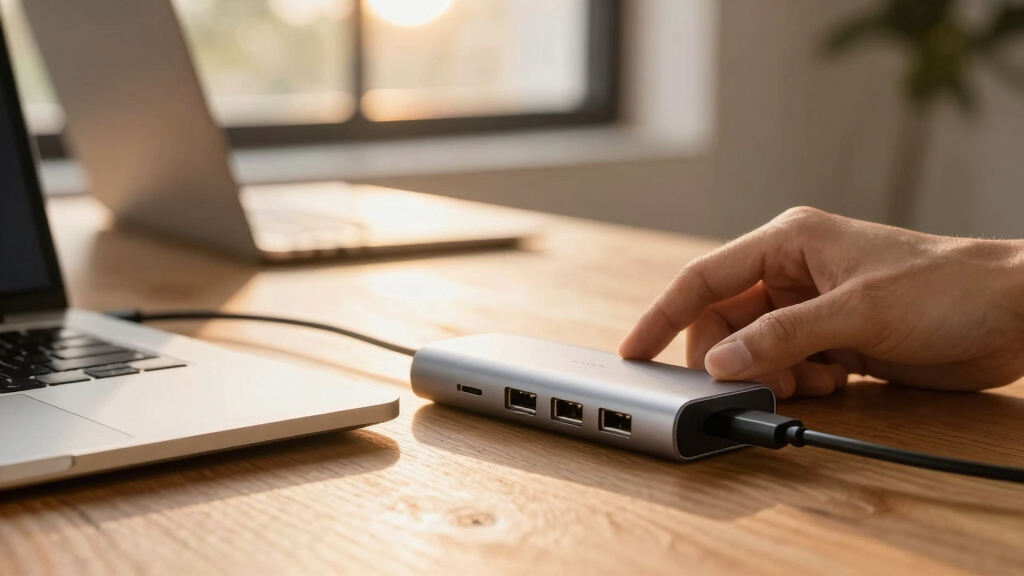

When choosing a USB-C hub for laptops, the main considerations are connectivity options, power delivery, build quality, and size. The Belkin Connect 4-Port stands out for high-speed data transfer, while the Anker 5-in-1 with HDMI offers excellent versatility for multimedia. These hubs face tradeoffs—more ports often mean larger size, and higher power delivery can limit compatibility. This guide compares 15 top models to help you find the best fit for your setup. Keep reading for detailed insights into features and how they match different user needs.

Get business pricing on networking and server gear
- Business-only prices and quantity discounts
- Tax-exempt purchasing
- Multiple users, one account, clear invoices
Key Takeaways
- The most versatile hubs combine multiple ports with strong power delivery, but often come with increased size and cost.
- High data transfer speeds (10Gbps or more) are key for professionals working with large files, making some models better suited to power users.
- Compact hubs excel for portability but may sacrifice port variety or power delivery capacity.
- Build quality varies widely; premium materials tend to last longer but increase price.
- Compatibility with multiple devices (MacBook, Windows, iPad) depends on port types and power standards—pay attention to specifications.


More Details on Our Top Picks
BERLAT Aluminum 7-in-1 USB-C Hub with USB 3.0 and USB 2.0 Ports
This BERLAT aluminum hub stands out for offering a broad range of ports—1 USB 3.0, 4 USB 2.0, and 2 USB-C—making it ideal for users who need multiple peripherals without sacrificing durability. Compared with the Anker 5-in-1, it provides more USB-A ports but lacks power delivery, so it doesn’t support charging your laptop. Its aluminum build enhances durability, and broad OS compatibility makes it suitable for most setups. The tradeoff is that it cannot handle fast charging or video output, limiting its use for power-intensive tasks. This pick is perfect for those who prioritize peripheral expansion over charging or high-speed data transfer.
Pros:- Seven ports including USB 3.0 and multiple USB 2.0 for broad peripheral support
- Durable aluminum construction for everyday use
- Wide compatibility across Windows, macOS, Linux, Chrome OS, and Android
Cons:- No power delivery or charging capabilities, limiting use with power-hungry laptops
- Limited to data transfer and peripheral connectivity, no video output support
Best for: Users who need multiple USB peripherals connected simultaneously, like keyboards, mice, or external drives, without the need for charging support.
Not ideal for: Professionals who want to charge their laptop while connected or require high-speed data transfer for large files, as it lacks power delivery and USB 3.1 speeds.
- Hardware Interface:USB 2.0, USB 3.0, USB Type C
- Data Transfer Rate:5 Gbps (USB 3.0), 480 Mbps (USB 2.0)
- Total Ports:7
- Material:Aluminum alloy
- Compatible Devices:MacBook Pro/Air, Windows PCs, Android/Linux/Chrome OS
- Color:Silver
Bottom line: This hub suits users needing extensive peripheral connections but not charging or high-speed data transfer.
Belkin Connect 4-Port USB-C Hub – USB C Hub Multiport Adapter Dongle with 4 USB-C 3.2 Gen 2 Ports – High-Speed 10G Data Transfer for Laptop, MacBook, iPad, PC, and More – 100W PD
This Belkin 4-port USB-C hub excels in rapid data transfer—up to 10Gbps per port—and pass-through charging up to 100W, making it a solid choice for professionals who transfer large files or stream content. Compared with the Anker 5-in-1, it offers faster data speeds but fewer ports and no HDMI or video output. Its sleek design and universal compatibility support MacBooks, iPads, and PCs, while its support for audio interfaces broadens its use case. The main tradeoff is that it lacks video output, limiting use for multi-display setups. This hub is ideal for users who prioritize fast data transfer and high compatibility over video or additional ports.
Pros:- Four USB-C 3.2 Gen 2 ports with 10Gbps speeds for fast data transfer
- Supports up to 100W pass-through charging
- Slim, portable, and environmentally conscious design with recycled content
Cons:- Limited to four ports and no HDMI or video support
- No support for HDR or multi-display outputs
Best for: Creative professionals or gamers who need rapid data transfer and reliable power delivery while working on various devices.
Not ideal for: Users seeking multiple video output options or dedicated multi-display setups, as it doesn’t support HDMI or other video outputs.
- Hardware Interface:USB-C (upstream/downstream)
- Data Transfer Rate:10 Gbps
- Total Ports:4
- Charging Support:100W PD
- Dimensions:1.6 x 3.0 x 0.6 inches
- Compatibility:MacBook, iPad, PC, Chromebook
Bottom line: Best suited for users needing fast data transfer and reliable charging with minimal port options.
Anker 5-in-1 USB-C Hub with HDMI and Pass-Through Charging
This Anker 5-in-1 hub offers a 4K HDMI port supporting 30Hz output, along with a USB-C port for data and charging, plus two USB-A 3.0 ports. It’s well-suited for users who need a simple, combined solution for video and charging but doesn’t support high-refresh-rate displays or Linux systems. Compared with UGREEN’s 6-in-1, it provides an HDMI port but fewer USB ports and no Ethernet. The main drawback is the limited HDMI refresh rate and the need for a separate charger, which adds complexity. This hub is perfect for casual users wanting basic display and charging functionalities.
Pros:- Supports 4K@30Hz HDMI output for high-resolution display
- Pass-through charging up to 85W for laptops
- Compact aluminum design for portability
Cons:- Limited to 30Hz refresh rate on HDMI, not suitable for fast-paced gaming
- Requires a separate power adapter (not included)
Best for: Content creators or students needing 4K video output and pass-through charging for everyday tasks.
Not ideal for: Power users or gamers requiring 4K@60Hz or multi-monitor setups, or Linux users, as it has limited video support and OS compatibility.
- Hardware Interface:HDMI, USB 3.0, USB Type C
- Display Support:4K@30Hz
- Data Transfer Rate:5 Gbps
- Pass-Through Charging:85W
- Material:Aluminum
- Dimensions:4.78 x 1.59 x 0.45 inches
Bottom line: Ideal for casual use where basic 4K output and charging are sufficient, but not for high-performance gaming or Linux environments.
UGREEN Revodok 6-in-1 USB-C Hub with Gigabit Ethernet, 4K HDMI, and 100W PD Charging
This UGREEN Revodok hub emphasizes wired reliability with Gigabit Ethernet, along with 4K HDMI and robust power delivery—ideal for offices or home setups needing stable internet and multiple peripherals. Compared with Belkin’s 4-port hub, it adds Ethernet support, making it more versatile for wired networks. Its six ports include three USB-A 3.0 ports, supporting fast data transfer. The main limitation is that it only charges devices via the USB-C port, with no video output support from the USB-C port itself, restricting certain multi-display configurations. This hub is best for users who need stable wired connections and multiple peripherals in one device.
Pros:- Gigabit Ethernet port for stable wired internet
- Supports 4K@30Hz HDMI output for visual clarity
- 100W PD charging for most laptops
Cons:- No video output via USB-C port, limiting multi-display options
- Limited to 4K@30Hz resolution on HDMI, not suitable for high-refresh-rate needs
Best for: Remote workers or IT professionals needing reliable Ethernet and multiple peripheral connections for their laptops.
Not ideal for: Users who require multiple video outputs or multi-monitor setups, as it does not support video over USB-C.
- Hardware Interface:Ethernet, HDMI, USB-A, USB Type C
- Ethernet Speed:Gigabit (1000Mbps)
- HDMI Resolution:4K@30Hz
- Charging Support:100W PD
- Number of Ports:6
- Material:Plastic
Bottom line: Perfect for wired connectivity and multiple peripherals in office or home environments, but not for multi-monitor workflows.
Anker USB C Hub, 5-in-1 USB Hub for Laptops, 4K HDMI USB-C Multiport Adapter with 90W Max Power Delivery, 3 USB A Data Ports USB C Dongle, Compact for MacBook, Dell, and More (Charger Not Included)
This Anker 5-in-1 hub combines essential ports—4K HDMI, USB-C data, and USB-A ports—in a compact form factor, ideal for users needing a simple, portable solution. Compared to Belkin’s more robust 4-port hub, it offers slightly fewer USB-A ports but adds a 4K HDMI port for visual output. Its 90W power delivery supports most laptops, though it requires an external charger (not included). The main limitation is that the USB-C port is only for power input, not data, which restricts versatility. It’s best for travelers or students who want a lightweight hub with the core features for everyday use.
Pros:- Compact, lightweight design for portability
- Supports 4K@30Hz HDMI output
- Provides 90W pass-through charging for laptops
Cons:- USB-C port only handles power input, not data or video
- Limited to 30Hz refresh rate for HDMI, not suitable for high-refresh-rate displays
Best for: Students or travelers needing a portable hub with display and charging capabilities for casual or moderate use.
Not ideal for: Power users or gamers requiring high refresh rates or multi-monitor setups, as HDMI is limited to 4K@30Hz and no multi-display support.
- Hardware Interface:HDMI, USB 3.0, USB Type C
- Display Support:4K@30Hz
- Data Transfer Rate:5 Gbps
- Pass-Through Charging:90W
- Material:Plastic
- Dimensions:4.8 x 1.2 x 0.46 inches
Bottom line: A portable, all-in-one hub perfect for on-the-go users needing basic display and charging features, but not suited for high-performance tasks.
Anker USB C Hub 4 Ports, Multiple USB 3.0 Hub with 5Gbps Data Transfer, Extender for Type C Port Laptop, PC, Desktop and More (2 ft USB-C Connector, Charging Not Supported)
This Anker hub stands out for its reliable 5Gbps data transfer speeds and a generous 2 ft cable, making it ideal for users who need to connect multiple peripherals without sacrificing speed. When compared with the UGREEN 5-in-1, it offers more ports and a longer cable, making it better suited for desktop setups. However, unlike hubs supporting power delivery, it doesn’t support charging, which limits its use for those wanting a single hub for both data and power. Its compact size and plug-and-play simplicity make it perfect for users who prioritize straightforward connectivity. The main tradeoff is that it cannot power your laptop, so it’s less suited for portable, single-cable solutions.
Pros:- Stable 5Gbps data transfer speeds
- Long 2 ft cable provides flexible placement
- Compact and pocketable design
- Plug-and-play setup
Cons:- No power delivery or charging support
- Limited to data transfer only, not suitable for charging laptops
Best for: Professionals needing high-speed data transfer with multiple USB-A peripherals in a stationary workspace.
Not ideal for: Travelers or mobile users who require charging support alongside data transfer, since charging isn’t supported.
- Data Transfer Rate:5 Gbps
- Number of Ports:4 USB 3.0
- Cable Length:2 ft
- Charging Support:Not supported
- Dimensions:4.2 x 1.2 x 0.4 inches
- Connector:USB-C
Bottom line: This hub is a strong choice for desktop users prioritizing speed and port variety but not power support.
UGREEN USB C Hub 5 in 1 Multiport USB Adapter 4K HDMI, 100W Power Delivery, 3 USB-A Data Ports, USB C Dongle for MacBook Pro/Air M5/M4/M3/M2/M1, iPad Pro, iMac, iPhone 16 Pro/Pro Max, XPS, Thinkpad
This UGREEN hub excels with its 4K HDMI support at 30Hz, 100W power delivery, and three USB-A ports, making it ideal for users who want to connect a monitor, charge their device, and use multiple peripherals simultaneously. Compared to the Anker 7-in-1, it offers a dedicated HDMI port with 4K support, but lacks additional USB-C data ports or SD card readers, limiting expandability. The need for Thunderbolt 3/USB4 to achieve full 4K at 60Hz is a drawback for some users. Its sleek aluminum design and broad compatibility make it well-suited for multimedia professionals, though it’s less ideal for those needing multiple USB-C data connections or card readers.
Pros:- Supports 4K@30Hz via HDMI
- Power delivery up to 100W
- Sleek aluminum build
- Broad compatibility with various devices
Cons:- Limited to one HDMI port (single monitor)
- USB-C data port does not support video or charging
- Full 4K@60Hz only with Thunderbolt 3/USB4
Best for: Content creators and power users who need 4K video output, high wattage charging, and multiple USB peripherals on a single device.
Not ideal for: Users requiring multiple USB-C data ports or SD card readers, since its expansion options are limited in those areas.
- HDMI support:4K@30Hz
- Power Delivery:100W
- USB-A Ports:3
- USB-C Data Port:1
- Material:Aluminum
- Ports Included:HDMI, 3x USB-A, USB-C, PD
Bottom line: Ideal for multimedia users needing a compact hub with video output and fast charging, but not for multi-C expandability.
Anker USB C Hub, 7in1 Multi-Port USB Adapter for Laptop/Mac, 4K@60Hz USB C to HDMI Splitter, 85W Max PD, 2 USB 3.0 & 1 USBC Data Ports, SD/TF Card Reader, for Type C Devices (Charger Not Included)
This Anker hub offers a 7-in-1 configuration with a 4K@60Hz HDMI port, two USB 3.0 ports, a USB-C data port, and SD/TF card readers, making it highly versatile for multimedia and data professionals. When compared with the Belkin 4-port hub, it provides higher video refresh rates and more data ports, making it ideal for detailed presentations or content creation. Its lack of power delivery limits its use for charging laptops directly, but its fast data transfer and high-quality video output make it perfect for users who need both performance and expandability. The main tradeoff is that it requires a device supporting USB-C with DP Alt Mode for full 4K output at 60Hz.
Pros:- Supports 4K@60Hz HDMI output
- Includes SD/TF card readers
- Multiple USB 3.0 ports for fast data transfer
- Compact and portable design
Cons:- No power delivery support
- Requires DP Alt Mode on device for 4K@60Hz
- Limited to data transfer, no charging
Best for: Photographers and content creators needing 4K video, SD card access, and multiple data ports in a portable package.
Not ideal for: Users who want simultaneous charging capabilities, as this hub doesn’t support power delivery.
- HDMI support:4K@60Hz
- USB Ports:2 USB 3.0, 1 USB-C data
- SD/TF Card Readers:Yes
- Power Delivery:Not supported
- Dimensions:5.17 x 1.46 x 0.47 inches
- Material:Aluminum
Bottom line: Best suited for multimedia professionals who prioritize high-quality video and data transfer without charging needs.
USB C Hub for Laptop, Portable USB C Splitter Multiport Adapter with Type-C Charging Port and USB 3.0 Port for MacBook Pro/Air, Surface Pro, Keyboard, Flash Drive
This USB C hub provides a simple 4-port expansion with a 60W charging port, a USB 3.0 port, and two USB 2.0 ports, making it suitable for users who need basic connectivity. Compared with the Anker 7-in-1 or UGREEN multiport hubs, it offers fewer ports but maintains essential features at a lower price point. Its support for 60W charging makes it a good choice for everyday use, though it’s less ideal for heavy data transfer or high-end multimedia tasks. Its compact, lightweight design is perfect for travel, but the limited port variety might restrict its usefulness for complex workflows.
Pros:- Affordable price point
- Supports 60W charging
- Compact and portable
- Simple plug-and-play setup
Cons:- Limited port variety (no SD card reader)
- Fewer ports than higher-end hubs
- No 4K video output support
Best for: Budget-conscious users who need basic port expansion and charging for everyday tasks.
Not ideal for: Power users or content creators requiring multiple high-speed data connections or 4K video output.
- Ports:1 USB-C PD, 1 USB 3.0, 2 USB 2.0
- Charging Power:60W
- Dimensions:3.5 x 1.2 inches
- Material:Plastic
- Supported Resolutions:Not supported (no video output)
Bottom line: A suitable choice for basic users seeking affordable port expansion and charging in a portable form.
Anker USB C Hub, 7in1 Multi-Port USB Adapter for Laptop/Mac, 4K@60Hz USB C to HDMI Splitter, 85W Max PD, 2 USB 3.0 & 1 USBC Data Ports, SD/TF Card Reader, for Type C Devices (Charger Not Included)
This Anker hub is distinguished by its support for 4K@60Hz HDMI output, multiple USB-A ports, and SD/TF card readers, making it ideal for high-definition multimedia tasks and data management. Compared to the Belkin 4-port hub, it offers a higher refresh rate and additional data ports, making it better suited for detailed presentations and content creation. Its main limitation is the absence of power delivery, so it cannot charge your laptop directly. Its robust build and broad device compatibility make it perfect for users who value high-quality video and data expandability but don’t need charging support.
Pros:- Supports 4K@60Hz HDMI output
- Includes SD/TF card readers
- Multiple USB-A ports for fast data transfer
- Compact and durable design
Cons:- No charging support (no Power Delivery)
- Requires device support for DP Alt Mode for full 4K@60Hz
- Limited to data and video, no charging
Best for: Photographers or videographers needing 4K video output and multiple data ports without the need for charging capabilities.
Not ideal for: Users who want an all-in-one charging and data solution, since this hub does not support power delivery.
- HDMI support:4K@60Hz
- USB Ports:2 USB 3.0, 1 USB-C
- SD/TF Card Readers:Yes
- Power Delivery:Not supported
- Dimensions:5.17 x 1.46 x 0.47 inches
- Material:Aluminum
Bottom line: Perfect for multimedia professionals prioritizing high-quality video and data transfer without charging needs.
Anker Laptop Docking Station Dual Monitor, 8-in-1 USB C Hub, 4K Dual Monitor with 2 HDMI, 1 Gbps Ethernet Hub, 85W Power Delivery, SD Card Reader, for XPS and More (Charger not Included)
This Anker dock stands out for its impressive array of features, including dual HDMI ports supporting 4K at different refresh rates, 85W power delivery, and a microSD/SD card reader, making it a strong choice for users needing multiple displays and extensive connectivity. Compared with the Belkin Connect 4-Port USB-C Hub, it offers more ports and higher power output, though it comes with the caveat that dual-monitor support results in mirrored displays on macOS. The dock’s compatibility with USB-C, Thunderbolt, and USB4 laptops underscores its broad applicability, but it requires a 100W power source for full charging capability, which might mean an extra purchase for some. This pick makes the most sense for professionals who want a comprehensive desktop replacement with dual monitor support and Ethernet, accepting the need for a separate charger.
Pros:- Supports dual 4K monitors with different refresh rates, ideal for multitasking.
- Provides 85W pass-through charging for efficient power delivery.
- Includes a microSD/SD card reader for quick media transfers.
- Broad compatibility with USB-C, Thunderbolt, and USB4 laptops.
Cons:- Requires a 100W charger, which is an additional expense.
- Dual HDMI outputs mirror on macOS, limiting extended display use.
Best for: Power users and professionals who need multi-display setups, high power delivery, and extensive port options in a single dock.
Not ideal for: Light users or those with limited desk space who only need basic connectivity, as its size and feature set might be overkill.
- Total USB Ports:3
- HDMI Ports:2
- Power Delivery:85W
- Ethernet Port:1 Gbps
- SD Card Reader:Yes
- Dimensions:4.65″L x 2.01″W x 0.69″H
- Compatibility:Windows 10/11, ChromeOS, Thunderbolt, USB4
Bottom line: This dock is perfect for professionals seeking a versatile, multi-display hub with high power and broad compatibility, accepting some setup complexity.
BENFEI USB-C Hub 5-in-1 with 4K HDMI and 100W Power Delivery
Compared with larger docks like the Anker 8-in-1, the BENFEI 5-in-1 emphasizes portability, featuring a sleek aluminum case and a silicone cable designed for durability and ease of transport. It offers a single 4K HDMI output at 30Hz, which is sufficient for general media consumption but less ideal for gaming or high-refresh-rate workflows. Its 100W power delivery ensures your laptop stays charged during use, but the lack of additional video outputs or multiple ports limits its scope. It’s well-suited for users who prioritize a lightweight, simple hub for occasional presentations or media viewing, understanding that it sacrifices expandability for portability.
Pros:- Compact and lightweight, easy to carry in a bag or pocket.
- Supports 4K HDMI output for sharp display quality.
- Provides 100W power delivery to keep laptops charged.
- Durable aluminum case adds a premium feel.
Cons:- Limited to one HDMI port, no extended multi-monitor support.
- Supports only 30Hz at 4K, which isn’t ideal for fast-paced tasks.
- Lacks additional USB or Ethernet ports for broader connectivity.
Best for: Travelers and students who need a straightforward hub with reliable charging and a single display output.
Not ideal for: Content creators or multitaskers requiring multiple external displays or fast data transfer, as it offers limited ports and lower video refresh rate support.
- HDMI Support:4K 30Hz
- Power Delivery:100W
- USB Ports:3 USB-A
- Material:Aluminum
- Cable Length:20cm
- Compatibility:MacBook, iPad Pro, Dell XPS
Bottom line: A perfect choice for on-the-go users needing a reliable, portable hub with basic display and charging capabilities.
UGREEN Revodok Pro 6-in-1 USB-C Hub with 10Gbps, 4K HDMI, and 100W Power Delivery
The UGREEN Revodok Pro offers a solid balance of speed and functionality, supporting 10Gbps data transfer on dual USB-C and USB-A ports, alongside a 4K@60Hz HDMI output. Its 100W power delivery ensures fast charging, making it ideal for users working with large files or multiple peripherals. Compared to the Benfei 5-in-1, this model provides higher data transfer rates and supports higher refresh rate video output, but it introduces a potential confusion: the USB-C port labeled ’10Gbps’ doesn’t support video or charging, which could mislead some users. This hub suits tech-savvy users who need fast data, decent video, and reliable power, but might be less suitable for those seeking true multi-functionality in a single port.
Pros:- Supports 10Gbps data transfer on multiple ports.
- Supports 4K@60Hz HDMI output for smooth visuals.
- Provides 100W Power Delivery for fast charging.
- Dual USB-C ports for flexible device connections.
Cons:- The ’10Gbps’ USB-C port does not support video or power, which can be confusing.
- Limited port options compared to larger docks like the Anker 8-in-1.
- Requires careful port management to avoid disconnecting peripherals.
Best for: Content creators and power users who need high-speed data transfer alongside reliable video output and charging.
Not ideal for: Casual users who only need basic connectivity, as the limited port options and confusing port labeling may cause frustration.
- Data Transfer Speed:10Gbps
- HDMI Support:4K 60Hz
- Power Delivery:100W
- Number of Ports:6
- Material:Aluminum
- Cable Length:approx. 20cm
Bottom line: Ideal for users needing high-speed data and good video output, but requires attention to port functionalities and limitations.
Acer USB-C Hub with 10Gbps Speed and 100W PD Port (No Video Output)
Compared to hubs like the UGREEN Revodok Pro, this Acer hub emphasizes ultra-fast data transfer over video support, offering four USB-C 3.2 ports at 10Gbps each and a dedicated 100W Power Delivery port. Its sleek aluminum case and plug-and-play simplicity appeal to users who primarily transfer large files or run demanding data applications. However, lacking HDMI or DisplayPort outputs limits its utility for users requiring external displays. For professionals working with high-volume data and no need for video, this hub offers a durable, straightforward solution, but it’s not suitable for multimedia workflows that demand external display support.
Pros:- Supports 10Gbps transfer speeds for large file movement.
- Provides 100W PD charging for laptops.
- High-quality aluminum enclosure for durability.
- Plug-and-play with Windows, macOS, and iOS.
Cons:- No HDMI or video output support—limits multimedia use.
- Requires high-speed USB-C ports for maximum performance.
- Limited to data and charging, not versatile for multimedia workflows.
Best for: Data analysts, video editors, or professionals who need rapid file transfers and high-power charging without external display needs.
Not ideal for: Users who want to extend or mirror screens, as this hub exclusively supports data and charging functions.
- Data Transfer Rate:10Gbps
- Power Delivery:100W
- Number of Ports:5
- Material:Aluminum
- Weight:0.06 kg
Bottom line: Best suited for users prioritizing fast data transfer and charging, with no external display requirements.
Acer USB C Hub, 7 in 1 Multi-Port Adapter for Laptop, 4K, HDMI Splitter with 2 USB A 3.1 & Type-C to HDMI Data Port, PD 100W Charging, SD Card Reader for Computer, Desktop, Space Grey
This Acer 7-in-1 hub combines multiple functions, including 4K HDMI at 30Hz, dual USB 3.1 ports, SD and microSD card readers, and a 100W Power Delivery port, making it a comprehensive solution for general productivity and media needs. Its aluminum enclosure adds durability, and the inclusion of SD card slots appeals to photographers and content creators. While the HDMI port supports only 30Hz at 4K, it’s sufficient for most media tasks but not for high-refresh-rate gaming or professional editing. Unlike larger docks, this model offers a balanced set of features for those who want a single versatile device that works across platforms, but it’s limited in refresh rate and lacks multi-monitor support.
Pros:- Supports 4K HDMI at 30Hz for media viewing.
- Includes SD and microSD card readers for media transfer.
- Offers 100W Power Delivery for fast charging.
- Multiple USB-A ports for peripherals.
Cons:- Limited to 30Hz at 4K, not suitable for gaming or professional editing.
- No support for multiple external displays.
- HDMI port supports only single output, not extended desktop.
Best for: Content creators, students, and professionals who need a versatile, all-in-one hub for media, data transfer, and charging.
Not ideal for: Gamers or high-end video editors requiring high-refresh-rate or multi-monitor setups, as it only supports 30Hz at 4K resolution.
- HDMI Output:4K 30Hz
- Power Delivery:100W
- USB Ports:2 USB 3.1, SD & MicroSD
- Material:Aluminum
- Compatibility:Windows, Mac, Chromebook, iOS
Bottom line: A solid all-in-one solution for users needing media, data, and charging in a compact form, accepting limited display performance.
How We Picked
The products in this roundup were selected based on a combination of performance, build quality, versatility, and value for money. Priority was given to hubs that offered a balanced mix of ports, reliable power delivery, and compatibility with a wide range of laptops and devices. We also considered user reviews and brand reputation to ensure long-term durability and ease of use. The ranking reflects how well each hub performs across these factors, with an emphasis on real-world utility rather than niche features or minimal design.Factors to Consider When Choosing USB-C Hub For Laptops
Choosing the right USB-C hub involves balancing multiple factors that depend on your specific needs. Beyond just the number of ports, consider how much power delivery you require, the types of connections you need, and how portable the hub must be. Understanding these broader considerations can help you avoid common mistakes, such as overpaying for features you won’t use or selecting a hub that isn’t compatible with your device. Here are key factors to keep in mind:Number and Type of Ports
Assess your typical usage to determine how many and what kinds of ports you’ll need. For example, if you often connect external displays, look for hubs with HDMI or DisplayPort. For data transfer, USB 3.0 or 3.1 ports matter, especially if you handle large files regularly. Combining multiple port types in a single hub offers flexibility but can increase size and cost. Avoid hubs with ports you won’t use frequently, as they add bulk without practical benefit.
Power Delivery (PD) Compatibility
Power delivery is essential if you want to charge your laptop through the hub while using it. Not all hubs support high wattage, so check your device’s power requirements and match them with the hub’s PD capacity. Models offering 85W or 100W are suitable for most ultrabooks and MacBooks. Be cautious: some hubs with lower PD ratings may not adequately power larger laptops, leading to slower charging or no charging at all during use.
Size and Portability
Consider how you’ll use the hub on the go. Compact, lightweight hubs are ideal for travel and daily commutes but often have fewer ports or lower power capacity. Larger hubs tend to offer more features but can be cumbersome. Think about your typical workspace setup—if portability is a priority, look for slim designs that still meet your connection needs.
Build Quality and Compatibility
Durability depends heavily on build materials—metal housings tend to last longer than plastic. Also, verify compatibility with your device, especially if you’re using a non-standard laptop or tablet. Some hubs are optimized for MacBooks, while others excel with Windows or iPads. Ensuring your chosen hub supports your device’s standards prevents connectivity issues and protects your investment.
Price and Value
Price varies widely, often reflecting port variety, build quality, and brand reputation. Higher-priced hubs typically offer better durability and more features, but there are excellent budget options that cover basic needs. Determine what features are non-negotiable for you, and balance that against your budget. Avoid paying extra for ports or features you won’t utilize.
Frequently Asked Questions
Can I use a USB-C hub to connect multiple displays to my laptop?
Yes, but only if the hub includes video output ports like HDMI or DisplayPort and your laptop supports video output via USB-C. Not all hubs can handle multiple displays simultaneously—look for models explicitly rated for dual or multi-monitor setups. Keep in mind that the performance also depends on your laptop’s graphics capabilities and the hub’s bandwidth. Always verify compatibility with your device before purchasing for multi-display use.
Will a USB-C hub reduce my laptop’s charging speed?
It depends on the hub’s power delivery capacity and your laptop’s power requirements. Hubs with lower wattage support may not deliver enough power to charge your device at full speed, especially if you’re running intensive tasks. Using a hub with a high wattage PD port (85W or 100W) generally maintains charging performance. Always check both your laptop’s needs and the hub’s specifications to avoid slow charging or power interruptions.
Is a multi-port USB-C hub better than one with fewer ports?
Not necessarily. While more ports offer greater flexibility, they can also increase size, weight, and cost. A hub with a carefully selected set of ports tailored to your needs—such as HDMI, Ethernet, and multiple USB-A ports—can be more practical than a very large hub with many rarely used ports. Prioritize quality and compatibility over sheer port count to ensure a smooth experience.
Are USB-C hubs compatible across different laptop brands and operating systems?
In most cases, yes, but compatibility can vary. Some hubs are optimized for specific ecosystems, like MacBooks, and may not support certain features on Windows or tablets. Check the specifications for OS compatibility, particularly if you rely on features like Ethernet or video output. Ensuring your device supports the hub’s standards (USB 3.0, 3.1, 3.2, Thunderbolt) also helps prevent connectivity issues.
Should I prioritize a hub with aluminum or plastic casing?
Aluminum casings generally offer better durability and heat dissipation, making them suitable for frequent travel or heavy use. Plastic hubs can be lighter and cheaper but may not withstand rough handling over time. If you plan to carry your hub daily or work in demanding environments, investing in a metal-encased model could extend its lifespan and improve reliability.
Conclusion
For most users, the Belkin Connect 4-Port USB-C Hub offers a reliable balance of performance and portability, making it the best overall choice. If you’re seeking the best value, the UGREEN Revodok 6-in-1 provides a solid feature set at a lower price point. Those who want premium build quality and maximum versatility should consider the Anker 7-in-1 Multi-Port Hub, especially for professional use. Beginners or casual users can start with compact, affordable options, while power users with demanding setups should look for hubs supporting dual monitors and high wattage charging. Choosing the right hub depends on your device compatibility, port needs, and budget—use this guide to find the ideal match. As an affiliate, we earn on qualifying purchases.Fall Picks
fall essentials