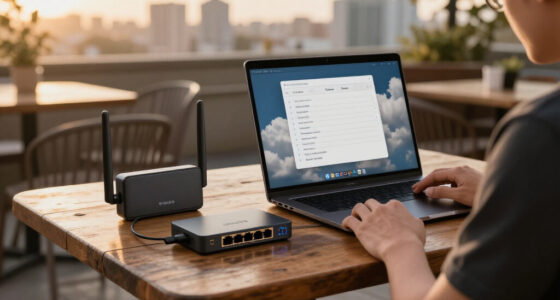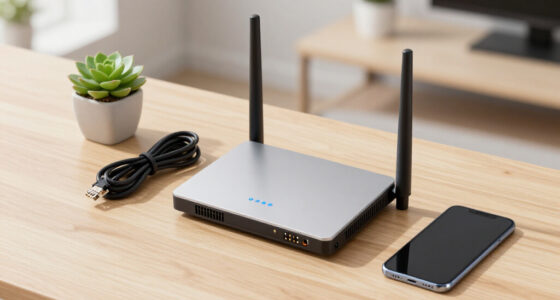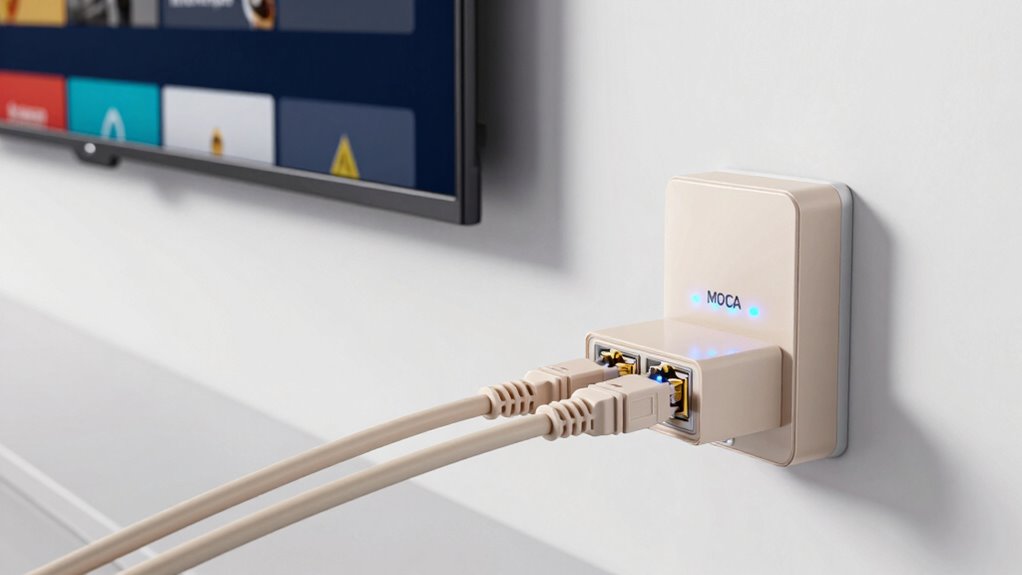

For those seeking reliable, high-speed home networking via coaxial cables, MoCA adapters offer a practical solution. The ScreenBeam ECB6200K02 stands out as the best overall pick, providing solid performance and ease of use. The ScreenBeam ECB6250K02 delivers faster speeds with MoCA 2.5 technology, ideal for bandwidth-heavy tasks. Meanwhile, the Hitron MoCA 2.5 Network Adapter (2-Pack) offers great value for multi-device setups. When choosing a MoCA adapter, consider speed capabilities, compatibility, and network features, as these impact performance and usability. Continue reading to get a detailed breakdown of each option and what suits your specific home networking needs.

Get business pricing on networking and server gear
- Business-only prices and quantity discounts
- Tax-exempt purchasing
- Multiple users, one account, clear invoices
Key Takeaways
- MoCA 2.5 adapters generally provide faster speeds and better future-proofing compared to MoCA 2.0 options.
- Multi-pack options like Hitron‘s 2-pack and 3-pack offer better value for homes with multiple coax outlets.
- Adapters with Gigabit Ethernet ports, such as the goCoax model, support seamless integration with wired devices.
- Ease of setup and compatibility with existing coax wiring significantly influence user experience.
- Higher-tier models tend to include bonded channels, which improve throughput but come at a higher cost.
| ScreenBeam ECB6200K02 Network Adapter Starter Kit Bonded MoCA 2.0 – Fast |  | Best Overall for High-Speed Home Networking | Speed: Up to 1 Gbps | Compatibility: Most routers with Ethernet, MoCA 2.0 compatible | Includes: 2 adapters, power adapters, Ethernet and coax cables, quick start guide | VIEW ON AMAZON | See Our Full Breakdown |
| ScreenBeam ECB6250K02 Network Adapter Starter Kit MoCA 2.5 – Faster |  | Best for Ultra-High-Speed Wired Connectivity | Speed: Up to 2.5 Gbps | Ethernet Port: 1 Gbps | Includes: 2 adapters, coax splitters, Ethernet and coax cables, power adapters | VIEW ON AMAZON | See Our Full Breakdown |
| Hitron MoCA 2.5 Network Adapter (2-Pack) |  | Best for Expanding Wired Networks with Ease | Max Ethernet Speed: 2.5 Gbps | Includes: 2 adapters, coax and Ethernet cables, power adapters | Compatibility: Most Ethernet devices, cable internet, some fiber services | VIEW ON AMAZON | See Our Full Breakdown |
| Hitron Bonded MoCA 2.5 Adapter (3-Pack) |  | Best for Whole-Home Wired Networking Expansion | Ethernet Speed: 1 Gbps | MoCA Speed: 2.5 Gbps | Includes: 3 adapters, coax and Ethernet cables, power adapters | VIEW ON AMAZON | See Our Full Breakdown |
| goCoax MoCA 2.5 Adapter with 2.5GbE Ethernet Port |  | Best for High-Speed Gaming and Streaming | Speed: 2.5 Gbps | Ethernet Port: 2.5GbE | Includes: Coax and Ethernet cables, power adapter | VIEW ON AMAZON | See Our Full Breakdown |
| Hitron MoCA 2.5 Network Adapter (2-Pack) |  | Best Overall for Reliable Whole-Home Wired Networking | Model: MoCA 2.5 Network Adapter | Pack Size: 2 | Ethernet Ports: 1 per adapter | VIEW ON AMAZON | See Our Full Breakdown |
| Kiwee MoCA 2.5 Adapter with Dual 2.5GbE Ports (2-Pack) |  | Best for High-Speed, Multi-Device Wired Networking | Number of Ports: 2 | Data Transfer Rate: 2500 gigabits_per_second | LAN Port Bandwidth: 2500 Mbps | VIEW ON AMAZON | See Our Full Breakdown |
| moca adapters for coax based home networking | Includes |
|---|---|
| ScreenBeam ECB6200K02 Network | 2 adapters, power adapters, Ethernet and coax cables, quick start guide |
| ScreenBeam ECB6250K02 Network | 2 adapters, coax splitters, Ethernet and coax cables, power adapters |
| Hitron MoCA 2.5 Network Adapte | 2 adapters, coax and Ethernet cables, power adapters |
| Hitron Bonded MoCA 2.5 Adapter | 3 adapters, coax and Ethernet cables, power adapters |
| goCoax MoCA 2.5 Adapter with 2 | Coax and Ethernet cables, power adapter |
| Hitron MoCA 2.5 Network Adapte | 2 adapters, 2 Ethernet cables, 2 coax cables, 2 power adapters, setup guide |
| Kiwee MoCA 2.5 Adapter with Du | — |
More Details on Our Top Picks
ScreenBeam ECB6200K02 Network Adapter Starter Kit Bonded MoCA 2.0 – Fast
The ScreenBeam ECB6200K02 stands out for its reliable MoCA 2.0 performance, delivering speeds up to 1 Gbps over existing coax wiring. Compared with the MoCA 2.5 options, it offers slightly lower maximum speeds but benefits from broader compatibility with older coax networks. Its inclusion of all necessary cables and accessories simplifies setup, making it accessible for most users. However, its compatibility limitations—such as potential conflicts with certain ISP services like AT&T U-verse or DOCSIS 3.1 modems—can be a drawback for some setups. This model makes the most sense for home users seeking a straightforward, dependable upgrade without needing the absolute fastest speeds.
Pros:- Provides stable, up to 1 Gbps speeds over coax wiring
- Includes all necessary accessories for quick setup
- Supports up to 16 nodes, suitable for extensive home networks
Cons:- Limited compatibility with satellite TV and some ISP services
- Speeds can be affected by cable quality and network configuration
Best for: Homeowners with standard coax wiring seeking a reliable, straightforward MoCA 2.0 upgrade for high-speed internet.
Not ideal for: Users needing ultra-fast 2.5 Gbps speeds or with complex coax setups involving satellite TV or DOCSIS 3.1 modems.
- Speed:Up to 1 Gbps
- Compatibility:Most routers with Ethernet, MoCA 2.0 compatible
- Includes:2 adapters, power adapters, Ethernet and coax cables, quick start guide
Our verdict“This adapter kit is ideal for those wanting a reliable, easy-to-use MoCA 2.0 solution for high-speed home networking.”
ScreenBeam ECB6250K02 Network Adapter Starter Kit MoCA 2.5 – Faster
The ScreenBeam ECB6250K02 delivers MoCA 2.5 speeds up to 2.5 Gbps, making it a strong choice for users demanding the fastest wired connection over coax. Compared to the ECB6200, it offers nearly triple the maximum speed, which is beneficial for bandwidth-heavy activities like 4K streaming or gaming. Its inclusion of coax splitters and dual adapters provides flexibility for complex coax layouts, but it requires a MoCA-compatible router or additional adapters to function fully. This model suits tech-savvy users who prioritize top-tier wired performance and are prepared for a slightly more involved setup process.
Pros:- Supports speeds up to 2.5 Gbps over coax wiring
- Includes coax splitters and multiple adapters for complex setups
- Supports up to 16 nodes for extensive home coverage
Cons:- Requires compatible router or extra adapters for full operation
- Not compatible with satellite TV or AT&T U-verse coax networks
Best for: Power users needing maximum bandwidth for streaming, gaming, or large file transfers in a multi-room setup.
Not ideal for: Casual users with simple networks or those with incompatible coax wiring or ISP restrictions on MoCA devices.
- Speed:Up to 2.5 Gbps
- Ethernet Port:1 Gbps
- Includes:2 adapters, coax splitters, Ethernet and coax cables, power adapters
Our verdict“This adapter kit is perfect for advanced users seeking maximum wired bandwidth over coax in demanding home environments.”
Hitron MoCA 2.5 Network Adapter (2-Pack)
The Hitron MoCA 2.5 adapters excel at turning existing coax wiring into a high-speed Ethernet backbone, supporting speeds up to 2.5 Gbps. Compared to the ScreenBeam ECB6250K02, these adapters are more budget-friendly for multi-room setups, especially where multiple Ethernet connections are needed. Their plug-and-play design simplifies installation, but they require existing coax wiring and a compatible modem/router. Some users report performance variability, which can be a concern for those needing consistent throughput. This option is ideal for expanding a home network without complex configurations, especially in environments with multiple Ethernet-enabled devices.
Pros:- Supports high-speed 2.5 Gbps over coax wiring
- Easy plug-and-play setup with included cables
- Suitable for multiple Ethernet devices
Cons:- Performance can vary based on coax wiring quality
- Limited to Ethernet-enabled devices, no Wi-Fi extension
Best for: Home users looking to extend wired connectivity to several rooms easily and affordably.
Not ideal for: Sellers seeking the highest possible speeds or those with non-standard coax wiring or satellite TV setups.
- Max Ethernet Speed:2.5 Gbps
- Includes:2 adapters, coax and Ethernet cables, power adapters
- Compatibility:Most Ethernet devices, cable internet, some fiber services
Our verdict“This kit offers a cost-effective way to expand wired home networks with high-speed MoCA in multi-room environments.”
Hitron Bonded MoCA 2.5 Adapter (3-Pack)
The Hitron 3-pack MoCA 2.5 adapters deliver a robust, high-speed wired network over coax, supporting speeds up to 2.5 Gbps. Compared with the 2-pack, this set provides greater flexibility for larger homes or more wired connections, with a simple plug-and-play interface. While they excel at transforming coax wiring into Ethernet backbones, they are limited to Ethernet device connections and do not support satellite TV wiring. Some reviews note performance variation, so they may not be ideal for critical, high-bandwidth tasks in every scenario. This pack suits users who want to wire multiple rooms without running new cables or upgrading their Wi-Fi.
Pros:- Supports speeds up to 2.5 Gbps, ideal for demanding applications
- Includes three adapters for extensive room coverage
- Simple setup for quick deployment
Cons:- Limited to Ethernet device connections, no Wi-Fi support
- Performance depends heavily on coax wiring quality
Best for: Homeowners aiming to create a reliable, high-speed wired network across multiple rooms using existing coax wiring.
Not ideal for: Those with satellite TV systems or seeking Wi-Fi extenders, as these are strictly Ethernet adapters over coax.
- Ethernet Speed:1 Gbps
- MoCA Speed:2.5 Gbps
- Includes:3 adapters, coax and Ethernet cables, power adapters
Our verdict“This multi-pack offers a straightforward, high-speed wired networking solution for larger homes needing multiple Ethernet nodes.”
goCoax MoCA 2.5 Adapter with 2.5GbE Ethernet Port
The goCoax MA2500D stands out for its 2.5 Gbps MoCA speed combined with a 2.5GbE Ethernet port, making it excellent for lag-sensitive activities like gaming or 4K/8K streaming. Compared to other adapters with only 1 Gbps Ethernet ports, this model offers a distinct advantage for bandwidth-heavy applications. Its plug-and-play setup is straightforward, but it depends on existing coax wiring and splitter compatibility, which can sometimes limit performance. This device is best suited for users who prioritize raw speed and are comfortable managing their coax infrastructure to optimize performance.
Pros:- Supports high-speed 2.5 Gbps over coax
- Includes a 2.5GbE Ethernet port for direct, lag-free connections
- Easy to install with included cables
Cons:- Requires existing coax wiring and compatible splitters
- At least two adapters needed for a full network setup
Best for: Gamers and streamers seeking the fastest possible wired connection over coax wiring for multiple devices.
Not ideal for: Users with complex coax setups involving satellite TV or those who prefer Wi-Fi for simplicity.
- Speed:2.5 Gbps
- Ethernet Port:2.5GbE
- Includes:Coax and Ethernet cables, power adapter
Our verdict“This adapter is ideal for high-demand applications requiring maximum wired speed over coax wiring.”
Hitron MoCA 2.5 Network Adapter (2-Pack)
This set of two Hitron MoCA 2.5 adapters stands out for delivering dependable internet extension over coax wiring, making it ideal for users who prioritize stability and broad compatibility. Compared with the goCoax MoCA 2.5 Adapter, it offers similar speed but includes comprehensive setup support and all necessary cables, which can simplify installation. However, it’s limited by compatibility issues with certain providers like AT&T U-verse and requires a POE filter for cable setups, which could complicate deployment in some homes. The 1 Gbps speed is ample for most streaming and gaming needs, though it doesn’t support the ultra-high speeds some future-proof setups might demand. Suitable for households with existing coax wiring seeking a reliable, straightforward solution but not ideal for homes with complex or isolated wiring configurations.
Pros:- Extends internet over existing coax wiring for stable, wired connections
- Supports speeds up to 1 Gbps suitable for streaming and gaming
- Includes all necessary cables and a detailed setup guide
Cons:- Incompatible with some provider-specific wiring like AT&T U-verse
- Requires interconnected coax outlets and a POE filter, adding setup complexity
Best for: Homeowners needing a reliable, plug-and-play wired networking extension over coax, especially in cable internet setups.
Not ideal for: Users with satellite TV wiring or incompatible provider setups, as it won’t work without proper coax connections and filters.
- Model:MoCA 2.5 Network Adapter
- Pack Size:2
- Ethernet Ports:1 per adapter
- Maximum Speed:1 Gbps
- Includes:2 adapters, 2 Ethernet cables, 2 coax cables, 2 power adapters, setup guide
- Compatibility:Cable, fiber, DSL internet; Not compatible with AT&T U-verse or satellite wiring
Our verdict“This adapter is best suited for cable internet users who need a reliable, hassle-free wired network extension over coax wiring.”
Kiwee MoCA 2.5 Adapter with Dual 2.5GbE Ports (2-Pack)
The Kiwee MoCA 2.5 Adapter with dual Ethernet ports excels at handling demanding, high-bandwidth activities, making it a top choice for households with multiple devices streaming, gaming, or transferring large files simultaneously. Compared to the Hitron MoCA 2.5 Adapter, it offers twice the Ethernet ports, enabling direct connections for more devices without needing switches. Its support for 2.5 Gbps speeds ensures future-proofing for ultra-fast internet needs, but this also means it requires existing coax wiring capable of supporting these speeds. The bulkier design might be a concern for tight spaces, and it lacks Wi-Fi, focusing solely on wired connections, which limits flexibility in some setups. Best for tech-savvy users or homes with high bandwidth demands and multiple wired devices, but not suited for those relying on wireless-only solutions.
Pros:- Supports ultra-fast 2.5 Gbps speeds for seamless high-bandwidth activities
- Dual Ethernet ports allow connecting multiple devices simultaneously
- Plug-and-play setup with included cables for quick deployment
Cons:- Requires existing coax wiring capable of supporting high speeds
- Bulkier than single-port adapters, which may limit placement options
- No Wi-Fi functionality—strictly wired Ethernet over coax
Best for: Power users with multiple wired devices who want maximum speed and minimal latency over coax wiring.
Not ideal for: Homes lacking existing coax wiring or users seeking Wi-Fi extension, since it offers only wired Ethernet connections.
- Number of Ports:2
- Data Transfer Rate:2500 gigabits_per_second
- LAN Port Bandwidth:2500 Mbps
- Maximum Upstream Data Transfer Rate:2500 Mbps
- Support:MoCA 2.5
- Compatible Devices:Desktop, Game Console, Laptop, Router
Our verdict“This adapter makes the most sense for users who need maximum wired speed and multiple device connections over coax wiring, with a willingness to handle a larger form factor.”

How We Picked
These MoCA adapters were selected based on performance metrics, build quality, ease of installation, and overall value. Priority was given to models supporting the latest standards—MoCA 2.5—offering faster speeds and better reliability. We also evaluated the flexibility of Ethernet port configurations, compatibility with different coax networks, and user reviews for real-world performance insights. The ranking reflects a balance between speed, affordability, and usability, ensuring choices suit a range of home networking setups and budget levels.
Factors to Consider When Choosing Moca Adapters For Coax Based Home Networking
Choosing the right MoCA adapter involves considering several factors beyond basic specifications. Understanding these key aspects helps ensure you select a model that fits your home network, offers future-proofing, and provides reliable performance. Here are the main considerations to keep in mind when making your decision.
Speed Standards and Bonding
Latest standards like MoCA 2.5 provide significantly faster speeds and improved stability compared to MoCA 2.0. Bonded channels further enhance throughput, especially useful for streaming 4K content or gaming. However, adapters supporting MoCA 2.5 tend to cost more, so assess your bandwidth needs and future plans before investing. Overpaying for higher speeds you’ll never use can be an unnecessary expense, but under-specifying may limit your network’s potential.
Ethernet Port Configuration
Most MoCA adapters include at least one Ethernet port, but the number and speed of these ports vary. Devices with dual or multi-Gigabit ports, like the Kiwee model, facilitate connecting multiple wired devices directly. If your setup involves multiple computers, smart TVs, or gaming consoles, prioritize adapters with sufficient Ethernet ports and support for higher speeds to avoid bottlenecks.
Compatibility with Existing Coax Infrastructure
Not all coax wiring is created equal. Some older cables may introduce noise or signal loss, affecting performance. Check if the adapter supports features like signal amplification or filtering. Compatibility with existing splitters and the ability to coexist with cable TV signals without interference are also key considerations to prevent network disruptions.
Ease of Installation and Management
Simple setup processes, minimal configuration steps, and clear instructions make installation smoother, especially for non-technical users. Some models include LED indicators or app-based management tools for troubleshooting and network monitoring. Avoid overly complex setups if you prefer a plug-and-play experience, but if advanced features are needed, choose models that offer detailed management options.
Price and Multi-Pack Options
Multi-packs often deliver better value if your home requires multiple adapters. Balance the upfront cost with your network needs; buying in bulk can reduce per-unit expenses but may be unnecessary for small setups. Consider long-term scalability—spending a little more on higher-speed models now might save you from needing upgrades later.
Frequently Asked Questions
Will a MoCA 2.5 adapter work with my existing coax wiring?
Most likely, yes. MoCA 2.5 adapters are designed to be compatible with standard coax wiring used in most homes. However, the quality and age of your coax cables can impact performance. If your wiring is very old or has multiple splits and cable signals, you might experience reduced speeds or stability issues. In such cases, upgrading or adding signal amplifiers can help improve network performance.
Can I use multiple MoCA adapters on the same coax network?
Yes, most homes with multiple coax outlets can support several MoCA adapters simultaneously. This allows you to extend wired internet to different rooms. Just ensure that your coax network has the available outlets and that your adapters are compatible and configured correctly to avoid signal interference. Using adapters from the same standard (e.g., all MoCA 2.5) can maximize compatibility and performance.
Is it worth paying for MoCA 2.5 over MoCA 2.0?
Absolutely, if your internet activities include 4K streaming, online gaming, or large file transfers, MoCA 2.5 offers noticeable improvements in speed and stability. It also provides future-proofing for higher bandwidth needs. However, for basic web browsing and streaming in a single room, MoCA 2.0 may suffice at a lower cost. Consider your current and future bandwidth requirements before choosing.
Do MoCA adapters interfere with cable TV signals?
Generally, no. Modern MoCA adapters are designed to coexist with cable TV signals without causing interference. They include filters and signal management features to prevent disruption. Still, if you experience issues, installing a MoCA filter at the point where the coax enters your home can help isolate the network and prevent signal bleed, ensuring both your internet and TV signals operate smoothly.
What should I do if my MoCA network isn’t performing as expected?
Start by checking all coax connections and ensuring they are tight and in good condition. Next, verify that your adapters support the standard you need and are configured correctly. Using a network tester or the LED indicators on the adapters can help diagnose issues. If problems persist, consider upgrading your coax cables or adding a signal amplifier to enhance overall performance.
Conclusion
For most home users seeking reliable, high-speed networking, the ScreenBeam ECB6200K02 remains the best overall choice due to its solid performance and ease of use. Those with demanding bandwidth needs or future-proofing in mind should consider the ScreenBeam ECB6250K02 for its MoCA 2.5 support. Budget-conscious buyers or those with multiple coax outlets might prefer the Hitron MoCA 2.5 Network Adapter (2-Pack) for added value. Beginners will appreciate models with straightforward setup, while tech-savvy users aiming for maximum throughput should look at adapters with dual 2.5GbE ports like the Kiwee. Ultimately, your choice depends on your specific network size, speed needs, and budget.
Fall Picks
fall essentials
As an affiliate, we earn on qualifying purchases.