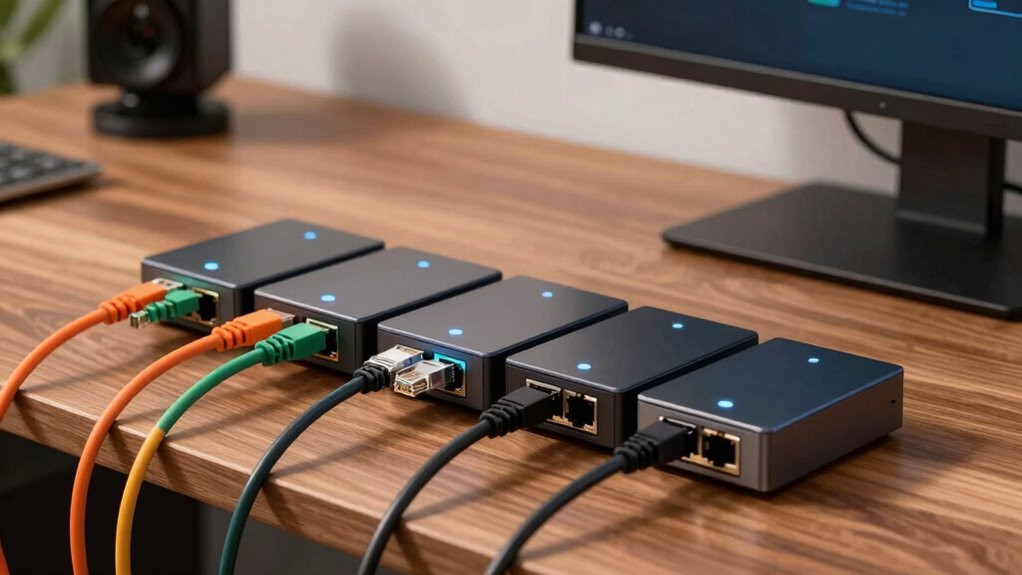
Choosing the right unmanaged switch for your home network can significantly improve device connectivity and network stability. For most users, simplicity, reliability, and value matter most, but the ideal choice varies depending on your setup. The TP-Link TL-SG105 stands out for its durability and plug-and-play ease, perfect for small, straightforward setups. Meanwhile, the NETGEAR GS308 offers a versatile 8-port option for expanding networks, though it lacks advanced features. If you need a compact, energy-efficient model, the TP-Link LS1005G is a strong contender. For those with larger home networks, the TP-Link TL-SG1016 provides more ports but sacrifices management flexibility. Each option involves tradeoffs—more ports or advanced features often mean higher cost or complexity—so I’ll help clarify who each is best suited for.

Get business pricing on networking and server gear
- Business-only prices and quantity discounts
- Tax-exempt purchasing
- Multiple users, one account, clear invoices
Key Takeaways
- Most buyers should prioritize plug-and-play simplicity for quick setup.
- Larger households or users with many devices benefit from switches with more ports like the TL-SG1016 or GS308.
- Compact, energy-efficient models like LS1005G are ideal for small spaces or minimal setups.
- Unmanaged switches lack advanced features but excel in reliability and ease of use.
- Cost and port count are the main tradeoffs influencing your choice.
| TP-Link TL-SG105 5 Port Gigabit Unmanaged Ethernet Switch |  | Best Overall for Simplicity and Durability | Number of Ports: 5 | Compatible Devices: Computer, Gaming Console, Printer, TV | Voltage: 230 volts | VIEW ON AMAZON | See Our Full Breakdown |
| TP-Link TL-SG1016 16-Port Gigabit Unmanaged Ethernet Switch |  | Best for Expanding Larger Home Networks | Ports: 16 | Switching Capacity: 32Gbps | Flow Control: IEEE 802.3x | VIEW ON AMAZON | See Our Full Breakdown |
| TP-Link LS1005G Litewave 5 Port Gigabit Ethernet Unmanaged Switch |  | Best Compact and Energy-Efficient Model | Number of Ports: 5 | Port Speed: 10/100/1000 Mbps | Uplink Ports: 1 | VIEW ON AMAZON | See Our Full Breakdown |
| NETGEAR 5-Port Gigabit Ethernet Unmanaged Network Switch (GS105NA) |  | Best for Small, Silent, and Durable Setups | Number of Ports: 5 | Port Speed: 1.0 Gbps | Connectivity: Gigabit Ethernet | VIEW ON AMAZON | See Our Full Breakdown |
| NETGEAR 8-Port Gigabit Ethernet Unmanaged Network Switch (GS308) |  | Best Versatile 8-Port for Small Networks | Ports: 8 | Port Speed: 1.0 Gbps | Design: Fanless, metal | VIEW ON AMAZON | See Our Full Breakdown |
| unmanaged switches for home network | Number of Ports | Port Speed | Energy Efficiency |
|---|---|---|---|
| TP-Link TL-SG105 5 Port Gigabi | 5 | — | — |
| TP-Link TL-SG1016 16-Port Giga | — | — | — |
| TP-Link LS1005G Litewave 5 Por | 5 | 10/100/1000 Mbps | Yes |
| NETGEAR 5-Port Gigabit Etherne | 5 | 1.0 Gbps | IEEE 802.3az |
| NETGEAR 8-Port Gigabit Etherne | — | 1.0 Gbps | IEEE 802.3az |
More Details on Our Top Picks
TP-Link TL-SG105 5 Port Gigabit Unmanaged Ethernet Switch
This model is perfect for users who want a straightforward, reliable switch without fuss. Its plug-and-play setup makes installation effortless, and the durable metal casing ensures it withstands everyday use. Compared to larger models, it has only 5 ports, which suits small networks but limits expansion. It supports high-speed Gigabit transfer and traffic prioritization, making it suitable for streaming or gaming. The energy-efficient technology is an added bonus, reducing power consumption with no impact on performance. However, its limited ports mean it’s not ideal for expanding a large home network, and it lacks management features that could help with more complex setups.
Pros:- Easy plug-and-play setup
- Durable metal construction
- Energy-efficient operation
Cons:- Limited to 5 ports, not scalable for larger networks
- No management features for customization
- Basic feature set suited for simple setups
Best for: Home users with small networks or minimal expansion needs
Not ideal for: Large households or users needing advanced network management
- Number of Ports:5
- Compatible Devices:Computer, Gaming Console, Printer, TV
- Voltage:230 volts
- Ports Data Transfer Rate:1000 Mbps
- Switch Type:Plug and Play
- Color:Navy Blue
Our verdict“A reliable, durable choice for small home networks prioritizing ease of use.”
TP-Link TL-SG1016 16-Port Gigabit Unmanaged Ethernet Switch
Compared with the 5-port options, the TL-SG1016 offers 16 Gigabit ports, making it ideal for users with multiple devices or growing networks. Its non-blocking architecture and high switching capacity (32Gbps) ensure fast, reliable data transfer across all ports simultaneously. Setup remains simple—plug-and-play—without complicated configuration. However, its unmanaged nature means no advanced control over traffic or prioritization. It’s a solid choice for expanding networks but falls short if you need features like VLANs or bandwidth management. Additionally, its larger size might be a concern in tight spaces. It’s best for users who want straightforward expansion without management complexity.
Pros:- 16 Gigabit ports for extensive connectivity
- High switching capacity ensures performance
- Plug-and-play setup
Cons:- Lacks management features for traffic control
- No Power over Ethernet support
- Size may be less suitable for small spaces
Best for: Users needing more ports for multiple devices or room to grow
Not ideal for: Those seeking advanced network features or compact design
- Ports:16
- Switching Capacity:32Gbps
- Flow Control:IEEE 802.3x
- Architecture:Non-blocking
- Installation:Plug and Play
Our verdict“Great for those expanding their network without needing management features.”
TP-Link LS1005G Litewave 5 Port Gigabit Ethernet Unmanaged Switch
This switch is perfect for those needing a small, unobtrusive device that can handle everyday network tasks. Its compact design (just under 3 inches in length) makes it ideal for tight spaces or desktop placement. The energy-efficient technology reduces power consumption, making it a great choice for environmentally conscious users. Setup is straightforward with plug-and-play functionality, and the reliable Gigabit Ethernet ports ensure fast data transfer. However, its 5-port limit makes it unsuitable for larger networks or extensive device connections. It does not include management features, so customization is limited. The lack of an included power adapter might be a minor inconvenience for some users.
Pros:- Compact and lightweight
- Energy-efficient technology
- Plug-and-play setup
Cons:- Limited to 5 ports, not suitable for large setups
- No advanced management options
- No included power adapter
Best for: Small home networks or users prioritizing space and power efficiency
Not ideal for: Expanding networks or those needing advanced features
- Number of Ports:5
- Port Speed:10/100/1000 Mbps
- Uplink Ports:1
- Dimensions:2.8 x 3.5 x 0.9 inches
- Weight:2.8 ounces
- Energy Efficiency:Yes
NETGEAR 5-Port Gigabit Ethernet Unmanaged Network Switch (GS105NA)
The GS105NA emphasizes durability and silent operation, perfect for quiet home environments. Its compact metal design withstands daily use, and plug-and-play setup means no configuration is needed. The fanless, energy-efficient operation keeps it silent and economical, while its high-speed Gigabit ports support quick data transfer across multiple devices. Compared to other 5-port options, it offers a more rugged build and regional compatibility primarily for U.S. and Canada. Its limited feature set makes it less suitable for larger or more complex networks, but for small, straightforward setups, it’s a reliable, low-maintenance choice.
Pros:- Silent, fanless design
- Durable metal construction
- Plug-and-play simplicity
Cons:- Limited to unmanaged features
- Regional compatibility restrictions
- No PoE support
Best for: Users seeking durability and silent operation in small networks
Not ideal for: Large or managed network environments
- Number of Ports:5
- Port Speed:1.0 Gbps
- Connectivity:Gigabit Ethernet
- Design:Desktop or wall-mount
- Energy Efficiency:IEEE 802.3az
- Operation:Fanless
Our verdict“A durable, silent, and straightforward switch ideal for small, quiet environments.”
NETGEAR 8-Port Gigabit Ethernet Unmanaged Network Switch (GS308)
The GS308 offers a balanced mix of port count and simplicity, making it suitable for users who need more connections without complexity. Its compact metal design supports versatile placement options, whether on a desk or mounted on a wall. The switch operates silently thanks to its fanless design and complies with energy-efficient standards. While it doesn’t include management features like VLANs or QoS, it provides enough ports for most small home networks, especially if you want room to grow. Its regional limitations are minor for U.S. users but might restrict use elsewhere. Overall, this switch offers a good compromise of size, capacity, and ease of use.
Pros:- Easy plug-and-play setup
- Silent, energy-efficient operation
- Versatile mounting options
Cons:- Limited to unmanaged features
- Regional compatibility only for U.S. & Canada
- No PoE support
Best for: Home users needing more than 5 ports with simplicity
Not ideal for: Advanced network configurations or multi-site setups
- Ports:8
- Port Speed:1.0 Gbps
- Design:Fanless, metal
- Mounting:Desktop or wall-mount
- Energy Efficiency:IEEE 802.3az
Our verdict“A flexible, quiet option for expanding small home networks without added complexity.”

How We Picked
My selection process focused on common home network needs: ease of use, reliability, port flexibility, and energy efficiency. I compared features like port count, size, and build quality, emphasizing plug-and-play setup without management complexity. I also considered user feedback and brand reputation, favoring models that balance affordability with durability. High-speed data transfer and silent operation were prioritized, while features like Power over Ethernet or advanced management were less relevant for typical home users. This approach aims to identify options that serve most households well, while highlighting tradeoffs for those with specific needs.
| unmanaged switches for home network | Energy Efficiency |
|---|---|
| TP-Link TL-SG105 5 Port Gigabi | — |
| TP-Link TL-SG1016 16-Port Giga | — |
| TP-Link LS1005G Litewave 5 Por | Yes |
| NETGEAR 5-Port Gigabit Etherne | IEEE 802.3az |
| NETGEAR 8-Port Gigabit Etherne | IEEE 802.3az |
Factors to Consider When Choosing Unmanaged Switches For Home Networks
When choosing an unmanaged switch for your home network, it’s important to match the device’s features with your specific needs. Consider how many devices you need to connect now and in the future, whether space or energy consumption is a concern, and if you require features like PoE or management options. Most users benefit from simple, reliable models that support plug-and-play setup, but larger households or tech-savvy users might prefer switches with more ports or higher build quality. Budget constraints also influence your choice, as higher port counts and additional features typically come with increased costs. This guide will help clarify these tradeoffs to find the best fit for your home setup.Port Count and Network Size
The most fundamental factor is how many devices you need to connect. Small households or single-room setups often do well with 5-port switches, like the TP-Link TL-SG105 or NETGEAR GS105NA. If you plan to expand or have multiple devices such as smart TVs, gaming consoles, or additional computers, a 16-port switch like the TP-Link TL-SG1016 provides more headroom. Choosing a switch with too few ports can limit device connections, while too many might be an unnecessary expense if your network remains small.
Size, Design, and Power Efficiency
For users with limited space or a preference for discreet setups, compact models like the TP-Link LS1005G are ideal. Energy-efficient switches help reduce power bills and environmental impact, especially if the switch is always on. Look for features like fanless operation and low power standards—these make a noticeable difference in quietness and energy use in a home environment. Larger switches tend to be bulkier and less suitable for tight spaces, but they offer more ports for future needs.
Advanced Features and Management
Most home users won’t need managed switches or advanced features like VLANs, QoS, or PoE. An unmanaged switch offers simplicity, plug-and-play operation, and reliability. However, if you want some control over traffic prioritization or plan to integrate more complex setups, consider models with managed features. Be aware that unmanaged switches lack configuration options and are limited to basic switching functions, which is perfectly fine for typical home use but not for enterprise or high-demand environments.
Build Quality and Reliability
Durability matters—especially if you plan to keep the switch in a busy or accessible area. Metal casing generally indicates a longer-lasting product, as seen in the NETGEAR GS105NA and TP-Link TL-SG105. Silent operation is also a plus; fanless designs like the GS105NA and GS308 prevent noise disruptions. Consider regional compatibility if you’re outside the U.S. and Canada, as some models may have voltage or plug limitations.
Frequently Asked Questions
What is an unmanaged switch, and why is it suitable for home networks?
An unmanaged switch is a simple device that connects multiple network devices without requiring configuration. It automatically handles data transfer at high speeds and is ideal for home networks because of its ease of use, affordability, and reliability. Since it lacks management features, it’s suitable for users who want plug-and-play connectivity without the complexity of managing traffic or network settings.
How many ports do I need in a home unmanaged switch?
The number of ports depends on your current and future device count. For small setups with a few devices, 5 ports are usually enough, as in the TP-Link TL-SG105 or NETGEAR GS105. If you anticipate adding more devices or have a smart home hub, consider a switch with more ports, like the TP-Link TL-SG1016. Overestimating port needs can be costly, but undersizing can limit your network expansion.
Are unmanaged switches energy-efficient?
Many unmanaged switches, including models like the TP-Link LS1005G and NETGEAR GS308, feature energy-efficient technology that reduces power consumption during idle periods. This is especially beneficial for always-on devices in a home environment, helping to lower electricity bills and environmental impact without sacrificing performance.
Can unmanaged switches support PoE or advanced features?
Most unmanaged switches, including those in this roundup, do not support Power over Ethernet (PoE) or advanced management features like VLANs. If you need PoE for powering cameras or access points, you will need a managed PoE switch. For basic connectivity needs in a typical home, unmanaged switches provide all the necessary features, focusing on simplicity and reliability.
What should I consider regarding build quality and placement?
Build quality influences durability, especially if the switch will be placed in a high-traffic or accessible area. Metal casings, such as those found in the NETGEAR GS105NA and TP-Link TL-SG105, tend to last longer than plastic alternatives. Silent, fanless models are preferable for quiet spaces like bedrooms or living rooms. Also, check if the switch supports wall mounting or compact placement to fit your environment.
Conclusion
For small, simple home setups where ease of use and reliability are paramount, the TP-Link TL-SG105 remains the best overall choice. Users with larger networks or more devices should consider the TP-Link TL-SG1016 or NETGEAR GS308, which offer more ports and expansion options. Those prioritizing space savings and energy efficiency will appreciate the TP-Link LS1005G. Ultimately, your decision hinges on your specific needs: a compact, energy-efficient switch for minimal setups, or a more robust, higher port count switch for growing networks. Each option balances cost, capacity, and simplicity to fit different home network environments.
Fall Picks
fall essentials
As an affiliate, we earn on qualifying purchases.