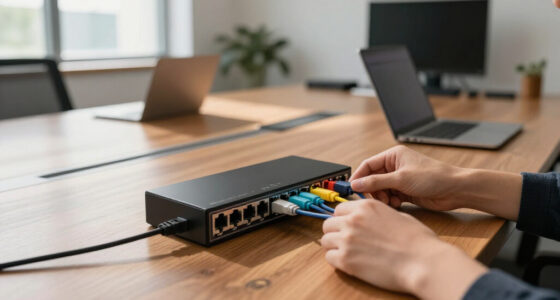
The best wireless access point for most buyers in this roundup is the Ubiquiti U6+, which combines Wi-Fi 6 with a flexible UniFi platform. For a newer standard and faster wired connection, the Omada 7 Pro BE11000 stands out; the Omada AX1800 with a DC adapter is a more straightforward value option. The main tradeoffs are Wi-Fi generation and capacity, management ecosystem, power accessories, and whether you need indoor or outdoor coverage. A faster access point cannot fix a weak internet plan or poor placement, so matching the hardware to your network matters. Read on for all 13 picks, the criteria behind their order, and help choosing the right one for your setup.

Get business pricing on networking and server gear
- Business-only prices and quantity discounts
- Tax-exempt purchasing
- Multiple users, one account, clear invoices
Key Takeaways
- The Ubiquiti U6+ is the best overall balance in this lineup: it brings Wi-Fi 6 and UniFi management, while newer Omada 7 models are stronger fits for buyers seeking current-generation capacity and a 2.5G port.
- Accessory bundles change the real value: several Omada listings include a DC adapter or PoE injector, while the EAP613 listing omits a DC adapter, so check what power equipment your installation already has.
- Two Omada AX1800 listings serve different setup needs: one includes a DC adapter and five-year warranty, while the other lists no adapter, making the bundled version easier for a standalone installation.
- Indoor and outdoor roles are not interchangeable: the EAP225-Outdoor is the dedicated weather-oriented choice; the indoor ceiling and desktop options should not be treated as substitutes for it.
- Wi-Fi generation is only part of the decision: management preference, Ethernet port speed, installation method, and how many devices share the network can matter more than choosing the largest headline speed.
| Ubiquiti UniFi nanoHD Compact 802.11ac Wave2 MU-MIMO Enterprise Access Point | 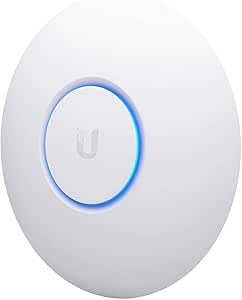 | Best Compact Access Point for Dense Networks | Model: UAP-NANOHD-US | Wireless standard: 802.11ac Wave 2 | Frequency bands: Dual-band | VIEW LATEST PRICE | See Our Full Breakdown |
| NETGEAR 1.8 Gbps WiFi 6 Wireless Access Point with Power Adapter (WAX210PA) |  | Best for Straightforward Small-Business Setup | Wireless standard: Wi-Fi 6 (802.11ax) | Maximum Wi-Fi speed: 1800 Mbps | Frequency bands: Dual-band, 2.4 GHz and 5 GHz | VIEW LATEST PRICE | See Our Full Breakdown |
| Omada AX1800 Wireless Access Point, without DC Adapter, 5-Year Warranty (EAP613) |  | Best for Omada-Managed Wi-Fi 6 | Wireless standard: Wi-Fi 6 (802.11ax) | Maximum speed: 1800 Mbps | Frequency bands: Dual-band, 2.4 GHz and 5 GHz | VIEW LATEST PRICE | See Our Full Breakdown |
| Omada 7 Pro BE11000 Wireless Access Point, 2.5G Port, with DC Adapter |  | Best Premium Wi-Fi 7 Access Point | Wireless standard: Wi-Fi 7 (802.11be) | Frequency bands: Tri-band: 2.4 GHz, 5 GHz, 6 GHz | Total speed: 11.0 Gbps | VIEW LATEST PRICE | See Our Full Breakdown |
| Omada AX3000 Wireless Access Point with DC Adapter and 5-Year Warranty |  | Best Dual-Band Wi-Fi 6 Upgrade | Wireless standard: Wi-Fi 6 (802.11ax) | Maximum speed: 2976 Mbps | Frequency bands: Dual-band | VIEW LATEST PRICE | See Our Full Breakdown |
| Omada AC1350 Wireless Access Point with PoE Injector and 5-Year Warranty |  | Best Value for Omada Networks | Wireless standard: Wi-Fi 5 (802.11ac) | Frequency bands: 2.4 GHz and 5 GHz | Maximum wireless speed: 1350 Mbps | VIEW LATEST PRICE | See Our Full Breakdown |
| Ubiquiti U6+ Dual Band IEEE 802.11 a/b/g/n/ac/ax Wireless Access Point | 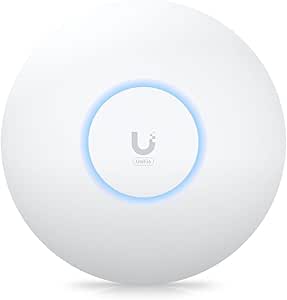 | Best Wi-Fi 6 Upgrade | Wireless standards: IEEE 802.11 a/b/g/n/ac/ax | Frequency bands: 2.4 GHz and 5 GHz | Maximum data rate: 3 Gbit/s | VIEW LATEST PRICE | See Our Full Breakdown |
| Ubiquiti UniFi nanoHD 1733 Mbps PoE White WLAN Access Point |  | Best Compact High-Density Pick | Model: UAP-NanoHD-US | Wi-Fi generation: Wi-Fi 5 (802.11ac) Wave 2 | Frequency bands: Dual-band; 5 GHz primary | VIEW LATEST PRICE | See Our Full Breakdown |
| Omada AC1200 Outdoor Wireless Access Point with PoE Injector (EAP225-Outdoor) |  | Best for Outdoor Coverage | Wireless speed: Up to 1200 Mbps | Frequency bands: 2.4 GHz and 5 GHz | Enclosure: IP65 weatherproof | VIEW LATEST PRICE | See Our Full Breakdown |
| TP-Link TL-WA1201 AC1200 Dual Band Wireless Gigabit Access Point |  | Best for Flexible Home Setups | Wireless speed: Up to 1200 Mbps | Frequency bands: 2.4 GHz and 5 GHz | Wireless standard: Wi-Fi 5 (802.11ac) | VIEW LATEST PRICE | See Our Full Breakdown |
| Omada AX1800 Wireless Access Point with DC Adapter and 5-Year Warranty |  | Best for Flexible Power Options | Wireless standard: Wi-Fi 6 (802.11ax) | Maximum speed: 1800 Mbps | Frequency band: Dual-band | VIEW LATEST PRICE | See Our Full Breakdown |
| Omada 7, BE5000 Wireless Access Point, 2.5G Port, with DC Adapter (EAP720) |  | Best for Wi-Fi 7 Capacity | Wi-Fi generation: Wi-Fi 7 | Maximum speed: 5.0 Gbps | Frequency band: Dual-band | VIEW LATEST PRICE | See Our Full Breakdown |
| Tenda WiFi 6 AX3000 Wireless Access Point for Business and Home |  | Best for Straightforward Wi-Fi 6 Coverage | Wireless generation: Wi-Fi 6 | Maximum speed: 2976 Mbps | Frequency band: Dual-band | VIEW LATEST PRICE | See Our Full Breakdown |
| wireless access point | Frequency bands | Wireless standard | Power | Security |
|---|---|---|---|---|
| Ubiquiti UniFi nanoHD Compact | Dual-band | 802.11ac Wave 2 | 802.3af PoE | WPA, WPA2 |
| NETGEAR 1.8 Gbps WiFi 6 Wirele | Dual-band, 2.4 GHz and 5 GHz | Wi-Fi 6 (802.11ax) | Included power adapter or PoE | WPA, WPA2, WPA3 |
| Omada AX1800 Wireless Access P | Dual-band, 2.4 GHz and 5 GHz | Wi-Fi 6 (802.11ax) | — | — |
| Omada 7 Pro BE11000 Wireless A | Tri-band: 2.4 GHz, 5 GHz, 6 GHz | Wi-Fi 7 (802.11be) | — | WPA3, rogue AP detection |
| Omada AX3000 Wireless Access P | Dual-band | Wi-Fi 6 (802.11ax) | — | WPA3, WPA2 |
| Omada AC1350 Wireless Access P | 2.4 GHz and 5 GHz | Wi-Fi 5 (802.11ac) | 802.3af PoE, passive PoE, or 12V DC | — |
| Ubiquiti U6+ Dual Band IEEE 80 | 2.4 GHz and 5 GHz | — | 9 W; PoE+ | — |
| Ubiquiti UniFi nanoHD 1733 Mbp | Dual-band; 5 GHz primary | — | — | — |
| Omada AC1200 Outdoor Wireless | 2.4 GHz and 5 GHz | — | — | — |
| TP-Link TL-WA1201 AC1200 Dual | 2.4 GHz and 5 GHz | Wi-Fi 5 (802.11ac) | — | — |
| Omada AX1800 Wireless Access P | — | Wi-Fi 6 (802.11ax) | PoE or 12V DC adapter | WPA3 |
| Omada 7 | — | — | 802.3at PoE or DC | WPA3, WPA2-PSK, WPA-PSK |
| Tenda WiFi 6 AX3000 Wireless A | — | — | 48V PoE | WPA3 |
More Details on Our Top Picks
Ubiquiti UniFi nanoHD Compact 802.11ac Wave2 MU-MIMO Enterprise Access Point
The nanoHD earns its place for buyers who need a discreet access point in a busy indoor space, rather than the latest wireless standard. Its 802.11ac Wave 2 MU-MIMO design and stated support for more than 200 concurrent users suit offices or shared spaces where many devices compete for airtime. At 6.3 inches square, it is less visually intrusive than the ceiling-mounted Omada EAP770, though it lacks that model’s Wi-Fi 7 and tri-band capacity. The tradeoff is older-generation Wi-Fi and a more involved power setup: it needs 802.3af PoE, so buyers without a compatible switch need another power solution. Optional covers for blending into a room are sold separately. I’d choose it for compact placement and dense client loads, not for future-proofing.
Pros:- Compact footprint supports discreet ceiling or wall placement.
- MU-MIMO and stated capacity above 200 concurrent users suit busy environments.
- Dual-band connectivity supports both 2.4 GHz and 5 GHz devices.
- 802.3af PoE can simplify installation when a compatible switch is already available.
Cons:- Uses Wi-Fi 5 rather than the Wi-Fi 6 or Wi-Fi 7 standards in newer options.
- Requires PoE power equipment, which is not included in the supplied product details.
- Optional aesthetic covers add a separate purchase for color-matched installations.
Best for: Small offices, classrooms, and shared indoor spaces needing a compact access point for many concurrent clients.
Not ideal for: Buyers building a new high-speed Wi-Fi 7 network, or anyone without PoE and unwilling to add compatible power equipment.
- Model:UAP-NANOHD-US
- Wireless standard:802.11ac Wave 2
- Frequency bands:Dual-band
- Maximum data transfer rate:1733 Mbps
- Antennas:4
- Power:802.3af PoE
- Security:WPA, WPA2
- Dimensions:6.3 × 6.3 × 1.3 in
Our verdict“Choose the nanoHD when compact placement and dense client support matter more than newer Wi-Fi standards or a simple power setup.”
NETGEAR 1.8 Gbps WiFi 6 Wireless Access Point with Power Adapter (WAX210PA)
The WAX210PA is a practical fit for a small business that wants Wi-Fi 6 and separate staff and guest networks without relying on a dedicated management platform. Its web-browser control and included power adapter make it more approachable than the Omada EAP613, whose full mesh and roaming features depend on an Omada SDN controller. The NETGEAR also supports up to four SSIDs and offers WPA3, useful for separating access by user group. It remains an access point, not a router: you need an existing router and a wired Ethernet connection, and its single 1 Gbps Ethernet port sets a limit on wired backhaul. Coverage is listed at 1,500 square feet, so larger buildings may need multiple units.
Pros:- Wi-Fi 6 dual-band connectivity with speeds up to 1,800 Mbps.
- Up to four SSIDs support separate guest and staff access.
- WPA3 support adds a newer security option than the nanoHD lists.
- Includes a power adapter and supports PoE for flexible placement.
Cons:- Needs an existing router and wired Ethernet connection to provide network access.
- Its 1 Gbps Ethernet port can constrain wired backhaul compared with the 2.5G Omada EAP770.
- Listed coverage of 1,500 square feet may call for additional access points in larger spaces.
Best for: Small offices, studios, and shops with an existing router that need Wi-Fi 6, guest access, and browser-based setup.
Not ideal for: Homes or businesses seeking a standalone router, multi-gigabit wired backhaul, or coverage beyond a modest indoor area from one unit.
- Wireless standard:Wi-Fi 6 (802.11ax)
- Maximum Wi-Fi speed:1800 Mbps
- Frequency bands:Dual-band, 2.4 GHz and 5 GHz
- Maximum listed coverage:1500 sq. ft.
- Supported devices:Up to 128
- SSIDs:Up to 4
- Ethernet:1 × 1 Gbps port
- Power:Included power adapter or PoE
- Security:WPA, WPA2, WPA3
Our verdict“Pick the WAX210PA for a manageable Wi-Fi 6 upgrade with guest-network separation, provided your existing network supplies the router and Ethernet connection.”
Omada AX1800 Wireless Access Point, without DC Adapter, 5-Year Warranty (EAP613)
The EAP613 makes the most sense for offices, hotels, or cafes already using—or planning to use—Omada SDN management. It pairs Wi-Fi 6 speeds up to 1,800 Mbps with 802.3at PoE+, allowing a ceiling installation without a nearby outlet when the network switch supplies power. That management fit is its main difference from the NETGEAR WAX210PA, which offers browser-based control and a supplied adapter for a simpler standalone setup. The EAP613’s listed four Ethernet ports also give it a distinct wired-connectivity profile among these picks. The catch is that the DC adapter is not included, and full mesh and roaming features require an Omada SDN controller. Buyers wanting a one-box, low-setup access point should look elsewhere.
Pros:- Wi-Fi 6 dual-band performance reaches a stated 1,800 Mbps.
- PoE+ supports flexible placement without a local DC outlet.
- Omada SDN integration supports centralized network management.
- Four listed Ethernet ports provide more wired connectivity than the WAX210PA.
Cons:- DC power adapter is not included.
- Full mesh and roaming features depend on an Omada SDN controller.
- Controller-based management adds setup and infrastructure requirements for a single-access-point network.
Best for: Small businesses and hospitality sites that want Wi-Fi 6, PoE+ installation, and centralized Omada management.
Not ideal for: Buyers who need an included DC adapter, prefer standalone browser control, or do not want to add an Omada controller for mesh and roaming.
- Wireless standard:Wi-Fi 6 (802.11ax)
- Maximum speed:1800 Mbps
- Frequency bands:Dual-band, 2.4 GHz and 5 GHz
- Ethernet ports:4
- PoE:802.3at PoE+
- DC power:12V/1A; adapter not included
- Antenna:Internal
- Warranty:5 years
Our verdict“Choose the EAP613 for a PoE+-powered Wi-Fi 6 deployment that benefits from Omada management, not for a controller-free setup.”
Omada 7 Pro BE11000 Wireless Access Point, 2.5G Port, with DC Adapter
The Omada EAP770 is the high-capacity choice here for businesses preparing for newer client devices and heavier wireless demand. Its tri-band Wi-Fi 7 design adds 6 GHz alongside 2.4 and 5 GHz, while the 2.5G Ethernet port offers more wired headroom than the 1 Gbps connection on the NETGEAR WAX210PA. The product data lists up to 11.0 Gbps total speed and support for more than 380 devices, making this a different class of deployment from the dual-band EAP613. That extra capacity comes with a narrower audience: it is a ceiling-mount business access point, and its performance depends on compatible client devices and network infrastructure. Its listed 1,500-square-foot coverage also means high capacity does not remove the need to plan access-point placement.
Pros:- Wi-Fi 7 tri-band operation includes 6 GHz for compatible devices.
- Stated total speed reaches 11.0 Gbps.
- 2.5G Ethernet port provides more wired capacity than gigabit-only options.
- Supports PoE+ or 12V DC power and offers Omada management options.
Cons:- Advanced business features and management can be more involved than the WAX210PA’s browser setup.
- Compatible Wi-Fi 7 clients and network infrastructure are needed to take advantage of its capabilities.
- Listed coverage is 1,500 square feet, so high client capacity does not guarantee broad single-unit coverage.
Best for: Businesses with Wi-Fi 7 clients, high device density, and a 2.5G-capable wired network that can make use of tri-band capacity.
Not ideal for: Casual home users, small networks with mostly older devices, or buyers without compatible multi-gigabit network equipment.
- Wireless standard:Wi-Fi 7 (802.11be)
- Frequency bands:Tri-band: 2.4 GHz, 5 GHz, 6 GHz
- Total speed:11.0 Gbps
- Ethernet:1 × 2.5G port
- Power options:802.3at PoE+ or 12V DC
- Listed coverage:1500 sq. ft.
- Concurrent devices:380+
- Security:WPA3, rogue AP detection
- Mounting:Ceiling mount
Our verdict“Choose the EAP770 when your business can use Wi-Fi 7, 6 GHz, and 2.5G backhaul; otherwise, the EAP613 is a simpler fit.”
Omada AX3000 Wireless Access Point with DC Adapter and 5-Year Warranty
This Omada AX3000 is a strong middle ground for buyers who want more Wi-Fi 6 speed than the 1,800 Mbps EAP613 offers, without stepping up to the tri-band Wi-Fi 7 EAP770. Its 2976 Mbps dual-band rating, compact design, and several power choices suit a small office or home network where placement flexibility matters. Cloud-based control is available, and the supplied description lists no additional cloud-management fee. For mesh and seamless roaming, however, you still need Omada SDN controllers; the cloud option does not make every advanced feature automatic. A single Ethernet port limits wired expansion at the access point, so it is less suitable than the EAP613 where multiple local wired connections matter. Choose it for a capable dual-band upgrade, not as a complete network hub.
Pros:- Dual-band Wi-Fi 6 speed is rated up to 2976 Mbps.
- Supports 802.3at PoE+, passive PoE, and 12V DC power.
- Cloud-based management is available without an additional fee, according to the product description.
- Five-year warranty is listed.
Cons:- Only one Ethernet LAN port limits wired expansion compared with the EAP613.
- Mesh and seamless roaming features require Omada SDN controllers.
- Advanced features may take extra setup for buyers unfamiliar with managed access points.
Best for: Small offices and tech-comfortable home network owners seeking a compact Wi-Fi 6 access point with flexible PoE or DC power.
Not ideal for: Buyers needing multiple Ethernet connections at the access point or controller-free mesh and roaming features.
- Wireless standard:Wi-Fi 6 (802.11ax)
- Maximum speed:2976 Mbps
- Frequency bands:Dual-band
- Antenna:Internal
- Power options:802.3at PoE+, passive PoE, 12V DC
- Management:Cloud-based, hardware or software controller
- Ethernet ports:1 LAN port
- Security:WPA3, WPA2
- Warranty:5 years
Our verdict“Pick this AX3000 for a flexible, faster dual-band Wi-Fi 6 upgrade, but choose the EAP770 for Wi-Fi 7 or the EAP613 for more Ethernet ports.”
Omada AC1350 Wireless Access Point with PoE Injector and 5-Year Warranty
The Omada EAP225 is a practical pick for buyers who want managed access-point features without moving to Wi-Fi 6. Its dual-band Wi-Fi 5, MU-MIMO, mesh support, and Omada management make it more flexible than the simpler TP-Link TL-WA1201, particularly if you plan to add access points and manage them together. The included PoE injector and support for 802.3af or passive PoE give you options for placement where a power outlet is inconvenient.
The tradeoff is its older wireless generation: the Ubiquiti U6+ offers Wi-Fi 6 and a higher stated maximum rate, making it a stronger fit for newer, busier networks. MU-MIMO and roaming gains also depend on compatible client devices. I would choose the EAP225 for an indoor Omada setup that values centralized control and a five-year warranty, not for outdoor coverage or the newest Wi-Fi features.
Pros:- Omada app and cloud management support centralized control as the network grows
- 802.3af and passive PoE options make installation more flexible
- Mesh support can extend coverage without running Ethernet to every access point
- Five-year warranty is specified
Cons:- Wi-Fi 5 is an older generation than the Ubiquiti U6+ Wi-Fi 6
- MU-MIMO and seamless roaming benefits depend on compatible client devices
- Designed for indoor use only
Best for: Small offices or homes building an indoor Omada-managed network with PoE-powered access points and room to expand
Not ideal for: Buyers prioritizing Wi-Fi 6, outdoor installation, or performance gains from MU-MIMO and roaming on a mix of older client devices
- Wireless standard:Wi-Fi 5 (802.11ac)
- Frequency bands:2.4 GHz and 5 GHz
- Maximum wireless speed:1350 Mbps
- MIMO:MU-MIMO
- Mesh support:Yes
- Power:802.3af PoE, passive PoE, or 12V DC
- Ethernet ports:1 Gigabit Ethernet
- Management:Omada app and cloud management
- Warranty:5 years
Our verdict“Choose the EAP225 for an indoor Omada network where PoE flexibility and centralized management matter more than Wi-Fi 6.”
Ubiquiti U6+ Dual Band IEEE 802.11 a/b/g/n/ac/ax Wireless Access Point
The Ubiquiti U6+ is the clearest step up here for buyers who want a modern Wi-Fi standard in a ceiling- or wall-mounted access point. Its Wi-Fi 6 support and stated maximum rate of 3 Gbit/s put it ahead of the Wi-Fi 5 Omada EAP225 and nanoHD on wireless generation, while PoE+ keeps the installation tidy when a compatible power source is available. The listed coverage area of 140 m² offers a useful planning reference for a single access point, though actual coverage depends on the building and placement.
This is less flexible than the TP-Link TL-WA1201 if you want multiple operating modes, and its one Gigabit Ethernet port provides no wired port expansion. The supplied details also do not specify warranty coverage. I would favor the U6+ for a UniFi-oriented network with newer clients; buyers with only basic Wi-Fi needs may not make enough use of its Wi-Fi 6 capabilities to justify choosing it over a simpler Wi-Fi 5 model.
Pros:- Wi-Fi 6 support is a newer standard than the Wi-Fi 5 models in this batch
- Stated maximum data rate of 3 Gbit/s
- PoE+ and wall or ceiling mounting support flexible installation
- Listed coverage area of 140 m² helps with initial placement planning
Cons:- Requires a PoE+ compatible power source
- One Gigabit Ethernet port offers no extra wired connections
- Warranty details are not provided in the supplied product data
Best for: Home offices and small businesses with Wi-Fi 6 clients, a UniFi network, and a PoE+ source for ceiling or wall mounting
Not ideal for: Buyers without PoE+ power, those needing multiple Ethernet ports at the access point, or users seeking a basic multi-mode extender
- Wireless standards:IEEE 802.11 a/b/g/n/ac/ax
- Frequency bands:2.4 GHz and 5 GHz
- Maximum data rate:3 Gbit/s
- Ethernet ports:1 Gigabit Ethernet
- Power:9 W; PoE+
- Mounting:Wall or ceiling
- Listed coverage area:140 m² (1,500 ft²)
- Antenna:2 internal antennas
Our verdict“Pick the U6+ if you want a Wi-Fi 6 UniFi access point and already have PoE+ power available.”
Ubiquiti UniFi nanoHD 1733 Mbps PoE White WLAN Access Point
The UniFi nanoHD suits installations where the access point needs to stay unobtrusive without giving up strong Wi-Fi 5 capacity. Its 4×4 MU-MIMO design and stated support for more than 200 concurrent users make it more purpose-built for dense client environments than the TP-Link TL-WA1201, which is positioned around flexible operating modes and external antennas. Optional skins can help the unit blend into a room, and 802.3af PoE avoids a separate power lead at the mounting location.
Its main limitation is generation: the Ubiquiti U6+ brings Wi-Fi 6, so it is the more forward-looking choice for networks with newer devices. The nanoHD also has a single Gigabit Ethernet port and needs PoE infrastructure or an injector. I would select it for a compact UniFi deployment with many simultaneous connections, but skip it if Wi-Fi 6 or outdoor installation is a priority.
Pros:- Compact form factor supports discreet placement
- 4×4 MU-MIMO is suited to busy client environments
- Listed support for more than 200 concurrent users
- 802.3af PoE and optional skins aid clean installation
Cons:- Wi-Fi 5 is older than the Wi-Fi 6 standard in the Ubiquiti U6+
- One Gigabit Ethernet port limits wired connections at the unit
- Requires PoE infrastructure or an injector for power
Best for: Businesses or shared spaces that need a discreet indoor UniFi access point for many concurrent Wi-Fi 5 clients
Not ideal for: Buyers seeking Wi-Fi 6, outdoor-rated hardware, or an access point with multiple Ethernet ports
- Model:UAP-NanoHD-US
- Wi-Fi generation:Wi-Fi 5 (802.11ac) Wave 2
- Frequency bands:Dual-band; 5 GHz primary
- Maximum stated data rate:1733 Mbps
- MIMO:4×4 MU-MIMO
- Ethernet:1 Gigabit Ethernet port
- PoE standard:802.3af
- Concurrent users:Supports more than 200
Our verdict“Choose the nanoHD for a compact indoor UniFi deployment with many clients, and choose the U6+ instead if Wi-Fi 6 is the priority.”
Omada AC1200 Outdoor Wireless Access Point with PoE Injector (EAP225-Outdoor)
The Omada EAP225-Outdoor fills a role the indoor EAP225 and Ubiquiti nanoHD cannot: extending Wi-Fi into exposed outdoor spaces. Its IP65 weatherproof enclosure, stated operating range of -30°C to 70°C, and flexible PoE support suit mounting on a building exterior for yards or other outdoor areas. Dual-band Wi-Fi, mesh support, and Omada management also make it a more network-oriented option than simply repurposing the indoor TP-Link TL-WA1201.
The stated range figures are not a guarantee of usable coverage; walls, interference, and placement affect real results. Full SDN management calls for compatible Omada controllers, and the single LAN port may require a separate switch in larger wired installations. Its listed security protocol is WPA2-PSK, rather than the enterprise options listed for the indoor Omada AC1350. I would choose this model for outdoor reach, not for an indoor-only network or buyers who need a more advanced security specification.
Pros:- IP65 enclosure is designed for outdoor installation
- Operating temperature range is listed from -30°C to 70°C
- Supports mesh and Omada cloud, software, or standalone management
- 802.3af/at and passive PoE offer power options
Cons:- Full SDN features require compatible Omada controllers
- One LAN port can call for an additional switch in larger wired setups
- Supplied security specification lists WPA2-PSK
Best for: Homeowners and small businesses extending managed dual-band Wi-Fi to patios, yards, or other outdoor areas
Not ideal for: Indoor-only buyers, users who need several local Ethernet ports, or deployments requiring listed WPA-Enterprise security
- Wireless speed:Up to 1200 Mbps
- Frequency bands:2.4 GHz and 5 GHz
- Enclosure:IP65 weatherproof
- Operating temperature:-30°C to 70°C
- PoE support:802.3af/at and passive PoE
- Ports:1 LAN port
- Management:Omada cloud, software, or standalone
- Security protocol:WPA2-PSK
- Maximum listed range:200m+ at 2.4 GHz; 300m+ at 5 GHz
Our verdict“Choose the EAP225-Outdoor when weather-resistant access and Omada mesh matter more than extra Ethernet ports or enterprise security options.”
TP-Link TL-WA1201 AC1200 Dual Band Wireless Gigabit Access Point
The TP-Link TL-WA1201 is the flexible choice for a home or small office where an access point may need to do more than provide Wi-Fi from a wired connection. Its four operation modes include access point, client, multi-SSID, and range extender, making it easier to adapt than the Omada EAP225, which is more compelling when centralized Omada management is the goal. Four external antennas and Beamforming are intended to help direct coverage, while MU-MIMO supports multiple compatible devices.
That flexibility comes with limits: this is a Wi-Fi 5 AC1200 unit, so the Wi-Fi 6 Ubiquiti U6+ is a better match for newer clients and a newer network standard. It has only one Gigabit Ethernet port, and the supplied data lists 12V DC power while describing Passive PoE installation; check the power arrangement for the intended setup. I would pick it for a modest network needing alternate operating modes, not a managed business rollout or outdoor coverage.
Pros:- Four operation modes support varied home and small-office setups
- Four external antennas and Beamforming are designed to extend coverage
- MU-MIMO supports simultaneous connections with compatible devices
- One Gigabit Ethernet port provides a wired network connection
Cons:- Wi-Fi 5 AC1200 is behind the Wi-Fi 6 Ubiquiti U6+ in wireless generation
- One Ethernet port limits local wired-device connections
- Power details list 12V DC while the description also refers to Passive PoE
Best for: Home users or small offices that want one device for access-point, client, multi-SSID, or range-extender duties
Not ideal for: Businesses needing centralized Omada or UniFi management, Wi-Fi 6, outdoor-rated hardware, or more than one Ethernet port
- Wireless speed:Up to 1200 Mbps
- Frequency bands:2.4 GHz and 5 GHz
- Wireless standard:Wi-Fi 5 (802.11ac)
- Antennas:4 external antennas
- Ethernet ports:1 Gigabit Ethernet
- Operation modes:Client, Multi-SSID, Range Extender, Access Point
- Security protocols:WPA, WPA2, WPA-PSK, WPA-PSK2
- Power supply:12V DC
- Warranty:2 years
Our verdict“Choose the TL-WA1201 for a small network that benefits from multiple operating modes, rather than for Wi-Fi 6 or centralized business management.”
Omada AX1800 Wireless Access Point with DC Adapter and 5-Year Warranty
The Omada AX1800 is a practical Wi-Fi 6 choice for buyers who want a managed access point but also need the option to power it without a PoE switch. Its included 12V DC adapter complements PoE, while standalone operation offers a simpler starting point than a full Omada-managed setup. Compared with the newer Omada EAP720, it has lower stated throughput and no 2.5G port, so it is less suited to demanding multi-gig networks. In return, its 1800 Mbps class and compact design fit ordinary home offices and small-business coverage needs. Mesh and seamless roaming depend on Omada SDN controllers, and some advanced features may rely on compatible hardware or firmware updates. I’d choose it when the DC adapter and five-year warranty matter more than Wi-Fi 7 headroom.
Pros:- Supports dual-band Wi-Fi 6 with a stated maximum speed of 1800 Mbps.
- Can use PoE or the included 12V DC adapter, allowing more placement and wiring options.
- Offers app, cloud, and standalone management modes.
- Includes a five-year warranty.
Cons:- Mesh and seamless roaming require Omada SDN controllers.
- Its stated speed and port details offer less headroom than the Wi-Fi 7 EAP720 with a 2.5G port.
- Some advanced functions may depend on firmware updates or compatible hardware.
Best for: Home-office owners and small-business operators who want Wi-Fi 6, flexible DC or PoE power, and the option to begin in standalone mode.
Not ideal for: Buyers building a Wi-Fi 7 or multi-gig network, or anyone expecting mesh and roaming features to work without compatible Omada SDN equipment.
- Wireless standard:Wi-Fi 6 (802.11ax)
- Maximum speed:1800 Mbps
- Frequency band:Dual-band
- Security:WPA3
- Ports:4 Ethernet ports
- Power:PoE or 12V DC adapter
- Management:App, cloud management, or standalone
- Warranty:5 years
Our verdict“Choose this Omada model for a manageable Wi-Fi 6 upgrade when DC power flexibility matters more than Wi-Fi 7 or multi-gig capacity.”
Omada 7, BE5000 Wireless Access Point, 2.5G Port, with DC Adapter (EAP720)
The Omada EAP720 is the performance-led option here: Wi-Fi 7, a stated maximum of 5.0 Gbps, and a 2.5G Ethernet port give it more room for fast clients and a capable wired backbone than the Wi-Fi 6 Omada AX1800. Its stated support for over 250 devices also suits busy offices or shared spaces better than the Tenda AX3000, which is listed for up to 60. Those figures do not remove the need for compatible network equipment; clients and the wired connection must also support the higher speeds to benefit. The EAP720 has only one Ethernet port and is designed for ceiling or wall mounting, so it is less flexible as a general-purpose desktop unit. I’d pick it for a planned Omada deployment that needs Wi-Fi 7 capacity, not as a casual replacement for a home router.
Pros:- Wi-Fi 7 supports a stated maximum speed of 5.0 Gbps.
- The 2.5G Ethernet port can avoid a 1Gbps wired bottleneck when paired with suitable equipment.
- Listed support for over 250 devices fits denser environments than the Tenda AX3000.
- Supports PoE or DC power and integrates with Omada centralized management.
Cons:- A single Ethernet port limits wired connection options at the access point.
- Wi-Fi 7 and 2.5G benefits depend on compatible clients and network infrastructure.
- Ceiling or wall mounting makes it less convenient for buyers who need a portable or desktop unit.
Best for: Small offices and shared workspaces with Wi-Fi 7-capable clients, a 2.5G wired backbone, and many simultaneous connections.
Not ideal for: Home users seeking a plug-in desktop access point, or buyers without compatible multi-gig infrastructure who cannot make use of its Wi-Fi 7 capacity.
- Wi-Fi generation:Wi-Fi 7
- Maximum speed:5.0 Gbps
- Frequency band:Dual-band
- Ethernet:1 × 2.5G port
- Power:802.3at PoE or DC
- Listed device capacity:Over 250 devices
- Listed coverage area:1500 sq ft
- Security:WPA3, WPA2-PSK, WPA-PSK
- Warranty:5 years
Our verdict“Choose the EAP720 for a compatible Omada network that needs Wi-Fi 7 and high client capacity; skip it if your setup is mainly gigabit or desktop-based.”
Tenda WiFi 6 AX3000 Wireless Access Point for Business and Home
The Tenda AX3000 aims for a useful middle ground: a stated 2976 Mbps across dual-band Wi-Fi 6, coverage listed at 1600 sq ft, and support for up to 60 devices. That gives it more stated throughput and coverage than the Omada AX1800, without requiring buyers to step up to the Wi-Fi 7 EAP720 and its 2.5G infrastructure demands. Management through an app, cloud, or web interface also offers more than one route for setup and administration. The tradeoff is a single LAN port and 48V PoE-only power, so a PoE switch or injector is needed; the product details do not list a DC adapter. Its three-year warranty is shorter than the five-year coverage listed for the Omada models, and there is no stated weatherproof rating. I’d favor it for indoor Wi-Fi 6 coverage, not outdoor mounting or wired expansion.
Pros:- Dual-band Wi-Fi 6 has a stated maximum speed of 2976 Mbps.
- Listed coverage of 1600 sq ft and support for up to 60 devices suit many home and small-office setups.
- App, cloud, and web management provide several administration options.
- WPA3 security and PoE power support are included.
Cons:- Requires a 48V PoE switch or injector for power.
- One LAN port limits wired connectivity at the access point.
- The three-year warranty is shorter than the five-year coverage on the Omada models, and no outdoor or weatherproof rating is specified.
Best for: Home users and small offices wanting indoor Wi-Fi 6 coverage for multiple devices, with access to a PoE switch or injector.
Not ideal for: Buyers who need multiple wired ports, DC-powered installation, outdoor-rated equipment, or the longer warranty listed for the Omada options.
- Wireless generation:Wi-Fi 6
- Maximum speed:2976 Mbps
- Frequency band:Dual-band
- Coverage:1600 sq ft
- Maximum devices:60
- Ports:1 LAN port
- Power:48V PoE
- Security:WPA3
- Warranty:3 years
Our verdict“Pick the Tenda AX3000 for indoor Wi-Fi 6 coverage and flexible management if you already have PoE power and do not need extra LAN ports.”

How We Picked
I ranked these wireless access points by how well their stated capabilities match common home and small-business needs, not by headline speed alone. I weighed Wi-Fi generation, the practical value of a faster Ethernet port, indoor or outdoor suitability, power options, and the likely effort involved in managing multiple access points. Where a listing specifies an adapter, injector, or warranty, I treated that as a real setup advantage rather than assuming every buyer already owns compatible equipment.
The ranking favors balanced capability and usable fit: the U6+ leads as a Wi-Fi 6 option with an established management ecosystem; the newer Omada 7 models rank highly for buyers who can make use of their newer wireless generation and 2.5G port. Value and accessibility picks follow, while older AC models remain relevant for simpler or outdoor-specific jobs but offer less headroom for newer devices. Product names and listings do not provide every detail, so buyers should confirm exact power, mounting, compatibility, and regional specifications before purchase.
| wireless access point | Security |
|---|---|
| Ubiquiti UniFi nanoHD Compact | WPA, WPA2 |
| NETGEAR 1.8 Gbps WiFi 6 Wirele | WPA, WPA2, WPA3 |
| Omada AX1800 Wireless Access P | — |
| Omada 7 Pro BE11000 Wireless A | WPA3, rogue AP detection |
| Omada AX3000 Wireless Access P | WPA3, WPA2 |
| Omada AC1350 Wireless Access P | — |
| Ubiquiti U6+ Dual Band IEEE 80 | — |
| Ubiquiti UniFi nanoHD 1733 Mbp | — |
| Omada AC1200 Outdoor Wireless | — |
| TP-Link TL-WA1201 AC1200 Dual | — |
| Omada AX1800 Wireless Access P | WPA3 |
| Omada 7 | WPA3, WPA2-PSK, WPA-PSK |
| Tenda WiFi 6 AX3000 Wireless A | WPA3 |
Factors to Consider When Choosing Wireless Access Points
Choosing an access point starts with the network it will join and the space it needs to cover. I would work through these factors before paying extra for a newer standard or a higher advertised speed.
Match the Access Point to Your Router and Wired Network
An access point adds Wi-Fi to an existing network; it does not replace the modem, router, or internet connection. Check that your router has an available Ethernet port and that its settings support the way you plan to connect the access point. A 2.5G port, such as the one listed on the Omada 7 Pro BE11000 and EAP720, has value when the switch or router uplink can also run above gigabit speeds. If the rest of the wired network is gigabit, that port may offer little immediate benefit. Avoid buying based only on a wireless speed figure without checking the wired link that feeds the device.
Choose a Wi-Fi Generation for Your Devices, Not Just the Label
Wi-Fi 6 models such as the U6+, EAP613, and AX3000-class options can be a sensible fit for networks with newer phones, laptops, and several simultaneous users. Wi-Fi 7 models make more sense when clients can use their newer capabilities and the wired network can carry the added throughput. Older AC access points may still suit basic browsing, a small number of devices, or a dedicated coverage extension. A mixed-device household will not suddenly make every client faster after an access point upgrade. Check your most demanding devices and likely usage before paying for a standard that only some of them support.
Plan for Power Before Choosing a Mounting Spot
Power delivery shapes where an access point can go. Power over Ethernet can carry both data and power on one cable, which is useful for ceiling or wall placement away from outlets, but you need a compatible PoE switch or injector. A listing that includes a DC adapter may be more convenient for a shelf or desk installation, while one without an adapter can add a separate equipment requirement. Do not assume that every injector supports the same PoE standard as the access point. Confirm the device’s power requirements and included accessories before routing cable or selecting a mount location.
Decide How Much Network Management You Want
A single access point can be simple to operate, but several units benefit from a shared management system for settings, updates, and monitoring. UniFi and Omada each offer an ecosystem, so think about whether you want one interface for current and future network equipment. A controller-based setup can help keep multiple access points consistent, but it may introduce setup steps that a basic standalone installation avoids. Buyers who want a quick extension should check whether the model can run independently in the mode they need. If you expect the network to grow, ecosystem fit can matter more than a small difference in wireless specifications.
Treat Outdoor Coverage as a Separate Requirement
Outdoor access points need suitable weather protection and a practical mounting and cabling plan; an indoor unit near a window is not a dependable replacement. The EAP225-Outdoor is the lineup’s dedicated outdoor option, while the other listed models are presented as indoor access points. Think about the area you need to cover, exposure to weather, and whether Ethernet can reach the installation point. Walls, building materials, and distance still affect signal even with outdoor-rated hardware. For a detached garage or yard, placement and cable routing can matter as much as the choice between wireless generations.
Spend on Headroom Only When Your Network Can Use It
Premium Wi-Fi 7 hardware and a 2.5G uplink are most useful when fast client devices, a capable router or switch, and demanding local traffic come together. If your internet service and wired network are slower, a more modest Wi-Fi 6 access point may deliver a better-balanced setup. Extra capacity can still help a busy office with many simultaneous connections, but a high speed label alone does not guarantee better coverage through walls. Consider the number of users, local file transfers, and expected upgrades over the life of the device. Paying for headroom is sensible when you can identify what will use it; otherwise, spend attention on placement and power compatibility.
Frequently Asked Questions
Can I connect one of these access points to my existing router?
Usually, an access point connects to a router or switch over Ethernet and provides Wi-Fi on the same network. Check that your router has a spare LAN port and that the access point supports a mode suited to extending that network. You may need to adjust settings to avoid running a second router behind the first, which can create a separate network and complicate device discovery. The setup process varies by model and management ecosystem. Confirm the device’s operating modes and instructions before buying if you need a simple, single-network setup.
Do I need a PoE switch, or is an adapter included?
That depends on the exact listing and the installation you want. Some products here are listed with a DC adapter or PoE injector, while the EAP613 listing specifies no DC adapter and other models have different bundle details. A PoE switch can simplify installations by powering multiple access points over Ethernet, but it must supply a compatible PoE standard. If you plan to plug an access point into a nearby outlet, a suitable DC adapter may be easier. Check the included accessories and power requirements for the exact model before ordering.
Is Wi-Fi 7 worth choosing over Wi-Fi 6 for a home network?
It is most compelling when you have Wi-Fi 7 client devices, a fast wired backbone, and a reason to handle high local traffic or many active users. The Omada 7 Pro BE11000 and EAP720 also list 2.5G ports, so the wider network needs compatible equipment to take full advantage of that connection. If most of your devices use older Wi-Fi standards or your internet connection is the main limit, Wi-Fi 6 may be a more balanced choice. Older clients can still connect to a newer access point, but they do not gain capabilities their hardware lacks. Consider the devices you expect to keep using, not only the newest one you own.
Should I buy two access points or one more powerful model?
For a long home, multiple floors, or thick interior walls, two well-placed access points can provide more even coverage than a single unit at one end. That approach requires Ethernet backhaul or another supported connection method, plus compatible configuration across the network. A single higher-capacity model may be simpler for a compact space with a good central mounting point. More access points do not automatically improve performance if they are poorly placed or share limited backhaul. Map the weak areas and confirm cable access before deciding between one premium unit and several smaller ones.
Can an indoor access point provide Wi-Fi in my yard or garage?
It may reach an area immediately outside a building, but walls, distance, and weather exposure make that an unreliable plan for regular outdoor use. The EAP225-Outdoor is the dedicated outdoor option in this roundup; the indoor models are better suited to protected spaces. A detached garage may also need a wired connection, an outdoor-rated cable route, or a separate network design. Check the access point’s environmental rating and installation guidance rather than relying on a range estimate. For consistent yard coverage, choose hardware intended for outdoor placement.
Conclusion
For most buyers, I would start with the Ubiquiti U6+ as the best overall: it pairs Wi-Fi 6 with a flexible UniFi ecosystem. The best value is the Omada AX1800 with a DC adapter and five-year warranty when its capacity fits your needs; beginners who want a more self-contained power bundle can also compare the NETGEAR WAX210PA listing. For a best premium choice, the Omada 7 Pro BE11000 offers a newer wireless generation and 2.5G port, while the EAP720 is another Wi-Fi 7 option. For outdoor coverage, choose the EAP225-Outdoor rather than adapting an indoor model. If you want to keep an existing AC setup simple, the TP-Link TL-WA1201 or an Omada AC option may fit, but I would choose newer Wi-Fi 6 hardware for a network expected to grow. Match your final choice to the wired network, power equipment, and installation location—not just the fastest label.