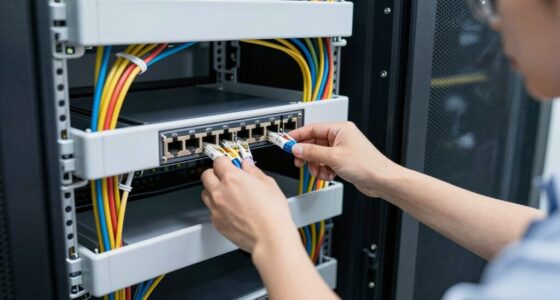
To run Ethernet to detached buildings without regret, consider using Powerline adapters, which utilize existing electrical wiring for a stable connection, or install outdoor-rated Ethernet cables buried or strung safely along your property. Wireless mesh systems can also extend coverage, but may impact speed and stability. Proper device placement and understanding your electrical setup help guarantee long-lasting performance. Continue exploring these solutions to find the best fit for your property and needs.
Key Takeaways
- Use Powerline adapters with quality electrical wiring for a stable Ethernet connection to detached buildings.
- Consider deploying outdoor-rated Ethernet cables if wiring paths are direct and weather-resistant.
- Combine Powerline or Ethernet cabling with wireless access points for flexible coverage.
- Ensure proper placement of adapters and cables to minimize interference and maximize performance.
- Assess your property’s electrical wiring and layout to choose the most effective and future-proof solution.

Ever wondered how to extend your home network to a detached building like a guesthouse or workshop? Running Ethernet cables might seem like the most straightforward solution, but it’s not always practical or aesthetically pleasing. Thankfully, there are wireless alternatives that can save you time and effort. Wi-Fi range extenders or mesh networks can boost your signal so your detached building gets reliable internet without the need for long cable runs. However, if you want a more stable and faster connection, you might consider Powerline adapters, which use your home’s existing electrical wiring to transmit data. These adapters are easy to set up, usually just plugging into outlets and connecting via Ethernet, making them a solid choice for many homeowners.
If you’re leaning toward wireless options, a mesh Wi-Fi system can blanket your entire property with strong, seamless coverage. You place a main hub inside your house, and additional nodes are positioned nearby your detached building. This setup minimizes dead zones and offers consistent speeds. Just keep in mind, wireless signals can be affected by walls, distance, and interference, so placement of your devices matters. Sometimes, even the best wireless alternatives may not provide the stability or speed you need, especially if your detached structure is far from your main router.
That’s where Powerline adapters come into play. They’re a smart compromise, especially if running physical Ethernet cables isn’t feasible. You simply connect one adapter to your router inside your house and plug it into an electrical outlet. Then, you plug another adapter into an outlet near your detached building and connect it to your device or network switch. Powerline adapters are generally reliable, offering speeds suitable for streaming, gaming, or work-from-home setups. Electrical wiring can influence the overall performance of Powerline networks, making understanding home electrical wiring essential for optimal results. To maximize performance, it’s important to understand electrical circuits and how they are configured within your home.
In some cases, combining these options produces the best results. For example, you might use Powerline adapters to establish a wired connection to your detached building and then extend that connection with a Wi-Fi access point or a mesh node. This hybrid approach ensures both stability and wireless convenience. Ultimately, the choice depends on your specific needs, budget, and the physical layout of your property. With the right setup, you can enjoy fast, reliable internet in your detached building without regret, avoiding the hassle of messy cables or unreliable wireless signals.
Powerline Ethernet adapters for detached buildings
As an affiliate, we earn on qualifying purchases.
As an affiliate, we earn on qualifying purchases.
Frequently Asked Questions
What Is the Maximum Cable Length for Ethernet Without Signal Loss?
The maximum Ethernet cable length without signal loss is typically 100 meters (about 328 feet). Beyond that, you’ll need signal boosters or switches to maintain quality. Proper cable routing helps prevent damage and interference, ensuring your connection stays strong. If you plan longer runs, consider using powered extenders or fiber optic cables, which can handle greater distances without loss. This way, your network stays reliable even across detached buildings.
How Do I Protect Ethernet Cables From Weather Damage Outdoors?
To safeguard your outdoor Ethernet cables from weather damage, use weatherproofing methods like sealing connectors with silicone or waterproof gel. Employ cable protection techniques such as running cables through conduit or armored tubing to shield them from moisture, UV rays, and physical damage. Additionally, guarantee the cable is rated for outdoor use, and regularly inspect for wear and tear to maintain peak performance and longevity in harsh weather conditions.
Can I Use Existing Electrical Wiring to Run Ethernet?
Yes, you can use existing electrical wiring with powerline adapters to run Ethernet. They transmit data through your electrical system, making setup easier without running new cables. However, be aware that signal interference from other appliances or wiring can affect performance. To minimize this, plug adapters directly into wall outlets and avoid extension cords. This method offers a convenient, clean solution for extending your network to detached buildings.
What Are the Best Ethernet Cable Types for Outdoor Use?
Think of outdoor Ethernet cables like rugged mountain trails—designed to withstand harsh conditions. For outdoor use, opt for weatherproof, shielded cables like Cat6a or Cat7, which are more durable than indoor variants. They feature additional shielding to prevent interference and are built with UV-resistant, waterproof jackets. Selecting outdoor-specific cables guarantees reliable performance, even in rain or sun, protecting your network connection from the elements.
How Do I Ensure Secure Network Connections in Detached Buildings?
To guarantee secure network connections in detached buildings, you should prioritize wireless security and network encryption. Use strong, unique passwords for your Wi-Fi, enable WPA3 encryption if available, and regularly update your router’s firmware. Consider setting up a separate network for the detached building to isolate it from your main network. Additionally, use VPNs for sensitive data, and disable remote management features to minimize potential vulnerabilities.
Outdoor-rated Ethernet cable for outdoor use
As an affiliate, we earn on qualifying purchases.
As an affiliate, we earn on qualifying purchases.
Conclusion
Running Ethernet to detached buildings might seem tricky, but with careful planning, it’s like planting a steady tree that will grow strong over time. You’ll enjoy a reliable, fast connection that keeps your remote spaces connected just like a branch reaches out to the sun. So, take your time, choose the right cables, and follow the steps. Before you know it, you’ll have a seamless network that’s as dependable as your favorite old tree, standing tall for years to come.
Wi-Fi mesh system for large property
As an affiliate, we earn on qualifying purchases.
As an affiliate, we earn on qualifying purchases.
As an affiliate, we earn on qualifying purchases.